

Blog

  • Top 10 Hotel Search App Recomended

    Top 10 Hotel Search App Recomended

    Top 10 Hotel Search App

    Travelling has evolved over the years, making it simpler and more accessible than ever. With the help of Hotel search apps, planning trips has become more efficient and hassle-free. They allow you to compare prices, amenities, and reviews of several hotels in one place. Here are the top ten hotel search apps to help you find the perfect accommodation for your next trip.
    1. Hotels.com

    Hotels.com is a popular hotel search app that offers a great user experience. The app has an intuitive interface and wide coverage of destinations, making it easy to find and book hotels. Hotels.com provides detailed information about the hotels, including pictures, pricing, and reviews from other travelers. The app also offers special discounts and promotions, making it an excellent choice for booking affordable hotels. You can even collect reward points with every booking, which can be redeemed later.

    Hotels.com

    2. Booking.com

    Booking.com is a well-known hotel search app that offers an extensive range of accommodation options. The app provides all the essential information about the hotels, including reviews, amenities, and pricing. Booking.com also offers deals and special promotions to help you find the perfect hotel while staying within your budget. The app has an innovative feature that allows you to book a room without a credit card.

    Booking.com

    3. Trivago

    Trivago is a popular hotel search app that compares prices of several hotels in one place. The app shows you the best deals and rates from various hotel booking sites. Trivago provides an efficient and user-friendly interface, making it easy to find and book hotels, resorts, and vacation rentals. The app also offers filters to help you find the perfect accommodation based on your preferences.

    Trivago

    4. Expedia

    Expedia is a well-known hotel search app that offers a broad range of accommodation options, including hotels, vacation rentals, and apartments. Expedia provides all the essential information about the hotels, including photos, reviews, pricing, and amenities. The app also offers a loyalty program that allows you to earn reward points with every booking, which can be used to book free or discounted stays.

    Expedia

    5. Agoda

    Agoda is a popular hotel search app that offers a broad range of accommodation options in various destinations worldwide. The app provides all the necessary information about the hotels, including photos, reviews, pricing, and amenities. Agoda offers exclusive deals and promotions, making it an excellent choice for budget-conscious travelers. The app also provides a loyalty program that allows you to earn reward points with every booking.

    Agoda

    6. Kayak

    Kayak is a prominent hotel search app that compares prices and offers a wide range of hotel and flight options. The app provides all the essential details about the hotels, including photos, reviews, pricing, and amenities. Kayak offers several filters to help you refine your search based on your preferences. The app also offers special deals and promotions, making it an excellent choice for budget-conscious travelers.

    Kayak

    7. HotelsCombined

    HotelsCombined is a hotel search app that compares prices from various hotel booking sites. The app offers all the essential information about the hotels, including photos, reviews, pricing, and amenities. HotelsCombined also provides a price alert feature that notifies you when the price of your preferred hotel changes. The app has an intuitive interface and offers filters to help you find the perfect accommodation based on your preferences.

    HotelsCombined

    8. TripAdvisor

    TripAdvisor is a popular hotel search app that offers a broad range of accommodation options, including hotels, resorts, vacation rentals, and restaurants. The app provides detailed information about the hotels, including photos, reviews, pricing, and amenities. TripAdvisor has an extensive community of travelers that offer recommendations and advice, making it an excellent choice for picking the perfect hotel. The app also offers a loyalty program that allows you to earn rewards with every booking.

    TripAdvisor

    9. Hopper

    Hopper is a hotel search app that focuses on flights and hotels. The app can be used to search and compare hotel prices, along with flight options. Hopper uses data to predict the best time to book a hotel or flight, potentially saving you money. The app also offers exclusive deals and promotions, making it an excellent choice for budget-conscious travelers.

    Hopper

    10. Priceline

    Priceline is a popular hotel search app that offers a wide range of accommodation options at affordable prices. The app provides all the essential information about the hotels, including photos, reviews, pricing, and amenities. Priceline also offers a unique feature called “Name Your Own Price,” where you can bid on hotels and potentially save up to 60% on your booking. The app also provides a loyalty program that allows you to earn reward points with every booking, which can be redeemed later.

    Priceline

    Conclusion

    Using hotel search apps is an excellent way to find the perfect accommodation for your trip. They offer a wide range of options and essential information, making it easier to compare and find the perfect hotel. There are several hotel search apps available, each with its unique features and benefits. The top 10 hotel search apps mentioned above offer an excellent user experience and wide coverage of destinations. Happy travels!

    Frequently Asked Question

    1. What is a hotel search app?
    A hotel search app is a mobile application that enables users to search, compare, and book hotel rooms.

    2. How do hotel search apps work?
    Hotel search apps work by aggregating information from multiple sources, including hotels, online travel agencies, and booking platforms, to provide users with a catalog of available rooms at different prices.

    3. Can you book a hotel room directly through a hotel search app?
    Yes, most hotel search apps provide users with the option to book hotel rooms directly through the app.

    4. Is it safe to use a hotel search app to book a hotel room?
    Yes, most hotel search apps partner with reputable hotels and booking platforms to ensure that users have a safe and secure booking experience.

    5. What features can I expect from a hotel search app?
    Typical features of hotel search apps include hotel reviews, hotel amenities, room availability, and pricing.

    6. Are hotel search apps free to use?
    Most hotel search apps are free to use, although some may charge a commission fee for booking a room.

    7. Do hotel search apps offer discounts or rewards for bookings?
    Yes, many hotel search apps offer exclusive discounts and rewards for bookings made through the app.

    8. What types of hotels can I search for using a hotel search app?
    Users can search for hotels of any category, including budget, mid-range, and luxury hotels.

    9. How can I narrow down my hotel search on a hotel search app?
    Users can narrow down their hotel search by setting filters, such as price range, location, amenities, and room type.

    10. What happens if I need to cancel my hotel reservation booked through a hotel search app?
    The cancellation policies for hotel reservations made through a hotel search app will vary depending on the terms and conditions of the booking platform used. Users should carefully review the cancellation policy before making a booking.

  • What is Positivism, A Sociological Theory of Auguste Comte

    What is Positivism, A Sociological Theory of Auguste Comte

    Auguste Comte (1798-1857) was a French philosopher who is often referred to as the founder of sociology. He also introduced the term “Sociology”. The term was first introduced in 1838 in his book Cours De Philosophie Positive .

    In his work, Comte explained that the word “sociology” comes from the Latin “socius” which means “friend or friend”, and “logos” which means “science”.

    Thus, sociology is a branch of science that studies society, including community behavior, and human social behavior by observing the behavior of the groups it builds. These groups include families, ethnic groups, countries, and various political, economic, social organizations.

    Three Stage Theory by Auguste Comte

    Through this book, Comte introduced the stages of intellectual development, each of which is a development from the previous stage.

    The three stages include:

    a) Theological stage , namely the level of human thinking that all objects in the world have a soul and it is caused by a power that is above humans;

    b) Metaphysical stage , which at this stage humans assume that in every symptom there are certain forces or cores that will eventually be revealed; and

    c) Positive Stage , namely the stage where humans begin to think scientifically.

    The last three stages of intellectual development, or the Positive Stage , eventually brought people to know his famous thought: Positivism.

    Recognizing Positivism

    In science, positivism is a form of thought that emphasizes the factual aspects of knowledge, especially scientific knowledge. Generally, positivism describes factual statements on a basis of perception (sensation).

    In other words, positivism is a school of thought which states that the natural (empirical) sciences are the only true source of knowledge and rejects the cognitive value of philosophical or metaphysical studies.

    According to Anthony Flew in A Dictionary of Philosophy (1984), when viewed from the origin of its development, positivism is a philosophical understanding in the flow of the Galilean tradition that emerged and developed in the XVIII century. Comte himself has tried to use the Galilean paradigm to explain human life in society.

    According to Comte, the concepts and methods of natural science can be used to explain human collective life. Furthermore, it is said that human life also occurs under the imperative of the law of cause and effect with all the conditions and probability factors.

    As events in the universe are subject to universal laws, Comte stated that human life can always be explained as a process of actualizing the law of cause and effect. Every event or action in human life that is casuistic can always be explained in terms of rational and natural cause and effect and is therefore scientific .

    According to him, every action cannot be interpreted from the substance in the form of its own moral-altruistic and metaphysical intentions and goals. Because, that is something that can be considered unscientific (unscientific) .

    Pros and Cons of Positivism

    As a thought, positivism has its advantages and disadvantages.  positivism has advantages and disadvantages as follows:

    a.) Strengths

    • Positivism produces a knowledge in which humans will be able to explain the reality of life not speculatively, but concretely, definitely, absolutely, regularly and validly;
    • With progress and with a spirit of optimism, people will be encouraged to act actively and creatively, in the sense of not only gathering facts, but also predicting the future;
    • Positivism has been able to push the pace of progress in the physical and technological sectors;
    • Positivism places great emphasis on rational-scientific aspects, both in epistemology and ontological beliefs that are used as the basis of their thinking.

    b.) Weaknesses

    • Biological analysis which is transformed into social analysis is considered as the root of the decline of spiritual values ​​and even human values. This is because humans are reduced to a physical-biological sense;
    • Man will lose meaning, art or beauty, so man cannot feel happy and pleasure does not exist;
    • Just stop at something that is visible and empirical so that it cannot find valid knowledge.
  • Top 10 Restaurant Search App Recomended

    Top 10 Restaurant Search App Recomended

    Top 10 Restaurant Search App

    Introduction

    In today’s fast-paced world, people are always on the go and do not have enough time to find a good restaurant to have a meal. This is where restaurant search apps come into play. These apps help people find restaurants that meet their criteria and preferences. In this article, we have compiled a list of the top 10 restaurant search apps that offer a range of features to make your dining experience convenient and enjoyable.

    1. Yelp

    Yelp is one of the most popular restaurant search apps, which has nearly 178 million reviews from users worldwide. The app provides recommendations for restaurants, cafes, bars, and other food establishments in your local area or any city that you are visiting. The app has a filter option for attributes such as type of cuisine, price range, and distance.

    Yelp logo

    2. Zomato

    Zomato is another popular restaurant search app in more than 25 countries. The app includes features such as reviews, ratings, menus, and photos of various restaurants. This app also provides information on restaurant discounts and deals in your local area. Zomato has a filter option for price range, location, and cuisine type.

    Zomato logo

    3. OpenTable

    OpenTable is primarily a reservation booking app, but it also includes features such as restaurant reviews, ratings, and menus. The app also provides users with a loyalty program where they can earn points for future discounts and deals. OpenTable allows users to filter restaurants based on location, availability, price range, and cuisine type.

    OpenTable logo

    4. TripAdvisor

    TripAdvisor is a popular travel app that includes features such as recommendations for restaurants, hotels, and tourist attractions. The app provides users with reviews, ratings, and photos of various food establishments. TripAdvisor has a filter option for price, location, and cuisine type.

    TripAdvisor logo

    5. Google Maps

    Google Maps is a commonly used navigation app that also includes features for finding restaurants. The app provides users with ratings, reviews, and photos of restaurants. Users can filter restaurants based on their location, business hours, price range, and cuisine type. Google Maps has a feature for saving and sharing restaurants with other users.

    Google Maps logo

    6. FourSquare

    FourSquare is a restaurant search app that provides users with information on restaurants, cafes, bars, and other food establishments. The app has a filter option for location, price range, and cuisine type. FourSquare allows users to leave tips and reviews for other users to read and choose restaurants to visit.

    FourSquare logo

    7. AllTrails

    AllTrails is a restaurant search app primarily designed for hiking and outdoor activities. The app provides users with information on restaurants near hiking trails and outdoor activities. AllTrails allows users to filter restaurants based on location, price range, and cuisine type.

    AllTrails logo

    8. Happy Cow

    Happy Cow is a restaurant search app that provides users with information on vegan and vegetarian restaurants worldwide. The app includes reviews, ratings, and photos of various vegan and vegetarian food establishments. Happy Cow has a filter option for price range, location, and restaurant type.

    Happy Cow logo

    9. Eat24

    Eat24 is a restaurant search app that primarily focuses on food delivery. The app provides users with information on food delivery options and menus from local restaurants. Eat24 has a filter option for cuisine type, delivery option, and price range.

    Eat24 logo

    10. Grubhub

    Grubhub is a popular restaurant search app that focuses on food delivery and pickup options. The app provides users with information on menus, ratings, and reviews of various local restaurants. Grubhub has a filter option for location, cuisine type, and delivery option.

    Grubhub logo

    Conclusion

    Restaurant search apps make finding and choosing a restaurant much more manageable and convenient. There are various options available on the market for different cuisines, budgets, and preferences. In this article, we have listed the top 10 restaurant search apps that provide various features such as reviews, ratings, menus, and discounts to make your dining experience enjoyable.

    Frequently Asked Question

    1. What is a Restaurant Search App?

    A Restaurant Search App is a mobile application that helps users find restaurants in their area, view menus, prices, ratings, and reviews. It allows users to discover new restaurants, make reservations, and order food for delivery or takeout.

    2. How does the Restaurant Search App work?

    The Restaurant Search App works by using GPS technology to locate nearby restaurants. Users can filter search results by cuisine, location, price range, rating, and other criteria. Users can also view menus, reviews, and ratings of the restaurants to decide which one to visit or order from.

    3. How much does it cost to use the Restaurant Search App?

    The Restaurant Search App is usually free to download and use, but some features may require a subscription or payment. Some apps may charge a commission for ordering food or booking reservations through the app.

    4. Can I make reservations and order food through the Restaurant Search App?

    Yes, most Restaurant Search Apps allow users to make reservations and order food directly through the app. Users can select a restaurant, choose a table, and even pay for their meal without leaving the app.

    5. Can I view menus, prices, and ratings of restaurants on the Restaurant Search App?

    Yes, users can view menus, prices, ratings, reviews, and other information about the restaurants on the app. This helps users make informed decisions about dining options.

    6. Can I leave reviews and ratings of restaurants on the Restaurant Search App?

    Yes, users can leave reviews and ratings of restaurants on the app. This feedback helps other users make better decisions about dining options and helps restaurants improve their service and food quality.

    7. How accurate are the restaurant listings and information on the Restaurant Search App?

    The accuracy of restaurant listings and information may vary depending on the app and the source of the data. However, most apps strive to provide accurate and up-to-date information to their users.

    8. Can the Restaurant Search App suggest restaurants based on my preferences?

    Yes, many Restaurant Search Apps use machine learning and AI algorithms to suggest restaurants based on users’ preferences, search history, and behavior on the app.

    9. Is the Restaurant Search App available in all cities and countries?

    The availability of the Restaurant Search App may vary depending on the app and the location. However, most apps have a broad coverage and are available in many cities and countries around the world.

    10. Is it safe to use the Restaurant Search App for ordering food, payment, and sharing personal information?

    Yes, most Restaurant Search Apps use encryption and secure payment systems to protect users’ personal information and payment details. However, users should always read the app’s privacy policy and terms of service and use caution when sharing sensitive information.

  • Top 10 Food Delivery Application Recomended

    Top 10 Food Delivery Application Recomended

    Top 10 Food Delivery Applications

    Online food delivery has become increasingly popular in recent times as people increasingly prefer the convenience of ordering food online from the comfort of their homes. This trend has led to the emergence of numerous food delivery apps. Here are the top 10 food delivery applications that you should consider using for a delightful food ordering experience.

    1. Uber Eats

    Uber Eats is one of the most popular food delivery applications, known for its fast and reliable service. The app has a comprehensive database of restaurants to choose from, ranging from local to national chains. Uber Eats allows you to track your order in real-time, so you always know when to expect your food delivery. The app features daily discounts and exclusive deals, and you can easily pay through the app. The interface is user-friendly and makes for easy navigation.

    Uber Eats

    2. Grubhub

    Grubhub is another popular app that has an extensive database of local restaurants partnered with them. With Grubhub, you can filter your restaurant search with various dietary preferences, cuisine types, and ratings. The app has a feature for pre-ordering meals, so you can schedule meals ahead of time. Grubhub also offers discounts and rewards. Although the app charges a delivery fee for each order, its subscription service, Grubhub+ offers exclusive discounts on orders.

    Grubhub

    3. DoorDash

    DoorDash has gained massive popularity due to its extensive restaurant coverage and quick delivery services. The app sometimes offers free delivery services, depending on the restaurant you choose. DoorDash has a referral program that lets you earn discounts on your orders. The app also has a scheduled delivery feature, which allows you to pre-order meals. DoorDash has an enticing user interface, making it easy for users to navigate.

    DoorDash

    4. Seamless

    Seamless is another popular food delivery app that has an extensive list of restaurants partnered with them. According to the app, their delivery times exceed their customer’s expectations, which keeps their customers coming back. The app has an automatic payment feature, and it allows you to save your favorite restaurants and dishes for easy repeat ordering. Seamless does charge a delivery fee for orders.

    Seamless

    5. Postmates

    Postmates is a food delivery app that also delivers groceries and alcohol, making them the go-to app for ordering anything locally. The app has an easy-to-use interface, and the delivery fee is dependent on the distance between the restaurant and the delivery address. A unique feature of Postmates is that you can track your delivery driver in real-time, making it easy to plan ahead. Postmates also offers a subscription-based service, Postmates Unlimited, which provides free delivery fees on all orders.

    Postmates

    6. Caviar

    Caviar is a more upscale food delivery app that delivers gourmet meals from local restaurants. The app has a premium user experience, and it lists each restaurant’s menu items with descriptions of each dish. Caviar has a unique feature, the ability to book a table before ordering your meal. The app provides real-time tracking of your order, and the delivery fee is calculated based on distance.

    Caviar

    7. Doorbell Dining

    Doorbell Dining prides itself on providing the local community with quality meals from local restaurants. The app has an intuitive design that makes restaurant browsing, and ordering easy. Doorbell Dining also provides a rewards program, which allows you to earn points on every order placed, which accrue to discounts on future orders.

    Doorbell Dining

    8. Zomato

    Zomato is a popular food delivery app that has been operating since 2008. Zomato offers delivery services for local and international cuisine. The app offers discounts, promotions, and personalized recommendations for users. The app has especially been popular in Asia, and since its initial launch in India, the app has expanded to over 25 countries globally. Zomato has a feature that lets you save locations, which makes it perfect for people who travel frequently.

    Zomato

    9. Eat24

    Eat24 has developed a reputation for providing affordable meals from restaurants known to delivery quality food. The app has a meal search feature, which helps users looking for particular cuisine types or restaurants. Eat24 has a feature that lets users schedule meals for later. The app is intuitive and easy to navigate, meaning you can jump right in and start enjoying its features.

    Eat24

    10. Ritual

    Ritual has partnered with top-tier restaurants in different cities globally. The app offers a feature that lets you order ahead and skip the line, ensuring you receive your order quickly. Ritual also has an office ordering feature that lets you order meals for colleagues or team members. The app’s interface is clear and concise, making communication with the restaurant and tracking your order easy.

    Ritual

    Conclusion

    With the rise of food delivery applications, there is no shortage of options when it comes to ordering your next meal. These apps offer quick and reliable services, often with rewards and discount programs. The list featured some of the top food delivery apps to give you a better idea of what each has to offer. Ultimately, it’s up to the individual to decide which food delivery app to use based on their preferences.

    Frequently Asked Question

    1. How does a food delivery app work?
    A food delivery app connects customers with restaurants and offers them the option to place their food orders through the app. Once the order is received, the restaurant prepares the food and the delivery person picks it up and delivers it to the customer.

    2. How do I download a food delivery app?
    To download a food delivery app, you can search for it in your app store on your smartphone or tablet, and then click on the “download” button. You will then be prompted to create an account and enter your payment information.

    3. How do I place an order in a food delivery app?
    To place an order in a food delivery app, you need to choose the restaurant you want to order from, select the items you want to order, and then choose your payment method. Once you’ve placed your order, the restaurant will prepare your food and it will be picked up by a delivery person.

    4. How long does it take for my food to be delivered?
    Delivery times for food delivery apps can vary depending on the restaurant’s cooking time and the distance between the restaurant and the delivery location. Some apps also offer delivery time estimates before you place your order.

    5. How do I track my food delivery?
    Most food delivery apps offer real-time tracking of your food delivery. You can usually view the status of your order, including whether it is being prepared, picked up, or on its way to your location.

    6. Can I cancel my order in a food delivery app?
    Most food delivery apps allow you to cancel your order as long as the restaurant hasn’t started preparing the food yet. To cancel an order, you typically need to contact customer service through the app and request the cancellation.

    7. Can I customize my food order in a food delivery app?
    Yes, most food delivery apps allow you to customize your food order. You can usually add or remove ingredients, choose your preferred level of spiciness, or make other changes to your order.

    8. How can I pay for my food order in a food delivery app?
    Food delivery apps usually offer several payment options, such as credit card, debit card, PayPal, or Apple Pay. You can choose your preferred payment method during the check-out process.

    9. What if my food is cold or incorrect when it arrives?
    If your food is cold or incorrect when it arrives, you should contact customer service through the food delivery app. Most apps have a customer service button that you can use to report any issues with your order.

    10. What fees are associated with food delivery apps?
    Food delivery apps usually charge a delivery fee, which can vary depending on the distance between the restaurant and the delivery location. Some apps also charge a service fee or a small order fee. Additionally, you may be required to meet a minimum order amount to qualify for delivery.

  • Top 10 Cooking Recipe Application Recomended

    Top 10 Cooking Recipe Application Recomended

    Top 10 Cooking Recipe Applications

    If you’re someone who enjoys cooking, trying out new recipes – or someone who just needs some culinary inspiration – you’ve probably considered downloading a cooking recipe application. With so many recipe apps available today, it can be tough to know which one to choose. Some offer features like meal planning, grocery list generation, and step-by-step instructions for beginner levels, while others provide recommendations based on your dietary restrictions. Here are our top 10 picks for the best cooking recipe applications.

    1. Yummly

    Yummly app

    Yummly is one of the most popular recipe apps, with over 1 million plus recipes available. It’s an excellent choice for vegetarians, those with food allergies, and those who are health-conscious. It offers personalized recipe suggestions based on your previous search history and dietary preferences. You can also create customized grocery lists, plan your meals for the week, and save your favorite recipes in the app. Yummly is available on both iOS and Android platforms.

    2. Food Network Kitchen

    Food Network Kitchen app

    If you’re a fan of TV cooking shows, Food Network Kitchen is an app you need to have. The app offers a wide selection of recipes created by top chefs and hosts of the Food Network channel. The app also provides in-app cooking classes and tutorials that will help you improve your cooking skills. Food Network Kitchen is available on both iOS and Android platforms.

    3. Cookpad

    Cookpad app

    Cookpad is an excellent social recipe sharing app that features a library of user-created recipes. If you love to cook and share your culinary creations with others, then Cookpad is the app for you. The app allows you to easily take a photo of your dish, add a recipe description, and share it with the Cookpad community. The app is available on both Android and iOS platforms.

    4. Paprika

    Paprika app

    Paprika is an excellent app for organizing and keeping track of recipes. With this app, you can easily save recipes from any website, make shopping lists, and plan your meals for the week. One unique feature of Paprika is that it allows you to scale your recipes automatically, making it quick and easy to adjust recipes for the number of servings you need. Paprika is available on both iOS and Android platforms.

    5. Tasty

    Tasty app

    If you’re someone who loves mouth-watering cooking videos, Tasty is the app for you. Tasty includes over 4,000 recipes, with over 2,000 how-to videos providing step-by-step instructions. The app also features meal planning and grocery list generation. One great feature of Tasty is that it allows you to search for recipes by cuisine, diet, or meal. The app is available on both iOS and Android platforms.

    6. BigOven

    BigOven app

    BigOven is an excellent recipe app for people who are just starting to learn how to cook. With over 350,000 recipes, the app has something for everyone, from simple beginner-level dishes to more complex meals. BigOven also helps you plan your meals wisely with grocery list generation, meal planning, and more. The app is available on both iOS and Android platforms.

    7. Epicurious

    Epicurious app

    Epicurious is an award-winning recipe app that offers over 35,000 recipes from top chefs and food bloggers worldwide. The app allows you to save recipes, bookmark them, and create shopping lists for grocery shopping. It also offers a feature that allows you to search for recipes based on your dietary needs and preferences. Epicurious is an iOS exclusive app.

    8. Kitchen Stories

    Kitchen Stories app

    If you’re someone who loves beautiful food photography along with their recipes, then Kitchen Stories is the app for you. Kitchen Stories offers a library of over 3,000 recipes with step-by-step instructions accompanied by beautiful photographs. It also offers in-app cooking classes and tutorials to help you master your culinary skills. Kitchen Stories is available on both iOS and Android platforms.

    9. Allrecipes Dinner Spinner

    Allrecipes Dinner Spinner app

    Allrecipes is one of the most popular recipe websites on the internet, and their app has a library of over 50,000 recipes. The app is easy to navigate, and you can search for recipes based on different categories, such as ingredients, cuisine, and diet. Allrecipes also features a unique “Dinner Spinner” feature that allows you to shake your phone, and the app will randomly suggest different meals. The app is available on both iOS and Android platforms.

    10. Tastemade

    Tastemade app

    Founded in 2012, Tastemade has grown to become one of the most popular cooking and travel destinations on the internet, with a community of food and travel lovers from around the world. The app offers a wide selection of recipes covering different cuisines, with cooking tips, techniques, and step-by-step instructional videos. Tastemade is available on both iOS and Android platforms.

    Conclusion

    There you have it- our top ten picks for the best cooking recipe apps. Whether you’re looking for something that will help you plan your meals for the week, an app with a wide selection of vegetarian or diet-based recipes, or an app that’s just fantastic for browsing and creating your own recipes, there’s an app that’s perfect for you. Try a few of these out and see which ones work best for you, and happy cooking!

    Frequently Asked Question

    1. What is a cooking recipe application?
    A cooking recipe application is a digital platform that allows users to easily access and search for different kinds of cooking recipes.

    2. Can I download a cooking recipe application on my phone?
    Yes, most cooking recipe applications are available for download on both iOS and Android devices.

    3. Are cooking recipe applications free to use?
    Not all cooking recipe applications are free to use, however there are several options available for free download.

    4. Can I customize the recipes on a cooking recipe application to my dietary requirements?
    Yes, many cooking recipe applications offer customization options, for example, vegetarian, kosher or gluten-free categories.

    5. How do I search for a specific recipe on a cooking recipe application?
    Most cooking recipe applications have a search bar function that allows users to input recipe keywords, ingredients, and cooking time.

    6. Can I save recipes on a cooking recipe application for future use?
    Yes, many cooking recipe applications offer a “favorites” or “saved recipes” option for users to easily store recipes they want to cook.

    7. Is it possible to share recipes with friends and family through a cooking recipe application?
    Yes, many cooking recipe applications offer a “share” option that allows users to share recipes via text, email, or social media.

    8. Does a cooking recipe application provide nutritional information for recipes?
    Yes, many cooking recipe applications provide both nutritional information and calorie counts for each recipe.

    9. How can I determine the difficulty level of a recipe on a cooking recipe application?
    Often, cooking recipe applications provide a difficulty level rating for each recipe, either in stars, numbers, or words (e.g. “easy,” “medium,” “hard”).

    10. Can I create and add my own recipes to a cooking recipe application?
    Some cooking recipe applications allow users to create and upload their own recipes, while others may require a specific membership or fee to do so.

  • Understanding Pierre Bourdieu’s Theory: Habitus and Examples of Social Phenomena

    Understanding Pierre Bourdieu’s Theory: Habitus and Examples of Social Phenomena

    Pierre Felix Bourdieu’s theory of thought can be easily remembered by the composition of social practice, namely (Habitus X Modal) + Realm = Practice.

    Pierre Felix Bourdieu’s thoughts give us a reflection to understand social phenomena which we ourselves unconsciously make habits or Bourdieu calls Habitus. 

    Now, for the theoretical formula of Pierre Felix Bourdieu’s thought, we can easily remember the composition of social practice, namely (Habitus X Modal) + Realm = Practice.

    In this first article, we will briefly discuss Habitus written by Pierre Felix Bourdieu, let’s see!

    A Brief Introduction to the Sociological Figure Pierre Felix Bourdieu.

    He was a philosopher, anthropologist and sociologist whose work had a major impact on the social sciences in the second half of the 20th century.

    Bourdieu also became one of the leaders of cultural sociology. Bourdieu’s thought was influenced by thinkers such as Aristotle, Thomas Aquinas, Hegel, Marx, Durkheim, Max Weber, Picasso, Franz Fanon, Jeane Paul Sartre, Huserl, Sausure, Levi Strauss, Wittgenstein, Martin Heidegger, and Michel Foucault.

    Then, Bourdieu gave the concept of practical theory which people are familiar with with the formula (Habitus X Modal) + Realm = Practice. He provides a new thought formula called the structuralism-constructive method. 

    Through this method, he synthesizes a theory that emphasizes structure and objectivity with a theory that emphasizes the role of actors and subjectivity.

    His thoughts have an influence in the field of social science, especially in cultural studies. The theory that he put forward is known as the theory of practice.

    Practical theory is a blend or mixture of agent- or actor-centered theory with structure-centered theory in shaping social life. 

    Understanding Pierre Bourdieu’s Thoughts on Habitus. 

    Humans as social beings certainly cannot be separated from the process of social interaction and communication between individuals, as well as between community groups.

    This social interaction and communication occurs when humans are born, which begins with the process of internalizing the prevailing values ​​and norms. Where we ourselves run the habitus without us knowing it. 

    Then, how does Bourdiue define habitus? Well, here’s Sociology Info quoting from the Journal of Cultural Studies (2016) Volume I No. 2: 79-82, Pierre-Felix Bourdieu Theory Research Report by Mangihut Siregar Udayana University, the following is the review: 

    For Bourdieu habitus is a system through a combination of objective structures and personal histories, enduring and changing dispositions that serves as a generative basis for objectively structured and integrated practices. Understanding the concept of habitus is the key in Bourdieu’s theoretical synthesis. 

    Where Habitus is a process of internalizing various socio-cultural values ​​and a sense of the game (feel for the game) that gives birth to various movements that are adapted to the game being played. Habitus is the result of internalizing the structure of the social world, or the inner social structure. 

    Habitus is a historical product that is formed after humans are born and interacts with society in a certain space and time. Habitus is not innate or natural but is the result of learning through parenting and socializing in society. 

    The learning process is very subtle, unconscious and appears as a natural thing. Individuals are not completely free agents, nor are they passive products of social structures. Habitus is closely related to the field, because the practices or actions of agents are habits formed by the field, so that habitus is understood as a cultural action. 

    Bourdieu’s theoretical approach is to illustrate that what a person says and does in his life is basically something other than his desires or just from social and material structures. 

    Individuals in their actions are influenced by the structure or the collective/social. The existing structures in society are internalized by social actors so that they function effectively. Internalization takes place through parenting, play activities, and also education in the community both consciously and unconsciously.

    At first glance, habitus seems like something natural or a gift, but it is a construction. Actors or agents in acting are not like puppets or machines that move when someone orders them. Agents are individuals who are free to move according to their wishes. 

    On the one hand, the agent is an individual who is bound in a collective/social structure, but on the other hand, the agent is an individual who is free to act.

    This synthesis and dialectic between the objective structure and subjective phenomena is known as habitus. The result of the dialectical relationship between structure and agent is seen in practice. Practice is neither objectively determined nor free will.

    Habitus that exists at a certain time is the result of long-lasting collective life. Habitus can last a long time but can also change from time to time. Habitus produces and is produced by social life, meaning that habitus is a social structure and habitus is a structured structure. 

    Thus Bourdieu defines habitus as a durable, transposable disposition system that serves as a generative basis for objectively structured and integrated practices.

    Examples of Social Phenomenon of Society.

    Habitus is a habit that is inherent and repeated by humans in their daily lives. 

    We can see this habit in the behavior and actions taken, such as village communities who are used to mutual cooperation activities, helping when there is a celebration or rewang. 

    Well, we can see how this habit has been ingrained for a long time, so that it becomes a habit that is carried out continuously and repeatedly. 

    Thus, we can form the habit by ourselves without us realizing it. That is when we look at the village community who have been instilled in the values ​​of gotong royong as a habit that has been ingrained for a long time.

    What else can we see in giving examples of habitus? Well, for example in students, students who they familiarize themselves as students and students by learning, behave according to the values ​​and norms as well as their obedience in being students and students. 

    Such as coming on time, doing assignments well and maximally, and applying teachings that are in accordance with existing values ​​and norms. This is where there is a process of social interaction and communication that builds the habitus by continuously repeating these patterns. 

    Well, for examples and analysis of social phenomena in society, yo

  • Top 10 Fashion Application Recomended

    Top 10 Fashion Application Recomended

    Top 10 Fashion Applications

    The fashion industry is rapidly growing day by day, and the demand for fashion-related applications is increasing too. In this article, we will be discussing the top 10 fashion applications that can help you stay trendy and fashionable.
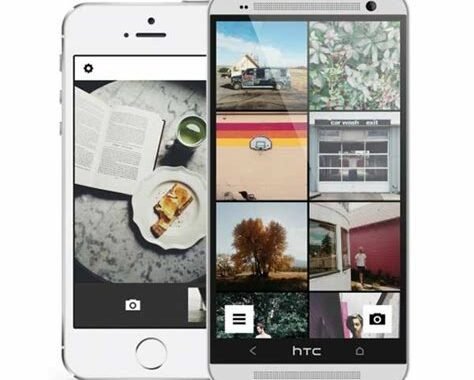
    1. Polyvore

    Polyvore

    Polyvore is an online fashion community where users create and share their style inspiration with other members. Users can create their virtual closet by adding items they own or would like to have, and its mix-and-match feature allows them to create their outfits. The app also allows the user to purchase the items they like directly from the retailers.

    2. FashionNova

    FashionNova

    FashionNova is an online fashion store that sells trendy clothing, shoes, and accessories for women. The app allows the user to browse through thousands of items, shop for clothes, and track their deliveries. The app has a “New Arrivals” section, which is updated regularly and allows users to keep their wardrobes up-to-date with new and trendy items.

    3. Stylebook

    Stylebook

    Stylebook is a virtual wardrobe app that helps users organize their clothes, create outfits, and plan what to wear for events. The app allows them to upload pictures of their clothes and create a digital wardrobe, which the user can then use to create new outfit combinations. The app also has a calendar feature that helps the user plan their outfits for the week, month or year.

    4. The Hunt

    The Hunt

    The Hunt is a community-driven fashion app that helps users find items they’ve seen on social media. The user can post a picture of a particular item they’re looking for, and other users can help them find it. The app also has a feature that enables the user to upload a photo of an outfit they like and someone in the community will help them find something similar.

    5. ASOS

    ASOS

    ASOS is an online fashion store that sells clothes, shoes, and accessories for both men and women. The app allows users to browse through thousands of items, filter through categories, and shop for the best deals. ASOS also offers free shipping worldwide, and the app sends notifications when sales are going on. The app also has a feature that allows the user to save items they like to their wish list.

    6. 21 Buttons

    21 Buttons

    21 Buttons is a social media app that enables users to share their personal style with others. Users can upload photos of their outfits, tag the items they’re wearing and allow other users to purchase the items directly from the retailer. The app also incentivizes users by allowing them to earn money for each purchase made through their links.

    7. Chicisimo

    Chicisimo

    Chicisimo is a fashion app that helps users build their wardrobe and develop their personal style. The app allows users to upload photos of their clothes and create a virtual wardrobe, which they can then use to build outfits. The app also has a feature that enables the user to receive outfit suggestions based on their style preferences.

    8. Rent the Runway

    Rent the Runway

    Rent the Runway is an app that allows users to rent designer clothes, shoes, and accessories for a fraction of their purchase price. The app offers a wide variety of items, and the user can rent for a specified period. The app also adds new items regularly, and users receive a notification when they’re available.

    9. Zara

    Zara

    Zara is a popular high-street fashion brand that sells clothes, shoes, and accessories for both men and women. The app allows users to browse through thousands of items, filter through categories, and check for the latest arrivals. The app also has a feature that allows the user to save items they like to their wish list, and they can receive notifications when the items are back in stock or on sale.

    10. Gilt

    Gilt

    Gilt is an app that offers exclusive deals on luxury fashion items, from clothes and shoes to bags and accessories. The app allows users to browse through thousands of items, filter through categories, and shop for the best deals. Gilt updates its inventory regularly, and users can receive notifications when new items are available.

    Conclusion

    The fashion industry is moving rapidly, and these apps can help users keep up with the latest trends, purchase items they like, and plan what to wear for events. With their unique features and services, these apps cater to a variety of users, making them some of the most sought-after fashion apps today.

    Frequently Asked Question

    1. What is a fashion application?
    A fashion application is a mobile or web-based application that enables users to browse, shop, and stay up-to-date with the latest fashion trends from a variety of brands and retailers.

    2. What features should a fashion application have?
    A fashion application should have features like personalized recommendations, product comparison features, user reviews, virtual try-on, in-app purchases, and social sharing options.

    3. How can I use a fashion application to find the latest fashion trends?
    You can use a fashion application to browse through the latest collections offered by different brands and retailers, and find what’s currently trending in the fashion world.

    4. Can I use a fashion application to find clothes that suit my personal style?
    Yes, fashion applications typically have features like style quizzes and personalized product recommendations that can help you find clothes and accessories that suit your personal style.

    5. Do fashion applications offer international shipping?
    It depends on the fashion application and the retailers it partners with. Some fashion applications offer free international shipping, while others only offer shipping within a specific country or region.

    6. How safe are in-app purchases on fashion applications?
    In-app purchases on fashion applications are safe as long as you’re using a reputable application and making purchases through secure payment gateways.

    7. Can I find high-end luxury brands on fashion applications?
    Yes, many fashion applications partner with high-end luxury brands and offer their latest collections on their platform.

    8. Can I return or exchange products purchased through a fashion application?
    It depends on the return policy of the retailer you purchased the product from. Most fashion applications offer easy returns and exchanges if the products you receive are damaged or not as described.

    9. Are fashion applications only for women’s clothing and accessories?
    No, fashion applications offer a wide range of products for both men and women, including clothing, shoes, accessories, and more.

    10. Can I use a fashion application to follow and connect with other fashion enthusiasts?
    Yes, many fashion applications have social features that allow users to share their favorite products, connect with other users, and discover new fashion trends together.

  • Top 10 Beauty Application Recomended

    Top 10 Beauty Application Recomended

    Top 10 Beauty Applications

    With the advent of technology, our daily lives have changed drastically, and beauty applications are no exception. These applications are designed to make our beauty routines more convenient and personalized. From skincare and haircare to makeup and nail art, these applications can help achieve that flawless finish we all crave. Here are the top 10 beauty applications that every woman should have on her smartphone.

    1. VSCO Cam

    VSCO Cam is an excellent photo editing application, and it is not only for beauty purposes, but also for regular mobile photography. VSCO Cam can help create a personalized and beautiful look for your photos, so you can share your beauty look with the world. Whether it’s a selfie or a flat lay, VSCO Cam has the perfect preset for every photo.

    VSCO Cam

    2. SkinBetter Skincare Regimen

    SkinBetter Skincare Regimen is a skincare application that provides personalized skincare. It is used to assess your skin type, contributing factors to your skin, and recommended skin routine. This application has a simple and easy-to-follow interface and helps provide the best skincare routine through easy-to-use instructions.

    SkinBetter Skincare Regimen

    3. Keep It Cleaner

    Keep It Cleaner is a fitness application that helps tone and strengthen your body. It also gives nutrition tips and healthy meal planning. This application is also an excellent companion for those who crave a beauty look that comes from within. It helps keep your body healthy and gives you a natural glow from regular exercise.

    Keep It Cleaner

    4. YouCam Makeup

    YouCam Makeup is a beauty application that simulates makeup on your face. This application helps when you want to try different makeup looks without going through the actual makeup preparation. YouCam Makeup allows you to apply lipstick, eyeshadow, eyeliner, and more with a simple tap of the screen. This application also has a unique ability to match the makeup vibe to your skin tone. So, all you have to do is upload a selfie, and Youcam Makeup will analyze your skin tone and give you the perfect makeup look.

    YouCam Makeup

    5. L’Oreal Hair Color

    L’Oreal Hair Color is a great application for those who want to try different hair colors. This application provides an opportunity to see what you would look like with various hair colors. It also gives shade recommendations based on your face shape and skin tone. This application is a great way to experiment with hair colors without the commitment of coloring your hair.

    L’Oreal Hair Color

    6. NailSnaps

    NailSnaps is one of the excellent beauty applications designed for nail art lovers. This application helps to create custom nail art designs so you can have unique and personalized nails. All you need to do is take a photo of your hand or foot, choose your favorite design, and apply it to your nails. You can also create your own custom designs with its user-friendly tool.

    NailSnaps

    7. Sephora

    Sephora is an excellent beauty application for those who like to shop for beauty products online. This application helps you to take advantage of exclusive sales and promotions on Sephora products. It also allows you to get recommendations on products based on your preferences and purchase history. Sephora also has a barcode scanner that helps the shopper scan any product, and see if it is available at Sephora.

    Sephora

    8. GlamScout

    GlamScout is an ultimate beauty application designed for makeup lovers. This application helps to identify the products in a makeup look in any picture. All you have to do is take a photo of a makeup look you like or a picture from a magazine, and this beauty application will identify the products used to create that look. So, with GlamScout, you can create the exact makeup look as your favorite celebrity or YouTuber.

    GlamScout

    9. BAZAAR Hair

    BAZAAR Hair is a beauty application designed for hair care. This application helps provide information about hair types and trends. It gives tips and tricks for maintaining a healthy and moisturized scalp, as well as tutorials on the latest hairstyles.

    BAZAAR Hair

    10. ModiFace Virtual Nail Salon

    The ModiFace Virtual Nail Salon Application is a perfect companion for any nail-obsessed woman. This application allows you to try on hundreds of virtual nail polish colors as if you are in a real nail salon. It also provides the virtual features of various types of nails such as square, almond, or oval. You can even switch between hand models for more virtual options.

    ModiFace Virtual Nail Salon

    Conclusion

    Beauty applications are an excellent alternative for those who don’t have the time to go to a spa appointment or who want accessible and personalized beauty routines. These applications are designed to help make beauty routines more convenient and personalized to you. So, whether you’re looking for perfect makeup tips, nail art designs or personal skincare, you can always find an application for that. Download any of the ten beauty applications we have listed here and start your beauty journey today!

    Frequently Asked Question

    1. What is a beauty application?
    A beauty application is a mobile application that allows users to apply makeup, change hairstyles and colors, and enhance their appearance using virtual effects.

    2. How can I download a beauty application?
    You can download a beauty application from your device’s app store, such as the Apple App Store or Google Play Store.

    3. What are the most popular beauty applications?
    There are many beauty applications available, but some of the most popular ones include YouCam Makeup, FaceTune, and Perfect365.

    4. Are beauty applications safe to use?
    Yes, beauty applications are safe to use as long as you download them from a reputable app store and do not grant them unnecessary permissions.

    5. Do beauty applications require an internet connection to work?
    Some beauty applications require an internet connection to download additional content or access online features, while others can be used offline.

    6. Can I save my beauty looks using an application?
    Yes, most beauty applications allow you to save your looks and share them on social media or with friends.

    7. Are beauty applications free?
    Many beauty applications offer basic features for free, but some require a subscription or payment to access certain features or remove ads.

    8. Do beauty applications work on all devices?
    Beauty applications are typically designed to work on both iOS and Android devices, but some may have compatibility issues with older or less common devices.

    9. Can beauty applications help me find makeup products that match my skin tone?
    Yes, some beauty applications have advanced features that can analyze your skin tone and recommend makeup products that match.

    10. Do I need to be skilled in makeup to use a beauty application?
    No, beauty applications are designed to be user-friendly and accessible to all levels of skill and expertise in makeup.

  • Erving Goffman’s Theory of Dramaturgy, This is the Latest Explanation and Examples

    Erving Goffman’s Theory of Dramaturgy, This is the Latest Explanation and Examples

    Erving Goffman’s Dramaturgical Theory. The following are explanations and examples of social phenomena in everyday life that we may often encounter.
    The existing social life is part of the play. This explanation of Erving Goffman’s Dramaturgy Theory will explain how we understand the play.

    The following are explanations and examples of social phenomena in everyday life that we may often encounter.

    Get to know Erving Goffman, this is his explanation about dramaturgy

    Erving Goffman, is a character who is familiar to some circles. Especially for those who belong to academics, students, or students. Erving Goffman was born in Alberta, Canada June 11, 1992. 

    He was a major Canadian-American sociologist who played an important role in the development of Modern American sociology. 

    An academic who graduated from the University of Chicago, he is known as a member of the Chicago school and as a theorist of symbolic interactionism. He made a theory that is dramaturgy. 

    Dramaturgy theory is widely used for various research purposes, scientific papers, and learning materials. 

    Dramaturgy comes from English, namely “dramaturgy”, from the word “drama” which means the art or technique of drama in the form of theatre. 

    According to Goffman (1959), dramaturgy is a play of life presented by humans. Dramatic situations that seem to occur on stage as illustrations to describe individuals and their interactions in everyday life. 

    So it can be concluded that dramatugy is a view of social life as a form of storyline for drama performances in a stage. 

    (Melati, 8: 2016) explains that dramaturgy is a theory that can interpret the daily life of humans. 

    Humans are like playing a show on stage. The stage consists of a front stage and a back stage. 

    In the front stage there are settings and personal fronts, which can then be divided into appearance and style.”

    Examples of Understanding Dramaturgy Theory in Everyday Life

    Now our discussion this time, how dramaturgy theory is very relevant and closely related to our daily lives. 

    I’ll just give an example with a student, his name is Farhan. Farhan is a student, he also participates in several organizational activities. When you want to go to campus, canteen, library.

    Or other campus facilities, he must adjust himself as best he can, dress like a student, bring books, pens, and laptops. The attitude that he formed is called dramaturgy. 

    Farhan as an individual plays his role as a student, he goes to campus with books, pens, and laptops to support his studies. 

    Besides that, he embellished himself by wearing student-like clothes (with his fashion sense). 

    Farhan as an individual student is he who is characterized above when interacting and dealing with the community, especially with the campus community. This social life is the object of the front stage or front stage. 

    When Farhan is at home, rented, or in a boarding house, he is a different individual or is rarely highlighted. Such a situation is called a back stage or (behind the stage / screen). Like a theater stage, event studio, or shooting location. 

    The actors who are on the back stage, of course, do different things when on the front stage, they can relax and be themselves when they are behind the screen. 

    Likewise Farhan, in the back stage condition Farhan did things he didn’t do when he was on campus, it could be a habit that is not pleasing to the general public. 

    So don’t be surprised if you see a different friend when in a formal environment such as an office, campus, or school with him when in a non-formal environment such as a home, cafe, or other place. 

    Consciously or not, he is applying dramaturgy theory. Maybe, subconsciously you also apply it, hehehehe.

    What are the Benefits of Learning to Understand Dramaturgy Theory

    This theory is very useful for us to be able to position ourselves according to the existing situation. 

    We become wiser and understand how to look when we meet important people such as officials, work clients, lecturers, or our own friends. In a formal situation, we must understand how the policies and values ​​and norms exist in that situation. 

    For example, when you are attending a webinar held by a government institution. From the committee’s policy, it is stated in it, namely “invited guests, committee.

    And participants are prohibited from eating, drinking, and smoking during the event, “so automatically you who get a position as a participant must of course heed this order. 

    When you violate it, you are considered unethical and labeled impolite. If this continues, it is feared that it will become a habit. 

    There is nothing wrong with a habit or a habit, the benchmark for which is whether it is a good standard or a bad one. 

    Therefore, we must be able to position ourselves as best we can, don’t make it a habit when we are on the back stage (house, rented house, boarding house, hangout) brought to the front stage (workplace, campus, and school). 

    On the other hand, dramaturgy theory conveys a message that it is not too easy to judge people’s appearance. Humans still have two sides, nice personality or bad personality. 

    The good and bad of an individual is seen by the public, it depends on himself and depends on the values ​​and norms of his environment. Life is indeed drama, acting, and personal branding. 

    The effect given later will be felt again, as the saying goes “what you sow, that’s what you reap.” 

    So always consider if you want to appear in front of the audience with the thoughts you have, Are these thoughts or ideologies in accordance with your conscience? 

    Are you able, if what you do becomes a problem in the public? And when do you want to start? 

    Questions like that often cross our minds, I personally do too. When you are ready, please go ahead. 

    Do not procrastinate too long due to insecurity and validation of people. The point is, don’t forget to always read books, listen to criticism and advice, and look at your surroundings. 

    That way when applying dramaturgy theory, we can become more realistic, critical, and unselfish people.

    Reference sources :

    (Melati, 2016)Melati, MR (2016). ANALYSIS OF ERVING GOFFMAN’S DRAMATURGY CONCEPT IN PATTERNS OF USE OF PUBLIC SPACE BY STUDENTS IN THE CITY OF SURAKARTA. Thesis, III(2), 2016.

    https://cubic.id/journals/dramaturgy-theory, accessed 27 June 2021

  • Top 10 Diet Setting Application Recomended

    Top 10 Diet Setting Application Recomended

    Top 10 Diet Setting Applications to Help You Stay Healthy and Fit

    With the ever-increasing focus on health and wellness, diets have become a critical part of our lives. People are becoming more aware of the importance of a balanced diet and its impact on their overall health. This has led to the proliferation of diet-setting applications that help track the nutritional value of different foods, count calories, and set diets that meet the user’s specific needs. Here are the top 10 diet-setting applications that can help you achieve fitness goals.
    1. MyFitnessPal

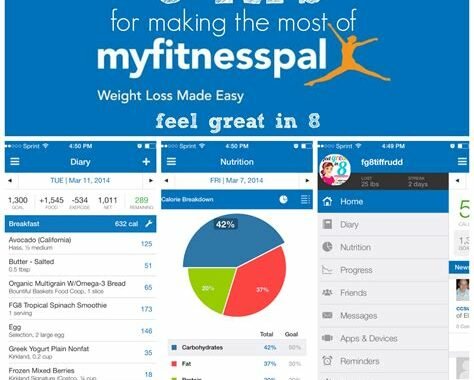
    MyFitnessPal is one of the most comprehensive apps on the market when it comes to setting diets. It has a vast database of foods that allows you to track your diet’s nutritional value. The app boasts of a broad selection of over six million foods, including fast foods and restaurant meals.

    MyFitnessPal makes it easy to set goals, track progress and gives you feedback on your progress. It has various plans to help you achieve your goals, including personalized diet plans to meet your nutritional needs. The app also includes useful features such as barcode scanning, meal reminders and the ability to connect with friends for community support.

    MyFitnessPal

    2. Fooducate

    Fooducate is a unique diet-setting application that focuses on educating its users on healthy eating habits. The app provides users with information about food quality, nutrition, and overall health impact. It is designed to help individuals make informed decisions when it comes to food selection and purchasing.

    The app has a barcode scanning feature that allows you to scan the barcode of any food item and get information on its nutritional value. The app also offers personalized recommendations based on your food preferences and dietary needs. You can set goals, track your progress and get daily tips and insights to help you make better food choices.

    Fooducate

    3. Lose It!

    Lose It! is a popular diet-setting application that has been around for a while. It is easy to use and provides comprehensive tracking and nutritional information for the foods you eat. The app has a library of over seven million foods that you can choose from when setting up your diet plan.

    Lose It! encourages users to set goals, track progress and gives you feedback on your progress. The app also includes useful features such as barcode scanning, meal reminders and the ability to track your exercise activities. You can also connect with friends and join challenges to stay motivated.

    Lose It!

    4. Carb Manager

    Carb Manager is a diet-setting application that is designed to help individuals monitor their carbohydrate intake. This app is ideal for people who are following a low-carbohydrate diet or are diabetics who need to track their carb intake.

    The app has a database of over one million foods that you can select from when setting your diet plan. Carb Manager also offers personalized recommendations based on your food preferences and dietary needs.

    The app has robust tracking features and offers a variety of tools to help you achieve your goals, including meal reminders, barcode scanning, and a recipe library. Carb Manager also offers a premium version of the app with additional features such as meal planning, recipe recommendations, and an enhanced recipe library.

    Carb Manager

    5. Noom

    Noom is a unique diet-setting application that takes a holistic approach to weight loss. The app combines nutrition coaching, behavioral psychology, and personalization to help individuals achieve long-term weight loss results.

    Noom offers a personalized approach to diet setting, with a focus on education and behavior change. The app provides users with daily tasks, feedback and insights on their progress. Noom also includes a robust food database and tracking features, including meal reminders, barcode scanning, and personalized recommendations.

    The app has a premium version that offers additional features, including personalized coaching and support, advanced food tracking, and goal-setting tools.

    Noom

    6. Cron-O-Meter

    Cron-O-Meter is a diet-setting application that takes a scientific approach to monitoring and tracking your diet. The app has a robust database of foods that allow you to track your macronutrient, micronutrient, and mineral intake.

    The app encourages users to set targets for their nutrition intake and tracks progress towards those targets. Cron-O-Meter includes a barcode scanning feature, meal reminders, and the ability to track your exercise activities. The app also provides you with personalized recommendations based on your food preferences and dietary needs.

    Cron-O-Meter

    7. Pacer

    Pacer is a unique diet-setting application that focuses on helping individuals achieve their fitness goals through physical activity and diet management. The app combines a pedometer and diet tracker to help you achieve your fitness goals.

    Pacer offers a simplified approach to diet setting and tracking, with a focus on calorie tracking and macronutrient information. The app also includes a robust tracking feature for your exercise activities and offers personalized recommendations based on your fitness goals and dietary needs.

    The app also includes a social component where you can connect with friends and join groups for added support and motivation.

    Pacer

    8. Lifesum

    Lifesum is a diet-setting application that focuses on a holistic approach to health and wellness. The app combines nutrition coaching, weight loss support, and mindfulness to help individuals achieve their health goals.

    Lifesum offers a variety of diet plans to choose from, including Keto, Paleo, and Vegan diets. The app has a food database of over 10 million foods and offers personalized recommendations based on your food preferences and dietary needs.

    Lifesum also includes calorie tracking, macronutrient tracking, food logging, and meal reminders. The app also has a premium version that offers additional features such as recipe recommendations, meal planning and dynamic health insights.

    Lifesum

    9. SparkPeople

    SparkPeople is a diet-setting application that is ideal for individuals who want to focus on their overall health and wellness. The app offers a comprehensive approach to diet setting and tracking, including calorie tracking, macronutrient information, and exercise tracking.

    SparkPeople has a robust food database, including fast foods and restaurant meals. The app also includes multiple features to help you track your progress, including a weight tracker, food logging and progress report. SparkPeople also offers personalized recommendations for your food preferences and dietary needs.

    SparkPeople

    10. Yazio

    Yazio is a diet-setting application that offers a personalized approach to diet setting and tracking. The app has a database of over two million foods and includes robust tracking features such as calorie tracking, macronutrient information, and exercise tracking.

    Yazio offers a variety of diet plans to choose from, including low-carb, high-protein, and balanced diets. The app also includes a barcode scanning feature, meal reminders, and personalized recommendations based on your food preferences and dietary needs.

    The app also includes a premium version that offers additional features such as meal planning and recipe recommendations.

    Yazio

    Conclusion

    With the numerous diet-setting applications in the market, there is never a better time to take control of your diet and achieve your fitness goals. These apps offer personalized diet plans, nutrition tracking and support to help individuals achieve their desired weight goals. Whether you are looking to lose weight, maintain a healthy diet, or improve your overall health, this list of the top 10 diet-setting applications has something for everyone.

    Frequently Asked Question

    1. What is a diet setting application?
    A diet setting application is a type of software that is designed to help individuals track their daily intake of food and drinks. These applications allow users to set daily goals for their calorie, protein, fat, and carbohydrate intake and monitor their progress towards these goals.

    2. How does a diet setting application work?
    A diet setting application works by allowing users to enter the foods and drinks they consume throughout the day. The application then calculates the user’s total calorie, protein, fat, and carbohydrate intake and compares it to the daily goals that were set.

    3. Is there a cost to use a diet setting application?
    Many diet setting applications are available for free, but some may charge a fee for certain features or additional content. It is important to research the specific application and its pricing structure before deciding to use it.

    4. How accurate are the calorie calculations in a diet setting application?
    The accuracy of calorie calculations in a diet setting application can vary depending on the specific application and how the user inputs their food and drink intake. It is important to accurately measure or estimate portion sizes and check the accuracy of the nutritional information provided by the application.

    5. Can a diet setting application recommend specific foods to eat?
    Some diet setting applications may provide recommendations for specific foods to eat based on a user’s dietary preferences or nutritional goals. However, it is important to consult a healthcare professional for personalized dietary recommendations.

    6. Can a diet setting application help with weight loss?
    A diet setting application can be a helpful tool for weight loss by providing users with a way to track their food and drink intake and monitor their progress towards their weight loss goals. However, it is important to combine a healthy diet with regular exercise and other healthy lifestyle habits for optimal results.

    7. Can a diet setting application be used for people with special dietary needs, such as diabetes or celiac disease?
    Some diet setting applications may provide features specific to certain dietary needs, such as tracking carbohydrates for those with diabetes or gluten intake for those with celiac disease. However, it is important to consult a healthcare professional for personalized dietary recommendations and to ensure that the application is appropriate for your specific needs.

    8. Can a diet setting application be used by vegetarians or vegans?
    Many diet setting applications can be used by vegetarians and vegans, and may even provide options for selecting vegetarian or vegan diets in the application. However, it is important to ensure that the application includes nutritional information for vegetarian or vegan options, as these diets can require special attention to ensure adequate intake of certain nutrients.

    9. Can a diet setting application sync with other health tracking devices or applications?
    Some diet setting applications may be able to sync with other health tracking devices or applications, such as fitness trackers or blood sugar monitors. This can provide a more complete picture of a user’s overall health and wellness.

    10. Can a diet setting application be used by children or teenagers?
    The use of a diet setting application by children or teenagers should be supervised by a healthcare professional or parent, particularly if the child has special dietary needs or is experiencing weight management concerns. It is important to ensure that any application used is appropriate for the child’s age and provides accurate and safe nutritional guidance.

  • Top 10 Calorie Counter App Recomended

    Top 10 Calorie Counter App Recomended

    Top 10 Calorie Counter Apps

    Calorie counting is an important part of weight loss and maintaining a healthy lifestyle. Keeping track of the number of calories you consume and the number of calories you burn can be a daunting task, but with the help of calorie counter apps, it can be made easier. Here are the top 10 calorie counter apps that you can use to track your calorie intake.
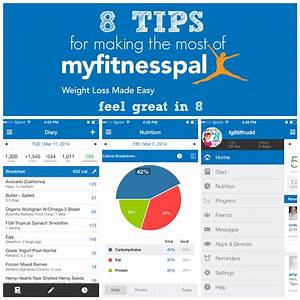
    1. MyFitnessPal

    MyFitnessPal is one of the most popular calorie counter apps available. It allows you to track your food intake and exercise, and it has a database of over 5 million foods. The app calculates the number of calories you need to consume based on your weight, height, age, and activity level. MyFitnessPal is available on iOS and Android devices and also has a web version.

    MyFitnessPal

    2. Lose It!

    Lose It! is another popular calorie counter app. It has a database of over 7 million foods, and it allows you to track your food intake and exercise. The app calculates the number of calories you need to consume based on your weight, height, age, and activity level. Lose It! is available on iOS and Android devices and also has a web version.

    Lose It!

    3. FatSecret

    FatSecret is a calorie counter app that allows you to track your food intake, exercise and weight. It has a database of over 1 million foods and allows you to scan the barcode of the food to add it to your diary. The app also has a feature that allows you to track your water intake. FatSecret is available on iOS and Android devices and also has a web version.

    FatSecret

    4. Calorie Counter by FatSecret

    Calorie Counter by FatSecret is a free calorie counter app that allows you to track your food intake and exercise. It has a database of over 1 million foods, and it allows you to scan the barcode of the food to add it to your diary. The app also has a feature that allows you to track your water intake. Calorie Counter by FatSecret is available on iOS and Android devices.

    Calorie Counter by FatSecret

    5. Yazio

    Yazio is a calorie counter app that allows you to track your food intake, exercise, and water consumption. It has a database of over 2 million foods and allows you to scan the barcode of the food to add it to your diary. Yazio also has a feature that allows you to create a personalized meal plan. The app is available on iOS and Android devices and also has a web version.

    Yazio

    6. SparkPeople

    SparkPeople is a calorie counter app that allows you to track your food intake, exercise, and weight. It has a database of over 4 million foods, and it allows you to scan the barcode of the food to add it to your diary. SparkPeople also has a feature that allows you to create a personalized meal plan. The app is available on iOS and Android devices and also has a web version.

    SparkPeople

    7. Lifesum

    Lifesum is a calorie counter app that allows you to track your food intake, exercise, and water consumption. It has a database of over 8 million foods and allows you to scan the barcode of the food to add it to your diary. Lifesum also has a feature that allows you to create a personalized meal plan. The app is available on iOS and Android devices and also has a web version.

    Lifesum

    8. Fooducate

    Fooducate is a calorie counter app that not only allows you to track your food intake, exercise, and weight but also helps you make healthy choices. It has a database of over 250,000 foods, and it rates each food based on its quality. The app also has a feature that allows you to scan the barcode of the food to get information about the food’s nutrition. Fooducate is available on iOS and Android devices and also has a web version.

    Fooducate

    9. MyPlate by Livestrong

    MyPlate by Livestrong is a calorie counter app that allows you to track your food intake, exercise, and weight. It has a database of over 2 million foods, and it allows you to scan the barcode of the food to add it to your diary. MyPlate also has a feature that allows you to create a personalized meal plan. The app is available on iOS and Android devices and also has a web version.

    MyPlate by Livestrong

    10. Noom

    Noom is a calorie counter app that not only allows you to track your food intake, exercise, and weight but also provides coaching and motivation. It has a database of over 1 million foods and allows you to scan the barcode of the food to add it to your diary. Noom also has a feature that allows you to create a personalized meal plan. The app is available on iOS and Android devices.

    Noom

    Conclusion

    These are the top 10 calorie counter apps that can help you track your food intake and make healthy choices. Whether you are looking to lose weight or just maintain a healthy lifestyle, these apps can help you achieve your goals. So, download one or more of these apps and start tracking your calories today!

    Frequently Asked Question

    1. What is a calorie counter app?
    A calorie counter app is a tool that helps you track the number of calories you consume in your daily meals and activities. It can help you achieve your fitness goals by helping you maintain a healthy diet and lifestyle.

    2. How does a calorie counter app work?
    A calorie counter app works by using a database of foods and their calorie content to help you track your daily calorie intake. You can log the food you eat and the activities you do to see how many calories you are consuming and burning throughout the day.

    3. What are the benefits of using a calorie counter app?
    There are many benefits to using a calorie counter app, including helping you make healthier food choices, tracking your progress towards weight loss goals, and promoting overall health and wellbeing.

    4. What kind of information can I track with a calorie counter app?
    You can track a variety of information with a calorie counter app, including the number of calories you consume in a day, the number of calories you burn through various activities, and your daily macros (i.e., protein, fat, and carbohydrate intake).

    5. How accurate are calorie counter apps?
    Calorie counter apps can be very accurate if they use reliable databases of food and their calorie content. However, you should keep in mind that they are not perfect and may not always provide exact calorie counts.

    6. Are calorie counter apps suitable for people with specific dietary needs, such as vegans or those with food allergies?
    Yes, many calorie counter apps are suitable for people with specific dietary needs. They often include features that allow you to search for specific foods or filter out foods that don’t meet your dietary restrictions.

    7. Can I use a calorie counter app to help me lose weight?
    Yes, a calorie counter app can be a helpful tool for weight loss. By tracking your calorie intake and burning more calories than you consume, you can create a calorie deficit that leads to weight loss.

    8. Are calorie counter apps free?
    Many calorie counter apps are available for free, but some may require a subscription or offer premium features for a fee.

    9. Can I sync my calorie counter app with other fitness trackers, such as Fitbit?
    Yes, many calorie counter apps allow you to sync with other fitness trackers to provide a more comprehensive view of your health and fitness data.

    10. Are calorie counter apps easy to use?
    Yes, most calorie counter apps are designed to be user-friendly and easy to navigate. They often include features like barcode scanning and food search options to make tracking your calorie intake as simple as possible.

  • Top 10 Diet and Nutrition Applications Recomended

    Top 10 Diet and Nutrition Applications Recomended

    Introduction

    In recent years, diet and nutrition have become major concerns for people around the world. Everyone wants to eat healthily, but it can often be difficult to know where to start. Thankfully, there are numerous diet and nutrition applications available that can help us make informed choices about what we eat. Here, we present a list of the top 10 diet and nutrition apps that can help you achieve your goals.

    1. MyFitnessPal

    MyFitnessPal

    MyFitnessPal is one of the most popular diet and nutrition apps available. It has a huge database of foods, making it easy to track your calorie and nutrient intake. You can also track your water intake and exercise in the app. MyFitnessPal also has a barcode scanner that allows you to quickly log packaged foods.

    2. Lose It!

    Lose It!

    Lose It! is a comprehensive weight loss app that helps you set goals and track your progress. It has a database of over 27 million foods, as well as the ability to track your exercise, connect with friends, and get personalized meal and exercise plans.

    3. Fooducate

    Fooducate

    Fooducate helps you make informed choices about what you eat by assigning each food a letter grade based on its nutritional value. You can scan barcodes to see the grades of packaged foods or search the app’s database for the grades of specific foods. Fooducate also provides personalized feedback and recommendations based on your dietary goals.

    4. Calory

    Calory

    Calory is a simple and easy-to-use app that allows you to track your daily calorie intake. You can easily add foods and their calorie counts to your diary, and the app will provide you with a breakdown of your macronutrient intake as well. Calory also has a barcode scanner for packaged foods.

    5. Cronometer

    Cronometer

    Cronometer is a nutrition tracker that allows you to track your calorie and nutrient intake. It has a database of over 300,000 foods and allows you to see a breakdown of your macronutrient and micronutrient intake. Cronometer also has a barcode scanner, making it easy to log packaged foods.

    6. Noom

    Noom

    Noom is a diet and weight loss app that helps you set goals and provides personalized coaching based on your progress. It has a database of over 3.7 million foods and allows you to track your exercise as well. Noom also provides daily articles and tips to help you stay motivated and on track.

    7. Mealime

    Mealime

    Mealime is a meal planning app that provides personalized meal plans based on your dietary goals and preferences. You can choose from a variety of cuisines and dietary restrictions, and the app will provide you with a grocery list and cooking instructions for each meal. Mealime also has a feature that allows you to scale recipes based on the number of servings you need.

    8. ShopWell

    ShopWell

    ShopWell is a grocery shopping app that allows you to scan barcodes and see how nutritious a food is based on your dietary needs and restrictions. You can set preferences for things like allergies, dietary restrictions, and health goals, and the app will provide you with personalized recommendations. ShopWell also allows you to create a grocery list and find products at nearby stores.

    9. Fitbit

    Fitbit

    Fitbit is a comprehensive fitness app that tracks your exercise, sleep, and calorie intake. It has a database of over 350,000 foods and allows you to track your water intake as well. Fitbit also provides personalized insights based on your activity level and goals.

    10. Headspace

    Headspace

    While not specifically a diet or nutrition app, Headspace can help you achieve your health and wellness goals by improving your mental health. Headspace provides guided meditation and mindfulness exercises that can help reduce stress, improve sleep, and enhance overall well-being. Reducing stress can also help you make better choices about what you eat and how you take care of your body.

    Conclusion

    Whether you’re looking to lose weight, eat healthier, or just improve your overall well-being, there’s a diet and nutrition app out there for you. From simple calorie trackers to comprehensive meal planning apps, these top 10 apps can help you achieve your goals and lead a healthier, happier life. Try out a few and see which ones work best for you.

    Frequently Asked Question

    1. What is a diet and nutrition application?

    A diet and nutrition application is a mobile application that helps users track their food intake, monitor their diet, and make healthier nutritional choices. It provides access to a wealth of information related to nutrition, including calorie and macronutrient counts, nutritional value of various food items and suggestions for healthy meal alternatives.

    2. Can diet and nutrition applications provide personalized meal plans?

    Yes, many diet and nutrition applications can provide personalized meal plans based on your dietary preferences, allergies, and nutritional goals. Some application offers features for meal planning, shopping list building, and recipe suggestions.

    3. Can diet and nutrition applications help me lose weight?

    Yes, diet and nutrition applications can aid in weight loss by tracking food intake, calculating calorie intake, and providing suggestions and feedback on the user’s dietary habits. It is important to remember that the application can provide support, but at the end of the day, it is up to the user to make healthy choices and stick to them.

    4. How accurate are the calorie and macronutrient counts in diet and nutrition applications?

    The accuracy of calorie and macronutrient counts in diet and nutrition applications depends on the quality of the database or algorithm used to generate the information, as well as the accuracy of the user input. However, most nutrition applications are constantly updating their food databases and recalibrating their calculations based on user feedback.

    5. Can diet and nutrition applications be used for sports nutrition?

    Yes, sports nutrition applications are available that cater specifically to athletes and fitness enthusiasts. These applications provide guidance on macronutrient intake, calories required for training, and meal recommendations for enhanced athletic performance.

    6. Are diet and nutrition applications free?

    The majority of applications offer a free, basic version of their services, however, many may require a paid subscription to access advanced functionalities.

    7. Can diet and nutrition applications be linked with fitness trackers?

    Yes, many diet and nutrition applications can be linked with fitness trackers to provide a more comprehensive picture of calorie burn, energy expenditure, and food intake.

    8. Are diet and nutrition applications safe for children and teenagers to use?

    It is generally safe for children and teenagers to use diet and nutrition applications under adult supervision. Parents should ensure that the application is appropriate for their child’s age and nutritional needs.

    9. Can diet and nutrition applications help with medical conditions?

    Yes, there are various diet and nutrition applications that can provide nutritional guidance for individuals with specific medical conditions such as diabetes, high blood pressure or cholesterol, and digestive disorders.

    10. Are all diet and nutrition applications the same?

    No, diet and nutrition applications differ in their features, algorithms, user interfaces, and pricing models. It is important to research and compare different applications before deciding on the best one for you.

  • Who is Antonio Gramsci ?

    Who is Antonio Gramsci ?

    Antonio Gramsci was an Italian intellectual and politician who founded the Italian Communist Party and contributed to the idea of ​​communism in Italy. He was born in Ales, Italy on January 23, 1891.

    In 1911, Gramsci began his academic career at the University of Turin. He also joined the Socialist Party, and was associated with the Federation of Young Socialists.

    Gramsci formed the left in the socialist party and encouraged the development of factories.

    Gramsci led a leftist movement in a congress in Livorno with the aim of founding the Italian Communist Party and spent two years in the Soviet Union.

    When he returned to his home country, he became leader of the Italian Communist Party, and was elected to the council.

    However, his party was banned by Benito Mussolini so he was arrested and imprisoned. While he was imprisoned, instead he undertook a historical and theoretical study of Italian society and strategies for change.

    The ideas of Gramsci’s imprisonment at that time became the basis of ideas for figures, such as Robert Cox, Stephen Gill, Joseph Femia, and Robert Gilpin.

    In Gramsci’s perspective, it is different from the realism perspective which assumes that the state is the only actor who has an important role, and prioritizes the concept of national interest.

    Whereas in Gramsci’s theory focuses on hegemony. Gramsci’s perspective seems to be a sign to move away from the international order.

    Hegemony defined by Gramsci is a conscious obedience to one’s power, the power that is built in Gramsci’s perspective does not come from coercion or violence but rather from a control.

    Hegemony itself is born from the practice of approval or subjugation. If a group wants a win in agreement, it must be able to create historical blocs,

    According to Gramsci, to hegemony a group, it is necessary to have an ideology that has a material basis and is supported by an intellectual.

    For Gramsci, everyone is basically an intellectual, but not everyone has an intellectual function in social life.

    Gramsci changed the meaning of hegemony from strategy to a concept, such as the Marxist concept of forces and relations of production, class and state.

    Gramsci extended  his idea of ​​leadership as a condition for gaining power in  a group.

    Through his work, Gramsci emphasizes the concept of hegemony by explaining that “hegemony is a consensus organization.” And in several paragraphs of his Prison Notebook he uses the word leadership interchangeably with hegemony and opposite domination.

    In Gramsci’s sense, the word hegemony must be distinguished from the meaning of the original word, namely the domination of a nation over another nation.

    Gramsci emphasizes that the concept of hegemony focuses more on the human side. He also said consensus with spontaneity because it is psychological.

    Gramsci’s thought emerged as an alternative to the approach to the theory of social change which was previously dominated by class determinism and Marxist economics.

    Hegemony is built on the prestige of the importance of ideas and the inadequacy of physical strength alone in social and political control.

    According to Gramsci, in order for those who are controlled to obey the ruler, those who are controlled must not only have and internalize values ​​and norms.

    REFERENCE

    HI admin. (2013). Antonio Gramsci On The Crisis and The Rise Of Global Capitalism. Retrivied from https://hi.fisipol.ug.ac.id/riset-iis/antonio-gramsci-about-krisis-dan-kebangkitan-kapitalisme-global/

    Ali, Zezen Zaenudin. (2017). Hegemony Thought Antonio Gramsci (1891-1937) in  Italy. Yaqhzan,3(2). Retrivied from  https://syekhnurjati.ac.id/jurnal/index.php/yaqhzan/article/download/5482/2544

    Siswati, Endah.(2017).Anatomy of Antonio Gramsci’s Theory of Hegemony. Journal of Translitera , eds. 5.1-33. Retrivied from https://core.ac.uk/download/pdf/230839469.pdf

    The Editors of Encyclopedia Britannica. (1998). Biography of Antonio Gramsci. Retrivied from https://www.britannica.com/biography/Antonio-Gramsci

  • Top 10 Sports Application Recomended

    Top 10 Sports Application Recomended

    Top 10 Sports Applications

    Sports lovers are never out of options when it comes to keeping themselves updated with the latest sports news, scores, and analysis, thanks to the numerous sports applications available for download. These applications, which are easily installable on smartphones and tablets, keep sports enthusiasts informed of all the significant developments happening in the world of sports. In this article, we have compiled a list of the top 10 sports applications that are a must-have for any sports lover.
    1. ESPN SportsCenter

    ESPN SportsCenter

    ESPN is a well-known sports channel on cable TV. The ESPN SportsCenter application brings the same experience to your phone or tablet. It provides sports fans with the latest news, analysis, scores, highlights, photos, and more from popular sports such as Football, Basketball, Baseball, Hockey, Tennis, and others.

    2. theScore

    theScore

    theScore is a comprehensive sports app that offers up-to-date scores, stats, news, and other relevant information for over 70 popular sports leagues worldwide. It also provides push notifications to users for personalized news and updates from their favorite teams and leagues, as well as real-time score updates for games and matches. Additionally, the app has a clean and intuitive user interface, making it easy to use and navigate.

    3. Yahoo Sports

    Yahoo Sports

    Yahoo Sports has been among the most popular sports applications for many years. The app provides live updates, news, scores, and analysis for various sports, including Football, Basketball, Baseball, Hockey, Tennis, Golf, and more. Furthermore, it allows users to customize their feeds with their preferred teams, players, and leagues. They can also watch live games and track their favorite players’ performances.

    4. Bleacher Report

    Bleacher Report

    Bleacher Report is an excellent source of sports news and analysis, providing users with real-time news alerts, scores, analysis, and highlights for numerous sports leagues, including NFL, NBA, NHL, MLB, NCAA Football, Basketball, and more. In addition, they have a unique feature, Team Stream, which allows users to track individual teams and players, as well as receive personalized notifications in real-time.

    5. FIFA Official App

    FIFA Official App

    FIFA Official App is a must-have for soccer fans worldwide. The app provides you with breaking news, exclusive interviews, highlights, and analysis of all the significant international and domestic soccer leagues and tournaments globally. Moreover, users can track their favorite team’s performances and standings in real-time as well as receive official FIFA World Cup news, live scores, and other event-specific content.

    6. MLB.com At Bat

    MLB.com At Bat

    MLB.com At Bat is the official app for America’s favorite pastime – baseball. The app provides real-time scores, highlights, news, and analysis for all baseball matches, including every game of the regular season and the playoffs. In addition, the app allows users to access video libraries, customize scoreboards, track their favorite team’s performance, watch live games, and more.

    7. NBA App

    NBA app

    For basketball lovers worldwide, the NBA app is a must-have app. The app provides the latest news, scores, highlights, and analysis for all NBA matches. Users can also access exclusive content such as documentaries, game analysis, interviews with basketball stars, and more. Furthermore, it has a unique feature, the NBA League Pass, which enables users to watch live NBA games on their smartphones and tablets.

    8. NBC Sports

    NBC Sports

    NBC Sports offers exclusive content for American sports lovers, providing users with real-time scores, news, analysis, and highlights for the NFL, NHL, NASCAR, and other popular American sports. In addition, it also provides access to live games, interviews, and other exclusive content.

    9. FanDuel

    fanDuel

    FanDuel is a unique app for fantasy sports enthusiasts. The app allows users to enter various fantasy leagues for a chance to win real money prizes. Users can participate in various NFL, NBA, MLB, NHL, and other fantasy leagues, draft their teams, and compete against other players worldwide.

    10. Strava

    Strava

    For fitness enthusiasts, Strava is a great app that provides a unique way to track, analyze, and share their fitness activities. The app allows users to track their cycling, running, swimming, and other activities using GPS, record their activities, analyze their performance, and share it with their friends and the Strava community. Furthermore, it also provides users with real-time data, such as elevation, speed, distance, and more, making it an excellent app for outdoor sports activities.

    Conclusion

    In conclusion, these top 10 sports applications provide sports lovers with a unique way to stay updated on all the news and highlights of sports games and events worldwide. With real-time updates, analysis, and scores, these apps are a must-have for any sports enthusiast on the go. From team-specific apps to general sports news apps, these apps have something for everyone, making it easy to stay informed and entertained. So, what are you waiting for? Download one or more of these apps to your smartphone today and enjoy your favorite sports anytime, anywhere!

    Frequently Asked Question

    1. What is a sports application?
    A sports application is a software program designed for use on mobile devices and computers that focuses on sports-related content, such as news, scores, statistics, and live broadcasting.

    2. What types of sports are covered by sports applications?
    Sports applications cover a wide range of sports, including football, basketball, baseball, hockey, tennis, golf, soccer, and many others.

    3. Which mobile platforms are supported by sports applications?
    Sports applications are available for different mobile platforms, such as iOS, Android, Windows Mobile, and Blackberry.

    4. Can I watch live sports events on sports applications?
    Yes, many sports applications offer live streaming of games and events, which you can watch on your mobile device or computer.

    5. Do sports applications offer free content or require a subscription fee?
    It depends on the specific sports application. Some offer free content, while others require a subscription fee to access premium features and content.

    6. How do sports applications get their information and data?
    Sports applications get their information and data from various sources, such as sports leagues, news outlets, and data providers, who provide real-time updates and statistics.

    7. Can I customize the content and notifications on sports applications?
    Yes, many sports applications allow users to customize their content and notifications based on their preferences, such as their favorite teams and players.

    8. Is it safe to use sports applications?
    Yes, it’s generally safe to use reputable sports applications, but it’s essential to use caution when giving personal information or accessing links within the application.

    9. Can I use sports applications to track my fitness and workouts?
    Yes, some sports applications offer features for tracking fitness and workouts, such as calories burned, steps taken, and distance traveled.

    10. How can I download sports applications?
    You can download sports applications from various sources, such as the App Store, Google Play Store, or the official website of the application.

  • Top 10 Physical Health Application Recomended

    Top 10 Physical Health Application Recomended

    Top 10 Physical Health Applications

    Technology has now made it easier to monitor and track your physical health. Mobile applications help manage and improve your physical health by tracking your fitness routine, food intake, and water intake. With thousands of physical health apps available, it can be difficult to choose the best ones. In this article, we present you with a list of the top ten physical health applications.

    1. MyFitnessPal

    MyFitnessPal is an excellent application for tracking your calorie intake, exercise, and setting weight loss goals. The app allows you to choose from different fitness goals, food preferences, and dietary needs. MyFitnessPal also provides useful information on the nutritional value of foods and helps users keep track of what they are consuming. The app also has a barcode scanner, making it easier to track your intake effectively.

    MyFitnessPal

    2. Fitbit

    Fitbit is a popular physical health app that has an extensive user base. The app works as a fitness tracker and includes a smartwatch, scales, and a personalized coach. Fitbit records physical activity, heart rate, and sleep patterns. The app uses this information to provide personalized exercise and nutrition recommendations. It also has a social component that allows users to share and compete in different fitness goals.

    Fitbit

    3. Nike Training Club

    This Nike training app provides free workout videos with step-by-step instructions. There are over 180 workouts available, which range from 5 to 60 minutes each. There are also personalized recommendations based on your fitness goals, and the app tracks your progress, so that you can see how you’re progressing.

    Nike Training Club

    4. WaterMinder

    Drinking enough water is essential for physical health. WaterMinder helps you track your daily water intake and sets reminders to ensure that you are drinking enough water throughout the day. Users can set different preferences based on their weight, age, and activity level, and WaterMinder generates a personalized hydration goal.

    WaterMinder

    5. Headspace

    A healthy physical body requires a healthy mind. Headspace is a meditation application that helps users relax, reduce stress, and improve focus. The app provides guided meditation sessions that address different needs and preferences. Headspace is ideal for individuals who are new to meditation and are interested in improving their overall wellness.

    Headspace

    6. 7 Minute Workout

    7-minute workout is an application that provides users with high-intensity workouts in just seven minutes. The app creates personalized workout plans based on your fitness goals, and you can customize the workouts if you prefer. Workouts are divided into different categories like core, abs, and arms. The app also keeps track of your progress, so you can view how many calories you have burned and your overall performance.

    7 Minute Workout

    7. Aaptiv

    Aaptiv is an audio-based app that provides users with unlimited personal training and guided meditations. Aaptiv instructors offer a range of workouts, from outdoor running to strength training. The app allows users to filter by training style, duration, and level, and tracks your progress to create personalized training recommendations.

    Aaptiv

    8. Couch to 5K

    Couch to 5k, as its name implies, helps individuals progress from a sedentary lifestyle to running a 5k. The app offers workout plans that include progressive interval training, coaching, and audio cues. The workouts start with walking, eventually progressing to jogging or running. The app also offers different goal plans and encourages users to progress at their pace.

    Couch to 5K

    9. Sweat

    Sweat is an application primarily aimed at women who want to improve their fitness levels. The app offers personalized workout routines, meal plans, and a community of women who are interested in wellness. The most significant attraction of the Sweat application is its caliber of personal trainers like Kayla Itsines, who provides exclusive training sessions, challenges and support to users.

    Sweat

    10. Strava

    Strava is a fitness mobile application that primarily is centered around running and cycling. Strava users can track their speed, distance, and elevation. Strava also has a social component that allows users to connect with other runners or cyclists in the area. The app also keeps track of your activity history to show progress in your performance over time.

    Strava

    Conclusion

    In conclusion, these are the top ten physical health applications available on the market. Whether you are a beginner or an experienced fitness enthusiast, there is an app that caters to your needs. These apps help individuals track their fitness goals, stay hydrated, eat healthy, and meditate, setting the foundation to achieving optimal physical and mental health.

    Frequently Asked Question

    1. What is a physical health application?
    A physical health application is an app designed to help individuals track and monitor their physical health and wellness, including aspects such as exercise, nutrition, sleep, and stress.

    2. What features should I look for in a physical health app?
    Some important features to consider when selecting a physical health app include the ability to track exercise and activity, monitor nutrition and water intake, record sleep patterns, and manage stress through relaxation techniques and mindfulness exercises.

    3. Are physical health apps accurate?
    The accuracy of physical health apps can vary depending on the specific app and its algorithms. It’s always a good idea to do your research and read reviews before choosing an app to ensure that it is reliable and accurate.

    4. Are physical health apps secure?
    Most reputable physical health apps have strong security measures in place to protect user data and personal information. However, it’s always important to read the app’s privacy policy and terms of use to understand how your information will be used and protected.

    5. Can physical health apps help me lose weight?
    Physical health apps can be a helpful tool in a weight loss journey by tracking calorie intake, setting goals, and monitoring progress. However, it’s important to remember that sustainable weight loss requires a combination of healthy eating habits, regular exercise, and lifestyle changes.

    6. Are physical health apps only for athletes and fitness enthusiasts?
    Physical health apps can be useful for anyone looking to maintain or improve their health and wellbeing, regardless of their fitness level. Many apps offer beginner-friendly guided workouts and goal-setting features for individuals of all abilities.

    7. Can physical health apps help me manage chronic conditions?
    Some physical health apps are specifically designed to help individuals manage chronic conditions such as diabetes, high blood pressure, and arthritis. These apps can provide valuable tools for tracking symptoms, medications, and other important health information.

    8. Are physical health apps expensive?
    The price of physical health apps can vary greatly, with some apps being free and others costing several dollars per month. However, many apps offer a free trial or basic version with limited features, which can be a good way to test out the app before investing in a paid subscription.

    9. Can physical health apps replace seeing a doctor?
    No, physical health apps should not be used as a replacement for medical advice or treatment from a healthcare professional. However, they can be a useful supplement to traditional healthcare and can help individuals better understand and manage their own health.

    10. How do I choose the right physical health app for me?
    When choosing a physical health app, it’s important to consider your specific goals and needs, as well as the app’s features, user reviews, and price. It may be helpful to try out a few different apps before settling on one that works best for you.

  • Top 10 Mental Health Application Recomended

    Top 10 Mental Health Application Recomended

    Top 10 Mental Health Applications

    These top 10 mental health applications are doing wonders for people around the world. With easy access and innovative features, these applications are making mental health support more available than ever.
    1. Headspace

    Headspace mascotIf you’re looking for an app that can help you easily learn mindfulness, then Headspace is a great option. It provides users with a variety of short meditations that can be accessed easily from anywhere. Along with meditation, it also offers guided exercises to aid in sleeping better, as well as techniques for reducing stress levels. Headspace is free for the first ten days and then charges a monthly subscription fee.

    2. Moodfit

    Moodfit appMoodfit helps users track their mood, set goals, and identify factors that can cause stress, anxiety, or depression. It provides quick and easy exercises to help users deal with daily mood fluctuations, as well as longer activities for dealing with more intense emotions. The app also offers a mood journal that users can use to track their changes over time. Moodfit is free on the App Store and Google Play.

    3. Sanvello

    Sanvello app Sanvello is a comprehensive mental health app that can help individuals manage stress or challenges. It provides access to cognitive behavioral therapy (CBT) exercises, meditations, and tracking tools. Users can set goals, monitor progress, and connect with support individuals. Sanvello focuses on treatment for anxiety, depression, and stress. It provides support resources and an online community for individuals seeking assistance. Sanvello is free with the option for paid subscriptions for additional features.

    4. Calm

    Calm appCalm is another popular meditation and relaxation app that provides short and long-term guided meditations for reducing anxiety and stress. The app also offers sleep stories and calming music to help users sleep better at night. Calm is free for the trial version and requires a subscription to access all features.

    5. Elefriends

    Elefriends appElefriends is an online community created by Mind where individuals can connect with others who are dealing with similar mental health issues. Users can share their experiences, offer advice, and provide support through a safe and welcoming environment. Elefriends provides an anonymous and non-judgmental community designed to assist those searching for help.

    6. Talkspace

    Talkspace appTalkspace is an app that helps users connect with licensed therapists from the convenience of your phone. The app offers individual counseling services, accessible through text, audio, and video calls. You can choose from one-on-one sessions, live video sessions, and group therapy sessions. Talkspace offers virtual therapy at individual, couples, and teen levels. Monthly fees are required based on selected therapy options.

    7. Daylio

    Daylio appDaylio is an app that helps individuals track their mood and daily activities. The user can customize mood options and fill out their mood diary that allows for reflection and self-appreciation. The app is helpful in identifying triggers and habits that may be influencing the user’s wellbeing. It’s a great tool for journaling and offers insights to daily patterns. The app is free with optional in-app purchases for additional features.

    8. Pacifica

    Pacifica appPacifica is an app that offers mood tracking tools, therapy exercises, and support community resources. Pacifica offers guided breathing exercises, CBT practices, relaxation techniques, and more. It’s recommended for managing anxiety, depression, and stress. The app also features daily mood tracking, which helps users highlight patterns and cater to their mental health needs. Pacifica is free to download with optional premium features.

    9. Wysa

    Wysa appWysa is an AI chatbot app that helps users deal with daily angst and provides encouragement with therapeutic conversation. The app specializes in CBT practices, mindfulness exercises, art therapy, and breathing exercises to improve mental wellness. It’s free for basic features with paid plans for more holistic options.

    10. Aura

    Aura appAura is an app designed to reduce stress and anxiety and improve sleep. It provides daily reminders for mindful practices, which focus on breathing exercises and mindfulness practices, and other therapeutic strategies. The app offers personalized meditations, music, and extensive mindfulness practices that cater to the user’s individual goals for mental wellness. Aura costs $7.99 per month or $60 annually.

    Conclusion

    The above top 10 mental health applications provide support and assist in mental health practices to carry on throughout your day. With these apps, you have the freedom to easily access your personalized tips, share experiences, and track mood changes, which are essential for a healthy mind. Individuals facing mental health issues can use these apps to seek therapy, track progress, and improve daily mental wellbeing. While these apps are good supplements for managing stress or anxiety, they are not medical substitutes to seeking professional treatment.

    Frequently Asked Question

    1. What is a mental health application?
    A mental health application is a mobile application designed to help individuals manage and improve their mental health.

    2. How does a mental health application work?
    A mental health application works by providing users with tools and resources to track their mental health, manage their symptoms, and improve their mental wellbeing. These tools may include activities, exercises, and guided meditations.

    3. What are the benefits of using a mental health application?
    The benefits of using a mental health application include better mental health management, improved mood, increased self-awareness, and increased access to mental health resources.

    4. Is a mental health application a substitute for therapy?
    No, a mental health application is not a substitute for therapy. However, it can be a useful supplement to therapy and can provide users with additional tools and resources for managing their mental health.

    5. Are mental health applications safe?
    The safety of mental health applications depends on the individual application. When choosing a mental health application, it is important to do research and choose a reputable and well-reviewed application.

    6. Are mental health applications free?
    Not all mental health applications are free. Some applications may require a one-time fee or a subscription fee.

    7. Can a mental health application diagnose mental health issues?
    No, a mental health application cannot diagnose mental health issues. If you are experiencing mental health issues, it is important to seek a professional evaluation from a qualified mental health practitioner.

    8. Are mental health applications confidential?
    The confidentiality of mental health applications depends on the individual application. When choosing a mental health application, it is important to read the application’s privacy policy and ensure that your personal information is protected.

    9. Can mental health applications be used by people of all ages?
    Some mental health applications are designed for specific age groups, while others can be used by people of all ages. When choosing a mental health application, it is important to consider the application’s target audience and ensure that it is appropriate for your needs.

    10. Can mental health applications be used in combination with medication?
    Yes, mental health applications can be used in combination with medication. However, it is important to consult with a qualified mental health practitioner before making any changes to your treatment plan.

  • Longitudinal Research: Definition and Examples

    Longitudinal Research: Definition and Examples

    Longitudinal research is a research design that has unique characteristics. Longitudinal research is carried out in a relatively long time. The costs incurred are also often not small because it involves monitoring developments or changes that occur in the research sample.

    This post will attempt to provide an initial explanation of what longitudinal research is. This research design is often used in social research, such as sociology, psychology, public policy, and public health. The main characteristic of longitudinal research is that it uses data over a certain length of time.

    Definition of longitudinal research

    Longitudinal research is research that uses data over a long period of time . How long the length of time in question is very relative. However, the emphasis of longitudinal research is actually on the extension or extension of the survey conducted. The renewal is periodic.

    Thus, longitudinal research can also be understood as an extension of periodic survey research. At least, the survey was conducted twice with a predetermined time span from the beginning. This research data collection technique usually uses a questionnaire or structured interview. The researcher determines the time span between when the data is first taken from the sample, when the sample is taken again, until the third time and so on depending on how long the time span is.

    A more detailed explanation of longitudinal research usually leads to the classification of this research design into two types: panel studies and cohort studies. To understand the two types of designs, it’s a good idea to move on to the examples section below:

    Example of longitudinal research

    Understanding longitudinal research is actually quite easy. The research design is not much different from other studies such as surveys. For example, we will conduct research on the changing characteristics of youth violence in a city where brawls often occur.

    To conduct a longitudinal research, we first conduct a survey with a questionnaire and/or interview the youth selected as the sample. The identities of the participants or young people are recorded carefully and stored neatly in the archives. The first survey was conducted with variables that had been carefully arranged.

    As mentioned earlier, this research uses a clear timeframe. For example, every five years we go to the same young people to see changes or developments in their characteristics. There is no stipulation on the number of times participants are returned to be surveyed, but usually they are re-surveyed at least twice.

    The results of the second, third and so on surveys will show what changes have occurred to these young people who may not be classified as young people in the third survey and so on. With this research design, it is possible to know the changes in the characteristics of violence as the focus of the research.

    Difference between panel and cohort study

    We return to the difference between a panel study and a cohort study.

    Panel studies generally use data at the national level. The data collected can be in several different cases, such as organizations, households, schools, and so on.

    For example, a study on household economic development in Indonesia. Researchers of course not only survey the household income of the participants but also the number of family members, the existing public facilities where they live, monthly expenses, and so on. Within a certain period of time, the surveyed households were visited again to see their progress.

    While cohort studies have characteristics in individual surveys with the same characteristics. Often they are of the same generation or born in the same year or have had the same experience in the same time frame, such as getting married, getting a job, being fired, and so on.

    For example, we want to know the mental development of children born in 2000. First we want to examine how mentally they are when exposed to gadgets and the internet , then we also want to know their lives as teenagers, and so on.

    At this point, we hope that we have an initial picture of what longitudinal research is. The keywords that I can give here as material to remember are follow up . Longitudinal research has the characteristics of follow-up, which is to follow up research participants who have been previously surveyed or interviewed periodically at least once. The follow-up period was determined from the start of the study.

  • Top 10 Online Consulting Application Recomended

    Top 10 Online Consulting Application Recomended

    Top 10 Online Consulting Applications

    The consulting industry has been growing at a rapid pace in recent years, as more and more businesses are seeking professional advice to grow and improve their operations. However, consulting services were once only affordable for large-scale businesses. But with the advent of online consulting applications, businesses of all sizes can now access consulting services at a lower cost. Here are top 10 online consulting applications available for businesses seeking innovative solutions:

    1. UpCounsel

    UpCounsel is an online consulting platform that offers on-demand legal services to businesses. The platform partners with top-rated lawyers and legal professionals to provide affordable, personalized legal services. The platform removes the need for in-house legal counsel by providing access to a pool of experienced lawyers for legal representation and advice.

    2. Betterment

    Betterment is an award-winning robo-advisory platform that provides investment management solutions for individuals and businesses. The platform uses advanced analytics and algorithms to provide personalized investment portfolios and financial advice to clients. Betterment offers low-cost investing options that can help businesses grow their wealth without having to hire a costly financial advisor.

    3. Lucasoft

    Lucasoft’s consulting application focuses on providing businesses with custom software development solutions. The platform provides consulting services to businesses, taking on software development projects from start to finish while providing ongoing support. Lucasoft provides end-to-end enterprise software development solutions tailored to meet unique business needs.

    4. Salesflow

    Salesflow is an online consulting platform that helps businesses enhance their sales capabilities. The platform combines analytics, technology, and consulting services to help businesses identify sales opportunities inside and outside their current customer base. Salesflow aims to transform poorly performing sales organizations into innovative sales leaders.

    5. Bialek Environments

    Bialek Environments consulting application is geared towards businesses looking for workspace optimization advice. The platform assesses workspaces and provides analysis and advice on how to make them more efficient, productive, and safer. Bialek Environments can also provide design services and integration of technology solutions to optimize workspace efficiency.

    6. Toptal

    Toptal consulting platform specializes in providing businesses with top-level technical talent. The platform matches businesses with vetted freelancers and in-house talent for software development, design, and finance projects. Toptal consultants are independently hired and managed by clients, providing transparency and complete flexibility.

    7. NCR Retail Management

    NCR Retail Management provides businesses with management consulting and strategy advice. The platform offers retail management consulting services, such as sales forecasting, supply chain solutions, and inventory management optimization. NCR Retail Management assists businesses in building and implementing a successful retail strategy.

    8. BitCot

    BitCot is an online consultancy platform that provides mobile and web application development services to businesses. The platform specializes in creating unique and innovative solutions to meet business needs. BitCot assists businesses in the development, testing, and implementation of sophisticated mobile and web applications.

    9. FinancePal

    FinancePal is an online platform that provides accounting and financial consulting services to businesses. The platform offers financial planning, bookkeeping, and tax preparation services to assist businesses in managing their financial affairs. FinancePal’s easy-to-use platform provides businesses with real-time financial data and analysis, enabling them to make informed financial decisions.

    10. ProfromGo

    ProfromGo is a consulting platform that provides complete digital marketing solutions to businesses. The platform offers SEO, PPC, social media, and content marketing services to clients. ProfromGo assists businesses in building and implementing a successful digital marketing strategy to build their online presence.

    Conclusion

    The consulting industry is rapidly evolving. Businesses that want to remain competitive in their industries must take advantage of affordable online consulting applications. These applications range from legal and financial consultancy to digital marketing and software development. With the help of these top 10 online consulting applications, businesses can make better-informed decisions and meet their goals faster and more efficiently. So, choose wisely from the above-listed applications according to your business requirements and objectives.

    Frequently Asked Question

    1. What is online consulting application?

    An online consulting application is a platform that allows people to connect with professionals online for consultation or advice on various subjects.

    2. What are the benefits of using an online consulting application?

    The benefits of using an online consulting application include convenience, time-saving, access to a wider pool of professionals, cost-effectiveness, and increased confidentiality.

    3. How do I find professionals on an online consulting application?

    You can find professionals on an online consulting application by searching for them using keywords, filtering by area of expertise or location, or through recommendations.

    4. How do I book a consultation session with a professional on an online consulting application?

    Booking a consultation session with a professional on an online consulting application is usually straightforward: search for the professional you want to consult, select a date and time that suits you, and complete the booking process.

    5. How much does it cost to consult with a professional on an online consulting application?

    The cost of consulting with a professional on an online consulting application varies depending on the platform, the area of expertise of the professional, and the length of the consultation session.

    6. What kind of professionals can I find on an online consulting application?

    You can find a wide range of professionals on an online consulting application, including lawyers, psychologists, doctors, financial advisors, business consultants, and more.

    7. Is online consultation as effective as face-to-face consultation?

    Research suggests that online consultation can be as effective as face-to-face consultation, particularly for people who have access issues, mobility limitations, or who live in remote areas.

    8. How do I make sure my online consultation is secure and private?

    You can ensure that your online consultation is secure and private by choosing a reputable platform that encrypts communication and stores data securely, using a strong password, and avoiding public Wi-Fi.

    9. What are the technical requirements for using an online consulting application?

    The technical requirements for using an online consulting application usually include a reliable internet connection, a computer or mobile device, a webcam, and a microphone.

    10. Can I get a refund if I’m not satisfied with the consultation on an online consulting application?

    Refund policies vary depending on the platform and the provider, but many online consulting applications offer refunds if you’re not satisfied with the consultation session. It’s always best to check the policy before booking.

  • Top 10 Training Application Recomended

    Top 10 Training Application Recomended

    Top 10 Training Applications to Boost Your Skills

    With technology advancing rapidly, online training applications are becoming more popular as they provide a convenient and affordable way to develop professional skills. These training applications offer various courses and modules, which can improve your proficiency in your field of work.
    Here are ten of the best training applications to help you develop your skills and advance in your career:

    1. Coursera

    Coursera

    Coursera is one of the most popular training applications, offering a wide range of courses from top universities and institutions around the world. Courses range from business, technology, data science, to arts and humanities, and many more. Coursera is user-friendly, and most of the courses are free. Certificates and degrees are also available for a price.

    2. edX

    edX

    edX is a training application that was started by Harvard University and MIT. The application provides courses in various fields like engineering, computer science, business, and many others. The courses are accessible, and most of them are free. If you choose to get a certificate, you will be charged a reasonable fee.

    3. Udemy

    Udemy

    Udemy is a popular training application that offers a wide range of courses, from programming, marketing, design, to personal development courses. The courses vary in duration, and some of them are free. However, if you want to get a certificate, you will need to pay a few dollars.

    4. Pluralsight

    Pluralsight

    Pluralsight is a training application that is particularly suitable for IT professionals. It provides courses in different fields like software development, IT operations, cybersecurity, and many others. The courses are interactive, and some of them are available for a trial period. If you decide to get a certificate, you will need to subscribe to a monthly or yearly subscription.

    5. LinkedIn Learning

    LinkedIn Learning

    LinkedIn Learning is another popular training application that provides courses in various fields, from software development to business skills. The application is user-friendly and the courses are accessible both on desktop and mobile devices. Signing up for a subscription will allow you to access all the courses, and it includes a 30-day trial period.

    6. Skillshare

    Skillshare

    Skillshare is an excellent training application for creative professionals. It provides courses in various fields like animation, design, writing, and art. The application is user-friendly and the courses are accessible both on desktop and mobile devices. Subscription starts at $15/month, and it includes unlimited access to all the courses.

    7. Treehouse

    Treehouse

    Treehouse is an online learning platform that provides courses in programming and development. The courses are interactive, and most of them are project-based. The application is user-friendly, and you can practice coding right on the platform. Subscription starts at $25/month, and it includes access to all the courses.

    8. Codecademy

    Codecademy

    Codecademy is a well-known training application that provides courses in coding and programming languages. The courses are interactive and project-based, making it easy for learners to practice coding. Although most of the courses are free, if you choose to get a certificate or access to additional content, you will need to pay a subscription fee.

    9. Masterclass

    Masterclass

    Masterclass is a training application that provides courses taught by well-known experts in their respective fields. The courses include acting, cooking, writing, design, and many more. Subscription is a bit expensive, starting at $15/month or $180/year, but it provides access to all the courses available on the platform.

    10. The Great Courses Plus

    The Great Courses Plus

    The Great Courses Plus is a training application that provides courses in various fields, from arts and humanities, to personal development and science. The courses are mostly video-based, making it easy for learners to follow along. Subscription starts at $20/month, and it includes access to all the courses.

    Conclusion

    In conclusion, there are various training applications available to help you develop your skills and advance in your career. From IT to personal development, these training applications provide a vast range of courses to choose from. By selecting the right training application and investing your time and effort, you can enhance your professional efficiency and potentially improve your earning potential. Start your learning journey today and take advantage of these excellent training applications.

    Frequently Asked Question

    1. What is a training application?
    A training application is software designed to help organizations train their employees efficiently and effectively.

    2. What are the benefits of using a training application?
    Using a training application can help save time, increase employee engagement, and ensure compliance with training requirements.

    3. What types of training can be delivered using a training application?
    A training application can deliver a variety of training, including onboarding, compliance, safety, and skills-based training.

    4. How do I choose the right training application for my organization?
    Consider factors such as cost, features, ease of use, and compatibility with your existing technology infrastructure when choosing a training application.

    5. How can I ensure that employees are completing their training using the application?
    Some training applications offer reporting and tracking features that allow administrators to monitor employee progress and completion of training.

    6. Can a training application be customized to meet my organization’s specific training needs?
    Many training applications offer customization options to tailor the training experience to meet the unique needs of your organization.

    7. What are some features to look for in a training application?
    Some important features to look for in a training application include interactive training modules, assessment tools, reporting and tracking capabilities, and mobile compatibility.

    8. How long does it take to implement a training application?
    The time it takes to implement a training application can vary depending on the size of your organization and the complexity of your training needs.

    9. How do I ensure that my employees have access to the training application?
    Many training applications offer cloud-based solutions that can be accessed from anywhere with an internet connection, making it easy for employees to access the application.

    10. Can a training application replace traditional in-person training?
    While a training application can be a great supplement to traditional in-person training, it may not fully replace the benefits of in-person interaction and hands-on training.

  • Top 10 Online Teaching Application Recomended

    Top 10 Online Teaching Application Recomended

    Top 10 Online Teaching Applications

    Online teaching has gained tremendous momentum in recent years with the emergence of various online teaching applications. With online teaching, anyone can learn anything from anywhere, and they don’t even have to leave their homes. In this article, we will be discussing the top 10 online teaching applications available in the market today.

    1. Zoom

    Zoom is one of the most widely used web conferencing applications for online teaching. It is user-friendly and has a plethora of features such as screen sharing, audio and video conferencing, and instant messaging. With Zoom, online educators can conduct live classes with their students, and the app also allows instant recordings of classes for students to replay.

    Zoom

    2. Google Meet

    Google Meet is another great choice for online teaching. It’s easy to use and integrates well with other Google services such as Google Drive, Google Docs, and Google Slides. Google Meet is also free for up to 60 minutes, making it a cost-effective option for educators on a budget.

    Google Meet

    3. Microsoft Teams

    Microsoft Teams is a cloud-based collaboration platform that enables educators to connect with their students from anywhere in the world. The application has features such as video and audio conferencing, screen sharing, and instant messaging. It’s an excellent solution for online teaching, especially for educators who are familiar with other Microsoft products such as PowerPoint and Excel.

    Microsoft Teams

    4. Skype

    Skype is another popular video conferencing platform that can be used for online teaching. It’s free to use and has features such as screen sharing, instant messaging, and video and audio calls. Skype is also available on multiple devices such as laptops, smartphones, and tablets, making it a flexible option for online educators.

    Skype

    5. Adobe Connect

    Adobe Connect is a web conferencing platform that enables online educators to conduct classes, webinars, and virtual meetings. The application has features such as whiteboarding, screen sharing, and breakout rooms. Adobe Connect also integrates with various other tools such as Microsoft PowerPoint and Excel, making it an ideal solution for educators who use these tools regularly.

    Adobe Connect

    6. WebEx

    WebEx is another web conferencing application that is ideal for online teaching. It offers features such as video and audio conferencing, screen sharing, and recording. WebEx is also widely used in the business world, making it an excellent choice for educators who want to teach students about corporate communication and collaboration tools.

    WebEx

    7. Blackboard Collaborate

    Blackboard Collaborate is a web conferencing platform that is specifically designed for the education sector. The application offers features such as whiteboarding, breakout rooms, and screen sharing, making it an ideal solution for online educators. Blackboard Collaborate also integrates with Microsoft Office, allowing educators to use tools such as PowerPoint and Excel during their classes.

    Blackboard Collaborate

    8. WizIQ

    WizIQ is a cloud-based online teaching platform that enables educators to create and deliver online courses. The application offers features such as live classes, virtual classroom, tests and assessments, and course management. WizIQ also allows educators to create and sell their courses through their marketplace.

    WizIQ

    9. Edmodo

    Edmodo is a social learning platform that enables educators to create online courses and connect with their students. The application allows educators to post assignments, quizzes, and polls and also offers features such as collaborative groups and parent communication. Edmodo is an excellent option for educators who want to create a collaborative and engaging learning environment for their students.

    Edmodo

    10. Canvas

    Canvas is a cloud-based learning management system (LMS) that enables educators to create and deliver online courses. The application offers features such as course authoring, course analytics, and integration with various other tools such as Google Drive and Microsoft Office. Canvas is an excellent solution for educators who want to create an interactive and creative learning experience for their students.

    Canvas

    Conclusion

    Online teaching applications have revolutionized the way we learn and teach. With numerous options available in the market, educators can choose the best application that fits their requirements and budget. It’s essential to select an application that is user-friendly, has essential features, and provides a seamless learning experience for both educators and students.

    Frequently Asked Question

    1. What is Online Teaching Application?

    Answer: Online Teaching Application is a software platform that enables educators to deliver real-time virtual instruction and interactive learning experiences to their students.

    2. What are the advantages of using Online Teaching Application?

    Answer: Online Teaching Application offers several advantages such as easy access to learning materials, flexibility in scheduling, interactive learning, cost-effective, and efficient sharing of information among students and teachers.

    3. How can I download an Online Teaching Application?

    Answer: Different Online Teaching Applications have different download and installation instructions. However, most of them can be downloaded from the Google Play Store, Apple Store, or the application’s website.

    4. Is it necessary to have prior experience to use Online Teaching Application?

    Answer: No, it is not necessary to have prior experience to use Online Teaching Application because they are designed to be user-friendly and easy to use for everyone.

    5. Can Online Teaching Application be used for group teaching?

    Answer: Yes, most online teaching applications allow multiple participants to join in a virtual classroom, which makes it suitable for group teaching.

    6. What are the technical requirements for using Online Teaching Application?

    Answer: Technical requirements for using Online Teaching Application may vary, however, typically, it requires a device with good internet connectivity, a web camera or a built-in camera, a microphone, and a stable, up-to-date web browser.

    7. Are there any security concerns with Online Teaching Application?

    Answer: Yes, in cases where Online Teaching Application records personal information or sensitive information, such as credit card information, it is important to ensure the application has a secure server or uses encryption to protect data.

    8. Can students take online exams with Online Teaching Application?

    Answer: Yes, most Online Teaching Applications allow teachers to create and administer online exams for students.

    9. What is the cost of Online Teaching Application?

    Answer: The cost of Online Teaching Application may vary depending on the type of application and its features, but there are some free applications available as well.

    10. How can I ensure that online teaching is effective for my students?

    Answer: To ensure effective online teaching, ensure the application is user-friendly, interactive, and has features such as screen sharing, chat functions, and whiteboards. Also, create clear learning objectives and provide regular feedback to students.

  • Social Research Methods

    Social Research Methods

    Social research method is a systematic way to study social phenomena. Social phenomena can be explained scientifically if the investigation process is carried out through the application of social research methods. Before going any further, it is necessary to first understand the meaning of research.

    What is research?

    Research  can simply be interpreted as scientific efforts made by researchers to capture a phenomenon. Therefore, the research in question is social research, so the phenomenon is a social phenomenon. Some social scientists describe research as follows:

    Soerjono Soekanto said research is a scientific activity that aims to reveal the truth as a manifestation of human desire to know what is actually being faced.

    Hill Way defines research as a study method that is applied carefully and in depth to reveal the facts of the problems that are believed to be able to solve these problems.

    Sutrisno Hadi said research is an effort to find, develop, and test the truth of knowledge by applying the scientific method.

    Saifuddin Anwar argues that research is a scientific endeavor with the aim of answering research problems. So that research cannot be done without problems and goals.

    Sanafiah Faisal said that research is an activity in studying a problem in a planned and systematic way to find scientifically valid and objective stone knowledge.

    Winarno Surachmad defines research as a scientific activity to accumulate knowledge from primary sources with the aim of finding general principles, as well as making estimates through generalizations outside the sample studied.

    Carter Good said that research is a path to progress and problem solving.

    Webster’s Dictionary defines research as an investigation of the process of inquiry in a science to obtain facts and principles carefully and systematically.

    From some of the definitions described above, we can catch several key phrases that describe what research is, such as: the application of the scientific method, the process of investigation, efforts to obtain objective facts, efforts to solve problems, and systematic efforts in investigation.

    Referring to the above definition, social understanding can be interpreted as an effort to investigate social phenomena using scientific methods in social science.

    What are the types of scientific methods in social research?

    We can understand the scientific method in the social sciences based on its types. There are at least two types of social research methods based on their approach: quantitative and qualitative. However, in its development, a third approach emerged, namely a combination of the two ( mixed method ). Here, we will briefly discuss quantitative and qualitative social research methods. The difference between quantitative and qualitative social research methods can be identified through the treatment of the data, the process of data collection, and its variants or types.

    Quantitative research methods

    Quantitative social research methods use numerical data or in the form of numbers. Even though using open interviews, quantitative methods convert narratives into numbers through a process of quantification or coding.

    The process in quantitative research begins with the creation of variables. For example, research on the effect of family monthly income on children’s education level. The family’s monthly income is a variable. Likewise, the level of education of children. The two variables are assumed to be related in the form of a hypothesis. For example, the hypothesis that the researcher has is, the higher the monthly family income, the higher the education level of the child. At this point, the researchers in addition to making variables also develop hypotheses.

    In the process of collecting data, quantitative research methods use instruments outside the researcher, such as questionnaires, survey forms, polling tools, and so on that have been arranged neatly before going out into the field. During the data collection process, researchers focused on the content of the research instruments that had been prepared. That is, there is no need or very little need for an element of subjectivity. The data contained in the research instrument is objective data.

    Research using quantitative methods emphasizes the element of objectivity. Respondents filled out forms or questionnaires distributed according to the instructions given. Some examples of quantitative research methods that are widely used for example, survey research, longitudinal research, cross-sectional research.

    Qualitative research methods

    Qualitative research methods use narrative data or words. The narratives obtained during the data collection process were interpreted by the researcher. However, data processing can also be done through coding. But not in the context of assessing, but looking at the pattern of the informants’ answers.

    In contrast to quantitative research, qualitative research begins by abandoning theoretical assumptions, although there are also qualitative studies that depart from theoretical assumptions. One obvious difference is that qualitative research does not require hypotheses in its research design. For example, research on the development of pop culture in Indonesia. Researchers do not need to write in their proposals a hypothesis, for example, the internet has become the main medium for shaping young people’s tastes for contemporary pop culture. Such assumptions may exist in the mind of the researcher, but not in the proposal

    In the process of collecting data, the methods that are commonly used are observation and interviews. Media analysis content can also be used in discourse analysis research. Through observation and interviews, researchers collected narrative data in the form of a collection of stories given by informants and conditions in the field. In the process of collecting data, the subjective element plays an important role because the researcher interprets the stories obtained during data collection.

    Qualitative research can use interview guides, diaries, or anything that can be used to record narratives in the field as research instruments. Another instrument owned by qualitative research is the researcher himself. The researcher doubles as an instrument, the narrative data collected will be interpreted by the researcher himself. Several kinds of research using qualitative methods, for example, case studies, ethnography, phenomenology.

    In more detail, read the Qualitative Method. From the description above, it can be explained the difference between the two methods. What are the differences?

    The difference between quantitative and qualitative methods:

    Quantitative Qualitative
    Numerical data Narrative data
    Prioritizing Objectivity Focus on Subjectivity
    Starting with a hypothesis No need for hypothesis
    Research subjects are called respondents Research subjects are called informants
    Researchers are not instruments Researchers as instruments
    The instrument is called a questionnaire The instrument is called an interview guide

    These differences are general differences. It should be noted that the differences are more accurately seen as trends. For example, in qualitative research, numerical data can also be used, but only as support. The tendency of qualitative research is the use of narrative data.

  • Top 10 E-learning application Recomended

    Top 10 E-learning application Recomended

    Top 10 E-Learning Applications

    Online learning has taken the education industry by storm. With the onset of the COVID-19 pandemic, e-learning has gained immense popularity, and learners of all ages are now opting for online courses. The benefits of e-learning are plenty, including convenience, flexibility, and cost-effectiveness. However, with so many e-learning applications to choose from, selecting the right one can be a daunting task. Here is a list of the top 10 e-learning applications that will cater to your educational needs.

    1. Udemy

    Udemy is a popular e-learning application that offers courses on various subjects such as business, IT, marketing, and personal development. It has over 155,000 courses available and has helped millions of students worldwide. The platform is user-friendly and offers lifetime access to courses. Udemy has an extensive course library that is updated regularly, and learners can access videos, quizzes, and assignments. Additionally, learners have access to instructors who answer queries and provide guidance. Udemy offers both paid and free courses, with prices ranging from $10 to $500.

    2. Coursera

    Coursera is an e-learning application that offers courses in various fields such as business, computer science, engineering, and social sciences. The platform works with reputed universities and organizations worldwide, such as Duke University, Google, and IBM. Coursera offers both individual courses and full degree programs. The platform also offers Specializations, which are a series of courses that provide learners with a comprehensive understanding of a subject. Learners can access video lectures, assignments, and discussion forums. Coursera offers both paid and free courses, with prices ranging from $29 to $99 per month.

    3. Khan Academy

    Khan Academy is a non-profit e-learning application that offers courses on various subjects such as math, science, and humanities. It provides educational resources for learners of all ages, from primary school to postgraduate level. Khan Academy’s courses are free, and learners have access to video lectures, exercises, and quizzes. The platform also provides detailed progress reports for learners, allowing them to track their progress and improve their scores. Khan Academy offers courses in multiple languages, including English, Spanish, and French.

    4. edX

    edX is an e-learning platform that offers courses in various fields such as computer science, business, and engineering. It was founded by Harvard University and MIT and offers courses from top universities worldwide. edX offers both individual courses and full degree programs. Learners have access to video lectures, quizzes, and assignments. Instructors provide guidance and support, and learners can interact with other students through discussion forums. edX offers both paid and free courses, with prices ranging from $50 to $300 per course.

    5. Skillshare

    Skillshare is an e-learning application that offers courses on creative subjects such as art, design, and photography. It provides a range of courses that cater to learners of all levels, from beginner to advanced. Skillshare’s courses are project-based, and learners can create their own projects using the skills they learn. The platform offers video lectures, assignments, and discussion forums. Skillshare offers both paid and free courses, with prices ranging from $10 to $20 per month.

    6. LinkedIn Learning

    LinkedIn Learning is an e-learning platform that offers courses on various subjects such as technology, business, and creative skills. It provides learners with access to more than 16,000 courses taught by industry experts. Learners can access video lectures, assignments, and quizzes. The platform also offers personalized course recommendations based on a learner’s interests and career goals. LinkedIn Learning offers both paid and free courses, with prices ranging from $20 to $30 per month.

    7. Codecademy

    Codecademy is an e-learning application that offers coding courses on various programming languages such as Python, SQL, HTML, and CSS. It provides learners with a hands-on approach to coding, allowing learners to build projects and practice their skills. Codecademy offers video lectures, quizzes, and assignments. The platform also offers personalized feedback and guidance from instructors. Codecademy offers both paid and free courses, with prices ranging from $19 to $40 per month.

    8. Duolingo

    Duolingo is an e-learning application that offers courses in multiple languages such as Spanish, French, Italian, and German. It provides learners with a fun and interactive way to learn a new language. Duolingo’s courses are divided into modules, and learners can practice speaking, reading, and writing in their chosen language. The platform offers personalized feedback and progress reports. Duolingo’s courses are free, and learners can access them on their mobile devices.

    9. Rosetta Stone

    Rosetta Stone is an e-learning application that offers courses in multiple languages such as Mandarin, Arabic, and Hebrew. It provides learners with a comprehensive approach to learning a new language, emphasizing vocabulary, grammar, and pronunciation. Rosetta Stone’s courses are interactive, and learners can practice their listening, reading, writing, and speaking skills. The platform provides personalized guidance and progress reports. Rosetta Stone offers both paid and free courses, with prices ranging from $11 to $33 per month.

    10. Memrise

    Memrise is an e-learning application that offers courses in multiple languages, as well as courses on various subjects such as history and science. It provides learners with a fun and engaging way to learn, using game-like features such as flashcards and quizzes. Memrise’s courses are user-generated, meaning learners can create their own courses and share them with other learners. The platform offers personalized progress reports and guidance. Memrise offers both paid and free courses, with prices ranging from $9 to $30 per month.

    Conclusion

    E-learning applications provide learners with a flexible and convenient way to learn new skills and improve their knowledge. The e-learning applications mentioned in this list offer learners courses on various subjects, from coding to language learning. Each platform has its own unique features, and learners can select a platform based on their interests and goals. Whether you’re a student, a professional, or someone looking to learn a new skill, there is an e-learning platform out there for you.

    Frequently Asked Question

    1. What is e-learning application?
    An e-learning application is a platform or software that is designed to facilitate teaching and learning through the internet.

    2. How does e-learning application work?
    E-learning application works by allowing educators to create and upload materials and assignments while students can access and complete them online. It includes interactive tools suitable for communication and collaboration between teachers and students.

    3. Can e-learning application replace traditional classroom teaching?
    E-learning application offers an alternative mode of learning that can supplement or replace traditional classroom teaching. However, it depends on the type and quality of courses provided.

    4. Is e-learning application suitable for all age groups?
    Yes, e-learning applications are designed to meet the needs of all age groups. The courses can be tailored to suit the specific needs and levels of understanding of learners based on their age.

    5. Does e-learning application offer certification?
    Yes, most e-learning applications offer certification upon completion of courses, exams or assignments. These certifications may not be the same as traditional degrees or diplomas, but they have a weightage in the job market.

    6. How much does e-learning application cost?
    The cost of e-learning application varies from free to paid versions. Free versions often have limited features and courses, while the paid versions offer more features, better courses, and user support.

    7. Is e-learning application accessible from mobile devices?
    Most e-learning applications are accessible from a range of mobile devices, including smartphones and tablets, allowing learners to complete courses anytime, anywhere and at their convenience.

    8. Can e-learning application track student progress?
    Yes, e-learning applications have analytics features that allow teachers and students to track progress, identify learning gaps or challenges and adjust their learning strategies accordingly.

    9. How secure is e-learning application?
    E-learning applications use industry-standard encryption, secure hosting, and data transfer protocols to ensure learners’ privacy, data protection and security. However, users should choose reputable platforms and keep their login details secure.

    10. Is e-learning application suitable for those with learning disabilities?
    E-learning applications allow for customization of courses to suit different learning styles, preferences, and challenges, including those with learning disabilities. Adaptive technologies such as text-to-speech, and captioning can enable learners with visual or hearing impairments to access courses without limitations.

  • Top 10 HR application Recomended

    Top 10 HR application Recomended

    Top 10 HR Applications: Perfect Solutions for Your Business

    Human resource management is a crucial component of any business, whether big or small. With the advent of technology, managing your HR tasks has become more reliable, streamlined and efficient. Different software solutions have emerged, which you can use to manage your HR requirements, from hiring and recruiting to employee management, performance management, and payroll management.

    In this listicle, we’ve curated a selection of top 10 HR applications that can help you grow your business with proper HR management.

    1. Zenefits

    With over 10,000 businesses under its belt, Zenefits is one of the most popular HR applications for small and medium-sized businesses. It’s a cloud-based software that allows HR executives to manage their entire workforce efficiently. From onboarding, time tracking, to compliance and payroll management, Zenefits is a comprehensive solution that perfectly caters to the HR needs of businesses.

    Source: https://tse1.mm.bing.net/th?q=Zenefits

    2. Freshteam

    Freshteam is a user-friendly HR management software that streamlines several HR processes. A popular feature of the software is the applicant tracking system, which helps recruiters to track and manage candidates seamlessly. It also features an employee database that stores all employee records, including personal information, performance metrics, and email conversations. Other features include a career site builder, onboarding, and time-off management.

    Source: https://tse1.mm.bing.net/th?q=Freshteam

    3. BambooHR

    BambooHR is a cloud-based HR software that caters to small and medium-sized businesses. It features a user-friendly interface that makes HR management easier for business executives. The software includes an applicant tracking system, onboarding management, and performance management. Overall, BambooHR is an ideal choice for business owners looking for an affordable and simple HR management solution.

    Source: https://tse1.mm.bing.net/th?q=BambooHR

    4. Gusto

    Gusto is an all-in-one HR, payroll, and benefits management software that caters to small businesses. The software is user-friendly, and its interface is intuitive. Gusto features employee onboarding, time tracking, payroll processing, and benefit administration. It also has a built-in auto-pay system, which makes payroll processing much more effortless.

    Source: https://tse1.mm.bing.net/th?q=Gusto

    5. Paycom

    Paycom is a comprehensive HR management software that caters to large and medium-sized businesses. It’s a cloud-based software, which means you can access your HR information from any location. The software has several features, including talent acquisition, time management, payroll, and HR analytics. It also has a mobile application that makes time tracking and other HR tasks more accessible.

    Source: https://tse1.mm.bing.net/th?q=Paycom

    6. Zoho People

    Zoho People is an affordable HR management software that’s perfect for small businesses. It features an intuitive interface that makes HR management less challenging for business executives. The software includes time tracking, attendance management, recruitment, and employee database management. Overall, Zoho People is an easy-to-use HR management solution that provides good value for your investment.

    Source: https://tse1.mm.bing.net/th?q=Zoho+People

    7. OrangeHRM

    OrangeHRM is a robust, open-source HR management software that’s completely free to use. It features talent acquisition, employee management, time tracking, and leave management. Although it’s a free software, it’s powerful and has several features that you’ll find in a paid HR software. OrangeHRM is great for small businesses, startups, and non-profit organizations.

    Source: https://tse1.mm.bing.net/th?q=OrangeHRM

    8. SAP SuccessFactors

    SAP SuccessFactors is an all-in-one HR management software that caters to large and medium-sized businesses. The software includes recruitment, performance management, succession planning, and learning management. It’s a cloud-based software, which means you can access your HR information from any location. SAP SuccessFactors is ideal for businesses with global operations, as it includes several features that cater to multi-national locations.

    Source: https://tse1.mm.bing.net/th?q=SAP+SuccessFactors

    9. ADP Workforce Now

    ADP Workforce Now is an HR management software that caters to businesses of all sizes. The software features a comprehensive suite of HR modules, including recruitment, talent management, payroll processing, and benefits administration. Additionally, ADP Workforce Now has a mobile application that makes HR tasks more effortless.

    Source: https://tse1.mm.bing.net/th?q=ADP+Workforce+Now

    10. Oracle HCM Cloud

    Oracle HCM Cloud is an enterprise-level HR management software that caters to large corporations. The software includes several modules, including recruitment, performance management, payroll processing, and employee benefits management. It’s a cloud-based software, which means you can access your HR information from anywhere. Oracle HCM Cloud is ideal for businesses with a global footprint that require HR management solutions that can cater to multiple locations.

    Source: https://tse1.mm.bing.net/th?q=Oracle+HCM+Cloud

    Conclusion

    Human resource management is a critical component of any business, and with the help of technology, managing HR tasks has become more efficient and streamlined. With the growing number of HR management software solutions available, business executives have several options to choose from. We’ve curated a selection of top 10 HR applications that cater to various business sizes and industries. Whether you’re a small business or a large corporation, there’s an HR management software on this list that can help you manage your human resource requirements effectively.

    Frequently Asked Question

    1. What is an HR application? An HR application is a software platform designed to help manage and automate human resources tasks, such as employee records, benefits administration, payroll, performance evaluations, recruitment, and more.

    2. How does an HR application benefit an organization? An HR application streamlines processes, reduces administrative burdens, increases productivity, enhances data accuracy, ensures compliance with labor laws, and supports strategic decision-making.

    3. What types of HR applications are available? There are many types of HR applications available, including HRIS (Human Resource Information System), ATS (Applicant Tracking System), Talent Management, Performance Management, Payroll, and more.

    4. What features should I look for in an HR application? Key features to look for in an HR application include employee records management, benefits administration, payroll processing, performance evaluations, time and attendance tracking, compliance reporting, and integration with other systems.

    5. How secure is employee data in an HR application? Employee data privacy and security is a top priority in modern HR applications. Reputable HR applications use encryption, firewalls, and other security measures to protect sensitive data from unauthorized access and cyber threats.

    6. How easy is it to implement an HR application? Implementing an HR application can vary in complexity depending on the size and complexity of your organization. However, many HR applications are designed with ease of use in mind and come with easy-to-follow implementation guides and support.

    7. How much does an HR application cost? The cost of an HR application can vary greatly depending on the vendor and features offered. Some companies charge a flat fee, while others charge per user, and some offer tiered pricing based on the size of your organization.

    8. Can an HR application integrate with other systems I use? Many HR applications offer integration with other systems, such as accounting software, benefits providers, and performance management tools. Integration can help streamline processes and reduce manual data entry.

    9. Can an HR application help with compliance? Yes, many HR applications offer compliance reporting and automate tasks related to labor laws, such as the Family and Medical Leave Act (FMLA), the Affordable Care Act (ACA), and other regulations.

    10. Can an HR application help with employee engagement? Yes, many HR applications offer features that help enhance employee engagement, such as pulse surveys, social recognition, goal setting, and continuous feedback. These tools can help foster a more positive workplace culture and support employee development.

  • Top 10 CRM application Recomended

    Top 10 CRM application Recomended

    Top 10 CRM Applications

    Customer Relationship Management (CRM) systems are important for any business that wants to improve its interaction and relationship with its customers. A good CRM system helps businesses to manage the interaction between the organization and its existing or potential customers. There are several CRM applications available in the market, but choosing the right one can be a daunting task. To make it easier for you, we have made a list of the top 10 CRM applications.

    1. Salesforce

    Salesforce is one of the most popular CRM applications in the market. It offers a wide range of features, including sales automation, marketing automation, customer service, and analytics. Salesforce is user-friendly, offers intuitive navigation, and provides customization options to meet the unique needs of a business. Additionally, the application offers integrations with many other popular business tools.

    Salesforce

    2. HubSpot CRM

    HubSpot CRM is another popular CRM application that offers many features, including sales automation, marketing automation, and customer service. It offers a free version that provides many basic functions and features that businesses need in a CRM system. HubSpot CRM has a straightforward user interface and offers integrations with many other popular business tools.

    HubSpot CRM

    3. Zoho CRM

    Zoho CRM is a cloud-based application that offers features such as sales automation, marketing automation, and customer service. The application offers a free version that provides basic CRM functionalities, but the paid version offers more advanced features. Zoho CRM is user-friendly and easy to navigate, and it offers integrations with many other popular business tools.

    Zoho CRM

    4. Pipedrive

    Pipedrive is a sales-focused CRM application that offers features such as sales automation, sales forecasting, and reporting. It offers a simple and intuitive user interface, making it easy for businesses to manage their sales pipeline effectively. Pipedrive also offers integrations with many other popular business tools.

    Pipedrive

    5. Freshsales

    Freshsales is a CRM application that offers features such as sales automation, marketing automation, and customer service. It offers a user-friendly interface and customization options to meet the unique needs of a business. Freshsales also offers integrations with many other popular business tools.

    Freshsales

    6. Insightly

    Insightly is a CRM application that offers features such as sales automation, marketing automation, and project management. It offers a simple and user-friendly interface and provides customization options for businesses of all sizes. Insightly also offers integrations with many other popular business tools.

    Insightly

    7. Agile CRM

    Agile CRM is a cloud-based CRM application that offers features such as sales automation, marketing automation, and customer service. It offers a user-friendly interface and customization options for businesses of all sizes. Agile CRM also provides integrations with many other popular business tools.

    Agile CRM

    8. SugarCRM

    SugarCRM is a CRM application that offers features such as sales automation, marketing automation, and customer service. It offers a simple and intuitive user interface and provides customization options for businesses of all sizes. SugarCRM also provides integrations with many other popular business tools.

    SugarCRM

    9. Bitrix24

    Bitrix24 is a cloud-based CRM application that offers features such as sales automation, marketing automation, and customer service. It provides a user-friendly interface and a variety of customization options, making it suitable for businesses of all sizes. Bitrix24 also offers integrations with many other popular business tools.

    Bitrix24

    10. bpm’online

    bpm’online is a cloud-based CRM application that offers features such as sales automation, marketing automation, and customer service. It offers a simple and user-friendly interface, making it easy for businesses to manage their customer data effectively. bpm’online also provides integrations with many other popular business tools.

    bpm'online

    Conclusion

    In conclusion, there are many CRM applications available in the market, but choosing the right one depends on the unique needs of your business. The CRM applications mentioned in this list offer many features and customization options that will help businesses to manage their customer data effectively. Additionally, the applications provide integrations with many popular business tools, making it easier for businesses to manage their workflow.

    Frequently Asked Question

    1. What is CRM application?
    CRM application, or customer relationship management application, is a software program designed to help businesses manage their customer interactions and relationships.

    2. What are some of the key features of a CRM application?
    Some key features of a CRM application include contact management, sales management, customer service and support, and marketing automation tools.

    3. What types of businesses can benefit from using a CRM application?
    Any business that interacts with customers on a regular basis can benefit from using a CRM application, including small businesses and large enterprises across various industries.

    4. How can a CRM application help a business better understand their customers?
    A CRM application can help businesses better understand their customers by providing detailed insights into customer behavior, preferences, and interactions across multiple touchpoints.

    5. Can a CRM application help improve customer retention and loyalty?
    Yes, a CRM application can help improve customer retention and loyalty by providing businesses with tools to better engage with customers, provide personalized experiences, and address issues in a timely manner.

    6. Can a CRM application integrate with other business software?
    Yes, many CRM applications offer integrations with other business software systems, including accounting, marketing automation, and e-commerce platforms.

    7. Is a CRM application easy to use for non-technical users?
    Most modern CRM applications are designed with user-friendliness in mind and offer intuitive user interfaces and instructional resources to help non-technical users get started.

    8. How can a CRM application help businesses improve their revenue and profitability?
    A CRM application can help businesses improve their revenue and profitability by improving customer engagement and retention, providing sales teams with actionable insights and tools, and streamlining internal sales and marketing processes.

    9. Can a CRM application help businesses with compliance and data privacy regulations?
    Yes, many CRM applications offer features and functionality to support compliance with data privacy regulations, such as GDPR and CCPA.

    10. What factors should businesses consider when evaluating a CRM application?
    Businesses should consider factors such as ease of use, feature set, integrations, pricing, customizability, customer support, and scalability when evaluating CRM applications.

  • Examples of Research Methods

    Examples of Research Methods

    Examples of research methods that are often used in social research include descriptive, survey, experimental, interview, observation, ethnographic, case studies, and longitudinal methods. This post attempts to briefly explain examples of these research methods so that readers have complete consideration in choosing what research method is most appropriate for their research.
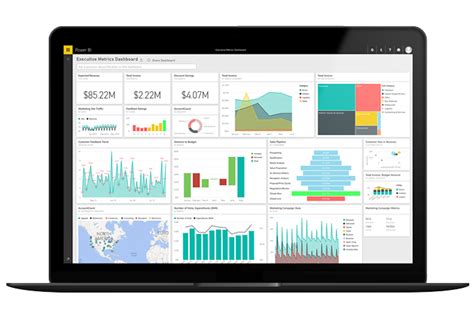
    First, I need to say that social research can be understood as an investigative process to find out the social world . Through social research we can describe the social world systematically and scientifically. The most common method in social research is the descriptive method. But lately many demands have been made on social scientists to not only describe the social world, but more than that, namely to explore in depth the social world around them.

    How to choose the right research method?

    There are many factors to consider, such as sources and data types. In social research, it has become a general rule to distinguish sources and types of data into four parts, namely qualitative data, quantitative data, primary data and secondary data.

    • Qualitative data is data in the form of narration in the form of writing, images, audio or visuals.
    • Quantitative data is data in the form of numbers in the form of statistics.
    • Primary data is data obtained directly by researchers.
    • Secondary data is data provided by third parties, such as the government, media, or other organizations outside the researchers and research participants.

    The four sources and types of data will determine which examples of research methods are relevant to be used by researchers later. For example, the researcher will calculate the relationship between household income and subjective happiness levels in a country. The data needed is quantitative data. So the survey research method becomes relevant to use. If the researcher wants to write about the meaning and philosophy of cockfighting in a village, ethnographic research methods can be considered.

    It should be borne in mind that research methods are not separated by rigid boundaries . In fact, the boundaries between methods are often so blurry that they overlap. Research design cannot be determined by only one method.

    Examples of research methods

    Descriptive method

    The descriptive research method was chosen based on the researcher’s need to narrate social behavior that specifically occurs in a particular social context. The descriptive method is also called the narrative method. The data obtained is in the form of an in-depth narrative that explains in detail the object of research under study.

    Research that uses descriptive methods seeks to describe, identify why, what and how social phenomena can occur . Examples of descriptive research methods usually adopt the observation method because often descriptions of social phenomena are obtained through observation. However, it is not limited to observation, case study and survey methods can also be used to produce descriptive data.

    Survey method

    As mentioned earlier, the survey method is identical to quantitative research . Research that adopts the survey method has a questionnaire or questionnaire as the main research instrument. The questions asked in the questionnaire are generally structured and closed. Respondents were limited to filling in answers according to orders that had been designed before the researchers went out into the field.

    Research using survey methods generally covers relatively simple topics. For example, the type of visitors to historical attractions on weekends. Surveys can be carried out by allowing respondents to fill out their own questionnaires or by conducting structured interviews with researchers.

    Experimental method

    The experimental method was chosen to measure the possible consequences that arise from certain variables. Social researchers can apply experimental methods to see the causal relationship between two or more variables . Examples of experimental research methods, for example, research on the use of minority religious symbols in public spaces in a religiously homogeneous society. Researchers can conduct social experiments to see how people react when they see minority religious symbols in public spaces.

    Experimental research generally begins with a hypothesis. Experiments were conducted to test whether the hypothesis was rejected or accepted. In general there are two types of experimental methods; experiments in the laboratory and in the field. Experiments in the laboratory are carried out with computers or teaching aids. Experiments in the field are carried out in social spaces or the ‘real world’.

    also read : ELEMENTS OF SCIENTIFIC RESEARCH THAT MUST BE UNDERSTOOD

    Interview method

    Interview is a method of collecting data by asking orally . There are three types of interview methods in the social sciences:

    • A structured interview is an interview with a structured or closed question model. Typically used in survey methods.
    • Unstructured interviews are interviews with an open-ended question model. Informants were given the freedom to narrate orally in answering questions. Typically used in quantitative research.
    • Semi-structured interviews are interviews that use a question model from a combination of both. The research questions were structured in a structured manner, but at the end the informants were given the freedom to tell a more open story.

    Observation method

    Observations in general are observations with the five senses of social phenomena that are outside the researcher ‘s self . In social research, the observations made usually involve the active role of the researcher. The active role of researchers in making more relevant observations is called participatory observation.

    • Participatory observation can be done openly (overt) or closed (covert). Open means that the identity of the researcher and the research being carried out are known to the group or community being researched. Closed means that the community being studied does not know that it is being observed for research.

    Ethnographic method

    The ethnographic method is an in-depth study of the way of life of a group of people studied in as natural a social setting as possible . Ethnographic research involves cultural integration between the researcher and the subject being studied. Typically, ethnographic research takes a very long time because it requires the absorption of the culture of the community being studied into the researcher.

    Ethnographic research usually uses participatory observation methods. To obtain richer data, in-depth interviews and document checks are often conducted. In daily life, the researcher records in detail the research findings into a diary which can later be used as a primary data source.

    Case study

    An example of a case study research method is applied to research that focuses on one case and the investigation is carried out in depth . Research that adopts the case study method tends to intersect with ethnography. The methods used can also be the same as ethnography, such as: in-depth interviews, document examination and participatory observation. Ethnography is actually also an in-depth case study.

    Longitudinal Study

    An example of a longitudinal research method is applied to a study designed for a relatively long period of time . Longitudinal research subjects are the same individual or group, studied over a certain period of time. Thus what is seen is the development of individuals or groups during a certain period. For example, we want to look at the characteristics of violence in youth. In 2010 we conducted a survey or interview on a group of youth. Five years later we went to them again to be surveyed or interviewed again.

  • Top 10 Business Intelligence application Recomended

    Top 10 Business Intelligence application Recomended

    Top 10 Business Intelligence Applications

    Business intelligence applications help organizations collect, manage, analyze, and interpret data to make informed decisions. These applications act as the backbone of any company’s data-driven decision-making process.

    With a plethora of Business Intelligence (BI) applications in the market, it can be challenging to find the right one that fits your organization’s needs. This article lists the top 10 business intelligence applications for businesses of all sizes and industries.

    1. Microsoft Power BI

    Microsoft Power BI is a cloud-based BI tool that integrates with other Microsoft platforms like Excel, SQL Server, SharePoint, and more. It allows users to visualize data and share insights across the organization in just a few clicks. It provides an intuitive user interface for users to create reports, interactive dashboards, and real-time data analytics.

    Some of Microsoft Power BI’s key features include data visualization, drag-and-drop report designing, AI-powered insights, collaboration, and security.

    2. Tableau

    Tableau is a data visualization and business intelligence tool that helps businesses see and understand their data. It allows users to connect and blend data from multiple sources, create visualizations, and share insights with colleagues.

    Tableau’s features include interactive dashboards, ad-hoc analysis, collaboration, and an extensive library of pre-built data connectors.

    3. QlikView

    QlikView is a data discovery and visualization tool that helps businesses make informed decisions. It enables users to analyze data from multiple sources, create custom dashboards, and share insights across the organization.

    QlikView’s features include a self-service interface, drag-and-drop functionality, real-time data analytics, and collaboration tools.

    4. SAP BusinessObjects

    SAP BusinessObjects is a business intelligence suite that helps organizations gain a better understanding of their data. It provides tools for reporting, analysis, and visualization of data from various sources, including databases, Excel spreadsheets, and cloud-based systems.

    SAP BusinessObjects’ key features include ad-hoc reporting, analytics, data visualization, and data governance.

    5. MicroStrategy

    MicroStrategy is a cloud-based business intelligence platform that enables users to analyze and visualize data from multiple sources easily. It offers a suite of analytical tools, including data discovery, interactive dashboards, and predictive analytics.

    MicroStrategy’s features include self-service data discovery, a mobile app, real-time analytics, and collaboration tools.

    6. IBM Cognos Analytics

    IBM Cognos Analytics is a business intelligence platform that provides a unified workspace for analytics and reporting. It enables users to create interactive reports, dashboards, and visualizations from multiple sources, including databases, spreadsheets, and cloud-based systems.

    IBM Cognos Analytics’ key features include self-service analytics, real-time data analytics, ad-hoc reporting, and collaboration tools.

    7. SAS Business Intelligence

    SAS Business Intelligence is a data analytics platform that provides tools for reporting, analysis, and data visualization. It allows users to access data from multiple sources, including databases, spreadsheets, and cloud-based systems.

    SAS Business Intelligence’s key features include data visualization, predictive analytics, ad-hoc reporting, and collaboration.

    8. Looker

    Looker is a cloud-based business intelligence platform that enables users to explore and analyze data from multiple sources easily. It provides a self-service analytics platform that allows users to create custom reports and dashboards without any coding knowledge.

    Looker’s features include data exploration, custom data modeling, real-time analytics, and collaboration tools.

    9. Domo

    Domo is a cloud-based business intelligence platform that provides real-time insights into an organization’s data. It enables users to connect to multiple data sources, create dashboards and reports, and share insights with colleagues.

    Domo’s key features include data visualization, self-service analytics, real-time analytics, and collaboration tools.

    10. TIBCO Spotfire

    TIBCO Spotfire is a data analysis and visualization tool that helps businesses explore and analyze data from multiple sources. It provides a user-friendly interface that enables users to create dashboards and reports with just a few clicks.

    TIBCO Spotfire’s features include data visualization, self-service analytics, predictive analytics, and collaboration tools.

    Final Thoughts

    Choosing the right business intelligence tool is vital to an organization’s success as it helps them make informed decisions based on data insights. This list provides a comprehensive overview of the top 10 business intelligence applications for businesses of all sizes and industries.

    Each of these applications has its features, strengths, and limitations, and it’s essential to evaluate them carefully before choosing one that is best suited for your organization’s needs.

    Frequently Asked Question

    1. What is Business Intelligence (BI) application?
    Business Intelligence (BI) application is a software solution used to gather, process and analyze data with the aim of improving organizational decision-making and performance.

    2. What are the benefits of using BI applications?
    BI applications provide a range of benefits including improved decision making, identification of growth opportunities, cost reductions, increased revenue, and improved operational efficiency.

    3. What data sources can BI applications be integrated with?
    BI applications can be integrated with different types of data sources such as databases, spreadsheets, CRM systems, social media, and cloud-based services among others.

    4. What types of analytics are supported by BI applications?
    BI applications support different types of analytics including descriptive, predictive and prescriptive analytics.

    5. What are some common features of BI applications?
    Some common features of BI applications include reporting, data visualization, dashboarding, ad hoc querying, and drill-down capabilities.

    6. What skills are required to use BI applications?
    Skills required to use BI applications include data visualization and analysis, reporting, data modeling, and data warehousing among others.

    7. Can BI applications be customized to fit unique organizational needs?
    Yes, BI applications can be customized to fit unique organizational needs through development, configuration or customization of the application.

    8. What is the difference between BI and analytics applications?
    BI applications are used to gather, process and analyze data to help organizations make informed decisions. Analytics applications are used to extract insights from data.

    9. Is training required to use BI applications?
    Yes, training is required to use BI applications. Most BI applications offer training materials on how to use the application.

    10. What are the security considerations for BI applications?
    Security considerations for BI applications include access control, authentication, authorization, data protection, and data encryption among others.

  • Top 10 Data Analytics Application Recomended

    Top 10 Data Analytics Application Recomended

    Top 10 Data Analytics Application

    Data analytics is one of the most important aspects of modern businesses. With the growth of big data, it has become critical for companies to analyze and understand the vast amounts of data they collect. To do this, companies use data analytics applications that allow them to visualize and interpret data in meaningful ways. In this article, we will discuss the top 10 data analytics applications that are currently available.

    1. Tableau

    Tableau is one of the most popular data analytics applications used by businesses worldwide. It is a self-service analytics platform that enables users to create interactive visualizations and dashboards with ease. With Tableau, users can connect to multiple data sources so that they can analyze data from various systems and databases. It also provides advanced analytics features such as forecasting, statistical modeling, and data blending.

    Tableau data analytics

    2. Microsoft Power BI

    Microsoft Power BI is another leading data analytics application used by businesses. Like Tableau, it is a self-service analytics platform that allows users to create interactive visualizations and dashboards. Power BI also has advanced features such as natural language queries, forecasting, and statistical analysis. Furthermore, it integrates well with other Microsoft products such as Excel, SharePoint, and Dynamics 365.

    Microsoft Power BI data analytics

    3. Google Analytics

    Google Analytics is an essential data analytics application for companies that have a strong online presence. It allows businesses to track website traffic and user behavior, providing insights that can help improve website performance and user engagement. Google Analytics also integrates with other Google products such as AdWords, allowing businesses to measure the effectiveness of their digital marketing campaigns.

    Google Analytics data analytics

    4. Oracle Analytics Cloud

    Oracle Analytics Cloud is a comprehensive data analytics application that offers a range of self-service tools for data preparation, visualization, and analysis. Its advanced features include machine learning, automated data preparation, and mobile visualization capabilities. It integrates with various data sources such as Oracle Cloud, Hadoop, and Big Data Cloud, making it an ideal choice for large enterprises that have vast amounts of data.

    Oracle Analytics Cloud data analytics

    5. SAS

    SAS is a robust data analytics application that is known for its advanced statistical analysis capabilities. It offers various tools and solutions, including data management, predictive analytics, and data visualization. SAS also offers a comprehensive set of APIs, allowing businesses to integrate it with other applications seamlessly.

    SAS data analytics

    6. IBM Cognos Analytics

    IBM Cognos Analytics is an enterprise-level data analytics application that offers a range of tools for data discovery, reporting, and analysis. It enables users to create interactive dashboards and visualizations and provides advanced analytics features such as predictive modeling and scenario planning. It also has a mobile app that allows users to access analytics on-the-go.

    IBM Cognos Analytics data analytics

    7. QlikView

    QlikView is a powerful data analytics application that allows businesses to connect to multiple data sources and create interactive visualizations and dashboards. Its advanced features include associative data modeling, which enables users to explore data relationships easily. QlikView also offers a range of data discovery and analysis tools, including data cleansing, geospatial analysis, and collaboration features.

    QlikView data analytics

    8. SAP Analytics Cloud

    SAP Analytics Cloud is a cloud-based data analytics application that provides a range of self-service tools for data preparation, visualization, and analysis. It allows users to connect to various data sources, including SAP systems, Hadoop, and Google BigQuery. Its advanced features include machine learning and natural language queries, enabling users to derive insights from data quickly.

    SAP Analytics Cloud data analytics

    9. Talend

    Talend is a data integration and data quality application that allows businesses to connect to multiple data sources, transform and clean data, and visualize data in meaningful ways. It offers various data integration tools such as ETL, data profiling, and data cleansing. Talend also has a cloud-based platform that enables users to manage data pipelines and workflows easily.

    Talend data analytics

    10. Alteryx

    Alteryx is a self-service data analytics application that allows businesses to blend data from various sources, perform complex data transformations, and create predictive models. It offers various drag-and-drop tools that enable users to create workflows easily. Alteryx also has advanced features such as spatial analysis and batch processing capabilities.

    Alteryx data analytics

    Conclusion

    Data analytics is essential for modern businesses to make data-driven decisions. The above-listed data analytics applications offer a range of features and tools that enable businesses to analyze data and derive insights quickly. While each of these applications has its unique strengths and weaknesses, businesses need to evaluate their requirements carefully before selecting an appropriate data analytics application.

    Frequently Asked Question

    1. What is data analytics application?
    Data analytics application refers to the use of statistical and computational methods to extract knowledge and insights from structured and unstructured data.

    2. What are the benefits of using data analytics application?
    Some benefits of using data analytics application include improved decision-making, greater efficiency, enhanced productivity, and better customer satisfaction.

    3. What are the types of data analytics applications?
    There are three main types of data analytics applications: descriptive analytics, predictive analytics, and prescriptive analytics.

    4. What is descriptive analytics?
    Descriptive analytics is the process of analyzing data to describe past events and understand the present. It is used to summarize, organize, and present data in an easily digestible format.

    5. What is predictive analytics?
    Predictive analytics is the process of using data, statistical algorithms, and machine learning techniques to identify the likelihood of future outcomes based on historical data.

    6. What is prescriptive analytics?
    Prescriptive analytics is the process of using data, algorithms, and automated decision-making tools to recommend the best course of action to achieve a specific outcome.

    7. What skills are required to work with data analytics application?
    To work with data analytics application, you need skills in statistics, data modeling, programming, data visualization, and critical thinking.

    8. What are some common tools used in data analytics application?
    Some common tools used in data analytics application include Excel, Python, R, Tableau, Power BI, and SQL.

    9. What are some industries where data analytics application is commonly used?
    Data analytics application is commonly used in industries such as finance, healthcare, retail, marketing, and logistics.

    10. What are some ethical considerations when working with data analytics application?
    Some ethical considerations when working with data analytics application include privacy, fairness, transparency, and accountability. It is important to ensure that data is used ethically and responsibly to avoid any negative impact on individuals or society as a whole.

  • Top 10 Remittance Application Recomended

    Top 10 Remittance Application Recomended

    Top 10 Remittance Applications: Fast and Secure Money Transfer

    As the world becomes more connected, sending and receiving money across borders has become easier than ever. With advancements in technology, it’s no longer necessary to go through lengthy bank processes to transfer funds. Remittance applications have become increasingly popular as an alternative way to safely and quickly send money. In this article, we’ll explore the top 10 remittance applications available today.
    1. PayPal

    PayPal is one of the most well-known and widely used remittance applications in the world. It’s a digital wallet that you can use to transfer money to other PayPal users across the globe. You can send money using your PayPal balance or link your bank account or credit card to your PayPal account. With PayPal, you can send money in over 100 currencies and withdraw your funds to your bank account.

    PayPal

    2. TransferWise

    TransferWise is a UK-based remittance platform that offers competitive exchange rates and low fees. It operates in over 70 countries and allows you to send money in up to 54 different currencies. They also offer a multi-currency account that lets you hold money in different currencies, making it easier to manage your funds. TransferWise uses a peer-to-peer model, which means that your funds are transferred directly to the recipient’s bank account.

    TransferWise

    3. WorldRemit

    WorldRemit is a London-based remittance app that allows you to send money to over 150 countries. They offer a wide range of payout options, including bank deposits, mobile wallets, and cash pickup. WorldRemit prides itself on providing fast and secure money transfers.

    WorldRemit

    4. Remitly

    Remitly is a Seattle-based remittance app that lets you send money to over 50 countries. Their fees and exchange rates vary depending on the recipient’s location and the transfer amount. With Remitly, you can choose from two delivery options: express, which allows your recipient to receive the funds in minutes, or economy, which takes 3-5 business days.

    Remitly

    5. Azimo

    Azimo is a UK-based remittance app that allows you to send money to over 200 countries. They offer a variety of delivery options, including bank deposit, cash pickup, and mobile wallet, and their fees and exchange rates are competitive. Azimo is also known for its fast delivery, with some transfers being completed within minutes.

    Azimo

    6. Xoom

    Xoom is a remittance platform owned by PayPal that allows you to send money to over 130 countries. They offer a variety of payout options, including bank deposits, mobile wallets, and cash pickup, and their pricing is transparent, with no hidden fees. With Xoom, you can send up to $10,000 USD in a single transaction.

    Xoom

    7. Western Union

    Western Union is one of the oldest and most well-known remittance platforms in the world. They offer a wide range of delivery options, including bank deposits, mobile wallets, and cash pickup. With Western Union, you can send money to over 200 countries and territories, and they have over 500,000 agent locations worldwide. However, their fees and exchange rates tend to be higher than other remittance apps.

    Western Union

    8. MoneyGram

    MoneyGram is another well-known remittance platform that allows you to send money to over 200 countries. They offer a variety of delivery options, including bank deposits, mobile wallets, and cash pickup, and their fees and exchange rates tend to be competitive. MoneyGram also has a large network of agent locations around the world.

    MoneyGram

    9. Ria Money Transfer

    Ria Money Transfer is a remittance app that allows you to send money to over 160 countries. They offer a range of delivery options, including bank deposits, cash pickup, and home delivery. Ria Money Transfer also prides itself on providing competitive exchange rates and fast delivery times.

    Ria Money Transfer

    10. Wise (formerly TransferWise)

    Wise is a UK-based remittance app that offers competitive exchange rates and low fees. They operate in over 70 countries and allow you to send money in over 50 currencies. Wise is known for its transparency and customer-centric approach, as well as its fast and secure money transfers.

    Wise

    Conclusion

    Remittance applications have made it easier than ever to send and receive money across borders. From well-known platforms like PayPal and Western Union to newer players like TransferWise and Wise, there are plenty of options to choose from. By comparing fees, exchange rates, and delivery options, you can find the remittance app that best meets your needs.

    Frequently Asked Question

    1. What is a remittance application?
    A remittance application is software or a tool that facilitates the transfer of money from one account to another, often across international borders.

    2. How do I use a remittance application?
    To use a remittance application, you usually need to create an account or log in to an existing one. Then, you will need to provide information about the recipient and the amount of money you want to send.

    3. Are remittance applications safe?
    Most remittance applications are safe to use, but it is important to research and choose a reputable provider that uses encryption and other security measures to protect your information and money.

    4. What are the fees associated with using a remittance application?
    Fees for using a remittance application vary depending on the provider, the amount of money being sent, and the destination country.

    5. Can I track the status of my remittance using the application?
    Most remittance applications allow you to track the status of your transfer through notifications or updates within the application.

    6. Can I cancel a remittance after it has been sent?
    It depends on the provider and the specific circumstances, but cancellation or modification of a remittance after it has been sent may not be possible.

    7. How long does it take for a remittance to be processed?
    Processing times for remittances vary depending on the provider, the destination country, and the payment method. Generally, it can take a few hours to a few days for a remittance to be processed.

    8. What payment methods are accepted by remittance applications?
    Most remittance applications accept bank transfers, credit cards, and debit cards, but the specific payment methods accepted may vary depending on the provider and the destination country.

    9. Is there a limit to how much money I can send using a remittance application?
    The amount of money you can send using a remittance application may be limited by the provider, the laws of the destination country, and other factors.

    10. What happens if my remittance is not received by the recipient?
    If your remittance is not received by the recipient, you may be able to request a refund or initiate an investigation through the remittance application provider.

  • Georg Simmel: Sociology Without Sociologists

    Georg Simmel: Sociology Without Sociologists

    Who is Georg Simmel?

    Georg Simmel was born in Berlin on March 1, 1858 and died on September 26, 1918 in Alsace, Strasbourg.

    Although now known as one of the classic sociology figures, Georg Simmel’s academic career is arguably not as big as his work which is still often used as a reference.

    Simmel was a sociologist who was formally alienated, but had a profound influence on some of the intellectuals who had been his students.

    Some of them are Albion Small, George Herbert Mead, Robert Park, and WI Thomas.

    Simmel was also a colleague of some of the great thinkers of his time such as Max Weber and Wilhelm Dilthey.

    Seeing Georg Simmel’s intellectual contributions in the field of sociology, he is undoubtedly one of the most influential intellectuals in Europe and America. His name may be less heard in other parts of the world, but some of Simmel’s concepts are well known.

    Sociological studies of social networks and social interactions that are now popular often place Simmel’s work as the theoretical foundation.

    Georg Simmel was descended from a Jewish family, the last of seven children. Despite his Jewish heritage, Simmel as a young man changed his religious affiliation to become a Protestant.

    At that time in Germany it was not uncommon for a child to convert from Judaism to Protestantism. Affiliation to Judaism is considered to be a barrier to one’s career, especially in 19th century Germany to the early 20th century.

    In 1876, Simmel began studying history and philosophy at the King Fredrick William University. At the age of 23, Simmel received an academic degree after successfully defending his dissertation on Kantian philosophy.

    Georg Simmel began his career as a private lecturer in Berlin, teaching ethics, philosophy, sociology and social psychology for a fee depending on the audience.

    Simmel’s lectures were famous for being fashionable and attracted many guests from Berlin’s intellectual circles. His colleague Wilhel Dilthey of the philosophy department repeatedly sponsored Simmel for a full professorship.

    Although universities and faculties have the authority to apply for full professorship titles, the decision rests with the state through the Prussian ministry.

    In the end Simmel earned a professorship but not full. Its powers are limited to teaching and the use of degrees. Recruiting students and guiding students is not his authority.

    This limitation is indicated for two reasons. First, his race is of Jewish descent. Second, the sociology that Simmel taught was considered anti-positivist, a school of thought that was considered a threat to the stability of the country at that time. Simmel taught sociology without formal support as a sociologist.

    Contribution in Sociology

    Some of Simmel’s important contributions to sociology and other social sciences include elaboration in an attempt to answer the question, “What is a gesellschaft?”

    In his essay in the book Soziologie (1908), Simmel argues that sociology is not a science, but a methodology. Sociology is a methodology for exploring the ongoing process of socialization.

    The concept of socialization described by Simmel is now more often referred to as social interaction. As a methodology, sociological research data comes from other disciplines, such as psychology and anthropology.

    One of the important concepts that Simmel coined in sociology is formen or forms. The use of the concept of formen makes it possible for the social world to be understood.

    According to Simmel, all people in this world interact, and through forms , these interactions can be categorized. Georg Simmel looked at the task of sociology to identify categories and types of social interaction. Formen can be defined as a process of sociation, namely the process of socially categorizing reality.

    For example, in a society there is a leader and several followers. The relationship between the leader and the follower forms a certain pattern of interaction.

    For example, when a follower meets a leader, he kisses the leader’s hand as a form of respect or courtesy or whatever his name is. Kissing hands is a form of interaction.

    This form of interaction can be understood through formen , namely the categorization between leaders and followers.

    We can also identify which leaders are followers when we see the kissing scene. Thus the social world can be understood according to Simmel.

    Other concepts that are also important and are also considered as the theoretical foundation of the concept of network society are dyads and triads.

    The concept of dyad describes two entities that are bound to each other. While the triad is three or more entities that are bound to each other. Dyad and triad are two concepts that determine how the formen process takes place.

    Dyad is a unique concept because it consists of two entities or let’s call it two people, where without one of them, the form of interaction can be lost. For example, I can argue with you, but if you leave, I can’t argue anymore.

    While the triads are different. Triads form formations with different processes because interactions can still take place dynamically even though several people come and go.

    For example, three students eat in the cafeteria while chatting. When one said goodbye to take fried food, the others were still able to chat.

    Interaction can still exist. An easy-to-understand illustration of the difference between a dyad and a triad is a ball and chess match.

    When a player gets a red card, the ball game can still be continued, but not chess. The concepts of dyad and triad can explain interaction patterns in more complex contexts, such as urban communities and network communities.

  • Top 10 Digital Payment Application Recomended

    Top 10 Digital Payment Applications

    Digital payments are rapidly replacing traditional forms of payments. The rise of the smartphone has brought convenience and speed to payments. With digital payments, transactions can be made in seconds, without the need to carry cash or plastic cards. The market for digital payments is growing at an exponential rate, and the industry has several players competing for market share. In this article, we bring you the top 10 digital payment applications that you can use today.
    1. PayPal

    PayPal is one of the oldest digital payment applications in the market. It was launched in 1998 and has since become a household name in the online payment industry. With PayPal, users can send and receive money instantly. They can also shop online using their PayPal account, without the need to enter their credit card details every time they make a purchase. PayPal is available in over 200 countries and supports over 25 currencies.

    Paypal Logo

    2. Venmo

    Venmo is a digital payment application owned by PayPal. It was launched in 2009 and has since grown to become one of the most popular peer-to-peer payment applications in the US. With Venmo, users can send and receive money from friends and family. They can also split bills, rent, and other shared expenses. Venmo is free to use for individuals, but there is a 3% fee for businesses.

    Venmo logo

    3. Zelle

    Zelle is a digital payment application owned by Early Warning Services. It was launched in 2017 and has since become a popular choice for people who want to send and receive money instantly. Zelle has partnerships with several banks and credit unions in the US, which makes it easy for users to link their bank accounts and send money to other users. Zelle has a daily transfer limit of $2,500.

    Zelle logo

    4. Square Cash

    Square Cash, also known as Cash App, is a digital payment application owned by Square Inc. It was launched in 2013 and has since become popular among millennials. With Square Cash, users can send and receive money instantly. They can also buy and sell bitcoin on the platform. Square Cash charges a 1.5% fee for instant transfers, but standard transfers are free.

    Square Cash logo

    5. Google Pay

    Google Pay, formerly known as Android Pay, is a digital payment application owned by Google. It was launched in 2015 and is available in over 30 countries. With Google Pay, users can send and receive money instantly. They can also make payments in stores, online, and in-app using their smartphone. Google Pay is compatible with both Android and iOS devices.

    Google Pay logo

    6. Apple Pay

    Apple Pay is a digital payment application owned by Apple Inc. It was launched in 2014 and is available in over 35 countries. With Apple Pay, users can make payments in stores, online, and in-app using their iPhone, iPad, or Apple Watch. Apple Pay uses a technology called Near Field Communication (NFC) to make payments. Users can also send and receive money with Apple Pay using iMessage.

    Apple Pay logo

    7. Samsung Pay

    Samsung Pay is a digital payment application owned by Samsung. It was launched in 2015 and is available in over 25 countries. Samsung Pay uses a technology called Magnetic Secure Transmission (MST) to make payments. This technology allows users to make payments at almost any stores that accept credit or debit cards. Samsung Pay also supports Near Field Communication (NFC) payments.

    Samsung Pay logo

    8. Alipay

    Alipay is a digital payment application owned by Alibaba Group. It was launched in 2004 and has since become one of the most popular payment applications in China. With Alipay, users can make payments in stores, online, and in-app. Alipay also offers other services, such as money market funds, and insurance. Alipay is available in over 100 countries and supports over 27 currencies.

    Alipay logo

    9. WeChat Pay

    WeChat Pay is a digital payment application owned by Tencent. It was launched in 2013 and has since become a popular payment application in China. With WeChat Pay, users can make payments in stores, online, and in-app. They can also send and receive money to other WeChat users. WeChat Pay is available in over 20 countries and supports over 13 currencies.

    WeChat Pay logo

    10. Paytm

    Paytm is a digital payment application owned by One97 Communications. It was launched in 2010 and has since become a popular payment application in India. With Paytm, users can make payments in stores, online, and in-app. They can also recharge their mobile phone, pay utility bills, and book travel tickets. Paytm is available in over 11 languages and supports multiple payment options, including credit cards, debit cards, and UPI.

    Paytm logo

    Conclusion

    These are the top 10 digital payment applications that you should consider using. Each application has its own unique features and benefits. Some applications are more popular in certain regions, while others have a global presence. When choosing a digital payment application, it is important to consider factors such as security, ease of use, and the availability of the application in your region.

    Frequently Asked Question

    1. What is a digital payment application?
    A digital payment application is an app that allows users to transfer money electronically through their mobile devices.

    2. Is it safe to use digital payment applications?
    Yes, digital payment applications are generally safe to use. However, users should take necessary precautions such as setting strong passwords and not sharing their personal information with anyone.

    3. What types of transactions can be made through a digital payment application?
    Users can make a wide range of transactions through digital payment applications such as paying bills, sending money to friends and family, and making online purchases.

    4. Can digital payment applications be linked to bank accounts?
    Yes, many digital payment applications allow users to link their bank accounts to their mobile wallets.

    5. Are there any fees associated with digital payment applications?
    Most digital payment applications charge a small fee for certain transactions, such as transferring money to a bank account or using a credit card to add funds to a mobile wallet.

    6. What should I do if I suspect fraud on my digital payment application account?
    Users should contact the customer support of their digital payment application provider immediately if they suspect fraud. They should also monitor their account regularly and take necessary precautions to protect their personal information.

    7. Can digital payment applications be used internationally?
    Many digital payment applications can be used internationally, but users should check the availability of their preferred app in the countries they plan to visit.

    8. How long does it take to transfer money through a digital payment application?
    The processing time for transfers through digital payment applications varies depending on the app and the type of transaction. Some transfers can be completed almost instantly, while others may take several business days to process.

    9. What happens if I accidentally send money to the wrong recipient?
    Users should double-check the recipient’s information before completing a transaction to avoid sending money to the wrong person. However, if they do accidentally send money to the wrong recipient, many digital payment applications allow users to cancel the transaction if it has not been completed.

    10. Which digital payment application is the best?
    The best digital payment application for an individual will depend on their specific needs and preferences. Some popular digital payment applications include PayPal, Venmo, and Cash App. It is recommended that individuals research and compare different apps before selecting one that suits them best.

  • Top 10 Investment Application Recomended

    Top 10 Investment Application Recomended

    Top 10 Investment Applications To Help You Manage Your Money

    Managing your finances has never been easier with the rise of investment applications. There is a wide range of investment applications that can help you diversify your portfolio, manage your money, and even invest in cryptocurrency. We have compiled the top 10 investment applications to help you make better financial decisions.
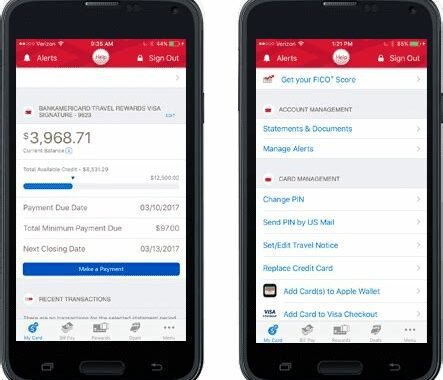
    1. Robinhood

    Robinhood is a commission-free investing app that allows you to buy and sell stocks, ETFs, and cryptocurrency without paying any fees. It has a user-friendly interface, and it’s effortless to use, making it perfect for beginner investors. Robinhood also offers new users a free stock when they sign up.

    Robinhood

    2. Acorns

    Acorns is a micro-investing app that allows you to invest your spare change. It rounds up your purchases to the nearest dollar and invests the difference. For example, if you buy a cup of coffee for $2.50, Acorns will round it up to $3.00 and invest the additional $0.50. Acorns charges $1 per month for accounts under $5,000 and 0.25% per year for accounts over $5,000.

    Acorns

    3. Betterment

    Betterment is a robo-advisor that manages your investments for as little as 0.25% per year. It uses algorithms to build and manage a diversified portfolio tailored to your financial goals and preferences.

    Betterment

    4. Stash

    Stash is an investment app that offers users the ability to buy fractional shares of more than 1,800 stocks and ETFs. It also offers retirement accounts and custodial accounts for minors. Stash charges $1 per month for accounts under $5,000 and 0.25% per year for accounts over $5,000.

    Stash

    5. Wealthfront

    Wealthfront is a robo-advisor that offers investment management, financial planning, and banking services with no account minimums. It diversifies your portfolio across asset classes and uses tax-loss harvesting to optimize your returns. Wealthfront charges 0.25% per year for investment management.

    Wealthfront

    6. Coinbase

    Coinbase is a digital currency exchange that allows users to buy, sell, and trade cryptocurrency. It supports a wide range of cryptocurrencies, including Bitcoin, Ethereum, and Litecoin. Coinbase charges a fee of 1.49% for every transaction.

    Coinbase

    7. Personal Capital

    Personal Capital is an investment app that offers a comprehensive view of your finances. It tracks your investments, accounts, and spending, allowing you to create a personalized financial plan. Personal Capital charges a fee of 0.89% for accounts up to $1 million.

    Personal Capital

    8. TD Ameritrade

    TD Ameritrade is a brokerage firm that offers a wide range of investment products and services, including stocks, ETFs, mutual funds, options, and futures. It has powerful trading tools and educational resources for beginner and advanced investors. TD Ameritrade charges $0 for stock and ETF trades.

    TD Ameritrade

    9. E-Trade

    E-Trade is a brokerage firm that offers a full range of investment products and services, including stocks, ETFs, mutual funds, options, and futures. It provides powerful trading tools and research resources, making it perfect for active traders. E-Trade charges $0 for stock and ETF trades.

    E-Trade

    10. M1 Finance

    M1 Finance is a robo-advisor that allows users to create and manage their investment portfolio for free. It supports fractional shares and offers a wide range of ETFs and stocks to choose from. M1 Finance charges no fees for trading, managing, or using its platform.

    M1 Finance

    The Bottom Line

    Investment applications have revolutionized the way we invest and manage our money. They offer intuitive interfaces, low fees, and powerful tools that can help us make better financial decisions. Whether you are a beginner or an experienced investor, these 10 investment applications can help you achieve your financial goals.

    Frequently Asked Question

    1. What is an investment application?
    An investment application is a software or mobile application that enables users to invest in various financial instruments, such as stocks, mutual funds, and bonds, among others.

    2. How secure is using an investment application?
    Most investment applications use advanced security protocols such as encryption, biometric authentication, and two-factor authentication to protect your personal and financial data.

    3. Can I use an investment application to invest in international markets?
    Yes, some investment applications allow you to invest in international stocks and securities.

    4. What are the fees for using an investment application?
    The fees for using an investment application vary depending on the provider. Some applications may charge a flat fee, while others may charge a percentage of the investment amount.

    5. What types of investment accounts can I open through an investment application?
    Most investment applications enable users to open various types of investment accounts, including taxable accounts, retirement accounts, and education savings accounts.

    6. Do investment applications provide investment advice?
    Some investment applications provide investment advice through robo-advisors or human advisors.

    7. What is the minimum investment amount required to start using an investment application?
    The minimum investment amount required to start using an investment application varies depending on the provider. Some applications have no minimum investment requirement, while others may require a minimum of $5,000 or more.

    8. Can I transfer my existing investments to an investment application?
    Yes, many investment applications allow you to transfer your existing investments from other accounts or brokers.

    9. What are the benefits of using an investment application?
    Some of the benefits of using an investment application include low fees, convenience, accessibility, and ease of use.

    10. What are the risks of using an investment application?
    The risks of using an investment application include market volatility, potential loss of principal, and operational risks such as system failures or cyber attacks. It is important to do your research and understand the risks before investing through an application.

  • Top 10 Banking Application Recomended

    Top 10 Banking Application Recomended

    Top 10 Banking Applications

    In today’s fast-paced world where everything is just a click away, banking has also gone digital. Banking applications are a great way to save time and make banking easy. With so many banking applications in the market, it is challenging to choose the best ones. In this article, we have compiled a list of the top 10 banking applications in 2021.

    1. Bank of America Mobile Banking

    Bank of America Mobile Banking

    The Bank of America Mobile Banking app is a widely used banking application. It has excellent features like managing bank accounts, credit, and debit cards. The app also allows you to deposit checks remotely, transfer funds, and track account activity. The app has a user-friendly interface that makes banking easy and offers high-level security features.

    2. Chase Mobile

    Chase Mobile

    Chase Mobile is another popular banking application. It allows you to manage your bank accounts and credit cards, transfer funds, and deposit checks remotely. The app has a user-friendly interface and offers high-level security features like fingerprint and facial recognition. One of the unique features of the app is the ability to schedule payments to payees.

    3. Capital One Mobile

    Capital One Mobile

    The Capital One Mobile app enables you to manage your bank accounts and credit cards, deposit checks remotely and transfer funds. The app has high-level security features and the ability to check balances on-the-go. It also offers a unique feature called CreditWise, which helps you monitor your credit score and report.

    4. Wells Fargo Mobile

    Wells Fargo Mobile

    Wells Fargo Mobile is an easy-to-use banking application that allows you to manage your bank accounts, credit cards, and investment accounts. You can also transfer funds and remotely deposit checks. The app has high-level security features and the ability to view and pay bills. Additionally, Wells Fargo Mobile offers a unique feature that allows you to use your fingerprint to access the app.

    5. Ally Mobile

    Ally Mobile

    Ally Mobile is a popular banking application that enables you to manage your bank accounts, invest, pay bills, and deposit checks remotely. The app has a user-friendly interface and the ability to view all your transactions. Additionally, Ally Mobile offers high-level security features like fingerprint login, facial recognition, and two-factor authentication.

    6. Simple

    Simple

    Simple is a banking application that allows you to set goals for savings and track them. The app has a unique Safe-to-Spend feature, which tells you how much money you have available to spend based on your bills and savings goals. You can also deposit checks remotely and transfer funds. The app has high-level security features and a user-friendly interface.

    7. USAA Mobile

    USAA Mobile

    USAA Mobile is a banking application that is exclusively available to US military personnel and their families. The app allows you to manage bank accounts, credit cards, investment accounts, and insurance policies. You can also deposit checks remotely and transfer funds. The app has high-level security features that are certified by the Federal Financial Institutions Examination Council (FFIEC).

    8. Citi Mobile

    Citi Mobile

    Citi Mobile is a banking application that allows you to manage your bank accounts, credit cards, and investment accounts. You can also deposit checks remotely and transfer funds. The app has high-level security features like Touch ID and facial recognition. Additionally, the app offers the ability to pay bills and view statements.

    9. PNC Mobile

    PNC Mobile

    PNC Mobile is a banking application that allows you to manage your bank accounts, credit cards, and investment accounts. You can also deposit checks remotely, transfer funds, and view transactions. The app has a user-friendly interface and high-level security features. Additionally, PNC Mobile offers the ability to pay bills and track spending.

    10. TD Bank

    TD Bank

    TD Bank is a banking application that allows you to manage your bank accounts, credit cards, and investment accounts. You can also deposit checks remotely, transfer funds, and schedule payments. The app has a user-friendly interface and high-level security features. Additionally, TD Bank offers the ability to pay bills and view statements.

    Conclusion

    Banking applications are a great way to save time and make banking easy. With so many banking applications in the market, it is challenging to choose the best ones. The above-listed banking applications are the most popular and have excellent features like managing bank accounts, credit, and debit cards, depositing checks remotely, and transferring funds. These apps offer high-level security features, a user-friendly interface, and unique features like scheduling payments and tracking spending.

    Frequently Asked Question

    1. What is a banking application?
    A banking application is software designed to enable account holders to perform various banking transactions from their mobile devices or computers.

    2. Is it safe to use a banking application?
    Yes, it is generally safe to use a banking application provided it is downloaded from a reputable source, and the user follows proper security protocols when using it.

    3. What type of transactions can I perform with a banking application?
    With a banking application, you can perform basic tasks such as checking your account balance, making transfers, and paying bills. Some applications also allow you to apply for loans and set up standing orders.

    4. Can I link multiple bank accounts to a single banking application?
    Yes, most banking applications allow you to link several bank accounts, provided they are with the same financial institution.

    5. How can I download a banking application?
    You can download a banking application from your mobile device’s app store or the financial institution’s website.

    6. Do I need to pay any fees for using a banking application?
    Typically, using a banking application is free of charge. However, some financial institutions may charge fees for specific transactions such as international transfers.

    7. How do I ensure my online banking information is secure?
    To ensure your online banking information is secure, you should use strong passwords, avoid using public Wi-Fi networks, and regularly check your transaction history.

    8. Can I use a banking application without an internet connection?
    No, you must have an active internet connection to use a banking application.

    9. What should I do if I lose my mobile device with the banking application installed?
    If you lose your mobile device with the banking application installed, you should contact your financial institution immediately to disable the application and prevent unauthorized access to your account.

    10. What happens if I forget my login credentials for the banking application?
    If you forget your login credentials for the banking application, you can use the password reset feature or contact your financial institution for assistance with regaining access to your account.

  • Pramodawardhani

    Pramodawardhani

    Pramodawardhani (also known as rī Kahulunnan or rī Sanjiwana ) was the crown princess of the Sailendra dynasty who became the consort of Rakai Pikatan , the sixth king of the Medang Kingdom of Central Java period around the 840s .
    Inauguration of Borobudur 

    The name Pramodawardhani is found in the Kayumwungan inscription dated March 26, 824 as the daughter of Maharaja Samaratungga . According to the inscription, he inaugurated a very beautiful multi-storey Jinalaya building. This building is generally interpreted as Borobudur Temple .

    Meanwhile, the Tri Tepusan inscription dated 11 November 842 mentions a figure with the title Sri Kahulunan who exempted several villages from taxes so that the residents would participate in caring for Kamulan Bhumisambhara (the original name of Borobudur Temple ). Historian Dr. De Casparis interpreted the term Sri Kahulunan as “the empress “, namely Pramodawardhani, because at that time Rakai Pikatan was thought to have become king.

    Another opinion was expressed by Drs. Boechari who interprets Sri Kahulunan as the queen mother . For example, in the Mahabharata the character Yudhisthira calls his mother, namely Kunti , as Sri Kahulunan . So, according to this version, the character of Sri Kahulunan is not Pramodawardhani, but his mother, namely Samaratungga’s wife .

    Pramodawardhani Inauguration of Borobudur 
    Pramodawardhani Inauguration of Borobudur 

    Marriage with Rakai Pikatan 

    Rakai Pikatan Mpu Manuku is the sixth king of the Medang Kingdom according to the Mantyasih inscription . From the Wantil inscription it is known that Rakai Pikatan adheres to the Hindu Shiva religion and is married to a Buddhist princess . The majority of historians agree that the princess is Pramodawardhani.

    The Kayumwungan inscription in 824 only mentions the names of Pramodawardhani and Samaratungga without mentioning the name of Mpu Manuku. It can be estimated that in that year Pramodawardhani and Mpu Manuku were not married.

    Meanwhile, in the Munduan inscription in 807, Mpu Manuku already served as Rakai Patapan, whereas in 824 Pramodawardhani was still a girl. This means that there is a large age difference between the two. Maybe Rakai Pikatan Mpu Manuku is the same age as his father-in-law, Samaratungga .

    From the marriage of Rakai Pikatan with Pramodawardhani, it is estimated that Rakai Gurunwangi Dyah Saladu (Plaosan inscription) and Rakai Kayuwangi Dyah Lokapala (Wantil inscription) were born. Thanks to his services in crushing the enemy of the state named Rakai Walaing Mpu Kumbhayoni, Rakai Kayuwangi was able to become king after Rakai Pikatan.

    The appointment of Rakai Kayuwangi, the youngest son, to become king later caused jealousy in Rakai Gurunwangi’s heart, namely the discovery of the Munggu Antan inscription in 887 .

    Relations with Balaputradewa

    Balaputradewa was the king of the Srivijaya Kingdom, son of Samaragrawira. Prof. NJ Krom considers Samaragrawira synonymous with Samaratungga , so Balaputradewa is automatically considered as Pramodawardhani’s brother.

    Dr. De Casparis then developed a theory that there had been a civil war over the throne after Samaratungga’s death , between Balaputradewa and Pramodawardhani. Finally Balaputradewa was defeated by Rakai Pikatan, Pramodawardhani’s husband. He then fled to the island of Sumatra and became king of the Srivijaya Kingdom.

    De Casparis’ theory is guided by the Wantil inscription in 856 which mentions a war between Rakai Pikatan against an enemy hiding in a fort heap of stones. In the Wantil inscription found the term Walaputra which is interpreted as another name Balaputradewa.

    Meanwhile Prof. Slamet Muljana believes that Balaputradewa is not Pramodawardhani’s brother. This opinion is guided by the Kayumwungan inscription which states that Samaratungga only has one daughter (namely Pramodawardhani). According to Slamet Muljana, Balaputradewa is more appropriate as Samaratungga’s younger brother, and both are the sons of Samaragrawira. In other words, Pramodawardhani is Balaputradewa’s nephew.

    The stone pile fort which is the headquarters of Balaputradewa is identical to the Ratu Boko Site. Drs. Boechari found several inscriptions around the site, but not in the name of Balaputradewa, but in the name of Rakai Walaing Mpu Kumbhayoni who claimed to be a descendant of the founder of the kingdom (namely Sanjaya ).

    Boechari argues that Rakai Pikatan’s enemy is not Balaputradewa, but Rakai Walaing. According to him, the term Walaputra in the Wantil inscription does not mean Balaputradewa, but means “the youngest child”, which is the nickname for Rakai Kayuwangi as a hero to destroy Rakai Walaing.

    Other evidence shows that there is damage to some of the inscriptions that record the genealogical sequence of Rakai Walaing. This damage seems to have been deliberately done by Rakai Pikatan as a fellow descendant of Sanjaya who is competing for the Medang throne.

    If the opinions of Slamet Muljana and Boechari are combined, a theory can be put forward that the war between Rakai Pikatan and Balaputradewa may never have occurred. According to the Po Ngar inscription in 802 the Cambodian state managed to escape from Javanese colonialism. Perhaps this was the reason Samaragrawira at the end of his reign divided the power of the Sailendra dynasty between his two sons. Samaratungga ruled in Java , while Balaputradewa ruled in Sumatra .

    This second theory is an alternative to the first theory which says Balaputradewa fled to Sumatra due to losing the war against Pramodawardhani who was assisted by Rakai Pikatan.

  • Top 10 Financial Management Application Recomended

    Top 10 Financial Management Application Recomended

    Top 10 Financial Management Applications

    Managing your finances can be overwhelming and confusing. However, with the increasing number of financial management applications on the market, managing your finances has become much easier. These applications can be used for tracking your income, expenses, and investments, and help you make better financial decisions. Here are the top 10 financial management applications that can help you manage your finances efficiently.
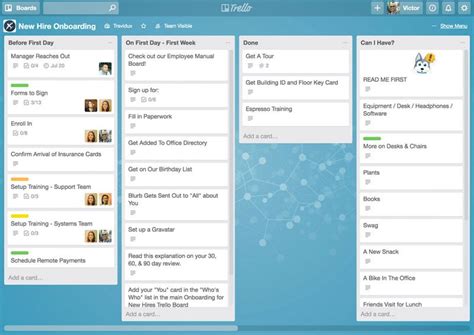
    1. Mint

    Mint application

    Mint is one of the most popular financial management applications available. This application enables you to bring together all your financial accounts in one place. You can monitor your spending, track your investments, pay bills online, and get alerts if your accounts fall below a certain balance. Mint is free, but it may show you ads for financial products.

    2. Personal Capital

    Personal Capital application

    Personal Capital is an all-in-one financial management application that enables you to manage your finances, investments, and retirement savings. It provides you with detailed investment analysis, a fee analyzer, an investment checkup, and a retirement planner. Personal Capital is free to use, but it charges a fee for investment management services.

    3. YNAB (You Need A Budget)

    YNAB application

    YNAB (You Need A Budget) is an effective financial management application that helps you take control of your finances. It uses a zero-based budgeting system that helps you allocate your funds effectively. YNAB also enables you to import transactions from your bank account, set financial goals, and track your expenses. YNAB charges $11.99 per month, but it offers a free trial period of 34 days.

    4. PocketGuard

    PocketGuard application

    PocketGuard is a simple and easy-to-use financial management application that enables you to track your spending and savings. It provides you with an overview of your finances and alerts you if you are approaching your budget limits. PocketGuard also enables you to view your transactions, categorize your expenses, and track your bill payments. PocketGuard is free, but it offers a premium version with additional features.

    5. EveryDollar

    EveryDollar application

    EveryDollar is a budgeting application that enables you to allocate your funds effectively. It uses a zero-based budgeting system and enables you to track your expenses, monitor your bills, and view your financial progress. EveryDollar offers a free version, but it charges $129.99 per year for the premium version, which includes additional features, such as financial coaching and investment advice.

    6. Wally

    Wally application

    Wally is a budgeting and expense tracking application that enables you to manage your finances effectively. It allows you to view your transaction history, categorize your expenses, set financial goals, and track your bills. Wally also enables you to synchronize your bank account, monitor your investment portfolio, and calculate your net worth. Wally is free, but it has a premium version with additional features.

    7. Clarity Money

    Clarity Money application

    Clarity Money is a financial management application that focuses on helping you save money. It monitors your spending and provides recommendations for saving money on bills, subscriptions, and other expenses. Clarity Money also enables you to monitor your credit score, track your expenses, and view your financial activity. Clarity Money is free, but it may show you ads for financial products.

    8. Honeyfi

    Honeyfi application

    Honeyfi is a financial management application that enables you to manage your finances as a couple. It allows you to view your combined budget, track your expenses, and monitor your bills. Honeyfi also enables you to share images, videos, and messages with your partner and provides you with customized financial advice. Honeyfi has both free and premium versions.

    9. Acorns

    Acorns application

    Acorns is a financial management application that enables you to invest your spare change. It rounds up your purchases to the nearest dollar and invests the difference in a diversified portfolio. Acorns also enables you to set financial goals, monitor your investment portfolio, and view your financial progress. Acorns charges a monthly fee of $1, $3, or $5, depending on the plan that you choose.

    10. Stash

    Stash application

    Stash is a financial management application that enables you to invest your money in stocks and ETFs. It offers a wide range of investment options and provides you with personalized investment advice. Stash also enables you to set financial goals, track your expenses, and view your investment portfolio. Stash charges a monthly fee of $1, $3, or $9, depending on the plan that you choose.

    Final Thoughts

    Managing your finances can be challenging, but with the help of these financial management applications, you can simplify the process. These applications enable you to track your expenses, monitor your bills, and invest your money efficiently. However, make sure to choose an application that fits your financial goals and preferences.

    Frequently Asked Question

    1. What is a financial management application?
    A financial management application is a software program that helps individuals and businesses manage their finances. It allows users to track their income, expenses, budget, investments, and taxes.

    2. How can a financial management app help me save money?
    A financial management app can help you save money by providing real-time information about your spending habits, categorizing expenses, and alerting you when you approach your budget limit. It can also help you identify areas where you can cut costs and make smart investment decisions.

    3. Are financial management apps secure?
    Yes, most financial management apps use encryption and other security measures to protect user data. However, be sure to check the app’s privacy policy and make sure it does not share your personal data with third parties.

    4. Can a financial management app help me with my taxes?
    Yes, some financial management apps offer tax tracking and reporting features, allowing you to track deductible expenses and generate tax reports.

    5. How do I connect my financial management app to my bank account?
    Most financial management apps require users to link their bank account or credit card using their online banking credentials. This allows the app to automatically import transactions and categorize expenses.

    6. Do I need to pay for a financial management app?
    There are many free financial management apps available, but they may come with limited features or display ads. Paid apps typically offer more advanced features and better customer support.

    7. Can I use a financial management app with multiple devices?
    Yes, most financial management apps offer cloud syncing, allowing users to access their accounts from multiple devices.

    8. Can I use a financial management app to pay bills?
    Some financial management apps offer bill payment features, allowing users to pay bills directly from the app.

    9. Can a financial management app help me improve my credit score?
    A financial management app can help improve your credit score by providing real-time information about your credit utilization and payment history. It can also help you identify areas where you can reduce debt and make on-time payments.

    10. Do financial management apps provide investment advice?
    Some financial management apps offer investment tracking and analysis features, but they do not provide investment advice. It is important to consult a financial advisor before making investment decisions.

  • Top 10 Time Management Application Recomended

    Top 10 Time Management Application Recomended

    Top 10 Time Management Applications

    Time management is an essential skill that helps you become productive and efficient in your daily activities. The use of technology can improve your time management skills by using different applications available on various devices. With hundreds of time management applications, it can be a daunting task to select the best. In this article, we have compiled a list of top 10 time management applications that can help you organize your time and complete your tasks efficiently.
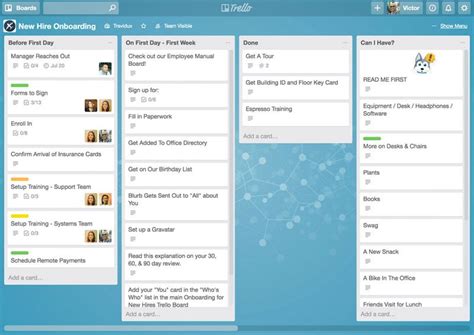
    1. Trello

    Trello
    Trello is a popular time management tool used by millions of users globally. It uses a board design to help people organize and track their projects. Users can create cards, and the progress can be tracked from “to do” to “in progress” to “completed” stages. Trello provides intuitive and easy-to-use features, including adding labels, due dates, checklists, and comments, making it ideal for both individuals and teams.

    2. RescueTime

    RescueTime
    RescueTime is an advanced time management application that helps people become more productive by monitoring how they spend their time on computer and mobile devices. With RescueTime, users can get detailed reports that show their usage patterns and micro-manage time-wasting activities. The application then recommends changes that could save you time, such as reminding you to take breaks or blocking certain websites.

    3. Focus@Will

    Focus@will
    Focus@Will is a unique productivity application that provides users with music designed to help them focus and increase productivity levels. The music is scientifically curated to enhance concentration while working, learning, or studying. Users can choose different genres and adjust the tempo and intensity levels as per their preference.

    4. Evernote

    Evernote
    Evernote is one of the most popular time management applications that can help users capture their thoughts and ideas using notes, text, audio, or images. The application allows for easy organization and synchronization of notes across devices, making it easy to access your notes from anywhere you are. The app also integrates with Google Drive, Slack, and many other productivity tools.

    5. Todoist

    Todoist
    Todoist is a powerful to-do list manager that can help users stay organized and focused on their tasks. It is available in both free and paid versions, with the latter offering additional features such as labels, filters, and comments. Todoist provides smart task suggestions and will gamify tasks to help users stay motivated.

    6. Forest: Stay Focused

    Forest: Stay Focused
    Forest: Stay Focused is a time management application that helps users stay focused and avoid distractions by planting virtual trees. The more you use the application without opening other distracting apps or websites, the more trees will grow in your forest. You can also customize the duration of your sessions, which makes the application ideal for Pomodoro-style work sessions.

    7. Be Focused

    Be Focused
    Be Focused is a time management application that provides users with a timer and task list to help them complete their work efficiently. The application follows the Pomodoro technique and encourages users to work in 25-minute intervals followed by five-minute breaks. Users can customize the duration of their work sessions and break times.

    8. Focus Booster

    Focus Booster
    Focus Booster is a time management application that helps users get more done in less time by using the Pomodoro technique. The application provides users with a timer that tracks their work sessions and breaks. Users can generate reports on how they spend their time, see work completion rates, and track their progress over time.

    9. Time Doctor

    Time Doctor
    Time Doctor is a time management tool that tracks the time spent on tasks by employees. It provides users with detailed reports on how they spend their time, making it easy to analyze where they are wasting time and increase their productivity. Time Doctor can also be used to track attendance and provide payroll data to managers.

    10. Clockify

    Clockify
    Clockify is a free time management tool that helps users track their time on specific tasks. It includes a timer that can be started and stopped, making it easy to track time spent on each project. Users can generate reports based on the time spent on each task, making it simple to optimize productivity.

    Conclusion

    In conclusion, these are the top 10 time management applications that can help you stay focused and become more productive. Whether you are looking for a tool to help you organize your to-do list or an application to help you avoid distractions, there is an application for everyone on this list. Try some of these time management applications to find the one that works best for you, and enjoy the benefits of a more organized and efficient life.

    Frequently Asked Question

    1. What is a time management application?

    A time management application is a software tool that helps you track, manage and prioritize your time efficiently. It offers features such as to-do lists, calendars, reminders, time tracking, and project management tools to help you manage your time more effectively.

    2. What are the benefits of using a time management application?

    Using a time management application provides several benefits, including improved productivity, increased efficiency, better time usage, reduced stress, and improved work-life balance. It also helps you stay organized, meet deadlines, and complete work on time.

    3. How do I choose the right time management application?

    When choosing a time management application, consider factors such as the features you need, the device and operating system you use, price, and user interface. Also, read reviews, compare features, and try a few apps to find the one that suits you best.

    4. How do time management applications help with prioritization?

    A time management application helps with prioritization by letting you sort tasks and projects based on their urgency or importance. Some apps also allow you to assign deadlines, labels or tags to tasks, or set reminders to ensure you complete them on time.

    5. Can time management applications integrate with other tools I use for work?

    Yes, most modern time management applications integrate with other tools such as email, project management software, or messaging apps such as Slack. Integration helps you streamline workflows and manage tasks more efficiently.

    6. Can I use a time management application for personal tasks too?

    Yes, you can use a time management application for personal tasks such as grocery shopping, household chores, or fitness routines. Some time management apps even offer features that help you set personal goals and track progress.

    7. How do I stay motivated when using a time management application?

    To stay motivated when using a time management application, set achievable goals, break tasks into smaller chunks, reward yourself for achieving milestones, and enlist friends or family to hold you accountable.

    8. Can a time management application help me make better use of my free time?

    Yes, a time management application can help you make better use of your free time by helping you schedule leisure activities, hobbies, or self-care routines. It also helps you avoid distractions such as social media, TV, or excessive internet browsing.

    9. What are some popular time management applications?

    Some popular time management applications include Trello, Evernote, Asana, RescueTime, Todoist, and Google Calendar. Each app offers unique features and benefits, so choose the one that suits your needs.

    10. Can I use a time management application while working remotely?

    Yes, a time management application is especially useful when working remotely, as it allows you to stay organized and productive without the traditional office environment. It helps you manage tasks, collaborate with remote teams, and maintain a healthy work-life balance.

  • Top 10 Task Management Application Recomended

    Top 10 Task Management Application Recomended

    Top 10 Task Management Applications

    If you are in search of the perfect task management application for your everyday work, we have got you covered. We understand how essential organization and effective task management are in achieving success. We’ve compiled a comprehensive list of the top 10 task management applications that have proven effective to help you increase productivity and enhance your output.

    1. Trello

    Trello Trello is one of the best task management applications, with a user-friendly interface that lets you organize tasks in boards, lists, and cards. It comes with a drag and drops feature, which makes it easier to move tasks around, add comments, attachments, and labels. Trello is easy and free to use, but it also has a premium version that enables you to do even more.

    2. Asana

    Asana Asana is a comprehensive task management application designed to simplify teamwork and enhance productivity. It has an excellent user interface that allows you to create, organize, and prioritize tasks. It is ideal for project management, enabling you to track team progress and collaborate in real-time.

    3. Todoist

    Todoist Todoist is another simple yet effective task management application that enables you to organize and prioritize tasks according to your preference. It’s available on multiple platforms, allows you to set due dates, and can send you daily reminders for uncompleted tasks. It’s ideal for both basic and advanced task management needs.

    4. Google Tasks

    Google Tasks Google Tasks is a simple task management application that is perfect for Google users who require something easy and straightforward. It is integrated with other Google apps, such as Gmail and Google Calendar, and also available on mobile. You can add tasks, mark them as completed, and schedule reminders easily.

    5. Evernote

    Evernote Evernote is a task management application that goes beyond just managing tasks. It can take notes, research, and jot down ideas, making it ideal for those who need a more robust system. It offers features such as document scanning, OCR, and can even record audio notes. Evernote offers both free and paid versions.

    6. Microsoft To Do

    Microsoft To Do Microsoft To Do is a task management application that is perfect for the workplace. It syncs automatically with Outlook and Office 365, enabling you to manage tasks from within these applications. You can create tasks, add notes, and set reminders on this application. It’s available on multiple platforms.

    7. Wunderlist

    Wunderlist Wunderlist is a simple yet powerful task management tool, ideal for those who require a basic system. It offers features, such as creating grocery lists, setting reminders, and assigning due dates. It has an intuitive interface, can be accessed on multiple devices, and is available for free.

    8. Jira

    Jira Jira is an advanced task management application that is perfect for software development teams. It’s a robust system designed to handle complex tasks, bugs, and features across multiple projects. It enables you to track team progress, assign tasks within a ticket, and set priorities. Jira is available both on cloud and on-premises.

    9. TickTick

    TickTick TickTick is a simple but feature-rich task management application that is ideal for individual and team task management. It’s free, but there’s also a premium version that offers features such as customizing themes, sub-tasks, and task comments. It has an easy-to-use interface, allows you to share lists, and provides reminders for uncompleted tasks.

    10. Notion

    Notion Notion is a comprehensive task management tool that goes beyond just managing to-do lists. It’s a collaboration tool that allows you to manage projects, take notes, and plan schedules. It offers multiple integrations with other apps, and you can customize its interface to fit your needs. Notion is available for free, but there’s also a premium version that offers more features.

    Conclusion

    Choosing the right task management application can be a game-changer in terms of productivity and efficiency. We hope that this list of the top 10 task management applications has given you a better idea of the available options. It’s essential to choose the tool that meets your specific needs, and we’re confident that there’s an application in this list that will work for you.

    Frequently Asked Question

    1. What is a task management application?
    A task management application is a software tool that helps individuals or teams to organize, track, and manage their tasks and projects efficiently.

    2. What are the benefits of using a task management application?
    Using a task management application can help you to increase your productivity, prioritize your work, organize your day, and collaborate with team members effectively.

    3. Can I use a task management application on my mobile device?
    Yes, most task management applications offer mobile apps that allow you to access your tasks and projects from anywhere, anytime.

    4. Is it possible to collaborate with my team members using a task management application?
    Yes, most task management applications offer collaboration features that allow you to assign tasks, share files, and communicate with your team members.

    5. What are the popular task management applications available in the market?
    Some popular task management applications include Trello, Asana, Microsoft To Do, Todoist, and Wunderlist.

    6. How can I choose the right task management application for my needs?
    To choose the right task management application, you should consider your specific needs, such as the features you require, your budget, and the size of your team.

    7. Is it possible to integrate my task management application with other productivity tools?
    Yes, most task management applications offer integrations with other productivity tools such as calendars, email clients, and project management tools.

    8. Can I customize my task management application to suit my workflow?
    Yes, most task management applications offer various customization options such as the ability to create custom fields, tags, and labels.

    9. Will my data be secure in a task management application?
    Yes, most task management applications take data security seriously and offer various security measures such as encryption, two-factor authentication, and secure data storage.

    10. Can I use a task management application for personal use?
    Yes, you can use a task management application for personal use to organize your daily tasks, manage your goals, and improve your productivity.

  • Balaputradewa

    Balaputradewa

    Sri Maharaja Balaputradewa was a member of the Sailendra dynasty who became king of the Srivijaya Kingdom .

    Origins 

    According to Nalanda’s inscription, Balaputradewa was the grandson of a Javanese king who was nicknamed Wirawairimathana ( killer enemy officers). His grandfather’s nickname is similar to Wairiwarawimardana alias Dharanindra in the Kelurak inscription . In other words, Balaputradewa is the grandson of Dharanindra .

    Balaputradewa’s father was named Samaragrawira , while his mother was Dewi Tara, daughter of Sri Dharmasetu of the Soma dynasty . The Nalanda inscription itself shows the friendship between Balaputradewa and Dewapaladewa the king of India , which is marked by the construction of a monastery initiated by Balaputradewa in the Bengal region .

    Withdrew from Java 

    A very popular theory, developed by De Casparis, states that Samaragrawira is identical with Samaratungga, the king of Java . After the death of Samaratungga there was a struggle for the throne between his two sons, namely Balaputradewa against Pramodawardhani . In 856 Balaputradewa was defeated by Rakai Pikatan, Pramodawardhani’s husband, and fled to the island of Sumatra .

    This theory was refuted by Slamet Muljana because according to the Malang inscription, Samaratungga only had a daughter named Pramodawardhani . According to him, Balaputradewa is more accurately called Samaratungga’s younger brother . In other words, Samaratungga is the eldest son of Samaragrawira , while Balaputradewa is his youngest son.

    The expulsion of Balaputradewa was generally based on the Wantil inscription that there had been a war between Rakai Mamrati Sang Jatiningrat (aka Rakai Pikatan ) against an enemy who had built a fortress in the form of heaps of stones. In the inscription found the term Walaputra which is considered synonymous with Balaputradewa.

    This popular theory was refuted by Pusponegoro and Notosutanto that the term Walaputra is not synonymous with Balaputradewa. Instead, the term Walaputra means “the youngest son”, namely Rakai Kayuwangi who is praised for defeating the kingdom’s enemies. Meanwhile, Rakai Kayuwangi is the youngest son of Rakai Pikatan who managed to defeat his father’s enemy.

    The rock pile fort which is suspected as the headquarters of the Balaputradewa rebellion is identical to Ratu Baka hill. However, the inscriptions found in the area did not mention Balaputradewa’s name, but instead mentioned Rakai Walaing Mpu Kumbhayoni . So, Rakai Pikatan ‘s enemy who was defeated by Rakai Kayuwangi the Walaputra turned out to be Mpu Kumbhayoni, not Balaputradewa.

    According to the inscriptions, the figure Rakai Walaing Mpu Kumbhayoni claimed to be a descendant of the founder of the Medang Kingdom (namely Sanjaya ). So it is very possible if he rebelled against Rakai Pikatan as a fellow descendant of Sanjaya .

    Presumably the popular theory that Balaputradewa fled to the island of Sumatra because he was urged by Rakai Pikatan is wrong. Perhaps he left the island of Java not because he lost the war, but because from the start he did not have the right to the throne of Java , considering that he was only the younger brother of Maharaja Samaratungga , not his son.

    Became the King of Srivijaya 

    The Nalanda inscription mentions Balaputradewa as the king of Suwarnadwipa, the ancient name for the island of Sumatra . Because at that time the island of Sumatra was identical with the Srivijaya Kingdom , historians agree that Balaputradewa was the king of Srivijaya .

    The most popular opinion states that Balaputradewa inherited the throne of the Srivijaya Kingdom from his maternal grandfather, namely Sri Dharmasetu . However, it turns out that Sri Dharmasetu’s name is contained in the Kelurak inscription as a subordinate of Dharanindra who was tasked with guarding the Kelurak Temple building .

    So, Dharanindra reconciled with his subordinate employee, named Sri Dharmasetu through the marriage between Samaragrawira and Dewi Tara . According to the Kelurak inscription, Dharmasetu is a Javanese . So, the popular theory that he was the king of the Srivijaya Kingdom is wrong.

    Balaputradewa succeeded in becoming king of the Srivijaya Kingdom not because he inherited the throne of Sri Dharmasetu, but because at that time the island of Sumatra had become the territory of the Sailendra dynasty , as was the case with Java .

    Based on the analysis of the Ligor inscription, the Srivijaya Kingdom was ruled by the Sailendra dynasty since the time of Maharaja Vishnu . As a member of the Sailendra dynasty , Balaputradewa succeeded in becoming king in Sumatra, while his older brother, Samaratungga, became king in Java.

    References

    • Marwati Poesponegoro & Nugroho Notosusanto. 1990. Sejarah Nasional Indonesia Jilid II. Jakarta: Balai Pustaka
    • Purwadi. 2007. Sejarah Raja-Raja Jawa. Yogyakarta: Media Ilmu
    • Slamet Muljana. 2006. Sriwijaya (terbitan ulang 1960). Yogyakarta: LKIS
    • Apakah Anda sedang mencari spesialis jasa kontraktor kolam renang Palembang, Prabumuli, Pagar Alam, Lubuk Linggau (Sumatera Selatan)?
  • Top 10 Project Management Application Recomended

    Top 10 Project Management Application Recomended

    Top 10 Project Management Applications

    Project management applications are essential for keeping track of tasks, deadlines, and progress. In today’s business world, there are countless options when it comes to choosing a project management application. This article will highlight the top ten project management applications, based on user reviews and features offered.
    1. Trello

    Trello is a user-friendly and versatile project management application that is perfect for small to medium-sized teams. The application uses a visual approach to managing tasks, allowing users to create boards, lists, and cards that can be easily customized. Users can also assign specific tasks to team members and set due dates. Source: https://tse1.mm.bing.net/th?q=Trello

    2. Asana

    Asana is a powerful project management application designed for larger teams, and it offers a wide range of features to streamline workflow. The application includes tools for task management, project scheduling, and team collaboration. One unique feature of Asana is its timeline view, which allows teams to track progress over time. Source: https://tse1.mm.bing.net/th?q=Asana

    3. Wrike

    Wrike is a cloud-based project management system that is ideal for larger teams working on complex projects. The software includes features for task management, time tracking, and project scheduling. Additionally, Wrike offers a system for tracking and reporting on team progress, which makes it easy to identify areas for improvement. Source: https://tse1.mm.bing.net/th?q=Wrike

    4. Basecamp

    Basecamp is a popular project management application that is well-suited for small to medium-sized teams. The application includes features for task management, team collaboration, and project scheduling. One of the unique features of Basecamp is its ability to group related tasks and projects, which makes it easy to focus on specific areas of a project. Source: https://tse1.mm.bing.net/th?q=Basecamp

    5. Jira

    Jira is a powerful project management application that is designed for large, complex projects. The software includes tools for tracking tasks, assigning team members, and reporting on progress. Jira is particularly suited for software development teams because it includes features for tracking bugs and issues that may arise during development. Source: https://tse1.mm.bing.net/th?q=Jira

    6. Teamwork

    Teamwork is a comprehensive project management application that is ideal for larger teams working on complex projects. The software includes features for task management, team collaboration, and time tracking. Additionally, Teamwork offers tools for project management and resource planning, which makes it easy to manage resources and allocate tasks. Source: https://tse1.mm.bing.net/th?q=Teamwork

    7. Monday.com

    Monday.com is a user-friendly and versatile project management application that is perfect for small to medium-sized teams. The software includes features for task management, team collaboration, and project scheduling. One unique feature of Monday.com is its customizable dashboard, which makes it easy to track progress and stay on top of deadlines. Source: https://tse1.mm.bing.net/th?q=Monday.com

    8. Zoho Projects

    Zoho Projects is a cloud-based project management application that is ideal for small to medium-sized businesses. The software includes features for task management, project scheduling, and team collaboration. Additionally, Zoho Projects includes a suite of tools for reporting and analytics, which makes it easy to monitor progress and identify areas for improvement. Source: https://tse1.mm.bing.net/th?q=Zoho+Projects

    9. Smartsheet

    Smartsheet is a cloud-based project management application that is well-suited for larger teams working on complex projects. The software includes features for project scheduling, task management, and team collaboration. Additionally, Smartsheet offers a suite of tools for reporting and analytics, which makes it easy to track progress and identify areas for improvement. Source: https://tse1.mm.bing.net/th?q=Smartsheet

    10. Microsoft Project

    Microsoft Project is a comprehensive project management application that is designed for large, complex projects. The software includes features for project scheduling, task management, and team collaboration. Additionally, Microsoft Project offers a suite of tools for reporting and analytics, which makes it easy to monitor progress and identify areas for improvement. Source: https://tse1.mm.bing.net/th?q=Microsoft+Project

    Conclusion

    When it comes to project management applications, there are countless options to choose from. The ten applications listed above are among the most popular and trusted by users. Whether you’re managing a small team or working on a large, complex project, these applications provide the features and tools necessary to stay on track and meet deadlines. Consider the needs of your team and the features offered by each application before making a decision. With the right project management application, you can streamline workflow and achieve success.

    Frequently Asked Question

    1. What is a Project Management Application?
    Project Management Application is an online tool that helps to plan, manage and track projects. It also helps teams to collaborate and communicate effectively to deliver projects successfully.

    2. How does Project Management Application help to increase team productivity?
    Project Management Application helps to streamline project workflows, allocate resources, track time, and monitor project progress in real-time. It creates a single source of truth for all team members, leads to fewer errors, and saves time and effort.

    3. What are some must-have features of a Project Management Application?
    The essential features of a Project Management Application are task management, time tracking, team collaboration, project tracking, reporting, and analytics.

    4. How can a Project Management Application help to manage remote teams?
    Project Management Application has features such as task assignment and tracking, real-time communication, file sharing, and document management that enable remote teams to work effectively and efficiently. It provides a centralized workspace and enhances transparency and accountability.

    5. Is it possible to customize a Project Management Application to suit my team’s specific needs?
    Yes, some Project Management Applications allow customization based on specific requirements. Users can add or remove features, modify workflows, and create custom reports.

    6. How can a Project Management Application help to improve project communication?
    Project Management Application has built-in communication tools, such as chat, email, and video conferencing to allow teams to communicate effectively without leaving the application. It also provides a centralized platform for team members to discuss, ask questions, and share feedback.

    7. Is it essential to pay for a Project Management Application to receive its full benefits?
    The free version of a Project Management Application has features that allow users to manage their projects. However, the paid version offers additional features such as advanced reporting, customization, and integrations, which provide extra benefits.

    8. Can a Project Management Application integrate with other software tools?
    Yes, most Project Management Applications offer integration with other tools such as CRM, accounting, and marketing automation software. This provides users with seamless workflows and ensures that all data is synced and up-to-date.

    9. How safe and secure is the data in a Project Management Application?
    Most Project Management Applications provide advanced security features such as SSL encryption, two-factor authentication, and access controls to protect users’ data. It also employs cybersecurity experts to ensure that any vulnerabilities are identified and patched promptly.

    10. Can a Project Management Application help to increase profitability?
    Yes, Project Management Application can help to increase profitability by improving time management, reducing errors, and increasing productivity. It ensures that projects are delivered on time and within budget, and it provides accurate data for invoicing and cost analysis.

  • Top 10 Translator App Recomended

    Top 10 Translator App Recomended

    Top 10 Translator Apps

    In this era of global connectivity, travel and business have made communication an essential aspect of daily life. While language barriers can still pose as a challenge, technology has made it easier for people to communicate effectively. Translator apps have been developed to help in translating languages, allowing for seamless communication between individuals regardless of language differences. Here are the top 10 translator apps that can make communication easier for anyone.

    1. Google Translate

    Google Translate

    Google has created a powerful translator app that can detect over 100 languages. The app offers instant translations, voice translations, and handwriting recognition. This means that users can either type or write the text they want to translate, or speak into the app and it will translate it into their preferred language. It also supports both Android and iOS devices for convenience.

    2. Microsoft Translator

    Microsoft Translator

    Microsoft Translator is another app that offers real-time language translation. Available for both Android and iOS devices, the app can translate up to 60 languages through text and speech. It also allows users to translate text from images taken on their devices, making it perfect for travel, business, and academics.

    3. iTranslate

    iTranslate

    iTranslate is one of the most popular translator apps in the market, with over 200 million downloads worldwide. It offers text, voice, and image translation for over 100 languages. Additionally, it has a feature that enables the app to speak back the translated text for better pronunciation and use in conversation. The app is compatible with iOS and Android devices, making it accessible to all users.

    4. TripLingo

    TripLingo

    TripLingo goes beyond just translation, offering useful cultural insights for travelers. It provides over 100 languages with a library of useful phrases depending on the user’s purpose, whether it be business or recreational travel. The app also has a “Slangslator” feature, which can provide translations for colloquial expressions that are unique to certain regions. TripLingo is available on both iOS and Android devices for convenience.

    5. SayHi Translate

    SayHi Translate

    SayHi Translate is a user-friendly app that offers instant voice translations for up to 90 languages. It also boasts a speech recognition feature, enabling users to speak into the microphone and get their translated text instantly. Additionally, users can adjust the speed of the spoken translations and access previously translated phrases for convenience. SayHi Translate is available on both iOS and Android devices.

    6. Translate Now – Language Translator

    Translate Now - Language Translator

    Translate Now – Language Translator is a fast and accurate translator app that offers over 100 languages for translation. The app offers text and voice translations, with features such as fast typing, handwriting recognition, and keyboard integration. Additionally, users can save their favorite translations and share them on various social media platforms. Translate Now is available for both iOS and Android users for convenience.

    7. Voice Translator – Speak & Translate

    Voice Translator - Speak & Translate

    Voice Translator – Speak & Translate is a perfect app for real-time voice translations in over 50 languages. It is effortless to use, and users only need to speak into their device’s microphone to receive the translated text. The app also records the user’s voice translations, enabling them to listen to the pronunciation and improve their communication skills. Voice Translator is compatible with both Android and iOS devices.

    8. Reverso Translate and Dictionary

    Reverso Translate and Dictionary

    Reverso Translate and Dictionary is an excellent app for both translation and learning new languages. It features a text and voice translation option while offering definitions of words and phrases through its built-in dictionary. Additionally, the app provides users with real-time context translations for idioms and expressions, making it particularly useful for business and academic purposes. The app is available for both iOS and Android devices.

    9. Papago Translator

    Papago Translator

    Papago Translator is a Korean translator app that can be used for up to nine languages, offering text and voice translations. The app provides real-time photo translation, enabling translation via an image taken using the device’s camera. Additionally, the app has a conversation mode that allows for real-time translations while having a chat with someone in a different language. Papago Translator is available for both Android and iOS devices.

    10. Translate Me – Live Translator

    Translate Me - Live Translator

    Translate Me – Live Translator is an excellent app for real-time translations during calls and conversations with someone from another language. It offers voice, text, and photo translations, making it versatile and accessible. Additionally, the app has a feature that saves users frequently used translations, removing the need to re-enter the text or a repeat conversion. Translate Me – Live Translator is available for both iOS and Android devices.

    Conclusion

    Translator apps have revolutionized communication and have reduced language barriers in various sectors, including travel, business, and education. These top 10 translator apps offer excellent features and user-friendly interfaces that cater to users’ different translations and learning needs. Whether on iOS or Android platforms, these apps can provide seamless translations and help bridge any communication gap, making it essential to have at least one of them installed on your device.

    Frequently Asked Question

    1. Can a Translator App translate multiple languages at once?
    Yes, some Translator Apps can translate multiple languages at once. They usually support a wide range of languages for translation.

    2. Do Translator Apps require an internet connection?
    Most Translator Apps require an internet connection to function properly since they need the internet to access their translation databases. Some apps, however, provide an offline mode for basic translations.

    3. How accurate are Translator Apps?
    Translator Apps can be fairly accurate, but the quality of the translation depends on the app’s algorithm and the complexity of the translation. Some apps even use AI technology to improve their accuracy over time.

    4. Can Translator Apps translate slang or informal language?
    Most Translator Apps are designed to translate standard or formal language. However, some apps incorporate slang translations or expressions that are commonly used in everyday language.

    5. Can I use a Translator App for business or legal translations?
    While Translator Apps can be useful for simple translations and conversations, they may not be appropriate for legal or business translations that require a high level of accuracy and professionalism. In such cases, it is best to consult a professional translator.

    6. Can I translate images or handwritten text using a Translator App?
    Some Translator Apps allow you to translate text within images or handwritten text, but the accuracy may not be perfect.

    7. How can I improve the accuracy of a Translator App?
    You can improve the accuracy of a Translator App by providing clear and concise sentences, using standard language, and checking the translation for errors.

    8. Is it safe to use a Translator App for confidential information?
    Most Translator Apps claim to have high privacy and security standards, but it is always recommended to read the privacy policy and terms of service before using an app for confidential information.

    9. Can I use a Translator App while traveling abroad?
    Yes, Translator Apps can be a useful tool when traveling abroad because they can help you communicate with locals and navigate unfamiliar territory.

    10. Are Translator Apps usually free?
    Many Translator Apps are free to download and use, but some apps may require a subscription or charge for certain features.

  • Top 10 Reminder App Recomended

    Top 10 Reminder App Recomended

    Top 10 Reminder App

    Missing an important deadline or appointment is frustrating, but with the help of a reminder app, you can stay on top of your schedule effortlessly. Here are the top 10 reminder apps that will help you stay organized and never forget anything important again.

    1. Any.do

    Any.do is an all-in-one to-do list and reminder app that simplifies your life and keeps you on track. It features an intuitive interface that makes it easy to use and manage all your tasks and reminders. You can set reminders for specific times, dates, or locations and get notified when it’s time to take action. The app also offers customizable widgets that show your daily schedule, and you can sync Any.do with your calendar and other apps for seamless integration.

    Source: https://tse1.mm.bing.net/th?q=Any.do

    2. Todoist

    Todoist is another excellent reminder app that helps you organize your daily tasks and get things done. It offers a clean and simple interface that makes it easy to manage your reminders, deadlines, and appointments. You can set reminders via email, push notifications, or SMS, and the app also allows you to prioritize your tasks and create sub-tasks and sub-projects. Todoist also integrates with various apps like Google Calendar, Outlook, and Trello, making it an ideal choice if you’re looking for a powerful reminder app.

    Source: https://tse1.mm.bing.net/th?q=Todoist

    3. Google Keep

    Google Keep is a versatile reminder app that allows you to create notes, lists, and reminders seamlessly. You can set reminders for specific times, dates, or places and get notified when it’s time to complete a task or attend a meeting. The app also offers an AI-powered feature that suggests reminders based on your location or previous actions. You can also collaborate with your friends and family on notes and lists, making Google Keep an ideal choice for team productivity.

    Source: https://tse1.mm.bing.net/th?q=Google+Keep

    4. Wunderlist

    Wunderlist is a popular reminder app that helps users manage their to-do lists and reminders effortlessly. The app offers a clean and easy-to-use interface that makes it simple to create and manage reminders. You can set reminders for specific times and dates and get notifications when it’s time to take action. Wunderlist also allows you to share your lists and reminders with family and friends and collaborate on tasks in real-time.

    Source: https://tse1.mm.bing.net/th?q=Wunderlist

    5. Evernote

    Evernote is a comprehensive app that lets you stay organized and productive by keeping all your notes, reminders, and lists in one place. It features an intuitive interface that makes it easy to capture ideas, create to-do lists, and set reminders. You can also add attachments like images, voice memos, and PDFs to your notes and reminders, making Evernote an ideal choice for creative individuals, freelancers, and professionals.

    Source: https://tse1.mm.bing.net/th?q=Evernote

    6. Microsoft To Do

    Microsoft To Do is a simple and effective reminder app that helps you manage your daily tasks and schedule. It syncs seamlessly with your Microsoft account, making it easy to access your reminders and lists across multiple devices. The app allows you to set reminders for specific times, dates, or places and customize recurring tasks. You can also collaborate with others on tasks and lists, making it an ideal choice for teams.

    Source: https://tse1.mm.bing.net/th?q=Microsoft+To+Do

    7. Trello

    Trello is a highly effective reminder app that helps you organize your tasks, projects, and deadlines visually. It offers an intuitive card-based interface that allows you to create tasks, add notes, and set reminders quickly. You can also create boards and lists, add attachments, and collaborate with team members in real-time. Trello also integrates with a host of third-party apps, making it highly versatile and customizable.

    Source: https://tse1.mm.bing.net/th?q=Trello

    8. Remember the Milk

    Remember the Milk is a classic reminder app that has been around since 2004. It features an intuitive interface that makes it easy to manage your tasks and schedule. You can create and prioritize tasks, set due dates and reminders, and get notified when it’s time to complete a task. The app also allows you to share lists and tasks with others and syncs seamlessly across multiple devices and platforms.

    Source: https://tse1.mm.bing.net/th?q=Remember+the+Milk

    9. AnyList

    AnyList is a popular reminder app that helps you create and manage grocery lists, meal plans, and shopping lists. You can set reminders for upcoming meals, add recipes, and customize your lists according to your preferences. The app also offers an auto-complete feature that makes it easy to add items quickly, and you can share your lists with family and friends, making AnyList an ideal choice for busy households.

    Source: https://tse1.mm.bing.net/th?q=AnyList

    10. Due

    Due is a simple reminder app that is ideal for users who want to set quick reminders and notifications. It offers an intuitive interface that makes it easy to create reminders, set recurring tasks, and get notified when it’s time to take action. Due also allows you to snooze or postpone reminders, ensuring that you never forget anything important.

    Source: https://tse1.mm.bing.net/th?q=Due

    Conclusion

    These are the top 10 reminder apps that will help you stay organized, productive, and on top of your schedule. Whether you’re a freelancer, a student, or a busy professional, there is an app on this list that will suit your needs. From intuitive interfaces to powerful customization options, these apps have everything you need to stay on top of your tasks and never forget anything important again.

    Frequently Asked Question

    1. What is a reminder app?

    A reminder app is a software tool that enables you to set up reminders for important events or tasks that you need to remember.

    2. What types of reminders can I create with a reminder app?

    You can create various types of reminders, including recurrent reminders, one-time reminders, location-based reminders, time-based reminders, and many others.

    3. Are reminder apps free or paid?

    Most reminder apps have both free and paid versions. The free version may have basic features, while the paid version may offer additional features.

    4. Can I sync my reminders across multiple devices?

    Yes, most reminder apps have a sync feature that enables you to synchronize your reminders across multiple devices.

    5. Can I share my reminders with other people?

    Yes, some reminder apps allow you to share your reminders with other people. This can be useful if you work on a project with other people, and you need to remind them about specific deadlines or tasks.

    6. How do I set up a reminder in a reminder app?

    To set up a reminder, open your reminder app, click on the “create new reminder” button, enter the task or event, and set the date and time of the reminder.

    7. Can I customize my reminders?

    Yes, most reminder apps allow you to customize your reminders. You can change the sound, snooze duration, repeat interval, and other settings.

    8. What happens if I miss my reminder?

    If you miss your reminder, most reminder apps will still record the event or task as completed. However, you may want to reschedule the reminder for a later time or date.

    9. How do I delete a reminder?

    To delete a reminder, open your reminder app, find the reminder that you want to delete, and click on the “delete” button.

    10. Is my data safe in a reminder app?

    Most reminder apps have measures in place to protect your data. However, it is always a good idea to check the app’s privacy and security policy to ensure that your data is safe.

  • Trunajaya Rebellion

    Trunajaya Rebellion

    The Trunajaya Rebellion (or Trunajaya War , also spelled Trunojoyo Rebellion ) was a rebellion carried out by the Madurese nobleman , Raden Trunajaya , and his ally, troops from Makassar , against the Mataram Sultanate assisted by the Dutch East India Company (VOC) in Java in the 1670s. , and ended with the victory of Mataram and the VOC.

    This war began with the victory of the rebels: Trunajaya’s troops defeated the royal troops at Gegodog (1676), then succeeded in occupying almost the entire north coast of Java and capturing the Mataram palace at the Plered Palace (1677). King Amangkurat I died while running away from the palace. He was succeeded by his son, Amangkurat IIwho asked the VOC for help and promised payment in money and territory. The involvement of the VOC managed to turn the situation around. VOC and Mataram troops recaptured the occupied Mataram area, and captured Trunajaya’s capital at Kediri (1678). The rebellion continued until Trunajaya was captured by the VOC in late 1679, as well as the defeat, death or surrender of other rebel leaders (1679–1680). Trunajaya became a prisoner of the VOC, but was killed by Amangkurat II during the king’s visit in 1680.

    Besides Trunajaya and his allies, Amangkurat II also faced other attempts to usurp the throne of Mataram after his father’s death. His most serious rival was his younger brother, Prince Puger (later Pakubuwana I ) who captured the Plered Palace after being abandoned by Trunajaya’s troops in 1677 and only surrendered in 1681.

    Date 1674 – 1680 (main war);
    Rebellion of Prince Puger until 1681
    Location Java Island (now part of Indonesia )
    Results Victory of Mataram and VOC
    Parties involved
    • Flag of the Sultanate of Mataram.svg Mataram Sultanate
    • Assisted by:
    • Flag of the Dutch East India Company.svg VOC
    • Rebel troops
    • Troops from Makassar

    Counter claimant to the Mataram throne (after 1677)

    Characters and leaders
    • Flag of the Sultanate of Mataram.svg Amangkurat I  
    • Flag of the Sultanate of Mataram.svg Amangkurat II
    • Flag of the Dutch East India Company.svg Cornelis Speelman
    • Flag of the Dutch East India Company.svg Antonio Hurdt
    • Flag of the Dutch East India Company.svg Jacob Couper
    • Flag of the Dutch East India Company.svg Whitewater Palakka
    • Trunajaya and allies :
    • Raden Trunajaya Surrender Sentenced to death
    • Karaeng Galesong
    • Raden Kajoran Sentenced to death
    • Panembahan Giri Sentenced to death

    • Join the war :
    • Prince of Puger (1677–1681) Surrender
    Strength
    • Flag of the Sultanate of Mataram.svg Mataram:
    • “Much greater” than 9,000 (1676) 
    • 13,000 (end of 1678) 
    • Flag of the Dutch East India Company.svg VOCs:
    • 1,500 (1676) 
    • 1750 (1678) 
    • Flag of the Dutch East India Company.svg Bugis troops (VOC allies):
    • 1,500 (1678) 
    • 6,000 (1679) 
    • Trunajaya:
    • 9,000 (1676) 
    • 14,500 (1678, Claims of Prince Sampang – ally of Trunajaya ) 

    • Prince Puger:
    • 10,000 (Aug

    Background

    Amangkurat I ascended the throne of Mataram in 1646, succeeding Sultan Agung , who had expanded Mataram’s territory to include most of Central and East Java, as well as several overseas vassals in southern Sumatra and Kalimantan. [8] The early years of Amangkurat’s reign were marked by the executions and massacres of his political enemies. In response to the failed coup attempt of his brother Prince Alit, he ordered the massacre of clerics he believed were involved in Alit’s rebellion. [9] Alit himself was killed in the failed coup. [9]In 1659 Amangkurat suspected Prince Pekik, his father-in-law and son of the defeated Duke of Surabaya who lived in the Mataram court after Surabaya’s defeat , of leading a conspiracy threatening his life. [10] He ordered to kill Pekik and his relatives. [10] The massacre of East Java’s most important nobility created a rift between Amangkurat and his East Javanese subjects and led to conflict with his son, the crown prince (later Amangkurat II ), who was also Pekik’s grandson. [10] Over the next few years, Amangkurat carried out a number of other murders of members of the nobility who had lost his trust. [10]

    Map of Java, depicting Mataram’s expansion just before Amangkurat I ascended the throne in 1646.

    Raden Trunajaya (also spelled Trunojoyo) is a descendant of the Madurese rulers, who was forced to live in the Mataram court after the defeat and annexation by Mataram in 1624. [11] After his father was executed by Amangkurat I in 1656, he left the palace, moved to Kajoran, and married the princess from Raden Kajoran , the head of the ruling family there. [12] [11] The Kajoran family is an ancient clerical family and is married to the royal family. [12] Raden Kajoran was concerned about the brutality of Amangkurat I’s reign, including the execution of nobles in the palace. [11]In 1670, Kajoran introduced his son-in-law Trunajaya to the crown prince, who had just been expelled by the king because of a scandal, and the two forged a friendship that included a mutual dislike of Amangkurat. [11] In 1671 Trunajaya returned to Madura, where he used the support of the crown prince to defeat the local governor and become ruler of Madura. [13]

    The capture of Makassar by the VOC in 1669 led to the emigration of Makassarese fighters to Java, many of whom later joined the rebels.
    The capture of Makassar by the VOC in 1669 led to the emigration of Makassarese fighters to Java, many of whom later joined the rebels.

    Makassar was a major trading center east of Java. [13] After the VOC’s 1669 victory over the Sultanate of Gowa in the Makassar War , a group of Makassarese soldiers left Makassar to seek their fortune elsewhere. [13] Initially, they settled in the territory of the Sultanate of Banten , but in 1674 they were expelled, and turned to piracy, raiding coastal cities in Java and Nusa Tenggara . [13] The crown prince of Mataram then allowed them to settle in Demung , a village in Tapal Kuda, East Java . [13]In 1675 an additional group of Makassarese fighters and pirates arrived in Demung led by Karaeng Galesong . [13] These wandering Makassar warriors later joined the rebellion as Trunajaya’s allies. [12]

    Troops involved

    Bugis troops under Pangeran Arung Palakka (pictured) were among those who allied with the VOC to quell the rebellion.
    Bugis troops under Pangeran Arung Palakka (pictured) were among those who allied with the VOC to quell the rebellion.

    Lacking a permanent army, most of Mataram’s troops were drawn from the army built by the king’s vassals, who also provided weapons and supplies. [14] [15] The majority of these soldiers were farmers who were required by the local authorities ( Javanese : sikep dalem ). [15] In addition, the army included a small number of professional soldiers drawn from the palace guards. [14] These soldiers used cannons , small firearms including sundut rifles ( Javanese : rifles , from Dutch snaphaens ) and carbines ,cavalry , and forts . [16] Historian MC Ricklefs says the transfer of European military technology to the Javanese was “quite urgent”, with gunpowder and weapons made in Java by at least 1620. [15] Europeans were hired to train Javanese army troops in weapons handling, military leadership skills , and construction engineering. [15] Despite this training, however, conscripted peasants of the Javanese army often lacked discipline and fled during battle. [17] [18] Mataram’s army was “much larger” than the 9,000 rebels at Gegodog in September 1676, [1]fell to just a “little company” after the fall of the capital in June 1677, [19] and increased to over 13,000 as it moved towards Trunajaya’s capital of Kediri in late 1678. [2]

    The VOC had its own professional army. [15] Each VOC soldier had a sword, small arms, bullets, carrying pouches and belts, smoke bombs, and grenades. [15] The majority of the VOC’s permanent soldiers were Indonesian, with a small number of European soldiers and marines, all under the command of European officers. [20] While in a technological sense, VOC troops were not superior to their indigenous counterparts, [16] they were generally better trained, disciplined, and equipped than indigenous Indonesian soldiers. [15] The VOC troops also differed in logistics: their troops moved step by step followed by long caravans of wagons carrying supplies. [16]This gave them an advantage over the Javanese troops, who often survived by gathering or stealing food while traveling through the countryside and often faced shortages of supplies. [16] The VOC army numbered 1,500 in 1676, [21] but was later added by the Bugis allies under the leadership of Arung Palakka . The first convoy of 1,500 Bugis arrived in Java in late 1678, [5] and by 1679 there were 6,000 Bugis soldiers in Java. [6]

    Similar to other wars, Trunajaya’s army and its allies also used cannons, cavalry, and forts. [16] When the VOC captured Surabaya from Trunajaya in May 1677, Trunajaya fled with his twenty bronze cannons, leaving behind 69 iron and 34 bronze guns. [22] Trunajaya’s troops consisted of Javanese, Madurese and Makassarese. [1] When the rebels invaded Java in 1676, they numbered 9,000 [1] and consisted of followers of Trunajaya and fighters of Makassar. Later, the rebellion was followed by other Javanese and Madurese nobles. In particular, the ruler of Giri, one of the most prominent Islamic spiritual rulers in Java, joined in early 1676.[23] Trunajaya’s father-in-law, Raden Kajoran , head of the influential Kajoran family, joined after Trunajaya’s victory at Gegodog in September 1676, [24] and Trunajaya’s uncle, Pangeran Sampang (later Cakraningrat II ) joined after the fall of the capital Mataram in June 1677 . [25]

    Military campaign

    Beginnings and early rebel victories

    The rebellion began with a series of attacks by Makassar pirates based in Demung against trading towns on the north coast of Java. [26] The first attack took place in 1674 in Gresik but was repulsed. [26] Trunajaya entered into a pact and marriage alliance with Karaeng Galesong, the leader of the Makassarese, in 1675 and planned further attacks. In the same year, Makassar-Madurese pirates captured and burned the main cities in northeastern Java, from Pajarakan to Surabaya and Gresik. [26] In view of the failure of the loyalist forces against the rebels, King Amangkurat I appointed a military governor inJepara , the provincial capital on the north coast, and fortified the city. [26] The Mataram forces moving at Demung were defeated, and joint action by Mataram and VOC ships on the coast controlled by pirates was not always successful. [26] Karaeng Galesong moved to Madura, territory of his ally, Trunajaya. In 1676 Trunajaya bestowed upon himself the title Panembahan (Ruler) of Maduretna and received the support of sunan (spiritual ruler) Giri, near Gresik. The attack by the VOC fleet then destroyed the pirate base in Demung, but they did not take action against Trunajaya in Madura. [27]

    Gegodog Battle

    In September 1676, a 9,000-strong rebel army [1] led by Karaeng Galesong crossed from Madura to Java and then captured Surabaya, the main city of East Java. [28] Mataram sent a large army, commanded by the crown prince (later Amangkurat II to meet the rebels. [28] A battle took place at Gegodog, east of Tuban , in 1676, resulting in the total defeat of the much larger Mataram army. [28] ] [29] Loyalist troops were deployed, the king’s uncle, Pangeran Purbaya was killed, and the crown prince fled to Mataram. [28]The crown prince was blamed for this defeat for his long hesitation before attacking the rebels. [28] In addition, there were rumors that he colluded with enemies, including his former vassal Trunajaya. [28] Within months of the victory at Gegodog, the rebels quickly captured trading cities in northern Java, from Surabaya to the west in Cirebon , including the cities of Kudus and Demak . [28] The cities fell easily, partly because their forts had been destroyed due to their conquest by the Sultan Agung of Mataram some 50 years earlier. [28]Only Jepara managed to hold off the attack, as the combined efforts of the new military governor and the new VOC troops strengthened the city just in time. [28] The rebellion spread to the interior when Raden Kajoran, Trunajaya’s influential father-in-law based east of the capital Mataram, joined the rebellion. [24] Kajoran and Trunajaya’s troops marched towards the capital, but were repulsed by loyalist forces. [24]

    VOC intervention and fall of the capital Mataram

    Battle of Surabaya

    Cornelis Speelman, who led the VOC forces in the war of 1677, and later Governor-General of the VOC
    Cornelis Speelman, who led the VOC forces in the war of 1677, and later Governor-General of the VOC

    In response to requests for intervention by Mataram, the VOC sent a large fleet containing Indonesian and European troops, commanded by Admiral Cornelis Speelman . [24] In April 1677 the fleet sailed to Surabaya, where Trunajaya was based. [24] After negotiations failed, Speelman’s troops invaded Surabaya and captured it after heavy fighting. [30] The troops continued to clear the rebels from the area around Surabaya. [30] VOC troops also captured Madura, Trunajaya’s home island, and destroyed his residence there. [31] Trunajaya fled to Surabaya and founded his capital at Kediri. [30]

    The fall of Plered

    Although the rebels were defeated in Surabaya, the rebel forces campaigning in the interior of Central and East Java were more successful. The rebel military campaign culminated in the fall of the capital Plered in June 1677. [31] The king was ill, and distrust among the royal princes prevented a well-planned resistance. [31] The king fled west with the crown prince and his retinue, allowing the rebels to enter and plunder the capital with little resistance. [31] The rebels then retreated to Kediri, taking the royal treasures with them. [32]

    The throne of Amangkurat II and alliance with the VOC

    Tomb of Amangkurat I at the Tegal Arum Complex, Tegal Regency , Central Java .
    Tomb of Amangkurat I at the Tegal Arum Complex, Tegal Regency , Central Java .

    King Amangkurat I died during his retreat in Tegal in July 1677. [31] [21] The crown prince succeeded his father and took the title Amangkurat II, and was accepted by the Javanese nobility in Tegal (his grandmother’s hometown) as well as by the VOC. [33] [21] However, he failed to establish his rule in the nearby city, Cirebon, whose rulers decided to declare independence from Mataram with the support of the Sultanate of Banten . [33] Subsequently, his younger brother Pangeran Puger (later Pakubuwana I) captured the now-destroyed capital, refused to join as Amangkurat II loyalists, and declared himself king with the title Ingalanga Mataram.[33]

    Having no army and wealth and unable to establish his power, Amangkurat decided to ally with the VOC. [34] At this time, Admiral Speelman was in Jepara, sailing there from Surabaya after hearing of the fall of the capital. [33] His troops had recaptured important coastal cities in Central Java, including Semarang , Demak, Kudus, and Pati . [35] Amangkurat moved to Jepara on a VOC ship in September 1677. The king had to agree to the extensive concessions demanded by the VOC in exchange for restoring his monarchy. [34] He promised the VOC revenue from all port cities on the north coast. [34] HighlandsPriangan and Semarang will be handed over to the VOC. [32] The king also agreed to recognize the jurisdiction of the VOC over all non-Javanese living in his territory. [34] Dutch historian HJ de Graaf comments that by doing this, the VOC, as a corporation, engaged in “dangerous speculation”, which they hoped would pay off in the future when their partner would regain control of Mataram. [34]

    Amangkurat II , reigned since 1677, in a Javanese painting.
    Amangkurat II , reigned since 1677, in a Javanese painting.

    The VOC–Mataram troops made sluggish progress against the rebels. [32] [34] In early 1678 their control was limited to a few towns on the north-central coast. In 1678, Speelman became Director General of the VOC, replacing Rijcklof van Goens , who became Governor-General (Speelman later became Governor-General in 1681). [32] Command in Jepara was handed over to Anthonio Hurdt , who arrived in June 1678. [32]

    The victory of loyalists and the death of Trunajaya

    VOC troops stormed the capital Trunajaya in Kediri in 1678. Described in a Dutch children's story book in 1890.
    VOC troops stormed the capital Trunajaya in Kediri in 1678. Described in a Dutch children’s story book in 1890.

    VOC and Mataram troops marched inland against Kediri in September 1678. At the king’s suggestion, the troops were split into three ranks, with no direct route, with the aim of covering more locations and impressing those who hesitated to take sides. [36] The king’s idea worked, and as the military campaign continued, local groups joined the army, desperate for booty. [20] Kediri was captured on 25  November by an assault force led by Captain François Tack . [20] [32] The victorious army continued on to Surabaya, the largest city in East Java, where Amangkurat founded his palace. [37]Elsewhere, the rebels were also defeated. In September 1679, a combined VOC, Javanese and Bugis forces under Sindu Reja and Jan Albert Sloot defeated Raden Kajoran in a battle at Mlambang, near Pajang. [7] [38] Kajoran surrenders but is executed on Sloot’s orders. [38] In November, the VOC and allied Bugis forces under Arung Palakka destroyed the Makassar rebel stronghold at Keper , East Java. [7] In April 1680, after what the VOC viewed as a fierce battle in the war, the rebellious ruler of Giri was defeated and most of his family executed. [7]As the VOC and Amangkurat won more victories, more and more Javanese people declared their loyalty to the king. [7]

    After his stronghold fell in Kediri, Trunajaya managed to escape to the mountains of east Java. [39] VOC troops and the king pursued Trunajaya, who, isolated and short of food, surrendered to the VOC in late 1679. [40] [7] Initially, he was treated with respect as a prisoner of the VOC commander. However, during a ceremonial visit to a nobleman’s residence in Payak, East Java, on 2 January 1680, [40] he was stabbed by Amangkurat himself, and the king’s courtiers finished him off. [40] [7] The king defended the killing of a VOC prisoner by saying that Trunajaya had tried to kill him. [41] The VOC was not convinced by this explanation, but chose not to punish the king.[42] A romantic account of Trunajaya’s death appears in the18th century Central Javanese chronicle . [39]

    End of the rebellion of Prince Puger

    In addition to Trunajaya’s troops, Amangkurat II continued to face opposition from his brother Pangeran Puger, who had captured the old capital at Plered and had seized the throne for himself in 1677. [33] Prior to Trunajaya’s defeat, Amangkurat’s forces had taken no action against him. [34] After Trunajaya was defeated, Amangkurat still could not convince his brother to surrender. [7] In September 1680, Amangkurat built a new capital city at Kartasura . [7] In November, Amangkurat and VOC troops expelled Puger from Plered. [7] However, Puger quickly rebuilt his army, captured Plered again in August 1681, and nearly captured Kartasura. [7]In November 1681, VOC and Mataram troops again defeated Puger, and this time he surrendered and was pardoned by his brother. [7] [43]

    end

    Amangkurat II stabbed Trunajaya in the presence of his two wives and VOC officers.
    Amangkurat II stabbed Trunajaya in the presence of his two wives and VOC officers.

    Amangkurat II secured his reign with the defeat of the rebels. Due to the rebels’ capture and subsequent destruction of the capital at Plered, he built a new capital, Kartasura, in the Pajang district, and moved his court there. [43] A VOC fort was built in the capital, next to the royal residence, to defend it against invasion. [43] As for the VOC, its involvement allowed the cornered and nearly defeated Amangkurat II to remain on his throne. [44] This set a precedent for the VOC supporting Javanese kings and claimants in exchange for concessions. [44]By 1680, however, this policy required high levels of spending to maintain a military presence in Central and East Java, and this led to a decline in VOC finances. [44] The payments promised by Amangkurat were not kept, and by 1682 the king’s debt to the VOC exceeded 1.5 million rials , about five times the amount of the royal estate. [45] The handover of Semarang was delayed due to disputes, [45] and other provisions of the contract were largely ignored by local Javanese officials. [46] Subsequently, an anti-VOC faction developed in the Mataram court, and a member of this faction, Nerangkusuma, became patih (main minister) from 1682 to 1686. [47][46] The poor relationship between Mataram and the VOC continued with the protection of Surapati , an enemy of the VOC, in 1684, [48] and the death of the VOC captain, François Tack at the Mataram court in 1686. [48]

    The king’s younger brother, Pangeran Puger, who tried to usurp the throne during the Trunajaya rebellion, was pardoned by the king. [43] However, after the king’s death in 1703 and his son Amangkurat III succeeded , Puger took the throne again. [49] Puger’s claim was supported by the VOC, and the VOC-Puger alliance won the subsequent First Javanese War of Succession (1704–1708). [49] Puger ascended the throne with the title Pakubuwana I and Amangkurat III was exiled to Sri Lanka . [49]

    Reference

    footnote

    1. ^ Jump to:f Andaya 1981, p. 214–215.
    2. ^ Jump to:b Ricklefs 1993, p. 50.
    3. ^ Ricklefs 1993 , p. 35.
    4. ^ Jump to:b Ricklefs 1993, p. 51.
    5. ^ Jump to:b Andaya 1981, p. 218.
    6. ^ Jump to:b Andaya 1981, p. 221.
    7. ^ Jump to:l Ricklefs 2008, p. 94.
    8. ^ Pigeaud 1976 , p. 56–57.
    9. ^ Jump to:b Pigeaud 1976, p. 55.
    10. ^ Jump to:d Pigeaud 1976, p. 66.
    11. ^ Jump to:d Pigeaud 1976, p. 67.
    12. ^ Jump to:c Ricklefs 2008, p. 90.
    13. ^ Jump to:f Pigeaud 1976, p. 68.
    14. ^ Jump to:b Houben & Kolff 1988, p. 183.
    15. ^ Jump to:g Taylor 2012, p. 49.
    16. ^ Jump to:e Houben & Kolff 1988, p. 184.
    17. ^ Houben & Kolff 1988 , p. 183–184.
    18. ^ Taylor 2012 , p. 49–50.
    19. ^ Pigeaud 1976 , p. 74.
    20. ^ Jump to:c Pigeaud 1976, p. 79.
    21. ^ Jump to:c Ricklefs 2008, p. 92.
    22. ^ Ricklefs 1993 , p. 39.
    23. ^ Ricklefs 1993 , p. 40.
    24. ^ Jump to:e Pigeaud 1976, p. 71.
    25. ^ Ricklefs 1993 , p. 41.
    26. ^ Jump to:e Pigeaud 1976, p. 69.
    27. ^ Pigeaud 1976 , p. 69–70.
    28. ^ Jump to:i Pigeaud 1976, p. 70.
    29. ^ Andaya 1981 , p. 215.
    30. ^ Jump to:c Pigeaud 1976, p. 72.
    31. ^ Jump to:e Pigeaud 1976, p. 73.
    32. ^ Jump to:f Ricklefs 2008, p. 93.
    33. ^ Jump to:e Pigeaud 1976, p. 76.
    34. ^ Jump to:g Pigeaud 1976, p. 77.
    35. ^ Pigeaud 1976 , p. 76–77.
    36. ^ Pigeaud 1976 , p. 78-79.
    37. ^ Pigeaud 1976 , p. 80.
    38. ^ Jump to:b Pigeaud 1976, p. 89.
    39. ^ Jump to:b Pigeaud 1976, p. 82.
    40. ^ Jump to:c Pigeaud 1976, p. 83.
    41. ^ Pigeaud 1976 , p. 84.
    42. ^ Pigeaud 1976 , p. 83–84.
    43. ^ Jump to:d Pigeaud 1976, p. 94.
    44. ^ Jump to:c Ricklefs 2008, p. 95.
    45. ^ Jump to:b Ricklefs 2008, p. 99.
    46. ^ Jump to:b Pigeaud 1976, p. 95.
    47. ^ Ricklefs 2008 , p. 100.
    48. ^ Jump to:b Ricklefs 2008, p. 101.
    49. ^ Jump to:c Pigeaud 1976, p. 103.

    References

    • Andaya, Leonard Y. (1981). The Heritage of Whitewater Palakka: A History of South Sulawesi (Celebes) in the Seventeenth Century . The Hague: Martinus Nijhoff. doi : 10.1163/9789004287228 . ISBN  9789004287228 .
    • Houben, VJH; Kolff, DHA (1988). “Between Empire Building and State Formation. Official Elites in Java and Mughal India”. Itinerary . 12 (1): 165–194. doi : 10.1017/S016511530002341X .
    • Ricklefs, MC (1993). War, Culture and Economy in Java, 1677-1726: Asian and European Imperialism in the Early Kartasura Period . Sydney: Asian Studies Association of Australia. ISBN  978-1-86373-380-9 .
    • Ricklefs, MC (2008-09-11). A History of Modern Indonesia Since C.1200 . Palgrave Macmillan. ISBN  978-1-137-05201-8 .
    • Pigeaud, Theodore Gauthier Thomas (1976). Islamic States in Java 1500–1700: Eight Dutch Books and Articles by Dr HJ de Graaf . The Hague: Martinus Nijhoff. ISBN  90-247-1876-7 .
    • Taylor, Jean Gelman (2012). Global Indonesia . Routledge. ISBN  978-0-415-95306-1 .
  • Top 10 Calendar application Recomended

    Top 10 Calendar application Recomended

    {“Top 10 Calendar Application”}

    In today’s fast-paced world, tracking appointments, meetings, and events can become overwhelming. Fortunately, with the help of smart technology, we can now easily organize our schedules with just a few clicks on our mobile devices or computers. In this article, we present the top 10 calendar applications that can help you keep track of your busy schedule.
    10. Calendly

    {“Calendly”}

    Calendly is a popular scheduling software used by various organizations, including corporations, businesses, and individuals. Calendly syncs with various calendars, such as Google, Outlook, and iCloud, allowing your availability to be seamlessly shown to your clients, colleagues or team members. You can set up various meeting types and time zones, so meeting scheduling can be hassle-free. The software’s interface is user-friendly and can be customized according to your preference.

    9. Any.do

    {“Any.do”}

    Any.do is a calendar and task management software, allowing you to manage your workload and schedule in one convenient platform. You can easily organize your to-do list and create events, with a straightforward interface that is easy to navigate. Any.do syncs with multiple calendars and also integrates with various applications such as Slack and WhatsApp, making communication within your workspace seamless.

    8. Microsoft Outlook

    {“Microsoft Outlook”}

    Microsoft Outlook is a widely used email and calendar application, with various functionalities that help you stay organized. With Outlook, you can schedule appointments, meetings or events, create a to-do list, and even track your expenses. It also integrates with various email accounts, including Gmail and Yahoo, in one inbox, allowing you to manage your emails and schedule from the same platform.

    7. Apple Calendar

    {“Apple Calendar”}

    Designed for Apple users, the Apple Calendar comes pre-installed on all Apple devices, including iPhone, iPad, and Mac. It’s easy to use, with a clean interface and synchronization across all Apple devices. You can create custom schedules and manage multiple calendars at once. The Apple Calendar is also easily shareable, allowing you to collaborate with others and keep everyone informed of plans.

    6. Google Calendar

    {“Google Calendar”}

    Google Calendar is the most popular calendar application around, used by millions worldwide. It provides an accessible way to organize your schedule, including integration with other Google applications, such as Gmail and Google Drive. Google Calendar syncs across all devices, allowing you to access your calendar at any time, from anywhere. You can also create multiple calendars, share events with colleagues, and create reminders to ensure you meet all your deadlines.

    5. Trello

    {“Trello”}

    Trello is another comprehensive tool that offers both task management and calendar functionalities. It offers a drag-and-drop interface that allows you to move tasks around and schedule them easily. Trello also offers various templates and boards, so you can customize your workflow and manage your workload accordingly. Its collaboration features allow you to work with your team seamlessly.

    4. Fantastical 2

    {“Fantastical 2”}

    Fantastical 2 offers various features for scheduling and is praised for its natural language input, which allows you to schedule events and appointments just by typing them out. It’s also highly customizable, with various themes and integrations for third-party applications, such as Google Maps and Siri. Fantastical 2 also offers the “Today View” feature, allowing you to view your events for the day at a glance.

    3. Cozi

    {“Cozi”}

    Cozi is a highly recommended calendar application for families, allowing you to manage multiple schedules in one platform. You can create shared lists and calendars and even set reminders for your family members. Cozi also offers various features, such as meal planning and recipe storage, so meal planning and grocery shopping can be more manageable. Cozi allows you to stay informed about all family activities, appointments, and events in one place.

    2. Woven

    {“Woven”}

    Woven is a new calendar application that offers advanced scheduling features, including group scheduling, scheduling links, and built-in analytics. Its artificial intelligence (AI) technology helps you save time by automatically suggesting optimal meeting times and providing data about your meeting history, such as the best times to hold meetings. Woven integrates with various calendars, including Google and Outlook, so you can easily transition to Woven without losing any existing events.

    1. Notion

    {“Notion”}

    Notion is a multi-functional tool that offers various features, including task management, note-taking, and a fully customizable workspace, as well as a calendar application. Notion’s calendar offers various views, including daily, weekly, and monthly calendars. With its clean interface, you can quickly create and manage your schedule, as well as add notes and to-do lists. Notion also allows you to import your existing events from various calendars, including Google and Apple, making the transition to Notion seamless.

    Conclusion

    In conclusion, managing your schedule becomes more manageable with the right calendar application. Whether you’re looking for a quick and easy scheduling tool or a comprehensive task management platform, there is a calendar application that suits your needs. The above-listed applications are some of the top choices in the market, known for their seamless integration, customization, and advanced features.

    Frequently Asked Question

    1. How do I add an event to my calendar?
    To add an event to your calendar, open the calendar app and tap on the date you want to add the event to. Then, click on the ‘Add Event’ button and fill in the details such as the event name, time, location, and any additional notes.

    2. Can I set reminders for my events?
    Yes, you can set reminders for your events. When adding an event, you can choose to add a reminder for a certain amount of time before the event occurs.

    3. How can I view my calendar by week or month?
    To view your calendar by week or month, navigate to the ‘Week’ or ‘Month’ view. You should be able to toggle between views by clicking on the appropriate button in the top right corner.

    4. Can I add multiple calendars to my app?
    Yes, you can add multiple calendars to your app. To add a new calendar, click on the ‘Settings’ button within the app and then click on ‘Add Calendar’.

    5. How do I delete an event?
    To delete an event, click on the event within your calendar and select ‘Delete Event’. You can also swipe left on the event and select ‘Delete’ as well.

    6. Can I share my calendar with other people?
    Yes, you can share your calendar with other people. Navigate to the ‘Settings’ in the app and click on ‘Share Calendar’. You should be able to enter the email addresses of the people you would like to share your calendar with.

    7. How can I search for a specific event within my calendar?
    To search for a specific event within your calendar, click on the ‘Search’ button within the app and enter your search term.

    8. How do I change the color of a specific event in my calendar?
    To change the color of a specific event, click on the event within your calendar and select ‘Edit Event’. You should be able to change the color of the event from there.

    9. How do I set up a recurring event?
    To set up a recurring event, click on ‘Add Event’ within the app and select ‘This event repeats’. You can then choose the frequency and end date for the recurring event.

    10. Can I view different time zones within my calendar?
    Yes, you can view different time zones within your calendar. Navigate to the ‘Settings’ in the app and click on ‘Time Zone’. You can then toggle on the option to ‘Show secondary time zone’.

  • Top 10 Notes Application Recomended

    Top 10 Notes Application Recomended

    Top 10 Notes Application

    Are you tired of using traditional notepads and paper? Keeping track of your notes and to-do lists can be challenging, especially if you’re a busy person. Fortunately, technology has brought in numerous applications that can make it easier for you to take notes and manage your tasks. In this article, we have compiled a list of the top 10 notes applications for you to choose from.
    1. Evernote

    Evernote is one of the most popular notes-taking applications in the market. It’s been around for years and offers a wide variety of features to help you stay organized. It allows you to create notes in different formats, including text, audio, and video. It also offers a tagging system that allows you to categorize your notes, so you can easily find them when you need them.

    Evernote

    2. OneNote

    OneNote is another popular note-taking application that comes with Microsoft Office. It allows you to create notes in different formats, similar to Evernote. It also offers a hierarchical organization system that allows you to create notebooks, sections, and pages. OneNote also allows you to sync your notes across multiple devices, so you can access them from anywhere.

    OneNote

    3. Google Keep

    Google Keep is a simple yet powerful note-taking application that comes with Google Drive. It allows you to create notes in different formats, including text, audio, and images. It also offers a color-coding system that allows you to categorize your notes. Google Keep also allows you to set reminders for your notes, so you don’t forget important tasks.

    Google Keep

    4. Simplenote

    Simplenote is a clean, minimalistic note-taking application that allows you to create notes in plain text format. It offers a tagging system that allows you to categorize your notes, and a search function that helps you find them easily. Simplenote also allows you to sync your notes across multiple devices in real-time.

    Simplenote

    5. Notion

    Notion is a multipurpose productivity application that offers note-taking, task management, and project management features. It allows you to create notes in different formats, including text, audio, and video. It also offers a hierarchical organization system that allows you to create pages, sub-pages, and databases. Notion also allows you to collaborate with other users on your notes and tasks.

    Notion

    6. Bear

    Bear is a note-taking application that offers a simple, clean, and elegant interface. It allows you to create notes in different formats, including text, images, and files. It also offers a tagging system that allows you to categorize your notes, and a search function that helps you find them easily. Bear also allows you to sync your notes across multiple devices.

    Bear

    7. Apple Notes

    Apple Notes is a default note-taking application for Apple users. It allows you to create notes in different formats, including text, images, and sketches. It also offers a hierarchical organization system that allows you to create folders, sub-folders, and notes. Apple Notes also allows you to sync your notes across multiple devices using iCloud.

    Apple Notes

    8. Zoho Notebook

    Zoho Notebook is a free note-taking application that offers a beautiful and intuitive interface. It allows you to create notes in different formats, including text, audio, and images. It also offers a tagging system that allows you to categorize your notes, and a search function that helps you find them easily. Zoho Notebook also allows you to sync your notes across multiple devices.

    Zoho Notebook

    9. Turtl

    Turtl is a secure and private note-taking application that offers end-to-end encryption. It allows you to create notes in different formats, including text, images, and files. It also offers a tagging system that allows you to categorize your notes, and a search function that helps you find them easily. Turtl also allows you to sync your notes across multiple devices.

    Turtl

    10. Standard Notes

    Standard Notes is a private and secure note-taking application that uses encryption to protect your notes. It allows you to create notes in different formats, including text, images, and rich-text. It also offers a tagging system that allows you to categorize your notes, and a search function that helps you find them easily. Standard Notes also allows you to sync your notes across multiple devices.

    Standard Notes

    Conclusion

    Choosing the right note-taking application can make a significant difference in your productivity. Each of the applications mentioned above offers a unique set of features that can meet your needs as a user. Whether you’re looking for a simple and minimalistic application or an all-in-one productivity suite, there’s an app on this list that will suit you. Try to experiment with each of them to find the perfect fit for your needs.

    Frequently Asked Question

    1. What is a notes application?
    A notes application is a software program or mobile app that allows users to create and store notes, memos, and other types of information in a digital format.

    2. What are some common features of notes applications?
    Common features of notes applications include the ability to create and edit notes, organize notes with tags or folders, set reminders, and sync notes across devices.

    3. Are notes applications typically free or do they cost money?
    There are both free and paid notes applications available, with the functionality and features varying depending on the app and whether or not you choose to pay for it.

    4. Can notes applications be used collaboratively with other users?
    Many notes applications offer collaborative features such as the ability to share notes with others, leave comments on notes, and work on notes together in real-time.

    5. What types of information can be stored in a notes application?
    A notes application can be used to store a wide range of information, including to-do lists, meeting notes, project plans, shopping lists, and more.

    6. How secure are notes applications?
    The level of security provided in notes applications can vary depending on the app and the settings you choose. Some notes applications offer password protection, encryption, and other security measures to keep your information safe.

    7. Can notes applications be accessed offline?
    Many notes applications offer offline access, allowing you to access and edit your notes even when you are not connected to the internet.

    8. Are notes applications compatible with all devices and operating systems?
    Most notes applications are designed to be compatible with multiple devices and operating systems, including desktops, laptops, smartphones, and tablets. However, it’s important to check the app’s compatibility before downloading it.

    9. How much storage space do notes applications typically require?
    The amount of storage space required by a notes application can vary, depending on the number of notes you have and the size of any media files included in those notes.

    10. Can notes applications be used for note-taking in educational settings?
    Notes applications can be a useful tool for taking notes in educational settings, and many offer features such as the ability to organize notes by class or subject, add multimedia content, and share notes with others.

  • Top 10 Presentation Application Recomended

    Top 10 Presentation Application Recomended

    Top 10 Presentation Applications

    Presentations are a great way for individuals and businesses to showcase their ideas, products or services to clients, investors, or audience. Whether it is for a business meeting, a conference, or a lecture, having the right presentation application makes all the difference. Here is a list of the top 10 presentation applications available today:
    1. Microsoft PowerPoint

    Microsoft PowerPoint is the most popular presentation application used by individuals and businesses worldwide. It is part of the Microsoft Office suite and is available on both Windows and Mac computers. You can create presentations with text, images, graphs, charts, audio, and video files. With its vast collection of templates and themes, you can create professional and visually appealing presentations with ease. Microsoft PowerPoint also has collaboration features that allow several users to work on a presentation at the same time.

    Microsoft PowerPoint

    2. Prezi

    Prezi is a cloud-based presenting application that enables users to create dynamic and engaging presentations. It allows users to zoom in and out of their slides, creating an interactive and engaging experience for the audience. Prezi has a variety of templates to choose from, or you can start from scratch. Prezi also supports collaboration, making it easy for several people to work on a presentation from different locations.

    Prezi

    3. Keynote

    Keynote is Apple’s presentation application that is designed exclusively for Mac users. With Keynote, you can create beautiful and visually appealing presentations with ease. Keynote also supports real-time collaboration, enabling multiple users to work on a presentation simultaneously. Keynote has a comprehensive collection of themes, styles, and effects, making it easy to create unique and eye-catching presentations.

    Keynote

    4. Google Slides

    Google Slides is a cloud-based presentation application available for free through Google Drive. It is easy to use and accessible on any device with an internet connection. Google Slides has a vast collection of templates to choose from, or you can start from a blank slide. With Google Slides, you can work on a presentation with others in real-time, and it automatically saves your work in the cloud. Additionally, it integrates with other Google products like Google Sheets and Google Docs, making presentations creation more comfortable.

    Google Slides

    5. Haiku Deck

    Haiku Deck is a presentation application used to create visually stunning slide decks. Haiku Deck is a cloud-based presentation application that allows users to create presentations on their laptops, desktops, or mobile devices. Haiku Deck has a vast collection of themes and templates for even the most novice presentation creators. Haiku Deck also provides access to free stock images through their integration with Unsplash, making it easier to create visually stunning presentations.

    Haiku Deck

    6. Zoho Show

    Zoho Show is a cloud-based presentation application that provides users with an easy-to-use interface and allows for real-time collaboration. It comes equipped with a variety of themes, fonts, and formatting tools. Zoho Show also has templates and images that can be used to create beautiful slide decks in a matter of minutes. With the integration of the Zoho Suite, users can work on their presentations alongside their other productivity apps, saving time and streamlining their workflow.

    Zoho Show

    7. Canva Presentations

    Canva Presentations is a cloud-based application for creating beautiful, eye-catching slide decks. Its intuitive drag-and-drop interface and its library of over 1 million templates, illustrations, graphics, and images make it an excellent application for both novice and experienced users. Canva Presentations allows for real-time collaboration and integrates with other popular tools like Google Drive and Dropbox.

    Canva Presentations

    8. WPS Office Presentation

    WPS Office Presentation is a free, cross-platform presentation application that allows users to create persuasive and professional presentations. It comes with a wide range of templates and themes that allow users to create visually appealing presentations quickly. WPS Office Presentation also supports real-time collaboration, enabling multiple users to work on a presentation simultaneously. Additionally, it supports popular file formats, making it easy to import and export presentations between different applications.

    WPS Office Presentation

    9. Adobe Spark Presentations

    Adobe Spark is a cloud-based platform that enables users to create visually stunning presentations with ease. Adobe Spark allows users to create slide decks with unique animations, videos, and voiceovers. Adobe Spark Presentations provides a user-friendly interface that is intuitive and easy to use. Adobe Spark also comes with integrated collaboration tools that are suitable for working with a remote team.

    Adobe Spark Presentations

    10. Sliderocket

    Sliderocket is a cloud-based presentation application that comes with enterprise-level features. Sliderocket allows users to create dynamic and visually appealing presentations with ease. Sliderocket has a vast collection of themes and templates, and it supports real-time collaboration. Sliderocket also provides tracking features that allow users to track who has viewed their presentation, how long they spent, and what actions they took while viewing the presentation.

    Sliderocket

    Conclusion

    Whether you are a student, teacher, businessman, or marketer, having the right presentation application can make all the difference in how effectively you communicate your message. These top 10 presentation applications offer different features and tools, so you need to choose the one that fits your needs the most. By choosing the right application, you can ensure that your presentation is both engaging and professional, leaving a lasting impression on your audience.

    Frequently Asked Question

    1. What is a presentation application?
    A presentation application is software that allows users to create and present multimedia presentations, typically in the form of slide shows.

    2. What are examples of presentation applications?
    Examples of presentation applications include Microsoft PowerPoint, Google Slides, Apple Keynote, and Prezi.

    3. What are the key features of a presentation application?
    The key features of a presentation application include the ability to create and edit slides, add multimedia elements such as images and videos, apply transitions and animations, and present the slideshow in a variety of formats.

    4. Can I collaborate with others on a presentation using a presentation application?
    Yes, many presentation applications allow for collaboration and real-time editing with multiple users.

    5. Can I use my own images and audio in a presentation?
    Yes, most presentation applications allow users to import and embed their own images, videos, and audio files.

    6. Can I control the presentation remotely?
    Yes, many presentation applications offer remote control options, such as a mobile app or a remote clicker, to give presenters more freedom to move around while giving their presentation.

    7. Can I convert my presentation to different file formats?
    Yes, most presentation applications allow users to export their presentation as a PDF, image, video, or other file format for sharing or archiving purposes.

    8. Can I add interactive elements to my presentation?
    Yes, many presentation applications allow for the creation of interactive elements such as quizzes, polls, and hyperlinked content.

    9. Can I share my presentation online?
    Yes, most presentation applications allow users to share their presentations online using cloud-based storage services or presentation hosting platforms.

    10. Is training or experience required to use a presentation application?
    While some level of training or experience may be helpful, most presentation applications are designed with user-friendliness in mind and provide helpful tools and tutorials to guide users through the process of creating and presenting their slideshows.

  • Top 10 SpreadSheets Application Recomended

    Top 10 SpreadSheets Application Recomended

    Top 10 Spreadsheet Applications

    Spreadsheets have come a long way since the early days of VisiCalc. Today, they are one of the most essential tools in business and personal finance. Whether you need to organize data, create sales reports, or plan a budget, a good spreadsheet application can make a world of difference. Here are the top 10 spreadsheet applications available today.

    1. Microsoft Excel

    Microsoft Excel is the most popular spreadsheet application in the world. It’s been around since the mid-80s and has become a staple for businesses and individuals alike. Excel is incredibly powerful, with features like pivot tables, data validation, and conditional formatting. It also integrates seamlessly with other applications in the Microsoft Office Suite.

    Microsoft Excel

    Pros:

    • Powerful and versatile
    • Works well with other Microsoft Office applications
    • Large online community for support and tips

    Cons:

    • Expensive if purchased separately from Office suite
    • Steep learning curve for advanced features
    • Not available on all devices

    2. Google Sheets

    Google Sheets is a cloud-based spreadsheet application offered by Google. It’s free to use and accessible from any device with an internet connection. Google Sheets has many of the same features as Excel, including data validation, pivot tables, and conditional formatting. It also makes it easy to collaborate in real-time with others.

    Google Sheets

    Pros:

    • Free to use
    • Accessible from any device with an internet connection
    • Easy collaboration features

    Cons:

    • May not be as powerful as Excel for advanced users
    • Can be slow when working with large datasets
    • Offline access requires additional setup

    3. Apple Numbers

    Apple Numbers is the spreadsheet application included with the Apple iWork suite. It’s designed specifically for Mac and iOS users and offers a simple, intuitive interface. Numbers has a great selection of templates and offers easy-to-use charts and graphics. It also integrates seamlessly with other Apple applications.

    Apple Numbers

    Pros:

    • Designed specifically for Mac and iOS users
    • Easy-to-use interface
    • Great selection of templates

    Cons:

    • May not have the full range of features needed by advanced users
    • Not available on Windows or Android devices
    • May have compatibility issues when transferring files to non-Apple devices

    4. LibreOffice Calc

    LibreOffice Calc is a free and open-source spreadsheet application. It’s one of the most popular alternatives to Microsoft Excel and has a similar range of features. LibreOffice Calc offers support for a wide range of file formats and can be used on Windows, Mac, and Linux systems.

    LibreOffice Calc

    Pros:

    • Free and open-source
    • Works on multiple operating systems
    • Good range of features

    Cons:

    • May not be as user-friendly as some other options
    • Support may be limited compared to paid options
    • May have compatibility issues with Microsoft Office files

    5. Zoho Sheet

    Zoho Sheet is a cloud-based spreadsheet application offered by Zoho Corporation. It offers a wide range of features, including pivot tables, charts, and formulas. Zoho Sheet also offers collaboration features, allowing multiple users to edit a document in real-time.

    Zoho Sheet

    Pros:

    • Cloud-based and accessible from any device with an internet connection
    • Powerful range of features
    • Good collaboration tools

    Cons:

    • May not be as widely known as some other options
    • Free version is limited in features
    • May have compatibility issues with Microsoft Office files

    6. Smartsheet

    Smartsheet is a cloud-based spreadsheet application designed specifically for project management. It offers a range of features, including collaboration tools, Gantt charts, and task lists. Smartsheet also integrates with a wide range of other tools and applications.

    Smartsheet

    Pros:

    • Designed specifically for project management
    • Wide range of features
    • Good collaboration tools

    Cons:

    • May not be as user-friendly as some other options
    • May be more expensive than other options
    • May not be as widely known as some other options

    7. Quip

    Quip is a cloud-based productivity suite that includes a spreadsheet application. Quip offers a range of features, including collaboration tools, chat, and a mobile app. Quip also allows users to embed other types of content in their spreadsheets, such as images and videos.

    Quip

    Pros:

    • Offers a range of productivity tools in addition to spreadsheets
    • Good collaboration tools
    • Mobile app available

    Cons:

    • May not be as powerful as some other spreadsheet applications
    • May be more expensive than other options
    • May not be as widely known as some other options

    8. Airtable

    Airtable is a cloud-based spreadsheet application designed for collaboration and organization. It offers a flexible design that allows users to create customized views of their data. Airtable also offers a range of integrations with other tools and applications.

    Airtable

    Pros:

    • Flexible design that allows customized views of data
    • Good collaboration tools
    • Range of integrations with other tools and applications

    Cons:

    • May not be as powerful as some other spreadsheet applications
    • May be more expensive than other options
    • May not be as widely known as some other options

    9. Excel Online

    Excel Online is the web-based version of Microsoft Excel. It offers many of the same features as the desktop application, including pivot tables and conditional formatting. Excel Online also allows for real-time collaboration and is accessible from any device with an internet connection.

    Excel Online

    Pros:

    • Free to use
    • Accessible from any device with an internet connection
    • Good range of features

    Cons:

    • May not be as powerful as the desktop version of Excel
    • May have compatibility issues with some files
    • May be limited in features compared to paid alternatives

    10. FreeOffice PlanMaker

    FreeOffice PlanMaker is a free spreadsheet application offered by SoftMaker. It offers many of the same features as Microsoft Excel, including pivot tables, charts, and conditional formatting. FreeOffice PlanMaker can be used on Windows and Linux systems.

    FreeOffice PlanMaker

    Pros:

    • Free to use
    • Wide range of features
    • Works on multiple operating systems

    Cons:

    • May not be as user-friendly as some other options
    • May have compatibility issues with Microsoft Office files
    • Support may be limited compared to paid alternatives

    Conclusion

    Choosing the best spreadsheet application for your needs can be a daunting task. However, by considering your specific use cases, platform requirements, and desired features, you can find the right option for you. Whether you opt for a paid or free solution, the right spreadsheet application can help you organize your data, create reports, and make informed decisions.

    Frequently Asked Question

    1. What is a Spreadsheet Application?
    A spreadsheet application is a software program that enables users to organize and manipulate data in a grid format. It is commonly used for tasks such as creating tables, performing calculations, and generating charts and graphs.

    2. What is the most popular Spreadsheet Application?
    Microsoft Excel is currently the most popular spreadsheet application in use, with millions of users worldwide.

    3. What are some common uses for Spreadsheet Applications?
    Spreadsheet applications can be used for a variety of tasks, including tracking expenses and budgets, managing inventories, analyzing financial data, creating schedules and calendars, and organizing contact information.

    4. What are some key features of Spreadsheet Applications?
    Some key features of spreadsheet applications include the ability to use formulas and functions, the ability to sort and filter data, the ability to create charts and graphs, and the ability to collaborate with other users.

    5. How do I create a Spreadsheet?
    To create a spreadsheet, you will need to open a spreadsheet application such as Excel or Google Sheets, and then create a new document. From there, you can begin entering data into the cells of the spreadsheet.

    6. What are some useful formulas and functions in Spreadsheet Applications?
    Some useful formulas and functions in spreadsheet applications include SUM, AVERAGE, MAX, MIN, COUNT, IF, and VLOOKUP.

    7. How can I format my Spreadsheet to make it easier to read?
    To format your spreadsheet, you can use features such as fonts and colors to highlight important data, apply conditional formatting to automatically highlight certain values, and adjust the width and height of cells to make text easier to read.

    8. Can I collaborate with others on a Spreadsheet?
    Yes, many spreadsheet applications allow for collaboration between multiple users. For example, Google Sheets allows multiple users to edit the same document in real-time.

    9. Can Spreadsheet Applications be used on mobile devices?
    Yes, many spreadsheet applications are available as mobile apps for both iOS and Android devices.

    10. How can I learn more about using Spreadsheet Applications?
    There are many resources available for learning more about spreadsheet applications, including online tutorials, user guides, and help forums. You can also take courses or attend workshops to improve your skills.

  • Muhammad Sangidu – Muhammadiyah Figure

    Muhammad Sangidu – Muhammadiyah Figure

    Kiai Haji Muhammad Sangidu or Kanjeng Raden Penghulu Haji (KRPH) Muhammad Kamaluddiningrat (born in Kampung Kauman Yogyakarta [a] in 1883 and buried in the Karangkajen Cemetery after his death in 1980) is the 13th Chief Penghulu [b] of the Sultanate of Yogyakarta who was sworn in in 1914 to replace the previous penghulu , KRPH Muhammad Khalil Kamaluddiningrat. Sangidu is a relative of Ahmad Dahlan and a supporter of the Muhammadiyah organization that Dahlan founded. He is known as a stamboek holder(Muhammadiyah membership card) first, because he was the first member of the Muhammadiyah organization. In addition, he is the person who proposed the name “Muhammadiyah” to Dahlan.

    When he was the Head of the Penghulu Sultanate of Yogyakarta, Sangidu played a role in making Muhammadiyah teachings the dominant ideology in Kampung Kauman. Although there had previously been tensions between Ahmad Dahlan and the traditional clerics in Kauman Village, his cooperative approach with the court managed to avoid conflict. He also uses local culture as a medium for preaching. Sangidu also tried to change the marriage customs of the people so that they only provide simple treats, and he once tried to make the accuracy of 1 Shawwal (which is the date of Eid al-Fitr in the Hijri calendar ) by using the rukyat bil aini method (observing by sight) instead of calculating the aboge (Javanese year ). In addition, he pioneered the establishment of a modern school system which is now known as Madrasah Muallimin Muhammadiyah and Madrasah Muallimat Muhammadiyah , and helped pioneer Frobelschool which was the first kindergarten established by the Indonesian people.

    Family’s background

    Raden Hariya Muhammad Sangidu is the son of Kiai Ma’ruf Ketib Tengah Amin and Nyai Sebro (Raden Nganten Ketib Amin). [1] He was born in 1883 in Kampung Kauman. [2] Sangidu is the eldest of five children who have younger siblings named Raden Hariya Muhsin, Raden Nganten Muhsinah, Raden Hariya Ali, and Raden Hariya Syarkowi. His father was the second of ten children of Kiai Maklum Sepuh or Kiai Penghulu Muhammad Maklum Kamaluddiningrat (the 9th Head of the Sultanate of Yogyakarta), [1] [3]while his mother is the fourth child of Kanjeng Raden Tumenggung Ronodirdjo from his third wife named Gentang Pakem. Ronodirdjo himself was an official of the Regent of Anom Patih Danuredjo or deputy regent of the Sultanate of Yogyakarta. [4] Sangidu also a sedulur gawan with Ahmad Dahlan who would become the founder of Muhammadiyah . Sedulur Gawan is a relative of the result of a marriage between a widow and a widower, each of whom brings a child. The innate child then became a brother. [5]

    Wedding

    Sangidu’s first wife (name unknown) was the daughter of Muhammad Khalil Kamaluddiningrat (the 12th Head of the Sultanate of Yogyakarta). [6] Through his first marriage he had three children, namely Djalaluddin (husband of Siti Dariyah, father-in-law of Haiban Hadjid), Siti Salmah (wife of Farid Ma’ruf), and Siti Nafi’ah (wife of Masduki, mother-in-law of Mukti Ali ). [7] [8] Sangidu and his father-in-law had different directions because he became a supporter of Ahmad Dahlan’s da’wah movement which later became known as “Muhammadiyah”. Sangidu then had a second marriage with Siti Jauhariyah (Ahmad Dahlan’s sister-in-law). [9] [10] [11] Through this marriage he was blessed with nine children, namelySiti Umniyah , Dariyah, Muhammad Wardan, Darim, Muhammad Jannah, Muhammad Jundi, Jazuri, Burhanah, and Wardhiyah. [8] [12] [13]

    Early role of Muhammadiyah development

    Religious reform in Kauman Village

    Before it was officially established, the spread of Muhammadiyah understanding was initially only centered in Langgar Kidul which was driven by Ahmad Dahlan by disseminating information to scholars who had the same opinion in the area around Kampung Kauman. [14] However, this teaching gradually began to spread to other places in Kauman Village, such as the santri studying in the pavilion of his house (the place which later became known as the Tabligh Pendopo). [15] [16]

    Sangidu’s efforts in defending Ahmad Dahlan’s teachings began when he followed the new understanding and taught it to several students of Kampung Kauman at the Tabligh Hall. Even though at that time Muhammadiyah had not been officially formed, he asked his students to practice Islamic teachings in real terms, especially Surah Al-Ma’un . [c] [17] [18] The students are also asked to give charity socially. They are invited to support the beggars, feed them, tell them to bathe and then clothe them, and finally invite them to pray. [19] [20]

    Like Dahlan, Sangidu provides more examples than lectures to his students. At that time, Yogyakarta was a destination for urbanites from the outskirts to try their luck. The action he took as a manifestation of Surah Al-Ma’un was to gather workers and the poor who came from the outskirts to the pavilion of his house to study religious knowledge with his students. [21] The ideas and empowerment of small people from Dahlan and Sangidu are still well understood by Muhammadiyah and Nasyiatul Aisyiyah activists . [22]

    Before Sangidu served as the head of the Sultanate of Yogyakarta, he faced challenges in spreading da’wah amar makruf nahi munkar . If Dahlan is accused of being an “infidel kiai” and the reform movement he propagates is called ” Alus Christian ” by scholars who maintain the old pattern, Sangidu is considered a destroyer of brotherly relations among the Kauman people. This is because Kiai Djalal and Sangidu as the leaders of the Tabligh Hall defended the movement initiated by Ahmad Dahlan, while Muhsin as the leader of Langgar Dhuwur who was still related to Kiai Djalal and Sangidu did not approve of the reform movement. [23]

    Proposed name “Muhammadiyah”

    The name “Muhammadiyah” was originally proposed by Sangidu at the Tabligh Hall ( Darban 2000 , p. 80).

    After understanding the teachings of the reformists, Ahmad Dahlan felt the need for an organization that could support his mission in spreading the notion of renewal. He finally decided to establish an organization that not only took care of education, but also gathered and became a forum for the reformer movement. He conveyed this intention to his students, relatives, and friends who agreed with the Islamic reform movement he brought in Kauman. In 1911, Sangidu proposed a name for the movement that would be pioneered by Ahmad Dahlan at the Tabligh Hall, namely “Muhammadiyah”. [9] [24] [25] [26] This name was later confirmed by Ahmad Dahlan as the name of his organization after he repeatedly performed the Istikharah Prayer .[27] Muhammadiyah was declared established on 8 Dzulhijah 1330 H or 18 November 1912. [28]

    The name Muhammadiyah is taken from the name of the last Prophet of Islam Muhammad , added with the Arabic letters yes and ta which means nationalization or identification. The name also means to explain that the supporters of this organization are the people of Muhammad, whose principle is Muhammad’s teachings, namely Islam. [29] The ideology of Muhammadiyah reform was prepared with conviction and a work plan that proceeded in a systematic direction. [30] Muhammadiyah became known as a da’wah organization and a social organization for educated people who carried out the credo of tajdid (renewal) in the future. [31]

    On December 20, 1912, Muhammadiyah submitted a rechtspersoon (request as a legal entity) to the Dutch East Indies government through the assistance of Budi Utomo’s administrators. [9] Ahmad Dahlan was listed as the first applicant, along with six of his students RH Syarkawi, H. Abdulgani, HM Sudja, HM Hisham, HM Tamim, and HM Fachrudin. Muhammadiyah was then officially established with the release of Besluiten van den Gouverneur Generaal van Nederlandsch-Indie 22 den Augustus 1914 (No. 81) , with the condition that its scope was limited to the Yogyakarta area only. [32]

    According to Mitsuo Nakamura (Muhammadiyah scholar from Dalian , China ), Sangidu was not a well-known person in Muhammadiyah circles, especially among Muslims in the Dutch East Indies region in the early 20th century . Nevertheless, he was the first stamboek holder to take part in developing Muhammadiyah. [33] Like Ahmad Dahlan, he is neither a scholar nor a writer who bequeaths books and articles, but he is an organizer. [34] Despite bringing the idea of ​​renewal, his approach tends to be cultural in developing Muhammadiyah’s ideas. [35]

    Head of the Sultanate of Yogyakarta

    Sangidu was the 13th Chief Penghulu of the Sultanate of Yogyakarta who was appointed in 1914 to replace the previous penghulu, namely Muhammad Khalil Kamaluddiningrat. [9] Prior to his appointment as penghulu, the title he held was Ketib Anom Kiai (Vice Head Penghulu). [7] Based on the records of Gadjah Mada University historian , Ahmad Adaby Darban, Sangidu was awarded the honorary name KRPH Muhammad Kamaluddiningrat when he was appointed as the head of the Great Mosque of Yogyakarta . [36]

    When he served as a penghulu, Sangidu got a place in Kawedanan Reh Pengulon or Bangsal Pengulon as an office and home office ( Rohman 2019 , p. 207).

    The appointment of Sangidu as a penghulu had a significant impact on Kauman Village. Ulamas and people who do not agree with Muhammadiyah’s religious understanding are shrinking. Along with the breakdown of the regeneration of local-traditional kiai, Muhammadiyah ideology became the dominant ideology in Kauman. [37] Darban noted that with Sangidu’s inauguration as the head of the palace, Kawedanan Reh Pengulon (or Bangsal Pengulon) became an increasingly open place for Muhammadiyah’s Islamic reform movement. [38] Muhammadiyah was allowed to enter the Pengulon Ward which was previously a taboo place for the common people and the place later became a training center for Muhammadiyah missionaries . [7] [39]Sangidu has also made it easier for Dahlan to introduce the understanding of modern Islam in the context of the traditionalist Islamic society in Yogyakarta in the early 20th century. [40]

    As a courtier of the Sultanate of Yogyakarta, Sangidu did not show an antagonistic attitude towards the palace in relation to the birth of Muhammadiyah, although previously there had been tensions between senior clerics in Kauman Village and Ahmad Dahlan over the issue of Qibla direction and other Islamic religious practices. [14] [41] [42] Sultanate of Yogyakarta itself generally regarded as the central tradition of Javanese full of mystique , [43] [44] while the Muhammadiyah organization more identify themselves as a movement of purists who aggressively eradicate superstition(believing in something that doesn’t actually exist), bidah (actions that are not carried out based on a predetermined example, including adding or subtracting provisions), and khurafat (unreasonable teachings) later on. [45] However, Sangidu’s political-structural background as part of the ulema of the palace and the head of the Yogyakarta Grand Mosque formed a cooperative attitude with the sultanate power. [7] According to Siti Ruhaini Dzuhayatin (a member of the Council for Tarjih and the Development of Thoughts for the Central Leadership of Muhammadiyah 2000–2005), this attitude will later characterize Muhammadiyah as an organization that is responsive-adaptive to the government. [46]By utilizing local culture as a medium for preaching, Sangidu tries to build a new paradigm regarding Muhammadiyah in terms of tanzih (purification), which is an inclusive attitude that reflects Muhammadiyah as moderate Islam. [47]

    Regarding Sangidu’s cooperative attitude with the sultanate, historian Harry Jindrich Benda emphasized that Sangidu’s da’wah strategy was one step in building a new culture in the midst of the traditionalism paradigm of society at that time. [35] In this case, Sangidu has actually changed his position from the ulama who can only be “touched” by certain people, such as the santri and people close to the nobility., become someone who is close to the surrounding community. This cooperative attitude and moderate ideas in the view of the historian MT Arifin made his ideas acceptable to the sultanate circles. This attitude is carried out with regard to issues that do not substantively contradict the beliefs he believes in. [48]

    As a descendant of Sangidu, Widiyastuti also considered that the position given by the sultanate to his grandfather was intended to provide a stable atmosphere. [49] In addition, this position is also intended so that the ideas of Islamic purification can develop within the palace. According to historian MC Ricklefs , Sangidu’s attitude was effective in encouraging the palace’s relatives to follow his teachings. [50]

    In line with the views of Arifin and Widiyastuti, Muhammadiyah reviewers Deliar Noer , commenting on Sangidu’s position in relation to the development of Islamic reform initiated by Ahmad Dahlan basically could not be sterile from Hamengkubuwana VII’s role as sultan at that time. Noer added that the sultanate did not complicate the Muhammadiyah movement which was also spread by Sangidu. Hamengkubuwana VII at least “gave wind” to the idea of ​​reforming Muhammadiyah to develop in the lives of its citizens, especially Kampung Kauman. [51]

    Updates in the field of culture

    Sangidu’s first attempt to change people’s customs concerns the wedding ceremony. When she married her daughter, Siti Umniyah, she changed the customary procedures that were not in accordance with Islamic teachings (because it brought a lot of waste) with walimah (a simple treat), but all invitees and the poor could enjoy it. Part of the costs that had been planned for the wedding party, the remainder was then divided into three, namely for walimah , the living capital of the newlyweds, and donations to Muhammadiyah. [52] After the simplification of the wedding ceremony was successful, Muhammadiyah decided that each of its members was ordered to arrange an overall cost plan if they were to hold a hajat event (wedding orcircumcision ). The cost should be divided into three as Sangidu did. This decision is carried out in the following way: every time there is an intention, the Muhammadiyah board goes to the owner of the event and explains the policy that has been set. Through a family approach, the people of Kampung Kauman are gradually able to follow these changes. [53]

    Another contribution of thought made by Sangidu to change the customs of the community is to seek the accuracy of 1 Shawwal (which is the date of Eid al-Fitr) based on the Hijri calendar . This was done because at that time people still used the aboge calculation ( Javanese year ). [54] Muhammadiyah reckoning experts, including Dahlan and Sangidu, conducted investigations using the rukyat bil aini (observation by sight) method . They determined that 1 Shawwal occurred one day before Grebeg Shawwal. The results of calculations using the reckoning and rukyat bil aini methods are not different. [52]Sangidu then escorted Dahlan to Hamengkubuwana VII to convey the intention of holding the Eid prayer the day before the Grebeg Syawal and confirming the direction of the rows at the Great Mosque of Yogyakarta. This intention was accepted by the sultan, but Grebeg Syawal was still carried out using the aboge calculation . The Sultan said to Dahlan, ” Wide wide according to reckoning or rukyat, while grebeg in Yogyakarta still has a tradition according to the aboge count “. [9] [55] [56] [57]

    As a preacher, Ahmad Dahlan’s position is under the head of the penghulu in the structure of the Yogyakarta Palace Kepenghuluan institution. He could not possibly enter the palace and meet directly with the sultan without passing the authority of the head of the penghulu. Thus, the meeting between Dahlan and the sultan probably occurred after 1914 when Sangidu had served as the head of the Sultanate of Yogyakarta. [58]

    Educational stub

    ABA Kauman Kindergarten is the first kindergarten established in Indonesia ( Suratmin 1990 , p. 79). This school was pioneered by Sangidu and the young generation of Muhammadiyah women SPW (Siswo Proyo Wanito) with the initial name Frobelschool ( Seniwati & Lestari 2019 , p. 225).

    In 1918, Sangidu pioneered the establishment of an advanced school called Al-Qismul Arqo. This school uses a modern system and provides Islamic education to its students. In subsequent developments, the school changed its name to Madrasah Muallimin Muhammadiyah and Madrasah Muallimat Muhammadiyah since 1932. [59]

    Sangidu also collaborated with the forerunner of the Muhammadiyah women’s youth organization, namely Siswo Proyo Wanito (SPW). In 1919, Sangidu and SPW pioneered education for early childhood children in Kawedanan Reh Pengulon under the name Frobelschool . [60] [61] This school, which is organized for children aged at least four years, is the first kindergarten established by the Indonesian people. [62]

    Thanks to the help of Sangidu, the subject matter at Frobelschool is growing. [63] The material taught to these children is guidance on the basics of Islam through songs and stories. In addition, lessons at this school are also interspersed with children’s games inside and outside the room. In subsequent developments, the charity pioneered by Sangidu and the Muslim women of Kauman Village was continued as a guide for the movement of the Nasyiatul Aisyiyah organization. [64]

    In 1924, Siti Djuhainah (SPW secretary) and Siti Zaibijah (SPW treasurer) turned Frobelschool into Aisyiyah Bustanul Athfal Kindergarten (TK ABA) Kauman. As for Bustanul Athfal itself means “children’s garden”. [65] The TK, which was founded by Sangidu and members of the SPW, was handed over to Aisyiyah in 1926, while the name SPW was changed to Nasyiatul Aisyiyah in 1931. [39] [66]

    End of term

    Sangidu’s position as the head of the Sultanate of Yogyakarta was replaced by Muhammad Nuh in 1940. When he was appointed as the head of the Great Mosque of Yogyakarta on August 1, 1941, Nuh received the title of KRP Muhammad Nuh Kamaluddiningrat. Several years later, Noah was honorably dismissed from his position by the Sultanate of Yogyakarta. The Sultan of Yogyakarta at that time, Hamengkubuwana IX, then appointed Muhammad Wardan, one of Sangidu’s sons, as the next penghulu on January 28, 1956. Because the penghulu who was replaced was still alive, this also influenced the naming of the title to Muhammad Wardan. He did not use the title Kamaluddiningrat, but used the title Diponingrat as the head of the 15th Sultanate of Yogyakarta. He was the head of the sultanate for 35 years (1956–1991). Before becoming a penghulu, Wardan had helped his father from 1936 until his death in carrying out his penghulu duties. [67] This is what makes Wardan like a tread and inherit the task that was once carried out by his father as the head of the Great Mosque of Yogyakarta. [68]

    End of life

    According to Hoedyana Wara magazine , Sangidu died around 1980 due to age. His body is buried in the Karangkajen Cemetery. [2]

    Information

    1. ^ Kampung Kauman Yogyakarta is located in the ndalem palaceareaand administratively is part of Ngupasan Village, Gondomanan District ( Depari 2012 , p. 15).
    2. ^ The word penghulu (Sundanese: pangulu , Javanese: pengulu , Madurese: pangoloh , Malay: penghulu ) comes from the word Hulu which means one who heads. However, over time penghulu means someone who is an expert in Islam ( Pijper 1984 , p. 67). At that time, the penghulu was the highest position in the religious field ( Darban 2004 , pp. 30–31). When compared to the existing penghulu in the regions, the prince of the palace is seen as the head of the agengin the leadership structure. In addition to functioning as an advisor to the regional council, the duties and authorities of the penghulu include various kinds of religious affairs in general, namely marriage, earning a living, divorce claims, reconciliation, wills/inheritance, grants, and so on ( Albiladiyah 2006 , pp. 13–14). The duties of the penghulu relating to the Sultanate of Yogyakarta included religious ceremonies of the palace, marriages of the sultan’s family, advisors to the sultan, and the care of places of worship or tombs ( Ismail 1997 , pp. 65–82). Penghulu oversees ketib , modin , barjama’ah , and merbot . Officials in the Yogyakarta Great Mosque organization consist of people who are experts in the Islamic religion ( Hamzah, et al 2007, p. 5).
    3. ^ This Surah Al-Ma’un was used as the basis for Ahmad Dahlan to explore community resources in order to build the theological basis for the development of Muhammadiyah social charities in the future. The principle of sincerity contained in the letter is also one of the complements to the success of Muhammadiyah’s charities ( Sudja 1989 , pp. 15–16).

    Reference

    1.  Hidayat, et al (2013), p. 31
    2. ^ Jump to:b Hoedyana Wara (1985), pp. 17
    3. ^ Rohman (2019) , p. 205
    4. ^ Hidayat, et al (2013) , p. 30–32
    5. ^ Darban (2000) , p. 117.
    6. ^ Setyowati & Mu’arif (2014) , p. 152–155
    7. ^ Jump to:d Mu’arif (15 July 2019). “Kamaluddiningrat: Reformist Leader of the Kauman”. Muhammad’s voice. Retrieved 11 August 2019.
    8. ^ Jump to:b Rohman (2019), p. 206
    9. ^ Jump to:e Mu’arif (25 April 2019). “Knowing KH Muhammad Kamaluddiningrat (First Member of Muhammadiyah)”. The Enlightenment. Retrieved 11 August 2019.
    10. ^ Hidayat, et al (2013) , p. 27
    11. ^ Anshoriy (2010) , p. 99
    12. ^ Setyowati & Mu’arif (2014) , p. 152–154
    13. ^ Mu’arif (15 March 2021). “Siti Umniyah and Inspiration from Boedi Oetomo” . Aisyiyah’s voice . Retrieved 20 September 2021 .
    14. ^ Jump to:b Noer (1988), p. 85
    15. ^ Saputra, Andika (4 June 2014). “KH Ahmad Dahlan Heritage Sites in Kauman Village” . The Enlightenment . Retrieved 29 November 2019 .
    16. ^ PP Library and Information Institute. Muhammadiyah (2010) , p. 32
    17. ^ Anshoriy (2010) , p. 67–69
    18. ^ PP Library and Information Institute. Muhammadiyah (2010) , p. 39
    19. ^ Widyastuti (2010) , p. 4
    20. ^ Noer (1988) , p. 90
    21. ^ Widyastuti (2010) , p. 4-5
    22. ^ Dzuhayatin (2015) , p. 54
    23. ^ Darban (2000) , p. 70–73
    24. ^ Azhar, Mesy Azmiza (23 February 2019). “Muhammadiyah in the Hands of Ahmad Dahlan” . Media Student Acclamation of the Islamic University of Riau . Retrieved 16 May 2021 .
    25. ^ The Recipient Committee of the 48th Muhammadiyah Congress of Surakarta (5 July 2020). “History of Muhammadiyah” . The Official Website of the Recipient Committee of the 48th Muhammadiyah Congress Surakarta . Retrieved 16 May 2021 .
    26. ^ PP Library and Information Institute. Muhammadiyah (2010) , p. 33
    27. ^ Gischa, Serafica (17 July 2020). “A Brief History of the Founding of Muhammadiyah” . Compass . Retrieved 21 June 2021 .
    28. ^ Nakamura (1983) , p. 56
    29. ^ Nasir, et al (2018) , p. 204
    30. ^ Arifin (1990) , p. 41
    31. ^ Ricklefs (2006) , p. 78
    32. ^ Mulkhan (1990) , p. 71–72
    33. ^ Nakamura (1983) , p. 58
    34. ^ Nakamura (1983) , p. 55
    35. ^ Jump to:b Objects (1985), p. 32
    36. ^ Darban (2000) , p. 78
    37. ^ Ricklefs (2006) , p. 77
    38. ^ Darban (2000) , p. 41
    39. ^ Jump to:b Aisyiyah Central Executive (without date). “Inspirational Figure: Siti Umniyah”. Aisyiyah Central Leadership. Retrieved 11 August 2019.
    40. ^ Setyowati & Mu’arif (2014) , p. 151–152
    41. ^ Sudja (1989) , p. 10–13
    42. ^ Anshoriy (2010) , p. 99–101
    43. ^ Ramdhon (2011) , p. 83
    44. ^ Objects (1985) , p. 31
    45. ^ Anshoriy (2010) , p. 7
    46. ^ Dzuhayatin (2015) , p. 75
    47. ^ Soeratno, et al (2009) , p. 56–60
    48. ^ Arifin (1990) , p. 38–39
    49. ^ Widyastuti (2010) , p. 18
    50. ^ Ricklefs (2006) , p. 52
    51. ^ Noer (1988) , p. 86–87
    52. ^ Jump to:b PP Library and Information Institute. Muhammadiyah (2010), p. 44
    53. ^ Darban (2000) , p. 80
    54. ^ Purwanto, Sugeng (18 August 2020). “KH Sangidu, Keraton Legitimacy Guarantee for Muhammadiyah” . Muhammadiyah Regional Leader . Retrieved 16 May 2021 .
    55. ^ Darban (2000) , p. 81–82
    56. ^ Mu’arif (10 October 2019). “The Proximity of Muhammadiyah and Yogyakarta Palace” . IBTimes . Retrieved 20 September 2021 .
    57. ^ Umma Editor (undated). “History of Muhammadiyah’s Eid Prayer in the Field” . umma . Retrieved 20 September 2021 .
    58. ^ Darban (2000) , p. 83
    59. ^ Darban (2000) , p. 44
    60. ^ Baha’uddin, et al (2010) , p. 147
    61. ^ Seniwati & Lestari (2019) , p. 225–226
    62. ^ Suratmin (1990) , p. 79
    63. ^ Seniwati & Lestari (2019) , p. 226
    64. ^ Suratmin (1990) , p. 78
    65. ^ Seniwati & Lestari (2019) , p. 225
    66. ^ Suratmin (1990) , p. 85
    67. ^ Rohman (2019) , p. 207–208.
    68. ^ Butar-Butar (2017) , p. 55–63.

    References

    Book

    • Anshoriy, Muhammad Nasrudin (2010). Matahari Updates: Record Footprints of KH Ahmad Dahlan . Yogyakarta: Jogja Bangkit Publisher. ISBN  978-602-9703-21-4 .
    • Arifin, MT (1990). Muhammadiyah A Changing Portrait . Yogyakarta: The Voice of Muhammadiyah. ISBN  978-602-6268-01-3 .
    • Baha’uddin, et al (2010). Aisyiyah and the History of the Indonesian Women’s Movement: A Preliminary Review . Yogyakarta: Department of History, Faculty of Cultural Sciences, Gadjah Mada University. ISBN  978-979-1407-21-2 .
    • Butar-Butar, Arwin Juli Rakhmadi (2017). Getting to Know the Archipelago Astronomical Works: Transmission, Annotation, Biography . Yogyakarta: LKIS. ISBN  978-602-6610-26-3 .
    • Darban, Ahmad Adaby (2000). The History of Kauman: Revealing the Identity of the Muhammadiyah Village . Yogyakarta: Tarawang. ISBN  978-979-8681-26-4 .
    • Dzuhayatin, Siti Ruhaini (2015). The Muhammadiyah Gender Regime: The Contest of Gender, Identity, and Existence . Yogyakarta: Like Press UIN Sunan Kalijaga Yogyakarta. ISBN  978-602-2295-85-3 .
    • Hidayat, Irin, et al (2013). Learning from Abah: Remembering a Father, Teacher, Dai, and Muslim Historian Ahmad Adaby Darban . Yogyakarta: Pro-U Media. ISBN  978-602-7820-10-4 .
    • Ismail, Ibn Qoyim (1997). Kiai Penghulu Jawa: His Role in the Colonial Period . Jakarta: Gema Insani Press. ISBN  978-979-5614-52-4 .
    • PP Library and Information Institute. Muhammadiyah (2010). 1 Century Muhammadiyah: The Idea of ​​Socio-Religious Reform . Jakarta: Kompas Publisher. ISBN  978-979-7094-98-0 .
    • Nakamura, Mitsuo (1983). The Crescent Moon Appears from Behind the Banyan Tree: A Study of the Muhammadiyah Movement in Kotagede Yogyakarta . Yogyakarta: Gadjah Mada University Press. ISBN  978-602-6268-02-0 .
    • Noer, Deliar (1988). The Modern Islamic Movement in Indonesia 1900–1942 . Jakarta: LP3ES. ISBN  978-019-6382-54-8 .
    • Ricklefs, Merle Calvin (2006). Mystic Synthesis in Java: A History of Islamization from the Fourteenth to the Early Nineteenth Centuries (Signature Books Series) . Cambridge: Norwalk East Bridge Books. ISBN  978-189-1936-61-6 .
    • Setyowati, Hajar Nur; Mu’arif (2014). Heroes of Aisyiyah . Yogyakarta: The Voice of Muhammadiyah. ISBN  978-979-3708-97-3 .
    • Soeratno, Siti Chamamah, et al (2009). Muhammadiyah as an Arts and Culture Movement: An Intellectual Heritage Forgotten . Yogyakarta: Student Library. ISBN  978-602-8479-49-3 .

    old book

    • Benda, Harry Jindrich (1985). The Crescent and the Rising Sun: Indonesian Islam during the Japanese Occupation . Jakarta: Pustaka Jaya.
    • Hamzah, Slamet, et al (2007). Yogyakarta Special Region Historic Mosque . Yogyakarta: Regional Office of the Ministry of Religion of the Special Region of Yogyakarta.
    • Mulkhan, Abdul Munir (1990). The Intellectual Heritage of KH Ahmad Dahlan and Amal Muhammadiyah . Yogyakarta: Unity Printing.
    • Nasir, Haedar, et al (2018). Spark Thoughts of Muhammadiyah Leaders for a Progressive Indonesia (PDF) . Yogyakarta: Library and Information Council for Muhammadiyah Central Leadership.
    • Pijper, Guillaume Frederic (1984). Several Studies on the History of Islam in Indonesia 1900–1950 . Jakarta: University of Indonesia Press.
    • Ramdhon, Ahmad (2011). The Fading of Kauman: A Study of Social Change in Traditional-Islamic Society . Yogyakarta: Elmatera.
    • Sudja (1989). Muhammadiyah and its Founders . Yogyakarta: PP. Muhammadiyah Assembly Library.
    • Suratmin (1990). Nyai Ahmad Dahlan National Hero: Charity and Struggle . Yogyakarta: PP. Aisyiyah Special Section for Publishing and Publication.
    • Widyastuti (2010). The Other Side of an Ahmad Dahlan . Yogyakarta: KH Ahmad Dahlan Foundation.

    magazine

    • Hoedyana Wara . No. 2, Th. 1st, July 1985.

    Journal

    Continue reading

    • Basral, Akmal Nasery (2010). The Enlightenment: Novelization of the Life of KH Ahmad Dahlan and His Struggle to Establish Muhammadiyah . Bandung: Mizan Pustaka. ISBN  978-797-4335-96-3 .
    • Lasa, HS (2014). 100 Inspirational Muhammadiyah Figures . Yogyakarta: Library and Information Council for Muhammadiyah Central Leadership. ISBN  978-602-1999-82-0 .
  • Top 10 Word Processing Application

    Top 10 Word Processing Application

    Top 10 Word Processing Applications

    If you’re someone who loves writing or works in an office environment where typing documents is a daily chore, then you would know the importance of having the right word processing application. Word processors are essential for creating written documents such as letters, reports, articles, and much more. They offer a range of tools to enhance your writing experience and transform your text into professional-looking documents.

    With so many word processing applications available, it can be confusing to choose the right one for your needs. In this article, we’ve compiled a list of the top 10 word processing applications that are perfect for a variety of users, ranging from casual writers to professional authors.

    1. Microsoft Word

    When it comes to word processing, the first name that pops into most people’s minds is Microsoft Word. It is the most popular software in this category and is used by millions of people worldwide. Microsoft Word has a user-friendly interface and a wide range of useful features, such as grammar checker, thesaurus, and the ability to add images, charts, and tables to your document. It is also compatible with other Microsoft Office applications, making it easy to seamlessly integrate data between one another.

    One of the biggest advantages of Microsoft Word is its widespread use. It’s a standard application used in most workplaces and educational institutions, making it easy for people to share files and collaborate with each other. However, Microsoft Word does require a subscription plan, which can be expensive for some users.

    2. Google Docs

    Google Docs is a free word processing application that is gaining popularity with each passing day. It is a cloud-based tool that allows users to create, edit, and share documents online. It has a clean and simple interface, making it easy to use for beginners. Google Docs also offers a range of formatting tools that allow users to customize their documents to their liking.

    One of the biggest advantages of Google Docs is its collaboration feature. Users can access the same file simultaneously and make real-time changes. This feature is especially useful for teams working remotely or for students working on group projects. Additionally, Google Docs integrates seamlessly with other Google products, such as Gmail and Google Drive.

    The app is compatible with different file formats, making it easy to export or import files to and from other word processing applications. However, Google Docs requires an internet connection, making it a less desirable option for users with poor internet connectivity.

    3. Apple Pages

    Apple Pages is a word processing application that is exclusively designed for Mac users. It is a part of the iWork productivity suite and comes pre-installed on all modern Mac computers. It has a user-friendly interface and offers a wide range of pre-designed templates that make creating documents a breeze.

    The app has a clean and sleek design, making it ideal for creative writers looking to make visually appealing documents. Apple Pages includes a variety of tools like text styles, page layouts, and even image editing, making it easy to create professional-looking documents.

    The major downside to Apple Pages is its lack of compatibility with other platforms. It can only be used on Apple products, making it difficult to collaborate with those who use other word processing applications.

    4. LibreOffice Writer

    LibreOffice Writer is a free and open-source word processing application that is similar to Microsoft Word. It has a comprehensive set of tools, including spellcheck, thesaurus, font and paragraph styles, and the ability to add various media types to your document.

    LibreOffice Writer also has an option to save documents as PDF, making it an ideal choice for people who frequently work with this file format. Compatibility with different operating systems like Windows, Mac, and Linux make it an ideal choice for users who need to switch between different platforms.

    A unique feature of LibreOffice Writer is its accessibility. It has support for the OpenDocument format, making it an extremely popular choice in the academic community. The app is also compatible with commonly used file formats such as .doc and .docx.

    5. Scrivener

    Scrivener is a comprehensive word processing application that is primarily designed for professional writers. It is a paid app that offers a wide range of features such as outlining, formatting, and organization of content. Scrivener has a clean and user-friendly interface that makes it easy to manage projects with different categories and tags.

    The app also has a feature called “Scrivenings,” which enables users to work on multiple documents at once, making it easier to manage large and complex projects. Scrivener also includes features like document management, outlining, and customizable metadata management to make the writing process smoother.

    Despite the numerous features, one of the major downsides of Scrivener is its steep learning curve. It may take some time to get used to the app and its features.

    6. WPS Office

    WPS Office is a free word processing application that features a user-friendly interface and a variety of useful features. It includes tools such as spell check, a thesaurus, and document encryption, making it an ideal choice for students or professionals who need a basic writing software.

    The app is also compatible with other file formats such as Microsoft Word, Excel, and PowerPoint, making it easy to collaborate with different users. It also includes an option to share documents via cloud storage services like Dropbox and Google Drive.

    Despite the many features, WPS Office can be slow to load documents and may not work smoothly on older computers.

    7. FocusWriter

    FocusWriter is a minimalist word processing application that is ideal for writers who need a distraction-free environment. It has a simple and clean user interface that allows users to concentrate on their writing. FocusWriter includes features such as daily writing goals and a readable typography that aims to make the writing process more enjoyable.

    The app also has a customizable background and sounds, making the writing environment more personalized. It includes an option to set up timers and alarms, making it a useful tool for those who like to write in intervals.

    However, FocusWriter lacks most features found in other word processing applications. It does not offer spell-check, image insertion or tables, making it less suited for those looking for a full-featured writing tool.

    8. Zoho Writer

    Zoho Writer is a free online word processing application that includes a range of tools such as templates, font styles, and format options. It has a clean and user-friendly interface that is easy to navigate.

    One of the most significant advantages of Zoho Writer is its collaboration feature. It allows users to share files and make real-time changes. It also includes chat and commenting options, making it an ideal tool for collaboration on group projects.

    Zoho Writer is accessible across different platforms and can be accessed from any web-enabled device. However, it requires an internet connection, making it unsuitable for users who frequently work offline.

    9. Apache OpenOffice Writer

    Apache OpenOffice Writer is a free and open-source word processing application that uses the OpenDocument format. It has a range of tools that are similar to Microsoft Word such as spell-check, thesaurus, and format tools. OpenOffice Writer is compatible with file formats including Microsoft Word, making it easy to switch from one app to another.

    The app also includes a range of editing and formatting tools making it easy to create professional-looking documents. However, unlike other apps mentioned in this list, Apache OpenOffice Writer is no longer being actively developed, which means it may not support newer operating systems and may lack new features found in more recent word processing applications.

    10. TextMaker

    TextMaker is a paid word processing application that offers advanced features such as the ability to track changes, add annotations, and create footnotes. It has a user-friendly interface and can be used across different platforms, including Windows, Mac, and Linux.

    The app includes various templates and formatting options, making it ideal for creating professional documents. It is compatible with different file formats and can export files in the widely used format such as DOCX and PDF.

    Although TextMaker is a feature-rich word processing application, its steep price may not be feasible for some users.

    Conclusion

    Choosing the right word processing application ultimately depends on your personal needs and preferences. Some applications are best suited for professionals, whereas others are perfect for casual writers. Microsoft Word and Google Docs are the most widely used apps and offer a comprehensive set of features that are perfect for most people. Scrivener is ideal for professional writers who need a single platform to manage their writing projects, while WPS and Zoho Writer are perfect for students and those on a budget. Apache OpenOffice Writer and TextMaker may not be the most popular on this list, but they offer some unique features that make them worth considering.

    Ultimately, no matter which application you choose, the most important thing is to find one that fits your needs, making your writing experience more comfortable, efficient and enjoyable.

    Frequently Asked Question

    1. What is a word processing application?
    A word processing application is a software program used for creating, editing, and formatting text documents.

    2. What are some popular word processing applications?
    Some popular word processing applications include Microsoft Word, Google Docs, Apple Pages, and LibreOffice Writer.

    3. What are the advantages of using a word processing application?
    The advantages of using a word processing application include the ability to easily edit and format text, the ability to use templates and styles, and the ability to share and collaborate on documents.

    4. How do I create a new document in a word processing application?
    To create a new document in a word processing application, open the application and click on the “New Document” or “New” button. This will create a blank document that you can start working on.

    5. How do I save a document in a word processing application?
    To save a document in a word processing application, click on the “Save” or “Save As” button and choose a location to save the document. You can also give the document a name and choose a file format to save it in.

    6. How do I format text in a word processing application?
    To format text in a word processing application, select the text you want to format and use the formatting tools in the application’s toolbar or menu. This can include tools for changing the font, size, color, alignment, and more.

    7. How do I add images or other media to a document in a word processing application?
    To add images or other media to a document in a word processing application, click on the “Insert” or “Media” button and choose the file you want to add. You can also resize, crop, or adjust the placement of the media in the document.

    8. Can I work on a document with other people in a word processing application?
    Yes, many word processing applications allow for collaboration and sharing of documents. This can include tools for commenting, tracking changes, and working on a document in real-time with other users.

    9. How do I print a document from a word processing application?
    To print a document from a word processing application, click on the “Print” or “Print Preview” button and choose the printer you want to use. You can also adjust the page layout, margins, and other printing options.

    10. How do I export a document from a word processing application?
    To export a document from a word processing application, click on the “Export” or “Save As” button and choose a file format for the document. This can include formats such as PDF, HTML, or plain text.

  • Tropical pitcher plant – Nepenthes

    Tropical pitcher plant – Nepenthes

    Tropical pitcher plant belong to The genus Nepenthes  which belongs to the monotypic family , consists of 130 species and does not include natural or artificial hybrids. This genus is a carnivorous plant in the tropics of the Old World , now including Indonesia , southern China , Indochina , Malaysia , Philippines , western Madagascar , Seychelles , New Caledonia , India. , Sri Lanka , and Australia . The habitat with the most species is on the islands of Borneo and Sumatra .

    Scientific classification
    Kingdom:
    Plantae
    Division:
    Magnoliophyta
    Class:
    Magnoliopsida
    Order:
    Caryophyllales
    Family:
    Nepenthaceae
    Dumort. (1829)
    Genus:
    Nepenthes
    L. (1753)


    Nepenthes distribution
    Nepenthes distribution. source : wikipedia

    Physical characteristics

    This Tropical pitcher plant can reach a height of 15-20 m by climbing other plants, although there are some species that do not climb. At the tips of the leaves there are tendrils that can be modified to form pockets, which are traps used to eat their prey (eg insects , pacets , frogs ) that enter inside. [1] These bags are used to meet nutritional needs that are not available in growing habitats. [2]

    Nepenthes ampullaria climbing stem
    Nepenthes ampullaria climbing stem

    In general, Nepenthes has three types of pouches, namely upper pouch, lower pouch, and rosette pouch. The upper bag is a pouch from an adult plant, usually funnel-shaped or cylindrical, has no wings, does not have an attractive color, the tendrils are facing backwards and can be wrapped around the branches of other plants, the upper bag more often catches flying animals such as mosquitoes or flies, pouches this species is rare or not found in some species, for example N. ampullaria. The lower pouch is a pouch produced on the part of a young plant which is usually lying on the ground, has two wings that serve as a tool for soil insects such as ants to climb up the mouth of the bag and finally plunges into the enzymatic liquid inside, while the rosette pouch has a similar shape. the same as the lower pouch, but the rosette pouch grows on the rosette-shaped leaf, examples of species that have this type of pouch are N. ampullaria and N. gracilis . Some plants sometimes secrete a central pouch that is shaped like a mixture of a lower bag and an upper bag.

    Taxonomy 

    About 160 species of Nepenthes are officially recognized at this time, which is a rapidly increasing number, with several new species being defined each year. [3]

    Habitat

    This Tropical pitcher plant has a very wide distribution from the coast to the highlands, because of this Nepenthes is divided into two types, namely the highland type and the lowland type, although most species grow in the highlands. The species recorded growing at the highest altitude was N. lamii at an altitude of 3,520 m. [1] [4]

    Most species grow in places with high humidity and moderate to high levels of light. Some species such as N. ampullaria grow in shady places with not too much light, while N. mirabilis grows in open areas with abundant light. The soil in which nepenthes grows is usually poor in nutrients and acidic. Some species grow in places that are highly toxic to other plants such as N. rajah which grows on soils containing heavy metals and N. albomarginata which grows on sandy beaches in zones exposed to sea water, some species grow epiphytes such as N. inermis which grows without touching the ground. [1]

    This plant grows in marginal soils poor in nutrients, especially nitrogen (such as peat soil, heath, lime soil, swamp). [5]

    Symbiosis with bats

    Woolly bats (genus Kerivoula ) are known to have symbiosis with pitcher plants. The bat sleeps in it while protecting itself from insects that will slip into the pitcher bag. In addition, bat droppings are also nutritious for semar bags. [6]

    References 

    1. Barthlott, W., Porembski, S., Seine, R., and Theisen, I. 2007.The Curious World of Carnivorous Plants. Portland, Oregon: Timber Press.
    2. Muhammad Mansur. Potensi Serapan CO2 Pada Beberapa Jenis Kantong Semar Dataran Rendah. Berita Biologi. Volume 16 No. 1, April 2017
    3. Clarke, CM & CC Lee 2004. Pitcher Plants of Sarawak . Natural History Publications (Borneo), Kota Kinabalu.
    4. Jebb, M.; Cheek, M. (1997). ” A skeletal revision of Nepenthes (Nepenthaceae) “. Blumea . 42 : 1–106.
    5. Muhammad Mansur. Potensi Serapan CO2 Pada Beberapa Jenis Kantong Semar Dataran Rendah. Berita Biologi. Volume 16 No. 1, April 2017
    6. Fuchs, Hannah (2013). Legowo, Vidi, ed. “The Unique Symbiosis of the Bornean Bat” . DW.DE (in English) . Retrieved 22 September 2013 .