
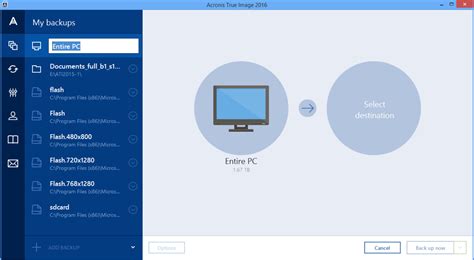
Blog

  • Top 10 Data Recovery Application Recomended

    Top 10 Data Recovery Application Recomended

    Top 10 Data Recovery Applications

    Have you ever lost important files or data due to accidental deletion or system failure? It can be a frustrating experience, especially when the data cannot be easily replaced. Fortunately, there are several data recovery applications available that can help you retrieve lost or damaged files. Here are the top 10 data recovery applications:

    1. Disk Drill

    Disk Drill

    Disk Drill is a highly-rated data recovery application that is easy to use and compatible with both Mac and Windows operating systems. It can recover all types of files including photos, documents, music, and videos. Disk Drill also provides additional features such as data backup and duplicate file finder.

    2. Recuva

    Recuva

    Recuva is a free data recovery application for Windows that can recover files from damaged or reformatted disks, memory cards, and external hard drives. It has a user-friendly interface and can recover a wide range of file formats including images, documents, and music.

    3. Stellar Data Recovery

    Stellar Data Recovery

    Stellar Data Recovery is a paid data recovery application that offers advanced features such as file repair and recovery from damaged disks. It is available for both Mac and Windows operating systems and can recover files from various storage devices including external hard drives, USB drives, and memory cards.

    4. EaseUS Data Recovery Wizard

    EaseUS Data Recovery Wizard

    EaseUS Data Recovery Wizard is a popular and easy-to-use data recovery application. It can recover files from various storage devices such as hard drives, memory cards, and USB drives. The software also offers a preview feature that allows you to see the file before recovery.

    5. R-Studio

    R-Studio

    R-Studio is a professional data recovery application that offers advanced features such as RAID recovery and file repair. It can recover files from various storage devices including hard drives, USB drives, and memory cards. The software is available for both Mac and Windows operating systems.

    6. PhotoRec

    PhotoRec

    PhotoRec is a free and open-source data recovery application that can recover various types of files including photos, videos, and documents. It can run on various operating systems and can recover files from damaged or formatted disks and memory cards.

    7. iBoysoft Data Recovery

    iBoysoft Data Recovery

    iBoysoft Data Recovery is a user-friendly data recovery application that can recover files from various storage devices such as hard drives, USB drives, and memory cards. It offers a preview feature that allows you to see the file before recovery and can run on both Mac and Windows operating systems.

    8. MiniTool Power Data Recovery

    MiniTool Power Data Recovery

    MiniTool Power Data Recovery is a data recovery application for Windows that offers a free and paid version. The software can recover various types of files such as photos, documents, and music. It also offers a preview feature and can recover files from damaged or formatted disks and memory cards.

    9. Wise Data Recovery

    Wise Data Recovery

    Wise Data Recovery is a free data recovery application that can recover files from various storage devices such as hard drives, memory cards, and USB drives. It has a user-friendly interface and can recover a wide range of file formats including images and documents.

    10. TestDisk

    TestDisk

    TestDisk is a free and open-source data recovery application that can recover files from damaged or formatted disks and memory cards. It can run on various operating systems and can recover various file formats such as photos, videos, and documents.

    These are the top 10 data recovery applications that are available in the market. The choice of the software depends on the type of files that need to be recovered, the storage device, and the level of advance features required. It is important to note that no data recovery application can guarantee a 100% success rate in recovering lost files, therefore regular backups of important data should always be performed.

    Frequently Asked Question

    1. What is data recovery software?
    Data recovery software is a computer program designed to recover deleted, lost, or corrupted files from various storage devices, such as hard drives, USB drives, memory cards, and more.

    2. How does data recovery software work?
    Data recovery software scans the storage device for traces of the lost or deleted files and uses advanced algorithms to recover data from damaged or inaccessible hard drives, partitions, or other storage media.

    3. What type of data can be recovered with data recovery software?
    Data recovery software can recover various types of files, including documents, photos, videos, music, archives, and more. However, the success of data recovery depends on the level of damage, the storage device’s condition, and the file system used.

    4. Can I recover data from a formatted or damaged hard drive?
    Yes, data recovery software can recover data from a formatted or damaged hard drive or other storage media. However, the success rate will depend on the severity of the damage and the file system used.

    5. Can I recover data from a virus-infected device?
    Yes, data recovery software can recover data from a virus-infected device. However, it is recommended to first run a virus scan on the storage device to remove any malware that may interfere with the data recovery process.

    6. Is it safe to use data recovery software?
    Yes, data recovery software is safe to use, as long as you download it from a trusted source and follow the instructions carefully. However, it is important to note that some data recovery software may overwrite or damage the existing data, which may lead to permanent data loss.

    7. What should I do if data recovery software fails to recover my files?
    If data recovery software fails to recover your files, it may be necessary to seek professional data recovery services. Data recovery experts have specialized tools and techniques to recover data from damaged or inaccessible storage media.

    8. Can data recovery software recover overwritten or partially corrupted files?
    The success of data recovery software depends on the level of damage and the file system used. In some cases, data recovery software may recover partially corrupted or overwritten files. However, it is recommended to use software that supports file carving, which can recover data even if the file system is damaged.

    9. Can data recovery software recover data from cloud storage or online services?
    Data recovery software can only recover data from local storage devices, such as hard drives, USB drives, memory cards, and more. If the data is stored in cloud storage or online services, you may need to access the account or contact the service provider for assistance.

    10. How can I prevent data loss and ensure data safety?
    To prevent data loss and ensure data safety, it is recommended to regularly back up important files to an external hard drive, cloud storage, or other storage media. Additionally, it is important to practice safe computing habits, such as using antivirus software, avoiding suspicious emails or websites, and updating the operating system and other software regularly.

  • Top 10 VPN application Recomended

    Top 10 VPN application Recomended

    Top 10 VPN Applications

    In this digital age, people always need to stay connected to the internet. However, the internet is not a safe place to be, and cybercriminals are always lurking. To overcome this security challenge, we recommend the use of Virtual Private Network (VPN) applications. These VPN applications provide users with easy, safe, and secure access to the internet.

    Research shows that there are over a thousand VPN applications, both free and paid. These applications offer varying degrees of privacy and encryption levels. Choosing the best VPN for your internet activities can be a daunting task. In this article, we will be taking a look at the top 10 VPN applications for your internet security.

    1. ExpressVPN

    ExpressVPN
    ExpressVPN is one of the best VPNs in the market. It is an excellent choice for those looking for a fast and reliable VPN. With over 3,400 servers in 160 locations across 94 countries, you are guaranteed top-level security and privacy. ExpressVPN offers military-grade encryption and has a strict no-logging policy. It is compatible with all devices and has user-friendly applications for Windows, Android, iOS, and Mac.

    2. NordVPN

    NordVPN
    NordVPN is a Panama-based VPN service provider that offers excellent security and privacy features. It has over 5,000 servers in 59 countries, and its no-logging policy is one of the most reliable in the market. NordVPN is compatible with all devices and provides military-grade encryption. It also has excellent speeds and can unblock Netflix and other streaming services.

    3. Surfshark

    Surfshark VPN
    Surfshark is a relatively new VPN application that has quickly amassed positive reviews. It offers fast connections, excellent security, and is compatible with all devices. Surfshark’s military-grade encryption and multi-hop features provide high-level security for your internet activities. Its no-logging feature is also reliable, and it can unblock Netflix and other streaming services.

    4. CyberGhost

    CyberGhost VPN
    CyberGhost is one of the most popular VPN services, and for good reason. It offers excellent security and privacy features, including military-grade encryption, DNS leak protection, and a no-logging policy. CyberGhost has over 6,700 servers in 89 countries and is compatible with all devices. It also has user-friendly applications for Windows, Android, iOS, and Mac.

    5. Private Internet Access (PIA)

    PIA VPN
    Private Internet Access (PIA) is an affordable VPN application that offers good security and privacy features. It has over 3,300 servers in 48 countries and supports ten simultaneous connections. PIA provides military-grade encryption and has a no-logging policy. It is compatible with all devices and has user-friendly applications for Windows, Android, iOS, and Mac.

    6. Hotspot Shield

    Hotspot Shield VPN
    Hotspot Shield is a popular VPN provider with over 3,200 servers in 80+ countries. It provides excellent security features, including military-grade encryption and a no-logging policy. Hotspot Shield is compatible with all devices and has user-friendly applications for Windows, Android, iOS, and Mac. Its speeds are also impressive, and it can easily unblock Netflix and other streaming services.

    7. VyprVPN

    VyprVPN
    VyprVPN is a Switzerland-based VPN that offers excellent security and privacy features. It has over 700 servers in more than 70 locations and provides military-grade encryption. VyprVPN’s Chameleon protocol can bypass government censorship and website blocks. It is compatible with all devices and has user-friendly applications for Windows, Android, iOS, and Mac.

    8. TorGuard

    TorGuard
    TorGuard is a US-based VPN application that offers excellent security and privacy features. It has over 3,000 servers in 55 countries and supports ten simultaneous connections. TorGuard provides military-grade encryption and has a no-logging policy. It also has user-friendly applications for Windows, Android, iOS, and Mac.

    9. Windscribe

    Windscribe VPN
    Windscribe is a Canada-based VPN application that offers excellent security features. It has over 480 servers in more than 60 locations and provides military-grade encryption. Windscribe has a no-logging policy and is compatible with all devices. It also provides an ad-blocker and can unblock Netflix and other streaming services.

    10. ProtonVPN

    ProtonVPN
    ProtonVPN is a Switzerland-based VPN application that offers excellent security and privacy features. It provides military-grade encryption and has a no-logging policy. ProtonVPN also offers a Secure Core feature that routes your internet traffic through multiple servers before reaching your destination. It is compatible with all devices and has user-friendly applications for Windows, Android, iOS, and Mac.

    In conclusion, VPN applications provide users with easy, safe, and secure access to the internet. Choosing the best VPN for your internet activities can be daunting, but we hope this list has been helpful. These top 10 VPN applications have excellent security and privacy features and are compatible with all devices. With a VPN application, you can enjoy internet activities without worrying about cyber threats.

    Frequently Asked Question

    1. What is a VPN application?
    A VPN application is a software program that allows users to create a secure, encrypted connection between their device and a VPN server.

    2. What does a VPN application do?
    A VPN application provides online privacy and security by encrypting users’ internet traffic and masking their IP address, making it difficult for anyone to snoop on their online activities.

    3. Do I need a VPN application?
    If you want to protect your online privacy and security, and also access geo-restricted content or websites blocked in your country, then you may need to use a VPN application.

    4. Are VPN applications legal?
    Yes, VPN applications are legal in most countries. However, it is always advisable to check your country’s laws and regulations before using a VPN application.

    5. Is a VPN application safe?
    Yes, if you choose a trustworthy and reliable VPN application, it can provide you with a safe and secure internet connection. However, it is important to do your research and choose a reputable VPN provider.

    6. How do I choose the right VPN application?
    When choosing a VPN application, look for a provider that has a good reputation, provides strong encryption, and has no-logs policy. Also, consider the number of servers and their locations, as well as the device compatibility and customer support.

    7. How do I use a VPN application?
    To use a VPN application, you need to download and install it on your device, create an account, and connect to a server location of your choice. Once connected, all your internet traffic will be encrypted and routed through the VPN server, providing you with online privacy and security.

    8. How much does a VPN application cost?
    VPN applications cost varies depending on the provider, features, and length of the subscription. Most VPN providers offer monthly, yearly, or bi-annual subscription plans, which ranges from $5 to $12 per month.

    9. Can I use a VPN application on all devices?
    Most VPN applications are compatible with Windows, Mac, Android, and iOS devices. Some VPN providers also offer support for other devices such as routers, smart TVs, and gaming consoles.

    10. Can I use a free VPN application?
    Yes, there are several free VPN applications available, but they have limited features and are known to sell user data to third parties. Paid VPN applications offer more features, better security, and a more reliable service.

  • Top 10 Firewall Application Recomended

    Top 10 Firewall Application Recomended

    Top 10 Firewall Applications for Your Devices

    Firewalls are a crucial aspect of cybersecurity that go unnoticed by most people. They act as a barrier between your device and the internet, blocking unauthorized access and keeping your device safe from online threats. Firewall applications are available for computers, smartphones, and tablets to ensure that your sensitive data and files remain safe. However, choosing the right firewall can be a little overwhelming, as there are numerous options available in the market. In this article, we have listed the top 10 firewall applications that you can use to protect your devices from online threats.
    1. Comodo Firewall

    Comodo Firewall

    Comodo Firewall is one of the best firewalls available for free. It offers a range of features, including isolating untrusted programs, defense against malware, custom protection settings, and real-time monitoring of network activity. The interface is user-friendly, making it easy to use and customize the settings according to your preferences.

    2. ZoneAlarm Firewall

    ZoneAlarm Firewall

    ZoneAlarm Firewall is another highly recommended firewall application that is free to download. It offers advanced features such as anti-phishing, anti-keylogging, and real-time monitoring of network traffic. The application scans for vulnerabilities in your system and informs you of any potential threats that it uncovers.

    3. Norton Firewall

    Norton Firewall

    Norton Firewall is a reliable and popular choice for users who want complete protection against online threats. The firewall detects and blocks unauthorized access to your device, protects confidential information, and allows filtering of content based on access permissions. Norton Firewall is available as part of Norton Security, which offers a range of security solutions for devices.

    4. McAfee Firewall

    McAfee Firewall

    McAfee Firewall is a comprehensive firewall solution that offers advanced security features. It includes a built-in intrusion detection system, network monitoring, and protection against zero-day attacks. The application provides real-time updates on any suspicious activities on your network and blocks unauthorized access to your device.

    5. GlassWire Firewall

    GlassWire Firewall

    GlassWire Firewall is a popular firewall application that offers a range of features such as network monitoring, blocklist management, and protection against malware. The application supports real-time monitoring and can alert you of any suspicious activities on your network. GlassWire also offers a free version with limited features, making it a great option for users who are new to firewall applications.

    6. TinyWall Firewall

    TinyWall Firewall

    TinyWall Firewall is a lightweight and user-friendly firewall application that uses the built-in Windows Firewall to create a secure environment for your device. The application works by disabling incoming traffic and allowing only authorized traffic through your device. The application is free to download and does not require any installation or configuration.

    7. PeerBlock Firewall

    PeerBlock Firewall

    PeerBlock Firewall is a free and open-source firewall application that blocks incoming traffic from a list of known IP addresses. The application uses blacklists to block traffic from known malicious IP addresses, ensuring that your device remains secure from potential online threats. PeerBlock also provides customizable rules, which allows you to block traffic from specific IPs or domains.

    8. ZoneAlarm Free Antivirus + Firewall

    ZoneAlarm Free Antivirus + Firewall

    ZoneAlarm Free Antivirus + Firewall is a complete security solution, which gives you the ability to monitor incoming and outgoing traffic. The application comes with a built-in antivirus that detects and blocks malware and viruses. The firewall application protects your device from unauthorized access while the antivirus scans all content to ensure that no threats are present.

    9. Windows Firewall

    Windows Firewall

    Windows Firewall is the built-in firewall application that comes with Windows operating systems. The application provides basic security and blocks unauthorized traffic from entering your device. The firewall is easy to use and can be accessed through the Control Panel. However, it does not offer advanced features such as real-time network monitoring, which could leave your device vulnerable to newer threats.

    10. Outpost Firewall

    Outpost Firewall

    Outpost Firewall is a powerful firewall application that offers a range of features such as real-time monitoring of network activity, protection against malware, and email filtering. The application also provides detailed reports, which give you insight into the security status of your system. Outpost Firewall is an excellent choice for advanced users who require a high level of security for their devices.

    Conclusion

    Firewalls are essential in protecting user devices from online threats. With so many options available in the market, finding the right firewall application can be daunting. The ten firewall applications we have listed in this article are some of the best available for users, and they all provide different features depending on the user’s needs. It’s always good to have an extra layer of security to avoid any possible security breaches or data leaks. Our recommendation is to research and select the most appropriate firewall for your device and enjoy surfing the internet securely.

    Frequently Asked Question

    1. What is a firewall application?
    A firewall application is a software program that monitors and controls incoming and outgoing network traffic based on pre-defined security rules to prevent unauthorized access to a network.

    2. How does a firewall application work?
    A firewall application uses a set of pre-defined security rules to allow or block incoming and outgoing network traffic. It examines each incoming or outgoing packet of data and based on its address, port number and other characteristics, either allows or blocks the traffic.

    3. What are the types of firewall applications?
    The three main types of firewall applications are network firewalls, host-based firewalls, and application firewalls.

    4. What are the benefits of using a firewall application?
    A firewall application provides security to your network by monitoring and preventing unauthorized access to your network. It protects your network from hackers, viruses, and other malicious attacks.

    5. Does a firewall application slow down network speed?
    Firewall applications can slow down network speed to some extent as they process all incoming and outgoing traffic. However, modern firewall applications are designed to minimize the impact on network speed.

    6. Is a firewall application enough to protect my network?
    While a firewall application is an essential component of network security, it is not enough on its own. Other security measures like regular software updates, antivirus software, and user education also play a critical role in network security.

    7. What are the common firewall technologies?
    The most common firewall technologies are packet filtering, stateful inspection, and application-layer filtering.

    8. Can a firewall application be configured to allow certain traffic?
    Yes, a firewall application can be configured to allow certain traffic based on pre-defined security rules. This is useful when you want to allow specific applications to access the internet.

    9. What are the disadvantages of using a firewall application?
    The main disadvantage of using a firewall application is that it can create a false sense of security, causing users to neglect other security measures. Also, advanced attackers can bypass firewalls using sophisticated techniques.

    10. Can a firewall application block all types of attacks?
    Unfortunately, no firewall application can block all types of attacks. Modern attacks are often sophisticated and can bypass firewalls using techniques like encryption and tunneling. However, using a firewall as part of a multi-level security strategy can still provide significant protection against common attacks.

  • Top 10 Antivirus application Recomended

    Top 10 Antivirus application Recomended

    Top 10 Antivirus Applications

    In today’s age of digital technology, it is important to have strong antivirus software installed on your devices. With the increase of cyber threats and the risk of malware attacks, having reliable antivirus software can protect your personal and professional data from getting compromised. Here are the top 10 antivirus applications for you to consider!
    1. Bitdefender Antivirus Plus

    Bitdefender Antivirus Plus

    Bitdefender Antivirus Plus provides strong protection against various types of malware threats, including viruses, worms, ransomware, and phishing attacks. Its advanced threat detection technology can quickly identify and remove all potential threats to your system. It comes with useful features like anti-phishing protection, web filtering, and a password manager that enhances your online security. Bitdefender Antivirus Plus is available for Windows, macOS, Android, and iOS.

    2. Norton Antivirus Plus

    Norton Antivirus Plus

    Norton Antivirus Plus is a popular antivirus software that provides complete protection against different types of malware attacks. Its advanced security tools can detect and remove malware, viruses, spyware, and phishing attacks. Norton Antivirus Plus also has an intuitive and user-friendly interface that makes it easy to use. It comes with a variety of features like password manager, parental controls, and a firewall. It is compatible with Windows and MacOS devices.

    3. Malwarebytes Anti-Malware

    Malwarebytes Anti-Malware

    Malwarebytes Anti-Malware is a powerful security tool that protects your device against various kinds of malware, including ransomware, Trojans, and adware. It has an advanced detection engine that can detect and eliminate all kinds of threats that other antivirus software might miss. Malwarebytes Anti-Malware is easy to use and has an intuitive interface. It is available for Windows and macOS devices and can be used as a standalone software or in conjunction with other antivirus software.

    4. Kaspersky Internet Security

    Kaspersky Internet Security

    Kaspersky Internet Security provides comprehensive protection for your devices against different malware threats, including viruses, spyware, and ransomware. It has advanced malware detection and removal tools, and also includes additional features like parental controls, web filtering, and a password manager. Kaspersky Internet Security is compatible with different operating systems, including Windows, macOS, iOS, and Android.

    5. Avast Antivirus

    Avast Antivirus

    Avast Antivirus is a popular security software that provides excellent protection against different kinds of malware, including viruses, worms, and Trojans. It has a user-friendly interface and can be customized according to your preferences. Avast Antivirus also includes features like a password manager, web filtering, and a firewall. It is available for Windows and macOS devices.

    6. AVG Antivirus

    AVG Antivirus

    AVG Antivirus is an advanced antivirus software that provides complete protection against malware, spyware, and ransomware. Its advanced artificial intelligence technology can detect and remove potential threats quickly. AVG Antivirus also includes a password manager, web filtering, and a firewall. It is compatible with different operating systems, including Windows, macOS, and Android.

    7. McAfee Total Protection

    McAfee Total Protection

    McAfee Total Protection is a comprehensive security software that provides complete protection for your devices against different types of malware threats. It has a user-friendly interface and comes with excellent features such as a password manager, web filtering, parental controls, and a firewall. It is compatible with Windows, macOS, Android, and iOS devices.

    8. Trend Micro Antivirus+

    Trend Micro Antivirus

    Trend Micro Antivirus+ is an advanced antivirus software that provides excellent security features for your devices. It can detect and remove different types of malware, including spyware, viruses, and phishing attacks. Trend Micro Antivirus+ also includes features like web filtering, a password manager, and a firewall. It is available for Windows and macOS devices.

    9. ESET NOD32 Antivirus

    ESET NOD32 Antivirus

    ESET NOD32 Antivirus is an advanced antivirus software that provides excellent protection against different types of malware threats. It has advanced detection technologies that can quickly identify and remove all kinds of malware, including Trojans and ransomware. ESET NOD32 Antivirus comes with a user-friendly interface and includes features like a password manager, web filtering, and a firewall. It is available for Windows and macOS devices.

    10. Windows Defender

    Windows Defender

    Windows Defender is the built-in antivirus software for Windows 10 devices. It provides comprehensive protection against different types of malware, spyware, and viruses. Windows Defender also includes features like parental controls, web filtering, and a firewall. It is a free antivirus software that is already installed on your Windows device.

    Conclusion:

    There are many different antivirus applications available on the market, each with its own unique features and capabilities. Choosing the right antivirus software for your device is essential to ensure the protection of your data and security. The above-mentioned antivirus software options are some of the best in the market and can provide excellent protection for your devices. Whether you’re running a Windows, macOS, iOS, or Android device, there is an antivirus software available that can meet your needs and provide the level of protection that you require.

    Frequently Asked Question

    1. What is an antivirus application?
    An antivirus application is a software program that is designed to protect your computer from malicious software by detecting, preventing, and removing viruses, malware, and other malicious programs.

    2. How does an antivirus application work?
    Antivirus applications work by scanning your computer’s files, programs, and data for malicious code or suspicious activity. When a virus is detected, the antivirus application can either remove the infected files or quarantine them so that they can’t cause any harm.

    3. What features should I look for in an antivirus application?
    When choosing an antivirus application, look for features such as real-time protection, malware detection and removal, automatic updates, and a user-friendly interface.

    4. What are the benefits of using an antivirus application?
    Using an antivirus application can significantly reduce your risk of malware infection and data theft, protect your computer from cyberattacks, and provide peace of mind that your sensitive information is safe.

    5. Can antivirus applications detect all types of malware?
    While antivirus applications are designed to detect and remove a wide range of malware, there is no guarantee that they will be able to detect every type of malicious code or activity.

    6. Do I need to update my antivirus application regularly?
    Yes, it is crucial to update your antivirus application regularly to ensure that it stays up-to-date with the latest virus definitions and security patches.

    7. Can I run more than one antivirus application on my computer?
    No, it is not recommended to run more than one antivirus application on your computer as they may conflict with each other and cause performance issues.

    8. Is there a difference between free and paid antivirus applications?
    Free antivirus applications usually offer limited features, while paid antivirus applications provide more robust security features such as advanced malware detection and removal, VPN services, password managers, and more.

    9. How can I tell if my antivirus application is working?
    You can check your antivirus application’s settings and dashboard to ensure that it is running and enabled. You can also perform a scan to check for any potential threats.

    10. Can I use an antivirus application on my mobile device?
    Yes, antivirus applications are available for mobile devices and can help protect your smartphone or tablet from malware, phishing attacks, and other cyber threats.

  • Top 10 Password Manager application Recomended

    Top 10 Password Manager application Recomended

    Top 10 Password Manager Applications

    Remembering all the passwords for different accounts can be quite challenging, especially in today’s world where we have to create strong passwords for security reasons. A password manager comes to our rescue in this situation. It helps you store all your passwords in one place, allowing you to access them easily whenever required. There are several password manager applications available in the market. In this article, we will discuss the top 10 password manager applications that you can consider for your needs.
    1. LastPass

    LastPassLastPass is one of the most popular password manager applications that is available for free. It is a cloud-based password manager that stores all your passwords in one place securely. The application auto-fills login details and generates strong passwords for new accounts. LastPass is available on all platforms, including Windows, Mac, Android, and iOS. It also has a premium subscription that provides additional features such as password sharing and priority support.

    2. Dashlane

    DashlaneDashlane is another popular password manager application that offers a wide range of features to its users. It has an intuitive interface and allows users to easily manage their passwords, secure notes, and payment details. Dashlane is available on all platforms and offers a free trial of its premium subscription with advanced features such as VPN and dark web monitoring.

    3. 1Password

    1Password1Password is a password manager application that offers a mix of user-friendliness and security. It has a neat and intuitive interface that allows users to easily store and manage their passwords, credit card details, and secure notes. 1Password also offers a family subscription that allows users to share passwords and stay secured with their loved ones.

    4. KeePass

    KeePassKeePass is a free and open-source password manager application that stores user’s passwords and other personal details securely. It comes with a strong password generator and allows users to create custom categories for better organization of password data. KeePass is available on all platforms, and its database is encrypted with industry-standard AES encryption.

    5. Bitwarden

    BitwardenBitwarden is another popular password manager application that is available for free. It has an intuitive interface and supports all platforms, including Windows, Mac, iOS and Android. Bitwarden encrypts all user data with AES-256 encryption, making sure that your data is safe and secure.

    6. RoboForm

    RoboFormRoboForm is a password manager application that allows users to store their passwords, secure notes, and even identities securely. Its user interface is simple and clean, and it has a strong password generator that helps in creating secure passwords. RoboForm also offers a family subscription that allows users to share passwords and stay secured with their loved ones.

    7. Enpass

    EnpassEnpass is a password manager application that ensures your data is safe and secure. It has an easy-to-use interface and provides quick access to your passwords, credit card details and secure notes. Enpass also supports all platforms, including Windows, Mac, and Linux. It also offers a premium subscription that provides features such as Touch ID support and cloud syncing.

    8. NordPass

    NordPassNordPass is a password manager application that offers a mix of security and user-friendliness. It provides an intuitive and easy-to-use interface and comes with a strong password generator for creating secure passwords. NordPass has AES-256 encryption for securing user data, making sure that your data is safe and secure.

    9. Password Boss

    Password BossPassword Boss is a password manager that offers a secure vault for storing passwords, notes, and other personal data. It has a strong password generator for creating secure passwords and also helps in auto-filling login details. Password Boss also offers a family subscription that allows users to share passwords securely with their loved ones.

    10. Sticky Password

    Sticky PasswordSticky Password is a password manager application that provides an easy way to manage passwords and other personal data. It has a simple interface and supports all platforms, including Windows, Mac, iOS, and Android. Sticky Password ensures the safety of your data by encrypting it with AES-256 encryption, and it also offers a family subscription that allows the sharing of passwords with loved ones.

    Conclusion

    Choosing the right password manager application is essential for securely storing personal data. We hope this article helps you choose the best password manager application for your needs. It’s important to remember that all of the above applications have their own unique features, so make sure to pick the one that best suits your requirements. All of these password managers are safe and reliable and will go a long way in ensuring the safety of your data online.

    Frequently Asked Question

    1. What is a Password Manager application and how does it work?
    A Password Manager application is a tool that helps users securely store and manage their passwords. It works by generating and storing complex passwords for users, which can then be automatically filled in when they log in to websites or apps.

    2. Is it safe to use a Password Manager?
    Yes, Password Managers are safe to use. They use encryption and other security measures to protect user data from cyber threats such as hacking and phishing attacks.

    3. Can Password Managers be hacked?
    While no system is completely immune to hacking, Password Managers are generally considered to be more secure than traditional methods of storing passwords. They use advanced security features like two-factor authentication and encryption to keep user data safe.

    4. Can Password Managers store other types of sensitive information besides passwords?
    Yes, many Password Managers can also store other types of sensitive information, like credit card information, banking information, and addresses.

    5. Can multiple users share a Password Manager?
    Yes, some Password Managers have features that allow multiple users to share access to their stored passwords and other sensitive information.

    6. Are Password Managers compatible with all devices and platforms?
    Most Password Managers are compatible with multiple devices and platforms, including desktop computers, mobile devices, and popular web browsers.

    7. Can Password Managers help with password strength and security?
    Yes, Password Managers can help improve password strength and security by generating complex passwords and storing them securely.

    8. Can Password Managers automatically update passwords?
    Yes, some Password Managers have features that can automatically update passwords for users, ensuring that they always have strong, secure passwords in place.

    9. Are Password Managers easy to use for people who aren’t tech-savvy?
    Yes, many Password Managers are designed to be user-friendly and easy to use, even for people who aren’t tech-savvy.

    10. How much do Password Managers cost?
    The cost of a Password Manager varies depending on the provider and the features offered. Some Password Managers offer basic features for free, while others require a monthly or yearly subscription fee for access to advanced features.

  • Top 10 Cyber Security Application Recomended

    Top 10 Cyber Security Application Recomended

    Top 10 Cyber Security Applications

    Cybersecurity has become a major concern for individuals, companies and governments. Cybercriminals are constantly devising new ways to steal sensitive information, disrupt services and cause havoc. This has led to the development of several cybersecurity applications that help users protect themselves against cyber attacks. Here are the top 10 cybersecurity applications you need to know about.
    1. Norton Security Deluxe

    Norton Security Deluxe is a cross-platform security suite that protects your devices against malware, viruses, spyware, and other online threats. It offers real-time protection to keep you safe from existing and emerging online threats. Norton Security Deluxe also has a built-in firewall that blocks unauthorized access to your device and hides your personal information from prying eyes. It comes with a 100% virus protection guarantee and has a simple interface that is easy to use.

    Norton Security Deluxe

    2. Bitdefender Total Security

    Bitdefender Total Security is another comprehensive and effective cybersecurity solution. It offers multiple layers of protection against all forms of malware, ransomware, and other online threats. It has a powerful antivirus engine, real-time protection, firewall, spam filter, and various other features that keep you safe while browsing online. Bitdefender Total Security also has a password manager that helps you generate and securely store passwords.

    Bitdefender Total Security

    3. McAfee Total Protection

    McAfee Total Protection is a trusted and reliable cybersecurity application that offers comprehensive protection for your devices. It provides real-time protection against viruses, spyware, malware, and other online threats. The software also comes with a firewall that blocks external threats from infiltrating your device. McAfee Total Protection has features like anti-spam and parental controls that help you stay safe online. It is easy to install and use, making it a popular choice among users.

    McAfee Total Protection

    4. Malwarebytes

    Malwarebytes is another cybersecurity application that offers robust protection against various forms of malware, including ransomware. It has a powerful malware scanner that detects and removes malware from your device. Malwarebytes also offers real-time protection that keeps you safe while browsing online. The software is easy to install and use, and it is available for Windows, Mac, and Android devices.

    Malwarebytes

    5. Kaspersky Total Security

    Kaspersky Total Security is a popular cybersecurity application that offers a range of features to keep you safe online. It has a powerful antivirus engine, real-time protection, and a firewall that protects your device from external threats. Kaspersky Total Security also has features like parental controls, anti-spam, and password management that help you stay safe online. The software is easy to use and is compatible with Windows, Mac, and Android devices.

    Kaspersky Total Security

    6. Avast Ultimate

    Avast Ultimate is a comprehensive cybersecurity solution that offers advanced features to keep you safe online. It has a powerful antivirus engine, real-time protection, and a firewall that protects your device from external threats. Avast Ultimate also has features like anti-spam, password management, and a VPN that helps you stay safe while browsing online. The software is easy to use and is compatible with Windows, Mac, and Android devices.

    Avast Ultimate

    7. Trend Micro Maximum Security

    Trend Micro Maximum Security is a powerful cybersecurity application that offers multiple layers of protection against various forms of malware and online threats. It has a powerful antivirus engine, real-time protection, and a firewall that blocks external threats from infiltrating your device. Trend Micro Maximum Security also has features like a password manager, parental controls, and social media protection that help you stay safe online. The software is easy to use and is compatible with Windows, Mac, and Android devices.

    Trend Micro Maximum Security

    8. ESET Smart Security Premium

    ESET Smart Security Premium is another powerful cybersecurity application that offers advanced features to keep you safe online. It has a powerful antivirus engine, real-time protection, and a firewall that blocks external threats from infiltrating your device. ESET Smart Security Premium also has features like a password manager, banking protection, and webcam protection that help you stay safe while browsing online. The software is easy to use and is compatible with Windows and Mac devices.

    ESET Smart Security Premium

    9. Avira Antivirus Pro

    Avira Antivirus Pro is a popular cybersecurity application that offers comprehensive protection against various forms of malware and online threats. It has a powerful antivirus engine, real-time protection, and a firewall that blocks unauthorized access to your device. Avira Antivirus Pro also has features like anti-spam, password management, and VPN that help you stay safe online. The software is easy to use and is available for Windows, Mac, and Android devices.

    Avira Antivirus Pro

    10. F-Secure Total Security and Privacy

    F-Secure Total Security and Privacy is a cybersecurity application that offers multiple layers of protection against various forms of malware and online threats. It has a powerful antivirus engine, real-time protection, and a firewall that blocks external threats from infiltrating your device. F-Secure Total Security and Privacy also has features like parental controls, banking protection, and safe browsing that help you stay safe online. The software is easy to use and is available for Windows and Mac devices.

    F-Secure Total Security and Privacy

    Conclusion

    Cybersecurity is a serious concern, and it is essential to protect your devices against online threats. The cybersecurity applications mentioned above are some of the best in the market and offer advanced features to keep you safe while browsing online. Whether you are a business owner or an individual, investing in a reliable cybersecurity solution can help you avoid costly breaches and attacks.

    Frequently Asked Question

    1. What is cyber security application?
    Cyber security application is a software application designed to protect computer systems, networks, and data from cyberattacks, unauthorized access, and other forms of digital threats.

    2. What are the types of cyber security applications?
    There are several types of cyber security applications, such as antivirus software, firewalls, intrusion detection and prevention systems, encryption software, and security information and event management (SIEM) tools.

    3. How do cyber security applications protect against cyber threats?
    Cyber security applications use various techniques to protect against cyber threats, such as scanning for and removing viruses and other malware, blocking unauthorized access to networks and software, detecting and preventing intrusions, and encrypting sensitive data.

    4. How often should cyber security applications be updated?
    Cyber security applications should be updated as frequently as possible, ideally on a daily basis, to ensure that they are equipped with the latest threat intelligence and security patches.

    5. What are the key benefits of using cyber security applications?
    The key benefits of using cyber security applications include protecting against cyber threats, preventing data breaches, safeguarding personal and sensitive information, maintaining compliance with regulations, and minimizing downtime and data loss.

    6. Can cyber security applications guarantee 100% protection against cyber threats?
    No cyber security application can guarantee 100% protection against cyber threats, as new threats and vulnerabilities are constantly emerging. However, using multiple layers of security, such as a combination of firewalls, antivirus software, and intrusion detection systems, can improve the overall security posture and reduce risk.

    7. Do cyber security applications only protect against external threats?
    No, cyber security applications can also protect against internal threats, such as insider threats, which can be just as damaging as external threats.

    8. Can cyber security applications identify and respond to security incidents?
    Yes, many cyber security applications are equipped with security incident and event management (SIEM) capabilities, which can detect and respond to security incidents in real-time.

    9. Can cyber security applications be customized to fit specific business needs?
    Yes, many cyber security applications can be customized and configured to meet specific business needs, such as integrating with existing systems and software, creating custom reporting and alerts, and defining policies and procedures.

    10. How do I choose the right cyber security application for my business?
    To choose the right cyber security application for your business, consider factors such as the size and complexity of your network, the types of threats you are facing, the budget for security investments, and the scalability and flexibility of the solution. It may also be helpful to consult with a trusted security advisor or conduct a security assessment to identify specific security gaps and requirements.

  • Top 10 Monitoring Application Recomended

    Top 10 Monitoring Application Recomended

    Top 10 Monitoring Applications

    Monitoring applications are commonly used in today’s digital world to track and analyze different types of data. These applications are useful for tracking system activity, network performance, user behavior, and much more. With so many monitoring applications available on the market, it can be challenging to choose the right one for your needs. Here are the top 10 monitoring applications worth considering:

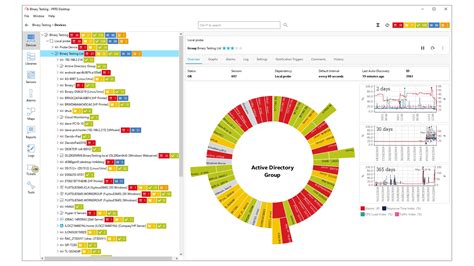
    1. PRTG Network Monitor

    PRTG Network Monitor

    PRTG Network Monitor is a powerful monitoring solution offering a versatile range of sensors to monitor servers, switches, routers, and other network devices. The software includes traffic analysis, SNMP monitoring, and packet sniffing. Its dashboard is customizable and user-friendly, while its mobile application allows remote monitoring on-the-go. Additionally, PRTG Network Monitor offers alerts and notification features, making it easier to manage network performance.

    2. Nagios XI

    Nagios XI

    Nagios XI is an enterprise-level monitoring solution that provides a comprehensive view of IT infrastructure performance. It can monitor network infrastructure, applications, services, and business processes. Nagios XI also includes a dashboard that integrates performance data from different sources, providing real-time insights into monitoring activities. The software includes powerful reporting capabilities and flexible notification features.

    3. SolarWinds Server & Application Monitor

    SolarWinds Server & Application Monitor

    SolarWinds Server & Application Monitor is an excellent monitoring solution that provides comprehensive visibility into server and application performance. It includes pre-built templates for monitoring common applications such as Exchange, SharePoint, IIS, and SQL. The software includes powerful reporting capabilities, allowing users to generate custom reports and analyze performance data. Additionally, the software comes with flexible notification and alert features, enabling users to stay on top of critical events as they occur.

    4. ManageEngine OpManager

    ManageEngine OpManager

    ManageEngine OpManager is a comprehensive network management and monitoring solution designed for small- to medium-sized organizations. It includes robust capabilities for monitoring network infrastructure, servers, applications, VMs, and other devices. The software also includes a customizable dashboard that provides real-time insights into network performance. Users can set customized alerts and notifications, providing prompt notifications of critical events. Additionally, ManageEngine OpManager includes a mobile application enabling remote monitoring and management.

    5. Datadog

    Datadog

    Datadog is a cloud-based monitoring solution providing comprehensive insights into system performance, infrastructure, and applications. It includes pre-built integrations for monitoring over 450 technologies, making it easy to integrate with existing systems. The software provides real-time analytics and visualization features, enabling users to gain actionable insights into complex environments. Additionally, the platform includes powerful alerting and notification features, allowing users to stay on top of critical events in real-time.

    6. Zabbix

    Zabbix

    Zabbix is an open-source monitoring solution providing comprehensive monitoring capabilities for servers, applications, networks, and cloud environments. It includes an easy-to-use dashboard and flexible visualization tools, enabling users to keep track of the performance of their infrastructure. Zabbix also includes alerting and notification features, enabling prompt notification of critical events. Additionally, the software provides real-time insights into performance metrics, enabling users to take proactive action to prevent system failures.

    7. Dynatrace

    Dynatrace

    Dynatrace is a cloud-based software intelligence platform providing comprehensive insights into system performance and user behavior. The software provides real-time monitoring and analysis capabilities for complex, multi-cloud environments. It includes customizable dashboards, AI-powered root cause analysis, and performance analytics, enabling users to gain actionable insights into their infrastructure. The software also includes flexible alerting and notification features, ensuring critical events are communicated promptly.

    8. Icinga 2

    Icinga 2

    Icinga 2 is a powerful monitoring solution designed for enterprise environments, providing comprehensive visibility into infrastructure and application performance. It includes a customizable dashboard, powerful analytics, and reporting capabilities. Icinga 2 also provides support for distributed monitoring, enabling users to monitor even the most complex environments. Additionally, the software includes powerful alerting and notification features, ensuring prompt communication of critical events.

    9. AppDynamics

    AppDynamics

    AppDynamics is a trusted application performance monitoring solution designed for complex, multi-cloud environments that require visibility into digital experiences. The software offers comprehensive monitoring of application performance, infrastructure, and business metrics. It includes powerful analytics and visualization, enabling users to gain actionable insights into their infrastructure. The software also offers flexible alerting and reporting capabilities, ensuring users are notified of critical events in real-time.

    10. Paessler PRTG

    Paessler PRTG

    Paessler PRTG is a network monitoring solution providing comprehensive monitoring capabilities for servers, switches, and other network devices. The software includes pre-built templates and customizable dashboards, supporting agent and agentless monitoring. Additionally, PRTG includes robust reporting capabilities and flexible alerting features, ensuring users are notified of critical events as they occur.

    Conclusion

    Choosing a monitoring application requires careful consideration of the type of data you want to monitor and the features you require. Whether you’re monitoring network performance, system activity, or user behavior, these top 10 monitoring applications offer comprehensive solutions for your business needs. From customizable dashboards to real-time analytics and alerts, these applications provide the tools you need to monitor and manage your infrastructure effectively.

    Frequently Asked Question

    1. What is a monitoring application?

    A monitoring application is software that tracks and observes the usage and behavior of a particular device, application, or network. It allows users to gain insights into the performance, security, and health of their systems.

    2. Why do I need a monitoring application?

    A monitoring application is essential for identifying issues and preventing downtime in your organization. It allows you to proactively manage your systems, ensures compliance with industry regulations, and improves overall performance.

    3. What types of systems can be monitored with a monitoring application?

    A monitoring application can monitor a wide range of systems, including servers, applications, networks, databases, and endpoints. Some monitoring applications are specific to certain systems or platforms, while others offer a more comprehensive solution.

    4. How does a monitoring application work?

    A monitoring application works by collecting data in real-time from the systems it is monitoring. This data is then analyzed to identify patterns and anomalies that may indicate potential issues or threats. Users can then access this information through a user-friendly dashboard.

    5. Can a monitoring application help prevent cyber attacks?

    Yes, a monitoring application can help prevent cyber attacks by identifying and alerting users to potential threats. It can also provide valuable insights into the behavior of attackers and help organizations improve their security posture.

    6. What are some key features to look for in a monitoring application?

    Key features to look for in a monitoring application include real-time monitoring, advanced analytics and reporting, customizable alerts, a user-friendly dashboard, and scalability.

    7. Is it possible to monitor multiple systems with a single monitoring application?

    Yes, it is possible to monitor multiple systems with a single monitoring application. Many monitoring applications offer support for multiple platforms, allowing users to centralize their monitoring efforts.

    8. How much does a monitoring application cost?

    The cost of a monitoring application varies depending on the features, capabilities, and size of your organization. Some monitoring applications offer free versions or trial periods, while others require a monthly or annual subscription.

    9. Can I customize alerts in a monitoring application?

    Yes, many monitoring applications allow users to customize alerts based on specific criteria, such as the severity of an issue or the time of day. This helps ensure that users are only alerted to issues that require their attention.

    10. Is a monitoring application difficult to install and set up?

    The ease of installation and setup of a monitoring application depends on the specific application and the complexity of your systems. However, many monitoring applications offer user-friendly interfaces and step-by-step guides to simplify the installation and setup process.

  • Top 10 Customer Service Application Recomended

    Top 10 Customer Service Application Recomended

    Top 10 Customer Service Applications: A Comprehensive Guide

    Businesses rely on customer service applications to ensure that their customers have the best experience possible. With so many options available, choosing the right application can be a difficult task. To help you out, we’ve compiled a list of the top 10 customer service applications on the market today.
    1. Zendesk

    ZendeskZendesk is a cloud-based customer service platform that is designed to help businesses automate their customer interactions. It offers a wide range of features, including ticket management, live chat, and social media integration. Zendesk also offers a customizable knowledge base that can be used to answer frequently asked questions.

    Zendesk is designed to be easy to use and customizable. It offers a wide range of integrations and APIs that can be used to extend its functionality. Zendesk also offers excellent reporting and analytics features that can help businesses track their performance and make data-driven decisions.

    2. Freshdesk

    FreshdeskFreshdesk is a cloud-based customer service software that is designed to help businesses provide excellent customer support. It offers a wide range of features, including ticket management, knowledge base management, and automation. Freshdesk also offers a live chat feature that allows customers to get in touch with the support team in real-time.

    What sets Freshdesk apart is its intuitive interface and ease of use. It is designed to be intuitive and easy to use, even for non-technical users. Freshdesk offers a range of integrations and plugins that can be used to extend its functionality.

    3. HubSpot Service Hub

    HubSpot Service HubHubSpot Service Hub is a cloud-based customer service software that is designed to help businesses manage their customer interactions. It offers a range of features, including ticket management, knowledge base management, and live chat. HubSpot Service Hub also offers a mobile app that allows support reps to manage customer interactions from anywhere.

    What sets HubSpot Service Hub apart is its integration with the entire HubSpot platform. This means that businesses can manage their entire customer journey from a single platform. HubSpot Service Hub also offers excellent reporting and analytics features that can help businesses track their performance and make data-driven decisions.

    4. Salesforce Service Cloud

    Salesforce Service CloudSalesforce Service Cloud is a cloud-based customer service platform that is designed to help businesses manage their customer interactions. It offers a range of features, including ticket management, live chat, and social media integration. Salesforce Service Cloud also offers a knowledge base that can be used to answer frequently asked questions.

    What sets Salesforce Service Cloud apart is its reputation as a leader in the customer service industry. It is designed with the customer in mind and offers a range of features that can be used to provide excellent customer support. Salesforce Service Cloud also offers excellent reporting and analytics features that can help businesses track their performance and make data-driven decisions.

    5. LiveAgent

    LiveAgentLiveAgent is a cloud-based customer service software that is designed to help businesses provide excellent customer support. It offers a range of features, including ticket management, live chat, and social media integration. LiveAgent also offers a knowledge base that can be used to answer frequently asked questions.

    What sets LiveAgent apart is its affordable pricing and easy-to-use interface. It is designed to be user-friendly and customizable. LiveAgent also offers a range of integrations that can be used to extend its functionality.

    6. Help Scout

    Help ScoutHelp Scout is a cloud-based customer service software that is designed to help businesses provide excellent customer support. It offers a range of features, including ticket management, knowledge base management, and automation. Help Scout also offers a live chat feature that allows customers to get in touch with the support team in real-time.

    What sets Help Scout apart is its focus on the customer experience. It is designed with the customer in mind and offers a range of features that can be used to provide excellent customer support. Help Scout also offers a range of integrations that can be used to extend its functionality.

    7. Zoho Desk

    Zoho DeskZoho Desk is a cloud-based customer service software that is designed to help businesses manage their customer interactions. It offers a range of features, including ticket management, live chat, and social media integration. Zoho Desk also offers a knowledge base that can be used to answer frequently asked questions.

    What sets Zoho Desk apart is its pricing. It is one of the most affordable customer service software options on the market. Zoho Desk also offers a range of integrations and plugins that can be used to extend its functionality.

    8. Kayako

    KayakoKayako is a cloud-based customer service software that is designed to help businesses provide excellent customer support. It offers a range of features, including ticket management, live chat, and social media integration. Kayako also offers a knowledge base that can be used to answer frequently asked questions.

    What sets Kayako apart is its focus on collaboration. It allows support reps to work together on tickets and offers a range of features that can be used to improve team collaboration. Kayako also offers a range of integrations that can be used to extend its functionality.

    9. ClickDesk

    ClickDeskClickDesk is a cloud-based customer service software that is designed to help businesses provide excellent customer support. It offers a range of features, including ticket management, live chat, and social media integration. ClickDesk also offers a knowledge base that can be used to answer frequently asked questions.

    What sets ClickDesk apart is its focus on small businesses. It is one of the most affordable customer service software options on the market and is designed to be user-friendly. ClickDesk also offers a range of integrations and plugins that can be used to extend its functionality.

    10. Groove

    GrooveGroove is a cloud-based customer service software that is designed to help businesses provide excellent customer support. It offers a range of features, including ticket management, knowledge base management, and automation. Groove also offers a live chat feature that allows customers to get in touch with the support team in real-time.

    What sets Groove apart is its focus on simplicity. It is designed to be easy to use and is perfect for small businesses that don’t have a lot of resources. Groove also offers a range of integrations that can be used to extend its functionality.

    Conclusion

    Choosing the right customer service application can be the difference between success and failure for your business. It’s important to consider your specific needs and budget when choosing a software option. We hope this list of the top 10 customer service applications has helped you find the perfect one for your business.

    Frequently Asked Question

    1. What is a customer service application?
    A customer service application is a software or platform designed to manage and handle customer inquiries, feedback, and complaints.

    2. What are the benefits of using a customer service application?
    Some of the benefits of using a customer service application include increased efficiency, faster response time, better customer experience, and improved customer retention.

    3. What features should I look for in a good customer service application?
    Key features to consider include ticket management, customer database management, automated responses, reporting and analytics, and omnichannel support.

    4. Can a customer service application be integrated with other business software?
    Yes, a good customer service application should offer integration with other business software systems such as CRM, ERP, and marketing automation.

    5. Is it possible to have multiple users accessing and managing the same customer service application?
    Yes, most customer service applications offer multi-user capabilities with customizable roles and permissions.

    6. Can a customer service application manage social media inquiries?
    Yes, a good customer service application should allow for social media integration to manage and respond to inquiries originating from social platforms.

    7. How secure is customer data in a customer service application?
    A reliable customer service application should offer robust data security measures such as encryption, user authentication, and access control.

    8. What is the cost of using a customer service application?
    The cost of a customer service application varies depending on the vendor, features, and subscription model. Some applications offer a free version with limited capabilities, while others charge a monthly or annual subscription fee.

    9. Do customer service applications offer training and support?
    Yes, most customer service applications offer training and support through documentation, videos, webinars, and even personal consultations.

    10. Can a customer service application improve my company’s customer satisfaction ratings?
    Yes, a robust customer service application can help improve your company’s customer satisfaction ratings by providing faster response times, personalized interactions, and efficient issue resolution.

  • Top 10 Business Communication Application Recomended

    Top 10 Business Communication Application Recomended

    Top 10 Business Communication Applications

    As the business world expands and evolves, so does the need for effective communication. Business communication applications have become a vital tool in organizing and streamlining communication for organizations. They help users manage projects, communicate with team members, and even automate tasks. Here are the top 10 business communication applications to incorporate into your workplace:

    1. Slack

    Slack is a widely popular communication tool for businesses to chat, share files, and collaborate on projects. Teams can create channels for specific topics or projects, and easily communicate with each other in real-time. Slack also offers integrations with various other business applications to help automate tasks, making it an all-in-one communication solution. It is available on web, desktop, and mobile apps.

    2. Microsoft Teams

    Microsoft Teams is a collaboration platform that integrates with Microsoft Office 365. It features a chat-based workspace where team members can chat, collaborate on files, and hold video calls. Teams can also create and access shared files, manage tasks and projects, and integrate with other applications. It is available on web, desktop, and mobile apps as well.

    3. Zoom

    Zoom is a video conferencing tool that allows teams to host meetings, webinars, and video conferences. You can share your screen, record meetings, and collaborate on documents in real-time. Its intuitive user interface and features like virtual backgrounds and breakout rooms make communication and collaboration easy. Zoom is available on web, desktop, and mobile apps.

    4. Trello

    Trello is a visual project management tool that allows teams to organize and prioritize their projects through boards, lists, and cards. Each card contains project details, such as checklists, due dates, attachments, and comments. The app also integrates with other business applications, making it easy to connect with other team members and automate repetitive tasks. It is available on web, desktop, and mobile apps.

    5. Asana

    Asana is another popular project management tool that allows teams to track and manage their projects. Users can create tasks, assign them to team members, add due dates, and communicate through comments. Asana also offers templates for common business tasks, making it quicker to set up new projects. It is available on web, desktop, and mobile apps.

    6. Hootsuite

    Hootsuite is a social media management tool that allows businesses to manage their social media profiles from one platform. Users can schedule social media posts, optimize content, and track engagement across different social media channels. Hootsuite also offers analytics, team collaboration, and integrations with other marketing tools. It is available on web, desktop, and mobile apps.

    7. Google Meet

    Google Meet is a video conferencing tool that integrates with Google Workspace. It allows teams to hold meetings, share screens, and collaborate on documents. The app also offers features like breakout rooms, hand-raising, and live captions. Google Meet is available on web, desktop, and mobile apps.

    8. Basecamp

    Basecamp is a project management tool that allows teams to collaborate on projects in real-time. It features message boards, to-do lists, schedules, and file sharing. Basecamp also offers a centralized location to manage all project-related communication, making it easy to stay organized. It is available on web, desktop, and mobile apps.

    9. Skype

    Skype is a video chat and instant messaging tool that has been around for years. It allows teams to hold video calls, instant message, and share files. Skype integrates with other Microsoft applications, making it easy to access and share files. It is available on web, desktop, and mobile apps.

    10. Gmail

    Gmail is an email client that offers reliable email communication for businesses. It has a user-friendly interface, the ability to organize emails into categories and labels, and integrations with other Google applications. Gmail also offers features like email scheduling, quick replies, and email tracking. It is available on web, desktop, and mobile apps.

    Conclusion

    Effective communication is vital for the success of any business. These communication applications can help businesses organize their communication, automate tasks, and streamline projects. Based on your business needs and preferences, choose the right application(s) to incorporate in your workplace.

    Frequently Asked Question

    1. What is Business Communication Application?

    Business Communication Application is a program or software that is developed to assist businesses in their communication activities, making it possible for businesses to transmit, receive, and manage information efficiently.

    2. What are the benefits of using Business Communication Application?

    Business Communication Application offers numerous benefits, including improved efficiency, better collaboration, faster decision-making, increased productivity, improved customer service, cost savings, and many more.

    3. Can Business Communication Applications be customized to meet specific business needs?

    Yes, Business Communication Applications can be customized to meet the specific communication needs of different businesses. Customization ensures that the application suits the unique requirements of the business.

    4. What are the different types of Business Communication Applications?

    There are various types of Business Communication Applications, including video conferencing software, instant messaging applications, project management software, email clients, collaboration tools, and many more.

    5. How secure are Business Communication Applications?

    Business Communication Applications are designed with security and privacy in mind. They come with inbuilt security features such as encryption and two-factor authentication that ensure secure communication and prevent unauthorized access to sensitive information.

    6. How easy is it to integrate Business Communication Applications with other business systems?

    Most Business Communication Applications are designed with integration capabilities that allow easy integration with other business systems. This ensures that businesses can use the application alongside other tools they already use.

    7. Can Business Communication Applications be used by remote teams?

    Yes, Business Communication Applications are perfect for remote working teams. They provide remote teams with the tools they need to communicate and collaborate effectively irrespective of their location.

    8. What is the cost of Business Communication Applications?

    The cost of Business Communication Applications varies between providers, with some offering free versions, while others charge a subscription fee. The cost also depends on the features included in the application.

    9. Can Business Communication Applications be used by businesses of all sizes?

    Yes, Business Communication Applications are designed to cater to the communication needs of businesses across all sizes. It can be used by small, medium, and large businesses.

    10. What considerations should be made when choosing a Business Communication Application?

    When choosing a Business Communication Application, businesses should consider factors such as features, customization options, security, ease of use, compatibility with other systems, cost, and user reviews.

  • Top 10 Voice Chat application Recomended

    Top 10 Voice Chat application Recomended

    Top 10 Voice Chat Applications

    Voice chat applications have become an essential part of our daily communication needs. Whether you are communicating with your friends, colleagues, or family members, voice chat apps allow you to stay connected with others in real-time. With so many voice chat applications available on the internet, it can be overwhelming to choose the right one. To make it easier for you, we have compiled a list of the top 10 voice chat applications that are reliable, functional, and user-friendly.

    1. Discord

    Discord Voice Chat App

    Discord is one of the most popular voice chat applications that offers a variety of features. It provides high-quality voice and video calls, screen sharing, file sharing, and text messaging. Discord also allows you to create your own servers and channels, which you can use to communicate with your friends and other users. It is compatible with Windows, Mac, Linux, Android, and iOS.

    2. Skype

    Skype Voice Chat App

    Skype is one of the oldest voice chat applications that has been around for a long time. It is a reliable platform for voice and video calls, messaging, and screen sharing. Skype also offers a screen sharing and file sharing feature. It is compatible with Windows, Mac, Linux, Android, and iOS.

    3. Zoom

    Zoom Voice Chat App

    Zoom has gained immense popularity over the last year due to the pandemic. It is an excellent voice chat application for businesses and professionals, as it offers high-quality video conferencing, screen sharing, and recording features. Zoom is compatible with Windows, Mac, Linux, Android, and iOS.

    4. Slack

    Slack Voice Chat App

    Slack is a voice chat application that is popular among businesses and organizations. It is an excellent platform for team communication, as it offers messaging, voice and video calls, screen sharing, and file sharing. Slack is compatible with Windows, Mac, Linux, and iOS.

    5. Google Meet

    Google Meet Voice Chat App

    Google Meet is a voice chat application that is popular among students and educators. It offers high-quality voice and video calls, screen sharing, and recording features. Google Meet is compatible with Windows, Mac, Linux, Android, and iOS.

    6. TeamSpeak

    TeamSpeak Voice Chat App

    TeamSpeak is a voice chat application that is primarily used by gamers. It offers high-quality voice and video calls, file sharing, and chat features. This application is compatible with Windows, Mac, Linux, and iOS.

    7. WhatsApp

    WhatsApp Voice Chat App

    WhatsApp is one of the most popular messaging applications that also offer voice and video calls, which makes it an excellent voice chat application. It allows you to make calls to your contacts, as well as create groups for voice or video calls. WhatsApp is compatible with Android and iOS.

    8. Ventrilo

    Ventrilo Voice Chat App

    Ventrilo is another voice chat application that is popular among gamers. It offers high-quality voice and video calls, text chat, and file sharing. Ventrilo is compatible with Windows, Mac, and Linux.

    9. Jitsi Meet

    Jitsi Meet Voice Chat App

    Jitsi Meet is a voice chat application that offers high-quality voice and video calls, screen sharing, and recording features. It is compatible with Windows, Mac, Linux, Android, and iOS.

    10. Signal

    Signal Voice Chat App

    Signal is a messaging application that also offers voice and video calls. It offers high-quality encrypted voice and video calls that are secure and private. Signal is compatible with Android and iOS.

    These are the top 10 voice chat applications that are reliable, functional, and user-friendly. Whether you are a gamer, a business professional, or a student, these voice chat applications are worth considering.

    Frequently Asked Question

    1. What is a voice chat application?
    A voice chat application is a software program that enables users to communicate with one another via voice messages over the internet.

    2. How do I use a voice chat application?
    To use a voice chat application, you must first download and install the software onto your device. Once installed, you’ll need to create an account, and then you can either join existing chat rooms or invite other users to start a new conversation.

    3. What are the benefits of using a voice chat application?
    Some of the benefits of using a voice chat application include being able to engage in real-time conversations with others, the ability to connect with people from around the world, and the convenience of being able to chat from anywhere with an internet connection.

    4. What are some popular voice chat applications?
    Some popular voice chat applications include Discord, Skype, Zoom, Google Meet, and Microsoft Teams.

    5. Can I use a voice chat application on my mobile device?
    Yes, many voice chat applications are available for mobile devices, including smartphones and tablets.

    6. Is there a cost to use a voice chat application?
    Many voice chat applications are free to use, although some may have premium features that require a subscription or one-time payment.

    7. Are voice chat applications secure?
    While voice chat applications carry some risks, most reputable applications have security measures in place to protect users’ privacy and data.

    8. Can I use a voice chat application for business purposes?
    Yes, many businesses use voice chat applications to communicate with employees, customers, and partners.

    9. Can I share files while using a voice chat application?
    Yes, most voice chat applications allow users to share files with one another during a chat.

    10. Can I make international calls using a voice chat application?
    Yes, many voice chat applications allow users to make international calls, often for a reduced rate compared to traditional phone calls.

  • Top 10 Video conferencing application Recomended

    Top 10 Video conferencing application Recomended

    Top 10 Video Conferencing Applications You Can Use in 2021

    With the pandemic’s onset and the rising trend of remote work, video conferencing applications have become a necessity in our lives. Whether you are working from home, attending virtual classes, or catching up with your friends and family, video conferencing applications make it possible to stay connected despite physical distances.

    However, with so many video conferencing applications available in the market, it can be overwhelming to choose the one that best fits your needs. To make the selection process easier for you, we have compiled a list of the top 10 video conferencing applications that you can use in 2021.

    1. Zoom

    Zoom rose to prominence during the pandemic as one of the most popular video conferencing applications in the market. It is user-friendly, has excellent video and audio quality, and offers features such as screen sharing, recording, and virtual backgrounds. Zoom’s basic plan allows participants to join meetings for free without a time limit. However, there is a 40-minute time limit for group meetings with more than three people in the basic plan. Zoom’s paid plans offer additional features such as cloud recording, breakout rooms, and more extended meeting durations.

    Zoom logo
    Source: https://tse1.mm.bing.net/th?q=zoom+logo&pid=Api&mkt=en-US&adlt=moderate

    2. Microsoft Teams

    Microsoft Teams is a video conferencing platform that has gained popularity among businesses and organizations worldwide. It is integrated with Microsoft Office applications, making it easy to schedule meetings and collaborate on projects. Teams offers features such as screen sharing, recording, file sharing, and virtual backgrounds. The platform allows users to host meetings for up to 300 participants, and there is no time limit. Microsoft Teams is available as part of the Microsoft 365 Suite, and the paid plans offer additional features such as larger meeting capacities and advanced security features.

    Microsoft Teams logo
    Source: https://tse1.mm.bing.net/th?q=microsoft+teams+logo&pid=Api&mkt=en-US&adlt=moderate

    3. Skype

    Skype is one of the oldest and most popular video conferencing applications in the market. The platform offers features such as screen sharing, recording, and live subtitles, making it a favorite among individuals, businesses, and education institutions. The basic version of Skype allows users to make free voice and video calls, while the paid versions offer additional features such as group video calls, screen sharing and more extended call durations. Skype’s integration with Microsoft Office applications makes it easy to schedule meetings and collaborate on projects.

    Skype logo
    Source: https://tse1.mm.bing.net/th?q=skype+logo&pid=Api&mkt=en-US&adlt=moderate

    4. Google Meet

    Google Meet is a video conferencing platform that integrates with Google Workspace. Its features include screen sharing, recording, and live captions. Google Meet allows up to 100 participants to join a meeting, and there is no time limit. Users can join meetings for free, and the paid plans offer additional features such as meeting recording and larger participant capacities.

    Google Meet logo
    Source: https://tse1.mm.bing.net/th?q=google+meet+logo&pid=Api&mkt=en-US&adlt=moderate

    5. GoToMeeting

    GoToMeeting is a video conferencing application that offers features such as screen sharing, recording, and drawing tools. It has a user-friendly interface and is often used for webinars, training sessions, and online classes. GoToMeeting allows up to 150 participants to join a meeting, and the paid plans offer additional features such as dial-in conference numbers and transcriptions.

    GoToMeeting logo
    Source: https://tse1.mm.bing.net/th?q=gotomeeting+logo&pid=Api&mkt=en-US&adlt=moderate

    6. Cisco Webex

    Cisco Webex is a video conferencing platform that offers features such as screen sharing, recording, and virtual backgrounds. It is popular among businesses and education institutions and allows up to 1000 participants to join a meeting. Cisco Webex’s paid plans offer additional features such as advanced security and larger meeting capacities.

    Cisco Webex logo
    Source: https://tse1.mm.bing.net/th?q=cisco+webex+logo&pid=Api&mkt=en-US&adlt=moderate

    7. BlueJeans

    BlueJeans is a cloud-based video conferencing application that offers features such as screen sharing, recording, and live streaming. It allows up to 150 participants to join a meeting and can be integrated with Slack and Microsoft Teams. BlueJeans’ paid plans offer additional features such as transcription services and advanced analytics.

    BlueJeans logo
    Source: https://tse1.mm.bing.net/th?q=blue+jeans+logo&pid=Api&mkt=en-US&adlt=moderate

    8. Jitsi Meet

    Jitsi Meet is an open-source video conferencing application that is free to use and offers features such as screen sharing, recording, and live captions. The platform allows up to 75 participants to join a meeting, and there is no time limit. It can be integrated with Slack and Google Drive, and users can host the application on their own servers.

    Jitsi Meet logo
    Source: https://tse1.mm.bing.net/th?q=jitsi+meet+logo&pid=Api&mkt=en-US&adlt=moderate

    9. Whereby

    Whereby is a browser-based video conferencing application that offers features such as screen sharing, recording, and virtual backgrounds. It allows up to four participants to join a meeting for free, and the paid plans offer additional features such as larger meeting capacities and custom branding. Whereby is easy to use, and users can join meetings without downloading any software.

    Whereby logo
    Source: https://tse1.mm.bing.net/th?q=whereby+logo&pid=Api&mkt=en-US&adlt=moderate

    10. Discord

    Discord is a voice and text chat application that has gained popularity among gamers worldwide. However, it is also an excellent video conferencing application that offers features such as screen sharing and virtual backgrounds. Discord allows up to 50 participants to join a video call and is often used for casual group conversations and online classes. It is free to use, and users can create their own servers to host video calls.

    Discord logo
    Source: https://tse1.mm.bing.net/th?q=discord+logo&pid=Api&mkt=en-US&adlt=moderate

    The Bottom Line

    Video conferencing applications have become an essential tool in our lives, enabling us to stay connected despite social distancing measures. Choosing the right video conferencing application can be overwhelming, but this list of the top 10 applications can help. Whether you’re looking for a video conferencing application for business, education, or personal use, these applications offer a wide range of features and capacities that can help you stay connected with your team, colleagues, friends, and family.

    Frequently Asked Question

    1. What is a video conferencing application?
    A video conferencing application is a software tool that enables individuals or groups in different locations to communicate virtually using live video and audio interactions.

    2. How does a video conferencing application work?
    A video conferencing application works by using an Internet connection alongside a camera and microphone to conduct virtual meetings, presentations, or discussions.

    3. What are the benefits of using a video conferencing application?
    The benefits of using a video conferencing application include increased productivity, reduced travel costs, flexible scheduling, and improved collaboration and communication.

    4. What features should a quality video conferencing application have?
    Quality video conferencing applications should have features such as screen sharing, video recording, whiteboard tools, chat and messaging capabilities, and the ability to join from different devices.

    5. Can video conferencing applications support large groups of people?
    Yes, video conferencing applications are designed to support large groups of people for webinars, remote lectures, or corporate events.

    6. Are video conferencing applications secure?
    Yes, video conferencing applications have built-in security features such as encryption and password protection to ensure secure communication and protect privacy.

    7. Can video conferencing applications be accessed on mobile devices?
    Yes, most video conferencing applications can be accessed on mobile devices such as smartphones and tablets using their respective mobile apps.

    8. How reliable are video conferencing applications?
    Video conferencing applications are generally reliable as long as they are used with a stable and fast internet connection. Any network issues or technical difficulties can often be resolved with customer support or troubleshooting options.

    9. Are video conferencing applications cost-effective?
    Video conferencing applications are often more cost-effective than traditional in-person meetings as they eliminate travel expenses and allow for remote participation from anywhere in the world.

    10. Can video conferencing applications integrate with other software applications?
    Yes, video conferencing applications can integrate with other software applications such as project management, customer relationship management (CRM), and learning management systems (LMS) to enhance collaboration and productivity.

  • Top 10 Document Sharing App Recomended

    Top 10 Document Sharing Apps

    Document sharing apps have become a necessity in today’s digital world. Businesses, students, and individuals need to share documents and files seamlessly and securely. With so many document sharing apps available, it can be challenging to choose the right one. Here are the top 10 document sharing apps to make document sharing a breeze.

    1. Dropbox

    Dropbox is one of the most popular document sharing apps. It allows users to store, share, and collaborate on files in the cloud. Dropbox offers free and paid plans, with the paid plans offering more storage and features. With Dropbox, users can share files with a link, add comments, and collaborate in real-time.

    Dropbox Logo

    2. Google Drive

    Google Drive is another popular cloud-based document sharing app. It offers up to 15GB of free storage and integrates with other Google apps like Gmail, Google Docs, and Google Sheets. Google Drive allows users to share files with a link, collaborate in real-time, and set permissions for each file.

    Google Drive Logo

    3. OneDrive

    OneDrive is Microsoft’s cloud-based document sharing app. It offers up to 5GB of free storage and integrates with other Microsoft apps like Word, Excel, PowerPoint, and Outlook. OneDrive allows users to share files with a link, collaborate in real-time, and set permissions for each file.

    OneDrive Logo

    4. Box

    Box is a cloud-based document sharing app that offers both free and paid plans. It offers up to 10GB of free storage and integrates with other apps like G Suite, Salesforce, and Microsoft Office. Box allows users to share files with a link, collaborate in real-time, and set permissions for each file.

    Box Logo

    5. WeTransfer

    WeTransfer is a free document sharing app that allows users to send large files up to 2GB without creating an account. WeTransfer offers a simple and user-friendly interface, making it easy to share files with others. WeTransfer also allows users to add a personalized message to the recipient.

    WeTransfer Logo

    6. Send Anywhere

    Send Anywhere is a free document sharing app that allows users to send files up to 10GB without creating an account. Send Anywhere offers a secure and private way to share files, with end-to-end encryption. Send Anywhere also allows users to set an expiration date for the link.

    Send Anywhere Logo

    7. ShareFile

    ShareFile is a paid document sharing app that offers a wide range of features for businesses. ShareFile allows users to share files securely, with advanced encryption and permission settings. ShareFile also integrates with Microsoft Office, G Suite, and many other apps.

    ShareFile Logo

    8. Dropbox Business

    Dropbox Business is a paid version of Dropbox designed for businesses. It offers advanced features like Smart Sync, which allows users to access files without taking up space on their device. Dropbox Business also offers advanced collaboration features, with team folders and granular permission settings.

    Dropbox Business Logo

    9. iCloud

    iCloud is Apple’s cloud-based document sharing app. It offers up to 5GB of free storage and integrates with other Apple apps like Pages, Numbers, and Keynote. iCloud allows users to share files with a link, collaborate in real-time, and set permissions for each file.

    iCloud Logo

    10. Zoho Docs

    Zoho Docs is a cloud-based document sharing app that offers both free and paid plans. It integrates with other Zoho apps like CRM, Invoice, and Projects. Zoho Docs allows users to share files with a link, collaborate in real-time, and set permissions for each file.

    Zoho Docs Logo

    Choosing the right document sharing app depends on your needs and budget. Whether you’re a student, business owner, or individual, these document sharing apps offer a wide range of features to make document sharing a breeze.

    Frequently Asked Question

    1. What is a document sharing app?
    A document sharing app is an application that allows users to share files and documents with other users through the internet.

    2. Can I share different types of files using a document sharing app?
    Yes, you can share different types of files like PDFs, images, videos, and documents using a document sharing app.

    3. Are document sharing apps safe to use for confidential documents?
    Yes, document sharing apps usually have security features such as password protection and encryption to ensure that the documents shared remain secure and confidential.

    4. How long can I store my documents on a document sharing app?
    The duration of file storage may vary depending on the app you use. However, most document sharing apps allow you to store files for an extended period.

    5. How many people can access a file shared using a document sharing app?
    The number of people who can access a file shared through a document sharing app depends on the app’s limit or the specific permissions set by the user.

    6. Do I need to be connected to the internet to use a document sharing app?
    Yes, document sharing apps require an internet connection to function.

    7. Can I collaborate on a shared document with other users?
    Yes, document sharing apps allow users to edit, comment, and collaborate on shared documents.

    8. Can I access document sharing apps from multiple devices?
    Yes, most document sharing apps allow users to access their accounts and shared files on different devices.

    9. How easy is it to use document sharing apps?
    Document sharing apps are user-friendly, and most have a simple interface that makes it easy for users to share and collaborate on documents.

    10. Are document sharing apps free?
    Most document sharing apps offer both free and premium versions with different features. However, most basic document sharing functions are available in the free version.

  • Top 10 Photo and Video Sharing Application Recomended

    Top 10 Photo and Video Sharing Application Recomended

    Introduction

    Sharing photos and videos has become an integral part of our digital lives. Whether it’s to announce something new, share a laugh, or catch up with old friends, photo and video sharing applications facilitate it all. With so many options available in the market, choosing the best one can be overwhelming. Here’s a list of the top 10 photo and video sharing applications that are worth checking out.

    1. Instagram

    Instagram is easily the most popular photo and video sharing application. It has over a billion active users worldwide and is available on both iOS and Android devices. The app allows users to share photos and videos on their profile, and they can also be shared on Instagram stories, reels, and IGTV. Instagram’s editing features are also impressive and allow users to add filters, adjust brightness, contrast, and more. Instagram is free to use, and its monetization strategy is through sponsored posts.

    Instagram

    2. Snapchat

    Snapchat is a photo and video sharing application available on iOS and Android devices. This application allows users to share photos and videos with their friends, which self-destruct after a specific period. Snapchat stories last for 24 hours, and users can also send snaps privately to specific friends. The app features various lenses and filters, which make it fun and enjoyable to use. Snapchat is free to use, and its monetization strategy is through sponsored content.

    Snapchat

    3. TikTok

    TikTok is a popular video sharing application that has taken the world by storm. This application allows users to create short-form videos, add music and filters, and share them on their profile. TikTok has a vast library of music, which users can choose to add to their videos, making it fun and enjoyable to use. TikTok is available on both iOS and Android devices and is free to use. Its monetization strategy is through advertising.

    TikTok

    4. YouTube

    YouTube is the largest video sharing application and also doubles as a search engine. It is available on iOS and Android devices and is free to use. YouTube is home to a vast collection of videos, from music videos to how-to tutorials, and everything in between. It’s easy to upload videos on YouTube, and users can also monetize their channels through ads, sponsorships, and merchandise sales.

    YouTube

    5. Facebook

    Facebook is a popular social media platform that also has photo and video sharing features. Users can upload photos and videos to their profile, and their friends can like, comment and share their posts. Facebook also has a feature called “Facebook watch,” where users can watch videos from pages or creators they follow. Facebook is free to use, and its monetization strategy is through advertising.

    Facebook

    6. Pinterest

    Pinterest is a visual discovery and bookmarking platform that lets users save and share photos and videos. Users can create boards and add pins to them, and they can also share their boards with others. Pinterest is popular in the fashion, travel, and food industries, where users can find inspiration and tips on their interests. Pinterest is free to use, and its monetization strategy is through advertising and sponsored content.

    Pinterest

    7. Flickr

    Flickr is a popular photo and video sharing application that allows users to upload, share, and discover photos and videos. Flickr has a vast collection of high-quality images, and users can join groups and communities based on their interests. Flickr also has advanced search filters that make it easy to find specific images. Flickr has free and paid plans, with its monetization strategy through subscriptions.

    Flickr

    8. VSCO

    VSCO is a photo and video editing application that also has social sharing features. Users can edit their photos and videos with VSCO’s advanced editing tools, and they can also share them on their profile or on VSCO’s feed. VSCO has a community of creators, where users can discover new content and connect with others. VSCO offers both free and paid plans, with its monetization strategy mainly through subscriptions.

    VSCO

    9. Google Photos

    Google Photos is a photo and video sharing application by Google. Users can upload their photos and videos to the platform, and it also offers automatic backup features. Google Photos has advanced search filters that make it easy to find specific images and also offers basic editing tools. Google Photos is free to use, and its monetization strategy is through offering free and paid cloud storage service.

    Google Photos

    10. WeChat

    WeChat is a popular messaging application in China that also has photo and video sharing features. Users can share photos and videos on their moments feed, which is visible to their friends. WeChat also offers group chats, voice messages and has a vast collection of stickers. WeChat is free to use and its monetization strategy is primarily through in-app purchases and ads.

    WeChat

    Conclusion

    Photo and video sharing applications have become an essential part of our digital lives. They allow us to share our lives, connect with others, and discover new content with ease. While Instagram, Snapchat, and TikTok are popular options, Pinterest, Flickr, VSCO, and Google Photos offer unique features that are worth checking out. It’s important to choose the application that best suits your needs and interests, and with this list of top 10 photo and video sharing applications, you’re sure to find one to fit the bill.

    Frequently Asked Question

    1. What is a photo and video sharing application?
    A photo and video sharing application is a mobile or web-based platform that allows users to upload, edit, and share their photos and videos with others.

    2. Can I share my photos and videos with specific people only?
    Yes, most photo and video sharing applications allow you to control who sees your posts by choosing who to share them with.

    3. Do I need a good internet connection to upload photos and videos on these applications?
    Yes, uploading photos and videos requires a good internet connection as larger files may take longer to upload.

    4. Are the photos and videos stored permanently on these applications?
    Yes, most photo and video sharing applications store your photos and videos permanently unless you choose to delete them.

    5. Can I edit my photos and videos on these applications?
    Yes, most photo and video sharing applications have built-in editing tools that allow you to crop, adjust brightness, add filters and effects among others.

    6. Can I download and save other people’s photos and videos?
    This depends on the application’s settings. Some applications allow you to save other users’ photos and videos, while others don’t.

    7. Can I follow other users on these applications?
    Yes, most photo and video sharing applications allow you to follow other users and see their posts.

    8. Can I create photo albums on these applications?
    Yes, most photo and video sharing applications allow you to create albums to organize your photos.

    9. Are there any privacy concerns with sharing photos and videos on these applications?
    Yes, you should be mindful of the privacy settings and who you share your posts with to avoid security breaches or mishaps.

    10. Can I use these applications to promote my business?
    Yes, many businesses use photo and video sharing applications to promote their products and services by sharing professional quality photos and videos to their followers.

  • Top 10 Dating App Recomended

    Top 10 Dating App Recomended

    Top 10 Dating Apps to Help You Find Love Online

    In recent years, dating apps have become a preferred way for people to meet and find new partners. In this digital era, where everything is fast-paced, dating apps have made it easy for people to connect with others in their vicinity. With so many dating apps available, finding the right one can be a little overwhelming. That’s why we’ve compiled a list of the top 10 dating apps that you should consider trying out.

    1. Tinder

    Tinder is the most popular dating app worldwide, with over 55 million matches made every day. It uses your location to show you potential matches in your vicinity. The app uses a swiping motion, where users can swipe left to reject a match and swipe right to like a match. If two people swipe right on each other, it’s a match, and they can start chatting.

    ![Tinder](https://tse1.mm.bing.net/th?q=Tinder&pid=Api&P=0&s=0&rurl=https%3a%2f%2fwww.iphonetricks.org%2fwp-content%2fuploads%2f2019%2f11%2fTinder-App-ICON.png)

    2. Bumble

    Bumble is another popular dating app that’s gaining popularity among millennials. The app works similarly to Tinder, but with a few differences. On Bumble, women initiate the conversation, and if the match isn’t messaged within 24 hours, the match disappears. Bumble is also inclusive, with options to select different preferences such as Bumble BFF and Bumble Business.

    ![Bumble](https://tse1.mm.bing.net/th?q=Bumble&pid=Api&P=0&s=0&rurl=https%3a%2f%2fi0.wp.com%2fwww.downloadapks.net%2fwp-content%2fuploads%2fBumble-APK.png)

    3. Hinge

    Hinge is an app that’s designed to help you find meaningful relationships. It’s different from other apps as it requires users to fill out a profile containing information about their interests and other personal preferences. Hinge’s algorithm matches users based on the information from their profile, and users can choose to start a conversation with a match by either liking their profile or commenting on a specific aspect.

    ![Hinge](https://tse1.mm.bing.net/th?q=Hinge&pid=Api&P=0&s=0&rurl=https%3a%2f%2fcdn57.androidauthority.net%2fwp-content%2fuploads%2f2020%2f09%2fHinge-2-1200×628.jpg)

    4. OkCupid

    OkCupid is another dating app that values your interests and provides you with personalized matches. The app has a lot of questions that need to be answered and uses those answers to match users. OkCupid is also LGBTQ+ friendly and has a range of options that allow you to select your sexual orientation and gender identity.

    ![OkCupid](https://tse1.mm.bing.net/th?q=OkCupid&pid=Api&P=0&s=0&rurl=https%3a%2f%2fimg.icons8.com%2fios-filled%2f452%2fokcupid-logo.png)

    5. Coffee Meets Bagel

    If you’re looking for something different from the usual swiping right or left, then Coffee Meets Bagel is a great choice. The app provides you with one match per day, and users get 24 hours to decide whether to like or pass on the match. If both users like each other, they are given seven days to start a conversation.

    ![Coffee Meets Bagel](https://tse1.mm.bing.net/th?q=Coffee+Meets+Bagel&pid=Api&P=0&s=0&rurl=https%3a%2f%2fimages.squarespace-cdn.com%2fcontent%2fv1%2f5a957f5c4c0dbff1faaafd34%2f1585301569762-2IT1UU08J1B44QRUZ3UK%2fke17ZwdGBToddI8pDm48kKnTn7jbaLhKHQCh30ZwldYZw-zPPgdn4jUwVcJE1ZvWEtT5uBSRWt4vQZAgTJucoTqqXjS3CfNDSuuf31e0tVG2iKjJK1J38Ed1OfIo3UZ3qvE6o0bh6p4W8twvNXfyCUmD5-J_4rkpSf8K5Z5k%2fCoffee-Meets-Bagel-App-hi.png)

    6. Happn

    Happn is a unique app that uses your location to find matches who have crossed paths with you in real life. When two users cross paths, they appear in each other’s feed, and if they like each other, they can start chatting. Happn encourages users to strike up a conversation with a match by adding icebreaker questions that can be sent to initiate a conversation.

    ![Happn](https://tse1.mm.bing.net/th?q=Happn&pid=Api&P=0&s=0&rurl=https%3a%2f%2fwww.websitebuilderexpert.com%2fwp-content%2fuploads%2f2019%2f07%2fhappn-logo2-696×203.jpg)

    7. The League

    The League is a dating app designed for busy people who don’t have much time to waste on meaningless conversations. The app uses an algorithm to match users based on their education and professional history. The League also has a selective membership process which requires users to go through a waiting list to gain access to the app.

    ![The League](https://tse1.mm.bing.net/th?q=The+League&pid=Api&P=0&s=0&rurl=https%3a%2f%2fdigitalagencynetwork.com%2fwp-content%2fuploads%2f2019%2f11%2fthu.png)

    8. Zoosk

    Zoosk is a dating app that uses behavioral matchmaking technology to provide users with personalized matches. The app has a “Photo Verification” feature that verifies user photos to ensure authenticity. Zoosk’s algorithm learns your preferences over time and provides better matches as you use the app.

    ![Zoosk](https://tse1.mm.bing.net/th?q=Zoosk&pid=Api&P=0&s=0&rurl=https%3a%2f%2finvestors.spark.net%2fwp-content%2fuploads%2f2020%2f12%2fzoosk.png)

    9. Pure

    Pure is a dating app designed for those looking for casual hookups. The app uses your location to match you with users nearby who are looking for the same thing. The app has a time limit of one hour, and all conversations and profiles are deleted after the time is up, which makes it an excellent option for those looking for a discreet sexual encounter.

    ![Pure](https://tse1.mm.bing.net/th?q=Pure&pid=Api&P=0&s=0&rurl=https%3a%2f%2fcdn.images.express.co.uk%2ffeaturedcache%2f1040x694%2f738727.jpg)

    10. EliteSingles

    EliteSingles is a dating app designed for educated and professional singles. The app uses a personality test that evaluates attributes such as openness, agreeableness, and neuroticism to match users. EliteSingles also has a “Have You Met” feature that provides users with additional potential matches that they haven’t seen yet.

    ![EliteSingles](https://tse1.mm.bing.net/th?q=EliteSingles&pid=Api&P=0&s=0&rurl=https%3a%2f%2fwww.datingscout.co.uk%2fimages%2fu%2felitesingles-logo.png)

    Conclusion

    Choosing the right dating app is crucial to find the perfect match. Each dating app has its unique selling point, so it’s essential to know what you’re looking for before picking one. The apps mentioned above are among the top dating apps available, and each one comes with its strengths and weaknesses. So, it’s wise to try a few of them out before settling on one that fits your preferences.

    Frequently Asked Question

    1. What is a dating app?
    A dating app is a mobile application that allows users to connect with potential partners and romantically interact with them.

    2. Are dating apps safe to use?
    While dating apps are generally safe to use, it is important to exercise caution when providing personal information or meeting someone in person for the first time.

    3. Can I use dating apps for free?
    Many dating apps offer free versions, but some also offer premium features that can be accessed through paid subscriptions.

    4. How do I create a profile on a dating app?
    To create a profile on a dating app, you typically need to provide basic information about yourself such as your name, age, and location, as well as a profile picture and brief description.

    5. Can I find a serious relationship on a dating app?
    Yes, it is possible to find a serious and long-lasting relationship on a dating app, although it may take some time and effort to find the right person.

    6. What should I do if someone on a dating app makes me uncomfortable?
    If someone on a dating app makes you uncomfortable or exhibits inappropriate behavior, it is important to report them to the app’s support team and block them from further communication.

    7. What are some popular dating apps?
    Some popular dating apps include Tinder, Bumble, Hinge, OkCupid, and Match.

    8. How can I improve my chances of finding a match on a dating app?
    To improve your chances of finding a match on a dating app, it is important to be honest and authentic in your profile, use clear and attractive photos, and be open to meeting new people.

    9. What are some tips for staying safe while using a dating app?
    Some tips for staying safe while using a dating app include not sharing personal information until you feel comfortable, meeting in a public place for the first time, and letting friends or family know where you are going.

    10. Can I use a dating app if I am not looking for a romantic relationship?
    Yes, some dating apps also offer features for making new friends or networking professionally, so they can be used for non-romantic purposes as well.

  • Top 10 Chat Application Recomended

    Top 10 Chat Application Recomended

    Top 10 Chat Applications

    Communication is essential, and with the advancement of technology, communication has never been easier. Chat applications are among the most widely used communication tools, with many apps available that offer excellent features. Here are the top ten chat applications to use in 2022.

    1. Whatsapp

    WhatsApp remains the most popular chat application, with over two billion monthly active users. The app allows users to send text messages, photos, videos, voice notes, and make voice and video calls. The app is free to use and offers end-to-end encryption for secure communication. The app also offers push notifications that allow users to stay up-to-date with messages without opening the app. WhatsApp is available for iOS and Android devices, and it also has a desktop application.

    2. Facebook Messenger

    Facebook Messenger is a standalone instant messaging app that offers a range of features such as voice and video calls, GIFs, and photos. The app also allows users to make payments directly within the app. It offers end-to-end encryption to ensure secure communication. Facebook Messenger is free to use and is available for iOS and Android devices.

    3. Zoom

    Zoom is a popular video conferencing tool that allows users to host virtual meetings, webinars, and web conferences. The app is free to use for video conferencing for up to 40 minutes with up to 100 participants. Zoom also offers a range of features like screen sharing, virtual backgrounds, and breakout rooms. Zoom is available for iOS, Android, and desktop devices.

    4. Slack

    Slack is a messaging app designed for teams to improve productivity and communication. Slack offers channels for team discussions, where members can share messages, files, and links. The app also offers voice and video calling and integrates with a range of tools like Google Drive, Trello, and Dropbox. Slack is available for iOS, Android, and desktop devices.

    5. Discord

    Discord is a chat application designed for gamers; it also has features for business and social communities. The app offers voice and text chat, file sharing, and screen sharing. Discord also offers a range of features like roles and permissions, mentions, and emojis. The app is available for iOS, Android, and desktop devices.

    6. Viber

    Viber is a chat application that offers a range of features such as voice and video calls, messaging, and file sharing. The app also offers end-to-end encryption to ensure secure communication. Viber also offers a range of features like stickers, GIFs, and emoticons. The app is free to use and is available for iOS, Android, and desktop devices.

    7. Telegram

    Telegram is a chat application that offers secure messaging, voice and video calls, and file sharing. It uses end-to-end encryption for secure communication, and it also allows users to set self-destruct timers for messages. Telegram also offers a range of features like bots, channels, and groups. The app is free to use and is available for iOS, Android, and desktop devices.

    8. Google Hangouts

    Google Hangouts is a messaging and video chat application developed by Google. The app allows users to send text messages, make video and voice calls, and share photos and videos. The app also integrates with Google Drive, making it easy to share files. Google Hangouts is free to use, and it is available for iOS, Android, and desktop devices.

    9. Microsoft Teams

    Microsoft Teams is a chat application designed for businesses and teams to improve productivity and communication. The app offers channels for team discussions, where members can share messages, files, and links. The app also offers voice and video calling and integrates with a range of tools like Microsoft Office 365, SharePoint, and OneDrive. Microsoft Teams is available for iOS, Android, and desktop devices.

    10. WeChat

    WeChat is a chat application popular in China that offers messaging, voice and video calls, and file sharing. The app also offers a range of features like Moments, which allows users to share photos and statuses with friends, and Mini Programs, which are small apps within the WeChat app. WeChat is free to use and is available for iOS and Android devices.

    Conclusion

    Chat applications are an essential communication tool in today’s world, and choosing the right chat application for your communication needs is critical. The top ten chat applications mentioned above offer a range of features that cater to various communication needs. Whether you need to chat with friends, family, or teams, there’s a chat application out there for you.

    Frequently Asked Question

    1. What is a chat application?
    A chat application is a software program designed to facilitate real-time communication between two or more people over the internet.

    2. How do chat applications work?
    Chat applications work by allowing users to send and receive messages in real-time using the internet. These messages are usually sent through a central server, which relays the messages between users.

    3. What are the benefits of using a chat application?
    The benefits of using a chat application include real-time communication, the ability to connect with people from anywhere in the world, and the convenience of being able to communicate through text, voice, and video.

    4. Are chat applications safe and secure?
    Most chat applications are secure and safe to use, but users should be cautious when sharing personal information or clicking on links sent through a chat application.

    5. What are some common features of chat applications?
    Common features of chat applications include text messaging, voice and video calling, group chat, file sharing, and the ability to send emojis and GIFs.

    6. Can chat applications be used for business communication?
    Yes, chat applications can be used for business communication. Many businesses use chat applications for team communication and collaboration.

    7. What is the difference between a chat application and social media?
    While both chat applications and social media platforms allow for communication between users, chat applications typically facilitate one-on-one or group communication, while social media is more focused on sharing content with a wider audience.

    8. What is the most popular chat application?
    The most popular chat application varies by region and demographic, but some of the most commonly used chat applications include WhatsApp, Facebook Messenger, and WeChat.

    9. How can I download a chat application?
    Chat applications can be downloaded from the app store or website of the specific application. Simply search for the app and follow the installation instructions.

    10. Are chat applications free?
    Many chat applications are free to download and use, while some offer premium features for a fee. Some chat applications also require users to pay for certain features or use of the application.

  • Top 10 Social Media Applications Recomended

    Top 10 Social Media Applications Recomended

    Top 10 Social Media Applications

    Social media has drastically changed the way people communicate, share and connect with each other all around the world. There are a multitude of social media platforms that offer their own unique features and benefits. From text messages to live video streaming, social media applications have something for everybody. Here are our top 10 social media applications:
    1. Facebook

    Facebook is the most popular social media platform which was launched in 2004 by Mark Zuckerberg. It has over 2.6 billion active monthly users worldwide. Facebook allows users to create a personal profile, share text posts, photos, videos, and connect with other users. It also has a feature for businesses to create a Page and promote their products or services.

    Image Source: https://tse1.mm.bing.net/th?q=Facebook+logo

    2. Instagram

    Instagram is a photo and video-sharing social networking service launched in 2010. It allows users to share their pictures or videos, like, and follow other users, and use hashtags to discover new content or trends. Instagram also has a feature called “Stories” which allows users to share short-lived photos or videos that disappear after 24 hours.

    Image Source: https://tse1.mm.bing.net/th?q=Instagram+logo

    3. Snapchat

    Snapchat is a multimedia messaging app that allows users to send photos, videos, and messages that disappear after a set time limit. It was launched in 2011 and has over 200 million active users. Snapchat also has a feature called “Snap Map” which allows users to share their location with friends and discover what’s happening around the world.

    Image Source: https://tse1.mm.bing.net/th?q=Snapchat+logo

    4. Twitter

    Twitter is a microblogging platform which allows users to share short messages, known as tweets, with their followers. Tweets can contain text, videos, photos, and links to other content. Launched in 2006, Twitter has over 330 million active users worldwide.

    Image Source: https://tse1.mm.bing.net/th?q=Twitter+logo

    5. YouTube

    YouTube is a video-sharing platform which was launched in 2005. It allows users to upload, share, and view videos on any topic. YouTube also has a feature for businesses or individuals to create a channel and monetize their content. YouTube has over 2 billion active users worldwide.

    Image Source: https://tse1.mm.bing.net/th?q=YouTube+logo

    6. LinkedIn

    LinkedIn is a professional social networking platform which allows users to connect with colleagues, classmates, and recruiters. It was launched in 2003 and has over 750 million users worldwide. LinkedIn also has a feature for creating and posting job vacancies.

    Image Source: https://tse1.mm.bing.net/th?q=LinkedIn+logo

    7. WhatsApp

    WhatsApp is a free messaging platform which allows users to chat, send voice messages, pictures, and videos. It was launched in 2009 and has over 2 billion active users. WhatsApp also allows users to make voice and video calls over the internet.

    Image Source: https://tse1.mm.bing.net/th?q=WhatsApp+logo

    8. TikTok

    TikTok is a video-sharing social network which was launched in 2016 by the Chinese company ByteDance. It allows users to create and share short videos with music, filters, and special effects. TikTok has over 800 million active users worldwide.

    Image Source: https://tse1.mm.bing.net/th?q=TikTok+logo

    9. Pinterest

    Pinterest is a visual discovery platform which allows users to save and share images, videos, and links to other websites. It was launched in 2010 and has over 400 million active users worldwide. Pinterest also has a feature for businesses to create a page and promote their products or services.

    Image Source: https://tse1.mm.bing.net/th?q=Pinterest+logo

    10. Reddit

    Reddit is a social news and discussion platform which allows users to submit links, images, and text posts to different communities, known as subreddits. It was launched in 2005 and has over 430 million active users worldwide. Reddit is known for its engaged and passionate communities discussing a wide range of topics.

    Image Source: https://tse1.mm.bing.net/th?q=Reddit+logo

    Conclusion

    The above mentioned social media platforms are the top 10 social networking sites in the world, and each platform has its own unique features, specialities and advantages. Based on your interests, preferences, or business needs you can choose the platforms that suit you the most. Social media has revolutionized the way we connect and communicate, and we are excited to see how it will continue to shape the landscape in the years to come.

    Frequently Asked Question

    1. What is a social media application?
    A social media application is any digital platform that enables users to interact and share content with others over the internet.

    2. What are some common social media applications?
    Some popular social media applications include Facebook, Twitter, Instagram, LinkedIn, Snapchat, TikTok, and Pinterest.

    3. Can social media applications be used for business purposes?
    Yes, many businesses use social media applications to market their products or services, interact with customers, and build brand awareness.

    4. Are social media applications safe to use?
    While social media applications can be used safely, it is important to take steps to protect personal information and be aware of potential risks such as scams or cyberbullying.

    5. Can social media applications be addictive?
    Yes, some people may become addicted to using social media applications, which can have negative impacts on mental health and productivity.

    6. Is it possible to make money through social media applications?
    Yes, some social media influencers or content creators may earn money through sponsorships, advertising, or selling their products/services.

    7. What are some social media application rules or guidelines?
    Social media applications typically have community guidelines or terms of service that outline acceptable behavior and content. Violating these rules can result in account suspension or termination.

    8. Can social media applications help with networking or job searching?
    Yes, social media applications such as LinkedIn can be used to connect with potential employers, colleagues, or industry professionals and find job opportunities.

    9. Are all social media applications free to use?
    Most social media applications are free to use, but some may offer premium features or require payment for certain services.

    10. How do I protect my privacy on social media applications?
    To protect your privacy on social media applications, you can adjust your privacy settings to control who can see your content and information, avoid sharing sensitive or personal information, and be cautious of scams or phishing attempts.

  • Top 10 Musical Application Recomended

    Top 10 Musical Application Recomended

    Top 10 Musical Applications: Revolutionizing the Way We Listen and Create Music

    Music is an integral part of our lives. In today’s digital era, everything can be done with the help of applications, and the same is true for music. There are numerous music applications available in the market, all providing different features and benefits. Here, we present to you the top 10 musical applications that have gained immense popularity and revolutionized the way we listen and create music.

    1. Spotify

    Spotify is one of the most popular and widely used musical applications in the world. The application has a vast library of songs, playlists, and podcasts, making it the best app for anyone who loves music. Not only does the app suggest new and trending songs, but it also allows users to create their own custom playlists. The application is available in both free and premium versions, with the latter providing additional features like ad-free listening, higher quality audio, and offline playback.

    Spotify

    2. SoundCloud

    SoundCloud is an excellent platform for aspiring artists and music lovers alike. It’s a music-based social media platform aimed at connecting musicians with their fans. The platform provides the ability to users to upload new and original music, as well as cover songs. SoundCloud also has a vast library of songs, making it a great place for music discovery. The app is available for both android and iOS users.

    SoundCloud

    3. Shazam

    Shazam is a music identification app that can identify any song playing around you with just a click of a button. The app also provides lyrics, videos, and options to stream or purchase the identified song. The application is available for both android and iOS users. Shazam is an excellent app for music discovery, helping you find songs you’d otherwise never have known existed.

    Shazam

    4. GarageBand

    GarageBand is an iOS-based application available for free on all apple devices. The app offers a range of instruments and sound effects, allowing users to create their music. It’s an excellent app for musicians and music producers, providing all the necessary tools to create high-quality music. GarageBand is also available for macOS users.

    GarageBand

    5. Pandora

    Pandora is an excellent music streaming service that provides personalized music recommendations based on the user’s listening history. Users can create their custom playlists and share them with their friends. The application also offers a range of features like ad-free listening, offline listening, and higher quality audio for premium users. Pandora is available for both android and iOS users.

    Pandora

    6. Musixmatch

    Musixmatch is a music player application that offers synchronized lyrics for all the songs in its vast library. The app allows users to sing along to their favorite songs with lyrics synced in real-time, enhancing the overall listening experience. The application is available for both android and iOS users.

    Musixmatch

    7. YouTube Music

    YouTube Music is a music streaming service provided by YouTube. The application offers personalized playlists and recommended songs based on the user’s listening history. The app also offers ad-free listening and offline playback features for premium users. YouTube music is available for both android and iOS users.

    YouTube Music

    8. iHeartRadio

    iHeartRadio is an internet radio and music streaming service providing live radio stations from all around the world. It also offers personalized music recommendations based on user preferences. The application is available for both android and iOS users, with additional features like ad-free listening and offline playback for premium users.

    iHeartRadio

    9. Tidal

    Tidal is a high-quality music streaming service offering lossless music streaming and exclusive content from various popular artists. The application provides multiple subscription plans and features like offline playback, ad-free listening, and high-quality sound for premium users. The application is available for both android and iOS users.

    Tidal

    10. Google Play Music

    Google Play Music is a music streaming service provided by Google. It offers personalized playlists and radio stations based on the user’s listening history. The app also features the ability to upload up to 50,000 songs from your personal library and listen to them on any android or iOS device. It is an excellent app for users who have a vast collection of personally curated music. The app offers ad-free listening, high-quality audio, and offline playback features for premium users.

    Google Play Music

    The Final Verdict

    These are the top 10 musical applications that have revolutionized the way we listen and create music. All the applications have different features and benefits, catering to the needs and preferences of different users. While most of the applications are free to use, they require some in-app purchases for additional features. All the applications have a massive user base, and they continue to grow every day.

    Frequently Asked Question

    1. What is a Musical Application?
    A musical application is a software program designed to allow the user to create or manipulate music on a computer or mobile device.

    2. What are some popular Musical Applications?
    Some popular musical applications include GarageBand, FL Studio, Logic Pro, Pro Tools, Ableton Live, and Cubase.

    3. How can I use a Musical Application?
    Musical applications can be used for a variety of purposes, including creating music, recording audio, editing audio, and creating sound effects.

    4. Do I need any special equipment or knowledge to use a Musical Application?
    The requirements for using a musical application vary depending on the specific application. Some applications may require additional equipment, such as a MIDI keyboard or audio interface, while others may be more accessible to beginners.

    5. Can I use a Musical Application for live performances?
    Many musical applications are designed specifically for live performance and can be used with MIDI controllers and other hardware to create a complete performing setup.

    6. Are there free Musical Applications available?
    Yes, there are several free musical applications available, including Audacity, LMMS, and GarageBand (for Mac users).

    7. Are there mobile versions of Musical Applications?
    Many musical applications have mobile versions available, which allow users to create and manipulate music on their smartphones or tablets.

    8. Can I use Musical Applications to collaborate with other musicians?
    Yes, many musical applications include collaboration features, allowing users to work on projects with other musicians remotely.

    9. Can Musical Applications be used for sound design?
    Yes, many musical applications include features for creating and manipulating sound effects, making them useful tools for sound designers and audio engineers.

    10. Are Musical Applications only for professional musicians?
    No, musical applications can be used by musicians of all skill levels, from beginners to professionals. Many applications have features designed specifically for beginners, making them accessible to those just starting out.

  • Top 10 Puzzles Application Recomended

    Top 10 Puzzles Application Recomended

    Top 10 Puzzles Application

    Puzzles offer a great way to relax and challenge your brain. With the advent of smartphones, it is now possible to carry your favorite puzzles with you everywhere you go. Puzzle game applications come in a wide variety of designs and variations, from challenging brain-teasers to fun and quirky jigsaw puzzles. This article will take you through the Top 10 Puzzles Application in 2021.
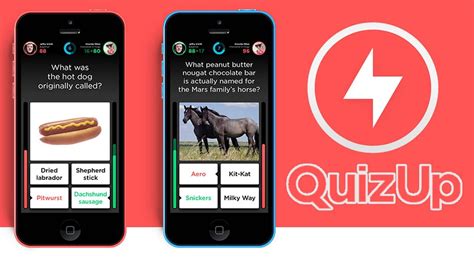
    1. Monument Valley 2

    Monument Valley 2

    Monument Valley 2 is a fantastic puzzle game that offers great value for money. It has stunning graphics and challenging puzzles that test your creativity and ability to think outside the box. The game requires you to guide two characters through a series of mazes that are designed to be both visually stunning and mentally stimulating. Monument Valley 2 is a great choice for both casual and serious puzzle gamers looking for something fresh and engaging.

    2. The Witness

    The Witness

    The Witness is an incredible puzzle game that takes you on an immersive journey through multiple biomes. The game involves solving a series of increasingly challenging puzzles to unlock the secrets of the game’s world. The game’s design is stunning, with great attention to detail and a fantastic soundtrack. The Witness is a must-buy for serious puzzle gamers looking for a real challenge.

    3. Threes!

    Threes!

    Threes! is a simple but addictive game that challenges you to match numbers in a grid. The game is easy to pick up but can be tough to master, making it a great choice for casual gamers looking for some quick fun. The game’s design is simple but effective, and the soundtrack is catchy and engaging. Overall, Threes! is a great choice for anyone looking for a quick and engaging puzzle game.

    4. The Room

    The Room

    The Room is a moody and atmospheric puzzle game that puts you in the shoes of a detective solving a series of increasingly challenging puzzles. The game’s design is excellent, with a great attention to detail that draws you into the game’s world. It’s also worth noting that the soundtrack is great and adds to the game’s atmosphere. The Room is a great choice for anyone looking for a puzzle game with a bit of a story and a strong sense of atmosphere.

    5. Cut the Rope: Magic

    Cut the Rope: Magic

    Cut the Rope: Magic is a great choice for casual gamers looking for a fun and engaging puzzle game. The game revolves around cutting ropes to feed a hungry monster, with increasingly tricky puzzles to solve as you progress through the game. The game’s design is colorful and engaging, with lots of character and personality. Overall, Cut the Rope: Magic is a great choice for anyone looking for a fun and engaging puzzle game that is easy to pick up and play.

    6. Monument Valley

    Monument Valley

    The original Monument Valley game is still worth playing despite its sequel surpassing it in every way. The game is an award-winning puzzle game known for its visually stunning design, immersive gameplay, and challenging puzzles. Players navigate a silent princess through a series of impossible optical illusions in the dreamlike world of Monument Valley.

    7. The Room Three

    The Room Three

    The Room Three is the third game in the popular franchise and it was released in 2015. The game features a challenging series of puzzles that take place in a mysterious world full of secrets waiting to be discovered. The game’s graphics were a step up from its predecessors, and visually, it is a stunning game. The Room Three is a must-play for puzzle enthusiasts.

    8. Simon Tatham’s Portable Puzzle Collection

    Simon Tatham's Portable Puzzle Collection

    This application contains a wide range of single-player logic games and puzzles, including Sudoku, Minesweeper, 2048, and many others. The games range in difficulty from easy to challenging, and the app provides endless hours of fun.

    9. Cut the Rope 2

    Cut the Rope 2

    Cut the Rope 2 is the sequel to the award-winning game Cut the Rope. It features new characters, environments, and puzzles, making it a great choice for fans of the original. The gameplay involves cutting ropes to feed candy to the adorable monster Om Nom. The game’s design is colorful and engaging, with lots of character and personality.

    10. Smash Hit

    Smash Hit

    Smash Hit is an addictive game that challenges you to smash your way through a series of obstacles with your ball. The game’s design is simple but effective, with a great sense of speed and momentum that keeps you engaged. The soundtrack is also excellent, adding to the game’s immersive atmosphere. Overall, Smash Hit is a great choice for anyone looking for a fast-paced and engaging puzzle game.

    The Bottom Line

    There are endless options when it comes to puzzle games. The games we have listed provide something for everyone. Whether you’re in the mood for a relaxing jigsaw puzzle or a challenging game that will push your brain to its limits, there’s an app for that. So pick one (or more) of the games we have listed, and start playing today!

    Frequently Asked Question

    1. What is a puzzles application?

    A puzzles application is a software program or mobile app that provides a variety of puzzles for users to solve, such as crossword puzzles, Sudoku, word searches, jigsaw puzzles, and more.

    2. Can I customize the difficulty level of the puzzles?

    Yes, many puzzles applications offer customizable difficulty levels, allowing users to choose the level of challenge that is best suited to their skills and experience.

    3. Are puzzles applications suitable for children?

    Yes, many puzzles applications offer puzzles that are specifically designed for children, with simpler designs and age-appropriate themes.

    4. Can I save my progress on puzzles application?

    Yes, most puzzles applications allow users to save their progress on various puzzles, so they can return to them later and continue where they left off.

    5. Do puzzles applications require an internet connection?

    It depends on the specific application. Some puzzles applications can be used offline, while others require an internet connection to access all of the available features.

    6. Can I play puzzles applications with friends?

    Many puzzles applications allow users to play against friends, either by competing head-to-head or by sharing completed puzzles.

    7. Are puzzles applications free to download?

    Some puzzles applications are free to download, but others may require a one-time purchase or a subscription fee to access all of the available puzzles and features.

    8. Can I create my own puzzles with a puzzles application?

    Some puzzles applications offer puzzle creation tools, allowing users to create their own unique puzzles to solve or share with others.

    9. Do puzzles applications offer hints or solutions?

    Many puzzles applications offer hints or solutions for puzzles that are particularly challenging, allowing users to progress even if they get stuck on a particular puzzle.

    10. Can I play puzzles applications on multiple devices?

    Many puzzles applications allow users to sync their progress across multiple devices, so they can start a puzzle on one device and continue playing on another.

  • Top 10 Quiz App Recomended

    Top 10 Quiz App Recomended

    Top 10 Quiz App

    Quiz apps are a fun and engaging way to test your knowledge and learn new things. Whether you’re looking to challenge yourself or compete against others, here are the top 10 quiz apps you should try.
    1. QuizUp

    QuizUp is a popular trivia game that allows you to compete against friends, other players, or in topic-specific tournaments. With over 1,000 topics to choose from, ranging from history and science to TV shows and movies, there’s a trivia category for everyone. The app features a sleek design and offers new challenges every day. It’s available on both iOS and Android.

    QuizUp

    2. Trivia Crack

    Trivia Crack is a game that tests your knowledge in categories such as history, geography, and entertainment. You can challenge friends, compete against players from around the world, or play solo to unlock new levels and content. The app also has a daily bonus feature that rewards you with extra coins and prizes. It’s available on both iOS and Android.

    Trivia Crack

    3. HQ Trivia

    HQ Trivia is a live trivia game show that streams daily at specific times. Players can compete for cash prizes by answering 12 multiple-choice questions correctly. The app is known for its high-quality production value and engaging hosts. It’s available on both iOS and Android.

    HQ Trivia

    4. Kahoot!

    Kahoot! is an educational quiz app that allows teachers to create and share quizzes with their students. The app is designed to make learning fun and interactive. Students can compete against each other in a game show format, with points awarded for correct answers. The app is available on both iOS and Android.

    Kahoot!

    5. Quizlet

    Quizlet is an app that helps you study for tests and exams by creating flashcards and quizzes. The app features over 400 million study sets that cover a wide range of topics, from biology and geography to foreign languages and standardized tests. The app also has a variety of study modes, including games and matching exercises. It’s available on both iOS and Android.

    Quizlet

    6. Wordscapes

    Wordscapes is a word puzzle game that challenges you to create as many words as possible using a set of letters. The app features over 6,000 levels and daily puzzles that get progressively more challenging. The app also has a variety of themes, including nature and space. It’s available on both iOS and Android.

    Wordscapes

    7. Jeopardy! World Tour

    Jeopardy! World Tour is a trivia game that tests your knowledge in categories such as history, science, and pop culture. The app features the iconic Jeopardy! game show format, with daily tournaments and prizes. You can also compete against other players from around the world. It’s available on both iOS and Android.

    Jeopardy! World Tour

    8. Quizoid

    Quizoid is a trivia game that features over 9,000 questions in categories such as history, art, and geography. The app also has a multiplayer mode that allows you to compete against friends and family. The app is available on both iOS and Android.

    Quizoid

    9. Psych!

    Psych! is a party game that challenges you and your friends to come up with the most creative answer to a trivia question. The app features categories such as pop culture and movies, and you can play with up to 10 people at a time. The app also features a variety of mini-games to keep things interesting. It’s available on both iOS and Android.

    Psych!

    10. Who Wants to Be a Millionaire?

    Who Wants to Be a Millionaire? is a trivia game that is based on the iconic game show of the same name. The app features over 1,000 questions, with difficulty levels that increase as you progress. You can also choose to use lifelines, just like in the TV show. It’s available on both iOS and Android.

    Who Wants to Be a Millionaire?

    In conclusion, quiz apps are a great way to test your knowledge and learn new things. Whether you’re looking to compete against friends or learn in a fun way, there’s a quiz app out there for everyone. Give these top 10 quiz apps a try and see how well you can do!

    Frequently Asked Question

    1. What is a quiz app?
    A quiz app is a mobile application that provides users with various quizzes and questions related to different subjects or topics.

    2. Is a quiz app free to use?
    Most quiz apps are free to download and use. However, some apps may have in-app purchases that can unlock additional features or quizzes.

    3. Can I create my own quiz on a quiz app?
    It depends on the app. Some quiz apps offer the ability to create your own quizzes and share them with others, while others do not. Look for apps with a quiz creator feature if you want to create your own quizzes.

    4. Can I compete with other users on a quiz app?
    Yes, many quiz apps allow users to compete against each other in real-time or complete quizzes with other users online. Some apps also have leaderboards that track your scores compared to other users.

    5. What kind of quizzes can I expect to find on a quiz app?
    Quizzes on quiz apps can cover a wide range of topics from general knowledge and history to pop culture and sports. Some apps may also offer educational quizzes focused on specific subjects.

    6. Can I play offline on a quiz app?
    It depends on the app. Some quiz apps require an internet connection to function, while others offer offline mode or allow you to download quizzes in advance.

    7. Can I customize my profile on a quiz app?
    Many quiz apps allow users to customize their profile pages with profile pictures, usernames, and other personal information. Some apps also offer badges or achievements that you can earn by completing quizzes or reaching certain milestones.

    8. Can I share my quiz results on social media?
    Yes, most quiz apps allow users to share their quiz results directly to social media platforms like Facebook, Twitter, and Instagram.

    9. Are quiz apps suitable for children?
    Some quiz apps are designed specifically for children and offer age-appropriate content. However, parents should always monitor their children’s use of technology and quiz apps to ensure that they are safe and appropriate.

    10. Can I suggest new quizzes to a quiz app?
    Some quiz apps welcome user suggestions and feedback for new quizzes and updates. Look for an app’s contact information or support page to submit your ideas or feedback.

  • Top 10 Educational Applications Recomended

    Top 10 Educational Applications Recomended

    Top 10 Educational Applications

    Learning comes in many forms, and thanks to technology, there are now various educational applications available for students of all ages. Whether you’re a teacher looking to introduce new tools to your students or a student looking for ways to supplement your studies, these top ten educational applications have something for everyone.

    1. Duolingo

    Duolingo is a language learning application that offers several language courses on the platform. It uses gamification to make learning a new language fun and engaging. With structured lessons, quizzes, and practice exercises, users can learn how to speak, read, and write in a different language. Duolingo also offers a social feature that connects users with others learning the same language for peer-to-peer practice.

    Duolingo Application

    2. Khan Academy

    Khan Academy is a non-profit educational organization that primarily focuses on K-12 mathematics, science, and history education. It provides video lessons, practice exercises, and a personalized learning dashboard that emulates a classroom environment. It has a library of over 6,000 videos covering topics from arithmetic to calculus, and even offers test preparation videos for standardized tests such as the SAT and the MCAT.

    Khan Academy Application

    3. Starfall

    Starfall is a reading and literacy application for children from pre-kindergarten through third grade. It offers interactive reading exercises, phonemic awareness activities, and sight words practice that help students build a foundation for reading. The application uses songs, games, and animations to make learning fun, and also has a comprehensive parent-teacher center with free educational resources and lesson plans.

    Starfall Application

    4. StudyBlue

    StudyBlue is a study tool application that helps students create flashcards, notes, and study guides for different subjects. Users can collaborate with classmates to create and share content, and can also take practice quizzes to test their knowledge. It also has a database of over 500 million user-generated flashcards, making it easy to find pre-made study materials related to a particular topic.

    StudyBlue Application

    5. Mathway

    Mathway is a problem-solving tool for math students. It offers step-by-step solutions for math problems in various subjects, such as algebra, trigonometry, calculus, and statistics. The voice-enabled calculator lets users input math problems by speaking, and the application offers graphing, scientific notation, and complex number support. Mathway also offers a paid subscription service that provides access to additional features and resources.

    Mathway Application

    6. PowerSchool

    PowerSchool is an online student information system that offers access to grades, attendance, and other student-related information. It is primarily used by schools and offers a platform for teachers to post grades and assignments, as well as for parents and students to monitor academic progress. It also has features that allow students to evaluate their own academic progress and set goals for improvement.

    PowerSchool Application

    7. Coursera

    Coursera is an online learning platform that offers courses and specialized programs from top universities and organizations. It has a wide range of topics, including Computer Science, Business, and Humanities, and offers flexible learning options such as self-paced courses, instructor-led classes, and even full online degrees. Many of the courses offered on Coursera are free, and the platform also offers financial aid for students who cannot afford the course fee.

    Coursera Application

    8. Edmodo

    Edmodo is a social learning platform for teachers and students that connects them in a safe and secure environment. It offers an interactive classroom where teachers can post announcements, assignments, and quizzes that students can access and complete. Students can also communicate with their classmates and teachers in a virtual classroom setting. Edmodo also offers a library of educational resources and professional development courses for teachers.

    Edmodo Application

    9. Quizlet

    Quizlet is a study tool application that offers flashcards, games, and quizzes for various subjects. It has a database of over 400 million user-generated flashcards and offers pre-made study sets for standardized tests such as the SAT and ACT. Quizlet also has a feature that allows users to create their own study sets and share them with others. It offers a free and paid subscription service that provides additional features such as voice recording and image uploading.

    Quizlet Application

    10. TED

    TED is an educational platform that offers a library of over 3,000 videos and lectures from experts in various fields. It covers topics such as technology, science, business, and creativity, and offers a platform for the spread of ideas. TED also offers talks in over 100 languages, making it accessible to people around the world. The platform has a social feature that allows users to create and join discussion groups around topics of interest.

    TED Application

    Conclusion

    Technology has revolutionized the way we learn, and these top ten educational applications are just the beginning. Whether you’re a student looking for extra practice, a teacher trying to engage your students, or someone trying to learn something new, these educational applications offer a variety of tools and resources to meet your needs.

    Frequently Asked Question

    1. What are Educational Applications?

    Educational applications are software developed for mobile devices or computers that assist learners to improve their knowledge of a particular subject.

    2. What is the significance of Educational Applications?

    Educational applications provide an interactive approach to learning, which makes the learning process more engaging and interactive, resulting in increased knowledge retention among learners.

    3. Can Educational Applications be used in classrooms?

    Yes, Educational Applications can be used in classrooms to aid teachers in delivering an effective lesson and making the learning process more interactive for students.

    4. Are Educational Applications accessible to children of all ages?

    Yes, there are age-appropriate Educational Applications that cater to children of different age ranges, starting from toddlers and preschoolers.

    5. Can Educational Applications be used for learning languages?

    Yes, there are various educational applications available for learning a new language or practicing a current one. Such applications have features such as interactive games, voice recognition, and an immersive learning experience.

    6. Are Educational Applications free?

    Some educational applications are free, while others require payment to access certain features or levels. However, many free and affordable educational applications are available for users.

    7. Is it necessary to have a stable internet connection for Educational Applications?

    While some educational applications require an internet connection to access their content, others can be downloaded and accessed offline.

    8. Can Educational Applications be customized to meet individual learning needs?

    Yes, some educational applications provide customizable features that allow users to select and personalize their learning experience based on their strengths and weaknesses.

    9. Can Educational Applications replace traditional classroom learning?

    No, Educational Applications cannot replace traditional classroom learning. They can only assist in enhancing the learning process and providing an interactive way of acquiring knowledge.

    10. Can Educational Applications be used for assessment purposes?

    Yes, some educational applications have features that allow users to assess their knowledge and give feedback on their progress, making them useful for assessing learners.

  • Top 10 Simulation Application Recomended

    Top 10 Simulation Application Recomended

    Top 10 Simulation Applications

    Simulation applications are computer programs that help simulate real-world scenarios or events. These applications have numerous areas of application such as education, training, design, and even entertainment. They provide a risk-free environment to try out ideas and test hypotheses. In this article, we will be listing the top 10 simulation applications that have found widespread use across industries.
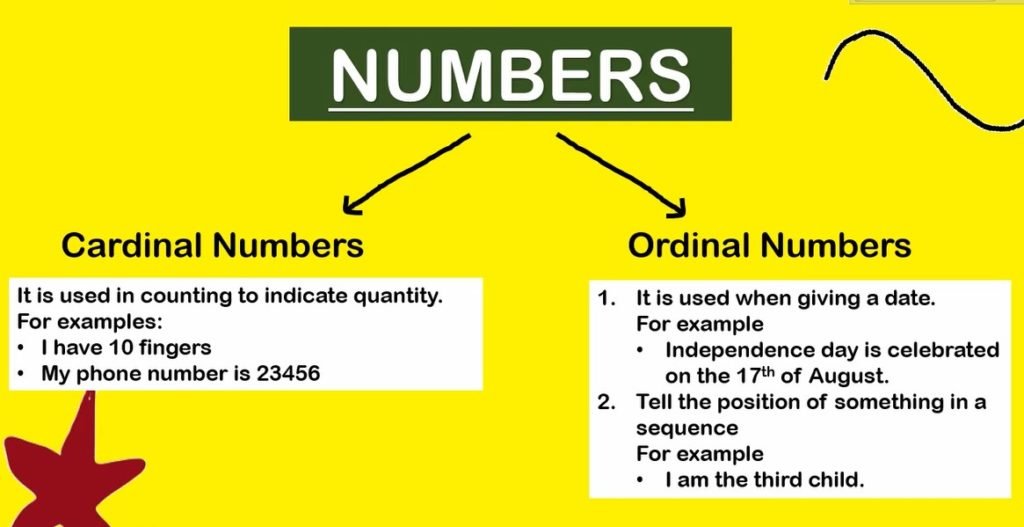
    1. Simulink

    Simulink is a simulation software developed by MATLAB that enables you to model, analyze, and simulate a wide range of systems. It is commonly used in the field of engineering for control system design, signal processing, and image processing. Simulink has a powerful graphical user interface that makes it easy to build models and simulate them. Its modular architecture and open-source nature make it easy to extend.

    Simulink

    2. AnyLogic

    AnyLogic is a multi-method simulation software that allows you to model complex systems using a combination of discrete-event, system dynamics, and agent-based methods. It is widely used in the fields of business, engineering, and social sciences. AnyLogic has a user-friendly interface that allows you to easily connect different simulation methods to model complex systems.

    AnyLogic

    3. Arena

    Arena is a powerful simulation software that is commonly used in manufacturing, logistics, and supply chain management. It allows you to model and simulate a wide range of processes and systems, including inventory management, production lines, and resource allocation. Its user-friendly interface and intuitive drag-and-drop features make it easy to build complex simulation models.

    Arena

    4. COMSOL Multiphysics

    COMSOL Multiphysics is a simulation software that allows you to model and simulate physical phenomena such as heat transfer, fluid flow, and electromagnetic fields. It is commonly used in the fields of engineering, physics, and chemistry. COMSOL Multiphysics has a powerful user-interface that allows you to quickly build and simulate complex models.

    COMSOL Multiphysics

    5. LabVIEW

    LabVIEW is a graphical programming language that is commonly used in the field of engineering for data acquisition, instrument control, and automation. It allows you to easily connect different hardware devices and sensors to your computer and control them using a graphical interface. LabVIEW also has a built-in simulation environment that allows you to simulate hardware devices and test your code before deploying it.

    LabVIEW

    6. Simio

    Simio is a simulation software that allows you to model and simulate a wide range of processes and systems, including manufacturing, transportation, and logistics. It has a powerful user-interface that allows you to build complex simulation models quickly and easily. Simio also has a built-in 3D animation engine that allows you to visualize your simulation models in real-time.

    Simio

    7. ANSYS Fluent

    ANSYS Fluent is a simulation software that is commonly used in the field of engineering for fluid dynamics and heat transfer simulations. It allows you to model and simulate complex fluid flow and heat transfer phenomena using a variety of numerical methods. ANSYS Fluent has a powerful graphics engine that allows you to visualize your simulation results in real-time.

    ANSYS Fluent

    8. AutoCAD

    AutoCAD is a computer-aided design (CAD) software that is commonly used in the field of engineering for design, drafting, and modeling. It allows you to create 2D and 3D models of buildings, products, and systems. AutoCAD also has a built-in simulation environment that allows you to simulate your designs and test them before they are built.

    AutoCAD

    9. SimEvents

    SimEvents is a simulation software developed by MATLAB that allows you to model and simulate discrete events such as queues, waiting lines, and process flows. It is commonly used in the fields of business, engineering, and social sciences. SimEvents has a user-friendly interface that allows you to easily build and simulate complex models.

    SimEvents

    10. Virtual CRASH

    Virtual CRASH is a 3D accident reconstruction software that allows you to simulate and visualize vehicle accidents. It is commonly used in the fields of law enforcement, insurance, and accident investigation. Virtual CRASH has a powerful graphics engine that allows you to visualize your simulation models in real-time.

    Virtual CRASH

    Conclusion

    In conclusion, simulation applications have numerous areas of application across industries. They provide a risk-free environment to try out ideas and test hypotheses. In this article, we have discussed the top 10 simulation applications that have found widespread use across industries. These applications can help you model and simulate complex systems, processes, and phenomena with ease. They can help you make informed decisions, optimize your processes, and reduce your costs.

    Frequently Asked Question

    1. What is a simulation application?
    A simulation application is a software program that allows users to create simulations of real-world scenarios using computer models.

    2. What are some examples of simulations that can be created with simulation applications?
    Simulation applications can be used to create simulations of a wide range of scenarios, including manufacturing processes, natural disasters, financial markets, and traffic patterns.

    3. What are the benefits of using simulation applications?
    Simulation applications allow users to test and refine their plans and strategies in a safe, virtual environment, which can save time and resources, and ultimately lead to better real-world outcomes.

    4. Who typically uses simulation applications?
    Simulation applications are used by a wide range of professionals, including engineers, scientists, designers, and analysts.

    5. What types of data can be used in simulation applications?
    Simulation applications can use a range of data, including real-world data, user input, and generated data.

    6. Can simulation applications be used for training purposes?
    Yes, simulation applications can be used to train individuals on a variety of skills and scenarios, allowing them to practice and learn in a low-risk, controlled environment.

    7. Do simulation applications require prior knowledge of programming or coding?
    No, many simulation applications have user-friendly interfaces that do not require programming or coding knowledge.

    8. Are simulation applications expensive?
    The cost of simulation applications can vary greatly depending on the software’s capabilities, but there are many affordable options available.

    9. How accurate are simulations created with simulation applications?
    The accuracy of simulations depends on a range of factors, including the quality of data used, the complexity of the scenario, and the software’s capabilities.

    10. Can simulation applications be used in combination with other technologies?
    Yes, simulation applications can be used in combination with other technologies, such as artificial intelligence, virtual reality, and data analytics, to enhance their capabilities and provide more accurate and robust simulations.

  • Diference of Cardinal and Ordinal Numbers

    Diference of Cardinal and Ordinal Numbers

    Using numbers in English is not the same as numbers in other country. In English, the terms cardinal and ordinal numbers are known. What are cardinal and ordinal numbers? Check out this study.

    In English lessons, there are two types of numbers. The first number is known as Cardinal Numbers, while the second number is known as Ordinal Numbers. What’s the difference between the two?

    Understanding Cardinal and Ordinal Numbers

    Cardinal and Ordinal Numbers 2

    Cardinal numbers are numbers used to describe numbers in integers. The ordinal numbers are numbers used to describe positions. To make it easier to understand, consider the following picture.

    The picture above, on the left is an example of a Cardinal number, which is also a number that is used to express the rounded quantity of the object in question. The right part is an example of an Ordinal number which is commonly used to express a sequence or a stage.

    If you’ve ever watched MotoGP, at the end of the race, the rankings achieved by each racer will be announced. That’s where Ordinal numbers play a role because the numbers used are intended to tell the position and not the number.

    An example of an Ordinal Number is as below:

    • 1st Marquez
    • 2nd Dovizioso
    • 3rd Vinales

    Meanwhile, if you are in a market and asked by the seller how much watermelon you want to buy, you need to answer it using the Cardinal number.

    An example of a Cardinal Number is as follows:

    “Hey, bro. How many watermelons you want to buy?”

    “5 watermelons”

    It’s impossible for you to want to answer using the sentence “5th watermelon”?

    Use of Cardinal and Ordinal Numbers

    Earlier, it was discussed that the cardinal is used to express the number and the ordinal to announce the position. Both cardinal and ordinal have their respective uses that you need to know so that there are no mistakes in their use.

    Cardinal Numbers

    Cardinal Numbers

    Cardinal numbers are used to indicate the number and are usually used to answer the question “how many?”. One thing to keep in mind is that cardinal numbers are always whole: 1, 2, 3, etc. and not fractions or numbers other than whole numbers. It’s simple, isn’t it? Haha. Yes indeed. A bit tricky is for ordinal numbers.

    Ordinal Numbers

    Ordinal Numbers

    • Level

    For example, if you want to tell uncle that you are now in grade 2 of high school, then you need to say it using ordinal numbers. Ordinal numbers are also used to refer to the levels in a building.

    Example :

    2nd year of senior high school

    37th floor

    • Date

    Ordinal numbers are also used to express dates. For example August 17th, June 3rd, etc.

    • Order

    If you like making video tutorials on cooking, makeup, and so on, you need to use ordinal numbers to sort each step you want to share. For example this:

    First, turn on the stove

    Second, put your pot on the stove

    Third, turn off the stove

    • The denominator of the fraction

    The denominator is the number at the bottom of the fraction and the numerator is the number at the top. Well, in English, the denominator uses ordinal numbers. For example, to express then we use the three fourth sentence.

    So in conclusion, in ordinal numbers, there are four endings used, namely: -st, -nd, -rd, -th. The four endings must be remembered, Friend. The four suffixes are used to indicate the unit number. But you need to pay attention, Friend . If you find the number 33, add the suffix -rd instead of -th. So you guys read it 33rd, thirthy third not thirthy thirth. Similarly, 41st is read as forty first not forty forth, and so on.

    Window Cleaning Services in Washington DC

    Septic tank pumping service in Wichita

  • Top 10 Games Application Recomended

    Top 10 Games Application Recomended

    Top 10 Games Application

    1. PUBG Mobile

    PUBG Mobile

    PUBG (PlayerUnknown’s Battlegrounds) is undoubtedly the best mobile battle royale game application. The game is the perfect blend of stunning graphics, realistic gameplay, and intense combat. In the game, 100 players jump onto an island and battle it out to be the last man standing. With smooth controls and a vast map, you can explore and improve your shooting skills with a wide range of weapons. The game also offers Ranked Mode and Seasonal Events to make it even more engaging.

    2. Garena Free Fire

    Garena Free Fire

    Garena Free Fire is another popular battle royale game application. The game offers an array of weapons and is easy to play on any device with low-end hardware. In the game, you are dropped with 49 other players on an island and have to battle it out to be the last man standing. The game features a variety of game modes, including survival, rush hour, and clash squad, which adds an extra element of excitement to the game.

    3. Call of Duty: Mobile

    Call of Duty: Mobile

    Call of Duty: Mobile is a first-person shooter game application with several multiplayer modes. The game features classic maps from the Call of Duty franchise and offers a variety of game modes such as Deathmatch, Frontline, and Domination. In Call of Duty: Mobile, you can customize your loadout with various weapons and perks to match your playstyle. The game also offers a Battle Pass system, which rewards players with exclusive items and cosmetics.

    4. Among Us

    Among Us

    Among Us is a popular game application that has taken the gaming world by storm. The game is a fun and engaging multiplayer game that can be played with 4-10 players. The game takes place on a spaceship where players have to complete tasks while trying to avoid being killed by an imposter among the crew. The game is easy to play and can be enjoyed with friends or random players online.

    5. Fortnite

    Fortnite

    Fortnite is one of the most popular game applications due to its unique gameplay, vibrant colors, and engaging storyline. The game is a shooter-survival game where players build forts, weapons, and other defensive structures to protect themselves from zombies. The game features a Battle Royale mode, which pits players against one another on an island. The game also has numerous skins and cosmetic items that can be purchased and traded with other players.

    6. Clash Royale

    Clash Royale

    Clash Royale is a multiplayer strategy game application where players collect and upgrade cards featuring Clash of Clans troops, spells, and defenses. The game is fast-paced and exciting, and players have to use their strategic skills to defeat their opponents. The game features several game modes, including tournaments, challenges, and a clan system where players can join forces to defeat other clans.

    7. Asphalt 9: Legends

    Asphalt 9: Legends

    Asphalt 9: Legends is the best racing game application available for mobile devices. The game features stunning graphics and offers an immersive experience with smooth and realistic controls. The game boasts a vast collection of cars, including Lamborghini, Ferrari, and Porsche, which players can unlock and upgrade. The game also has several game modes, including career mode, online multiplayer, and events, which keeps the game exciting and fresh.

    8. Candy Crush Saga

    Candy Crush Saga

    Candy Crush Saga is the most popular puzzle game application that appeals to both kids and adults. The game is easy to play but hard to master, and the goal is to match candies of the same color to complete various objectives. The game features several levels, each more challenging than the previous, and players can use boosts and power-ups to help them along the way. The game also offers weekly challenges and events to keep players engaged and entertained.

    9. Shadow Fight 3

    Shadow Fight 3

    Shadow Fight 3 is a visually stunning fighting game application where players can customize their characters and use various fighting styles to defeat their enemies. The game has a vast collection of weapons and armor, which players can collect and upgrade, and the game features several game modes, including arena, story, and events. The game has an engaging storyline that keeps players interested and wanting more, making it one of the best games for mobile devices.

    10. Temple Run 2

    Temple Run 2

    Temple Run 2 is a great game application for anyone looking for a thrilling adventure. The game is easy to play, yet it is difficult to master, and the goal is to run through various environments, collect coins, and avoid obstacles while being chased by a giant monkey. The game features stunning graphics, and players can unlock different characters with unique abilities. The game also has several power-ups, such as shields and boosts, which players can use to help them along the way.

    Conclusion

    Mobile gaming has come a long way, and there are now several game applications that offer stunning graphics, engaging gameplay, and exciting storylines. From action-packed battle royale games to puzzle games and racing games, there is something for everyone in the world of mobile gaming. The ten games listed above are some of the best games available on mobile devices, and they are sure to provide you with hours of entertainment and the ultimate gaming experience.

    Frequently Asked Question

    1. What are games applications?

    Games applications are software applications designed for entertainment purposes. These apps include mobile games, computer games, console games, and virtual reality games.

    2. How can I download games applications?

    You can download games applications from various sources, including the official app stores for your device, websites that offer downloadable games, or from individual game developers’ websites.

    3. Are games applications free?

    While many games applications are free to download, some of these applications may require in-app purchases or subscriptions to unlock certain features or levels.

    4. What are the system requirements for games applications?

    The system requirements for games applications vary depending on the specific application and the device you are using. It is important to check the system requirements before downloading any game to ensure compatibility.

    5. Do games applications use a lot of data?

    Some games applications require a high-speed internet connection and can use a lot of data, especially when downloading updates or playing games online.

    6. Can games applications be played without an internet connection?

    Yes, some games applications can be played offline, but many require an internet connection to download updates or to access additional features.

    7. Are games applications safe?

    While most games applications are safe to use, some may contain viruses or malware. It is important to only download games from trusted sources and to keep your antivirus software up to date.

    8. Can games applications harm my device?

    Some games applications can cause your device to slow down or become unstable. It is important to only download games from trusted sources and to keep your device’s operating system up to date.

    9. What is the age rating for games applications?

    Games applications typically have age ratings that indicate the appropriate age range for the game’s content. It is important to check the age rating before allowing children to play games applications.

    10. Can I play games applications on multiple devices?

    Many games applications allow you to sign in with your account on multiple devices, which allows you to switch between devices without losing your progress. However, some games applications may not support this feature.

  • Top 10 Augmented Reality application Recomended

    Top 10 Augmented Reality application Recomended

    Top 10 Augmented Reality Applications

    Augmented Reality (AR) is an advanced technology that helps users to interact with the digital world by overlaying digital elements over the real world. This technology enhances the user experience by combining digital and physical worlds. AR apps are being used in various industries, including education, healthcare, gaming, and marketing. Here’s a list of the top 10 Augmented Reality applications that have changed the way we interact with the digital world.

    1. Pokemon Go

    The Pokemon Go app is one of the most popular Augmented Reality games ever created. The app is designed to let users catch and collect Pokemon creatures in the real world by using their mobile device’s camera and location data. The app was first launched in 2016 and became an instant hit among mobile gaming fans. The app allows users to interact with these creatures by using augmented reality elements. Users can also explore nearby landmarks and cities while collecting Pokemon creatures.

    Pokemon Go

    2. Ikea Place

    The Ikea Place app is designed for home decorators and furniture shoppers. This app allows users to place life-size, 3D furniture models in their homes. The app uses augmented reality technology to adjust the virtual furniture to the user’s room dimensions. Users can move and rotate the virtual furniture models around their room to see how they fit. The app makes it easier for users to see how a piece of furniture may look like in their home before making a purchase.

    Ikea Place

    3. Snapchat

    Snapchat is a mobile app that allows users to capture and share photos and videos with their friends. The app also includes an AR-powered feature called Snap lenses. Snap lenses allow users to add different filters, effects, and characters to their photos and videos. The app uses facial recognition technology to identify and track the user’s face and then apply augmented reality elements to the face.

    Snapchat

    4. Google Translate

    The Google Translate app is an essential tool for travelers who are visiting foreign countries. The app uses augmented reality to instantly translate text from one language to another. Users can point their phone’s camera at a foreign language sign, and the app will translate it into their preferred language. The app currently supports over 100 languages.

    Google Translate

    5. Giphy World

    Giphy World is an app that allows users to express themselves through augmented reality animated GIFs. The app allows users to place virtual GIFs around their environment and capture them in photos and videos. The app has a wide range of GIFs from popular movies, TV shows, and internet memes.

    Giphy World

    6. Houzz

    The Houzz app is a home renovation and interior design app that uses augmented reality to help users visualize different home design ideas. The app allows users to take a picture of their room and then overlay virtual design elements such as furniture, lighting, and decor. The app also allows users to shop for the products they like and even see how they would look in their home before making a purchase.

    Houzz

    7. Quiver

    The Quiver app is an educational app that uses augmented reality to engage students in visual learning activities. The app allows users to print out coloring pages, which can then be scanned by the app. When scanned, the coloring pages come to life with augmented reality elements, such as 3D images and animations. The app offers a fun and interactive way for children to learn and explore different subjects.

    Quiver

    8. Ink Hunter

    The Ink Hunter app is designed for people who want to get a tattoo but are unsure how it would look on their skin. The app uses augmented reality to let users visualize a tattoo on their body before getting inked. The app allows users to draw a design on their skin or select a pre-designed tattoo and then overlay it with augmented reality. The app helps users to make more informed decisions about getting a tattoo.

    Ink Hunter

    9. AR City

    The AR City app is designed for city explorers and tourists. The app uses augmented reality to let users explore different cities and landmarks around the world. The app overlays virtual signage, information, and tourist attractions onto the user’s camera view of the city. The app enables users to learn more about the history and culture of different cities in a fun and interactive way.

    AR City

    10. WallaMe

    The WallaMe app is an augmented reality messaging app that allows users to leave hidden messages for their friends and family. The app uses augmented reality to allow users to draw, write, or share pictures and videos on any surface in the real world. The messages are then visible to other users who have the app and are in the same location.

    WallaMe

    Conclusion

    Augmented Reality technology is revolutionizing the way we interact with the digital world. These top 10 Augmented Reality apps have provided innovative and impactful solutions to various industries and have enhanced our lives in many ways. It is exciting to see how AR technology will continue to develop and change the future.

    Frequently Asked Question

    1. What is Augmented Reality?
    Augmented Reality is a technology that blends digital information or objects with the real world through a mobile device or AR glasses.

    2. How does AR work?
    To use AR, your device’s camera first captures an image of the environment. Then, AR software processes the data and adds digital information or objects to the scene, which appears on the device’s screen.

    3. What are some practical uses of AR technology?
    AR has a wide range of practical uses, including gaming, education, healthcare, marketing, and retail.

    4. What are AR-enabled devices?
    AR-enabled devices include mobile phones, tablets, AR glasses, and AR headsets. These devices require AR software to operate.

    5. What AR software is needed to use AR applications?
    Various AR software packages are available on the market, including ARKit and ARCore. These software packages provide developers with the tools and APIs to create AR applications.

    6. What kind of programming languages are used to develop AR applications?
    Several programming languages, such as C++, Java, and Python, are used for AR app development.

    7. What are some popular AR applications?
    Some popular AR applications include Pokemon Go, Snapchat, and IKEA Place.

    8. Can AR make an impact on education?
    Yes, AR has a significant impact on education. It can make learning more engaging, interactive, and immersive.

    9. How is AR being used in the healthcare industry?
    AR provides huge potential for the healthcare industry. It can help doctors in surgical procedures, provide better medical training, and offer innovative solutions for patient therapy.

    10. How is AR transforming the retail industry?
    AR is transforming the retail industry in several ways, including virtual try-on, product visualization, and interactive displays. It provides consumers with a unique shopping experience and helps retailers increase sales.

  • Top 10 Virtual Reality Application Recomended

    Top 10 Virtual Reality Application Recomended

    Top 10 Virtual Reality Applications

    Virtual reality is a technology that simulates an environment that can be experienced through a head-mounted display (HMD) and other devices. It is not just a trend, but it is now being used in various industries, from gaming to healthcare. In this article, we will take a look at the top 10 virtual reality applications that are being used today.

    1) Gaming

    Gaming is one of the most popular applications of virtual reality technology. The immersive experience that virtual reality provides makes it perfect for gaming. It allows gamers to feel like they are actually in the game. With virtual reality, gamers can experience games in a whole new way, providing a new level of immersion that has not been possible before.

    Gaming in Virtual Reality

    2) Education

    Virtual reality is a great tool for education. It allows students to experience things that they would not be able to in a traditional classroom setting. It provides a new way to learn that is both engaging and interactive. Virtual reality can be used to teach subjects such as history, science, and geography. It can also be used to teach vocational skills such as welding and woodworking.

    Virtual Reality Education

    3) Healthcare

    Virtual reality is also being used in healthcare. It can be used to treat conditions such as anxiety, phobias, and post-traumatic stress disorder. It provides a safe and controlled environment for patients to confront their fears. Virtual reality can also be used for pain management and physical therapy.

    Virtual Reality Healthcare

    4) Architecture and Design

    Virtual reality is being used in architecture and design to create immersive experiences for clients. It allows clients to visualize a project before it is built. It can also be used to test different design concepts and layouts.

    Virtual Reality Architecture

    5) Travel and Tourism

    Virtual reality can be used to provide immersive travel experiences. It allows people to experience destinations that they may not be able to visit in person. It can also be used to provide virtual tours of hotels and resorts.

    Virtual Reality Travel

    6) Sports and Fitness

    Virtual reality can be used for sports training and fitness. It allows athletes to practice in a safe and controlled environment. It can also be used for rehabilitation after an injury.

    Virtual Reality Sports and Fitness

    7) Military and Defense

    Virtual reality is being used in the military and defense industry for training purposes. It allows soldiers to train in simulated environments that are both safe and realistic. It can also be used for strategic planning and decision making.

    Virtual Reality Military

    8) Fashion

    Virtual reality can be used for virtual fashion shows and shopping experiences. It allows people to experience fashion in a new and unique way. It can also be used for virtual try-ons, eliminating the need for physical clothing samples.

    Virtual Reality Fashion

    9) Real Estate

    Virtual reality is being used in the real estate industry to provide virtual tours of properties. It allows potential buyers to experience a property before they visit in person. It can also be used for interior design and decoration.

    Virtual Reality Real Estate

    10) Entertainment

    Virtual reality is being used in the entertainment industry for concerts, events, and theme parks. It allows for immersive experiences that are both unique and unforgettable.

    Virtual Reality Entertainment

    Conclusion

    Virtual reality is a technology that has revolutionized the way we experience and interact with the world. It provides new possibilities for various industries, from gaming to healthcare. As the technology continues to evolve, we can expect to see even more applications of virtual reality in the future.

    Frequently Asked Question

    1. What is Virtual Reality Application?
    Virtual Reality Application is a computer-generated environment that simulates a realistic experience that can be interactive or passive.

    2. What are the benefits of using Virtual Reality Application?
    Virtual Reality Application has numerous benefits such as improving education and training, enhancing entertainment, assisting with therapeutic treatments, and aiding in product and design development.

    3. What are the hardware requirements for Virtual Reality Application?
    The hardware requirements depend on the type of Virtual Reality Application being used. Generally, a computer or compatible device with a graphics card, a headset, and hand controllers are required.

    4. How is Virtual Reality Application different from gaming?
    Although Virtual Reality Application and gaming both involve a computer-generated environment, Virtual Reality Application is focused on creating a realistic experience that can be educational, therapeutic, or immersive, and gaming is focused on entertainment.

    5. How can Virtual Reality Application be used in education?
    Virtual Reality Application can be used in education to create immersive and interactive experiences that enhance learning. For example, students can explore historical sites or cultural landmarks in a virtual environment.

    6. Is Virtual Reality Application safe to use for extended periods of time?
    Studies have shown that Virtual Reality Application is generally safe to use for extended periods of time as long as the user is taking regular breaks and practicing good posture.

    7. Can Virtual Reality Application be used for therapy?
    Yes, Virtual Reality Application has been used to assist with therapeutic treatments such as exposure therapy for anxiety disorders and pain management.

    8. What types of businesses can benefit from Virtual Reality Application?
    Various types of businesses can benefit from Virtual Reality Application such as travel and tourism, real estate, automotive, retail, and healthcare.

    9. What are the limitations of Virtual Reality Application?
    Some of the limitations of Virtual Reality Application include cost, hardware requirements, and motion sickness in some users.

    10. How can Virtual Reality Application be used in product development?
    Virtual Reality Application can be used to create realistic product prototypes that can be tested and modified before manufacturing. It can also aid in design development by allowing designers to explore and manipulate products in a 3D environment.

  • Right Triangle Formula of Area and Perimeter

    Right Triangle Formula of Area and Perimeter

    This article will discuss the right triangle formula, starting from its meaning to example questions and discussion.

    Hi guys ! Did you know that there are various types of triangles, one of which is a right triangle. That you know triangle with one side perpendicular to form an angle of 90 °. While the other side is slanted and that is the longest in size. How about it, have you drawn what the shape of a right triangle looks like? Instead of imagining it for too long, let’s just get into the discussion, let’s go !

    What is an Right Triangle?

    On top of already I alluded a little bit, if angled triangle is one of the triangles with one side perpendicular and form an angle of 90 °. You can see a picture of the build below:

    right triangle formula

    The side c is the hypotenuse or hypotenuse. Well , the perpendicular sides are sides a and b which are called the base and height. So that you can more easily understand what the heck triangle elbow, it can be checked from the three following nature:

    • A right triangle has two sides that are perpendicular to each other.
    • A right triangle has one hypotenuse and one of the angles is a right angle or 90°.
    • right triangles do not have rotational symmetry and folding symmetry.

    Well , if you already know the three of the above properties, means already not confused anymore donk distinguish angled triangle with other triangles.

    Right Triangle Formula of Area and Perimeter

    After you understand the concept of a right triangle, now let’s try to calculate the circumference and area.

    The perimeter of right triangle formula:

    K = side a + side b + side c

    The Area of right triangle formula:

    L = base x height

    But, what if it turns out that one of the sides of the right triangle is unknown? What formula should you use to find the length of the unknown side? Yep , how to use the Pythagorean formula. Here is the formula:

    = a + b or c = a + b 2

    = c – b or a = c – b 2

    = c – a or b = c – a 2

    Sample Questions and Discussion

    The formula is easy isn’t it? So , so that the formula for the circumference and the area right triangle formula for a right triangle can be easier for you to understand, also pay attention to the following examples of questions and discussions!

    Example Question 1

    A right triangle has sides a, b, c 3, 4, and 5, respectively. Find the perimeter of the triangle!

    Discussion:

    Given: a = 3; b = 4; and c = 5.

    Asked: K

    Answer:

    K = side a + side b + side c = 3 + 4 + 5 = 12 cm

    So, the perimeter of triangle ABC is 12 cm.

    Example Question 2

    A right triangle has a hypotenuse of 13 cm. The height of the triangle is 5 cm. Calculate the area of ​​the triangular triangle!

    Discussion:

    Given: c (slope side) = 13 cm; b (height) = 5 cm.

    Asked: L

    Answer:

    First, we must seek to know in advance how long the base of the triangle. You do this by using the Pythagorean formula.

    = c – b = 13 – 5 = 169 – 25 = 144

    a = √ 144 = 12 cm.

    After knowing the base is 12 cm. Next we calculate the area.

    L = x base x height = x 12 x 5 = 30 cm.

    So, the area of ​​the right triangle is 30 cm.

    That’s the explanation of the area of right triangle formula. Once you know the meaning and formula, it turns out to be very easy to calculate. Hopefully the above explanation can be easily understood by you, so if you later meet a question that uses the area of right triangle formula, you will not have any difficulties.

  • Top 10 Graphic Design Application Recomended

    Top 10 Graphic Design Application Recomended

    Title: Top 10 Graphic Design Applications

    Are you looking for the best graphic design software to make your designs stand out? The world of graphic design has come a long way over the years, and now there are numerous software options to use.
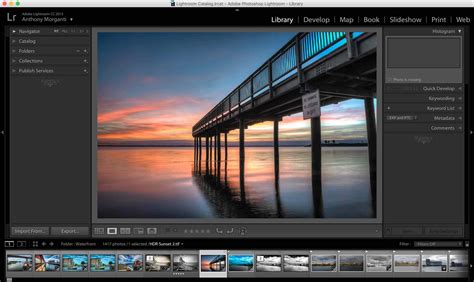
    Whether you are a beginner or a professional, we’ve compiled a list of the top 10 graphic design applications that you need to know about. From free options to premium software, these programs offer a wide range of features that make designing easy and fun.

    1. Adobe Photoshop

    Adobe Photoshop is one of the most popular graphic design applications in the world. The software is known for its versatile tools and features that allow users to create stunning designs, edit photos, and manipulate images.

    Photoshop is used by professionals in the design industry, photographers, and artists. It has a user-friendly interface and a range of tutorials available online to help you master the software.

    With Adobe Photoshop, you can crop and resize your images, add layers, apply filters, and create stunning effects. The software also offers a range of tools for creating vector graphics and illustrations.

    Source: https://tse1.mm.bing.net/th?q=adobe+photoshop

    2. Illustrator

    Adobe Illustrator is another popular graphic design application that is widely used in the industry. The software is designed for creating vector graphics and illustrations.

    Illustrator offers a range of powerful tools that make it easy to create designs for print, the web, and mobile devices. With this software, you can create logos, icons, illustrations, and more.

    The interface of Illustrator is similar to Photoshop, making it easy to switch between the two applications. The software also offers a wide range of tutorials and resources, making it easy to learn how to use the software.

    Source: https://tse1.mm.bing.net/th?q=adobe+illustrator

    3. Sketch

    Sketch is a popular graphic design application for macOS. The software is designed for creating user interfaces, web designs, and mobile apps.

    Sketch offers a range of powerful tools that make it easy to create designs with precision. The software has a clean and simple interface, making it easy to navigate.

    One of the main advantages of Sketch is its plugins. There are numerous plugins available that extend the functionality of the software. This makes it possible to add new features and tools to the software, making it even more powerful.

    Source: https://tse1.mm.bing.net/th?q=sketch+app

    4. Inkscape

    Inkscape is a free and open-source graphic design application. The software is designed for creating vector graphics and illustrations.

    Inkscape offers a range of powerful features that rival some of the premium graphic design applications. The software is available for macOS, Windows, and Linux, making it accessible to everyone.

    With Inkscape, you can create logos, illustrations, and designs for print or the web. The software also features a user-friendly interface and a range of tutorials available online.

    Source: https://tse1.mm.bing.net/th?q=inkscape

    5. Canva

    Canva is a popular graphic design application that is known for its simplicity and ease of use. The software is designed for creating social media graphics, presentations, and marketing materials.

    Canva offers a range of templates, fonts, and graphics that make it easy to create stunning designs in minutes. The software is also available for iOS and Android, making it accessible on the go.

    One of the main advantages of Canva is its collaborative features. You can invite team members and collaborators to work on designs together, making it easy to collaborate remotely.

    Source: https://tse1.mm.bing.net/th?q=canva

    6. Gravit Designer

    Gravit Designer is a free graphic design application that is designed for creating vector graphics and illustrations. The software is available for macOS, Windows, and Linux.

    Gravit Designer offers a range of powerful tools that make it easy to create designs with precision. The software also features a user-friendly interface and a range of tutorials available online.

    One of the main advantages of Gravit Designer is its cloud-based platform. This makes it possible to access your designs from anywhere and collaborate with others in real-time.

    Source: https://tse1.mm.bing.net/th?q=gravit+designer

    7. Affinity Designer

    Affinity Designer is a premium graphic design application that is designed for creating vector graphics and illustrations. The software is available for macOS, Windows, and iPad.

    Affinity Designer offers a range of powerful tools that make it easy to create designs with precision. The software is also known for its speed, making it possible to work on large designs without any lag.

    One of the main advantages of Affinity Designer is its non-destructive editing. This allows you to make changes to your designs without losing any of your previous work.

    Source: https://tse1.mm.bing.net/th?q=affinity+designer

    8. GIMP

    GIMP is a free and open-source graphic design application that is designed for creating and editing images. The software is available for macOS, Windows, and Linux.

    GIMP offers a range of powerful tools that make it easy to edit photos, create digital art, and design graphics. The software also features a user-friendly interface and a range of tutorials available online.

    One of the main advantages of GIMP is its customization options. You can customize the interface and toolbar to suit your needs and workflow.

    Source: https://tse1.mm.bing.net/th?q=gimp

    9. CorelDRAW

    CorelDRAW is a premium graphic design application that is designed for creating vector graphics and illustrations. The software is available for macOS and Windows.

    CorelDRAW offers a range of powerful tools that make it easy to create designs with precision. The software is also known for its speed and efficiency, making it possible to work on large designs without any lag.

    One of the main advantages of CorelDRAW is its collaboration features. You can invite team members and collaborators to work on designs together, making it easy to collaborate remotely.

    Source: https://tse1.mm.bing.net/th?q=corel+draw

    10. Figma

    Figma is a popular graphic design application that is designed for creating user interfaces and web designs. The software is available for macOS and Windows.

    Figma offers a range of powerful tools that make it easy to create designs with precision. The software also features a user-friendly interface and a range of tutorials available online.

    One of the main advantages of Figma is its collaboration features. You can invite team members and collaborators to work on designs together, making it easy to collaborate remotely.

    Source: https://tse1.mm.bing.net/th?q=figma

    Conclusion

    These are the top 10 graphic design applications that you need to know about. Whether you are a beginner or a professional, these programs offer a wide range of features that make designing easy and fun. From free options to premium software, there is something for everyone on this list. Choose the one that best suits your needs and start creating stunning designs today!

    Frequently Asked Question

    1. What is a graphic design application?

    A graphic design application is a computer software that helps graphic designers or artists create digital artwork, designs, and illustrations.

    2. Which graphic design application is best for beginners?

    Adobe Illustrator and Adobe Photoshop are both popular choices for beginners interested in graphic design software. However, there are many other options available as well, such as Canva or Inkscape.

    3. Can I use graphic design applications for free?

    Some graphic design applications have free trial versions or free online versions, but the full version of most applications is not free. However, there are some open-source and free software alternatives available, such as GIMP and Inkscape.

    4. What file formats can be created using graphic design applications?

    There are several file formats that can be created using graphic design applications, including JPEG, PNG, SVG, AI, PDF, and EPS.

    5. Can I use graphic design applications to create logos?

    Yes, graphic design applications are often used to create logos. Adobe Illustrator is a popular choice for creating vector-based logos.

    6. How long does it take to learn how to use a graphic design application?

    The amount of time it takes to learn how to use a graphic design application varies depending on the application and the individual’s skill level. With practice, however, most people can learn the basics within a few weeks.

    7. Can graphic design applications be used to edit photos?

    Yes, graphic design applications can be used to edit photos. Adobe Photoshop is a popular choice for photo editing, but there are also other options available.

    8. What is the difference between vector and raster graphics software?

    Vector graphics software is used to create and edit images made of lines and shapes, while raster graphics software is used to create and edit images made of pixels.

    9. Do I need a computer with a powerful graphics card to use graphic design applications?

    This depends on the specific graphic design application being used. Some applications require a powerful graphics card, while others do not. It is important to check the system requirements of any application before installing it.

    10. How do I choose the best graphic design application for my needs?

    When selecting a graphic design application, it is important to consider factors such as the type of artwork you will be creating, your budget, and your skill level. It may be helpful to try out several different applications before making a final decision.

  • Top 10 Photo Editing Application Recomended

    Top 10 Photo Editing Application Recomended

    Top 10 Photo Editing Applications

    Photo editing applications have become increasingly popular over the years, especially given the rise of social media platforms such as Instagram and Snapchat. These applications allow users to easily enhance their photos with filters, effects, and adjustments. With so many options out there, it can be hard to choose the right one. Below, we’ve compiled a list of the top 10 photo editing applications to help make your decision a bit easier.

    1. Adobe Lightroom

    Adobe Lightroom

    Adobe Lightroom is a popular editing tool used by professionals and amateurs alike. It offers a range of features including color adjustments, sharpening, noise reduction, and more. One of its strongest features is its organization capabilities, allowing users to sort and categorize their photos easily. The application also works seamlessly with Adobe Photoshop, allowing for even more advanced editing capabilities.

    2. VSCO

    VSCO

    VSCO is a mobile application that offers a range of unique filters to enhance your photos. It’s become especially popular among Instagram users for its soft, film-like effects. The app also allows for some basic adjustments such as exposure and contrast.

    3. Snapseed

    Snapseed

    Snapseed is a mobile application that offers a range of tools for advanced editing. It’s especially well-known for its selective adjustment tools, allowing users to target specific areas of their images for adjustments. The app also offers a range of filters and effects to enhance your photos.

    4. Adobe Photoshop Express

    Adobe Photoshop Express

    Adobe Photoshop Express is a mobile application that offers basic editing capabilities such as cropping, straightening, and adjusting exposure. It also offers a range of filters and effects to enhance your photos. One of its strongest features is its integration with Adobe Creative Cloud, allowing users to easily sync their edits across their devices.

    5. Canva

    Canva

    Canva is a popular graphic design tool that also offers basic photo editing capabilities. Its editing features include brightness and contrast adjustments, color correction, and more. It also offers a range of filters and effects to enhance your photos. One of its standout features is its extensive library of templates and design elements, allowing users to create stunning designs with ease.

    6. GIMP

    GIMP

    GIMP is a free, open-source editing tool that offers a range of advanced features typically found in paid software. Its editing capabilities include color adjustments, layer masks, and more. While it has a steeper learning curve than some of the other applications on this list, it offers a range of plugins and scripts to extend its functionality.

    7. Fotor

    Fotor

    Fotor is a mobile application that offers a range of basic editing features such as cropping, exposure adjustments, and more. It also offers a range of filters and effects to enhance your photos. One of its standout features is its collage maker, allowing users to create beautiful collages with ease.

    8. Pixlr

    Pixlr

    Pixlr is a free, web-based editing tool that offers a range of basic and advanced features. Its editing capabilities include adjustments for exposure, contrast, and saturation, as well as advanced tools such as layer masks and clone stamp. It also offers a range of filters and effects to enhance your photos.

    9. Polarr

    Polarr

    Polarr is a mobile application that offers a range of advanced editing features such as selective adjustments and color masking. It also offers a range of creative filters and effects to enhance your photos. The app’s user interface is especially intuitive, making it easy to use for both beginners and advanced users.

    10. Adobe Photoshop

    Adobe Photoshop

    Adobe Photoshop is the gold standard in photo editing software for professionals. Its editing capabilities are extensive, including advanced features such as layer masks, color adjustments, and more. The software also allows for non-destructive editing through the use of adjustment layers. While its price point is quite high, it’s worth the investment for those looking for the most advanced editing capabilities.

    Conclusion

    With so many photo editing applications available, there’s something out there for everyone. Whether you’re a professional looking for the most advanced software, or an amateur looking for a simple, user-friendly application, the options are endless. We hope this list has helped make your decision a bit easier.

    Frequently Asked Question

    1. What is a photo editing application?
    A: A photo editing application is software that allows users to manipulate and enhance digital images, including cropping, resizing, adjusting brightness and contrast, applying filters, removing blemishes, and more.

    2. What are some popular photo editing applications?
    A: Some popular photo editing applications include Adobe Photoshop, Lightroom, GIMP, Canva, PicMonkey, and Fotor.

    3. How do I learn to use a photo editing application?
    A: Many photo editing applications offer tutorials and online guides, and there are also numerous online resources and courses available to help you learn how to use them.

    4. What types of images can I edit with a photo editing application?
    A: Photo editing applications can be used to edit photos taken with digital cameras or smartphones, as well as scanned images and other digital graphics.

    5. Can I use a photo editing application on my mobile device?
    A: Yes, many photo editing applications are available for mobile devices, including smartphones and tablets.

    6. Are photo editing applications free?
    A: Some photo editing applications are free, while others require a one-time or subscription-based payment.

    7. How do I save my edited photos?
    A: Most photo editing applications allow you to save your edited photos in a variety of file formats, including JPEG, PNG, and TIFF, and to choose a location on your computer or device to save them.

    8. Can I undo changes I’ve made to a photo?
    A: Yes, most photo editing applications offer an “undo” feature that allows you to revert back to previous versions of your image.

    9. How can I share my edited photos with others?
    A: You can share your edited photos by uploading them to social media sites, emailing them, or using a file-sharing service.

    10. Do I need a powerful computer to use a photo editing application?
    A: Some photo editing applications have higher system requirements than others, but many can be used on a wide range of computers and devices. The more powerful your computer, however, the faster the application may run and the more features it may offer.

  • Top 10 Camera Application Recomended

    Top 10 Camera Application Recomended

    Top 10 Camera Applications

    There is no denying the fact that smartphones have made it easy for us to click pictures wherever we go. With a plethora of camera applications available on the internet, it can be challenging to choose the best one for capturing the perfect shot. In this article, we have compiled a list of the top 10 camera applications that will help you click stunning pictures.
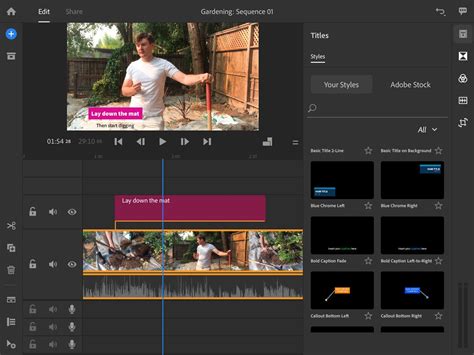
    1. VSCO

    VSCO

    VSCO is a popular camera application that has been designed for both iOS and Android users. The application is perfect for those who like to add a professional touch to their pictures. VSCO has various filters and presets that can change the look and feel of your pictures instantly. The interface of the application is clean, and the in-app camera is fantastic.

    2. Snapseed

    Snapseed

    Snapseed is another popular camera application that has been developed by Google. The application offers a wide range of tools that can help you enhance your pictures. Snapseed is powerful and offers precise controls that can help you adjust various parameters of your picture. With Snapseed, you can edit RAW images and export them in high resolution. The application is available for both iOS and Android users.

    3. ProCamera

    ProCamera

    ProCamera is a feature-rich application that has been designed for iPhone users. The application offers manual control that allows you to adjust various parameters of your picture like ISO, shutter speed, and focus. The in-app camera is excellent, and the application offers advanced features like HDR, Night Mode, and Lowlight+. ProCamera is perfect for those who want to take their mobile photography to the next level.

    4. Camera+ 2

    Camera+ 2

    Camera+ 2 is the successor to the popular Camera+ application. The application has been designed for iPhone users and offers advanced features like RAW support, focus peaking, and manual control over exposure. The in-app camera is excellent, and the application offers various presets that can instantly change the look and feel of your picture.

    5. Adobe Lightroom

    Adobe Lightroom

    Adobe Lightroom is a popular application that has been designed for both iOS and Android users. The application offers a wide range of tools that can help you enhance your pictures. Lightroom is perfect for those who like to edit their pictures on the go. The application offers various presets that can change the look and feel of your picture instantly.

    6. Footej Camera

    Footej Camera

    Footej Camera is an excellent camera application that has been designed for Android users. The application offers various manual controls like ISO, shutter speed, and focus that can help you click stunning pictures. Footej Camera offers an in-app gallery where you can manage your pictures, and the application also supports RAW images.

    7. Halide Mark II

    Halide Mark II

    Halide Mark II is a premium camera application that has been designed for iPhone users. The application offers advanced features like RAW support, focus peaking, and manual control over exposure. The in-app camera is excellent, and Halide Mark II offers a clean interface that is easy to use.

    8. Camera FV-5

    Camera FV-5

    Camera FV-5 is an excellent camera application that has been designed for Android users. The application offers various manual controls like ISO, shutter speed, and focus that can help you click stunning pictures. Camera FV-5 also offers advanced features like HDR, Night Mode, and Lowlight mode.

    9. Moment Pro Camera

    Moment Pro Camera

    Moment Pro Camera is a premium camera application that has been designed for both iOS and Android users. The application offers manual control that allows you to adjust various parameters of your picture like ISO, shutter speed, and focus. The in-app camera is excellent, and the application offers advanced features like focus peaking, RAW support, and live histograms.

    10. Manual Camera

    Manual Camera

    Manual Camera is an excellent camera application that has been designed for Android users. The application offers manual control that allows you to adjust various parameters of your picture like ISO, shutter speed, and focus. Manual Camera also offers advanced features like RAW support and support for exposure bracketing.

    Conclusion

    These were the top 10 camera applications that are perfect for taking stunning pictures. Whether you are an iOS user or an Android user, you will find an application that suits your needs on this list. The applications that we have listed offer a wide range of tools and features that can help you take your mobile photography to the next level.

    Frequently Asked Question

    1. What is a camera application?

    A camera application is software that is installed on a mobile device or computer that allows the user to take photos and videos with their device’s camera.

    2. How do I download a camera application?

    Camera applications are usually available for download from the official app store for your device, such as the App Store for iOS devices and Google Play Store for Android devices.

    3. How do I use a camera application?

    To use a camera application, you typically need to open the app, select the camera mode (photo or video), and then point your device’s camera at the subject you want to capture. Some camera apps may offer extra features, such as filters or editing tools.

    4. Can I use a camera application on my computer?

    Yes, there are camera applications available for computers that allow you to use your computer’s camera. Many popular video calling apps, such as Skype and Zoom, have built-in camera functionality.

    5. What is a selfie camera?

    A selfie camera is the front-facing camera on a mobile device that allows you to take photos of yourself. Many camera apps also have specialized selfie modes or features, such as beautification filters.

    6. Can I edit my photos within a camera application?

    Many camera applications include basic photo editing tools, such as cropping, brightness and contrast adjustments, and filters. Some camera apps may also have more advanced editing features, such as the ability to add text or stickers to your photos.

    7. Can I use a camera application without an internet connection?

    Yes, you can usually use a camera application without an internet connection. However, certain features, such as photo and video sharing or cloud storage, may require an internet connection.

    8. Are camera applications free?

    Many camera applications are available for free, but some may require a purchase or offer additional features for a fee.

    9. What is a burst mode in a camera application?

    Burst mode is a feature that allows you to take a series of photos in quick succession by holding down the camera button. This is useful for capturing fast-moving subjects or creating animated GIFs.

    10. Can I backup my photos taken with a camera application?

    Many camera applications offer the ability to backup your photos and videos to the cloud or to your device’s local storage. Popular cloud storage options include Google Photos, iCloud, and Dropbox.

  • Xylem

    Xylem

    A complete explanation of what xylem is, starting from its definition, function, characteristics, tissue structure, and its constituent components in detail.

    What is Xylem

    Xylem

    What is xylem? Xylem is a transport tissue found in plants. The function of xylem is to transport water and minerals from the roots to the leaves. Xylem vessels are referred to as wood vessels. Xylem tissue is a complex network which consists of various kinds of cells.

    In general, woody vascular tissue consists of two dead cells that have thick walls and contain lignin. In addition to functioning as a transport network, it turns out that the wooden vessels also function as a reinforcing network.

    Xylem Function

    The function of the Xylem / wooden vascular network is as a means of transportation or means of transport. This tissue functions to transport water, minerals, and nutrients from the roots to the leaves. Furthermore, all the content will be distributed to all parts of the plant. These substances will be absorbed in the soil by the roots and will then be transported throughout the plant body.

    Characteristics of Xylem

    The vascular tissue of wood has its own characteristics that distinguish it from phloem tissue . The characteristics of xylem are as follows:

    • Have thick cell cold
    • The cells are tracheid type
    • Wood vessels are composed of various types of cells
    • The xylem contains lignin
    • Wood vessels are composed of dead cells
    • Wood vessels are composed of trachea, wood vessel fibers, tracheids, and also wood parenchyma

    Xylem Structure

    What is the structure of the xylem? You need to know that the components of the wooden vessels consist of the trachea, tracheids, and the wood vessel parenchyma . We will provide a full explanation below.

    1. Trachea

    The trachea is a component of the xylem tissue which has thick walls consisting of tubes . The tubes are coated by lignin and secondary cellulose so that they have a tough and hard texture.

    In general, the trachea can only be found in closed seed plants or what we also know as angiosperms. Meanwhile, for plants with open seeds, you can only find them in melinjo.

    2. Tracheids

    What are tracheids? Tracheids are components that make up wooden vessels that have a small diameter when compared to the diameter found in the trachea. For the size of the diameter is approximately 30 mm. Tracheids can be found in all types of seed plants (spermatophyta)

    3. Xylem parenchyma

    The third structure of the xylem is the vascular parenchyma. The vascular parenchyma is part of the living cells. Wood vessel parenchyma can be found in both primary and secondary. For secondary xylem, there are two types of parenchyma, namely wood vessels and pith radius.

    Parenchyma cells are the part that serves as a food reserve in the form of starch. This substance will usually be buried until later times of growth and will then begin to decrease along with the activities of the cambium.


  • Top 10 Video Editor App Recomended

    Top 10 Video Editor App Recomended

    Top 10 Video Editor App

    Video editing is an integral part of any content creator’s workflow. Whether you’re a professional videographer, a YouTuber, or someone who enjoys making videos as a hobby, having a good video editor app is essential. With so many apps available in the market, it can be overwhelming to choose the right one. In this article, we’ve compiled a list of the top 10 video editor apps that you can use to create high-quality videos.
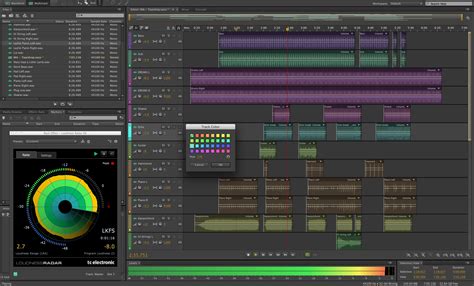
    1. Adobe Premiere Rush

    Adobe Premiere Rush

    Adobe Premiere Rush is a powerful and easy-to-use video editor app that is perfect for beginners and professionals alike. It offers a simple interface that allows you to quickly create videos with professional-quality effects and transitions. The app is available on both iOS and Android platforms and offers cloud storage for easy access to your projects across multiple devices.

    2. iMovie

    iMovie

    iMovie is a video editor app designed specifically for iOS devices. It offers a range of features that allow you to create high-quality videos, including templates, effects, and transitions. The app is easy to use and offers a simple interface that makes editing a breeze. iMovie also offers cloud storage, which allows you to access your projects from anywhere.

    3. FilmoraGo

    FilmoraGo

    FilmoraGo is a popular video editor app that is available on both iOS and Android platforms. It offers a range of features, including themes, music, filters, and transition effects. The app is easy to use and offers a simple interface that makes editing a breeze. It also offers cloud storage, which allows you to access your projects from anywhere.

    4. KineMaster

    KineMaster

    KineMaster is a professional-grade video editor app that is available on both iOS and Android platforms. It offers a range of features, including 3D transitions, animation effects, and chroma key compositing. The app is easy to use and offers a simple interface that makes editing a breeze. KineMaster also offers cloud storage, which allows you to access your projects from anywhere.

    5. LumaFusion

    LumaFusion

    LumaFusion is a powerful video editor app that is designed specifically for iOS devices. It offers a range of features, including multi-track editing, color correction, and keyframing. The app is easy to use and offers a simple interface that makes editing a breeze. LumaFusion is also known for its professional-grade features, making it a favorite among content creators.

    6. PowerDirector

    PowerDirector

    PowerDirector is a popular video editor app that is available on both iOS and Android platforms. It offers a range of features, including video stabilization, slow motion, and chroma key compositing. The app is easy to use and offers a simple interface that makes editing a breeze. It also offers cloud storage, which allows you to access your projects from anywhere.

    7. InShot

    InShot

    InShot is an easy-to-use video editor app that is available on both iOS and Android platforms. It offers a range of features, including filter effects, transitions, and text overlays. The app is designed for quick and simple edits, making it perfect for social media content creators. It also offers cloud storage, which allows you to access your projects from anywhere.

    8. Magisto

    Magisto

    Magisto is an AI-powered video editor app that is available on both iOS and Android platforms. It offers a range of features, including automated editing, music suggestions, and automatic video stabilization. The app is designed for quick and simple edits, making it perfect for social media content creators. It also offers cloud storage, which allows you to access your projects from anywhere.

    9. Quik

    Quik

    Quik is a free video editor app that is available on both iOS and Android platforms. It offers a range of features, including automated editing, music suggestions, and automatic video stabilization. The app is designed for quick and simple edits, making it perfect for social media content creators. Quik also offers cloud storage, which allows you to access your projects from anywhere.

    10. VideoShow

    VideoShow

    VideoShow is a popular video editor app that is available on both iOS and Android platforms. It offers a range of features, including filters, themes, and special effects. The app is easy to use and offers a simple interface that makes editing a breeze. VideoShow also offers cloud storage, which allows you to access your projects from anywhere.

    Conclusion

    These are the top 10 video editor apps that you can use to create high-quality videos. Each app offers a range of features that cater to different types of video creators. Whether you’re a professional videographer or a social media content creator, there’s an app on this list that will suit your needs. Try out a few of these apps and see which one works best for you.

    Frequently Asked Question

    1. What is a video editor app?

    A video editor app is a software application that allows you to edit and manipulate video footage on your mobile device.

    2. What features should I look for in a video editor app?

    Some essential features to look for in a video editor app are the ability to trim, crop, and merge videos, add text and captions, apply filters and effects, and export videos in high resolution.

    3. Are video editor apps easy to use?

    Most video editor apps are designed to be user-friendly and intuitive, with straightforward interfaces and easy-to-access tools.

    4. Can I use a video editor app on my phone?

    Yes, most video editor apps are compatible with both iOS and Android devices and can be downloaded from the App Store or Google Play.

    5. Can I use a video editor app to create professional-looking videos?

    With the right set of tools and features, video editor apps can be used to create high-quality, professional-looking videos.

    6. Is it easy to share videos created with a video editor app on social media?

    Yes, most video editor apps allow you to export your videos directly to social media platforms like Facebook, Instagram, and YouTube.

    7. What formats can I export videos in with a video editor app?

    Most video editor apps allow you to export videos in a range of formats, including MP4, AVI, and MOV.

    8. Can I edit audio with a video editor app?

    Yes, many video editor apps allow you to adjust audio levels, add background music, and apply audio effects and filters.

    9. Can I use a video editor app to create animated videos?

    Some video editor apps offer animation features, allowing you to create animated videos and motion graphics.

    10. Do I need to pay for a video editor app?

    While many video editor apps offer free versions, some may require you to purchase a subscription or pay for premium features.

  • Top 10 Audio Editor App Recomended

    Top 10 Audio Editor App Recomended

    Top 10 Audio Editor Apps: The Ultimate List

    Audio editing has come a long way in the past few years. With the rise of digital audio workstations (DAWs), editing audio has become easier than ever. Now anyone can create professional-quality audio recordings, without needing to know anything about music or audio engineering. But with so many audio editing apps available, it can be hard to decide which one is the best for you. In this article, we’ve curated a list of the top 10 audio editor apps, each with their own unique features and strengths.

    1. Adobe Audition

    Adobe Audition is one of the most popular audio editor apps on the market. It’s a professional-grade tool that’s used by audio engineers, podcasters, and musicians alike. Its strength lies in its versatility and its ability to work seamlessly with other Adobe Creative Cloud tools. You can use it for anything from basic audio editing to advanced sound design. With its powerful spectral editing tools, precise noise reduction, and multitrack mixing capabilities, Adobe Audition is the perfect choice for anyone who needs to work with audio regularly.

    2. Audacity

    Audacity is a free, open-source audio editor that’s been around for over 20 years. Despite being a free tool, Audacity is surprisingly powerful and feature-rich. It’s capable of recording and editing audio, as well as adding effects and filters to your recordings. Audacity also has a large community of users who have created plugins to extend its functionality even further. If you’re just starting out with audio editing, Audacity is a great choice. It’s free, easy to use, and has all the basic features you’ll need to get started.

    3. Ableton Live

    Ableton Live is a DAW that’s primarily used for music production, but it’s also a great choice for audio editing. With its intuitive, timeline-based interface, Ableton Live makes it easy to edit audio files, add effects, and manipulate sound. It’s also great for live performances, as it allows you to loop and layer audio in real-time. Ableton Live is a bit more expensive than some of the other options on this list, but its powerful tools and intuitive interface make it well worth the investment.

    4. GarageBand

    GarageBand is a free audio editing app that comes preinstalled on all Mac computers. Despite being a free tool, GarageBand is surprisingly powerful and feature-rich. It’s a great choice for anyone who needs to edit audio on a Mac, whether you’re a podcaster or a musician. GarageBand has a simple, user-friendly interface that makes it easy to edit audio files, add effects, and mix tracks. It also has a large library of pre-made loops and samples that can help you get started quickly.

    5. Pro Tools

    Pro Tools is a professional-grade audio editor that’s used by audio engineers and music producers around the world. It’s a bit more complex than some of the other options on this list, but its powerful tools and features make it well worth the investment. Pro Tools is great for anyone who needs to work with audio on a professional level. It offers advanced features like multitrack mixing, MIDI sequencing, and plugin support. If you’re serious about audio editing, Pro Tools is one of the best tools available.

    6. Steinberg Cubase

    Cubase is a digital audio workstation that’s primarily used for music production, but it’s also a great choice for audio editing. It’s known for its advanced MIDI sequencing capabilities, but it also has a powerful audio editing engine. Cubase is great for anyone who needs to work with audio on a professional level. It offers advanced features like multitrack mixing, plugin support, and sophisticated signal processing. Cubase is a bit more expensive than some of the other options on this list, but its powerful tools and features make it well worth the investment.

    7. FL Studio

    FL Studio is a digital audio workstation that’s primarily used for music production, but it’s also a great choice for audio editing. Its strength lies in its user-friendly interface and its ability to work seamlessly with all types of audio files. FL Studio is great for anyone who needs to work with audio regularly. It offers advanced features like multitrack mixing, plugin support, and sophisticated signal processing. If you’re looking for a versatile, user-friendly audio editor, FL Studio is a great choice.

    8. Logic Pro X

    Logic Pro X is a digital audio workstation that’s used by music producers and audio engineers around the world. It’s a powerful tool that’s known for its advanced MIDI sequencing capabilities, but it also has a great audio editing engine. Logic Pro X is a great choice for anyone who needs to work with audio on a professional level. It offers advanced features like multitrack mixing, plugin support, and sophisticated signal processing. If you’re a Mac user, Logic Pro X is one of the best tools available.

    9. WavePad

    WavePad is a simple, user-friendly audio editor that’s great for anyone who needs to edit audio files on a regular basis. Despite being a simple tool, WavePad is surprisingly powerful. It allows you to record and edit audio files, add effects and filters, and export your files in a variety of formats. WavePad is a great choice for anyone who needs to work with audio regularly, but doesn’t need the advanced tools and features of a professional-grade tool.

    10. Reaper

    Reaper is a digital audio workstation that’s known for its incredible flexibility and customization options. It’s a great choice for anyone who needs to work with audio on a regular basis, but would like more control over their workflow. Reaper is customizable, which means you can tailor it to your specific needs. It’s also very affordable, which makes it a great choice for anyone who needs a powerful audio editor, but doesn’t want to break the bank.

    Conclusion

    Choosing the right audio editor app can be a daunting task, but with this list of the top 10 audio editor apps, you’re sure to find the right tool for your needs. Whether you’re a professional audio engineer or just starting out with audio editing, there’s an app on this list that will work for you. From the powerful tools of Adobe Audition and Pro Tools, to the user-friendly interfaces of Audacity and GarageBand, there’s something for everyone. So go ahead and try out a few of these apps to find the one that’s right for you.

    Frequently Asked Question

    1. What is an audio editor app, and what does it do?

    An audio editor app is a software application that allows you to edit and manipulate audio files. It enables you to perform various tasks such as trimming, splitting, merging, adjusting volume, adding effects, and more.

    2. Can I use an audio editor app to record audio directly within the application?

    Yes, most audio editor apps come with recording functionalities. You can use the app to record audio directly, edit and save it as a new file.

    3. Can I edit multiple audio files at once with an audio editor app?

    Yes, most audio editor apps allow you to open and edit multiple audio files simultaneously. You can work on multiple files at the same time, faster and more efficiently.

    4. Is it possible to remove background noise from an audio file using an audio editor app?

    Yes, most good audio editor apps come with noise reduction tools that enable you to remove background noise from an audio recording. You can reduce noise, hum, hiss, or any other unwanted sound.

    5. Can I use an audio editor app to add effects to my audio recordings?

    Yes, most audio editor apps come with numerous built-in effects that you can use to enhance your audio recordings. These effects include reverb, chorus, delay, equalization, distortion, and many more.

    6. How do I normalize my audio using an audio editor app?

    Normalizing an audio file means adjusting its overall volume level. You can use an audio editor app to increase or decrease the volume of an entire audio file uniformly. Most apps have a normalize function that you can use to achieve this.

    7. Can I save my audio recordings in different file formats with an audio editor app?

    Yes, most audio editor apps allow you to save your audio files in different file formats, including MP3, WAV, AAC, FLAC, and many more. You can choose the format that best suits your needs.

    8. What is the best audio editor app for beginners?

    There is no one-size-fits-all answer to this question as different apps have different features and user interfaces. However, a good audio editor app for beginners should be easy to use with simple tools and functionalities. Audacity, WavePad, and Ocenaudio are some popular audio editing apps that are perfect for beginners.

    9. Can I use an audio editor app to improve the quality of my audio recordings?

    Yes, you can use an audio editor app to improve the quality of your audio recordings. Most apps come with tools that allow you to adjust the EQ, reduce background noise, remove unwanted sound, and apply various effects to enhance the audio quality.

    10. Do I need any special skills to use an audio editor app?

    No, you don’t need any special skills to use an audio editor app. However, it would help if you had some basic knowledge of audio editing and good audio editing practices. You can learn these skills through online tutorials and courses or by practicing with the app.

  • Top 10 Podcasts App Recomended

    Top 10 Podcasts App Recomended

    Top 10 Podcasts App: A Comprehensive List

    Are you looking for the best podcasts app out there? One that offers you a plethora of options, easy navigation, and high-quality content? Well, look no further, because we have got you covered. Here we present the top 10 podcasts app, with their features and specifications, to help you decide which one would cater to your podcasting needs.

    1. Spotify

    Available on both iOS and Android, Spotify offers an exclusive podcast section, making it a go-to option for podcast enthusiasts. It offers a variety of genres, including business, society and culture, entertainment, and lifestyle. Spotify offers personalized recommendations based on your listening habits and a feature to download the episodes for offline listening. Additionally, it allows interactivity through voice commands, making it an easy-to-use app.

    2. Apple Podcasts

    One of the most popular podcasts apps available, Apple Podcasts comes pre-installed on all iOS devices. It offers a wide range of podcasts in various categories, including business, comedy, education, and news. Apple Podcasts provides a simple and easy-to-use user interface, along with “Top charts” and “recommended” features. It also offers the ability to download episodes for offline listening, and Siri integration to control the app hands-free.

    3. Google Podcasts

    Google Podcasts available on both iOS and Android devices, is a recent addition to the Google family. It offers an extensive collection of podcasts in various genres, including technology, news, arts, and society and culture. It also provides personalized recommendations based on your listening habits, download options for offline listening, and an option to listen across multiple devices. It also offers a feature that allows you to search for and add podcasts using Google search.

    4. Pocket Casts

    Pocket Casts is a premium app available on both iOS and Android, offering a range of features that set it apart from its competitors. It offers a streamlined user interface, an extensive catalog of podcasts, and personalized recommendations based on your listening habits. The app also provides an option to trim silence and enhance audio playback, a sleep timer, and car mode. Moreover, it offers the feature called Pocket Cast Plus, which allows you to have access to different audio themes and backgrounds.

    5. Stitcher

    Stitcher available for both iOS and Android devices, is a free podcast app that offers a variety of podcasts in categories such as comedy, news, politics, and true crime. It also provides personalized recommendations based on what you listen to, a download feature, and an option to pause and pick where you left off in an episode. Additionally, it offers the feature called “Stitcher Premium,” where you can experience ad-free and exclusive content, including original shows and stand-up routines.

    6. Overcast

    Overcast is a free podcast app, available for iOS only, which offers an ad-free experience. It provides a vast collection of podcasts in different categories, including arts, comedy, business, and education. The app offers Voice Boost and Smart Speed features, which allow you to enhance the audio playback, and the Smart Playlist feature, which helps you organize your favorite episodes. Overcast also provides personalized recommendations and an ability to download episodes for offline listening.

    7. Castbox

    Castbox, available on both iOS and Android devices, is another popular podcast app. Castbox offers personalized recommendations and an exclusive in-audio search feature, allowing you to find specific things inside the podcast, such as a quote or a specific topic. Furthermore, Castbox also provides an extensive collection of podcasts from different genres, including news, society and culture, and health and fitness, among others. The app also offers a feature where you can make short clips of the podcast, making it easier to share them on social media.

    8. Podbean

    Podbean is a free podcast app that offers an extensive collection of podcasts, including independent podcasts you won’t find anywhere else. Podbean allows you to customize your listening experience, personalize playlists, and download episodes for offline listening. It also offers an exclusive “Livestream” feature, which allows podcast creators to record and live stream their shows. Additionally, it provides an advertising platform for businesses to promote their products.

    9. TuneIn Radio

    TuneIn Radio is a free podcast app that offers access to countless live radio stations and podcasts. The app provides podcasts in a variety of categories, including travel, comedy, business, and news. TuneIn Radio offers a car mode feature, a sleep timer, and personalized recommendations based on your listening habits. The app also provides weather updates, news briefs, and sports commentary, making it a one-stop platform for all your entertainment needs.

    10. Himalaya

    Himalaya is a free podcast app available on both iOS and Android devices. The app offers a vast collection of podcasts in various categories, including business, entertainment, education, and lifestyle. Himalaya focuses on a social connectivity aspect, which allows you to listen to podcasts with friends, follow your favorite creators, and get personalized recommendations. It also provides a feature called “Himalaya Learning,” where you can access exclusive content on various topics such as business, personal development, and health.

    In conclusion, there are a plethora of podcast apps available out there, each with its set of unique features and advantages. Choosing the right podcast app depends on your listening preferences, the variety of content available, and the ease of use. The apps we covered above offer an excellent balance between a vast collection of podcasts, personalized recommendations, and easy navigation, making sure you have a delightful podcast listening experience.

    Frequently Asked Question

    1. What is a Podcasts App?

    A Podcasts App is a platform or software that allows users to discover, subscribe, download, and listen to podcast episodes. It can be accessed through smartphones, tablets, and desktop computers.

    2. Is the Podcasts App free?

    Yes, the Podcasts App is free to download and use. However, some podcast creators may offer premium content or have exclusive episodes available only for subscribers.

    3. Can I access the Podcasts App on all devices?

    Yes, the Podcasts App can be accessed on various devices such as iPhones, iPads, Macs, and Apple Watches. However, the app is exclusive to Apple devices, and it is not available on Android devices.

    4. How do I search for podcasts on the Podcasts App?

    You can search for podcasts on the Podcasts App by tapping on the search icon located at the bottom of the screen. Type in the name of the podcast you are looking for, or search by keywords, categories, or featured shows.

    5. Can I download podcasts on the Podcasts App?

    Yes, you can download podcast episodes on the Podcasts App to listen to them offline. To download an episode, tap on the download icon located next to the episode title.

    6. Can I subscribe to podcasts on the Podcasts App?

    Yes, you can subscribe to podcasts on the Podcasts App by tapping on the subscribe button located next to the podcast title. This will notify you of new episodes and automatically download them when they become available.

    7. How do I create playlists on the Podcasts App?

    To create a playlist on the Podcasts App, select an episode, click the ellipsis icon, and select “Add to Library.” Then, go to the “My Library” tab and select the “Playlists” option. Click on the “+” button to create a new playlist and add the desired episodes to it.

    8. Can I change the playback speed on the Podcasts App?

    Yes, you can change the playback speed on the Podcasts App to make episodes faster or slower. To do this, tap on the episode you want to listen to, click on the playback speed button located at the bottom of the screen, and select the desired speed.

    9. Is it possible to share podcast episodes on the Podcasts App?

    Yes, you can share podcast episodes on the Podcasts App with others by clicking on the episode you want to share, tapping on the share icon, and choosing the desired platform to share it on.

    10. How do I unsubscribe from podcasts on the Podcasts App?

    To unsubscribe from a podcast on the Podcasts App, go to the “My Podcasts” tab, swipe left or right on the podcast you want to unsubscribe from, and click on the “Unsubscribe” button. This will remove the podcast from your subscriptions.

  • Neuron Cells

    Neuron Cells

    A complete explanation of what sensory and motor neuron cells are, starting from their understanding, function, structure, types, parts, pictures, and anatomy.

    Definition of Neuron Cells

    Definition of Neuron Cells

    What are neurons? Neurons are cells that include the main working unit in the human nervous system. Neuron cells are also called as nerve cells. The function of neurons is to deliver “stimulating” impulses originating from the ‘sensory’ receptors to the brain and vice versa. In addition, these cells are also responsible for reflex movements.

    These cells will form a nervous system in humans. You need to know that nerve cells are not the same as cells in general. This is because there are neurites that make the nerves look like they have a tail. These cells also have parts that you can generally find in animal cells and other parts.


    Types of Neurons

    The next information you should also know is about the types of neurons. Based on their function, neurons are divided into three types, namely sensory neurons, motor neurons, and also intermediate neurons or connector cells.

    1. Sensory Neurons

    Sensory neurons are a type of nerve cell that plays a role in delivering impulses from receptors in the body to the central nervous system (brain and spinal cord). Sensory nerve cells are also referred to as sensory nerve cells.

    2. Motor Neurons

    Motor neurons are a type of cell that plays a role in transmitting impulses originating from central nervous cells to muscle or glandular cells. Then the body will respond to these stimuli by moving or can produce a secretory product. Normally, motor neuron cells have short dendrites and long axons.

    3. Connector Neuron

    The third type of nerve cell is called a connector or intermediate nerve cell. These nerve cells are useful for connecting sensory nerve cells with motor nerve cells or relating to other nerve cells in the central nervous system. The axos, nerve fibers, and dendrites in these cells combine in a single sheath to form nerves. Meanwhile, the cell bodies will gather in a place which then forms a nerve ganglion.


    Neuron Cells Structure

    Neuron

    Neuron cells have several parts. There are at least 9 neuron cell part that you should know. We will explain the parts of neurons below:

    1. Dendrit

    Dendrites are branches originating from the cell body that look like branching protrusions. Dendrites function to receive and deliver stimuli originating from the cell body.

    2. Cell Body

    The largest neuron cell structure is the cell body in which there are many important components. Inside the cell body, you will find the cytoplasm, the cell nucleus or nucleus, and the daughter nucleus or nucleolus. The function of the cell body is to receive stimuli originating from the dendrites and then forward them to the neurite or axon.

    In the cytoplasm there are Nissi grains which play an important role in protein synthesis. These Nissi grains contain RNA so that they are able to carry out their duties. But keep in mind that the cell body is only found in central nervous cells, namely the brain and spinal cord as well as the ganglion (a collection of nerves outside the central nervous system).

    3. Nucleus

    The nucleus of the cell is the nerve that plays a role in regulating the activities in the nerve cell (neuron). Inside the nucleus of the cell are DNA and chromosomes . The function of both is to regulate the nature of the offspring derived from these cells.

    4. Neurite (Axon)

    The axon is a long-shaped nerve cell fiber which is actually an extension of the cytoplasm of the cell body. If you pay attention, neurites are almost the same as dendrites, but there is only one neurite and they are longer in size. In addition, neurites also have a larger shape compared to dendrites.

    Inside the axon, you will find fine threads. These fine threads are known as neurofibrils. What is the role of the axon? Axons are responsible for transmitting impulses from the cell body to effectors such as muscles and glands.

    Although axons are only a few micrometers in diameter, they can be 1 to 2 meters long. The axon functions to transmit impulses from the nerve cell body to other nerve cells.

    5. myelin sheath

    Then what about the myelin sheath? This section is the membrane that covers the axon. The myelin sheath has a lot of fat and is segmented. The indentations in the two segments are called nodes of Ranvier . The myelin sheath is surrounded by cells called Schwann cells.

    6. Schwann cells

    As we have already explained that Schwann cells are cells that surround the myelin sheath. This cell was discovered by a scientist from Germany named Theodore Schwann. Schwann cells play an important role in producing fat and wrapping neurites many times to form the myelin sheath.

    The function of the Schwann cell is to speed up the passage of impulses. In addition, these cells also help in providing food that is beneficial to neurites and helps in neurite regeneration.

    7. Nodus Ranvier

    The nodes of Ranvier are anatomical neurites that are not covered by a myelin sheath. Indeed, the myelin sheath is useful for protecting the axon and wrapping it up. However, this sheath does not cover all parts of the neurite and the part that is not called nodes of Ranvier. The function of the nodes of Ranvier is as a jump so that it can accelerate the nerves to the brain and vice versa.

    The nodes of Ranvier are about 1 micrometer in diameter. Someone who was instrumental in finding the nodes of Ranvier is Antoine Ranvier. With the nodes of Ranvier, nerves can jump from one node to another. The benefit is to make impulses reach their destination faster. Then why are the nodes of Ranvier not covered by myelin sheath? If the myelin sheath wraps around the nodes of Ranvier, then the nerve impulses cannot jump to the nodes of Ranvier so that no response occurs.

    8. Oligodendrosit

    Oligodendrocytes are supporting cells that play a role in providing insulation for nerve cells that form the myelin sheath around the axon. The function of oligodendrocytes is to form the same myelin sheath in the central nervous system and act as a supporter. This supporting cell has several longitudinal projections in it and each of these extensions wraps around a piece of the axon between neurons to form a myelinated segment.

    9. Synapse

    The structure of the next neuron is called a synapse. Synapses are gaps that are the meeting point between one neuron and another. Each synapse will provide a connection between neurons so that there will be an exchange of information between the neurons. The information will be exchanged in the form of chemicals called neurotransmitters.

    At the end of the neutite in each cell there is a pocket. This sac is known as the axon bulb. This pocket will later produce the neurotransmitters we mentioned earlier.

    Thus the information we can provide about nerve cells which includes the meaning, function, structure, and types. Hope it is useful.

  • Top 10 Radio Application Recomended

    Top 10 Radio Applications

    With the development of technology, there are varieties of applications that can play your favorite music and podcasts from your smartphone. Here we have listed the top 10 best radio applications that you can use to enjoy your favorite music and shows wherever you are.

    1. TuneIn Radio

    With over 100,000 radio stations and four million on-demand programs, TuneIn Radio is one of the most popular radio applications that let you listen to live radio and music all around the world. You can also podcasts and audiobooks on TuneIn Radio. It is free to download and use on Android, iOS, and other devices.

    TuneIn Radio

    2. iHeartRadio

    iHeartRadio is another popular radio application that has over 1000 live radio stations and custom radio stations based on your music taste. You can enjoy live sports, news, and podcasts from popular radio stations like ESPN, CNN, and Fox News, etc. The app is free to use on Android, iOS, and other devices.

    iHeartRadio

    3. Radio FM

    Radio FM is a simple radio application that lets you listen to live radio from over 50,000 stations globally. The app allows you to browse by country, genre or category, and you can search for your favorite stations. You can also record live radio shows to listen to later. The app is free to download on Android and iOS devices.

    Radio FM

    4. Radio Online

    Radio Online is a radio application that allows you to access over 50,000 radio stations from around the world. You can search for stations by language, genre, country, or a keyword of your choice. You can mark your favorite stations and set the app to play your favorite station when it opens. Radio Online is free to download on iOS devices.

    Radio Online

    5. Pandora

    Pandora is a highly personalized radio application that creates a station according to your music taste. You can search for music, artists, or genres and create custom stations according to your liking. The app has a free and a premium version that allows you to listen to ad-free music, skip unlimited songs, and download songs to listen offline. Pandora is available on Android, iOS, and other devices.

    Pandora

    6. Deezer

    Deezer is a music streaming and radio application that allows you to listen to live radio, podcasts, and songs on demand. With over 56 million songs in its library, Deezer lets you discover new music, create playlists, and access radio stations based on your music taste. The app has a free and premium version that offers many features like offline access and ad-free listening. Deezer is available on Android, iOS, and other devices.

    Deezer

    7. Radio.net

    Radio.net is a radio application that lets you listen to over 30,000 radio stations from different countries around the world. You can choose your favorite station and set the alarm to wake up with your favorite music. You can browse different categories, genres, and specific keywords to find your favorite station. The app is free to use on Android, iOS, and other devices.

    Radio.net

    8. Simple Radio

    Simple Radio is a straightforward radio application that allows you to listen to over 45,000 radio stations from all over the world. You can browse stations by country, genre, and language; the app presents you with an attractive and user-friendly interface. You can also add your favorite stations to a list and easily access them later. The app is compatible with Android, iOS, and other devices and is free to download.

    Simple Radio

    9. Radioplayer

    Radioplayer is a free radio application that lets you listen to over 500 UK radio stations from one place. You can also access podcasts and other audio content on this app. Radioplayer has a simple and user-friendly interface, allowing you to browse and search for stations easily. You can also create a list of your favorite stations and quickly access them later. Radioplayer is available on Android, iOS, and other devices.

    Radioplayer

    10. myTuner Radio

    myTuner Radio is a radio application that allows you to listen to over 50,000 radio stations worldwide. You can search by location, genre, or some keywords to find your favorite station. You can also browse the top 100 songs, podcasts, and other audio content on this app. You can create a list of your favorite stations and access them easily. myTuner Radio is free to use on both Android and iOS devices.

    myTuner Radio

    Conclusion

    These were the top 10 radio applications that you can download and use to listen to your favorite music, shows, and podcasts anywhere and anytime. As you can see, these applications offer a range of different features and content to choose from, making it easier to find something you’ll love. Whether you’re into live radio, music streaming, or podcasts, there is something for everyone available on these applications.

    Frequently Asked Question

    1. What is a radio application?
    A radio application is a software program that allows users to listen to radio stations from around the world through their mobile devices or computers.

    2. How does a radio application work?
    A radio application works by accessing the internet and streaming content from various radio stations. Users can search for and choose which station they want to listen to.

    3. Is using a radio application free?
    Many radio applications are free to use, however, some may require a subscription or charge for premium features.

    4. Can a radio application be used offline?
    No, a radio application requires an internet connection to stream content from radio stations.

    5. Can I listen to local radio stations on a radio application?
    Yes, many radio applications include local stations among their offerings.

    6. Can I rewind or pause live radio on a radio application?
    Some radio applications offer the option to rewind, pause, or even record live radio programming for later listening.

    7. Are there any restrictions on which radio stations can be accessed through a radio application?
    Radio applications typically offer a wide range of domestic and international stations. However, due to licensing restrictions, some stations may not be available in certain locations or countries.

    8. Can I create a list of favorite radio stations on a radio application?
    Yes, many radio applications allow users to create a list of favorite stations for quick and easy access.

    9. What devices are compatible with radio applications?
    Radio applications are typically available on smartphones, tablets, and computers, and are compatible with both iOS and Android operating systems.

    10. How do I choose the best radio application for me?
    When choosing a radio application, consider factors such as its selection of radio stations, ease of use, features, and compatibility with your device. It may be helpful to read reviews and try out a few different applications before settling on one.

  • Top 10 Music Application Recomended

    Top 10 Music Application Recomended

    Top 10 Music Applications: Enhance Your Listening Experience!

    Music is an indispensable part of our daily lives. With the rise of technology, people have become more dependent on it. Almost everyone has a favorite song or artist, and with the advent of music applications, it has become easier to explore and enjoy new music. Here is a list of the top 10 music applications that you should definitely try:
    1. Spotify

    Spotify is a music application that has become a sensation in the music industry. The application offers a wide range of albums, songs, and artists, along with the functionality to create custom playlists, download music for offline listening, and stream live radio. Moreover, it analyzes your listening habits and suggests new tracks based on them. Therefore, it has gained huge popularity among music enthusiasts across the globe.

    2. Apple Music

    Apple Music is another popular music application that provides access to millions of songs, custom playlists, and curated radio stations. It features an impressive interface that makes navigating the app extremely easy. Moreover, it also comes with an impressive feature, ‘Behind the Lyrics’, which provides interesting tidbits of information about the song’s creation. Therefore, it has become the favorite choice for many iOS users.

    3. Amazon Music

    Amazon Music is yet another music application that has gained a lot of ground in recent times. It offers access to several million songs, along with the functionality to create custom playlists and stream live radio. Moreover, it also provides lyrics for the songs, which makes it easier to sing along. Amazon Prime members also receive several other perks, such as unlimited music streaming, ad-free playback, and offline listening. Hence, this app is a great value for money.

    4. Tidal

    Tidal is a music application that offers high-quality lossless audio tracks for audiophiles who crave superior sound quality. It offers a vast library of music, which includes all genres, along with exclusive tracks, and artist-curated playlists. Moreover, it also offers access to high-definition music videos, concert footage, and live performances, which makes it perfect for users who are passionate about music.

    5. SoundCloud

    SoundCloud is a music application aimed at independent artists and music enthusiasts. It allows users to upload and share their own music tracks and listen to tracks uploaded by other independent artists. It also includes features such as custom playlists and a comment section, which allows users to interact with other music enthusiasts. Therefore, it has become a popular platform for discovering new and upcoming artists.

    6. Deezer

    Deezer is a music application that comes with a diverse library of music from all over the world. It offers over 73 million songs, along with custom playlists, and curated radio stations. It also provides lyrics for the songs and a feature that allows users to share their playlists with friends. Hence, it has become a popular option for music enthusiasts who enjoy exploring new genres and artists.

    7. YouTube Music

    YouTube Music is a music application that has gained popularity for its extensive library of tracks and music videos. It includes several features such as custom playlists, a music discovery section, and the ability to switch between audio and video playback. It also allows users to access live performances and exclusive content from their favorite artists.

    8. Google Play Music

    Google Play Music is another music application that provides access to several million songs and custom playlists. It also includes a music discovery section that suggests new tracks based on the user’s listening habits. Moreover, it includes the functionality to upload your own music, which can then be accessed from any device that is logged into the Google Play Music account. Hence, it is an excellent option for users who have a large music library and want to access it from any device.

    9. Pandora

    Pandora is a music application that provides access to custom radio stations based on the user’s preferences. It also offers access to over 1 million songs, along with the functionality to create custom playlists. Moreover, it has a feature called ‘Thumbprint Radio’, which creates a unique radio station for each user based on their likes and dislikes. Hence, it is an excellent option for users who enjoy personalized radio stations.

    10. Musixmatch

    Musixmatch is a music application that provides lyrics for all songs that are played on the device. It includes a feature that allows users to sing along with the lyrics, and the app highlights the lyrics as the song plays. It also includes a feature that allows users to identify songs by humming or singing a few lines, similar to Shazam. Hence, it has become a popular option for users who enjoy singing along with their favorite songs.

    The Bottom Line

    These are the top 10 music applications that you should definitely give a try. Each application has its own unique features and functionalities that cater to different types of users. Therefore, it is always better to download and try a few applications to find the one that best suits your needs. Happy listening!

    Frequently Asked Question

    1. What is a music application?

    A Music application is a digital platform that allows users to access and stream music tracks. It can be downloaded and installed on mobile devices or desktop computers, and it offers a variety of features such as personalized playlists, radio stations, and recommendations.

    2. Are music applications free to use?

    Most music applications offer free plans that come with limited functionality and a certain number of ads. However, there are also paid options that remove ads, provide unlimited skips, and offer access to exclusive content.

    3. Can I access an entire music library with a music application?

    Yes, most music applications offer access to extensive music libraries that include millions of songs from various genres and artists.

    4. Can I download songs with a music application?

    Yes, many music applications offer the ability to download songs for offline listening. However, not all songs may be available for download due to licensing restrictions.

    5. What is a premium subscription in a music application?

    A premium subscription in a music application provides users with ad-free listening, unlimited skips, access to exclusive content, and offline playback.

    6. How can I create playlists with a music application?

    Creating playlists with a music application is easy. Simply search for songs or albums, click on an option to add them to a playlist, and arrange them as desired.

    7. Do music applications offer live streaming of concerts or events?

    Yes, some music applications offer live streaming of concerts or events. However, it is not a standard feature and may require a separate subscription or purchase.

    8. Can I share my music playlists with friends on social media with a music application?

    Yes, most music applications allow users to share their playlists with friends on social media or via messaging apps.

    9. Can I access a music application on multiple devices?

    Yes, most music applications allow users to access their accounts from multiple devices. However, some may restrict the number of simultaneous streams.

    10. Can I use a music application without an internet connection?

    Many music applications offer the ability to download songs for offline listening, but an internet connection is required to access the application’s features and playlists.

  • Top 10 Event Ticket Booking Application Recomended

    Top 10 Event Ticket Booking Application Recomended

    Top 10 Event Ticket Booking Applications

    Planning to buy tickets for the next concert, sports game, or theater performance? You no longer need to wait in queues or search for a reliable ticket dealer to purchase tickets. In this digital age, you can book tickets for any event of your choice through different ticket booking applications. These applications can be accessed from anywhere and at any time. However, with so many options available, it can be challenging to choose the right one. To help you make the right decision, here’s a list of the top 10 event ticket booking applications.

    1. StubHub:

    StubHub

    StubHub is one of the most popular ticket booking applications, with access to thousands of events worldwide. The application has easy navigation, and the search option allows you to search for events by name, location, genre, or date. You can also compare ticket prices and view seating maps to select the best seat for the event. StubHub is safe and secure, offering a 100% guarantee that you will receive valid tickets to the event, or you will receive a full refund.

    2. BookMyShow:

    BookMyShow

    BookMyShow is a popular ticket booking application in India, catering to events like movies, sports, plays, and concerts. The application allows you to select the event, time, and location of your choice, and it will display all the available options. BookMyShow also offers loyalty benefits to its users, which can be used to get discounts on future bookings. Additionally, the platform offers in-app reviews and ratings to help users make informed decisions before booking tickets.

    3. Goldstar:

    Goldstar

    Goldstar is a ticket booking application that offers exclusive discounts for events like concerts, theaters, comedy shows, and more. The application allows users to search for events based on their location or preference and allows them to filter by date, price range, and category. Goldstar also offers a feature that allows users to see which events their friends have attended, making it easy to plan for the next event together.

    4. Eventbrite:

    Eventbrite

    Eventbrite is a ticket booking application that provides access to events ranging from small parties to large festivals. The application is easy to use and allows users to search for events based on location, category, and date. Eventbrite also offers personalized recommendations based on the user’s interests and purchase history. Additionally, the application provides extensive event details like venue details, performer information, images, and videos.

    5. Vivid Seats:

    Vivid Seats

    Vivid Seats is a ticket booking application with access to events like concerts, theaters, and sports games. The application is easy to use and allows users to search events based on their location, performers, or teams. Users can also compare the prices of tickets from multiple sellers and select the best seat available using the interactive seating chart. Vivid Seats also offers a 100% buyer guarantee, ensuring that all transactions are safe and secure.

    6. Gametime:

    Gametime

    Gametime is a ticket booking application that offers real-time pricing and seat availability to events in the US and Canada. The application allows users to purchase tickets with just a few taps, with no need for printing or shipping. Gametime also offers a feature that rewards users with credits for every purchase they make, which can be used to purchase tickets for future events.

    7. SeatGeek:

    SeatGeek

    SeatGeek is a ticket booking application that offers access to different events, including concerts, sports, and theaters. The application offers multiple search options, allowing users to search for events based on time, location, performer, or team. SeatGeek also offers a unique feature that displays the view from the seat you select, allowing you to see what you’ll be getting before purchase. Lastly, the platform offers a 100% money-back guarantee that you’ll receive valid tickets before the event or full refunds will be given.

    8. TickPick:

    TickPick

    TickPick is a ticket booking application that offers an auction-like system for purchasing tickets, removing the hassle of negotiating prices with sellers. The platform also offers a feature called “Score Report,” which predicts whether ticket prices will rise or fall in the future, allowing users to make informed decisions. TickPick also has no hidden fees, and the price shown at the time of purchase is the final price the user pays.

    9. TodayTix:

    TodayTix

    TodayTix is a ticket booking application that is perfect for purchasing last-minute tickets for theater performances. The application offers exclusive access to discounted tickets, rush tickets, and lotteries for different theater shows. TodayTix is available internationally in cities like New York, London, and Sydney. In addition to theater tickets, the platform offers access to live concerts, dance shows, and comedy performances.

    10. Ticketmaster:

    Ticketmaster

    Ticketmaster is another popular ticket booking application that offers access to events like concerts, theater, sports, and more. The platform offers comprehensive event details like performer biographies, photos, and videos, making it easy for users to make informed decisions before purchasing tickets. Ticketmaster offers a variety of search options, allowing users to search for events based on their location, date, or category. Lastly, the platform offers safe and secure payment options, ensuring that all transactions are safe and secure.

    Conclusion:

    Ticket booking applications have made it easy and convenient for people to book tickets for different events. With so many options available, it can be challenging to decide which one to use. In this list, we have compiled the top 10 event ticket booking applications that offer safe and secure ticket purchasing options, as well as numerous events and genres to cater to everyone’s preferences. Choose the application that best suits your needs and enjoy the event hassle-free.

    Frequently Asked Question

    1. What is an event ticket booking application?
    An event ticket booking application is a software application that enables users to book tickets to events online.

    2. Can I purchase multiple tickets in one transaction?
    Yes, you can purchase multiple tickets in one transaction. Most event ticket booking applications have the option to purchase multiple tickets for the same event at once.

    3. How do I check if my booking was successful?
    After completing your transaction, you will receive a confirmation email or message, which indicates that your booking was successful.

    4. Can I cancel or refund my tickets?
    Cancellation and refund policies vary depending on the event and the event ticket booking application. However, many applications offer refund options in case an event is canceled or rescheduled.

    5. Can I transfer my tickets to someone else?
    Yes, many event ticket booking applications allow users to transfer their tickets to someone else. However, the process for transferring tickets may vary between applications.

    6. How far in advance can I purchase tickets?
    The advance purchase window varies depending on the event and the application. However, many applications start selling tickets as soon as the event is announced.

    7. How do I find events on the application?
    Most event ticket booking applications offer a search function that enables users to find events by category, location, date, and other criteria.

    8. How do I receive my tickets?
    After completing your transaction, you will receive an e-ticket or a physical ticket, depending on the event and the application.

    9. Is there a fee for using the application?
    Many event ticket booking applications charge a service fee or commission for each transaction. However, the fee may vary depending on the application and the event.

    10. Are there any discounts or promotions available for purchasing tickets through the application?
    Many applications offer discounts or promotions for events, especially for early bird tickets. However, the availability and extent of these discounts may vary depending on the event and the application.

  • Factors Causing Social Change: Internal and External Factors

    Factors Causing Social Change: Internal and External Factors

    Social change occurs because of a mismatch between social elements in society, which are different. Because of social changes, people will create a new pattern of life that is different from the previous one.

    Social change is unavoidable in social life and will continue to occur throughout time. This is because humans are intelligent, social creatures and always dissatisfied with the existing conditions, so they make changes.

    From the point of view of sociological studies, the nature of social change is understood as the desire of each individual to always change so that the situation becomes better according to his needs.

    Therefore, the scope of social change is also vast, so it is necessary to observe this phenomenon. Observations were made by comparing the community’s living conditions after social changes occurred and before.

    Selo Seomarjan formulated the notion of social change as a change in social institutions in a society, which can affect the social system, including values, attitudes, and behavior patterns among groups in that society.

    Based on the above definition, social change can occur in the social system, structure, and function of society within it.

    Meanwhile, according to Kingsley Davis, one of the most prominent 20th-century American sociologists, the notion of social change is the changes that occur in the structure and function of society.

    For example, the emergence of labor organizations in capitalist society has triggered changes in the relationship between workers and employers and, in turn, led to changes in economic and political organization..


    Examples of Socio-Cultural Changes in Society

    All humans and community groups will definitely experience changes in their daily lives, including static community groups where environmental changes run more slowly than in dynamic societies.

    This change can occur in all aspects, both narrow aspects such as individual behavior and thinking. As well as in broader aspects such as structures that affect developments in social life.

    Social changes in society are also inseparable from cultural changes. William F. Ogburn stated that the scope of social change includes elements of culture, both material and non-material.

    However, the emphasis is on the significant influence of material elements of culture on non-material elements.

    Cultural change occurs in the elements of human culture, either in the form of artifacts, objects, or ideas. This cultural change is heavily influenced by modernization or technology, which causes symptoms of social change in society.

    For example, the sociocultural changes that occurred after the presence of smartphone and internet technology. Various aspects of human life are made easier by this new technology.

    One of the impacts of changes seen due to the emergence of smartphone and internet technology is in the trade sector.

    In the past, when you wanted to buy goods, transactions would be made at the shop where the goods were sold. As for now, only with a smartphone and internet access people can buy and sell goods online without the need to move from their seats. Ordered goods can also arrive at your home by courier delivery services.

    In conclusion, the presence of Internet and smartphone technology causes major changes in the trade sector, one of which results in cost and time efficiency.

    Another example of sociocultural change occurs in financial transactions. Changes in the electronic field as a symptom of modernization have had an impact on remittance activities.

    In the past, money was sent via money orders; now, people can send money via ATM, internet banking, or sms banking. The current money transfer process can be done quickly and easily so that there is efficiency, at least in terms of time.


    Factors Causing Internal and External Social Change

    Sociocultural changes in society can occur if triggered by certain factors. The factors that cause sociocultural change can be grouped into two categories: internal and external.

    A. Internal Factors Triggering Socio-Cultural Change

    Sociocultural changes in society can occur if triggered by certain factors. The factors that cause sociocultural change can be grouped into two categories: internal and external.

    1. Changes in Population (Population)

    Increasing or decreasing population in an area causes social changes both in the destination and abandoned areas.

    For example, when the inhabitants of the island of Java moved to the island of Borneo. So, on the island of Kalimantan, there will be changes in the structure of society, especially its social institutions, in the form of rules and norms. Meanwhile, in Java, there will be a reduction in population which affects the division of labor and social stratification of social institutions.

    2. New Inventions or Innovations

    The birth of new discoveries and innovations greatly affects the changes that occur in society. For example, the invention of the Internet made it easier for people to access information.

    3. Social Conflict

    The social conflict between community groups can encourage social change. For example, conflicts that occur between local residents and residents outside the area make it difficult for local residents to accept the presence of residents from other areas in their territory.

    4. Rebellion and Revolution in Society

    The rebellion occurred because of the people’s dissatisfaction with the government’s power system. This can trigger the emergence of a revolutionary movement that will bring about major changes in society.

    B. External Factors Triggering Socio-Cultural Change

    External factors are factors that cause social change that come from outside the community. The external factors consist of three.

    1. Changes in the Natural Environment

    Environmental changes occur due to natural disasters such as floods, earthquakes, tsunamis, hurricanes, and so on. In this category, including environmental changes due to natural destruction by humans, it is one of the factors causing social change.

    This condition forces people to evacuate and move places. There will be social changes in the new place, both from social institutions and the surrounding environment.

    2. War

    The war won by the opposing side can cause social changes in the region that was defeated. The new policies of a victorious government enacted could be the cause of this change.

    3. The Influence of Other Community Cultures

    The entry of foreign cultural influences into an area through the process of cultural exchange and mass media can affect the indigenous culture of the region.

    the influence of foreign cultures can trigger cultural assimilation and acculturation that give birth to social changes in society.


    Pushing & Inhibiting Factors of Socio-Cultural Change

    Like what happens in a process, there are several driving and inhibiting factors for social change in society. These factors can trigger a process of social change to be faster or vice versa.

    A. Factors Driving Socio-Cultural Change

    1. Contact with other cultures
    2. Respect for the work of others
    3. Advanced education system
    4. Desire to progress
    5. Heterogeneous population
    6. Dissatisfaction with certain areas of life
    7. Open layering system
    8. Orientation to the future

    B. Inhibiting Factors for Socio-Cultural Change

    1. Lack of relationship with other communities
    2. Traditional society
    3. Low education
    4. Strongly entrenched interests
    5. Fear of unsteady integration
    6. Bad prejudice against foreign cultural elements
    7. Ideological barriers.

  • Top 10 Movie and Theater Search Application Recomended

    Top 10 Movie and Theater Search Application Recomended

    Top 10 Movie and Theater Search Applications

    Going to the movies or to the theater to catch a show is a great way to spend your leisure time. But, with the number of movies and plays being released every day, it can be difficult to keep up with what’s showing near you. Fortunately, there are several mobile applications that make it easier to search for movies and theaters in your area. Here are the top 10 movie and theater search applications that you should consider downloading:

    1. Fandango

    Fandango is one of the most well-known movie search applications available on both Android and iOS. With this app, you can browse movies by title, theater, or genre. Fandango also provides reviews from Rotten Tomatoes, movie trailers, and showtime information. Additionally, you can buy tickets in advance through the app and avoid long lines at the theater.

    Fandango logo

    2. IMDb Movies & TV

    IMDb Movies & TV is a great application that provides users with comprehensive information about movies and television shows. In addition to show times, the app also offers movie trailers, reviews, and celebrity news. The app also provides personalized recommendations based on your viewing history.

    IMDb Movies & TV logo

    3. Showtimes

    Showtimes is an application that allows you to quickly find movie showtimes at nearby theaters. When you open the app, it automatically detects your location and provides you with a list of theaters near you. Showtimes also allows you to filter movies based on genre and ratings.

    Showtimes logo

    4. RunPee

    RunPee is a unique application that helps you plan bathroom breaks during movies. The app provides a list of the best times to take a bathroom break during the movie without missing any important scenes. Additionally, the app provides a brief summary of what you missed during your break.

    RunPee logo

    5. Atom Tickets

    Atom Tickets is an application that allows you to buy tickets for movies and other events. The app provides a streamlined checkout process, and you can pay with various methods including Apple Pay and Google Wallet. Additionally, the app sends reminders for upcoming movies and events you’ve purchased tickets for.

    Atom Tickets logo

    6. TCM

    TCM, or Turner Classic Movies, is an application that provides movie lovers with a wide range of classic films. The app includes information on upcoming Turner Classic Movies broadcasts, behind-the-scenes trivia, and film recommendations. You can also search for specific titles and actors.

    TCM logo

    7. TodayTix

    TodayTix is an application that provides users with discounted tickets for Broadway shows, concerts, and other events. You can filter tickets by date, location, genre, and theater. Additionally, the app features a lottery system for cheap, last-minute tickets for popular shows.

    TodayTix logo

    8. JustWatch

    JustWatch is an application that allows you to search for movies and TV shows available on streaming services like Netflix, Amazon Prime Video, and Hulu. You can search by title, actor, or director, and filter by various criteria like genre and platform. Additionally, the app provides personalized recommendations based on your viewing history.

    JustWatch logo

    9. Letterboxd

    Letterboxd is an application that allows you to track and review movies and TV shows you’ve watched. You can rate films, make lists, and follow other users to discover new content. The app also provides personalized recommendations based on your viewing history.

    Letterboxd logo

    10. Cinemark Theatres

    Cinemark Theatres is an application that allows you to buy tickets, browse showtimes, and join the loyalty program to earn rewards. The app also provides movie trailers, synopses, and reviews. Additionally, you can create a watchlist of upcoming movies you want to see.

    Cinemark Theatres logo

    Conclusion

    These ten movie and theater search applications make it easier to keep up with the latest releases and plan your leisure time accordingly. Whether you’re looking for showtimes, reviews, discounted tickets, or streaming recommendations, there’s an app for every need. With these apps, you can avoid long lines and make the most of your time at the movies or the theater.

    Frequently Asked Question

    1. What is a Movie and Theater Search Application?
    A Movie and Theater Search Application is a mobile application or website that helps users find movie showtimes, theaters, and tickets in their local area.

    2. Can I use a Movie and Theater Search Application on my phone?
    Yes, most Movie and Theater Search Applications are designed to work on both iOS and Android smartphones.

    3. What features are typically included in a Movie and Theater Search Application?
    Typical features include: movie descriptions and ratings, theater locations and showtimes, ticket purchasing options, and user reviews.

    4. Is a Movie and Theater Search Application free to use?
    Most Movie and Theater Search Applications are free to download and use, but may require a fee for premium features or services.

    5. How accurate is the information provided by a Movie and Theater Search Application?
    The information provided by a Movie and Theater Search Application is generally accurate, but it is always recommended to double-check showtimes and theater locations before heading out to see a movie.

    6. Can a Movie and Theater Search Application help me find discounts or coupons for movie tickets?
    Some Movie and Theater Search Applications may offer discounts or coupons for movie tickets, but this is not a guaranteed feature.

    7. Do I need to create an account to use a Movie and Theater Search Application?
    Some Movie and Theater Search Applications may require users to create an account to purchase tickets or access certain features, but many do not.

    8. Can I search for specific movie genres on a Movie and Theater Search Application?
    Yes, most Movie and Theater Search Applications allow users to filter their search results by specific movie genres such as comedy, drama, or action.

    9. Can a Movie and Theater Search Application help me find theaters with special accommodations?
    Some Movie and Theater Search Applications may offer the option to search for theaters with special accommodations for those with hearing or visual impairments.

    10. Is it easy to use a Movie and Theater Search Application?
    Most Movie and Theater Search Applications are designed to be user-friendly and intuitive, with simple search and filtering options.

  • Top 10 Tour Ticket Booking Application Recomended

    Top 10 Tour Ticket Booking Application Recomended

    Top 10 Tour Ticket Booking Application

    Traveling is one of the most exciting experiences that one can ever have. One way of making traveling more interesting is by attending a tour. A tour allows one to get an in-depth experience of a place, learn about the culture, and visit top sights. With a plethora of tour options available, it can be challenging to choose which one to attend. Thankfully, with the rise of tour booking applications, the process has been made easier. Here are the top 10 tour ticket booking applications:

    1. Viator

    Viator is an application owned by TripAdvisor that allows users to find tour experiences based on the region or city they are traveling to. It is known for its extensive range of tour options and guarantees price competitiveness for all its tours. The site also offers ratings and reviews from previous customers to help you make an informed decision.

    Viator

    2. Airbnb Experiences

    Airbnb, which started as a platform for booking vacation rentals, has now extended its services to include local tour experiences. “Airbnb Experiences” offers tours and activities led by locals who want to share their culture and experiences with others. They are only available in selected cities but are known for their unique and authentic experiences.

    Airbnb Experiences

    3. Isango!

    Isango! offers a wide range of experiences, from sightseeing tours to cooking classes to adventure activities. It has an easy to navigate platform and offers competitive pricing. The platform also offers customer support, making it easy to reach out for help in case of any issues.

    Isango!

    4. Klook

    Klook is a popular booking platform for tours and activities, especially in Asia. It offers various activities such as sightseeing tours, airport transfers, and theme park tickets. One outstanding feature of Klook is the availability of discounted prices for many of its activities.

    Klook

    5. GetYourGuide

    GetYourGuide allows users to book an array of tours and activities worldwide. The platform offers a satisfaction guarantee, meaning that it will refund you if you are not satisfied with the service offered. It also offers customer support 24/7, making it easy to reach out for help at any time.

    GetYourGuide

    6. Tourradar

    Tourradar is a booking platform that focuses on tours and adventures worldwide. It allows users to filter tours based on the current region they are in or choose a destination they want to visit. The platform offers competitive pricing and also offers customer service support.

    Tourradar

    7. Tiqets

    Tiqets offers an array of tours and tickets to popular attractions worldwide. The platform offers a seamless booking experience and ensures your entry to the attraction is guaranteed. It is known to offer pocket-friendly ticket options to various popular attractions worldwide.

    Tiqets

    8. Headout

    Headout offers a vast range of experiences, including tours and tickets to popular events, shows, and attractions. The platform guarantees the best prices and offers a satisfaction guarantee, meaning that it will refund you if you are not satisfied with the service offered.

    Headout

    9. City Wonders

    City Wonders is a booking platform that offers tours and experiences to top destinations worldwide. It is known for its small-group tours, which offer an intimate, personalized experience. City Wonders also offers a satisfaction guarantee, ensuring that you have a great experience.

    City Wonders

    10. TourScanner

    TourScanner is a tour aggregator platform that allows users to compare tour options from different providers. This makes it easy to find the best deal on a tour while still ensuring that you get the best experience. The platform also offers various reviews and ratings from previous customers to help you make an informed decision.

    TourScanner

    Conclusion

    In conclusion, tour booking applications have made it easy for anyone to access and book a tour worldwide. With many options available, it is essential to choose a platform that prioritizes your satisfaction and offers competitive pricing. The above-listed platforms are some of the best tour booking applications in the market, making them the perfect place to start your tour search.

    Frequently Asked Question

    1) What is a Tour Ticket Booking Application?

    A Tour Ticket Booking Application is a mobile application that allows users to book tours and tickets for various travel destinations online.

    2) What are the benefits of using a Tour Ticket Booking Application?

    Some benefits of using a Tour Ticket Booking Application include flexibility, affordability, and convenience in booking and managing travel plans.

    3) How does a Tour Ticket Booking Application work?

    Users can easily search for travel destinations and tour packages through the application, select their preferred options, and make payments through secure online platforms.

    4) Is it safe to use a Tour Ticket Booking Application?

    Yes, most Tour Ticket Booking Applications are designed to be safe and secure. However, users should ensure they are using a reputable application and keep their personal information secure.

    5) How do I receive my tickets after booking on a Tour Ticket Booking Application?

    Most Tour Ticket Booking Applications send electronic tickets directly to the user’s email or provide a QR code that can be scanned at the travel destination.

    6) Can I cancel or modify my bookings made through a Tour Ticket Booking Application?

    Yes, most Tour Ticket Booking Applications allow users to modify or cancel their bookings based on the application’s terms and conditions.

    7) Are there any additional fees for using a Tour Ticket Booking Application?

    Some Tour Ticket Booking Applications may charge additional service fees, while others do not. Users should read the terms and conditions carefully before making a booking.

    8) How do I connect with customer support for inquiries or issues with my bookings?

    Most Tour Ticket Booking Applications have customer support teams that can be contacted through the application’s help center, email, or phone number.

    9) What are the payment options available on a Tour Ticket Booking Application?

    Most Tour Ticket Booking Applications accept major credit cards, PayPal, and other online payment methods.

    10) Can I book tours and tickets for multiple people through a Tour Ticket Booking Application?

    Yes, most Tour Ticket Booking Applications allow users to book tours and tickets for multiple people, but users should ensure they provide accurate and complete information for each traveler.

  • Top 10 Tourist Attractions Search Application Recomended

    Top 10 Tourist Attractions Search Application Recomended

    Top 10 Tourist Attractions Search Application

    Traveling is one of the best ways to learn about different cultures, history, and to have fun. With the advent of technology, travel planning is much easier than before. Now, people can plan their trips, find the best hotels, and attractions with just a few clicks. Tourist attraction search applications are the perfect tools to help you plan your dream vacation. Here are the ten best tourist attraction search applications.

    1. TripAdvisor

    TripAvisor

    TripAdvisor is a popular app that is available on both Android and iOS. This travel app provides its users with information about different tourist attractions, including accommodation, restaurants, and flights. This app shines when it comes to user reviews, which are extremely detailed and helpful. You can also find insider tips on the app that can make your trip more enjoyable.

    2. Google Maps

    Google Maps

    Google Maps is a popular mapping app that has become an indispensable tool for travelers. You can use the app to locate accommodations, restaurants, and attractions based on your location. Additionally, the app also provides users with real-time traffic updates and public transit information. If you are visiting a new city and have no idea where to go, Google Maps is the perfect app for you.

    3. Viator

    Viator

    Viator is a popular tourist attraction search app that provides travelers with information about different experiences, sightseeing tours, and activities around the world. The app features reviews from other travelers that can help you make the best possible decision. Additionally, you can book tours directly through the app.

    4. Triposo

    Triposo

    Triposo is a unique tourist attraction search app that integrates augmented reality, virtual guides, and machine learning to provide personalized travel recommendations. The app uses your location history and preferences to provide custom travel itineraries that align with your interests. Triposo also features offline maps which can come in handy when there is no internet connection available.

    5. Culture Trip

    Culture Trip

    Culture Trip is a popular travel app that highlights the best cultural experiences, food, and attractions around the world. The app features personalized suggestions based on your location which include information about restaurants, museums, and other cultural hotspots. Culture Trip also features a wishlist which allows you to save different experiences that you may want to try later.

    6. Groupon

    Groupon

    Groupon is a popular shopping app that also provides travelers with information about different tourist attractions and experiences around the world. The app features flash deals and discounts on various attractions and experiences which can be a great way to save some money during your trip. You can also book tours and experiences directly through the app.

    7. Kayak

    Kayak

    Kayak is a popular travel app that can be used to search for flights, accommodations, and rental cars. The app also features a tourist attraction search tool that can help you find the best sights, activities, and tours around the world. Additionally, the app provides users with helpful information about different destinations, including weather forecasts and currency converters.

    8. Sygic Travel

    Sygic Travel

    Sygic Travel is a popular tourist attraction search app that provides users with information about different destinations based on their interests. The app features a travel planner tool that allows you to create custom travel itineraries. Additionally, you can find useful information about different destinations, including restaurant recommendations and real-time traffic updates.

    9. Lonely Planet Travel Guides

    Lonely Planet Travel Guides

    Lonely Planet Travel Guides is a popular destination guide app that provides users with information about different tourist attractions, food, and accommodations around the world. The app features engaging travel articles and destination guides that are perfect for armchair travelers. Additionally, you can use the app to search for flights, rental cars, and hotels.

    10. Eatwith

    Eatwith

    Eatwith is a unique tourist attraction search app that provides travelers with access to authentic culinary experiences around the world. The app features various food experiences, including cooking classes, food tours, and private dinners hosted by locals. The app provides travelers with a unique way to experience different cultures around the world.

    Conclusion

    There you have it – the top 10 tourist attraction search applications. These apps can help you find the best accommodations, restaurants, and activities during your travels. Whether you are planning a solo trip, family vacation, or romantic getaway, these apps can be a great way to make the most of your time and money. So, download one of these apps and start planning your dream vacation today!

    Frequently Asked Question

    1. What is a Tourist Attractions Search Application?
    A Tourist Attractions Search Application is a mobile or web application that helps users find tourist attractions in a specific location.

    2. How does a Tourist Attractions Search Application work?
    A Tourist Attractions Search Application uses GPS technology to determine the user’s current location and provides a list of tourist attractions nearby.

    3. Can I use a Tourist Attractions Search Application to find attractions in other countries?
    Yes, you can use Tourist Attractions Search Application to find attractions in other countries, provided you have an internet connection.

    4. Are these applications free?
    Some Tourist Attractions Search Applications are free, while others come with a subscription fee or in-app purchases.

    5. Can I book tickets or make reservations through a Tourist Attractions Search Application?
    Some Tourist Attractions Search Applications provide the option to book tickets or make reservations directly from the app, while others redirect you to the attraction’s website for booking.

    6. Is it safe to use a Tourist Attractions Search Application?
    Yes, it is generally safe to use a Tourist Attractions Search Application, provided you download it from a reputable source and take appropriate measures to safeguard your personal information.

    7. Which Tourist Attractions Search Application is the best?
    The best Tourist Attractions Search Application varies based on personal preferences and the features you’re looking for in an application.

    8. Can Tourist Attractions Search Applications be used offline?
    Some Tourist Attractions Search Applications offer an offline mode, allowing you to download the attraction details and maps before heading out to explore.

    9. Do Tourist Attractions Search Applications work on all mobile devices?
    Most Tourist Attractions Search Applications work on both iOS and Android devices.

    10. Can I leave reviews or ratings for attractions on a Tourist Attractions Search Application?
    Yes, many Tourist Attractions Search Applications provide the option to leave reviews and ratings for attractions, allowing you to share your experience with other users.

  • Social Conflict Theory According to Max Weber

    Social Conflict Theory According to Max Weber

    Max Weber views social stratification in society as influencing the emergence of social conflict.

    Social interactions involving relationships between individuals in society will bring about two side effects of the coin, associative and dissociative. Associative impact will make their relationship closer. On the other hand, the dissociative impact of the relationship becomes more tenuous.

    The sparse relationship between these interactions can lead to social conflict. The main cause is differences in society with various triggers such as cultural differences, unequal interests, social changes that are too fast, to differences in thinking between individuals.

    Max Weber’s Theory of Social Conflict

    Several experts research on social conflict, one of which is Max Weber. According to Weber, conflict arises from the existence of social stratification in society.

    Each of these stratifications is a position worthy of being fought for by humans and their groups. Social relations are an attempt to get a high position in society.

    In his theory of conflict, Weber argues that power has significance for every type of social relationship. Power becomes the driving force of social dynamics that places individuals or groups to be mobilized or mobilized.

    As a result of power and interests, it can simultaneously lead to conflict. This social conflict generally occurs in a combination of the interests of each social structure that gives rise to the dynamics of the conflict.

    Weber’s theory does not discuss conflict theory specifically. Weber attempted to analyze the relationship between social movements and conflict. For him, social movements can lead to conflicts such as those experienced by society during the French Revolution.

    Social Conflict Theory According to Other Expert

    The founder of the famous conflict theory is not only Max Weber. There are still Karl Marx and George Simmel who put forward their respective theories of conflict. In fact, between theories are also “conflicted” because of differences in views such as the thoughts of Karl Marx and Max Weber.

    Conflict theory according to Karl Marx states that social change arises because of a conflict which ultimately results in a different compromise from the initial state. Society will be divided into two classes, namely the capitalist class (bourgeoisie) and the working poor class (proletariat). They are conflicted because of the different nature of the two.

    the conflict between the bourgeoisie and the proletariat cannot be separated from the implementation of capitalism by the bourgeoisie. Capitalism is an economic system that allows some individuals to control vital productive resources. The bourgeois class uses this access to achieve maximum profit by utilizing the services of the proletarian class as laborers.

    Max Weber refuted the opinion of Kari Marx’s conflict theory regarding historical materialism. The historical materialism in Marx’s opinion only emphasizes attention to one side of class. According to Weber, a balance is needed by also emphasizing the role of the idea factors that cause historical change.

    Weber focused on understanding the growth of the rational capitalist system in the Western world on a large scale. On the other hand, the capitalist system did not experience much development in the East and was not liked. Weber argues that the void of religious transformation in the East is an obstacle to the development of capitalism in the region.

  • Top 10 Online Vehicle Ordering Application Recomended

    Top 10 Online Vehicle Ordering Application Recomended

    Top 10 Online Vehicle Ordering Applications

    With the rise of technology, online shopping has become more and more popular. And just like any other products, cars can now be purchased online. Car buying has become easier thanks to dozens of vehicle ordering applications that offer convenience and the ability to browse and compare car models without leaving the comfort of our own homes. In this listicle, we have rounded up the top 10 online vehicle ordering applications available today.

    1. Carvana

    Carvana

    Carvana is one of the most well-known online car buying platforms, and for a good reason. It offers a massive selection of new and used cars to choose from, and you can even filter your search by make, model, body type, and features. Additionally, Carvana offers financing options, and they will deliver the vehicle straight to your doorstep.

    2. Vroom

    Vroom

    Similar to Carvana, Vroom offers a wide range of used cars for sale. Their platform also offers financing options, and they will deliver the car to your doorstep. The main difference with Vroom is that they also offer trade-ins. They will give you an offer on your current vehicle and apply that towards the purchase of a new one.

    3. CarMax

    CarMax

    CarMax is another popular online car shopping website. They offer new and used cars, and you can filter your search by make, model, body style, and features. Furthermore, CarMax offers a seven-day money-back guarantee, which means you can return the vehicle within seven days for a full refund if you’re not satisfied with it.

    4. TrueCar

    TrueCar

    TrueCar is a platform that provides pricing information, reviews, and other details on new and used cars. They offer a wide selection of vehicles to choose from, and you can compare pricing from various dealerships in your area. Additionally, TrueCar offers financing options, and they will deliver the car to your local dealership.

    5. Cars.com

    Cars.com

    Cars.com is a comprehensive online car shopping website. They offer new and used cars, and their search function allows you to filter by make, model, body style, and features. Additionally, Cars.com offers financing options, trade-in options, and even a mobile app that makes it easy to browse and compare vehicles on the go.

    6. Autotrader

    Autotrader

    Autotrader is another well-known online car shopping platform that offers new and used cars. They allow you to filter your search by make, model, body style, and features. Additionally, Autotrader offers financing options and has a trade-in program that can help lower the price of a new vehicle.

    7. Shift

    Shift

    Shift is an online car shopping platform that specializes in pre-owned cars. Their platform is unique because they do not own any of the vehicles they sell. Instead, they have partnerships with various dealerships and private sellers to offer a wide range of used cars. Shift will even deliver the car to your doorstep for a test drive before making the final purchase.

    8. CarGurus

    CarGurus

    CarGurus is a popular website that offers a variety of new and used cars. Their search function allows you to filter by make, model, body style, and features. They also offer a price analysis tool that can help you determine if the vehicle you’re interested in is priced fairly compared to similar vehicles in your area.

    9. CarsDirect

    CarsDirect

    CarsDirect is another online car shopping platform that offers a large inventory of new and used cars. Their search function allows you to filter by make, model, year, and price range. Additionally, CarsDirect offers financing options, trade-ins, and a price comparison tool to help you find the best deal possible.

    10. MyAutoLoan

    MyAutoLoan

    MyAutoLoan is a unique online car buying platform that doesn’t sell cars directly. Instead, they offer financing options from various lenders. Their platform allows you to easily compare loan offers and rates from different lenders to find the best financing option for your purchase. Additionally, MyAutoLoan offers a referral program that allows you to earn rewards for referring others to use their services.

    Conclusion

    Online vehicle ordering applications have revolutionized the way we buy cars. With so many options to choose from, finding the right vehicle for your needs has never been easier. Whether you’re in the market for a new or used car, these online platforms make it easy to browse and compare car models, financing options, and even trade-ins. So, next time you’re in the market for a new car, be sure to check out these top 10 online vehicle ordering applications.

    Frequently Asked Question

    1. What is an online vehicle ordering application?
    An online vehicle ordering application is a platform that allows customers to order vehicles online, customize their vehicles, and have them delivered right to their doorstep.

    2. Can I customize my vehicle when ordering it through an online vehicle ordering application?
    Yes, most online vehicle ordering applications allow customers to customize their vehicles with features such as color, trim, and packages.

    3. What is the delivery process when ordering a vehicle through an online vehicle ordering application?
    The delivery process varies per application, but generally, the customer will receive regular updates on the status of their vehicle’s production and shipment. Once the vehicle arrives at its destination, it will be delivered to the customer’s doorstep.

    4. How long does it take to receive a vehicle after ordering it through an online vehicle ordering application?
    The delivery time varies per application, but on average, it can take anywhere from 2-8 weeks to receive a vehicle after it has been ordered.

    5. Is it safe to order a vehicle online?
    Yes, ordering a vehicle online is safe as long as the website is reputable and secure. Always make sure to verify the website’s security features before entering any personal information.

    6. What payment options are available for ordering a vehicle through an online vehicle ordering application?
    Payment options vary per application, but most accept major credit cards and some offer financing options.

    7. Can I test drive a vehicle before ordering it online?
    Most online vehicle ordering applications do not offer test drives before ordering, but some may offer virtual test drives or video walkthroughs of the vehicle.

    8. Is there a return policy for vehicles ordered through an online vehicle ordering application?
    Return policies vary per application, but generally, there is a limited time frame in which a vehicle can be returned or exchanged.

    9. Can I cancel my order after it has been placed?
    Most applications allow customers to cancel their order within a certain time frame, usually within a few days of placing the order.

    10. Are there any additional fees when ordering a vehicle through an online vehicle ordering application?
    Additional fees vary per application, but there may be delivery fees, customization fees, or other charges associated with the vehicle order. Always read the terms and conditions carefully before placing an order.

  • Top 10 Online Taxi Ordering Application Recomended

    Top 10 Online Taxi Ordering Application Recomended

    Top 10 Online Taxi Ordering Applications

    Technology has been making our lives easier, and one such boon is the online taxi booking application. Today, people can book their taxis online from anywhere and anytime without any hassle. These applications offer multiple payment options, safety features, and a user-friendly interface. Here’s a list of the top 10 online taxi booking applications that people should consider.

    1. Uber

    Uber is a popular online taxi booking application founded in 2009. It is available in more than 900 cities worldwide, and its user-friendly interface and affordable pricing model have made it highly popular. Uber offers different ride options like UberX, UberPOOL, UberBLACK, and UberXL. The app also offers safety features like emergency contacts, live tracking, and 24/7 support.

    Source: https://tse1.mm.bing.net/th?q=uber

    2. Ola

    Ola is an Indian online taxi booking application, founded in 2010, and now expanded to Australia, New Zealand, and the United Kingdom. The app offers multiple ride options ranging from Micro to Luxury, and it also provides auto rickshaw rides. Safety features such as emergency contacts, in-car safety measures and background checks for drivers make it a reliable option for customers. Ola also allows users to book cabs for others.

    Source: https://tse1.mm.bing.net/th?q=ola+cabs

    3. Grab

    Grab is a Singapore-based online taxi booking application, founded in 2012, providing services in Southeast Asian countries such as Malaysia, Indonesia, and Thailand. It offers ride-sharing services like JustGrab, GrabShare, and GrabHitch, as well as services like GrabTaxi and GrabCar. Grab also has a wallet system called GrabPay that users can store money in and use for multiple transactions.

    Source: https://tse1.mm.bing.net/th?q=grab+cabs

    4. Lyft

    Lyft is a popular online taxi booking application founded in 2012 in the United States, available in more than 600 cities. Lyft offers ride options like Lyft, Lyft Plus and Lyft Line, and has a user-friendly interface. The app offers safety features like the ability to share ride details with family or friends, a 24/7 support team, and background checks on drivers.

    Source: https://tse1.mm.bing.net/th?q=lyft+cabs

    5. DiDi Chuxing

    DiDi Chuxing, founded in 2012, is a Chinese online taxi booking application providing services in more than 400 cities in China. The app offers services like DiDi Express, DiDi Luxe, and DiDi Premier. It also has a safety feature called Face Recognition, which matches the driver’s picture with the one on their official ID card before starting a ride.

    Source: https://tse1.mm.bing.net/th?q=didi+chuxing

    6. Gett

    Gett is an Israeli online taxi booking application founded in 2010 and available in more than 100 cities worldwide. The app offers multiple ride options like Gett, Gett Luxury, and Gett XL. Gett also allows users to book taxis up to two weeks in advance, and the app’s unique feature, “Surge Protector,” protects users from price hikes during peak hours.

    Source: https://tse1.mm.bing.net/th?q=gett+cabs

    7. Mytaxi

    Mytaxi, founded in 2009, is a German online taxi booking application providing services in over 100 European cities. The app offers services such as Mytaxi, Mytaxi Match, and Mytaxi Business, catering to different types of users. It also provides pre-paid cards and a reward program to loyal users, and users can also set up automatic booking for regularly used routes.

    Source: https://tse1.mm.bing.net/th?q=mytaxi

    8. Bolt (formerly Taxify)

    Bolt (formerly Taxify) is an Estonian online taxi booking application available in more than 35 countries. The app offers ride options like Bolt, Bolt XL, and Bolt Plus, catering to different types of users. Safety features like SOS assistance, in-car video recording, and the ability to share trip details with family and friends are also available. Bolt also offers a “bolt food” option providing a food-delivery service.

    Source: https://tse1.mm.bing.net/th?q=bolt+cabs

    9. Careem

    Careem, founded in 2012, is a Dubai-based online taxi booking application providing services in over 100 cities in the Middle East, Africa, and South Asia. Careem offers multiple ride options ranging from Economy to Business, catering to different types of travelers. The app has a “Women Only” feature for female passengers if they prefer not to ride with male drivers.

    Source: https://tse1.mm.bing.net/th?q=careem+cabs

    10. Curb

    Curb, founded in 2007, is a US-based online taxi booking application available in more than 65 cities. In addition to ride-hailing, the app allows users to book a ride in advance or hail a taxi on the street, facilitating regular pick-up services. The app provides a child seat-carrying option and has an “Ambassador Program” where users can earn cash rewards by referring their friends for rides.

    Source: https://tse1.mm.bing.net/th?q=curb+cabs

    In Conclusion

    The above list highlights the top 10 online taxi booking applications, catering to various travel requirements and preferences. These applications not only provide safe and reliable transportation but offer exciting features that simplify the process of booking a ride. With just a few clicks on your smartphone screens, one can book affordable and convenient rides available anytime, anywhere.

    Frequently Asked Question

    1. What is an online taxi ordering application?

    An online taxi ordering application is a mobile application that allows users to book a ride from the comfort of their homes or offices.

    2. How does an online taxi ordering application work?

    The user downloads the app and creates an account. After that, they input their destination and the app will locate nearby drivers. Once a driver accepts the ride, the user can track their ride in real-time and pay for the service through the app.

    3. What are the benefits of using an online taxi ordering application?

    The benefits of using an online taxi ordering application include convenience, safety, and affordability. Users can track the ride for safety purposes and the app offers affordable rates.

    4. Is my personal information safe when using an online taxi ordering application?

    Yes, online taxi ordering application companies follow strict privacy and data protection policies to ensure the safety of user information.

    5. How can I pay for a ride using an online taxi ordering application?

    Users can pay for their rides using debit or credit cards. The app also offers a cash option for users.

    6. Can I cancel a ride using an online taxi ordering application?

    Yes, users can cancel a ride before their driver arrives without facing any cancellation fees.

    7. Can I rate my driver after a ride using an online taxi ordering application?

    Yes, users can rate their driver after a ride for future reference.

    8. Can I get a receipt for my ride using an online taxi ordering application?

    Yes, users can receive a digital receipt for their ride after payment through the app.

    9. Are there any additional fees when using an online taxi ordering application?

    Online taxi ordering applications may charge additional fees for peak hours of a ride, airport pickups and drop-offs, and for certain locations.

    10. Can I book a ride in advance using an online taxi ordering application?

    Yes, some online taxi ordering applications allow users to book a ride in advance. Users can schedule their ride and receive confirmation once it is accepted by a driver.

  • Top 10 Taxi Search Application Recomended

    Top 10 Taxi Search Application Recomended

    Top 10 Taxi Search Applications:

    Taxi search applications have revolutionized the way we travel by cab. With the click of a button, people can now easily hail a taxi, book it, and even track the route while commuting. There are hundreds of taxi search applications available today, but to make it easier for you, we’ve compiled a list of the top 10 taxi search applications that are currently trending in the market.

    1. Uber

    Uber is a renowned taxi search application that operates in over 600 cities worldwide. It has established itself as a go-to app for commutes, thanks to its user-friendly interface and affordable pricing. You can choose from different ride options, such as UberX, UberPOOL, UberBLACK, and UberSUV, according to your budget and preference. You can also track your ride in real-time, view driver details, and make payments without any hassle.

    Uber

    2. Lyft

    Lyft is another popular taxi search app that operates in over 650 cities in the US and Canada. One of the many benefits of using Lyft is the option to share your ride with other people traveling in the same direction, which could cost you less than a solo ride. The app interface is user-friendly, and you can see the driver’s rating and details before booking the ride. Payment options are also flexible, with cashless payments and tipping options.

    Lyft

    3. Grab

    Grab is a ride-hailing app that operates in multiple countries, including Singapore, Malaysia, Indonesia, Thailand, Vietnam, and the Philippines. Grab is an excellent option for those looking to book a ride outside of the US and Europe. With Grab, you can choose from different ride options, such as GrabCar, GrabTaxi, and GrabShare, and make payment using either cash, card, or GrabPay. You can also track the ride in real-time and share your trip details with family and friends for safety purposes.

    Grab

    4. DiDi Chuxing

    DiDi is a Chinese ride-hailing app that operates in more than 400 Chinese cities. It has quickly gained popularity due to its user-friendly interface and competitive pricing. You can choose from different ride options, such as DiDi Express, DiDi Premier, and DiDi Luxe, according to your budget and preference. You can also make payments using DiDi’s own mobile payment system, DiDi Wallet, which is connected to WeChat and Alipay.

    DiDi Chuxing

    5. Ola

    Ola is a ride-hailing app that operates in India and has over 250 million users. One of the standout features of Ola is the option to book electric vehicles, known as Ola Electric. Ola also offers ride options such as Ola Mini, Ola Prime, and Ola Outstation, along with in-cab entertainment, such as movies and music streaming. You can also select cashless payments and track your ride in real-time.

    Ola

    6. Bolt

    Bolt, formerly known as Taxify, is a ride-hailing app that operates in over 40 countries across Europe, Africa, and the Middle East. It is an affordable option for those looking for rides in urban areas. You can choose from different ride options, such as Bolt Go and Bolt Comfort, and track your ride in real-time. Bolt also offers a feature called Bolt Business, which is designed for corporate accounts and allows for centralized billing and management of multiple employees using the app.

    Bolt

    7. Careem

    Careem is a ride-hailing app that operates in over 100 cities across the Middle East, North Africa, and South Asia. It is a suitable option for those traveling in emerging markets where other taxi search applications may not be available or reliable. You can choose from different ride options, such as Careem GO, Careem Business, and Careem Family, and track your ride in real-time. The app also allows you to make cashless payments and schedule rides in advance.

    Careem

    8. Hailo

    Hailo is a ride-hailing app that operates in multiple cities across the UK, Ireland, and Spain. Hailo is a veteran in the taxi search application market and has been operating since 2011. You can choose from different ride options, such as Hailo City, Hailo Executive, and Hailo Taxi, and track your ride in real-time. The app also allows you to pre-book rides in advance and rate your driver’s performance after the ride.

    Hailo

    9. Gett

    Gett is a ride-hailing app that operates in multiple cities across the US, UK, Russia, and Israel. One of the unique features of Gett is that it only works with licensed black taxis in the UK, which provides a safer and more reliable option for passengers. You can choose from different ride options, such as Gett Standard and Gett Comfort, and track your driver’s location in real-time. The app also allows you to pay with cash, card, or via the corporate account.

    Gett

    10. Via

    Via is a ride-hailing app that operates in multiple cities across the US, Europe, and Asia. It is a shared ride service that allows for carpooling with other passengers traveling in the same direction, which could save you up to 50% on your ride cost. You can choose from different ride options, such as Express Pool and Private Hire, and track your ride in real-time. Via also offers a feature called ViaPass, which provides unlimited rides for a monthly fee across all Via services.

    Via

    Conclusion

    With the vast array of taxi search applications currently available, commuting has never been easier. This list of the top 10 taxi search applications aims to provide you with the necessary information to make an informed decision when selecting a ride-hailing app. Different apps offer different features and levels of accessibility, and it is up to you to determine which one best serves your needs. Ultimately, these ride-hailing apps have made it possible to travel to various destinations without having to worry about the nitty-gritty details of commuting, such as hailing a cab or negotiating the fare.

    Frequently Asked Question

    1. What is a taxi search application?
    A taxi search application is a mobile app that helps users search and book taxis in their area.

    2. How does a taxi search application work?
    A taxi search application uses GPS technology to locate the user’s current location and provide a list of nearby taxi services. Users can then select a taxi service, book a ride, and track the taxi’s location in real-time.

    3. Is it safe to use a taxi search application?
    Yes, it is safe to use a taxi search application. Most taxi search applications only work with licensed taxi services and have stringent driver vetting processes to ensure the safety of their users.

    4. How do I pay for taxi rides on a taxi search application?
    Users can pay for taxi rides on a taxi search application using a debit card, credit card, or mobile payment options like Apple Pay or Google Pay.

    5. Can I book a ride for someone else using a taxi search application?
    Yes, most taxi search applications allow users to book a ride for someone else. Users can enter the other person’s details while booking the ride.

    6. How can I get a receipt for my ride booked through a taxi search application?
    Most taxi search applications provide a digital receipt for each ride booked through the app. Users can view and download the receipts from their ride history.

    7. Can I cancel a ride booked through a taxi search application?
    Yes, users can cancel a ride booked through a taxi search application. However, cancellation fees may apply depending on the taxi service’s policies.

    8. How can I rate a driver on a taxi search application?
    Most taxi search applications allow users to rate drivers after the completion of a ride. Users can rate drivers on factors like driving skills, behavior, and professionalism.

    9. Is it possible to book a ride in advance through a taxi search application?
    Yes, many taxi search applications allow users to book rides in advance. Users can select the date and time for the ride while booking through the app.

    10. Is it necessary to create an account to use a taxi search application?
    While some taxi search applications allow guest bookings, most require users to create an account to book rides. Creating an account enables users to store their payment details, view ride history, and receive special offers and discounts.

  • Definition of Social Conflict and Its Theory According to the Experts

    Definition of Social Conflict and Its Theory According to the Experts

    From several conflict theories known in sociology, there are two groups, namely first, functional conflict theory and second, class conflict theory.

    There are various social groups in society. This diversity can lead to social conflicts that can have an impact on the disruption of the regularity of people’s lives.

    Social conflict can be triggered by several things, such as the presence of community members who do not understand the goals of the group or society.

    Conflicts that take place in society can also occur between individuals, individuals with groups, and groups with groups.

    According to Webster, the term “conflict” in English means a fight, war or struggle, which is a physical conflict between several parties.

    The meaning of the word then develops with the inclusion of “sharp disagreements or oppositions over various interests, ideas, ideas, etc.”. So the term “conflict” also touches on the psychological aspect behind the physical conflict itself.

    Meanwhile, according to Gurr, the criteria that mark a conflict as a conflict are as follows:

    1. A conflict must involve two or more parties in it;
    2. The parties attract each other in mutually opposing actions;
    3. They usually tend to engage in coercive behavior to confront and destroy the “enemy”;
    4. The conflicting interactions between the parties are in a definite state, therefore the existence of conflicting events can be easily described by social observers who are not involved in the conflict.

    Definition of Social Conflict According to Experts

    Several expert opinions regarding the definition of social conflict include:

    a. Soerjono Soekanto: Conflict is a social process of individuals or groups of people trying to fulfill their goals by opposing the opposing party accompanied by threats and/or violence.

    b. Robert MZ Lawang: Conflict is a struggle for value, status, and power in which their goal is not only to gain advantage, but also to subdue their rivals.

    c. Berstein: Conflict is a disagreement or difference that cannot be prevented. This conflict can have a positive or negative influence when interacting with other people.

    Social Conflict Theories According to Experts

    From several conflict theories known in sociology, there are two groups, namely first, functional conflict theory and second, class conflict theory.

    These two groups of theories are rooted in the thoughts of two figures, namely Georg Simmel and Karl Marx. Simmel’s thinking was then followed by Lewis Coser, while Marx was followed by Ralf Dahrendorf.

    More fully, the following are theories of social conflict according to experts in the field of sociology:

    1. Conflict Theory According to Lewis A. Coser

    Lewis A. Coser
    Lewis A. Coser

    According to Coser, conflicts that occur in society are caused by lower-level groups who increasingly question the legitimacy of the existence of the distribution of resources. rare source.

    Coser considers that conflict is not always negative, but conflict can strengthen and establish harmony within a group.

    Three factors that influence the duration of a conflict in society are as follows:

    a. The breadth and narrowness of the goals of social conflict.

    b. There is knowledge and defeat in conflict.

    c. There is a leader’s role in understanding the costs of conflict and persuading followers.

    Conflict can maintain intergroup relations and reinforce group identity. The benefits of conflict according to Coser, are as follows:

    a. Conflict can be a medium for communication.

    b. Conflict can strengthen group solidarity.

    c. Conflicts with other groups can produce solidarity within the group and that

    solidarity can lead to alliances with other groups.

    d. Conflict can cause isolated community members to play an active role.

    Then, Coser classifies social conflicts into two types, namely realistic conflicts and non-realistic conflicts.

    a. Realistic Conflict Realistic

    conflict is a conflict that comes from individual or group disappointment over the demands or estimates of benefits that occur in social relationships.

    b. Non-Realistic

    Conflict Non-realistic conflict is conflict that stems not from conflicting rival goals, but from a need to defuse tension.

    2. Conflict Theory According to Karl Marx

    Karl Marx
    Karl Marx

    Karl Marx has a view of social conflict as a class struggle. Communities in conflict are dominated by dominant groups.

    The existence of a more dominant party appears the party in power with the party being controlled. The two parties have different or conflicting interests that can lead to conflict.

    In Karl Marx’s theory, there are several facts as follows:

    a. The existence of a class structure in society

    b. There are conflicting economic interests among people who are in different classes.

    c. There is a great influence seen from the economic class on a person’s lifestyle.

    d. There are various effects of class conflict in causing changes in social structure.

    3. Conflict Theory According to Ralf Dahrendorf

    Ralf Dahrendorf
    Ralf Dahrendorf

    Dahrendorf sees conflict theory as a partial theory used to analyze social phenomena.

    Dahrendorf sees society as having two different sides, namely conflict and cooperation. Dahrendorf uses Marxian theory of class struggle to build a theory of class and class struggle in contemporary industrial society.

    The class struggle in modern society lies in the control of power.

  • Top 10 Railroad Search Application Recomended

    Top 10 Railroad Search Application Recomended

    Top 10 Railroad Search Applications

    Railroads have played a crucial role in connecting people and goods since their invention. However, keeping track of train schedules and routes can be a daunting task. Fortunately, railroad search applications have made the task easier by providing real-time information about railroads all over the world. Here are the top 10 railroad search applications.

    1. RailMate

    RailMate

    RailMate is one of the best railroad search applications, with a user-friendly interface that makes it easy to find train schedules and routes. The app covers over 55 countries worldwide and provides real-time information about trains, including their location and expected arrival time. It also has a feature that allows users to book train tickets effortlessly. RailMate is available for both Android and iOS users.

    2. Trainline

    Trainline

    Trainline is a popular railroad search app that covers rail transport across Europe. The app provides real-time train status updates and arranges for train ticket bookings. It also has an “Explore” feature that helps users discover new places to visit by rail, making it an excellent choice for those who want to travel on a budget. Trainline is available for both Android and iOS users.

    3. Amtrak

    Amtrak

    Amtrak is the United States’ national railroad service provider, and its app is one of the best railroad search applications in the country. The app provides real-time train status updates, station information, and fare information from any location with an internet connection. The app also has an eTicket feature, making it easy to book train tickets seamlessly. The Amtrak app is available for both Android and iOS users.

    4. DB Navigator

    DB navigator

    DB Navigator is one of the best railroad search applications across Europe. The app includes schedules and routes for over 40 countries in Europe, including high-speed trains like the TGV and ICE. Additionally, the app provides real-time train status updates and travel alerts. DB Navigator is available for both Android and iOS users.

    5. UK Train Times

    UK Train Times

    UK Train Times is one of the best railroad search applications in the United Kingdom. The app provides real-time information about all trains in the UK and is updated every 10 seconds. It also provides information on tickets and timetables for all train companies in the UK, making it an all-in-one tool for train travel. UK Train Times is available for both Android and iOS users.

    6. NS International

    NS International

    NS International is one of the best railroad search applications in the Netherlands. The app provides real-time train status updates, ticket information, and station information. It also has an “On My Way” feature that tracks a user’s location and displays the nearest NS station on the map. NS International is available for both Android and iOS users.

    7. Renfe

    Renfe

    Renfe is the national railroad service provider in Spain, and the Renfe app is one of the best railroad search applications in the country. The app provides real-time train status updates, ticket information, and station information. The app also has a feature that allows users to book train tickets for the entire Spanish rail network at once. The Renfe app is available for both Android and iOS users.

    8. ÖBB

    ÖBB

    ÖBB is the national railroad service provider in Austria, and its app is one of the best railroad search applications in the country. The app provides real-time information about all ÖBB trains, including their location and expected arrival time. Additionally, the app allows users to book train tickets for all ÖBB trains seamlessly. The ÖBB app is available for both Android and iOS users.

    9. Deutsche Bahn

    DB

    Deutsche Bahn is one of the largest railroad service providers in Europe, and its app is one of the best railroad search applications across the continent. The app provides real-time train status updates, station information, and ticket information. It also offers several features like the ability to save favorite journeys and access them offline. The Deutsche Bahn app is available for both Android and iOS users.

    10. Indian Railways

    Indian Railways

    Indian Railways is one of the largest railroad networks in the world, and its app is one of the best railroad search applications in India. The app provides real-time information about all Indian Railways’ trains, including their location and expected arrival time. Additionally, the app allows users to book train tickets seamlessly. The Indian Railways app is available for both Android and iOS users.

    The Bottom Line

    Railroad search applications have made travel management easier on rail transport, so you don’t have to keep track of timetables and lengthy schedules manually. With the above list of top railroad search applications at your fingertip, train travels have been made easy, smooth, and hassle-free. Travelers can track train schedules and booking status in real-time, making it a lot easier to plan adventures, business trips or family visits. Moreover, the features of the railroad search applications mentioned in the above list cater to a wide range of customers such as discovering new places, booking tickets, and providing user-friendly interfaces regardless of location.

    Frequently Asked Question

    1. What is the Railroad Search Application?
    The Railroad Search Application is software designed to help users access information about railroad systems, including schedules, history, and routes.

    2. How do I use the Railroad Search Application?
    Users can access the Railroad Search Application by visiting its website or downloading its app on their mobile devices. Once accessed, the application’s search function allows users to input keywords and retrieve information about various railroads.

    3. Is the Railroad Search Application free to use?
    Yes, the Railroad Search Application is free to use.

    4. What types of information can I access using the Railroad Search Application?
    Users can access information about railroad schedules, history, routes, and even news related to railroads.

    5. Is the Railroad Search Application compatible with all mobile devices?
    The Railroad Search Application is compatible with most mobile devices, including iOS and Android devices.

    6. Can I save my search results on the Railroad Search Application?
    Yes, the Railroad Search Application allows users to save their search results and create custom lists for future reference.

    7. Is the Railroad Search Application up-to-date with the latest railroad news and schedules?
    Yes, the Railroad Search Application is regularly updated with the latest news and schedules regarding railroads.

    8. Can I report errors or issues with the Railroad Search Application?
    Yes, users can report errors or issues they encounter on the Railroad Search Application through the application’s feedback system.

    9. Is my personal information secured when using the Railroad Search Application?
    Yes, the Railroad Search Application uses modern security protocols to protect users’ personal information.

    10. Can I contact customer support for the Railroad Search Application?
    Yes, users can contact customer support for the Railroad Search Application through the application’s website or email.

  • Top 10 Flight Ticket Search Application Recomended

    Top 10 Flight Ticket Search Application Recomended

    Top 10 Flight Ticket Search Applications

    Whether you’re a frequent traveler or planning a vacation, finding the right flight can be overwhelming. There are countless airlines, routes, and prices to consider. Fortunately, there are many flight ticket search applications that can help you find the best deals and make the process much easier. Here are the top 10 flight ticket search applications:

    1. Kayak

    kayak imageKayak is a popular flight ticket search application that compares prices from multiple airlines and travel sites. You can also filter your search results by flight duration, stops, airline, and more. Kayak also offers a Price Alerts feature that notifies you when prices for your desired flight change. Additionally, Kayak offers a travel guide feature that recommends things to do and see in your destination.

    2. Skyscanner

    skyscanner imageSkyscanner is another popular flight ticket search application that offers a variety of features. The app allows you to compare flight prices from different airlines and travel sites. Skyscanner also offers a feature called “Whole Month” that shows you the cheapest flights for an entire month. The app also offers Price Alerts that notify you when prices for your preferred flight change. Additionally, Skyscanner has a feature that alerts you when the price for your desired flight is expected to increase or decrease.

    3. Expedia

    expedia imageExpedia is an all-in-one travel app that helps you search for flights, hotels, rental cars, and activities. The flight search feature allows you to filter your search results by airline, flight duration, stops, and more. Expedia also offers Price Alerts that notify you when prices for your desired flight change. Additionally, Expedia offers a loyalty program, Expedia+, that allows you to earn points for booking travel that can be redeemed for discounts on future bookings.

    4. Hopper

    hopper imageHopper is a flight ticket search application that uses big data to predict when it’s the best time to book your flight. The app offers a color-coded calendar that shows you the cheapest dates to fly. Additionally, Hopper offers a feature called “Watch This Trip” that notifies you when the price for your desired flight is expected to change. The app also offers Price Alerts that notify you when prices for your desired flight change.

    5. Google Flights

    google flights imageGoogle Flights is a flight ticket search application powered by Google. The app allows you to search for flights based on your preferred airline, stops, duration, and more. Google Flights also offers a feature called “Discover Destinations” that shows you popular destinations based on your budget and travel dates. Additionally, the app offers Price Insights that show you how the price of your desired flight has changed over time.

    6. Momondo

    momondo imageMomondo is a flight ticket search application that compares flight prices from different airlines and travel sites. The app offers a variety of filters that allow you to customize your search results based on your preferences. Additionally, Momondo has a feature called “Flight Insight” that provides you with information about the cheapest days to fly, the best airports to use, and more. Momondo also offers a Price Calendar that shows you the cheapest prices for flights for an entire month.

    7. CheapOair

    cheapoair imageCheapOair is a flight ticket search application that allows you to search for flights from multiple airlines and travel sites. The app also offers a feature called “Value Chart” that shows you the best time to book your desired flight based on historical prices. Additionally, CheapOair has a rewards program, CheapOair Rewards, that allows you to earn points for booking travel that can be redeemed for discounts on future bookings.

    8. OneTravel

    onetravel imageOneTravel is a flight ticket search application that compares flight prices from different airlines and travel sites. The app also offers a feature called “Weekend Getaways” that shows you the best weekend getaways from your current location. Additionally, OneTravel has a rewards program, OneTravel Rewards, that allows you to earn points for booking travel that can be redeemed for discounts on future bookings.

    9. Kiwi.com

    kiwi.com imageKiwi.com is a flight ticket search application that combines flights from different airlines to create the cheapest itinerary for you. This feature, called “Kiwi.com Genius,” allows you to save money on flights with multiple stops. Additionally, Kiwi.com offers a Price Alert feature that notifies you when prices for your desired flight change.

    10. Airfarewatchdog

    airfarewatchdog imageAirfarewatchdog is a flight ticket search application that offers curated deals and fares from different airlines and travel sites. The app allows you to filter your search results by airline, stops, duration, and more. Additionally, Airfarewatchdog has a feature called “Fare Alerts” that notifies you when prices for your preferred flight change. The app also offers a blog section that provides travel tips and news.

    Conclusion

    There are countless flight ticket search applications available that can help you find the best deals for your next trip. Whether you prefer apps with price alerts, loyalty programs, or curated deals, there’s an application that will meet your needs. The top 10 flight ticket search applications we’ve listed above are highly rated by users and offer a range of features that will make your travel planning much more manageable.

    Frequently Asked Question

    1. How do I search for flights using the Flight Ticket Search Application?
    To search for flights, simply enter your departure and arrival cities, travel dates, and other relevant information. The application will then generate a list of available flights that meet your criteria.

    2. Can I use the Flight Ticket Search Application to book flights with multiple airlines?
    Yes, the application allows you to search and book flights with multiple airlines, making it easy to find the most convenient and cost-effective options for your travel needs.

    3. How do I know if the flights displayed in my search results are available and up-to-date?
    The Flight Ticket Search Application uses real-time data to ensure that all flight information displayed in search results is accurate and up-to-date. You can rest assured that the flight options shown are currently available for purchase.

    4. What payment methods are accepted by the Flight Ticket Search Application?
    The application accepts a variety of payment methods, including credit cards, debit cards, PayPal, and other popular forms of online payment.

    5. Can I use the Flight Ticket Search Application to find last-minute deals on flights?
    Yes, the application offers up-to-date information on last-minute deals and discounts that can help you save money on flights when you need to book quickly.

    6. What happens if I need to change or cancel my flight after booking through the Flight Ticket Search Application?
    Most airlines have their own specific policies regarding changes and cancellations, but the application provides detailed information on these policies and can direct you to the appropriate channels to make changes or cancellations to your booking.

    7. Can I track the status of my flight through the Flight Ticket Search Application?
    Yes, the application offers real-time flight tracking tools that allow you to stay up-to-date on the status of your flight, including any delays or cancellations.

    8. Can I use the Flight Ticket Search Application to book international flights?
    Yes, the application allows you to search and book flights to destinations all around the world, making it easy to plan international travel.

    9. Is it safe to book flights through the Flight Ticket Search Application?
    Yes, the application uses advanced security measures to protect your personal and financial information, making it a safe and secure way to search and book flights online.

    10. How do I contact customer support if I experience issues with the Flight Ticket Search Application?
    The application offers customer support via phone, email, and chat, so you can easily get assistance with any issues or questions you may have while using the platform.