Category: Tech

  • Integers: Count Operations, and Example Problems

    Integers: Count Operations, and Example Problems

    Integer Numbers – When discussing mathematics, it must be very synonymous with numbers. Because of course mathematics is a study that studies calculation problems that require numbers as the main subject of the lesson.

    There are many types of numbers. There are complex numbers, real numbers, imaginary numbers, rational numbers, irrational numbers, integers, fractional numbers, whole numbers, real numbers and many others.

    Of all the numbers that can be studied in mathematics lessons, there is one number that is quite common, namely, integers. Integers are divided into two types, positive and negative integers. Positive integers can also be referred to as natural numbers or sets of positive values. Negative integers are the set of integers that have a negative value.

    Number is a mathematical concept that assigns a total value to the thing being counted. That is why numbers are used in measuring and counting. Well, a number has a symbol or symbol. These symbols are called numbers.

    For more details in understanding what integers are, in this discussion we have summarized various information about integers, how to calculate them, and examples of questions that all of you Sinaumed’s friends can listen to.

    You can see further discussion about integers below!

    Definition of Integer

    What is an integer? Integers are sets or groups whose values ​​are integers. Integer itself consists of positive integers and negative integers. The set of integers is denoted by the letter Z. The letter Z comes from the word zahlen (German) which means number.

    Sinaumed’s friends already know about integers, right? Yes! Integers consist of zero and positive integers. So integers consist of original integers, zero and negative integers. Therefore, decimals and fractions are not included in the set of integers.

    Natural numbers, or positive integers, consist of the numbers 1, 2, 3, etc. Natural numbers are divided into odd, even, prime and composite. Odd numbers are the set of natural numbers whose value is not divisible by two. Conversely, even numbers are the set of natural numbers whose value is divisible by two.

    Conversely, a prime number is a natural number greater than 1 which is only divisible by one or itself. Natural numbers greater than 1 which are not prime numbers are called composite numbers. Integers are numbers that consist of positive integers, zero, and negative integers.

    From this we can conclude that there are two forms of integers, namely positive integers and negative integers. As the name suggests, positive integers are the positive numbers to the right of zero on the number line. For example 1,2,3,4,5,6,7,8,9 etc. In contrast, negative integers are negative numbers to the left of zero on the number line. For example -1,-2,-3,-4,-5,-6,-7,-8,-9 etc.

    Integers can be thought of as discrete points, equally spaced along the number line.

    Integer Calculation Operations

    Arithmetic operations are required to calculate integers. In mathematics, arithmetic operations are defined as the process of working with a number, namely in the form of addition, subtraction, multiplication, division, and so on.

    • sum

    If you add integers of the same suit, you get a number of the same suit. That is, if you add positive integers, the result is a positive integer. The same goes for negative numbers. But if the addition occurs in positive and negative numbers. Then the type is determined by the type of integer with the largest value.

    There are three ways to add integers:

    • Adding positive integers with positive integers results in positive integers. For example: 8 + 9 = 17.
    • Add negative integers to negative integers to get negative integers. For example: (-13) + (-8) = -21
    • Adding negative integers with positive integers or vice versa gives the result:
    • A negative integer if the negative integer is greater than the positive integer. For example: (-8) + 6 = -2.
    • A positive integer if the negative integer is less than the positive integer. For example: (-8) + 10 = 2.
    • A negative integer if it is equal to a positive integer. For example: (-8) + 8 = 0.

    The properties of addition in integer arithmetic include:

    • Commutative property → a + b = b + a.
    • Compound attribute → (a + b) + c = a + (b + c).
    • Zero property (0) → a + 0 = 0 + a.
    • Mutual property of numbers → a + (-a) = 0.
    • Subtraction

    In integer subtraction, if the minus sign “-” in the integer meets the subtraction symbol, the result of the calculation will be added up. The computation of reduced integers can be divided into:

    Subtraction of positive integers by positive integers, the result is:

    • A positive integer if the number of numbers being subtracted is greater than the number being subtracted. For example: 6 – 5 = 1
    • A negative integer if the number of positive integers subtracted is less than the sum of the positive integers subtracted. For example: 8 – 9 = -1.
    • Zero if the sum of the positive integers subtracted equals the sum of the positive integers subtracted. For example: 9 – 9 = 0.

    Subtracting a negative integer from a negative integer gives:

    • A positive integer if the sum of the minus integers being subtracted is less than the sum of the negative integers being subtracted. For example: (-6)-(-8)=2.
    • A negative integer if the number of negative integers being subtracted is greater than the number of negative integers being subtracted. For example: (-8) – (-5) = -3.
    • Zero if the sum of the negative integers being subtracted is equal to the sum of the negative integers being subtracted. For example: (-7) – (-7) = 0.

    Subtracting a negative integer by a positive integer always results in a negative integer. For example: (-5) – 5 = -10

    Subtract a positive integer by a negative integer, the result is always a positive integer. For example: 6 – (-7) = 13

    Properties of subtraction in integer arithmetic include:

    • a – b = (a+c) – (b+c).
    • a(b + c) = (ab)–c.
    • (a+b)-c=a+(bc).
    • Multiplication

    If two positive numbers are added, the result is a positive integer. Whereas multiplication involving two negative integers will result in a positive integer. However, if a positive integer and a negative integer are multiplied, the result is a negative integer.

    How to calculate the multiplication of integers can be seen as follows:

    • Multiplying a positive integer by a positive integer gives a positive integer. For example: 8×5=40.
    • Multiply a positive integer by a negative integer, or vice versa, the result is a negative integer. For example: 6 x -3 = -18.
    • Multiplying a negative integer by a negative number gives a positive integer. For example: -7 x -4 = 28.
    • Multiply the integer by zero, the result is zero. For example: 0x0=0.

    The properties of multiplication in integer arithmetic include:

    • Commutative property → axb = bxa.
    • Associative property → ax (bxc) = (axb) x c. The distributive property of multiplication over addition → ax (b + c) = (axb) + (axc).
    • The distributive property of multiplication over subtraction → ax (b – c) = (axb) – (axc).
    • Distribution

    Regardless of whether it is a positive or negative number, if two integers of the same type are divided, the result will be a positive integer. However, if you divide a positive integer by a negative integer, the result is a negative integer. This concept is basically the same as the multiplication arithmetic operation.

    How to calculate the division of integers can be seen as follows:

    • Divide a positive integer by a positive integer to get a positive integer. For example: (8): (2) = (4).
    • Dividing positive integers by negative integers or vice versa to get negative integers. For example: (6): (-3) = (-2).
    • Multiplying a negative integer by a negative number gives a positive integer. For example: (-8):(4) = (-2).

    Properties of division in integer arithmetic include:

    • The nature of the distribution of division over addition → (a + b) : c = (a : c) + (b : c).
    • The nature of the distribution of division against subtraction → (a – b) : c = (a : c) – (b : c).

    How to Compare Integers

    To compare integers, you must first know the order of the integers. Sorting integers means sorting integers from the smallest value to the largest value or vice versa. Based on the order of the numbers, the further to the right of the number, the higher the value. While the more to the left of the number, the smaller the value.

    Now, after knowing the order, we can compare these integers. Comparing integers means determining the value of an integer if it is greater than, equal to, or less than another integer. The symbols used to compare integers are:

    Assuming a and b belong to the set of integers, then

    – If a is greater than b, then a > b

    – If a equals b, then a = b

    – If a is less than b, then a < b

    Example :

    5 > -1

    -4 < 2

    3 = 3

    Examples of Integers

    After knowing the meaning of integers, you should also know examples of integers.

    Integers are divided into three, namely negative integers (-), zero (0) and positive integers (+), which are explained below:

    • Negative integer (-)

    Is the number to the left of the number (0) on the number line. Examples of negative integers: -1, -2, -3, -4, etc.

    • Zero (0)

    These are independent numbers and are right in the middle of the sequence.

    • Positive integer (+)

    Is the number to the right of 0 on the number line. Examples of positive integers (+):

    1, 2, 3, 4, etc.

    Examples of Integer Problems

    • Calculate the following deductions:

    Problem : 321-(-125)

    Results:

    321-(-125)= 321+ 125 = 446

    Problem: 216-326

    Results:

    216-326-(326-216)= -110

    Problem: -222-(-111)

    Results:

    -222-(-111)=-222+111–(222-111) = -111

    • Calculate the following multiplication and division:

    Problem: 245x(-123)

    Results:

    -245 × (-123) = 30.135

    Problem: -234×25

    Results:

    234 x 25 = -5.850

    • Calculate the following example questions:

    Problem: 47×77+ 47×23

    Results:

    47 × 77 + 47 × 23 = 47 × (77 + 23)

    = 47 x 100

    = 4,700

    Problem: 26×891+ 26×109

    Results:

    26×891 + 26×109 = 26x (891 + 109)

    = 26 x 1000

    = 26,000

    • Simplify the following problem:

    Problem: 23x22x25

    Results:

    23x22x25 = 23+2+5 = 1024

    • Other Example Questions:

    What is the result of -9 x 17?

    Results:

    -153

    Explanation:

    The result -9 x 17 can be determined by the distributive property of multiplication:

    ax (b + c) = (axb) + (axc)

    So :

    -9×17 = -9x (10=7)

    = (-9×10) + (-9×7)

    = -90 + (-63)

    = -153

    Here are some other sample problems on the topic of integers:

    QUESTION:

    • The result of 5 + [6:(-3 is ?

    Answer:

    5+[6:(3)] ​​= 5 + (2) = 5-2 = 3

    • Mrs. Salwa has 92 mangoes. All mangoes were distributed almost equally among 28 neighbours. The number of mangoes each neighbor received was approximately… fruit (use the best estimate)

    Answer:

    Math phrases Word problems: 92: 28 best guess: 92 -> 90 28 -> 30 Most accurate prediction: 92: 28 = 90: 30 = 3 So the number of mangoes each hamlet receives is 3.

    • Rizki has IDR 20,000 in cash. He used the money to buy 2.5 kg of rice. It turns out that the price of rice per kg is IDR 10,000. Considering that the distance between Rizki’s family and the rice shop was very far, Rizki finally decided to take out debt first because of the shortage.

    Answer:

    Rizki’s money = IDR 20,000 Price of 2.5 kg of rice = IDR 10,000 × 2.5 = IDR 25,000 Debt = price of rice – Rizki’s money Debt = IDR 25,000 – IDR 20,000 = IDR 5,000 or can be written -5000

    • Pay attention to the following numbers:

    -15, -17, -21, -9, -51. What is the correct order of these numbers if sorted from smallest to largest?

    Answer:

    If sorted from the smallest it will be -51, -21, -17, -15, -9.

    • At first the temperature of a room is 18°C, after noon the temperature rises 5°C. And at night, the temperature in the room drops 7°C. So the room is now… ºC.

    Answer:

    18ºC + 5ºC – 7ºC = 23ºC – 7ºC = 16ºC

    • The result of (−18 + 30): (−3−1) is?

    Answer:

    (−18 + 30): (−3 − 1) = 12: (4) = 3

    • Pak Raeng has 36 sheets of colored paper. All sheets of colored paper are divided equally among the three children. Each child receives colored paper.

    Answer:

    Number of sheets = 36 sheets Number of children = 3 people The number of sheets of paper each child receives is: 3 = 12. So each child gets 12 sheets of colored paper.

    Conclusion

    That’s a brief discussion of Integer Numbers. Not only discussing the meaning of integers, but also discussing integer arithmetic operations, how to compare integers, and examples of problems that can be listened to properly.

    Knowing about the meaning of integers is a new additional knowledge in understanding the basics of studying mathematics for those of you who are interested in these mathematics subjects.

  • Integer Multiplication Operation: Definition, Formulas, and Problems

    Integer Multiplication Operation: Definition, Formulas, and Problems

    Integer multiplication operations – From the time we enter school, we already know numbers we start to know addition and subtraction. After entering elementary school, we learn multiplication from 1 to 10. Our father or teacher at school educates us that we have to memorize multiplication from 1 to 10. After graduating from junior high school, we are required to study again or be tested again by our teacher’s father or mother. After we know and master multiplication, we will be introduced to the name number.

    Of course you already know the numbers right? In this article we will talk about integers. Here’s an explanation.

    Do you know what a number is? Numbers are mathematical concepts used for counting and measuring. In short, it can be said that numbers are used to represent the amount or quantity of an object.

    Numbers are represented by numbers. There are groups of numbers such as integers, fractions, even numbers, odd numbers, etc. This time we will discuss operations on integers.

    Definition of Integer

    Traditionally, number theory was understood as a branch of pure mathematics that studies the properties of integers. It also addresses a wide range of open-ended problems that non-mathematicians can easily understand.

    Reporting from coil.com numbers are built arithmetic operations as one of the operations that involve addition, subtraction, division and multiplication in the calculation of sorting numbers. Referring to this understanding, there are several types of number operations as follows.

    • Addition is the combination or addition of two or more numbers to form a new number.
    • Subtraction is taking a certain number from a certain number so that the number of the number is reduced.
    • Multiplication is repeated addition. Multiplication can also be understood as the process of adding the same number, as many times as the multiplier.
    • Division is repeated subtraction. Can also be understood as dividing a number into several groups with the same number.

    In addition to the number operations mentioned above, there are also mixed types of arithmetic operations. In general, in an arithmetic operation on mixed numbers, you will find various types of arithmetic operations in one problem.

    For example, questions whose solutions use addition, multiplication, subtraction, and/or division in one problem. Therefore, to calculate with mixed number operations, several things must be considered as follows.

    • If the arithmetic operation includes addition and subtraction, then do the left arithmetic operation first
    • If in arithmetic operations there are multiplication and division, then do the left arithmetic operations first
    • If in arithmetic operations there is addition or subtraction and multiplication or division, then do the multiplication or division first
    • If there are arithmetic operations in parentheses, then do the arithmetic operations in parentheses first

    After knowing number theory, let’s discuss the meaning of integers. An integer is a non-fractional number consisting of

    Positive integers : 1, 2, 3, 4, . . .

    Zero: 0

    Negative integer : . . ., -4, -3, -2, -1

    In general, the set of integers is written as { . . ., -4, -3, -2, -1, 0, 1, 2, 3, 4}. Integers are denoted by Z, which comes from the word “zahlen” (German) which means number.

    These integers can be written down and sorted on the number line. The use of the current number line is useful when we perform integer arithmetic operations. In integers can also be grouped into two parts viz

    Even number : . . ., -6, -4, -2, 0, 2, 4, 6, . . . The even numbers are the set of numbers which, when divided by 2, gives a remainder of 0.

    Odd numbers : . . ., -5, -3, -1, 1, 3, 5, . . . Odd numbers are the sets of numbers which, when divided by 2, leaves 1 or -1.

    Arithmetic operations are the operations of addition, subtraction, division, multiplication, and so on. There are four types of arithmetic operations, namely multiplication, division, subtraction, and addition.

    This time we will learn the multiplication operation. Multiplication is an arithmetic operation that multiplies a number by its exponent. To learn more about multiplication, pay attention to the following explanation!

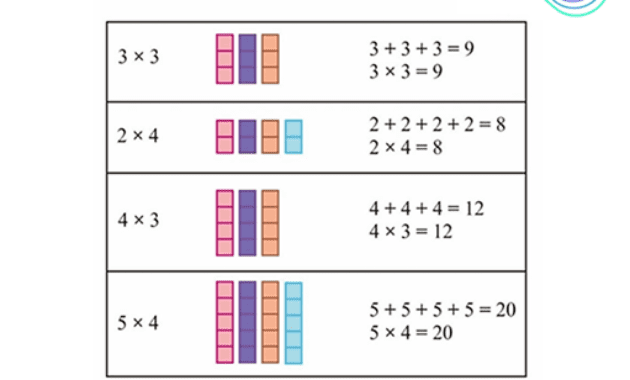
    Multiplication is a form of operation on numbers which can be said to be repeated addition operations using numbers of the same size.

    For more details, let’s look at the following example description…

    3 x 4 = 3 + 3 + 3 + 3 = 12

    4 x 3 = 4 + 4 + 4 = 12

    In the multiplication example above, even though the end result is the same, the multiplication 3 x 4 and 4 x 3 have different meanings, where 3 x 4 means three times four, and for 4 x 3 it means four times three.

    We can find the application of the multiplication concept in our daily life activities, such as when we go to a hospital or clinic, or health clinic. Then the doctor gives the medicine in the form of syrup, the doctor’s prescription usually says 3 x 1 on the syrup box, meaning that in a day the patient has to take 1 teaspoon of medicine three times a day in the dosage recommended by the doctor.

    Doctors usually order to take medicine in the morning, afternoon and evening after eating. It’s another case if the syrup box says 1 x 3, that is, the patient is advised to drink 3 tablespoons according to the doctor’s recommendations once a day, namely in the morning, afternoon and evening.

    Examples of Integers

    Examples of Integers

    An integer can be represented on the number line as follows.

    Integer Line

    In a sequence, there are integers that are grouped into parts. The integer groups are shown in the section below.

    Integer Grouping

    Integers are grouped into three parts, namely positive integers, zero and negative integers. In this section, we will explain positive and negative integers.

    Positive Integer

    The ring of positive numbers is the set of numbers consisting of 1, 2, 3, 4,. . . Positive integers are also known as natural numbers.

    Negative Integer

    A negative integer is the set of all numbers {. . . , -4, -3, -2, -1}. On the number line, negative integers are to the left of 0.

    Next, we will approach the arithmetic operations involved in integers.

    Operation Formula for Multiplication of Integers

    If am and b are members of integers then:

    a × b = + ( a × b )

    –a × (-b) = + ( a × b )

    a × (-b) = – ( a × b )

    –a × b = – ( a × b )

    So it can be concluded that the product of two integers can be determined based on the sign of the number in the following way:

    ( + ) × (+) = +

    ( – ) × ( – ) = +

    ( + ) × ( – ) = –

    ( – ) × (+) = –

    Multiplication of Positive and Negative Integers

    To find out more about multiplication of integers, both positive and negative, please refer to the following examples;

    1. 2 × (-7) = -14
    2. 3 × (-7) = -21
    3. 4 × (-7) = -28
    4. 5 × (-7) = -35
    5. 6 × (-7) = -42

    In the example above, we can understand that the product of a positive integer and a negative integer will always produce a negative integer, so we can say “For each integer a and b, ax (-b) = – (axb) always applies.”

    Multiplication of Two Negative Numbers

    To be able to understand the multiplication of two negative integers, Sinaumed’s can   see the following example;

    1. -4 x (-3) = 12
    2. -5 x (-2) = 10
    3. -7 x (-5) = 35
    4. -1 x (-33) = 33
    5. -9 x (-2) = 18
    6. -3 x (-3) = 9

    In the example of multiplying two negative integers above, it can be concluded that the product of two negative integers will always result in a positive integer, so it can be stated “Every integer a and b always applies (-a) x (-b) = axb

    Multiplication of Integers By 0 (Zero)

    You can understand multiplication of integers by 0 (zero) by looking at the following example:

    1. 39 X 0 = 0
    2. 0 x -15 = 0
    3. -23 x 0 = 0
    4. 98 x 0 =0
    5. -11 x 0 = 0
    6. 0 x 346 = 0

    According to the example above, it can be concluded that all numbers when multiplied by 0 (zero) will always produce 0 (zero).

    Elements of Identity in Multiplication

    Elements of Identity in Multiplication you can learn by looking at the following examples;

    1. 9 x 1 = 9
    2. -5 x 1 = -5
    3. 1 x -22 = -22
    4. 88 x 1 = 88
    5. 1 x 23 = 23
    6. 1 x -42 = -42

    In the multiplication example above, we can conclude that any integer multiplied by 1 will produce itself. In this case, the number 1 is called the identifying factor in multiplication. so that it can be said “all integers a will always contain ax 1 = 1 xa = a

    From the explanation above, it can be concluded that the operation of multiplying integers is a mathematical operation that involves the sign “x”. Multiplication is also known as repeated addition.

    The properties of the multiplication operation are described in the following sections.

    axb = ab : the product of two positive integers is a positive integer.

    Example: 5 x 6 = 30. 5, 6, 30 are positive integers.

    ax (-b) = -ab : the result of multiplying a positive integer by a negative integer results in a negative integer.

    Example: 3 x (-4) = -12. The result of the operation is -12 (negative integer).

    (-a) x (-b )= ab : the product of two negative integers is a positive integer.

    Example: (-5) x (-2) = 10, resulting in a positive integer that is 10.

    Properties of Multiplication in Integers

    1. Closed Nature

    The closed property is one of the properties of the integer addition operation, where this property can also be found in the multiplication operation. In multiplication, the closure property means that any multiplication of integers always results in an integer. It can be stated as “For any integers p and q, there will always be pxq = r, where r is also an integer”.

    For more details about the closing properties of integer multiplication, you can see the sample questions below:

    4 x 3 = 12

    where 4 and 3 we know are integers, as well as 12 which is also an integer.

    5 x (-4) = -20

    where 5 and -4 we know are integers, and so is -20 which is also an integer.

    -7 x 2 = -14

    where -7 and 2 we know are integers, as well as -14 which is also an integer.

    -6 x (-4) = 24

    where -6 and -4 we know are integers, as well as 24 which is also an integer.

    2. Commutative Nature (Exchange)

    The commutative property (exchange) in the multiplication operation is that multiplication will always receive the same output even if the two numbers are swapped. So that this can be written “For every sapta p & q will always apply pxq = qxp”.

    For details about the commutative property in the multiplication operation, you can see the problem model below:

    6 x (-4) = (-4) x 6 =-24

    (-5) x (-8) = (-8) x (-5) = 40

    3. Associative nature (grouping)

    In this property, it is expressed as “For every number p, and q and r, will always hold ( pxq ) xr = px ( qxr)”.

    To make it easier for sinaumedia friends to understand the associative nature (grouping) of integer multiplication operations, take a look at the following example questions;

    problems example;

    3 x (-5 x 2) = ( 3 x (-5) ) x 2 = -30

    ( -4 x 6 ) x 3 = -4 x ( 6 x 3) = -72

    4. Distributive Properties of Multiplication Against Addition

    In this property it is stated that “For every number p, q, and r which are integers, it will always apply

    px (q + r) = (pxq) + (pxr)”.

    For more details about the distributive property of multiplication over addition in the multiplication operation of integers, you can refer to the description of the problem below;

    problems example;

    4 x ( 5 + (-3) ) = 4 x 2 = 8

    can also be solved by, ( 4 x 5) + ( 4 x (-3) ) = 20 + (-12) = 8

    so, 4 x ( 5 + (-3) ) = ( 4 x 5) + ( 4 x (-3) ) = 8

    (- 5) x ( -3 + 6) = (-5) x 3 = -15

    can also be solved by, ( (-5) x (-3) ) + ( (-5) x 6 ) = 15 + (-30) = -15

    so, (- 5) x ( -3 + 6) = ( (-5) x (-3) ) + ( (-5) x 6 ) = -15

    5. Distributive Properties of Multiplication Against Subtraction

    This property is expressed as “For every p, q, and r which are integers, will always apply

    px ( q – r ) = (pxq) – ( ​​pxr) “.

    For more details about the Distributive Property of Multiplication Against Subtraction in the multiplication operation of integers, you can refer to the description of the problem below;

    problems example;

    3 x ( 7 – (-6) ) = 3 x 13 = 39

    can also be solved by, (3 x 7) – (3 x (-6) ) = 21 – (-18) = 21 +18 = 39

    so, 3 x ( 7 – (-6) ) = (3 x 7) – (3 x (-6) ) = 39

    5 x ( -4 – 2) = 5 x (-6) = -30

    can also be solved by, (5 x (-4) ) – (5 x 2) ) = -20 – 10 = -30

    so, 5 x ( -4 – 2) = (5 x (-4) ) – (5 x 2) ) = -30

    6. Has an Element of Identity

    The number 1 is the identity element in multiplication. This means that any integer when multiplied by the number 1 will produce the number itself.

    this can be stated by “For every number p which is an integer, it will always apply px 1 = 1 xp = p”.

    for example;

    13 x1 = 13 or 1 x 13 = 13

    34 x 1 = 34 or 1 x 34 =34

    Problems example

    Examples of Positive Number Multiplication Operation Problems

    1.(+12)x(+5)

    (+4) x (+40)

    Discussion:

    Multiplication of positive numbers is calculated the same as when we multiply numbers in general.

    (+12) x (+5) = 12 x 5 = 60

    (+4) x (+40) = 4 x 40 = 160

    2. Topic received a donation of 8 sacks of rice. Each sack weighs 85 kg. The rice was distributed to 17 employees. Each employee gets as much rice as…

    1. 18 kgs
    2. 24 kgs
    3. 36 kgs
    4. 40 kgs

    The answer to the multiplication of the total integer number of rice received by Topik is…

    8 x 85 kg = 680 kg

    Each employee gets 680 kg of rice: 17 = 40 kg

    Answer: D

    3. Tony sent letters to 3 of his friends. 2 pieces of letter wearing stamps worth @ 500 and a letter wearing a postage of Rp. 250. So, the amount of money needed to buy the stamps is..

    1. 1,000
    2. 1,250
    3. 1,500
    4. 1,750

    Answer:

    The amount of money needed to buy stamps is

    =(2 x 500) + (1 x 250)

    = 1,000 + 250

    = 1,250

    Answer: B

    4. Calculate the multiplication operation of this positive number with associative property

    9 x (13 x 2)

    (20 x 36) x 3

    Discussion:

    Enter the formula for calculating multiplication of integers with associative properties first.

    (axb) xc = ax (bxc) = d

    Then, enter the multiplied numbers in the problem according to the associative property formula.

    9 x (13 x 2)

    (axb) xc = ax (bxc) = d

    9 x (13 x 2) = (9 x 13) x 2 = 117 x 2 = 234

    (20 x 36) x 3

    (20 x 36) x 3 = 20 x (36 x 2) = 20 x 72 = 1440

    Examples of Problems with Multiplication of Negative Numbers

    1.(-6) x (-12)

    (-4) x (-23)

    Or more concisely, the multiplication result between numbers with the same sign produces a positive number.

    The calculation method is quoted from the Mathematics book for Middle School Class VII of the Freedom Learning Curriculum.

    (-6) x (-12) = 72

    (-4) x (-23) = 92

    Examples of Operational Problems Adding Positive and Negative Numbers

    1.(-80) x (+15)

    (-5) x (+56)

    Discussion:

    Based on the Mathematics book for Class VII Middle School Independent Learning Curriculum, the product of numbers with different signs produces a negative number.

    (-80) x (+15) = -1200

    (-5) x (+56) = -280

    2. ((-80) x 15) x 4)

    (-2) x ((-5) x 56)

    Discussion:

    ((-80) x 15) x 4) = (-80) x (15 x 4) = (-80) x 60 = -4800

    (-2) x ((-5) x 56) = ((-2) x (-5)) x 56 = 10 x 56 = 560

    3. The result of the number operation from 7 x (-13) is ….

    1. A.91
    2. B. -20
    3. C.20
    4. D. 91

    Discussion:

    7 x (-13) = ….

    7 is positively charged while

    (-3) is negatively charged

    Multiplying a positive number by a negative number will result in a negative number, so it becomes:

    7 x (-13) = – (7 x 13)

    = -91

    4. 19. -11 x 8 ….. (-8) x 11

    The appropriate comparison sign to complete the statement above is ….

    1. <
    2. >
    3. =

    Discussion:

    -11 x 8 = (-88) whereas

    (-8) x 11 = (-88)

    Then -11 x 8 and (-8) x 11 result in the same number. So the exact comparison sign is equal to or (=).

    Closing

    That’s all Sinaumed’s friends , a little explanation about multiplication on integers that we can convey, sorry if there are errors in writing and calculations. 

  • Amoled screen is: understanding, how it works, advantages and disadvantages

    AMOLED screen is a screen technology that is used in many electronic devices, from smartphones, smart TVs, tablets, laptops, to smartwatches. Manufacturers choose this type of screen because it looks better and clearer.

    As a user, Sinaumed’s must understand what are the advantages, disadvantages, and how AMOLED screens work. Moreover, if you want to buy a smartphone that uses this type of screen. So, you won’t hesitate to spend quite a lot of money to buy it.

    AMOLED Screen vs IPS LCD Screen Full Comparison ⚡ Aapne Kaunsa Lena Chahiye? - YouTube

    Because of that, in this article we will discuss the sundries of AMOLED screens that you need to know.

    AMOLED screen is

    In the development of smartphone products , especially Android, AMOLED screens are the type of screen that is often used on mid-range to flagship category phones. Meanwhile, in the entry-level class, this screen is too expensive to use.

    AMOLED ( Active Matrix Organic Light Emitting Diode) is a screen that uses organic OLED panels and is made from organic diodes. OLED technology itself is a special paneled screen containing organic elements that will emit light when electrified.

    By incorporating OLED technology, AMOLED screens can produce high-quality images with sharp color compositions. This is the main reason many smartphone manufacturers use AMOLED screens for their products.

    One smartphone manufacturer that often uses AMOLED screens is Samsung. This South Korean company claims that the AMOLED screen on their cellphone can adapt to various light conditions automatically. So its users will be able to enjoy good picture quality in everything anywhere and anytime.

    You can use the better AMOLED screen image quality for various needs, one of which is video editing.

    Production cost of AMOLED screens is now lower than LCD's - GSMArena blog

    AMOLED Parts

    AMOLED screen technology consists of four layers, namely Anode Layer, Middle Organic Layer, Cathode Layer, and Circuitry. So what are the functions of these layers? Check out the explanation below.

    Layer Anodes

    The Anode Layer is the positive polar layer which functions to create electron holes. This electron hole will later throw away electrons when the screen is electrified.

    Middle Organic Layer

    This is the middle organic layer which is made of organic molecules and consists of two parts, namely the emitting layer and the transmitting layer.

    Cathode Layer

    The Cathode Layer is the negative polar layer which functions to inject electrons when the screen is electrified. This layer can be transparent or not, depending on the type of OLED used.

    Circuitry

    The last one is Circuitry or the bottom layer which contains strands. This layer serves as the base for the OLED screen. Generally this layer is made of glass, foil, plastic.

    Difference between AMOLED Screen and OLED Screen 

    AMOLED screens are the result of a combination of OLED and TFT LCD which can produce high-quality screen displays and reach a thickness point of 1/1000. Even though they use OLED technology, it turns out that the two have differences.

    AMOLED vs OLED | Which is better? And Why? - YouTube

    The main difference between AMOLED and OLED screens is the use of thin-film transistors (TFT) strips behind each pixel. These transistors are able to help the electric current move faster across the screen so that every pixel on an AMOLED screen activates more quickly.

    Besides that, when used in the sun, the performance of the AMOLED screen is much better than the OLED screen because it is equipped with a backlight. However, on the other hand, OLED screens have a high level of pixel control which is capable of producing a better contrast ratio and is more power efficient.

    Another difference is the refresh rate, AMOLED screens have a faster refresh rate than OLED.

    How AMOLED Screens Work

    Judging from its advantages, it can be concluded that AMOLED screens are a development of OLED screens, this means that AMOLED consists of OLED pixels and TFT. Therefore, the pixel flow can be well controlled when it is displayed.

    Generally, the flow of pixels on an AMOLED screen is controlled by two TFTs that have different functions. The first TFT serves to start charging the capacitor and end charging.

    Meanwhile, the second TFT supplies a voltage source according to the voltage level required so that the screen can produce a constant amount of flow.

    In short, the TFT layout on an AMOLED screen works by forming a matrix that originates from the emode layer elements. Then, there is a flow of electric current between the two which will activate each pixel. After that, the TFT creates pixels that can produce images. All of these processes take place very quickly but still look very natural.

    Advantages and Disadvantages of AMOLED Screens

    As a technology that is popular and in demand by many people, AMOLED screens certainly have their own advantages. So, what are these advantages? Here comes the complete answer.

    Comparing OLED and AMOLED Displays | Nauticomp Inc

    Advantages of AMOLED Screens

    • Brighter colors

    One of the main advantages of AMOLED screens is the display quality, the colors are brighter. Especially when compared to LCD type screens, it is clear that AMOLED wins far because the colors are very bright.

    For example, when the screen displays white, it will appear very bright. Likewise, when displaying black, it will look very dark.

    This ability is obtained from a very high contrast ratio and wide color coverage. In general, the color coverage of AMOLED screens can reach up to 100% in the DCI-P3 standard, in the sRGB standard, the coverage is more than 100%.

    Also, AMOLED pixels can emit their own light and color while LCD pixels require a backlight and color filter. This structure causes the LCD screen to experience light scattering, so the colors are less intense.

    The AMOLED screen with bright colors is perfect for photography or creating content. Find tips and tricks on cellphone photography in the Smartphone Photography book written by Ariana_Arriana. This book contains tutorials and explanations of photographing techniques using mobile phones.

    • Wide viewing angle

    Secondly, AMOLED screens look cooler because they have wide viewing angles. So when viewed from various sides, the image on the screen is still good. No color shift at all. For example, if you want to watch a movie with friends, you can still see the picture clearly from any angle.

    AMOLED screens have viewing angles of up to 180 degrees horizontally and vertically. This is two degrees larger than the most advanced IPS screen technology which has a viewing angle of 178 degrees.

    • More efficient power consumption

    Both AMOLED and OLEd have a simple way to produce black, namely by turning off the pixels. That is, when displaying black, there is no electricity from the transistors, so the power consumption is lower than IPS screens.

    An IPS screen will always have a backlight on to display all kinds of colors. The reason for this is that the pixels in an IPS screen cannot produce light on their own.

    Some say that the power consumption of AMOLED screens is 10 times lower than IPS screens. However, you need to know that not all cellphones that use AMOLED screens automatically save battery. Because, what is more influential is the power management.

    • Support high resolution and refresh rate

    The fourth advantage of the AMOLED screen is its ability to produce displays with high resolution and refresh rates. A high-resolution cellphone will provide a very sharp display, no matter how wide the screen is.

    For example, if the screen size of the cellphone is 6 inches, the display quality can reach 1980 x 1080 pixels (Full HD) and 2K. Both of these resolutions are capable of providing a sharp display.

    Apart from that, AMOLED screens also support high refresh rates. Refresh rate is the number of images displayed by the screen in one second. That is, if a cellphone has a refresh rate of 60Hz, then the number of images displayed every second is 60.

    The 60Hz refresh rate is widely used on today’s smart phones because it is enough to support the user’s daily needs. Plus, there’s still a lot of content created with frame rates below 60 fps.

    With an AMOLED screen, you can choose a cellphone with a more varied refresh rate. Starting from 90Hz, 120Hz, 144Hz, 165Hz, and others. As a result, the image display is smoother, including when playing games.

    • Has a short response time

    Sometimes, users get confused when comparing smartphone refresh rates. Because, there are times when a smartphone has an IPS screen with a refresh rate of 90Hz and there are also those with AMOLED screens but the refresh rate is 60Hz.

    If so, which one to choose? Depends on needs and preferences. However, smartphones with AMOLED screens have a shorter response time. In other words, the screen can respond to finger touch faster.

    This factor is very useful when you play games because the application can follow the movement of your finger on the screen to the fullest. If you want, you can also learn to draw manga via an AMOLED-screen cellphone, which has a fast response time. There is a book called Smart Tricks to Draw Manga Without a Skilled and Agile Teacher to Draw Manga from Ibenzani H. & Fajar H which can help you.

    • Thinner and flexible

    In general, the construction of an AMOLED screen is quite simple because it only consists of transistors, glass plates, and organic OLED materials. Without a backlight or color filter like an LCD screen. Therefore, the size of the AMOLED screen is thinner.

    Not only that, AMOLED is also more flexible. This screen can be bent temporarily or permanently. As used on the Samsung Galaxy Z Fold 3 5G or the Samsung Galaxy Z Fold 4 5G. These two flagship phones from Samsung can be bent temporarily.

    Prior to that, AMOLED screens were used on the Galaxy S8 where the screen was permanently curved on both sides.

    • Supports installation of Face Recognition and In-Display Fingerprint 

    The last advantage of the AMOLED screen is that it supports the installation of Face Recognition (face scanner) and In-Display Fingerprint (fingerprint scanner). Because the AMOLED screen structure is simpler.

    Therefore, manufacturers can embed other components such as optical or ultrasonic-based fingerprint scanners. There are also manufacturers who embed cameras on AMOLED screens or are familiarly known as under displays. 

    Screen display with a concept like this can increase user satisfaction because there are no more pinholes on the screen. The camera will only appear when it is used to take photos.

    In short, the under display camera is placed on the display panel. Then why can take pictures? Because the arrangement of the screen pixels on it is indeed tenuous so that light can enter and the camera can capture objects.

    Disadvantages of AMOLED Screens

    Even though it has many advantages, it doesn’t mean that AMOLED screens are the perfect technology. Because if you look at it from several sides, there are various drawbacks that you must consider first.

    • Broken faster

    The organic pixel material on an AMOLED screen is capable of producing its own light when it is energized. However, the more often the screen is on, the faster it gets damaged (ages).

    In general, AMOLED screens have blue, green, and red pixels. Of the three, blue pixels are the easiest to age because they consume more electricity than green and red pixels.

    Getting old here doesn’t mean the pixels can’t display an image at all. It’s just that the ability to produce the same brightness as other pixels decreases. So that the display on the screen becomes uneven. This condition is known as burn-in. 

    LG, as an OLED screen manufacturer, estimates that the screens they make have a lifespan of up to 100,000 hours or 11.4 years. This is much faster than IPS screens whose durability reaches up to 20 years.

    • The color that was born was too much

    Because the color range is wide, the AMOLED screen display looks very lively. However, for some people, the appearance can be too much. Some content creators don’t use AMOLED screens.

    The reason is because when rendering after editing, the resulting colors may not match. The good news is that several manufacturers have equipped their AMOLED screen phones with color settings so that users can set screens with more natural sRGB colors.

    • Prices are relatively more expensive

    According to data released by IHS in 2018, the cost of producing AMOLED screen phones is more expensive than LCD screens. A layer of AMOLED screen with a diagonal notch of 5.9 inches costs USD 28.18 to produce, or around IDR 434,761 (exchange rate 03 December 2022).

    Meanwhile, an LCD screen with a span of 6 inches costs USD 18.41 to produce, or around IDR 438,309 (exchange rate on December 3, 2022). Even so, it could be that in the future the cost of producing AMOLED screens will become cheaper.

  • 10 SEO Strategies To Increase Product Sales on Websites

    SEO Strategy – Hello, Sinaumed’s friends , how do you increase sales conversions using an SEO marketing strategy? Find the answers below. Conversion or conversion rate is a digital marketing term that means achieving a goal through a marketing campaign.
    When you are on a website, the result is that website visitors not only visit it but also take actions that are in line with your business goals, namely buying your products.

    The actions of each visitor are very different and vary from website to website. Starting from making transactions or buying products, registering as a member, subscribing to newsletters, downloading software, etc.

    Currently, companies adopting digital strategies continue to grow rapidly. One way is to create a website to promote products. But to be successful, you can’t do it by chance. You need the right SEO strategy.

    SEO or Search Engine Optimization is search engine optimization to enable your web page to appear on the first page of Google search. So, here is some information about the meaning of SEO and some SEO strategy guides for Sinaumed’s friends that you need to know.

    Understand the term SEO

    Understanding SEO (Search Engine Optimization) is a digital marketing strategy that aims to rank your website or blog at the top of Google search results for your chosen keywords. This is to make it easier for Google search engine users to find your article. SEO optimization itself is very dependent on search engines.

    The main goal of SEO is to increase visitor traffic or visits or visitors through targeted keywords . One of the most important indicators of SEO marketing success is the higher position of a website or blog for certain keywords in search engines.

    The higher the ranking of a website or blog on search engines with certain keywords , the more visitors or visitors who will visit the website or blog.

    Unfortunately, there are many ways that using the wrong SEO strategy can improve your business because you don’t understand Google’s algorithms. If this continues, your business will not be found in search engines. For example, if a company product “florist” wants to appear in the main search results when people search for the word “florist” in a search engine (such as Google, Yahoo or Bing), the company must maximize its search in maximizing its SEO strategy.

    The problem is that the top position showing search results (Search Engine Result Page – SERP) is limited, there are only about 10 websites that rank high in trusted search engine results and besides building a brand that is better known in the eyes of search engine users it can also increase visitor traffic. .

    At the same time, every company owner wants his business to be at the top of search results. This is why you need to understand the importance of SEO and how SEO works with good website optimization.

    Types of SEO Keywords To Increase Sales Conversions

    There are many types of keywords or keywords that can be used to increase sales conversions including:

    1. Branded Terms

    Branded terms are keywords that have a certain brand. Users usually search the web for a particular brand in terms of keywords. Product terms are keywords that mention the product name. Usually, the use of these keywords is associated with a specific brand.

    2. Competitor Terms

    Competitor Terms are keywords that are intended to compare a brand with other brands. In general, these types of keywords are used by internet users who want to buy a particular product, but want to compare the advantages and disadvantages of this product with other brands’ products.

    3. Substitute Product Terms

    Substitute Product Terms are one of the keywords that are commonly used to find information on other products as substitutes. Such keywords are usually used to find alternative products whose quality is not much different.

    4. Complementary Product Terms

    Complementary Product Terms are keywords that mention the product but are indirectly related to the product you are selling. For example, say you sell furniture, including computer desks. If web users are looking for information about computer equipment, chances are that your computer is selling well.

    5. Audience Terms

    Keywords that contain many terms that people can search for on the web. Because this type of keyword is quite difficult and requires more effort to be profitable. However, this can be anticipated by developing lots of keywords that match the products being sold. In this way, visitors from these keyword categories can be converted into buyers.

    How SEO Works

    There are five main points in the operation of SEO, namely:

    1. Crawling

    Crawling from search engines is done to collect different information from each page of a website or blog. Apart from algorithms, the Google search engine also has indexing robots ( crawling ) or spiders.

    2. Indexing

    Indexing is done to index all the information from each page or pages of the website and then store it in the search engine database.

    3. Processing

    Processing is the act of entering keywords into search engines. Then Google does the processing and compares the keywords provided by internet users from each website stored in the database.

    4. Calculating Relevancy

    Calculating Relevancy is the next step, because after people type in the desired keywords, search engines will see which sites are most relevant. From every page that has been indexed by the crawler , of course.

    5. Retrieving Results

    Retrieving Result is the most relevant result of the entered keyword. You should know this because the results will appear on the screen with the most relevant sites for that keyword.

    Getting a good ranking so that it can appear organically on the first page of Google is not easy because you don’t only need to know Google’s algorithm. You also often need to create content with good SEO principles. If you have implemented good SEO techniques, your web page should be able to appear in Google search results.

    SEO Strategy Steps 

    Here are 10 SEO marketing techniques that you can implement right away to increase your website traffic , visitor numbers and conversion rates.

    1. Website Framework Audit

    A website template audit should focus on getting high traffic and conversions. In general, an audit is a systematic review that includes concepts, results, or financial considerations that are used as a reference for making intelligent decisions.

    In the world of SEO marketing, an audit is a technique for monitoring the growth of your business, which can be used to attract and retain consumers or clients. So you really need to be able to check the overall performance of your website. Then, based on your analysis, set new goals and implement them. This is how your company’s revenue grows rapidly.

    2. Data Research via End User Value

    Your goal is to multiply your website traffic among your competitors’ websites. You need to determine what content is suitable for your purposes.

    The point is that you must know in advance the information that is relevant to your prospect’s interests. To create content, the most important thing is to do keyword research first.

    You may already be familiar with a tool that can help you in keyword research, namely Google Adwords.

    3. Create and Optimize Landing Pages

    A well-designed landing page can increase your sales and conversions. Creating a landing page for business purposes also opens up the possibility of getting a lot of traffic. But unfortunately, many marketers do not fully understand the importance of landing pages .

    Through landing pages helps you build a closer relationship with potential customers. Therefore, it is very important for you to create a landing page with a quality design that contains popular themes. If you already have a landing page , try to see if your landing page has a good SEO market or not.

    4. Updating the keywords used

    Next SEO strategy to bring more potential customers to your website, you need to know what keywords your potential customers use and search for the most.

    Using keywords is one of the SEO strategies that helps marketing so that your website is at the top of search results. The importance of updating or keyword research in SEO marketing so that search engines always update your website. You can use Google Trends as a reference for determining keywords to use in your blog posts and product descriptions.

    5. Fill in the Title Tags and Meta Description

    A common mistake content creators make in other website blogs is skipping the title tag and including a nice, unique meta description. In addition to current popular keywords and search engine optimization, the right blog is created by specifying the title tag and meta description. This must be done so that your blog can be easily found by search engines. The title tag is the title that then appears on search pages on websites like Google.

    6. Avoid Using Wrong Internal Links

    Internal links are an important part of implementing an SEO strategy to improve the performance of your e-commerce website . Internal links are links that are embedded in blog content that readers can connect to see references and sources or to help read the articles you write.

    A common mistake is placing internal links that have nothing to do with the words used. Coupled with the misuse of keywords to make search engines unreadable.

    7. Avoid Doing Keyword Stuffing

    Another thing to consider when implementing an SEO strategy is keyword stuffing .

    Keyword stuffing means writing keywords too often or too many keywords in blog articles. This causes search engines like Google to consider these blog articles as spam.

    This action is very dangerous because Google can block your content, which will prevent your blog and website from being found on search pages. You only need to use a few keywords that are repeated 3-4 times in the body of the article.

    8. Not Performing Analysis on the Content that has been Displayed

    Now that you understand how to create a blog by applying all the SEO strategies, there are still a few things you need to do so that your website is in the top rankings of the search engines that analyze the content you create.

    You can use some apps like Google Analytics. With Google Analytics you can track how many visitors come to your website and analyze how long visitors are on your website. After that, you can analyze the effectiveness of your blog content and articles. You can see the number of page views for each article you create. You can also see where your readers are coming from.

    9. Use Strong Internal Links

    The next SEO strategy is to use strong internal links. What are internal links? Internal links or inbound links are links that take users to other articles or pages on the website.

    What are some examples of internal links? See this article for an example, the word “Also read related articles” is what leads you to other articles on this blog. Internal links ensure readers stay for a long time as they get additional unique article recommendations. Apart from that, internal links can also be placed behind words or phrases in articles which are keywords for other articles on the same blog.

    10. Backlinks, Backlinks, and Backlinks

    This SEO strategy is still related to links, namely backlinks . Backlinks themselves are links added to blog content to connect readers to other websites. See this article for examples of backlinks. In the contents of this article, there are several pictures of book recommendations or products from sinaumedia. These images contain backlinks that direct you to the sinaumedia.com website. Search engines like Google use the quality and quantity of backlinks as a ranking signal.

    Things to Look For in SEO

    In addition to how the SEO strategy works and steps, there are also a number of things that need attention, namely:

    1. Competition

    The more (number) of companies that want to rank on the first page, the higher the competition. As the number of searchers increases (you can research using the keyword planner) the competition tends to get tougher. As competition gets tougher, SEO strategies become more complex (requires higher expertise and higher costs).

    2. Websites

    Website plays an important role in SEO. When you create a website, you need to create a Search Engine Friendly (SEF) website . We really care about each of our clients because we understand how important it is for a website to be easily found by search engines.

    Apart from being Search Engine Friendly , you also need to create a website that is user friendly . User-friendliness is a situation where users can use the website easily and comfortably. One usability indicator is the loading speed of a website. Website visitors generally prefer fast loading web pages. Website speed is indeed important, but a website that can attract visitors with good traffic must also pay attention to several aspects.

    For example, a website must be developed according to the purpose of the website. For example, an educational website must have a table of contents in the form of educational article content that is educational for its visitors. In contrast to websites that aim to carry out online marketing for their products, because the articles and content created must be in accordance with the main goal of selling products.

    To improve the quality of the website, it is necessary to know in advance the goals and benefits that will be received by website users. This applies to user-accessible content, articles and information.

    3. SEO Strategy

    Many say they understand how to apply an SEO strategy to a business website. But you should know that many use illegal and inappropriate means to achieve their goals.

    Those who abuse the concept of SEO use this illegal strategy, also called Black-Hat SEO, to make their website top of the line. However, this SEO technique is not recommended, because it is not based on the algorithm used and has a negative impact behind it.

    You should use White-Hat SEO optimization techniques. This White-Hat SEO technique is an organic technique that follows Google’s algorithm and can make your website on the first page of Google for quite a long time.

  • The Best Autoclaves for Small Business Medical and Laboratory Needs

    The Best Autoclaves for Small Business Medical and Laboratory Needs

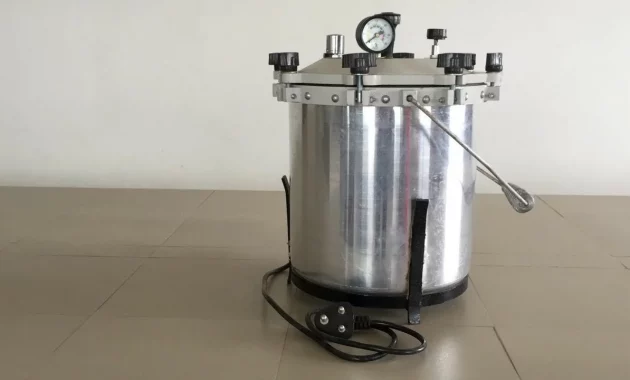
    Autoclaves are an essential piece of equipment for many small businesses, particularly those in the healthcare and laboratory industries. They are used to sterilize equipment and materials, ensuring that they are free from harmful bacteria and other microorganisms. If you’re looking for an autoclave for your small business, there are a few key factors to consider, such as capacity, features, and price. Here are some of the best autoclaves for small businesses:
    1. Tuttnauer EZ9 Fully Automatic Autoclave: This autoclave is a great choice for small businesses that need a reliable and easy-to-use machine. It has a 9-inch chamber and can accommodate a variety of items, from small tools to large containers. It also has a range of features, including a pre-programmed sterilization cycle and automatic shut-off.
    2. Midmark M11 UltraClave Automatic Sterilizer: This autoclave is another excellent choice for small businesses. It has an 11-inch chamber and can accommodate a range of items, from small tools to large containers. It also has a range of features, including a pre-programmed sterilization cycle and a user-friendly control panel.
    3. Statim 2000 G4 Cassette Autoclave: This autoclave is a bit more expensive than the other options, but it is also one of the fastest and most efficient. It uses a cassette sterilization system, which allows for quick and easy sterilization of small tools and instruments. It also has a range of advanced features, such as a self-diagnostic system and a touch screen control panel.

    No matter which autoclave you choose, it’s important to ensure that it meets your specific needs and requirements. Look for a machine that is easy to use and maintain, and that has a range of features that are relevant to your business. With the right autoclave, you can ensure that your equipment and materials are properly sterilized and safe for use.

  • The Best Espresso Machines for Small Business Owners and Entrepreneurs

    The Best Espresso Machines for Small Business Owners and Entrepreneurs

    An espresso machine is a device use


    d to prepare espresso, a concentrated coffee beverage that is popular all over the world. Espresso machines come in a wide variety of styles and designs, ranging from simple stovetop models to high-end electric machines used in commercial settings.

    If you’re looking for an espresso machine for your small business, there are a few key factors to consider. The machine should be durable and reliable, capable of handling a high volume of orders, and easy to use and maintain. Here are some of the best espresso machines for small businesses:

    Breville BES870XL Barista Express Espresso Machine: This machine is a great choice for small businesses that want a high-quality espresso machine without breaking the bank. It has a built-in conical burr grinder and a powerful steam wand, making it easy to prepare espresso drinks quickly and efficiently.

    Nuova Simonelli Appia II Volumetric Espresso Machine: This machine is a step up from the Breville in terms of price and features. It has a commercial-grade build quality and can handle a high volume of orders with ease. It also has programmable volumetric dosing, which makes it easy to ensure consistent shots every time.

    La Marzocco Linea Mini Espresso Machine: This machine is a top-of-the-line option for small businesses that want the best of the best. It has a commercial-grade build quality and is designed to deliver consistently excellent espresso shots. It also has a powerful steam wand and a range of programmable features that make it easy to use and maintain.

    Rancilio Silvia Espresso Machine: This machine is a classic choice for small businesses that want a reliable and durable espresso machine. It has a commercial-grade build quality and is designed to last for years. It also has a powerful steam wand and a compact size that makes it easy to fit into small spaces.

    No matter which espresso machine you choose, make sure to invest in a high-quality grinder and use freshly roasted, high-quality beans for the best possible results. With the right equipment and ingredients, your small business can serve delicious espresso drinks that keep customers coming back for more.

  • Essential Tips on How to Secure Your Linux VPS from Hackers

    Essential Tips on How to Secure Your Linux VPS from Hackers

    The internet is a dangerous place, and if you are running a Linux VPS, you need to be especially vigilant about security. Hackers are always looking for vulnerabilities they can exploit, and if they manage to gain access to your Linux VPS, they could have access to your personal data, business data, and more.

    Fortunately, there are a few essential tips you can follow to secure your Linux VPS and protect it from malicious hackers. By following these tips, you can ensure that your Linux VPS is as secure as possible and that your data and systems remain safe.

    Understand Common Attack Vectors

    Every type of software has its own security issues, but a large number of attacks are aimed at the operating system rather than specific application software. A Linux VPS uses Linux as the underlying operating system, so you need to be aware of the most common attack vectors for Linux systems.

    If you understand these attack vectors, you can take steps to secure your Linux VPS from the most common threats.

    – Rogue Users – This is a common problem in any system that allows user accounts. Sometimes, users try to log in with a different user account or with a root account. This can be dangerous if they are malicious and have the ability to do anything on the system.

    – Rogue Services – Some Linux servers run services that are not required, but they are wide open to attack. This can be anything from remote login services to web servers.

    – Rogue Devices – Many internet-connected devices have poor security that can leave the server open to attack.

    – Malicious Code – Malicious code attacks can be either active or passive and aim to do damage to the system or data stored on it.

    Use Secure Passwords

    Passwords are the first line of defense for any system, and a hacked account is often the first step in a larger attack against your Linux VPS. Unfortunately, many people use weak or easy-to-guess passwords, which makes them far more vulnerable.

    Fortunately, there are a few simple tips to follow that can help you create strong passwords that are also easy to remember.

    First, use long passwords. Aim for a minimum length of 14 characters.

    Second, use a combination of letters, numbers, and symbols.

    Finally, change your passwords regularly. Ideally, you should change your passwords every 30 days.

    If you manage a Linux VPS, you should follow these tips and make sure that you require strong passwords from your users.

    Harden SSH Access

    SSH is the most common method of logging into Linux servers, and it is enabled by default. Unfortunately, it also has several weaknesses that can be exploited by malicious hackers.

    If you are running a Linux VPS and have SSH enabled, you should follow these steps to harden it and make it more secure.

    First, you need to change the default port. You can do this by editing the /etc/ssh/sshd_config file and changing the port value.

    You should also use the Two-factor authentication (2FA) to make it harder for malicious hackers to access your system. Finally, you should use an SSH key-based login rather than password-based login.

    Install Server Firewall

    Depending on your host, your Linux VPS may have an inbuilt firewall that can protect it against common threats. If you are using a cloud-based service, you may have an out-of-the-box firewall.

    However, if you are running a Linux VPS server, you may need to install a firewall. There are a few different firewall options, but the most common is the iptables firewall.

    You can install this firewall on your Linux VPS by editing the /etc/sysctl.conf file and adding the following lines: net.ipv4.ip_forward=1 net.netfilter.nf_nat_irc=0 You can then restart the server and the firewall will be enabled.

    Disable Unnecessary Services

    When you install Linux, you are given a wide range of services that are enabled by default. Some of these are useful, but many are unnecessary and open your system to attack.

    Before you launch your server, it is a good idea to review the services that are running and disable the ones that are not needed.

    You can do this by opening the /etc/init.d/services file and following the instructions.

    You can also use a website such as What Ports Are Open to review the services that are running.

    Ideally, you should disable as many services as possible. However, you can always enable them again if you need to.

    Use Security Auditing Tools

    Linux systems have a wide range of security auditing tools that can be used to monitor access to important files and systems.

    These tools can be useful for discovering existing vulnerabilities in your Linux VPS and finding out how malicious hackers might be trying to gain access.

    There are many different security auditing tools that you can use. Some of the most common are auditd, logcheck, and tripwire.

    Update Software & OS Regularly

    It is important to keep your Linux VPS up to date with the latest software and patches. New releases often include patches for security vulnerabilities, and it is important to install these as soon as possible.

    You can do this by running the following commands. yum clean all yum update You can also set up automatic updates so that you don’t forget to install patches and updates.

    Monitor Your System Logs

    If a malicious attack occurs, you will know about it if you have enabled system logging. You should regularly check your system logs and make sure that they are not generating too much data.

    You should also check the logs regularly and look out for anomalies such as failed login attempts. If you see any unusual behavior, you can use the logs to discover what has happened and who is responsible.

    Conclusion

    A hacked Linux VPS is a major security breach for any company or individual that uses the virtual server. Fortunately, there are a few simple steps that can be taken to make the Linux VPS more secure.

    These tips include understanding common attack vectors, using secure passwords, hardening SSH, installing a server firewall, disabling unnecessary services, and updating software and operating systems regularly. As long as you follow these tips, you can be sure that your Linux VPS is secure and protected from malicious hackers.

  • How Does Staff Augmentation Work? Everything You Need to Know

    How Does Staff Augmentation Work? Everything You Need to Know

    Staffing is the process of hiring temporary or contract workers to supplement the company’s staff. This can increase the company’s capacity during busy seasons, cover employees who are on leave or bring in special skills that are not currently in the company’s workforce.
    Staffing, also known as contract staffing, is the process of hiring workers through a third party to add to the company’s workforce on a temporary or permanent basis. Contractors can be brought in for certain projects or fill in absent employees. Staffing services can allow companies to increase or decrease their workforce as needed and help reduce costs by avoiding the need to recruit and train new employees.

    Staff addition process

    Contracting staff agents are responsible for finding qualified contractors and matching them to suitable positions. They usually have many candidates with varying skill levels and experience and screen candidates thoroughly before recommending them to clients. Agencies also monitor contractor performance and provide support during the placement process.

    There are several ways to add staff. The most common way is to hire workers through an agency. The agency will screen the candidates and provide a list of qualified workers for the company to choose from. The company can then interview the candidate and make a selection.

    How to add work staff?

    Another way to do staff augmentation is to recruit workers directly from the talent pool. This can be done by recruiting candidates through social media, job boards, or other online sources. The company will then conduct an interview and select from among the best candidates.

    Staffing jobs can be a great option when your business is ready to grow, and you need to bring in more developers.

    Staff augmentation work is when you are the best Swift Developers For Hire team to work on a specific task or project for your business.

    This can be an excellent option for companies that don’t have the time or resources to hire an in-house developer.

    You need to consider a few things before hiring a development team for staffing work. First, you need to decide what kind of development assistance you need.

    Do you need someone to help with certain tasks, or do you need the entire development team?

    You also need to decide what kind of developer you need. If you’re not sure what language to use, Hire Kotlin Developers and Swift are two great options that are growing in popularity.

    Overseas development teams can be an excellent choice for companies to expand their internal application development teams.

    When hiring an overseas development team, it’s important to consider the team’s experience with the technology your company uses as well as its availability and cost.

    Fixed or flexible contracts can be a good choice when hiring an overseas development team. With a fixed contract, the team is hired for a set period of time, and the job is done.

    Teams are hired for an indefinite period on flexible contracts, and work is completed as needed. This can be a good option for companies that are unsure how much work they need to complete or want the flexibility to increase or decrease the amount of work they need.

    Worldwide, We recruit and train talented and innovative individuals in specialized IT fields. Our success is primarily due to our unique application methods and federal screening, and we only hire high quality IT experts who have been thoroughly researched. Period.

    This Subject Matter Expert has the right skills, experience, and experience across the United States, whether you’re an employee, contractor, team leader, IT leader, or full-time MSP.

    Some of the IT options for staff recruitment and placement that we provide include:

    • Short and Long Temporary Staff Positions
    • Straight Contract
    • Contract for Direct
    • Direct Placement
    • From Block Time to Hourly

    In conclusion, adding IT staff is a great way to fill a void in your IT team. By outsourcing some of your IT needs, you can get the help you need without having to hire full time employees. This can save you money and time, and can also be a great way to get the help you need when you’re short on staff.

  • Definition and Function of Centrifuge

    Definition and Function of Centrifuge

    When you are in the laboratory, you must have tried the activity of separating a solution into its constituent substances. Separation of the solution of these substances can be done using a tool called a centrifuge. Many still need to understand the meaning and function of a centrifuge and how it works.
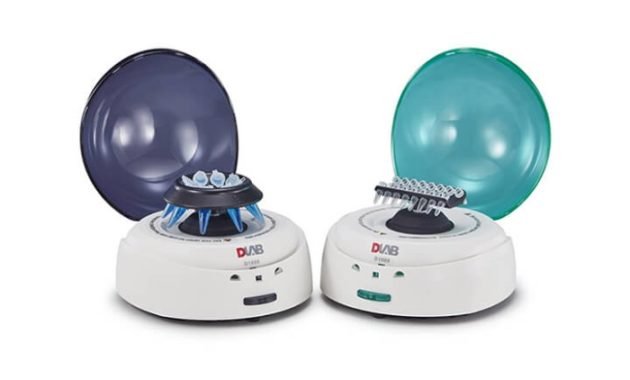
    The centrifuge works as a means of separating several substances in one solution. The separation process is by the deposition method. This tool is designed to facilitate the deposition process in the separation of substances with a rotating machine mechanism. The rotation is based on the centrifugal force that affects the gravitational force.

    Definition and Function of Centrifuge

    The centrifuge can be used for biochemical research in the laboratory. For example, to separate human blood cells, both white and red blood cells. Or also beneficial for the separation of solutions of other substances. Please feel free to listen to the discussion below to learn about the meaning and function of the centrifuge.

    A. What is a Centrifuge?

    The meaning and function of a centrifuge which has the understanding that a centrifuge is a tool or machine made to separate a particular substance that is in solution. This tool is often found in research and health laboratories. The centrifuge was first discovered by a foreign scientist named Benjamin Robins around the 1700s.

    The centrifuge works by using electric power, which can move the components inside. The rotor is the main component that can be used to separate a solution. The rotor will produce mechanical motion by rotating movement with a certain speed according to the user’s needs.

    B. Centrifuge Function

    Centrifuge Function

    The centrifuge was made with the primary purpose of helping humans work in separating various types of substance solutions in the field of laboratory research. In addition, the centrifuge also has several derivative functions that you can see as follows:

    1. As a separator of the content of substances in a particular solution. Both chemical and biological substances.
    2. To separate red blood cells from white blood cells to be taken plasma cells.
    3. Separating urine and blood to analyze or diagnose a person’s illness.
    4. Can be used to separate a food content.
      5. Can be used to purify a cell.
      6. Can be used for the separation process in animal milk, which separates the fat and milk content.

    C. Types of Centrifuge

    After knowing the function of the centrifuge, let’s also know the types. In its development, the centrifuge is made into several substance separators. These types differ in their respective forms and uses. The following are the types of centrifuges that you need to know:

    1. General Purpose Centrifuge

    General-Purpose-Centrifuge

    This type of centrifuge is a centrifuge that is often used for various needs in the laboratory, which has the usual shape and can be put on the table. This type of centrifuge has a speed range of 0 to 3000 rpm. Can accommodate 5 to 100 ml solution samples per rotation.

    2. Microcentrifuge

    Microcentrifuge

    A microcentrifuge is a helpful machine for separating specific solutions or special microtubes. This machine has a higher speed than the general-purpose centrifuge. Because of its smaller size, it can only accommodate a microtube of about 0.5 to 2.0 ml.

    3. Specialty Centrifuge

    This specialty centrifuge is a machine only used for more special substance separation needs. For example, it is used for microhematocrit to measure pack cell hematocrit. And it can also be used for blood bank, which is serologic separation in tubes.

    4. Ultra-refrigerated centrifuge

    Ultra refrigerated centrifuge

    Ultra and refrigerated centrifuge is one machine often used for research in biochemistry laboratories. This type of tool differs from some previous classes, where the speed is higher, around 50 thousand to 20 thousand rotations per minute. The advantage of this tool is that it is equipped with a sample cooler so that the temperature conditions are appropriately maintained.

    D. Centrifuge Component

    The centrifuge has several components that are designed into a single unit. There are main components and complementary components in it. To find out, let’s look at the components of the centrifuge as follows:

    1. Rotor

    The rotor is the main component of driving the centrifuge, which has a way of working that can rotate at a certain speed. The speed depends on the type of centrifuge used. The rotor itself has two types, namely the fixed rotor and the swing-out rotor, which have different types of rotation.

    2. Drive Shaft

    The drive shaft is another component found in the centrifuge. You can use it as a support for the rotor components. The drive shaft is connected to other parts, namely the motor.

    3. Motor

    The motor is a supporting component in the centrifuge. The motor is useful for driving the function of the rotor connected to the drive shaft. So that this motor can move the parts in the centrifuge, it flows to the power button connected to electricity.

    4. Centrifuge Tube

    The centrifuge tube is one of the components useful for placing samples of certain substances for particle separation. This tube is made slightly concave and pointed at the bottom so that the sample particles can settle to the bottom.

    E. How to Use Centrifuge

    How to Use Centrifuge

    As with laboratory equipment, there must be a good and correct way of using it. Likewise, centrifuges have procedures for use, so they are not mistaken. So that the samples that are successfully processed can be analyzed further. Here’s how to use a centrifuge:

    1. First, prepare all the tools and sample materials.
    2. Be sure to plug in the mains so the centrifuge can run.
    3. The sample to be processed must be put in a glass tube and can be put into a centrifuge machine
    4. Before starting, ensure the cover on the centrifuge can be tightly closed and locked.
    5. Set the speed by setting it on the rpm button, and set the required time by setting it on the timer button.
    6. Press the central button to run the centrifuge.
    7. When finished, you can press the button to stop or open the centrifuge cover.
    8. Then, you can remove all the sample tubes that have been successfully processed.

    Conclusion

    That’s a discussion about the meaning and function of the centrifuge that you can know. The centrifuge is very helpful in various laboratory studies to separate the content of certain substances.

  • Autoclave: Functions and How to Use It

    Autoclave: Functions and How to Use It

    Autoclave is a laboratory tool used to sterilize laboratory equipment after use. Do any of you often use an autoclave? In this article, we will discuss a laboratory tool called an autoclave.
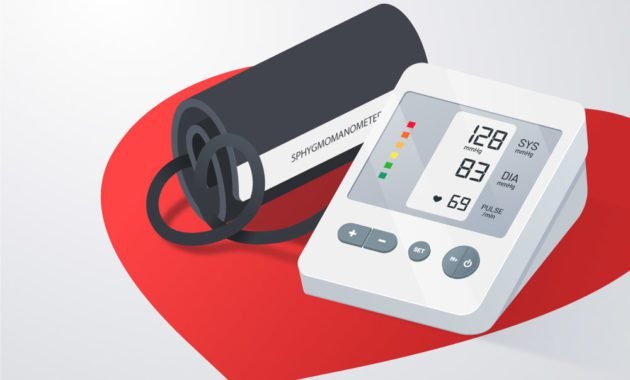
    The discussion about this tool will be pretty long and complete. You are starting from the notion of the autoclave, the history autoclave, the recommendation for the autoclave for your laboratory, the function of the autoclave, the working principle of the autoclave, and using the autoclave.

    It will help you understand the autoclave tool. Please comment below for those who are more experts and know more about this tool. Let’s continue reading!

    As initial information for you, this article will contain many things related to autoclaves. Some of you may have many questions related to this tool, such as:
    1. What is an autoclave?
    2. What is the function of an autoclave?
    3. How to use the autoclave?
    4. What are autoclaves made of?
    5. Can the sterilization temperature be lowered?

    This article can help you understand the tool. Let’s continue to discuss them one by one.

    What is Autoclave?

    Autoclave is a laboratory tool used to sterilize laboratory equipment after use.

    Autoclaves, known as steam sterilizers, are typically used for healthcare or industrial applications. An autoclave is a machine that uses steam under pressure to kill harmful bacteria, viruses, fungi, and spores on items placed inside a pressure vessel.

    What is the autoclave function and its uses in the laboratory?

    Why does laboratory equipment need to be sterilized? T

    Laboratories use autoclaves to fix equipment, instruments, and infectious waste. All operators must receive training on the safe operation of the autoclave before using the equipment. Users should read and understand the owner’s manual from their particular autoclave model.

    The sterilization process has many types, such as filtration, heating, sound energy, and irradiation.

    The sterilization process using an autoclave is one of the best because it uses a heating process with a temperature made periodically in a particular time unit.

    In an easy-to-understand case like this, suppose a hospital will perform appendicitis surgery on five patients simultaneously. Every tool used to dissect the patient, scissors, knife, or tweezers (etc.) must be sterile.

    If the hospital only has two sets of surgical equipment, the equipment must be washed and sterilized before being used for the next patient. Now this sterilization process needs to be done using an autoclave. How long does this sterilization process take? Of course, each autoclave has a different period. If the sterilization process using an autoclave takes 60 minutes, then at least the period between one patient and another is 1 hour.

    different type of autoclave
    different types of autoclave

    You may also have read some understanding of autoclaves using the Google search engine.

    Wikipedia Quotes About the Definition of an Autoclave

    An autoclave is a pressure chamber used to carry out industrial and scientific processes requiring elevated temperature and pressure about ambient. Autoclaves are used in medical applications to perform sterilization, in the chemical industry to cure coatings and vulcanize rubber, and for hydrothermal synthesis. Industrial autoclaves are used in industrial applications, especially in composites manufacturing.

    From the definition of autoclaves above, we can conclude that autoclaves have different types and categories. In their current development, autoclaves are used in industry, medicine, and research.

    History of the Autoclave in the Laboratory

    In the historical process of autoclave discovery, the author did not find a source that did explain it in detail. Still, there are two names associated with the formation of the autoclave, namely:

    • Denis Papin
    • Charles Chamberland

    Denis Papin

    A man of French nationality, he was born around August 1647 and died in August 1713. Denis Papin is a physicist and mathematician; he has connections with several inventions, such as the steam digester, pressure cooker, and steam engine. And of course, we need to know autoclave has another name, steam sterilizer.

    Charles Chamberland

    He is a man of French nationality, born around March 1851 and died around May 1908. He was a microbiologist at the Jura Department. Charles did the development of a filter which is often known as the Chamberland filter. Charles made use of porcelain rods which had smaller pores than bacteria. So that when the liquid is passed through the filter, all bacteria are captured, and the drink is free from bacteria. Charles Chamberland rose to fame when he started the research project that led to the invention of the autoclave in 1879.

    From some of this information, you will understand how the relationship between the two people above relates to forming the method in the autoclave. Denis Papin will deal with pressure on the autoclave, and Charles Chamberland will deal with bacterial sterilization.

    I’d appreciate it if you could understand the working principle of the autoclave and find a common thread in its relationship with the tools invented by the two people above.

    Autoclave Function

    sterilization using autoclave

    What is the function of the autoclave? Maybe that’s the question on the reader’s mind right now. Autoclave function, in general, is for sterilization of any object being sterilized. There are several types, such as:

    • Medical equipment (medicine)
    • Laboratory equipment (research)
    • Liquid and solid media

    Sterilization using an autoclave takes advantage of the heat in the water, which is converted into water vapor. Some laboratory equipment allows the sterilization process using an autoclave, but others require a sterilization process using a different method, such as an ultrasonic cleaner.

    The function of the autoclave in the medical or medical field is still within the scope of sterilization. Some surgical tools or medical procedures commonly used include surgical scissors, tweezers, or a scalpel. Some of these tools are included in the devices that need to be sterilized using an autoclave.

    In the process of handling medical waste, the function of the autoclave also has an important role. For example: before medical waste is disposed of, there will be a sterilization process using an autoclave. This sterilization process is categorized as quite effective or alternative when compared to burning waste and impacts the environment.

    In the field of microbiology, the function of the autoclave also plays an important role. For example, in the microbial culture process, media is needed, both liquid media, semi-solid media, and solid media. Well, it’s not only first sterilization before use; after microbial observation, it is better to sterilize it before the media is disposed of as waste.

    What is the working principle of an autoclave?

    Autoclave Working Principle
    Autoclave Working Principle

    After knowing the function of the autoclave in the previous point, we now discuss the working principle of the autoclave.

    The working principle of the autoclave is straightforward: converting electrical energy into heat energy. Thermal energy is channeled into the water, the water boils and produces water vapor, and the water vapor collects and increases the pressure. Air is pushed out, and the temperature is continuously improved and controlled as needed. The heat from boiling water vapor and high pressure will be held at a particular time to kill microbes at 100 to 134°C.

    The autoclave works on the principle of moist heat sterilization. The high pressure inside the chamber increases sterilizing equipment’s boiling point. The higher pressure also ensures the rapid penetration of heat into the deeper parts of the equipment.

    What is the function of an autoclave and its operating temperature?

    Many autoclaves are used to sterilize equipment and supplies by subjecting them to pressurized saturated steam at 121 °C (250 °F) for around 30-60 minutes at a pressure of 15 psi (103 kPa or 1.02 atm), depending on the size of the load and the contents.

    In a straightforward case, the autoclave is like a rice steamer in the kitchen. I am used to steaming or heating rice. The difference is that the rice steamer uses fire as heat energy, while the laboratory autoclave uses electrical power. Some types of autoclaves that are pretty outdated may still use the stove as heating media.

    Back to the electric type autoclave with automatic mode. Oh, yes… previously, there were many types of autoclaves. Such as manual, automatic, benchtop, or even large-capacity autoclaves.

    In the relationship between autoclave  and sterilization, several things need to be considered, such as:

    • Temperature or temperature has units of degrees Celsius or Fahrenheit
    • Pressure or pressure has units of bar
    • The length of time for sterilization is in minutes
    • The drying time has units of minutes

    Several types of laboratory autoclaves are no longer manual but automatic. Automatic here refers to the cycle process according to user needs. You need to know that if the autoclave has various features, one of the features you need to know is the different treatments for sterilizing each object.

    Why is an autoclave used for sterilization?

    Autoclave sterilization uses heat to kill microorganisms such as bacteria and spores. The heat is delivered by pressurized steam. Pressurization allows the moisture to reach the high temperatures required for sterilization.

    How to Use a Laboratory Autoclave

    How to use the correct autoclave?  Maybe that is the question that is on your mind. In the following, the author provides a brief overview of how to use a laboratory autoclave correctly.

    If you have never used an autoclave in the laboratory before and this is your first time using an autoclave, try looking for work instructions or manuals for using an autoclave in the laboratory or a user manual that is always available when buying an autoclave. Because each autoclave usually has a different use procedure—for example, manual type autoclave and automatic type autoclave. Be sure to ask senior users if necessary.

    The following are step-by-step tips on how to use a standard autoclave.

    • Enter the amount of water according to the volume needed; an indicator on the reservoir can be used as an ideal benchmark because each autoclave requires a different water supply.
    • Suppose your autoclave includes a sophisticated kind of autoclave so that the indicator will only be visible when there is an electricity supply (already connected). In that case, you must first click the electricity and turn on the power button.
    • Place the liquid media, solid media, or laboratory equipment to be sterilized in the autoclave. Make sure you arrange them neatly; if there are shelves, agree them as neatly as possible, use them.
    • Close the autoclave properly and tightly, then recheck the safety clamp before sterilizing. If the safety clamp on your autoclave is a swivel nut, ensure it is tightly closed. If your safety clamp is a swivel or sliding lever, ensure it’s tightly sealed.
    • Set the time and temperature on the autoclave as needed, then press the start button. In the automatic autoclave type, you will need a cycle selection process to determine which cycle is the most appropriate for the product you will sterilize.
    • After the sterilization process ends and the temperature cools down, you can only move the product out of the autoclave.
    • Empty the autoclave of the sterilized product after each use. If it is not used for a long time, it is recommended to empty the water in the reservoir, disconnecting the autoclave from the power source.

    Here are tips on how to use an autoclave in general. Those of you who buy a new autoclave are expected to read the manual for using the autoclave, which is available on the completeness of the purchase document.

  • How Does a Blood Pressure Monitor Work? Here’s the Explanation

    How Does a Blood Pressure Monitor Work? Here’s the Explanation

    The proper scientific name for blood pressure monitoring devices is sphygmomanometer, which is generally difficult to pronounce, another name for blood pressure monitors is Blood Pressure Monitor
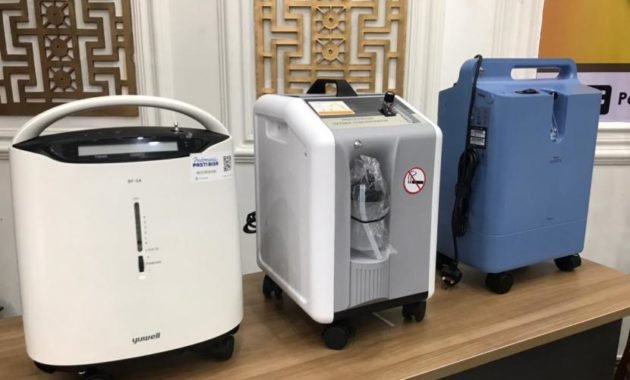
    For decades, doctors used a manually inflated air sac cuff and a listening device called a stethoscope to listen for the sound of the artery walls. This is known as the auscultatory method of measuring blood pressure. Using this method requires some practice and is usually done by a trained medical practitioner. This monitor is often called an aneroid sphygmomanometer.

    Blood pressure is a vital sign component. The results of blood pressure measurements affect decisions related to medical management and action.  Tools that can be used to measure blood pressure include a mercury manometer , aneroid sphygmomanometer , and digital sphygmomanometer

    aneroid sphygmomanometer
    aneroid sphygmomanometer

    Recent advances in medical technology have paved the way for inexpensive and easy-to-use digital sphygmomanometers that anyone can use in the comfort of their home without any special knowledge or training.

    The Digital Blood Pressure Monitor uses an inflatable air bag cuff, a battery powered air pump, and a pressure sensor to sense the vibrations of the artery walls to measure the blood pressure in the arteries. This is known as the oscillometric method.

    There are two types of Digital Blood Pressure Monitor namely the upper arm model (shown above) and the wrist model(shown below). Upper arm models have a cuff that sits on the upper arm and is connected by a tube to a monitor that rests on the surface near the arm. Wrist models are smaller and the entire unit wraps around the wrist. Regardless of the type of the two types of digital sphygmomanometer, the function and measurement method remains the same.

    How Do Digital Blood Pressure Monitor Work?

    The digital sphygmomanometer has an air pump driven by a microprocessor . The microprocessor will automatically pump air into the cuff about 20 mmHg above the average systolic pressure (about 120 mmHg). After the microprocessor captures sufficient pressure, the knob on the sphygmomanometer will automatically loosen and the air pressure in the cuff will decrease slowly.

    When the ordering process takes place, an oscilometric wave will appear which will be recorded by the instrument. This oscillometric wave is converted automatically by the device as systolic blood pressure, diastolic blood pressure, pulse pressure, and mean arterial pressure (MAP). The point where the oscillometric wave appears first will be read as systolic blood pressure, while the point where the oscilometric wave begins to disappear will be read as diastolic blood pressure. 

    The signal from the pressure sensor is conditioned by the instrumentation amplifier prior to data conversion by the analog-to-digital converter (ADC). The systolic pressure, diastolic pressure, and pulse rate are then calculated in the digital domain using the appropriate algorithm for the type of monitor and sensor being used. The resulting systolic, diastolic and pulse rate measurements are displayed on a liquid crystal display (LCD), added with time and stored in a non-volatile memory.

    User Interface

    Most Digital Blood Pressure Monitor use a simple monochrome LCD with 100 segments or less that can be driven by a driver integrated in the microcontroller. Backlight can be added using one or more white light emitting diodes (LEDs).

    One or more pushbuttons and/or physical switches are typically used to turn the power on and off and to initiate blood pressure measurements.

    High-end Digital Blood Pressure Monitor can use a color LCD with a touch screen to implement advanced user interfaces such as on-screen virtual buttons, touch menus, graphics, animations, etc.

    Digital Tensimeters
    Digital Blood Pressure Monitor

    Audible notifications in the Digital Blood Pressure Monitorcan be provided with a simple beep driven by one or two pins of the micro controller port which has pulse width modulation (PWM) capability. More advanced sound announcements can be achieved by adding an audio digital-to-analog converter (DAC) and amplified speakers.

    Connectivity

    In recent years, connectivity, aggregation and sharing of health data have become a trend in the consumer digital health space, especially among younger users.

    The connected Digital Blood Pressure Monitor has the ability to upload data to a computer or smartphone for further analysis and tracking of measurements over time. This data transfer is usually done via a USB interface or wirelessly using a Bluetooth Low-Energy radio link.

    Advanced Digital Blood Pressure Monitor can also use Wi-Fi and/or cellular wireless networks to upload data to a remote digital health information management system without relying on a computer or smartphone.

    Power Management

    Upper arm digital sphygmomanometers typically use four AA or AAA alkaline batteries (1.5V) and wrist monitors typically use two AAA alkaline batteries. Alternatively, high-end Digital Blood Pressure Monitor can use rechargeable Li-Ion batteries and plug-in wall chargers similar to those used for smartphones.

    To extend battery life, automatic power off after a period of inactivity can be applied. However, the real time clock (RTC) must always be turned on to maintain the current time when the monitor is turned off.

  • What is an oxygen concentrator and how does it work?

    What is an oxygen concentrator and how does it work?

    An oxygen concentrator is a type of medical device used to deliver oxygen to a person with respiratory problems. A person whose blood level is lower than normal will often need this machine to replace that oxygen. In general, it is not recommended that you use an oxygen concentrator without a doctor’s prescription. A doctor should prescribe it after the patient has completed a thorough medical evaluation. Doctors will also usually show patients how to use these concentrators effectively while traveling and at home.
    The Oxygen Concentrator filters the surrounding air, compresses it to the required density and then delivers purified medical grade oxygen into a pulse-dose delivery system or continuous-flow system to the patient. Equipped with special filters and filters that help remove Nitrogen from the air to ensure delivery of fully purified oxygen to the patient. The device is also equipped with an electronic user interface so that you can adjust the oxygen concentration level and oxygen rate setting and then the patient inhales oxygen through a nasal cannula or a special mask.

    You normally measure the Oxygen Concentrator output in LPM (liters per minute). Your doctor will determine the level of oxygen you need, which can vary at rest, during sleep, and when you exercise.

    What are the Uses and Reasons for Choosing an Oxygen Concentrator?

    What are the Uses and Reasons for Choosing an Oxygen Concentrator

    There are many reasons to choose an Oxygen Concentrator and doctors can recommend oxygen therapy to their patients for a variety of medical conditions. Normally, your lungs absorb air oxygen, transferring it to your bloodstream. If you recently had blood tests or pulse oximetry to assess your oxygen saturation level, and you find you have low blood oxygen levels, your doctor may recommend short- or long-term oxygen therapy.

    You may be wondering what oxygen concentrators are used for? Acute conditions usually require short-term oxygen therapy. This condition usually lasts a short time. They may have sudden symptoms versus a chronic condition where things happen gradually. However, some respiratory or chronic conditions require long-term oxygen supplementation.


    Acute Conditions Requiring Oxygen Concentrator

    Some examples of acute conditions where you may need an Oxygen Concentrator for short-term oxygen therapy are:

    1. Asthma / Shortness of Breath

    This condition is where your airways become inflamed and start producing a lot of mucus, which makes it harder to breathe. While there are a number of medications that can treat and control asthma, oxygen concentrators can pump high levels of oxygen into a patient’s bloodstream while they are having or have had an asthma attack.

    2. Pneumonia / Inflammation of the Lungs

    Pneumonia is an infection in which you develop inflammation of one or both of the air sacs of your lungs and in most cases, fill them with fluid. Many pneumonia patients have been prescribed oxygen therapy and have seen good clinical outcomes.

    3. Bronchopulmonary dysplasia (BPD)

    Newborns with RDS also have a higher risk of developing BPD. This is a severe lung condition that requires long-term breathing assistance.


    Chronic Diseases Requiring Oxygen Therapy

    Some chronic conditions that require long-term use of Oxygen Concentrators are:

    1. Chronic Obstructive Pulmonary Disease (COPD)

    Chronic Obstructive Pulmonary Disease COPD affects about 16 million people, but oxygen concentrators can be an effective treatment. When you have COPD, you have chronic lung damage that makes it difficult for your lungs to absorb enough oxygen. As a result, you may have difficulty breathing, and oxygen therapy via a concentrator can help.

    2. Cystic fibrosis

    You inherit this life-threatening condition. It causes damage to the digestive system and lungs. This is a rare condition that affects the body’s cells that are responsible for producing mucus, sweat, and digestive juices. The fluid is altered which produces a sticky, thicker solution that clogs the ducts, tubes, and passages of the infected person.

    3. Sleep Apnea

    Sleep apnea is a sleep disorder that can be serious and cause an individual’s breathing to stop sporadically and start during their sleep. Usually, treatment for this condition is continuous positive airway pressure (CPAP), weight loss and physical exercise, although some people with sleep apnea may need oxygen therapy.

    How Does an Oxygen Concentrator Work?

    The oxygen concentrator uses an intelligent method to remove nitrogen from the air and produces up to 96 percent pure oxygen. For reference, room air contains 80 percent nitrogen and 20 percent oxygen. The oxygen concentrator will change the surrounding air using one or two filters to take air from outside and then process it from the machine which will make pure oxygen ready to be inhaled by the patient.

    Think of an oxygen concentrator as a window air conditioner, so it needs air to enter, change it and give it a different form. Oxygen Concentrators take air and purify it for use by individuals who need medical oxygen due to low levels of oxygen in their blood.

    1. Compressing air while the cooling mechanism prevents the concentrator from getting hot
    2. Inhaling air from the surroundings
    3. Using electronic interfaces to adjust delivery settings
    4. Removing nitrogen from the air through filters and filters
    5. Delivering pure oxygen through a mask or nasal cannula tube

    Advantages of Oxygen Concentrator

    1. No need to refill oxygen
    2. Small size (portable) and easy to carry
    3. Safe because it doesn’t have a tank and doesn’t leak
    4. Easy to operate
    5. Lighter weight than oxygen cylinders

    Disadvantage of Oxygen Concentrator

    1. Relatively more expensive
    2. The engine may be a little louder
    3. Cannot be used if the power goes out or the battery runs out

    The oxygen concentrator machine is very suitable for home use, patients who need a continuous oxygen supply while sleeping or resting will need an oxygen concentrator according to the supplemental oxygen prescribed by the doctor. The oxygen concentrator can also be turned on for 24 hours, but you can rest the machine for about an hour. It is always recommended to have an oxygen cylinder ready as a daily backup in case the power goes out at any time. If the mains voltage is less stable, use an electric stabilizer. Keep the appliance away from cigarettes or flammable objects.

  • History of Communication Technology Development

    History of Communication Technology Development

    You certainly know that today’s communication technology plays a very important role in human life. Why is that? As we know, communication technology has become an intermediary medium that humans use to be able to carry out various interactions and express themselves. Humanity has also felt that the world is developing very rapidly and we have been able to adapt to these developments.
    Every day there is always a progress and development that occurs in this world. These developments succeeded in producing a new innovation that is certainly very useful for mankind in the world. You must have realized that we ourselves use various technological developments and innovations discovered by even countless scientists, as well as developments in communication technology.

    The development of communication technology is a cycle that will continue to develop over time. The development of communication technology certainly brings changes in aspects of daily communication. You must know very well right, we will be very difficult if we live without communication and technology. We cannot possibly do things in daily life without the communication that is made by human beings.

    Well, this time we will invite You to look at the history of the development of communication technology from time to time in the world. Eits, before we will introduce the meaning of communication technology first so that You is not confused.

    Understanding Communication Technology

    Before understanding what communication technology is, it helps if we first understand what communication is.

    Communication is a term that has a meaning where the process of exchanging information, words, or signs is carried out by two or more people. The process or the communication process can be done by means of nonverbal or verbal. In the communication process, two or more people who communicate have the potential to give or receive information.

    A person can understand the meaning of another person through the communication process carried out by that person. If a communication process runs smoothly and effectively, it does not rule out the possibility of closeness and a sense of togetherness. Having good communication skills is an important thing that must be owned by every human being. Why is that? As we have explained, that communication plays the most important role in this life.

    After knowing the meaning of communication, it’s time for you to tell about the meaning of communication technology.

    In general, communication technology is a thing that refers to all goods or tools that can be used to support the communication process (sending, conveying, receiving, processing, editing, processing and manipulating information).

    History of Communication Technology

    After knowing about the meaning of communication and communication technology, now is the time for you to present a brief history of the development of communication technology that has occurred from one period to another.

    1. Communication Technology in the form of Cave Paintings

    Cave Paintings

    Cave painting is claimed to be the oldest communication method in the world. The method of cave painting functioned as a sign of early humans in marking their area. Not only to mark the territory, cave paintings are also a medium to record various important events that occurred at that time.
    These cave paintings can usually be found on the walls or ceiling of the cave.

    Cave paintings also have other functions, namely as a religious function as well as a symbolic function. The symbolic function in cave paintings is symbolic to communicate. These symbols usually have various forms with different meanings. The goal is of course only to convey a certain message.

    2. Communication Technology Through Symbols

    It is known that there are stone carvings called petroglyphs that were discovered and introduced around 10,000 years BC. These stone carvings functioned as a medium for recording stories by early humans.

    Lately, we often hear the fact that graphic symbols function as a medium to describe a certain concept or idea. It is known that the Chinese state created the characters used to communicate. Over time, the letters of the pn alphabet were created and communication technology developed with the help of the creation of the letters of the alphabet.

    3. Communication Technology Using Smoke Signs

    Smoke Signs

    Smoke signs are often known as signals that are used to send messages or information. The use of smoke sign communication technology is quite popular and the most widely used in China. An example of its use is when a guard releases the signal into the air. Smoke will be interpreted as a message that goes to the Great Wall in China. There is also a Greek historian who uses this signal to replace the letters of the alphabet.

    4. Communication Technology Using Pigeons

    Pigeons are very popular because they know the direction in which they are flying, the direction to their home even after they have had a long and long journey.

    People who use pigeons as their messengers will usually put a small letter around the dove’s neck in the hope that it will reach the recipient. Pigeons have an important role in the development of this communication technology.

    5. Postal System Communication Technology

    After the development of the times, people are increasingly aware to stop using pigeons as messengers and switch to using courier services. This postal system makes someone who wants to send a message must send it to someone else and it will be sent to the recipient via the postal service. In this postal system, it requires the use of a mailbox.

    Postal System

    6. Communication Technology Using Newspapers

    Newspaper or formerly known as newspaper is a communication technology that is still used today. Newspapers or newspapers contain the delivery of a written news as well as various events that are taking place at that time. There are two types of newspapers, namely national newspapers and international newspapers.

    The type of newspaper published is very dependent on what news is contained in it. Newspapers themselves are known to take people’s attention and slowly change the method of conveying information from time to time.

    7. Communication Technology Using Radio

    The emergence of print media communication technology in the form of newspapers was followed by the emergence of radio. Radio itself is a communication technology that can produce sound and provide news and entertainment for the community.

    Scientists began to study and test wireless signals to be able to generate radio. Even today, radio is still there and placed as a feature in today’s cell phones.

    8. Communication Technology Using Telegraph

    The telegraph became the first electrical communication tool that could send text messages. The telegraph was created to make it easier for people to send messages in text form to help spread information across the country.

    9. Communication Technology Using Telephone

    Communication Technology Using Telephone

    The telephone became an invention that played an important role at that time. Telephones are highly reliable for a variety of situations both at home and in the office. This communication tool provides access for users to transmit voice and will be converted into a signal. The signal will then be routed using a cable and delivered to the receiver.

    10. Communication Technology Using Television

    Television is the umpteenth communication technology that is still used today. Television itself is a source of entertainment for people who cover the world at large. Television is a form of communication technology that is indirect for the audience.

    Initially television has a black and white display. After the development of the times, then television can be watched to be more colorful and equipped with various unique features in it.

    11. Communication Technology Using Computer

    The computer was created in 1930 by an American engineer named Vannevar Bush. 16 years later, scientists from the University of Pennsylvania, United States, created a digital computer called the ENIAC. This tool is controlled by tubes without air or vacuum.

    Over time, ENIAC was judged to have no memory (memory capacity). Because of that, around the 1950s, a mathematician developed a thought to store all programs on a computer in a memory bank. The mathematician was named John von Neumann.

    About 20 years later, in 1970, computers began to operate using more efficient transistors. Furthermore, computers continue to be developed to become the most perfect communication technology and can do various jobs that greatly help the work of mankind in the world. In its development, computers are also equipped with various reliable specs and network access to increase their usefulness.

    12. Internet

    Internet

    The world of internet has brought people closer and closer. Especially after the website. Where Berners Lee’s team invented the WWW or the World Wide Web in 1990. Then satellites supported the internet. With the internet, we can search for anything and anywhere in the world. Then, wireless connections started appearing in 1991. Since then, people have started to get addicted to the internet. Especially now, all activities no matter how small, starting from daily life, business, and education are not far from using the internet.

    13. Email or Email

    Email or email is one of the most formal communication media and is usually only used in the office or campus. John Vittal in 1975 developed a software or software to support letters. Since the invention of e-mail, many mailing platforms have fallen out of use. Because, email seems more effective for recording and also cost-effective.

    14. Text Message

    The next communication technology is the existence of text messages. Where various network providers are used to transmit texts. The first person to send a text message was Neil Papworth, an engineer. He sent the text message in 1992. Since then until now, text messages have become part of social life in long-distance communication. People from any corner of the world can chat via text messages. With the advent of the sophisticated internet, text messaging applications began to appear. These apps can help in connecting people. Where they can share messages via the internet.

    15. Social media

    Social media

    These days, almost everyone shares their entire life story on social media. Social media platforms can help people share photos, videos and anything on the internet. This is the newest communication medium in the digital world. Currently, there are many social media platforms that have sprung up, starting from Instagram, Facebook, Twitter, and others. The presence of a smart phone or smartphone also adds to the convenience of people in using social media. Social media applications can be installed on our smartphones.

    Then social media users can freely share their stories or life events to the public domain. Nowadays, many people are obsessed with social media platforms. In fact, many of them share things that are actually unethical to upload on social media. This is done for the sake of popularity only. Therefore, social media has revolutionized the way people communicate.

    On social media, we can see what other people are doing through their respective social media profiles. So, nowadays it is too easy to contact our friends who live far away. Communication has also become much easier and more effective. Distance is no longer a problem to communicate.

    We can talk to anyone in all corners of the world, even people we have never met. Communication technology that has become better is very helpful for us in gaining social skills. From verbal speech to text messages. Everyone can communicate about their daily life.

    The Role of Communication Technology

    Technological developments have changed human life and affected almost all major sectors of society. Starting from transportation, business, and also communication. Advances in communication technology and science have had a huge impact on the way we communicate. It also leaves us with no choice but to go through the developments of this era.

    Over the years, the means of communication have begun to evolve from simple text messages to audio calls. Then it developed again with the emergence of chat platforms that offer advanced features that make communication more efficient. The impact of communication technology has had an impact on both individuals and businesses.

    The dominance of communication technology has forced business people to start investing heavily in providing communication services. Good for employees or clients. This can be proven in the marketing strategy that occurs in service providers and customers.

    In addition, social media platforms have also caused drastic changes in the way we communicate. Through social media platforms such as Facebook, Instagram, Twitter, Tiktok, and others, users can communicate through comments, likes, and even user profiles. The platform is able to break down barriers related to differences in religion, ethnicity, race, and others.

    Communication Technology Function

    To facilitate all human activities, communication technology has several functions. The first is to make work easier in the business world and also in the economy. With this, communication technology which is developing rapidly has become a supporting pillar in transportation technology in the industrial sector.

    Second, the function of communication technology can also be to assist and facilitate in sending or receiving data from one device to another. Both from close range and from a distance. Then the third is being able to play a role in regulating a system so that it can be managed properly. With good system management, it will affect system performance for the better.

    In addition to the functions mentioned above, there are other functions where communication technology is able to bring values ​​from social, economic and political structures in general. Then the last function of communication technology is to be able to increase the senses of every human being in hearing and seeing.

  • Top 10 Stress Level Measuring Application Recomended

    Top 10 Stress Level Measuring Application Recomended

    Top 10 Stress Level Measuring Applications: The Ultimate Guide

    Stress is a common part of modern-day existence. The demands of work, family, and other responsibilities can easily take a toll on our mental and emotional well-being. However, with the help of stress level measuring applications, it’s now easier than ever to manage stress levels and improve our overall quality of life. In this article, we’ll be looking at the top 10 stress level measuring applications to help you stay on top of your stress levels.
    1. Calm

    Source: https://tse1.mm.bing.net/th?q=Calm+app

    Calm is a popular application used by people all around the world to help manage stress and anxiety. It offers guided meditations and breathing exercises that help relax the mind and body. Besides offering guided meditations, it also provides tips on how to improve sleep quality and reduce anxiety. With its multitude of features, Calm is an excellent application for overall mental wellbeing.

    2. Aura

    Source: https://tse1.mm.bing.net/th?q=Aura+app

    Aura is an application that helps people manage their stress levels through daily meditations and mindfulness exercises. The application includes guided meditations designed to help reduce stress and anxiety. Additionally, it provides a gratitude journal to help users focus on the positive things in their life. Aura also sends personalized notifications to remind users when it’s time to take a break and focus on their wellbeing.

    3. Headspace

    Source: https://tse1.mm.bing.net/th?q=Headspace+app

    Headspace is an application that provides guided meditations and mindfulness exercises to help users manage stress levels. Its approachable design makes it popular with those new to meditation. The application’s meditation library covers a wide range of topics from stress and anxiety reduction to better sleep and productivity.

    4. Happify

    Source: https://tse1.mm.bing.net/th?q=Happify+app

    Happify is a unique application that combines neuroscience with positive psychology. The application aims to help users improve their mental wellbeing and reduce stress levels with evidence-based activities designed to boost happiness. It includes a range of activities such as meditations, games, and gratitude exercises to help individuals focus on the positive aspects of their life.

    5. Pacifica

    Source: https://tse1.mm.bing.net/th?q=Pacifica+app

    Pacifica is an application designed to help users manage stress and anxiety levels. It includes an array of features to help individuals understand and monitor their stressors. Pacifica’s approach combines cognitive-behavioral therapy techniques with stress management tools like guided meditations, breathing exercises, and mood tracking to help individuals improve their decision-making, coping skills, and overall mental wellbeing.

    6. Happier

    Source: https://tse1.mm.bing.net/th?q=Happier+app

    Happier is an application designed to help users find more joy and positivity in their lives. It includes activities like gratitude journaling, goal setting, and inspirational community content designed to motivate and inspire. The application’s easy-to-use interface makes it a popular choice for those seeking to incorporate more self-care into their daily lives.

    7. Slumber

    Source: https://tse1.mm.bing.net/th?q=Slumber+app

    Slumber is an application that helps users improve their sleep quality for overall mental wellness. The application includes a range of guided meditations designed to help users fall asleep faster and stay asleep longer. Additionally, it includes calming background sounds and music to help reduce stress and anxiety levels.

    8. Serene

    Source: https://tse1.mm.bing.net/th?q=Serene+app

    Serene is an application that combines guided meditations and relaxation techniques to help users handle stress and anxiety. The application’s guided meditations range from five to thirty-three minutes, providing stress relief options for all schedules. It also includes a gentle bell sound to help users come out of their relaxation breaks gradually.

    9. Stress Tracker

    Source: https://tse1.mm.bing.net/th?q=Stress+Tracker+app

    Stress Tracker is an application designed to help users keep track of their stress levels. It comes with a built-in stress test designed to measure stress levels and provides users with individualized goals and tips to help manage their stress. Additionally, it comes with resources like guided imagery, relaxation exercises, and motivational texts to help users improve their overall mental wellbeing.

    10. Breathwrk

    Source: https://tse1.mm.bing.net/th?q=Breathwrk+app

    Breathwrk is an application designed to help users regulate their breathing patterns to help manage stress levels. It includes a breathing screen that makes it easy to follow along with the app’s guided breath exercises. With its simple interface and range of breathing exercises, Breathwrk is an excellent option for those looking to incorporate breathing techniques into their daily routines.

    The Bottom Line

    These days, managing stress is becoming increasingly important. Fortunately, it’s now easier than ever to keep stress levels under control with these top 10 stress level measuring applications. Whether you’re dealing with day-to-day stress or looking to improve your overall mental wellbeing, these applications can help you stay on track and live a healthy, happy life.

    Frequently Asked Question

    1. What is a stress level measuring application?

    A stress level measuring application is a tool that measures an individual’s stress level through various inputs, such as heart rate or breathing rate. It provides helpful insights to manage stress levels and improve mental health.

    2. Is measuring stress levels through an application accurate?

    Yes, it is accurate to a certain extent. These applications use advanced algorithms to measure physiological responses to stress, such as heart rate variability and breathing rate, and provide a reliable analysis of your stress level.

    3. Can anyone use a stress level measuring application?

    Yes, anyone can use a stress level measuring application on their smartphone, tablet or other mobile devices. These apps are available on different platforms and can be downloaded easily.

    4. How does a stress level measuring application work?

    A stress level measuring application generally uses heart rate variability, breathing pace, or other real-time physiological data to calculate an individual’s stress level. These inputs are compared to a baseline value, and the app provides guidance on how to improve stress levels.

    5. Are there any risks in using a stress level measuring application?

    There are no major risks in using stress measurement applications. However, some individuals may feel anxious or stressed by frequent reminders of their stress level, and it is essential to seek professional help if your stress level is consistently high.

    6. Can stress level measuring applications be used for clinical purposes?

    Yes, stress level measuring applications are commonly used for clinical purposes to evaluate stress levels in patients with anxiety disorders, depression, or other health conditions.

    7. Are stress level measuring applications free of cost?

    Some stress measurement applications are free of charge, while others may require purchasing a premium version to access advanced features.

    8. How can a stress level measuring application help with mental health?

    Stress level measuring applications provide helpful insights to manage stress levels, which can contribute to better mental health. The app can guide individuals through meditation, breathing exercises, or other relaxation techniques to alleviate stress.

    9. How frequently should one use a stress level measuring application?

    It is recommended to use a stress level measuring application once or twice daily to track stress levels and improve mental health effectively.

    10. Can a stress level measuring application replace a therapist?

    No, stress level measuring applications cannot replace a therapist. They are a valuable tool to manage stress levels, but it is essential to seek professional help if you are struggling with mental health issues.

  • Top 10 Muscle Mass Measuring Application Recomended

    Top 10 Muscle Mass Measuring Application Recomended

    Top 10 Muscle Mass Measuring Applications

    Are you a fitness enthusiast who is looking to track your muscle mass accurately? With the rise of smartphones and mobile apps, muscle mass measuring has become more accessible than ever before. With a wide range of applications available from different vendors, it can be challenging to select the right one that suits your needs. In this article, we will walk you through the top 10 muscle mass measuring applications available in the market.
    1. MyFitnessPal

    MyFitnessPal is among the most popular fitness apps available in the market. The app features a comprehensive range of features, which includes muscle mass measuring. Using MyFitnessPal, you can track your daily nutrition and exercise regimes, which in turn helps you keep a check on your muscle mass. Also, the app has a vast database of more than six million foods and drinks that help users in tracking their macro and micronutrient intake.

    MyFitnessPal app

    2. Fitbit

    Fitbit is another good application for measuring your muscle mass. The app makes it more accessible than ever to track your fitness goals. By tracking your daily exercise routine and dietary habits, the app helps you to keep a check on your muscle mass on a weekly and monthly basis. Also, Fitbit offers activity tracking features such as heart rate tracking and sleep tracking, making it a complete package for fitness enthusiasts.

    Fitbit app

    3. MyPlate by Livestrong

    MyPlate is another popular application that helps track muscle mass, nutrition, and weight. The app(https://www.livestrong.com/myplate/) has a food library consisting of more than 2 million verified foods, making it effortless for users to record what they have eaten. MyPlate also provides customized meal plans based on your calorie intake and helps automate your nutritional intake tracking. The app offers an extensive range of features, making it an all-in-one application for fitness enthusiasts.

    MyPlate app

    4. BodySpace

    BodySpace is a fantastic application that allows you to track your fitness progress conveniently. You can track your exercise routine and nutrition, recording as you go. The app features a robust workout library, where you can access many of the latest and most effective exercises. BodySpace app also enables you to create personal workout plans that match your workout needs and goals.

    BodySpace app

    5. HealthifyMe

    Another popular application that helps track your muscle mass and nutritional habits is HealthifyMe. This app is user-friendly and efficient in helping you stick to your fitness plans easily. With HealthifyMe, you can track the number of calories you consume daily, and the application gives you an estimate of the muscle mass you will gain over a week or month. The app also trains you on healthy eating, making the journey easier and more fun.

    HealthifyMe app

    6. StrongLifts 5×5

    StrongLifts is another app focusing on muscle mass and strength building. This app provides workout plans, and the most popular one is the 5×5 workout plan. The 5×5 program is a strength program that helps build muscle mass and strength with compound lifts. The app tracks and saves the weights lifted on all lifts, and one can use that data to monitor their progress actively.

    StrongLifts 5x5 app

    7. JEFIT Workout

    JEFIT Workout is a fantastic app that helps people track their muscle mass and strength-building exercises. The app features an extensive database of exercises, which users can use to create their customized workout routine. JEFIT Workout comes equipped with gym-trained coaches who will help users meet their fitness goals. The app tracks exercises done and proposes modifications and progressions to suit the user’s needs.

    JEFIT Workout app

    8. Fitness Point

    Fitness Point is an app that is focused on muscle mass and strength building. The app features a wide range of exercises and workout routines that individuals can use to create their customized workout plans. Fitness Point enables users to record the reps, weights, and sets performed on each exercise. Additionally, the app has a useful feature where it tracks the daily progress of the user.

    Fitness Point app

    9. Google Fit

    Google Fit is a simple application that focuses on exercising and staying active. The app tracks your daily physical activity using sensors available on your smartphone or smartwatch. The application accurately records and tracks muscle mass and heart rate. Additionally, the app offers guided mindfulness exercises for relaxation.

    Google Fit app

    10. MyPlate by Relish

    MyPlate by Relish is another great application that offers a comprehensive range of features, including muscle mass tracking. The app tracks calorie and nutrient intake, allowing users to meet their fitness goals effectively. Additionally, MyPlate offers personalized meal plans customized to your dietary restrictions and preferences.

    MyPlate app by Relish

    Conclusion

    In conclusion, these applications offer an effective way to track muscle mass, which is crucial for fitness enthusiasts. With the help of these applications, you can track your exercise routine, nutritional intake, and muscle mass, enabling you to make informed decisions and to track your progress. In selecting the right application for you, identify your fitness goals and choose an app that offers features that meet your needs.

    Frequently Asked Question

    1. What is a muscle mass measuring application?

    A muscle mass measuring application is an app that utilizes various measurements and calculations to estimate an individual’s muscle mass percentage.

    2. How accurate is a muscle mass measuring application?

    The accuracy of a muscle mass measuring application varies depending on the app itself and the method used to calculate muscle mass. In general, the accuracy of the measurement is not as high as other methods such as DXA scans or hydrostatic weighing.

    3. What measurements are used by muscle mass measuring applications?

    Most muscle mass measuring applications use a combination of height, weight, age, gender, and muscle circumference measurements to estimate muscle mass.

    4. How do muscle mass measuring applications determine muscle mass?

    Muscle mass measuring applications use different formulas and algorithms to estimate muscle mass based on various measurements.

    5. Can muscle mass measuring applications be used by everyone?

    While most muscle mass measuring applications are designed to be used by anyone, certain apps may have age or weight restrictions.

    6. Are muscle mass measuring applications accurate for athletes?

    Muscle mass measuring applications may not be as accurate for athletes due to their higher muscle mass and lower body fat percentage.

    7. Do muscle mass measuring applications require additional equipment?

    Most muscle mass measuring applications require a smartphone and access to the internet. Some apps may require additional equipment such as a tape measure or a body fat caliper.

    8. Can muscle mass measuring applications track progress over time?

    Yes, many muscle mass measuring applications have built-in features that allow users to track their muscle mass percentage over time.

    9. How often should I use a muscle mass measuring application?

    It is recommended to use a muscle mass measuring application at least once a month to accurately track progress.

    10. Are muscle mass measuring applications useful for weight loss goals?

    Yes, muscle mass measuring applications can be helpful for weight loss goals as they can track changes in muscle mass percentage and provide motivation for continuing an exercise regimen.

  • Top 10 Weight Measuring Application Recomended

    Top 10 Weight Measuring Application Recomended

    Top 10 Weight Measuring Applications

    Keeping track of your weight is essential for maintaining a healthy lifestyle. With the advancement in technology, we have some excellent apps that can help you track your weight on the go. Whether you are looking to lose weight, build muscle, or maintain your current weight, these applications can help you achieve your goals. In this article, we will be listing the top 10 weight measuring applications that you can use to track your weight.
    1. MyFitnessPal

    MyFitnessPal is one of the most popular weight measuring applications available today. This app not only helps you track your weight but also lets you keep a check on your daily calorie intake. With a huge database of food items, you can easily track your meals and stay within your calorie budget. The app also features a barcode scanner, which makes it easier to log your meals. The app is available on iOS and Android devices.

    MyFitnessPal

    2. Lose It!

    Lose It! is a popular weight loss application that has been around for a while. With this app, you can set goals and track your progress towards them. You can log your meals, track your exercise, and connect with friends for added motivation. The app also features a premium version that comes with added features like a meal planner and more advanced tracking options. The app is available on iOS and Android devices.

    Lose It!

    3. Weight Watchers

    Weight Watchers is a popular weight loss program that has helped millions of people shed those extra pounds. The Weight Watchers app is an excellent tool for tracking your weight, food intake, and activity. The app comes with a database of over 8,000 food items, making it easy to track your meals. The app also features a barcode scanner, which makes logging your meals a breeze. The app is available on iOS and Android devices.

    Weight Watchers

    4. Fitbit

    Fitbit is known for its fitness trackers, but the company also offers an excellent weight tracking application. With the app, you can set goals, track your weight, and monitor your progress over time. The app also features a food log, which makes it easy to track your meals. The app is available on iOS and Android devices.

    Fitbit

    5. Noom

    Noom is a weight loss program that combines coaching with technology. The Noom app uses a unique approach by offering personalized coaching to help you achieve your weight loss goals. The app also features a food log, activity tracker, and progress tracker. The app is available on iOS and Android devices.

    Noom

    6. MyPlate by Livestrong

    MyPlate by Livestrong is an excellent tool for tracking your weight and food intake. The app features a barcode scanner, which makes logging your meals a breeze. The app also tracks your macro and micronutrients, making sure you stay within your daily requirements. The app is available on iOS and Android devices.

    MyPlate by Livestrong

    7. Yazio

    Yazio is a weight loss app that not only helps you track your weight but also offers nutritional coaching. The app features a database of over 2 million food items, making it easy to log your meals. The app also tracks your macro and micronutrients and features personalized information on how to improve your diet. The app is available on iOS and Android devices.

    Yazio

    8. MyNetDiary

    MyNetDiary is a weight loss app that offers personalized coaching and tracking options. With the app, you can track your meals, activity, and water intake. The app also features a barcode scanner, which makes logging your meals easy. The app is available on iOS and Android devices.

    MyNetDiary

    9. Carb Manager

    Carb Manager is an excellent app for tracking your weight and monitoring your carbohydrate intake. The app features a barcode scanner, which makes logging your meals easy. The app also lets you track your water intake, exercise, and sleep. The app is available on iOS and Android devices.

    Carb Manager

    10. Cronometer

    Cronometer is a comprehensive nutrition and fitness tracking app. With the app, you can track your weight, food intake, and exercise. The app also features a barcode scanner, which makes logging your meals easy. The app also tracks your macro and micronutrients, making sure you stay within your daily requirements. The app is available on iOS and Android devices.

    Cronometer

    Conclusion

    In conclusion, these weight measuring applications can help you achieve your weight loss goals. With features like food logs, barcode scanners, and personalized coaching, these apps make it easier than ever to track your meals and monitor your progress. So, choose the app that suits your needs, set your weight loss goals, and start tracking your progress today!

    Frequently Asked Question

    1. How does the weight measuring application work?

    The weight measuring application works by utilizing the sensors of your device to detect pressure changes caused by an object placed on your device’s screen. It converts the pressure changes into weight measurements.

    2. Is the weight measuring application accurate?

    The accuracy of the weight measuring application is dependent on the quality of the device’s sensors and the consistency of the surface you place the object on. However, it is generally accurate enough for everyday household use.

    3. What is the minimum weight that can be measured using the weight measuring application?

    The minimum weight that can be measured using the weight measuring application varies depending on the application, but it is usually around 5 grams.

    4. Can the weight measuring application measure the weight of living creatures?

    It is not recommended to use the weight measuring application to measure the weight of living creatures as it can potentially harm them. Using a proper weighing scale would be a better choice.

    5. Can the weight measuring application measure the weight of liquids?

    No, the weight measuring application cannot measure the weight of liquids as it requires a solid surface for the sensors to detect pressure changes.

    6. Is the weight measuring application compatible with all devices?

    No, the weight measuring application may not be compatible with all devices, especially older devices with outdated sensors.

    7. Can the weight measuring application measure weight in different units?

    Yes, the weight measuring application can measure weight in different units like grams, kilograms, pounds, and ounces.

    8. Will the weight measuring application drain the battery life of my device?

    No, the weight measuring application consumes very little battery life and will not significantly impact the device’s battery.

    9. Can I calibrate the weight measuring application?

    Yes, some weight measuring applications allow users to calibrate the application by placing a known weight on the device and adjusting the settings accordingly.

    10. Is there a way to use the weight measuring application if my device does not have sensors?

    No, the weight measuring application requires sensors to detect pressure changes, so devices without sensors cannot use the application.

  • Top 10 Height Measuring Application Recomended

    Top 10 Height Measuring Application Recomended

    Top 10 Height Measuring Applications You Need to Try

    Do you want to know your height but don’t have a measuring tape? Don’t worry, because there are now apps that can help you measure your height with just a few clicks on your smartphone. Here are the top 10 height measuring applications that you need to try:
    1. Height Measure

    Height Measure

    Height Measure is a simple and accurate app that allows you to measure your height using your smartphone. To use this app, all you need to do is stand against a wall with your smartphone in front of you, and the app will do the rest. This app is available for free on the iOS platform.

    2. Ruler App

    Ruler App

    Ruler App is a multifunctional app that allows you to measure the length and width of objects, as well as your height. This app uses your smartphone’s camera and uses AR technology to measure your height accurately. This app is available for free on the iOS platform.

    3. Smart Measure

    Smart Measure

    Smart Measure is an app that uses trigonometry to measure the height of an object or person. To use this app, you need to stand a specific distance away from the person or object you want to measure. This app is available for free on the Android platform.

    4. Measure App

    Measure App

    Measure App is a simple and straightforward app that allows you to measure your height and the length and width of objects. This app uses AR technology to measure your height accurately. This app is available for free on the iOS platform.

    5. Height Ruler

    Height Ruler

    Height Ruler is an app that uses your smartphone’s camera to measure your height. This app is easy to use, and all you need to do is take a photo of yourself standing against a wall, and the app will calculate your height. This app is available for free on the iOS platform.

    6. AR Ruler

    AR Ruler

    AR Ruler is an app that uses AR technology to measure the height of an object or person. This app is accurate, and all you need to do is point your smartphone’s camera at the person or object you want to measure. This app is available for free on the iOS platform.

    7. Height Detector

    Height Detector

    Height Detector is an app that uses ultrasound waves to measure a person’s height. To use this app, you need to place your smartphone on the top of your head, and the app will send ultrasound waves to measure your height. This app is available for free on the Android platform.

    8. Measure Master Pro

    Measure Master Pro

    Measure Master Pro is an app that allows you to measure your height and the length and width of objects. This app is easy to use and features a variety of tools for accurate measurements. This app is available for free on the iOS platform.

    9. Height Measure Tape

    Height Measure Tape

    Height Measure Tape is an app that uses your smartphone’s camera to measure your height. This app is easy to use and features a virtual measuring tape that you can use to measure your height. This app is available for free on the Android platform.

    10. Camera Measure

    Camera Measure

    Camera Measure is an app that uses your smartphone’s camera to measure the height of an object or person. This app is accurate, and all you need to do is take a photo of the person or object you want to measure, and the app will do the rest. This app is available for free on the Android platform.

    Conclusion

    These are the top 10 height measuring applications that you need to try. These apps are easy to use, accurate, and can be downloaded for free on the iOS and Android platforms. With these apps, you can now measure your height without the need for a measuring tape.

    Frequently Asked Question

    1. What is a height measuring application?
    A height measuring application is a software that uses your smartphone’s camera to accurately measure your height.

    2. Is the app accurate?
    Yes, the app is accurate. However, the accuracy may vary depending on the device’s camera and the user’s posture during the measurement process.

    3. What are the features of a height measuring application?
    The features of a height measuring application may include metric and imperial unit measurements, automatic calibration, and real-time measurements.

    4. How does the application work?
    The application uses your smartphone’s camera and advanced algorithms to measure your height. You need to stand straight in front of the camera and follow the instructions displayed on the screen.

    5. Does the application save my height measurements?
    Yes, the application may save your height measurements. However, you can delete them or clear the app data to erase all saved measurements.

    6. Can the application be used by multiple users?
    Yes, the application can be used by multiple users. Each user needs to create a separate profile and follow the measurement process.

    7. Can the application measure the height of children?
    Yes, the application can measure the height of children. However, it is recommended to use the app under adult supervision for accurate measurements.

    8. Is the application free?
    Some height measuring applications are free, but others may require a one-time purchase or subscription to access all features.

    9. Can the application be used offline?
    Yes, some height measuring applications can be used offline. However, other applications may require an internet connection to function properly.

    10. Which smartphones support a height measuring application?
    Most smartphones with a rear-facing camera and modern operating system can support a height measuring application. However, it is recommended to check the app’s requirements before downloading it.

  • Top 10 Distance Calculator Application Recomended

    Top 10 Distance Calculator Application Recomended

    Top 10 Distance Calculator Applications

    Introduction

    Distance calculator applications are useful tools that can help you determine the distance between two or more locations. These applications can be handy when planning a road trip, determining shipping costs, or just figuring out how far away your destination is. In this article, we’ll review the top 10 distance calculator applications.
    1. Google Maps

    Google Maps is one of the most popular distance calculator applications available. It’s available as a web application and also as a mobile app for both iOS and Android devices. You can use Google Maps to get driving directions between two or more locations along with the distance and estimated travel time. You can also use it to plan your route by selecting multiple stops along the way.

    Google Maps

    2. MapQuest

    MapQuest is another popular distance calculator application. It’s available as a web application and also as a mobile app for both iOS and Android devices. You can use MapQuest to get driving directions between two or more locations along with the distance and estimated travel time. You can also use it to plan your route by selecting multiple stops along the way.

    MapQuest

    3. Waze

    Waze is a popular distance calculator application that is more geared towards helping you navigate traffic on your route. It’s available as a mobile app for both iOS and Android devices. You can use Waze to get driving directions between two or more locations along with the distance and estimated travel time. It also includes real-time traffic updates and rerouting options.

    Waze

    4. DistanceCalculator

    DistanceCalculator is a web application that allows you to determine the distance between two or more locations. You simply enter the addresses or coordinates of your starting and ending locations and click “calculate” to get the distance. It also shows you the estimated travel time and a map of the route.

    DistanceCalculator

    5. Distance.to

    Distance.to is a web application that allows you to determine the distance between two or more locations. You simply enter the addresses or coordinates of your starting and ending locations and click “calculate” to get the distance. It also shows you the estimated travel time and a map of the route.

    Distance.to

    6. GeoDataSource

    GeoDataSource is a web application that offers distance calculation services along with other location-based data. You can use it to determine the distance between two or more locations, as well as search for nearby locations, calculate driving distances, and more.

    GeoDataSource

    7. GPS Navigation & Maps Sygic

    GPS Navigation & Maps Sygic is a mobile app for both iOS and Android devices that offers turn-by-turn driving directions, real-time traffic updates, and distance calculation services. You can use it to plan your route, get estimates on fuel costs, and find nearby points of interest along your route.

    GPS Navigation & Maps Sygic

    8. Bing Maps

    Bing Maps is another web application that offers distance calculation services. You can use it to determine the distance between two or more locations, get driving directions, and view maps of your route. Bing Maps also offers real-time traffic updates and the ability to search for nearby points of interest.

    Bing Maps

    9. iMaps+ for Google Maps

    iMaps+ is a mobile app for iOS devices that offers distance calculation, turn-by-turn driving directions, real-time traffic updates, and more. You can use it to plan your route and find nearby points of interest along your route. It also offers the ability to download maps for offline use.

    iMaps+ for Google Maps

    10. My Maps

    My Maps is a web application and mobile app for both iOS and Android devices. You can use it to create custom maps with multiple locations, custom labels, and more. You can also use it to determine the distance between two or more locations on your custom map.

    My Maps

    Conclusion

    There are many distance calculator applications available, each with its own unique features and capabilities. Whether you’re planning a road trip, navigating traffic, or just trying to determine the distance between two or more locations, there’s an application out there that can help you get the job done. We hope this list has been helpful in identifying the best distance calculator applications available.

    Frequently Asked Question

    1. What is a distance calculator application?
    A distance calculator application is a tool that enables you to calculate the distance between two or more locations on a map or using latitude and longitude coordinates.

    2. How accurate are distance calculator applications?
    The accuracy of distance calculator applications can vary depending on the source of the data and the algorithm used to calculate the distance. However, most applications provide reasonably accurate distance measurements.

    3. Can I use a distance calculator application to find directions?
    No, distance calculator applications only calculate the distance between two or more points. To get directions, you need to use a navigation application.

    4. Can I use a distance calculator application offline?
    Some distance calculator applications provide offline support, but others require an internet connection to access the data needed to calculate distances.

    5. Can I use a distance calculator application to calculate distances between different countries?
    Yes, distance calculator applications can be used to calculate distances between any two points on the planet, including across different countries and continents.

    6. Can a distance calculator application factor in traffic conditions?
    No, distance calculator applications cannot factor in traffic conditions. They only provide a fixed distance measurement between two or more points.

    7. Can I use a distance calculator application on my smartphone?
    Yes, many distance calculator applications are available for use on smartphones and other mobile devices.

    8. How do I use a distance calculator application?
    To use a distance calculator application, simply input the desired locations or coordinates and the application will calculate the distance between them.

    9. Are distance calculator applications free?
    Some distance calculator applications are free, while others may require a one-time or ongoing fee.

    10. Can a distance calculator application calculate distances for multiple locations at once?
    Yes, some distance calculator applications allow you to input multiple locations and will provide distance measurements between all the locations you’ve specified.

  • Top 10 Speed Meter Application Recomended

    Top 10 Speed Meter Application Recomended

    Top 10 Speed Meter Applications

    Many people love speed, whether that be on the road or online. From checking the speed of a car to measuring the internet speed, speed meter applications are the perfect tool for tracking performance. Here are the top 10 speed meter applications that are worth trying:
    1. Speedtest by Ookla

    Speedtest by Ookla is one of the best and most accurate speed meter applications available. It allows users to test their internet connection speed with one click. With millions of tests taken every day worldwide, this app gives users an accurate speed measurement. It also provides detailed information about upload and download speeds, as well as latency testing. Speedtest by Ookla is available for free on iOS and Android.

    Speedtest by Ookla

    2. FAST Speed Test

    FAST Speed Test is another popular speed meter application. It offers a quick and easy way to test internet speed using a simple one-tap system. The app measures upload, download, and latency speeds. It also provides a history of tests to see average speeds over time. FAST Speed Test is free and available on the App Store and Google Play Store.

    FAST Speed Test

    3. Internet Speed Test by Speedchecker

    Internet Speed Test by Speedchecker allows users to measure their internet speeds through a simple user interface. It offers detailed information on upload and download speeds, as well as latency and jitter measurements. The app also provides a map of local Wi-Fi hotspots and internet speeds. It is free and available on iOS and Android.

    Internet Speed Test by Speedchecker

    4. Meteor

    Meteor is a speed meter application that specializes in measuring the internet speeds of mobile devices. It offers a simple and easy-to-use interface that allows users to measure their data speed, video quality, and other internet performance metrics. Meteor also offers speed testing before and after using specific apps to see how much bandwidth is being used. It is free and available on iOS and Android.

    Meteor

    5. SpeedSmart Speed Test

    SpeedSmart Speed Test is a simple and quick app that allows users to measure their internet connection speeds. It offers features such as upload and download speed tests, as well as latency testing. The app also provides a history of previous tests including average speeds. SpeedSmart Speed Test is free and available on iOS and Android.

    SpeedSmart Speed Test

    6. Internet Speed Test by V-SPEED.eu

    Internet Speed Test by V-SPEED.eu measures upload and download speeds, as well as latency and ping rates. It also provides detailed information on the user’s IP, ISP, and location. The app allows users to compare their internet speeds to other users in their area. Internet Speed Test is free and available on iOS and Android.

    Internet Speed Test by V-SPEED.eu

    7. TestMy.net

    TestMy.net is a free online speed meter application that allows users to measure their internet connection speed. It offers upload and download speed tests, latency testing, and a history of previous tests. TestMy.net also offers a unique feature that allows users to test the speed of individual files, such as music or video files. The app is available online.

    TestMy.net

    8. Speed Checker

    Speed Checker is a simple and easy-to-use app that measures upload and download speeds. It also provides users with data usage indicators as well as widgets to track internet speeds. Speed Checker has a visual speedometer that displays users’ internet speeds in real-time. It is available for free on the App Store and Google Play Store.

    Speed Checker

    9. OpenSignal

    OpenSignal is a speed meter application that measures internet speeds worldwide. It shows users mobile coverage maps and their signal strength, upload and download speeds, and Wi-Fi hotspot search. The app is perfect for users who travel and need to check internet quality in different areas. OpenSignal is free and available on iOS and Android.

    OpenSignal

    10. U Mobile Speed Test

    U Mobile Speed Test is an app that allows users to measure mobile and broadband internet speeds. It is designed for users in Malaysia and provides reliable speed measurements for the country’s major carriers. The app provides detailed information on upload and download speeds, as well as latency testing. U Mobile Speed Test is free and available for download on iOS and Android.

    U Mobile Speed Test

    Conclusion

    Using speed meter applications is an easy and convenient way for users to measure their internet and mobile device speeds. In this article, we have looked at the top 10 speed meter applications that are available to use today. Each app offers different features, from latency testing to comparing speeds with others in the area. Depending on the user’s requirements, some apps may be more appropriate than others. With these speed meter applications, users can optimize their online experience and get the best performance possible.

    Frequently Asked Question

    1. What is the Speed Meter Application for?

    The Speed Meter Application is a utility app that measures the current speed of the device it is installed in.

    2. Is the Speed Meter Application free to download?

    Most versions of the Speed Meter Application are free to download. However, some versions may require a small fee for advanced features.

    3. How does the Speed Meter Application measure speed?

    The Speed Meter Application measures the speed by using the device’s built-in GPS receiver to determine its movement and location.

    4. Does the Speed Meter Application work offline?

    The Speed Meter Application requires an active GPS signal to measure speed accurately. So, it might not work accurately without an active internet connection.

    5. Is the Speed Meter Application available for iOS devices as well?

    Yes, The Speed Meter Application is available for iOS devices like iPhone and iPad as well.

    6. How accurate is the Speed Meter Application?

    The accuracy of the Speed Meter Application depends on the GPS signal’s strength, so the accuracy can usually range between +/- 2 miles per hour.

    7. Can the Speed Meter Application be used while driving?

    Yes, the Speed Meter Application can be used while driving, but it is recommended to use it only through a hands-free device.

    8. Can the Speed Meter Application measure the speed of other moving objects like trains or planes?

    No, the Speed Meter Application is built to measure only the speed of the device it is installed in, not other moving objects around it.

    9. Does the Speed Meter Application record the speed information?

    Some versions of the Speed Meter Application may have the option to record speed information, but most versions do not have this feature.

    10. Will the Speed Meter Application drain the device’s battery?

    The Speed Meter Application may use the device’s GPS feature, which can consume significant battery power, so it is best to use it when necessary and close it when not in use.

  • Top 10 Burned Calorie Counter Application Recomended

    Top 10 Burned Calorie Counter Application Recomended

    Top 10 Burned Calorie Counter Applications

    If you are trying to lose weight or maintain your current physique, then tracking your calories is crucial. There are many calorie counter applications available on the market, making it difficult to choose the best one. In this article, we have rounded up the top 10 burned calorie counter applications that make it easy to track your daily intake and burned calories.
    1. MyFitnessPal

    MyFitnessPal Logo

    MyFitnessPal is a free calorie counter application that provides comprehensive tracking of your calorie intake and burned calories. It contains a database of over six million foods, making it easy to track even the most obscure meals. The application also includes a barcode scanner, making it easier to track meals from packaged products. MyFitnessPal syncs with apps that track your exercise activity, such as Fitbit or Apple Health, to provide accurate calorie burn data.

    2. Lose It!

    Lose It! Logo

    Lose It! is another free calorie counter application that is easy to use. The app provides a barcode scanner to scan the packaged products you consume, making it easy to track your calorie intake. Lose It! also provides the ability to connect with friends through the application, which can help hold you accountable for following your diet and exercise regimen.

    3. FatSecret

    FatSecret Logo

    FatSecret is a calorie counter application that provides a comprehensive tracking of your calorie intake and burned calories. It includes a food diary, a recipe analysis tool, and a barcode scanner that makes it easy to track the packaged products you consume. The app also includes a community forum where users can share tips and advice.

    4. Calorie Counter by Yazio

    Calorie Counter by Yazio Logo

    Calorie Counter by Yazio is a free calorie counter application that provides comprehensive tracking of your calorie intake and burned calories. The app includes a barcode scanner that makes it easy to track meals from packaged products. It also includes a water tracker to help you stay hydrated and a step tracker to track your physical activity.

    5. SparkPeople

    SparkPeople Logo

    SparkPeople is a calorie counter application that provides comprehensive tracking of your calorie intake, burned calories, and physical activity. The app includes a barcode scanner that makes it easy to track packaged products’ meals. SparkPeople also includes a community forum where users can share tips and advice.

    6. Lifesum

    Lifesum Logo

    Lifesum is a calorie counter application that provides comprehensive tracking of your calorie intake and burned calories. The app includes a barcode scanner that makes it easy to track your meals from packaged products. It also includes a step tracker to track your physical activity and a water tracker to help you stay hydrated.

    7. Fooducate

    Fooducate Logo

    Fooducate is a calorie counter application that aims to educate users about healthy eating habits. The app includes a barcode scanner that quickly scans the packaging of food products and presents you with information about the product’s nutritional value. The Fooducate app also provides a detailed analysis of your daily food intake and warns you if you go over your calorie budget.

    8. Fitbit

    Fitbit Logo

    Fitbit is a calorie counter application that provides comprehensive tracking of your calorie intake and burned calories. The app includes a barcode scanner that makes it easy to track meals from packaged products. It also provides detailed tracking of your physical activity through the Fitbit tracker and syncs up with the Apple Health app to provide accurate burn data. The app also has a community forum where users can share tips and advice.

    9. Noom

    Noom Logo

    Noom is a calorie counter application that provides comprehensive tracking of your calorie intake and burned calories. The app includes a barcode scanner that makes it easy to track meals from packaged products. It also provides personalized coaching based on your fitness goals and dietary preferences. The Noom app also includes a community forum where users can share tips and advice.

    10. CalorieKing

    CalorieKing Logo

    CalorieKing is a calorie counter application that provides a comprehensive database of more than 50,000 food items. The app includes a barcode scanner that makes it easy to track your meals from packaged products. CalorieKing also includes a recipe analyzer that provides users with a detailed analysis of a recipe’s nutritional value. The app also syncs with other applications such as Fitbit to provide accurate data on burned calories.

    Conclusion

    These are the top 10 burned calorie counter applications for tracking your daily calorie intake and burned calories. Each app offers unique features, such as personalized coaching and educational resources, to support your fitness goals. Choose the application that best suits your needs and start tracking your calories for a healthier lifestyle.

    Frequently Asked Question

    1. What is a Burned Calorie Counter Application?
    A Burned Calorie Counter Application is a mobile application that helps users track their calorie intake as well as the calories burned during physical activities.

    2. How does a Burned Calorie Counter Application work?
    A Burned Calorie Counter Application typically uses algorithms to estimate the number of calories burned during various physical activities based on user input, such as weight, height, and activity type.

    3. Can a Burned Calorie Counter Application help me lose weight?
    Yes, a Burned Calorie Counter Application can help you lose weight by allowing you to monitor the number of calories you consume and burn. This information can help you make informed decisions about your diet and exercise routine.

    4. Is a Burned Calorie Counter Application accurate?
    The accuracy of a Burned Calorie Counter Application can vary depending on the quality of the algorithms used and the accuracy of the user’s input. However, these applications can provide a good estimate of the number of calories burned during physical activities.

    5. Do I need to wear any special devices to use a Burned Calorie Counter Application?
    No, a Burned Calorie Counter Application typically does not require any special devices. However, some applications may work in conjunction with wearable fitness devices like smartwatches or fitness trackers for more accurate tracking.

    6. Are there any free Burned Calorie Counter Applications?
    Yes, there are several free Burned Calorie Counter Applications available on both the App Store and Google Play Store.

    7. Can a Burned Calorie Counter Application track calories burned during all types of physical activities?
    Most Burned Calorie Counter Applications are designed to track calories burned during a variety of physical activities, including running, walking, cycling, and swimming.

    8. Can a Burned Calorie Counter Application connect with other health apps?
    Yes, many Burned Calorie Counter Applications can connect with other health apps such as MyFitnessPal and Apple Health.

    9. Can more than one person use a Burned Calorie Counter Application?
    Yes, multiple users can use a Burned Calorie Counter Application by creating individual profiles within the app.

    10. Do Burned Calorie Counter Applications offer any additional features?
    Some Burned Calorie Counter Applications may offer additional features such as meal planning, recipe suggestions, and personalized workout plans.

  • Top 10 Step Counter App Recomended

    Top 10 Step Counter App Recomended

    Top 10 Step Counter Apps: Keeping Track of Your Daily Activities

    It’s important to stay active and healthy, and one way to do that is by tracking your steps. Fortunately, with the help of step counter apps, it’s easier than ever to keep track of your daily activities. Here are the top 10 step counter apps that can help you achieve your fitness goals.
    1. Pedometer++

    Pedometer Image

    Pedometer++ is a free step counter app for iPhone users. It provides you with accurate step counts by using the sensors in your iPhone. In addition to tracking your steps, it also logs the distance you’ve walked and the amount of time you’ve been active. The app also supports Apple Watch integration, and you can share your progress on social media.

    2. Google Fit

    Google Fit Image

    Google Fit is a free step counter app for Android users. It can track your steps, distance, and calories burned throughout the day. The app also allows you to set goals and track your progress towards them. Google Fit also supports a wide range of wearable devices and fitness trackers.

    3. Fitbit

    Fitbit Image

    Fitbit is a popular step counter app that comes with a range of features. It tracks your daily activities, including steps, distance, and calories burned. You can also log your food intake and water consumption. The app also supports a wide range of Fitbit devices, so you can easily sync your data and get detailed insights into your fitness progress.

    4. StepsApp

    StepsApp Image

    StepsApp is a step counter and activity tracker app for iOS and Apple Watch users. It tracks the number of steps you take, as well as the distance you’ve walked and the calories you’ve burned. The app also allows you to track your daily goals and view your progress over time. It also supports Apple Health integration, so you can easily sync your data with other apps and devices.

    5. Runtastic Steps

    Runtastic Steps Image

    Runtastic Steps is a step counter and activity tracker app available for both iOS and Android users. It provides you with detailed insights into your daily activities, including steps, distance, and calories burned. The app also allows you to set daily goals and track your progress towards them. It supports a wide range of wearable devices and fitness trackers, so you can easily sync your data and get a complete picture of your fitness progress.

    6. Nike Run Club

    Nike Run Club Image

    Nike Run Club is a popular step counter and running app available for both iOS and Android users. In addition to tracking your steps, the app also provides you with real-time running data, including distance, pace, and calories burned. You can also join challenges and compete with other users to achieve your fitness goals. The app also supports Apple Watch integration.

    7. Moves

    Moves Image

    Moves is a step counter app that automatically tracks your daily activities. It records your daily steps, distance traveled, and calories burned. The app allows you to set daily goals and view your progress over time. It also syncs with other fitness apps and devices, including Fitbit, Jawbone, and Apple Health.

    8. Argus

    Argus Image

    Argus is a step counter and activity tracker app for iOS users. It tracks your daily activities, including steps, distance, and calories burned. The app also allows you to log your food intake and water consumption. You can set daily goals and track your progress towards them. It also supports Apple Health integration.

    9. Accupedo

    Accupedo Image

    Accupedo is a step counter app available for both iOS and Android users. It provides you with accurate step counts by using the sensors in your phone. The app also allows you to set daily goals and view your progress over time. It also supports integration with Google Fit and Samsung Health.

    10. Simple Pedometer

    Simple Pedometer Image

    Simple Pedometer is a basic step counter app available for both iOS and Android users. As the name suggests, it provides a simple way to track your daily activities, including steps and distance traveled. The app also allows you to set daily goals and view your progress over time.

    Conclusion

    Keeping track of your daily activities, including your steps and other exercise routines, is important to stay healthy. With the help of step counter apps, you can easily monitor your fitness progress and achieve your fitness goals. These top 10 step counter apps are some of the best in the market, and they offer a wide range of features that can help you stay on track with your fitness journey.

    Frequently Asked Question

    1. What is a step counter app?
    A step counter app is a mobile application that uses the sensors on your phone to track your daily physical activity and count the number of steps you take throughout the day.

    2. How does a step counter app work?
    A step counter app works by using the accelerometer sensor in your phone to measure the changes in motion as you move. It then takes that motion and calculates the number of steps taken.

    3. Is a step counter app accurate?
    The accuracy of a step counter app can vary depending on the model of phone, type of movement, and how well the app is calibrated. However, many apps are accurate enough to provide a good estimate of the number of steps taken.

    4. Can a step counter app track other activities besides walking?
    Some step counter apps can track other activities besides walking, such as running, cycling, and even swimming, depending on the features of the app and the sensors in your phone.

    5. Can I use a step counter app to lose weight?
    A step counter app can help you track your physical activity and set goals for increasing your daily steps or other physical activity, which can help you lose weight over time.

    6. Do I need a fitness tracker to use a step counter app?
    No, you do not need a fitness tracker to use a step counter app. Most modern smartphones have an accelerometer sensor built-in, which is all you need to use a step counter app.

    7. How much does a step counter app cost?
    There are many free step counter apps available, as well as paid apps that offer more advanced features and tracking options. The cost of a step counter app varies depending on the app and the platform you are using.

    8. Can I sync a step counter app with other fitness apps?
    Many step counter apps allow you to sync your data with other fitness apps, such as MyFitnessPal, Apple Health, or Google Fit, to give you a more comprehensive picture of your health and fitness.

    9. Can I track my progress with a step counter app?
    Yes, most step counter apps allow you to set goals and track your progress over time. Many apps also offer rewards or badges for achieving certain milestones or reaching specific goals.

    10. How often should I use a step counter app?
    You can use a step counter app as often as you like. However, it is recommended to use a step counter app daily to track your physical activity and progress towards your fitness goals.

  • Top 10 Temperature Monitoring Application Recomended

    Top 10 Temperature Monitoring Application Recomended

    Top 10 Temperature Monitoring Applications

    Temperature monitoring plays a vital role in multiple industries, especially in the food and pharmaceutical sectors. Manual temperature monitoring is a challenging task, and it takes hours to record the temperature of multiple storage units. However, modern technology has introduced digital temperature monitoring solutions that can monitor the temperature of multiple units simultaneously. These applications work on multiple devices and provide real-time temperature readings. Here is a list of the top 10 temperature monitoring applications that you can use to streamline your temperature monitoring process.

    1. TempLog

    TempLog is a leading temperature monitoring application that can be used in the healthcare, food and pharmaceutical industries. The application can monitor up to 500 storage units simultaneously by providing real-time temperature readings. The application allows users to receive alerts if the temperature goes beyond the specified parameters, ensuring that you don’t have to worry about the safety of your products. The app even allows users to generate reports, providing an insight into the temperature history of each storage unit.

    TempLog Logo

    2. SensorPush

    SensorPush is a compact temperature and humidity monitoring device that can be used with both iOS and Android devices. It is an excellent solution for home monitoring devices and small scale industries. It uses high-precision sensors to record the temperature and humidity of the storage unit and sends alerts to the user if the temperature goes beyond the specified range. The SensorPush application allows the user to access real-time data from any device, and the long-range capability allows the user to access data from a distance of up to 325 feet.

    SensorPush Logo

    3. TraqFreq

    TraqFreq is an excellent temperature monitoring application that can be used in large scale industries such as warehouses and manufacturing units. The application uses an IoT system to provide real-time temperature readings, and the data can be accessed from any device. The application provides alerts when the temperature goes beyond the specified range, ensuring that the products are kept safe. The application is highly customizable, and it can be integrated with multiple devices such as RFID readers and barcode scanners to provide an automated temperature monitoring solution.

    TraqFreq Logo

    4. SmartSense

    SmartSense is a highly scalable temperature monitoring solution that can be used in multiple industries. The application provides real-time temperature and humidity readings and sends alerts when the temperature goes beyond the specified range. The application provides insights into the temperature history of the storage unit, and it even provides data on power outages, ensuring that the products are kept safe at all times. The application is highly customizable and can monitor up to thousands of storage units simultaneously.

    SmartSense Logo

    5. Nimble

    Nimble is a cloud-based temperature monitoring solution that can be used in multiple industries. The application uses IoT sensors to provide real-time temperature readings, and the data can be accessed from any device. The application provides alerts when the temperature goes beyond the specified range, and it provides insights into the temperature history of the storage unit. The application can monitor up to thousands of storage units simultaneously, and it even provides data on power outages.

    Nimble Logo

    6. ELPRO

    ELPRO is a robust temperature monitoring solution that is widely used in the pharmaceutical industry. The application provides real-time temperature readings and sends alerts when the temperature goes beyond the specified range. The application is highly customizable and can be integrated with multiple devices such as RFID readers and barcode scanners to provide an automated temperature monitoring solution. The application also provides a qualification service, ensuring that the system is validated according to GMP guidelines.

    ELPRO Logo

    7. Avax

    Avax is a cost-effective temperature monitoring application that can be used in multiple industries. The application uses IoT sensors to provide real-time temperature readings, and the data can be accessed from any device. The application sends alerts when the temperature goes beyond the specified range, ensuring that the products are kept safe at all times. The application is highly customizable and can monitor up to thousands of storage units simultaneously.

    Avax Logo

    8. Podfather

    Podfather is a unique temperature monitoring solution that is designed for shipping containers. The application provides real-time temperature and humidity readings during the shipment process and sends alerts when the temperature goes beyond the specified range. The application is highly customizable and can be integrated with multiple devices such as RFID readers and barcode scanners to provide an automated temperature monitoring solution. The application is widely used in the pharmaceutical and food industry to monitor the temperature during transportation.

    Podfather Logo

    9. TempGenius

    TempGenius is an advanced temperature monitoring solution that can be used in multiple industries. The application uses IoT sensors to provide real-time temperature readings, and the data can be accessed from any device. The application sends alerts when the temperature goes beyond the specified range, and it even provides data on power outages. The application provides a qualification service, ensuring that the system is validated according to GMP guidelines. The application can monitor up to thousands of storage units simultaneously, and it provides insights into the temperature history of the storage units.

    TempGenius Logo

    10. DigiMon

    DigiMon is a cloud-based temperature monitoring solution that can be used in multiple industries. The application uses IoT sensors to provide real-time temperature readings, and the data can be accessed from any device. The application can monitor up to thousands of storage units simultaneously and provides insights into the temperature history of the storage units. The application sends alerts when the temperature goes beyond the specified range, ensuring that the products are kept safe at all times.

    DigiMon Logo

    Conclusion

    Temperature monitoring is a crucial task for multiple industries, and manual temperature monitoring is an outdated process that can lead to errors. The temperature monitoring applications listed above provide real-time temperature readings and alerts, ensuring that the products are kept safe at all times. These applications can be used in multiple industries, and they can be integrated with multiple devices to provide an automated temperature monitoring solution. Choose a temperature monitoring application that suits your needs, and streamline your temperature monitoring process.

    Frequently Asked Question

    1. What is a Temperature Monitoring Application?
    A Temperature Monitoring Application is a software program that allows you to track and monitor the temperature of specific areas, such as cold storage units, warehouses or laboratories.

    2. What are the benefits of using a Temperature Monitoring Application?
    The benefits of using a Temperature Monitoring Application include the ability to prevent spoilage of goods, early detection of equipment failure, reduced energy costs, and improved regulatory compliance.

    3. How does a Temperature Monitoring Application work?
    A Temperature Monitoring Application works by using sensors to capture real-time temperature data from your facility, which is then stored on a cloud-based platform. The data is analyzed to alert you when temperatures fall outside of predefined ranges.

    4. What types of sensors are used in a Temperature Monitoring Application?
    Temperature Monitoring Applications typically use digital thermometers, infrared sensors or wireless monitoring sensors to collect temperature data.

    5. Can I access the Temperature Monitoring Application remotely?
    Yes, you can access the Temperature Monitoring Application remotely from any internet-enabled device.

    6. Does the Temperature Monitoring Application require any specialized equipment?
    Yes, the Temperature Monitoring Application requires temperature sensors to be installed in the area being monitored, as well as a device to collect and transmit the data to the cloud-based platform.

    7. What is the cost of a Temperature Monitoring Application?
    The cost of a Temperature Monitoring Application varies depending on the size of the area being monitored, the number of sensors required, and the level of functionality needed.

    8. Is the Temperature Monitoring Application easy to use?
    Yes, the Temperature Monitoring Application is designed to be user-friendly, with a simple and intuitive interface that makes it easy to set up, configure and monitor.

    9. How often should I calibrate the temperature sensors?
    Temperature sensors should be calibrated regularly to ensure accurate readings. The frequency of calibration depends on the manufacturer’s recommendation and the type of sensor used.

    10. Can the Temperature Monitoring Application be used in other applications besides temperature monitoring?
    Yes, some Temperature Monitoring Applications also include monitoring for humidity, light, air quality and other environmental factors. They can be used in a wide range of applications, such as data centers, medical facilities and food processing plants.

  • Top 10 Air Quality Meter Application Recomended

    Top 10 Air Quality Meter Application Recomended

    Top 10 Air Quality Meter Applications

    The air we breathe is essential to our survival, and it is essential that we are able to monitor the quality of the air. With the development of technology, air quality meter applications have become available for smartphones and other portable devices, which allow us to easily monitor the air quality, even on-the-go. In this article, we have listed the top 10 air quality meter applications, so you can choose the one that suits your needs best.
    1. AirVisual

    AirVisual is a free air quality meter application that is available for both iOS and Android platforms. It provides real-time air quality updates for locations around the world, as well as forecasts for the coming days. With its user-friendly interface, you can easily check the AQI (Air Quality Index) levels for your city and get recommendations on how to minimize air pollution. The app also allows you to set up notifications for monitoring air quality in your surrounding areas.

    AirVisual App

    2. Plume Air Report

    Plume Air Report is a free air quality meter application that is available for both iOS and Android platforms. It provides real-time air quality updates for your location, as well as for areas around the world. The app uses AI-powered algorithms to provide personalized air quality recommendations based on your current location and daily routine. The app also provides advice on how to reduce your exposure to air pollution.

    Plume Air Report App

    3. BreezoMeter

    BreezoMeter is a free air quality meter application that provides real-time updates on air quality for over 80 countries around the world. The app provides information on AQI, pollen count, and weather in your area. It also provides recommendations on how to minimize exposure to pollution. BreezoMeter is available for both iOS and Android platforms.

    BreezoMeter App

    4. AirMatters

    AirMatters is a free air quality meter application that offers real-time air quality updates for locations around the world. The app provides detailed information on AQI, PM2.5, PM10, pollen count, and more. AirMatters also provides personalized air quality recommendations based on your current location and daily habits. The app is available for both iOS and Android platforms.

    AirMatters App

    5. IQAir AirVisual Pro

    IQAir AirVisual Pro is a paid air quality meter application that offers real-time air quality updates for over 10,000 locations around the world. It provides detailed information on AQI, PM2.5, PM10, and more. The app is available for both iOS and Android platforms, and it also comes with a portable air quality monitor.

    IQAir AirVisual Pro App

    6. Blueair Friend

    Blueair Friend is a free air quality meter application that works with Blueair’s air purifiers. The app provides real-time air quality updates for your location and allows you to control your air purifier from your smartphone. The app is available for both iOS and Android platforms.

    Blueair Friend App

    7. The Weather Channel

    The Weather Channel is a free application that provides weather updates for locations around the world. It also provides detailed air quality updates and pollen counts for your location. The app is available for both iOS and Android platforms.

    The Weather Channel App

    8. Netatmo Weather

    Netatmo Weather is a paid weather application that provides real-time updates on weather and air quality for your location. It comes with a personal weather station that allows you to monitor temperature, humidity, barometric pressure, and more. The app is available for both iOS and Android platforms.

    Netatmo Weather App

    9. Air Matters

    Air Matters is a free air quality meter application that offers real-time air quality updates for over 180 countries around the world. The app provides information on AQI, PM2.5, pollen count, and weather in your area. The app is available for both iOS and Android platforms.

    Air Matters App

    10. Atmotube

    Atmotube is a portable air quality monitor that pairs with a free application that provides real-time air quality updates for your location. The app provides information on AQI, PM2.5, CO2, temperature, and humidity. The app is available for both iOS and Android platforms.

    Atmotube App

    Conclusion

    Air quality monitoring is essential for our health and overall well-being. With these top 10 air quality meter applications, you can easily monitor the air quality in your surrounding areas and take the necessary steps to minimize exposure to pollution. Whether you are looking for a free or paid application, there is an option available for you. Choose the one that suits your needs and stay informed about the air you breathe.

    Frequently Asked Question

    1. What is an air quality meter?
    An air quality meter is a device that measures the quality of the air in a specific location. It can measure various pollutants such as particulate matter, carbon monoxide, and nitrogen dioxide.

    2. Why is it important to have an air quality meter?
    It is important to have an air quality meter to ensure that the environment we live in is safe and healthy. Monitoring air quality can help identify potential health risks and inform policy decisions to improve environmental conditions.

    3. How does an air quality meter work?
    An air quality meter works by using sensors to detect the levels of pollutants in the air. It then converts this data into a readable format such as a numerical value or an air quality index.

    4. What are some common pollutants detected by air quality meters?
    Some common pollutants detected by air quality meters include particulate matter, carbon monoxide, nitrogen dioxide, sulfur dioxide, ozone, and volatile organic compounds.

    5. Where are air quality meters commonly used?
    Air quality meters are commonly used in indoor environments such as homes, schools, and workplaces, as well as outdoor environments such as cities or industrial areas.

    6. Can air quality meters be used by individuals?
    Yes, many air quality meters are designed for personal use and can be purchased by individuals.

    7. How accurate are air quality meters?
    The accuracy of air quality meters can vary depending on the specific device and the pollutants being measured. However, many commercially available air quality meters are designed to meet certain accuracy standards.

    8. How can air quality meter data be used?
    Air quality meter data can be used to identify potential health risks and inform policy decisions. It can also be used by individuals to make informed decisions about their daily activities, such as choosing the best time to exercise outdoors.

    9. Can air quality meters be used to improve indoor air quality?
    Yes, air quality meters can be used to identify pollutants in indoor environments and inform actions to improve air quality, such as increasing ventilation or using air purifiers.

    10. Are air quality meters expensive?
    The cost of air quality meters can vary greatly depending on the specific device and its features. However, there are many affordable options available for personal use.

  • Top 10 Environmental Monitoring Application Recomended

    Top 10 Environmental Monitoring Application Recomended

    Top 10 Environmental Monitoring Applications

    Environmental monitoring has become increasingly important as we strive to protect our planet and learn more about the impact of human activity. With the help of modern technology, tracking changes in the environment has become easier than ever. Here are the top 10 environmental monitoring applications that are making an impact in the industry.
    1. AirNow

    AirNow is a mobile application that offers real-time air quality data for cities across the United States. It offers air quality index data, which provides information on the level of air pollution and how it can impact human health. This app is an excellent tool for people who want to make informed decisions about outdoor activities and health-related decisions. AirNow can help people reduce their exposure to harmful pollutants and improve their quality of life.

    AirNow

    2. Waterkeeper Swim Guide

    Waterkeeper Swim Guide is an app that provides real-time information about water quality in different swimming locations in the United States and Canada. It offers up-to-date information on issues such as sewage spills, pollution levels, and other health hazards that can affect swimmers. This app is a must-have for people who love swimming and want to stay informed about their health and safety.

    Waterkeeper Swim Guide

    3. EarthNow

    EarthNow is a popular mobile application that provides a live feed of the Earth from a satellite, which can be accessed from your mobile device. This app offers access to images from different parts of the world, which can be used for environmental monitoring, weather tracking, and other purposes. EarthNow is an excellent tool for scientists, researchers, and educators who need access to real-time data about the Earth.

    EarthNow

    4. Forest Carbon Monitoring App

    Forest Carbon Monitoring App is a mobile application that helps track changes in the amount of carbon stored in forests. It offers information on forest growth rates, deforestation rates, and other metrics that can be used to monitor the health of forests. This app is an excellent tool for scientists, researchers, and policymakers who want to monitor the impact of climate change and human activity on forests.

    Forest Carbon Monitoring App

    5. MyRadar Weather Radar

    MyRadar Weather Radar is a popular mobile application that provides real-time data about weather conditions, including temperature, precipitation, and humidity. This app offers an easy-to-use interface that allows users to track weather patterns, set alerts, and get up-to-date information about current conditions. MyRadar Weather Radar is an excellent tool for outdoor enthusiasts and people who need to make decisions based on weather conditions.

    MyRadar Weather Radar

    6. Global Forest Watch

    Global Forest Watch is an environmental monitoring app that provides real-time data on forest conditions around the world. It offers information on forest cover, deforestation rates, and other metrics that can be used to monitor the health of forests. This app is a must-have for scientists, researchers, and policymakers who want to track changing forest conditions and their impact on the environment.

    Global Forest Watch

    7. Light Pollution Map

    Light Pollution Map is an app that provides information on the amount of light pollution in different parts of the world. It offers a map that allows users to see the level of light pollution in their area, which can be used to protect wildlife, reduce energy consumption, and promote sustainable development. This app is an excellent tool for environmentalists, astronomers, and anyone who wants to protect the night sky.

    Light Pollution Map

    8. Climate Mobile

    Climate Mobile is a mobile application that offers real-time data on climate-related factors, including temperature, precipitation, and carbon emissions. It provides information on climate change risks and offers solutions that individuals and communities can take to address these risks. Climate Mobile is an excellent tool for people who want to take action on climate change and protect the environment.

    Climate Mobile

    9. EnviroMapper

    EnviroMapper is an environmental monitoring app that provides a wealth of information on environmental issues across the United States. It offers data on air and water quality, toxic releases, and other environmental hazards, allowing users to stay informed and take action to protect their health and the environment. EnviroMapper is an excellent tool for environmental activists, journalists, and policymakers who want to stay informed on environmental issues.

    EnviroMapper

    10. iNaturalist

    iNaturalist is an app that allows users to identify and catalogue plants and animals in their local environment. It offers information on different species, including their distribution, habitat, behavior, and other characteristics. iNaturalist is an excellent tool for people who want to learn more about the environment and the different species that call it home. It can be used for educational purposes, research, and conservation efforts.

    iNaturalist

    In conclusion, environmental monitoring is an essential aspect of ensuring a sustainable future. With the help of modern technology, it has become easier than ever to monitor changes in the environment and take action to protect it. These top 10 environmental monitoring applications offer valuable data and insights that can be used to make informed decisions and promote sustainability.

    Frequently Asked Question

    1. What is an Environmental Monitoring Application?

    An Environmental Monitoring Application is a tool that helps monitor and measure the environment’s various parameters that indicate its quality, such as temperature, air pollution, and water quality.

    2. What are the benefits of using an Environmental Monitoring Application?

    Environmental Monitoring Applications help you obtain essential data on the environment’s conditions, which can help you develop appropriate resource management strategies, mitigate environmental risks, and enhance public health and safety.

    3. What parameters can an Environmental Monitoring Application measure?

    Environmental Monitoring Applications can measure various parameters like temperature, humidity, air pollution, water quality, soil moisture, and other parameters that can help in measuring the environmental quality.

    4. Can an Environmental Monitoring Application monitor air and water quality remotely?

    Yes, with advancements in technology, an Environmental Monitoring Application can monitor air and water quality remotely through wireless sensors that can be accessed through mobile devices and computers.

    5. Can an Environmental Monitoring Application be used in farming?

    Yes, Environmental Monitoring Application can be used in farming to help measure moisture levels, temperature, and other significant parameters to optimize the use of resources, enhance the crop yields, and ensure the long-term sustainability of farming.

    6. Can an Environmental Monitoring Application detect air and water pollutants?

    Yes, Environmental Monitoring Applications can detect various air and water pollutants, including carbon dioxide, nitrogen dioxide, ozone, methane, and other chemicals that have adverse effects on the environment and human health.

    7. How reliable is an Environmental Monitoring Application?

    Environmental Monitoring Applications are generally reliable with high accuracy rates, but their effectiveness depends on the quality of sensors used and the calibration process.

    8. Can data obtained from an Environmental Monitoring Application be used for scientific research?

    Yes, data obtained from Environmental Monitoring Applications can be used for scientific research to help gain insights into environmental trends, assess the efficacy of environmental policies, and identify areas that need further intervention to promote environmental sustainability.

    9. How user-friendly is an Environmental Monitoring Application?

    Environmental Monitoring Applications are generally user-friendly and require limited technical skills to operate, and can be accessed through mobile devices and computers.

    10. Why is an Environmental Monitoring Application important?

    Environmental Monitoring Application is critical, as it helps identify environmental risks, enhance public health and safety, preserve natural resources, and develop effective environmental management strategies to promote sustainability.

  • Top 10 Noise Detection Application Recomended

    Top 10 Noise Detection Application Recomended

    Top 10 Noise Detection Applications

    Noise pollution can be a major problem for people living in cities or near busy roads. It can also cause health problems such as stress, sleep disturbance, and anxiety. To combat this issue, many developers have created noise detection applications that help users measure the level of noise around them. In this article, we will discuss the top 10 noise detection applications that are currently available.
    1. Sound Meter Pro

    Sound Meter Pro is a popular noise detection application available on both Android and iOS platforms. It utilizes the device’s microphone to measure sound levels and provides real-time data on the noise level in decibels (dB). This application is ideal for measuring the noise level in homes, schools, and workplaces. It is available for download on both Google Play and the App Store.

    Sound Meter Pro

    2. Decibel X

    Decibel X is a highly-rated noise detection application that measures noise levels using the device’s built-in microphone. It provides real-time readings in both decibels (dB) and A-weighted sound pressure level (dBA). The application also includes a noise recorder that allows users to record and play back the sound. Decibel X is available on both Google Play and the App Store.

    Decibel X

    3. NoiSee

    NoiSee is a free noise detection application that is available on the App Store. It uses the device’s microphone to measure noise levels and provides readings in decibels. The application also includes a graphical display that shows the noise level over time. NoiSee is perfect for monitoring noise levels in homes, offices, and public spaces.

    NoiSee

    4. Too Noisy Pro

    Too Noisy Pro is a popular noise detection application that was designed specifically for classrooms. It uses the device’s microphone to monitor the noise levels and provides visual and audio alerts when the noise level exceeds a certain threshold. This application is perfect for teachers who want to maintain a quiet classroom environment. Too Noisy Pro is available on the App Store.

    Too Noisy Pro

    5. SoundPrint

    SoundPrint is a noise detection application that helps users find quieter bars, restaurants, and other public spaces. The application allows users to measure the noise level in a certain area and submit the data to a public database. The application also includes a map that shows noise level ratings for different places in the user’s area. SoundPrint is available on both Google Play and the App Store.

    SoundPrint

    6. Noise Monitor

    Noise Monitor is a free noise detection application available on Google Play. It uses the device’s microphone to measure noise levels and provides real-time data in decibels. The application also includes a graphical display that shows the noise level over time. This application is ideal for measuring noise levels in industrial settings and other noisy environments.

    Noise Monitor

    7. Noise Sniffer

    Noise Sniffer is an innovative noise detection application that allows users to discover the exact source of the noise. It uses the device’s microphone and directional sensors to locate the source of the noise in 3D space. This application is perfect for identifying noisy machinery and equipment in industrial settings. Noise Sniffer is currently available on the App Store.

    Noise Sniffer

    8. NIOSH Sound Level Meter

    The NIOSH Sound Level Meter is a free noise detection application available on Google Play. It measures noise levels in decibels (dB) and provides real-time data, including sound level readings and frequency analysis. The application also includes a customizable noise level threshold that triggers an alarm when exceeded. This application is ideal for those who work in noisy environments and want to protect their hearing.

    NIOSH Sound Level Meter

    9. SoundLevel Meter

    The SoundLevel Meter is a comprehensive noise detection application available on the App Store. It measures noise levels in decibels (dB) and provides real-time data, including sound level readings and frequency analysis. The application also includes a graphical display that shows the noise level over time. This application is perfect for professionals who work in acoustics and want to measure sound levels with precision.

    SoundLevel Meter

    10. NoiseAudit

    NoiseAudit is a noise detection application that allows users to conduct noise assessments in the workplace. It measures noise levels in decibels (dB) and provides a comprehensive report on the noise exposure of the workers. The application also includes a customizable noise level threshold that triggers an alarm when exceeded. This application is perfect for companies that want to comply with occupational noise regulations. NoiseAudit is currently available on the App Store.

    NoiseAudit

    Conclusion

    Noise detection applications can help people monitor noise levels in their environment to stay safe and healthy. With the apps we have discussed in this article, you can quickly measure noise levels, identify noise sources, and take action to reduce noise pollution. Depending on your needs and preferences, you can choose the perfect noise detection application for you.

    Frequently Asked Question

    1. What is a noise detection application?
    A noise detection application is software that identifies and analyzes unwarranted sounds (i.e., noise) from various sources in real-time, and provides notifications or alerts to the user.

    2. What types of noise can be detected by a noise detection application?
    A noise detection application can identify different types of noise, including traffic noise, animal sounds, machinery sounds, construction noise, loud music, and voice.

    3. What is the purpose of a noise detection application?
    The primary purpose of a noise detection application is to help maintain a peaceful environment by identifying and alerting users about the unwanted noise that can disturb their work, study, or sleep. The application can also be used to measure noise-levels in different settings to identify potential health hazards.

    4. How does a noise detection application work?
    A noise detection application works by actively monitoring surrounding sounds with the device’s microphone or external sensors. The software then compares the detected sound with predefined parameters, such as decibel level, frequency, duration, or pattern, to determine if it is a noise event. Upon detection of unwanted noise, the application sends an alert or notification to the user.

    5. Can a noise detection application differentiate between different types of noise?
    Yes, a noise detection application can distinguish between various types of noise by analyzing the frequency, duration, and pattern of the sound wave.

    6. Is a noise detection application expensive?
    No, a noise detection application is usually affordable, with many free versions available for download on mobile devices. There are also premium versions with additional features and functionalities, but they are still reasonably priced.

    7. Can I customize notifications and alerts on a noise detection application?
    Yes, most noise detection applications allow users to customize various notification settings, such as the sound, volume, vibration, and frequency of alerts, as well as the threshold for noise detection.

    8. Do noise detection applications use a lot of device resources?
    No, most noise detection applications are designed to use minimal device resources, such as CPU, RAM, and battery life, to ensure continuous and reliable monitoring without affecting the device’s performance.

    9. Are noise detection applications accurate?
    Yes, noise detection applications are generally accurate in identifying and analyzing sound events. However, some environmental factors, such as wind, rain, or other background noise, may affect the application’s accuracy and detection rate.

    10. How can I use the data from a noise detection application?
    The data collected by a noise detection application can be used for a variety of purposes, such as identifying the sources and patterns of noise pollution, assessing noise levels in different environments for safety and compliance, and adjusting noise management strategies to improve public health and wellbeing.

  • Top 10 Voice Recognition Application Recomended

    Top 10 Voice Recognition Application Recomended

    Top 10 Voice Recognition Applications

    Voice recognition technology has come a long way since its inception in the mid-20th century. We’re now seeing it being used everywhere, from personal assistants like Siri and Alexa to the virtual assistants used in healthcare and education. Voice recognition applications can be found on almost every device, from smartphones to smart TVs. In this article, we’re going to outline some of the best voice recognition applications available on the market.

    1. Google Assistant

    Google Assistant is a virtual personal assistant developed by Google. It is one of the most advanced voice recognition applications. With the Google Assistant, you can control your smart home devices, get information about the weather, set reminders, and do so many other things. The beauty of this app is that it’s available on most Android devices and can be activated by voice commands.

    Google Assistant

    2. Siri

    Siri is one of the most popular voice recognition applications, used by many iOS users. It is developed by Apple and works with all iOS and macOS devices. Siri can help you with anything from setting reminders, finding directions, and even sending messages. With the new shortcuts feature, you can even program your own custom commands to perform more advanced tasks.

    Siri

    3. Amazon Alexa

    Amazon Alexa is a virtual assistant developed by Amazon. It is known for its high-quality audio output and compatibility with many smart home devices. Alexa can perform a wide variety of tasks, from playing music to controlling smart home devices like lights and thermostats. Additionally, Alexa can recognize multiple voices, making it a great choice for households with multiple users.

    Amazon Alexa

    4. Dragon NaturallySpeaking

    Dragon NaturallySpeaking is a highly rated voice recognition application on the market. It is used primarily for dictation, but can also be used for other tasks. Dragon NaturallySpeaking is known for its accuracy and speed. The app is used mainly by professionals, students, and authors who need to transcribe long documents quickly and with minimal errors.

    Dragon NaturallySpeaking

    5. Nuance OmniPage

    Nuance OmniPage is a highly rated OCR software that supports voice input. It can read text from any scanned document and convert it into a text document. The voice commands are used to control the software while reading the text content of the document. The text can be edited and saved in several file formats including Microsoft Word, Adobe Acrobat, and Corel WordPerfect.

    Nuance OmniPage

    6. Bixby

    Bixby is a virtual assistant developed by Samsung. It has a fully functional voice recognition system that can perform most of the tasks available on any device. Bixby can also control smart home devices and provides text translation for several languages. The voice recognition component is activated using the “Hi, Bixby” command.

    Bixby

    7. Cortana

    Cortana is a virtual assistant developed by Microsoft. It was first introduced as a Windows phone feature, but is now available on Windows 10 and other operating systems. The voice recognition is highly advanced and can perform many tasks, including setting reminders, sending messages, and making phone calls.

    Cortana

    8. IBM Watson

    IBM Watson is a supercomputer that uses machine learning and artificial intelligence to understand natural language. The voice recognition component of Watson is used to understand spoken language and provide contextually relevant outputs. Watson is used mainly in businesses and industries for large-scale data analysis and decision making.

    IBM Watson

    9. SoundHound

    SoundHound is a voice recognition application that helps you identify songs by their melodies or lyrics. It is also used for playing music, which can be initiated through voice commands. SoundHound can even recognize singing and humming, making it a great tool for musicians and music lovers alike. The app is available for both Android and iOS devices.

    SoundHound

    10. Prisma

    Prisma is a voice recognition application used primarily for photo editing. Once you’ve taken a photo, you can edit it using voice commands. Prisma can apply filters, adjust brightness, contrast, and other editing techniques through voice commands, making it a great time saver for those who love to edit their photos manually. The app is available for both Android and iOS devices.

    Prisma

    Conclusion

    Voice recognition technology has come a long way and is now an integral part of many aspects of our lives. As you can see, there are many voice recognition applications available on the market, each with its unique features and functions. Whether you’re using it to control smart home devices, transcribe documents, or edit photos, these voice recognition applications can help you work more efficiently and effectively.

    Frequently Asked Question

    1. How does voice recognition technology work?

    Voice recognition technology uses a combination of algorithms and machine learning to analyze vocal patterns and match them to pre-existing samples in order to identify the words being spoken.

    2. What are the applications of voice recognition technology?

    Voice recognition technology is used across a wide range of industries, including healthcare, banking, automotive, and consumer electronics. Some common applications include virtual assistants, transcription software, and home automation systems.

    3. What are the benefits of voice recognition technology?

    Voice recognition technology can provide a number of benefits, including increased efficiency, improved accuracy, and enhanced accessibility for individuals with disabilities or limited mobility.

    4. What are the limitations of voice recognition technology?

    Some limitations of voice recognition technology include inaccuracies in speech recognition, difficulties recognizing accents or dialects, and limitations in vocabulary and context understanding.

    5. How secure is voice recognition technology?

    Voice recognition technology can be secure if implemented properly, but there are still some concerns around the potential for unauthorized access to voice data and the ability for attackers to spoof or manipulate voice samples.

    6. Can voice recognition technology be used for authentication and verification?

    Yes, voice recognition technology can be used for authentication and verification by analyzing speech patterns and comparing them to pre-existing voice samples.

    7. What types of devices support voice recognition technology?

    Voice recognition technology is supported on a wide range of devices, including smartphones, smart TVs, home automation systems, and smart speakers.

    8. What is natural language processing (NLP) and how does it relate to voice recognition technology?

    Natural language processing is a subfield of artificial intelligence that focuses on understanding and processing human language. Voice recognition technology relies heavily on NLP and machine learning algorithms to accurately recognize and interpret spoken language.

    9. How does voice recognition technology impact speech-to-text transcription?

    Voice recognition technology has greatly improved the accuracy and efficiency of speech-to-text transcription, making it a valuable tool for professionals in a wide range of industries.

    10. What is the future of voice recognition technology?

    The future of voice recognition technology is likely to see continued advancements in accuracy, efficiency, and accessibility, along with increased integration into a wide range of products and services.

  • Top 10 Sign Language Translator App Recomended

    Top 10 Sign Language Translator App Recomended

    Top 10 Sign Language Translator App

    One of the biggest barriers for deaf people when communicating with others is the lack of an interpreter. It can be challenging as there are not enough interpreters available to cater to the needs of each of the deaf people. However, technology has made it possible for a sign language translator app to be created. These apps are convenient and easy to use, allowing people to communicate with deaf individuals efficiently. Here are the top 10 sign language translator apps to help you communicate with the deaf.

    1. Ava – Real-time Captioning

    Ava - Real-time Captioning

    Ava is a real-time captioning app that makes communication more inclusive. This app is unique in the sense that it transcribes the spoken words into text, so both deaf and non-deaf individuals can have an inclusive conversation. The app provides live captions that appear on the phone screen, making it easy for non-deaf individuals to understand the conversation without an interpreter. With this app, you are not just limited to written language, and ASL users can keep their conversations private.

    2. Signily Keyboard

    Signily Keyboard

    Signily Keyboard is a sign language keyboard that allows the user to type in sign language. Unlike other keyboards, Signily Keyboard replaces letters and alphabets with ASL signs. The app comes with a wide range of categories, such as food, clothing, body parts, and more. Every category has a vast range of signs to choose from, making it easy to communicate with deaf people who use sign language. Signily was first created for the deaf community, specifically for the deaf children, to communicate with others through the means of technology.

    3. Google Translate

    Google Translate

    Google Translate is a commonly known translation app that can translate over 100 languages, including sign language. The app makes communications easy for people who don’t speak the same language. Type in the sentence you want to translate, and the app will translate it into the desired language. The same goes for sign language. If you don’t know sign language, simply type in the text and select the sign language option to translate the text into sign language. The app is simple to use and has a user-friendly interface.

    4. Hand Talk Translator

    Hand Talk Translator

    The Hand Talk Translator is a full-featured language translation app specifically for sign language users. The app has a simple interface, providing you with the option to choose your desired sign language. Once you’ve made your selection, type in the text, and the app will translate it into sign language. The app allows you to choose from more than 300,000 videos of signs in Brazilian Sign Language, making it easy to communicate with anyone who uses that language.

    5. Microsoft Translator

    Microsoft Translator

    Microsoft Translator is another translation app that allows you to translate texts, voice, and sign language. Similar to Google Translate, the app can translate up to 60 languages, including sign language. The app uses advanced technology, such as machine learning and artificial intelligence, to better match human translators’ quality. This app is perfect for traveling overseas or communicating with experts who speak different languages.

    6. Sign BSL

    Sign BSL

    Sign BSL is an app designed for people who are looking for a British Sign Language (BSL) dictionary. The app has a collection of signs that are arranged in alphabetical order, making them easy to locate. The app’s interface is user-friendly, and you can search for a sign by typing in the word or its corresponding alphabet, then the app will display the corresponding sign. The app also includes videos, which allows you to learn the signs by visualizing examples.

    7. Dictate2Me

    Dictate2Me

    Dictate2Me is an app that can transcribe and translate sign language into text. The app is simple to use, and you just need to record the sign language conversation, and then the app will transcribe it into text. The app can recognize American Sign Language (ASL) and British Sign Language (BSL). Dictate2Me is perfect for those who are not familiar with sign language and want to communicate with the deaf.

    8. iASL Dictionary

    iASL Dictionary

    iASL Dictionary is specifically designed for people who use ASL. This dictionary includes over 5,000 ASL signs and a handshape dictionary. Users can learn new vocabulary words every day, and the app keeps track of the user’s progress. The app also includes a quiz feature that tests the user’s knowledge of the signs they’ve learned. The iASL Dictionary is an excellent resource for those who want to learn ASL.

    9. ASL Coach

    ASL Coach

    ASL Coach is an app that focuses on helping users learn American Sign Language. The app is designed to teach its users basic, beginner, and intermediate ASL vocabulary. The app has a collection of around 650 signs, along with videos of deaf actors, to help users learn the signs. The app also includes a quiz feature that tests the user’s knowledge of the signs they’ve learned. ASL Coach is perfect for individuals who want to learn ASL at their own pace.

    10. ProDeaf Translation

    ProDeaf Translation

    The final app on our list is ProDeaf Translation, which is designed to help you translate text into sign language. The app is available in 36 languages, including American Sign Language, Brazilian Sign Language, and Spanish Sign Language, among others. The app allows you to choose your desired language and enter the text you want to translate. Once done, the app will produce the corresponding sign language.

    Conclusion

    In conclusion, sign language translator apps have revolutionized the way we communicate with the deaf community. These apps provide a unique and convenient way to communicate with people who use sign language. With so many apps out there, it’s essential to choose one that caters to your specific needs. The top 10 sign language translator apps listed in this article are worth checking out as they provide unique features to help communicate with the deaf community.

    Frequently Asked Question

    1. What is a Sign Language Translator App?
    A Sign Language Translator App is a mobile application that uses artificial intelligence and computer vision to help users communicate with people who are deaf or hard of hearing by translating spoken or written language into sign language.

    2. How does a Sign Language Translator App work?
    A Sign Language Translator App uses a camera to capture video or images of the user, which are analyzed by machine learning algorithms to identify and interpret gestures and signs. The app then generates spoken or written text and sign language video to convey the message to the person who is deaf or hard of hearing.

    3. Is a Sign Language Translator App accurate?
    The accuracy of a Sign Language Translator App depends on the quality of the camera and the underlying machine learning algorithms. While these apps are not yet perfect, they have come a long way in recent years and can be a valuable tool for communication.

    4. Can a Sign Language Translator App replace human interpreters?
    While a Sign Language Translator App can be a useful tool for communication, it cannot fully replace human interpreters. Interpreters are able to provide contextual interpretation and convey nuances and emotions that a machine may not pick up on.

    5. Are Sign Language Translator Apps free to use?
    There are both free and paid versions of Sign Language Translator Apps available. Some free versions may have limited functionality or may include ads, while paid versions typically offer more features and a smoother user experience.

    6. How do I download and install a Sign Language Translator App?
    To download and install a Sign Language Translator App, simply search for it in your device’s app store and follow the prompts to install it on your device.

    7. What languages does a Sign Language Translator App support?
    The languages supported by a Sign Language Translator App may vary depending on the specific app. Many apps support multiple languages, including ASL, BSL, and international sign language.

    8. Can a Sign Language Translator App be used offline?
    Some Sign Language Translator Apps can be used offline, but this depends on the specific app and its capabilities. However, it is worth noting that an internet connection is required for some features, such as accessing AI-powered translation and language models.

    9. Can a Sign Language Translator App be used in noisy environments?
    The ability of a Sign Language Translator App to function in noisy environments can vary depending on the app’s noise cancellation capabilities and the quality of the device’s microphone. In general, quieter environments will yield more accurate translations.

    10. Is it necessary to have prior knowledge of sign language to use a Sign Language Translator App?
    No, it is not necessary to have any prior knowledge of sign language to use a Sign Language Translator App. The app is designed to translate spoken or written language into sign language, making it accessible to anyone who needs it.

  • Top 10 Visual Aid Application Recomended

    Top 10 Visual Aid Application Recomended

    Top 10 Visual Aid Applications: A Comprehensive List

    When it comes to presentations, visual aids go a long way in engaging the audience and conveying information effectively. In today’s digital age, there are numerous visual aid applications available that make creating visual content easier than ever before. Here are the top 10 visual aid applications you should consider using for your next presentation.
    1. Canva

    Canva is a web-based graphic design tool that allows users to create professional-looking graphics, presentations, posters, and social media images. Canva has a huge library of templates, fonts, and images, making it easy to create visually appealing presentations with minimal effort.

    2. Prezi

    Prezi is a presentation software that uses zoom, motion, and spatial relationships to create dynamic presentations. Unlike traditional slide-based presentations, Prezi allows users to create interactive, non-linear presentations that can be zoomed, rotated, and panned.

    3. Venngage

    Venngage is a web-based tool that allows users to create infographics, reports, and presentations. Venngage has a library of over 100 templates, making it easy to create professional-looking visuals. Users can customize charts, icons, and text to make their presentations informative and visually appealing.

    4. Piktochart

    Piktochart is another web-based tool that helps users create infographics, posters, and presentations. Piktochart has a library of over 600 templates, as well as numerous design elements that can be customized to fit the user’s needs.

    5. PowerPoint

    PowerPoint is a classic presentation software that has been around for decades. While it may not have all the bells and whistles of some of the newer applications, PowerPoint remains a reliable tool for creating slide-based presentations. With its simple interface and easy-to-use features, PowerPoint is an ideal choice for beginners.

    6. Google Slides

    Google Slides is a cloud-based presentation software that allows users to create and edit presentations online. Google Slides has an extensive library of templates, fonts, and images, as well as built-in collaboration features that allow users to work on presentations together in real-time.

    7. Haiku Deck

    Haiku Deck is a web-based tool that allows users to create visually stunning presentations. Haiku Deck has a library of high-quality images and design elements, making it easy to create presentations with a professional look and feel. Haiku Deck also has a feature that suggests slide layouts and design choices based on the user’s content.

    8. Keynote

    Keynote is a presentation software developed by Apple for MacOS and iOS. Keynote has a range of built-in design tools that allow users to create professional-looking presentations with ease. Keynote also has a range of animation and transition effects that can be used to enhance the visual impact of a presentation.

    9. Genially

    Genially is a web-based tool that allows users to create interactive visual content, such as infographics, presentations, and quizzes. Genially has a range of templates and design elements that can be customized to suit the user’s needs. Genially also has a wide range of interactive features, such as pop-ups, animations, and hotspots.

    10. Vyond

    Vyond is a web-based tool that allows users to create animated videos, infographics, and presentations. Vyond has a range of templates and design elements that allow users to create engaging visual content with minimal effort. With its built-in animation features and drag-and-drop interface, Vyond is an ideal tool for creating animated explainer videos.

    The Final Word

    Each visual aid application on this list has its own unique features and benefits. Whether you’re looking for a web-based tool with a large library of templates or an animation tool that can create professional-looking explainer videos, there is an option on this list that will suit your needs. By choosing the right visual aid application, you can create presentations that are engaging, informative, and visually stunning.

    Frequently Asked Question

    1. What is a Visual Aid Application?
    A Visual Aid Application is a software program that allows users to create, edit, and present visual aids such as graphs, charts, diagrams, and slideshows.

    2. What features should I look for in a Visual Aid Application?
    Some essential features to look for in a Visual Aid Application include user-friendliness, versatility in creating different sorts of visual aids, editing and customization options, and options for animation and transitions.

    3. Can I create visual aids in different formats using a Visual Aid Application?
    Yes, a Visual Aid Application can create visual aids in various formats like JPG, SVG, PNG, and PDF.

    4. Do I need a specific skill set to use a Visual Aid Application?
    No, Visual Aid Applications are designed for users of all skill levels and are typically straightforward to use, with many incorporating drag and drop features or customizable templates.

    5. Can I share my visual aids with others using a Visual Aid Application?
    Yes, most Visual Aid Applications allow you to save and share your presentations with others via email, cloud-based storage services, or other methods.

    6. Can I animate my visual aids in a Visual Aid Application?
    Yes, most Visual Aid Applications offer animation features to make the presentations more engaging.

    7. Can I include audio and video in my visual aids with a Visual Aid Application?
    Yes, many Visual Aid Applications allow you to add audio and video to your presentations to enhance the audience’s experience.

    8. Can I use a Visual Aid Application on my mobile device?
    Yes, many Visual Aid Applications have mobile versions or are web-based, so you can access them from your phone, tablet, or other mobile devices.

    9. Are Visual Aid Applications expensive?
    There are both free and paid versions of Visual Aid Applications available, with the cost dependent on the application’s features and capabilities.

    10. Are there any alternatives to Visual Aid Applications?
    Yes, there are alternatives like whiteboards, flipcharts, posters, and other physical visual aids that can be made by hand or purchased. However, Visual Aid Applications offer several advantages over traditional physical aids, like more editing options and the ability to share and access presentations on any device.

  • Top 10 Hearing Aid Application Recomended

    Top 10 Hearing Aid Application Recomended

    Top 10 Hearing Aid Applications

    Hearing loss can be a significant hindrance to enjoying everyday life activities. It can lead to communication problems and cause isolation and loneliness. Fortunately, with the technological advancements in smartphones and tablets, dealing with hearing loss has become much more manageable. There are several hearing aid applications currently available that can amplify sound and filter out noise. In this article, we have compiled the top 10 hearing aid applications.
    1. Sound Amplifier

    Google developed the Sound Amplifier application for Android mobile devices to assist individuals experiencing hearing difficulties. The application uses the built-in microphone of the device to capture speech and other sounds, then enhances them through headphones or earbuds. Sound Amplifier is an excellent tool for individuals who need to hear conversations in loud environments such as restaurants or parties.

    Sound Amplifier

    2. LACE Auditory Training

    LACE (Listening And Communication Enhancement) Auditory Training is an application that provides individuals with hearing loss the opportunity to improve their listening skills. LACE Auditory Training works by retraining the brain to listen and understand speech in noisy environments. The application uses interactive computerized training to provide users with the opportunity to sharpen their listening and communication skills, leading to an improvement in their overall quality of life.

    LACE Auditory Training

    3. Petralex Hearing Aid

    Petralex is a hearing aid application that amplifies sound through headphones or earbuds. The application uses a noise reduction algorithm that filters out background noise and enhances speech clarity. Petralex has several customizable features such as adjusting microphone sensitivity, gain control, and Bluetooth connectivity.

    Petralex Hearing Aid

    4. Mimi Hearing Technologies

    Mimi Hearing Technologies is an application that provides a personalized hearing experience for users. The application requires users to complete a hearing test, and then the application analyzes the results to create a personalized hearing profile for the user. Mimi Hearing Technologies then enhances sound based on the user’s specific hearing profile.

    Mimi Hearing Technologies

    5. Ambulatory Listening & Conversational Enhancement (ALICE)

    ALICE (Ambulatory Listening & Conversational Enhancement) is a hearing aid application that filters out background noise and enhances speech intelligibility. ALICE uses advanced algorithms that allow users to hear speech better in noisy environments such as restaurants, airports or parties. The application is available for both iOS and Android devices.

    ALICE Hearing Aid

    6. ReSound Smart 3D

    ReSound Smart 3D is a hearing aid application that enhances speech clarity and filters out background noise. The application allows users to adjust their hearing aids using their smartphone or tablet. ReSound Smart 3D provides users with the ability to customize their hearing experience with several features such as directional microphones, noise reduction, and volume control.

    ReSound Smart 3D

    7. Oticon ON

    Oticon ON is a hearing aid application that provides users with the ability to control their hearing aids with their smartphones or tablets. The application includes several useful features such as the ability to stream music and phone calls to hearing aids, adjust volume, and noise reduction. The Oticon ON application is compatible with both iOS and Android mobile devices.

    Oticon ON

    8. Sound World Solutions Companion Hearing Aid

    The Sound World Solutions Companion Hearing Aid application is designed for individuals who suffer from mild to moderate hearing loss. The application is compatible with iOS and Android devices and provides excellent sound clarity. The Companion Hearing Aid application includes several features such as volume control, noise reduction, and directional microphones.

    Sound World Solutions Companion Hearing Aid

    9. Phonak RemoteControl App

    The Phonak RemoteControl application is designed to allow users to control their Phonak hearing aids with their smartphones. The application is available for both iOS and Android devices and provides users with several helpful features such as adjusting volume, program selection, and a locator function.

    Phonak RemoteControl App

    10. Signia App

    The Signia application is a hearing aid application that allows users to control their Signia hearing aids with their smartphones. The application is available for both iOS and Android devices and provides users with several features such as adjusting volume, program selection, and a locator function. The Signia application also includes a speech focus feature that enhances speech comprehension.

    Signia App

    Conclusion

    Hearing loss can significantly impact a person’s quality of life, and fortunately, technology can help improve it. The applications on this list are some of the best hearing aid apps currently available. These hearing aid applications provide users with several customizable features that can enhance sound clarity and filter out background noise. Individuals who suffer from hearing loss should consider using one of these applications to experience better communication and improved quality of life.

    Frequently Asked Question

    1. What is a hearing aid application and how does it work?
    A hearing aid application is an app on your smartphone designed to assist in improving your hearing. It uses your phone’s microphone to capture sounds, filters out background noise, amplifies sounds, and directs the amplified sounds to your earbuds or headphones.

    2. Can a hearing aid application completely replace hearing aids?
    While hearing aid applications can be helpful, they are not a replacement for traditional hearing aids. They may provide some assistance for people with mild hearing loss, but those with moderate to severe hearing loss usually need the personalized fitting and technology provided by traditional hearing aids.

    3. Are hearing aid applications expensive?
    Most hearing aid applications are affordable or even free. However, some applications may have additional features that require payment, such as noise reduction or customized sound settings.

    4. Can hearing aid applications be used with any smartphone or device?
    Hearing aid applications are designed to be compatible with most smartphones, tablets, and other devices. However, be sure to check the compatibility requirements before downloading an application to ensure it will work with your device.

    5. How do I know which hearing aid application is best for me?
    Research different hearing aid applications and read reviews before choosing one. Be sure to look for an app that meets your specific needs, whether it’s for noise reduction, speech enhancement, or sound customization.

    6. Can hearing aid applications be customized for my specific hearing needs?
    Some hearing aid applications offer customized sound settings based on your hearing profile. This feature can be helpful for people who have a unique hearing loss pattern.

    7. Are hearing aid applications easy to use?
    Most hearing aid applications are designed to be user-friendly and easy to use. They typically come with a tutorial or instructions on how to operate them properly.

    8. Do I need a prescription or a hearing test to use a hearing aid application?
    No, a prescription or hearing test is not required to use a hearing aid application. However, it is important to have your hearing tested by a professional if you have concerns about your hearing.

    9. Can a hearing aid application be used with hearing aids?
    Depending on the hearing aid, some may be compatible with certain hearing aid applications. Be sure to consult your hearing professional before attempting to use a hearing aid application with your hearing aids.

    10. Do hearing aid applications come with a warranty?
    The warranty for a hearing aid application varies depending on the developer. Be sure to read the terms and conditions of the application before purchasing to understand the warranty policy.

  • Top 10 Medication Settings App Recomended

    Top 10 Medication Settings App Recomended

    Top 10 Medication Settings App

    Managing medication can be a difficult task, especially for those who require multiple medications daily. With so many medications to manage, it is easy to forget a dose or take the wrong medication at the wrong time. Luckily, technology has come to the rescue with medication settings apps. These apps make it easier to manage medication schedules and facilitate medication tracking. Below are the top 10 medication settings apps for hassle-free medication management.
    1. Medisafe

    Medisafe is an all in one medication management app that tracks medications, reminders, and shareable adherence reports to help patients feel secure and in control of their medications. It can handle complex medication regimens and integrates with most pharmacies to auto-fill prescriptions. Medisafe is free and available on iOS and Android devices.

    Medisafe App Image

    2. MyTherapy

    MyTherapy is an award-winning medication reminder app that helps users manage their medications safely and effectively. With personalized reminders, MyTherapy ensures that users take their medications at the right time and in the right dosage. With automatic logging of medication doses and symptoms, MyTherapy simplifies medication management even further. MyTherapy is free and available on iOS and Android devices.

    MyTherapy App Image

    3. Round Health

    Round Health is an easy-to-use medication reminder app that helps users stay on top of their medication schedules. With customizable alerts and notifications, Round Health helps keep track of daily medications and allows users to set reminders for refilling and doctor’s appointments. Round Health is free and available on iOS and Android devices.

    Round Health App Image

    4. Mango Health

    Mango Health is a comprehensive medication management app that helps users stay on top of their medication schedule while providing motivation and support. With integrations to pharmacy networks, Mango Health helps with prescription renewals and refill reminders. While taking medication, Mango Health rewards users with points and helps track the overall progress in taking medications. Mango Health is free and available on iOS and Android devices.

    Mango Health App Image

    5. Pill Reminder

    Pill Reminder is a simple yet effective medication management app designed for anyone who wants to ensure that they never miss a medication dose. With Pill Reminder, users can create custom medication schedules and get notifications when it’s time to take their medications. Pill Reminder can also track when medications are taken to provide valuable insights to users. Pill Reminder is free and available on iOS and Android devices.

    Pill Reminder App Image

    6. CareZone

    CareZone is a medication management app designed to help users keep track of their medications and healthcare needs. With CareZone, users can create medication schedules, refill prescriptions, and track health conditions and symptoms. CareZone also provides a personal health journal and contact list for healthcare providers. CareZone is free and available on iOS and Android devices.

    CareZone App Image

    7. Dosecast

    Dosecast is a medication management app that helps users track their medications and provides dose reminders using alerts, sounds, and vibrations. Dosecast also allows users to track their allergies, refill reminders for medications, and set up doctor’s appointments. Dosecast is free and available on iOS and Android devices.

    Dosecast App Image

    8. HealthTap

    HealthTap is a comprehensive health app that provides medication reminders and helps users stay on top of their medication schedules. HealthTap also provides access to virtual consultations with licensed doctors and can help users find in-person doctors and medical professionals. HealthTap is free and available on iOS and Android devices.

    HealthTap App Image

    9. The PillBoxie

    The PillBoxie is a medication management app with a unique visual representation of pillboxes. With The PillBoxie, users can create their custom medication schedules, choose from a variety of custom backgrounds, and receive reminders when it’s time to take their medication. The PillBoxie is perfect for those who want a visually appealing way to manage their medications. The PillBoxie is available for purchase for iOS devices.

    The PillBoxie App Image

    10. MedHelper

    MedHelper is a medication management app that helps users keep track of their medications, set medication reminders, and schedule doctor’s appointments. MedHelper also allows users to input their medical information and emergency contacts in case of an emergency. MedHelper is free and available on iOS and Android devices.

    MedHelper App Image

    Conclusion

    Managing medications can be a difficult task, especially for those with multiple medications daily. Fortunately, technology has come to the rescue with medication settings apps. These apps make it easier to manage medication schedules and facilitate medication tracking. With the top 10 medication management apps listed above, users can take control of their medication schedules and ensure that they never miss a dose again.

    Frequently Asked Question

    1. What is Medication Settings App?
    Medication Settings App is an application that helps you manage and keep track of your medication schedule, doses, and refills.

    2. Can I download Medication Settings App for free?
    Yes, Medication Settings App is a free application that you can download from the App Store or Google Play Store.

    3. What features does Medication Settings App offer?
    Medication Settings App offers various features such as tracking medication schedules, reminders, prescription information, pharmacy and doctor contact information, medication interaction checker, and more.

    4. Is Medication Settings App available on both iOS and Android?
    Yes, Medication Settings App is available on both iOS and Android platforms.

    5. Can I set up multiple medication schedules on the app?
    Yes, you can set up multiple medication schedules and reminders on Medication Settings App.

    6. Does the app notify me when it’s time to take my medication?
    Yes, the app sends push notifications and reminders when it’s time to take your medication.

    7. Can I add medication refill reminders on the app?
    Yes, you can add medication refill reminders on the app and receive notifications when it’s time to refill your prescription.

    8. Is it possible to use Medication Settings App without an internet connection?
    Yes, you can use the app without an internet connection, but you need to have an internet connection to update the app and medication information.

    9. Are the medication interaction checks accurate?
    The medication interaction checker on the app provides accurate information based on the latest research and medical journals.

    10. Are my medication and personal information secure on the app?
    The app uses various security measures, including encryption and secure servers, to keep your medication and personal information safe and confidential.

  • Top 10 Health Registrar Application Recomended

    Top 10 Health Registrar Application Recomended

    Top 10 Health Registrar Applications

    Health registrar applications are software tools specifically designed for managing and organizing health-related data. As the healthcare industry becomes more technologically advanced, the use of health registrar applications has become an essential aspect of healthcare management.
    There are plenty of health registrar applications available in the market, making it challenging to choose the perfect one. This article presents an overview of the top 10 health registrar applications that have proven to be efficient and reliable.

    1. Cerner Millennium

    Cerner Millennium is an all-inclusive and user-friendly electronic medical record (EMR) system that offers a range of features such as clinical workflows, scheduling, billing, and patient management. This software is suitable for hospitals, clinics, and private practices. It streamlines communication among healthcare providers and enhances patient care outcomes.

    Cerner Millennium

    2. Epic

    Epic is a popular EMR software that is often used in large healthcare organizations. It offers features such as patient documentation, clinical decision support, and customized patient portals. Epic integrates with other healthcare systems, making it easy to access and share patient data.

    Epic Integrated Healthcare

    3. Medical Information Technology (MEDITECH)

    MEDITECH is a comprehensive EMR software that has been in the market for more than 40 years. It offers unique features such as clinical decision support, lab management, and patient care management. MEDITECH has an intuitive user interface that makes it user-friendly to healthcare providers. This software is commonly used in community hospitals and private practices.

    MEDITECH Medical Information Technology

    4. NextGen

    NextGen is an EMR software that provides healthcare organizations with tools to improve the quality of patient care. It includes features such as patient scheduling, insurance claims management, and patient data management. NextGen also integrates with other healthcare systems, allowing healthcare providers to access patient data across different platforms.

    NextGen Healthcare

    5. Allscripts

    Allscripts is an EMR software that is widely used in small and medium-sized healthcare organizations. It provides a range of features such as practice management, patient scheduling, and clinical decision support. Allscripts is known for its user-friendly interface and easy-to-navigate menu.

    Allscripts Health care

    6. Kareo

    Kareo is a cloud-based healthcare software that caters to the healthcare needs of small practices. It includes features such as patient scheduling, billing, and practice management. Kareo is known for its streamlined and automated processes that save time for healthcare providers.

    Kareo Healthcare

    7. Conifer Health Solutions

    Conifer Health Solutions is a healthcare management software that is often used in large healthcare organizations. It provides a range of services such as revenue cycle management, population health management, and patient experience management. Conifer Health Solutions enables healthcare providers to maximize their resources and improve patient outcomes.

    Conifer Health Solutions

    8. CureMD

    CureMD is a healthcare software that offers EMR and practice management solutions tailored to small and medium-sized healthcare practices. It includes features such as e-prescribing, billing, and evidence-based clinical decision support. CureMD is known for its user-friendly interface and customizable templates.

    CureMD EMR

    9. eClinicalWorks

    eClinicalWorks is a cloud-based healthcare software that is suitable for both small and large healthcare organizations. It includes features such as patient scheduling, revenue cycle management, and patient portal. eClinicalWorks provides healthcare providers with real-time access to patient data across different healthcare platforms.

    eClinicalWorks

    10. Nextech

    Nextech is a healthcare software that provides healthcare organizations with features such as practice management, patient scheduling, and EMR. It is designed for both small and large healthcare practices. Nextech is known for its customizability and user-friendly interface.

    Nextech Healthcare

    Conclusion

    Health registrar applications are becoming an indispensable component of the healthcare industry. The applications mentioned above are some of the best health registrar applications in the market, tested and trusted by healthcare providers globally. These software tools provide healthcare organizations with the necessary features to manage and organize healthcare data, streamline healthcare processes, and deliver quality patient care. Before selecting any health registrar application for your healthcare practice, carefully consider the unique needs of your organization to make the right choice.

    Frequently Asked Question

    1. What is a Health Registrar Application?
    A Health Registrar Application is a process in which a person applies to be registered with a board or council responsible for regulating health practitioners, such as doctors, nurses, or dentists.

    2. Which board or council should I apply to?
    You should apply to the board or council that regulates the specific health profession you wish to practice. For example, if you want to be a doctor, you should apply to the medical board.

    3. What qualifications do I need to apply for registration?
    The qualifications required will depend on the specific health profession and the board or council’s requirements. Generally, you will need to have completed a recognized training program and passed an examination.

    4. Can an international applicant apply for registration?
    Yes, international applicants can apply for registration. However, they may need to provide additional documentation to prove their qualifications and English language proficiency.

    5. How long does the registration process take?
    The registration process can take several months, depending on the board or council’s workload and the complexity of your application.

    6. What fees are associated with the registration process?
    There are various fees associated with the registration process, including application fees, examination fees, and annual registration fees. These fees will vary based on the board or council and the specific health profession.

    7. Can a person with a criminal record apply for registration?
    Having a criminal record does not necessarily mean that you cannot apply for registration, but it may affect your eligibility. The board or council will review each application on a case-by-case basis.

    8. What happens if my application is rejected?
    If your application is rejected, you have the right to appeal the decision. The board or council will provide you with the reasons for the rejection and the steps you can take to appeal the decision.

    9. What is the role of a Health Registrar?
    A Health Registrar is responsible for overseeing the registration process of health practitioners, maintaining accurate records, enforcing regulations and standards, and ensuring public safety.

    10. How can I renew my registration?
    To renew your registration, you will need to submit a renewal application and pay the annual registration fee. The board or council may also require you to complete continuing education or other professional development requirements.

  • Top 10 Application for measuring blood sugar levels Recomended

    Top 10 Application for measuring blood sugar levels Recomended

    Top 10 Applications for Measuring Blood Sugar Levels

    Living with diabetes can be a challenge, but modern technology has given us tools to help manage this chronic condition. One of the most important aspects of diabetes management is tracking blood sugar levels. Measuring blood glucose levels regularly allows individuals with diabetes to make informed decisions about their diet, exercise, and insulin dosing. In this article, we’ll take a look at the top 10 applications for measuring blood sugar levels.
    1. Glucose Buddy

    Glucose Buddy

    Glucose Buddy is a comprehensive diabetes management application that allows you to track blood glucose levels, medication, and exercise. The app also has a food database with nutritional information, making it easy to track your carb intake. Glucose Buddy is available for both iOS and Android.

    2. mySugr

    mySugr

    mySugr is an award-winning diabetes management application that makes blood sugar tracking fun and easy. The app has a clean and intuitive interface, making it easy to log blood glucose levels, medication, and food. mySugr also offers a personalized diabetes coach and a feature that allows you to share your data with your healthcare team. The app is available for both iOS and Android.

    3. Glooko

    Glooko

    Glooko is a diabetes management application that allows you to sync your blood glucose data from your meter, pump, or continuous glucose monitor. The app also allows you to track medication, food, and exercise, and provides insights and trends based on your data. Glooko is available for both iOS and Android.

    4. One Drop

    One Drop

    One Drop is a diabetes management application that offers a sleek and modern interface for tracking blood glucose levels, medication, food, and exercise. The app also offers a personal diabetes assistant that provides insights and recommendations based on your data. One Drop is available for both iOS and Android.

    5. Sugar Sense

    Sugar Sense

    Sugar Sense is a blood glucose tracking application that offers a clean and easy-to-use interface. The app allows you to track blood glucose levels, medication, and food, and provides insights and trends based on your data. Sugar Sense is available for both iOS and Android.

    6. Diabetic Connect

    Diabetic Connect

    Diabetic Connect is a social network and diabetes management application that allows you to connect with others living with diabetes. The app also allows you to track blood glucose levels, medication, food, and exercise, and provides insights and trends based on your data. Diabetic Connect is available for both iOS and Android.

    7. RapidCalc Diabetes Manager

    RapidCalc Diabetes Manager

    RapidCalc Diabetes Manager is a diabetes management application that allows you to calculate insulin doses based on your blood glucose levels and carbohydrate intake. The app also allows you to track blood glucose levels, medication, and exercise. RapidCalc Diabetes Manager is available for iOS.

    8. Diabetes:M

    Diabetes:M

    Diabetes:M is a diabetes management application that offers a comprehensive set of features for tracking blood glucose levels, medication, food, and exercise. The app also provides insights and trends based on your data and offers a personal diabetes coach for guidance and motivation. Diabetes:M is available for both iOS and Android.

    9. OnTrack Diabetes

    OnTrack Diabetes

    OnTrack Diabetes is a diabetes management application that allows you to track blood glucose levels, medication, food, and exercise. The app also offers a target range feature that allows you to set goals for your blood glucose levels and track your progress. OnTrack Diabetes is available for Android.

    10. BlueStar Diabetes

    BlueStar Diabetes

    BlueStar Diabetes is a diabetes management application that offers a personalized diabetes coach and provides insights and recommendations based on your data. The app also allows you to track blood glucose levels, medication, food, and exercise. BlueStar Diabetes is available for both iOS and Android.

    Conclusion

    Tracking blood glucose levels is an essential part of managing diabetes, and these top 10 applications make it easy and convenient. Whether you’re looking for a comprehensive diabetes management app, a simple blood glucose tracker, or an insulin dose calculator, there’s an application out there that will fit your needs. With these powerful tools at your disposal, you can take control of your diabetes and live a healthier, happier life.

    Frequently Asked Question

    1. What is an application for measuring blood sugar levels?
    An application for measuring blood sugar levels is an app that helps diabetics monitor their blood glucose levels.

    2. How does an application for measuring blood sugar levels work?
    An application for measuring blood sugar levels works by allowing users to input their blood glucose levels from a meter into the app, where it is then tracked and analyzed over time.

    3. Can an application for measuring blood sugar levels replace a blood glucose meter?
    No, an application for measuring blood sugar levels cannot replace a blood glucose meter as it still requires a blood glucose reading to be taken with a meter.

    4. What are the benefits of using an application for measuring blood sugar levels?
    The benefits of using an application for measuring blood sugar levels include better monitoring and management of blood glucose levels, improved communication with healthcare providers, and greater independence and control for the diabetic patient.

    5. How accurate are measurements made with an application for measuring blood sugar levels?
    The accuracy of measurements made with an application for measuring blood sugar levels is dependent upon the accuracy of the glucose meter used with the app.

    6. Can an application for measuring blood sugar levels help with diabetes prevention?
    No, an application for measuring blood sugar levels cannot help with diabetes prevention as it is used primarily for monitoring and managing blood glucose levels in those who already have diabetes.

    7. Is an application for measuring blood sugar levels easy to use?
    Yes, applications for measuring blood sugar levels are designed to be user-friendly and easy to use.

    8. Are there any costs associated with using an application for measuring blood sugar levels?
    Some applications for measuring blood sugar levels may require a fee for use or for premium features, while others may be free to use.

    9. Can an application for measuring blood sugar levels be used by children?
    Yes, applications for measuring blood sugar levels can be used by children as long as they are supervised by an adult.

    10. Are there any precautions or warnings when using an application for measuring blood sugar levels?
    It is important to follow the instructions provided by the app and to monitor blood glucose levels regularly with a glucose meter in order to ensure accurate readings. Users should also consult with their healthcare provider before making any changes to their diabetes management plan.

  • Top 10 Blood Pressure Meter Application Recomended

    Top 10 Blood Pressure Meter Application Recomended

    Top 10 Blood Pressure Meter Applications

    Blood pressure monitoring is a critical aspect of maintaining good health. Elevated blood pressure levels can increase the risk of cardiovascular diseases such as stroke, heart attack, or heart failure. Hence, keeping track of your blood pressure levels is essential for maintaining your overall health. The advancements in technology have made it possible to monitor your blood pressure levels at home with a simple blood pressure meter. In this article, we will discuss the top ten blood pressure meter applications that will help you track and manage your blood pressure levels more effectively.
    1. Blood Pressure Tracker: MyDiary

    MyDiary is an intuitive blood pressure meter app that is developed to help users keep track of their blood pressure readings. The app provides a user-friendly interface and allows you to enter your blood pressure readings and medication information. You can also set reminders for taking medicine, record notes, and share your information with your healthcare provider. The app also provides detailed graphs and charts to help you visualize your blood pressure levels over time, and identify trends or changes.

    Blood Pressure Tracker: MyDiary

    2. Blood Pressure Monitor

    Blood Pressure Monitor is designed to be a comprehensive blood pressure tracking app. It allows users to store their blood pressure readings, track their progress over time, create reports, and share the data with their healthcare provider. The app also enables users to set reminders for medication or to take their blood pressure readings. Other key features include a BMI calculator, medication tracker, and integration with other health apps.

    Blood Pressure Monitor

    3. iBP Blood Pressure

    iBP is an easy-to-use app that enables users to track their blood pressure readings, pulse rate, and weight. It also allows users to sync their data with Apple Health, making it easier for users to keep track of all their health information in one place. The app features a handy reminder to take your readings, graph your results, and even email your data to your healthcare provider for easy communication.

    iBP Blood Pressure

    4. Qardio

    Qardio is a blood pressure monitoring app that syncs with QardioArm, a wireless blood pressure monitor. The app is easy to use and enables users to measure their blood pressure and track their progress over time. It also provides users with the ability to view their readings and generate reports. The app also features a Smart Feedback system, which helps users to interpret their blood pressure readings by providing suggestions for improvement. Other features include reminders, sharing capabilities, and integration with other health apps.

    Qardio

    5. Blood Pressure Tracker – iCare

    iCare BP Tracker is a user-friendly blood pressure monitoring app that enables users to keep track of their blood pressure readings, pulse rate, and weight. The app also provides graphical analysis that allows users to see their progress over time. Additionally, the app also features a reminder to take your readings, and you can export and share your data with your healthcare provider for improved communication and care.

    Blood Pressure Tracker – iCare

    6. Blood Pressure Diary

    Blood Pressure Diary is one of the most popular blood pressure monitoring apps available. The app has a simple user interface, making it easy for users to input their data quickly. The app enables users to store their blood pressure readings, view their data on graphs or charts, and track their weight. The app also includes reminders and allows users to share their information with their healthcare providers easily.

    Blood Pressure Diary

    7. Heart Habit

    Heart Habit is an all-in-one health app that enables users to monitor their blood pressure, heart rate, weight, and fitness activities. The app helps users track their progress over time and provides visual analysis for better insights. Users can set reminders, record notes, and export their data to healthcare providers. Additionally, the app includes a health plan that offers tips and advice to help users achieve their health goals.

    Heart Habit

    8. Omron Connect

    Omron Connect is a blood pressure monitoring app that is developed to work with Omron blood pressure monitors. The app connects with Bluetooth-enabled Omron monitors to track your readings and provides graphical analysis of your results over time. The app also enables users to share their information with their healthcare providers and set reminders for taking readings or medication.

    Omron Connect

    9. Blood Pressure Tracker – BPWatch

    BPWatch is a blood pressure monitoring app that is designed to help users track their blood pressure readings, pulse rate, and weight. The app offers a user-friendly interface, reminders, and graphical analysis for better insights. The app also enables users to generate reports and share their data with their healthcare providers.

    Blood Pressure Tracker – BPWatch

    10. SmartBP

    SmartBP is an intuitive blood pressure monitoring app that enables users to store their blood pressure readings, track their progress over time, and analyze their results visually. The app features reminders, note-taking options, and the ability to share data with healthcare providers easily. Additionally, the app includes a feature that enables users to track their medication history and set reminders for taking their medications.

    SmartBP

    Conclusion

    Using a blood pressure meter application is an excellent way to keep track of your blood pressure readings effortlessly. The above-discussed blood pressure meter apps differ in terms of features, usability, and compatibility with different blood pressure monitors. Having said that, the key features that any blood pressure monitor application should have include reminders, graphical analysis, robust reporting features, data sharing options, and a user-friendly interface. These top ten blood pressure meter applications will help you track and manage your blood pressure levels more effectively, leading to better health and wellness.

    Frequently Asked Question

    1. What is a blood pressure meter application?
    A blood pressure meter application is a mobile application that measures the blood pressure of an individual using a smartphone or an electronic device.

    2. How does a blood pressure meter application work?
    A blood pressure meter application works by measuring the changes in blood pressure in your arteries when your heart beats and rests. The application uses sensors on the device to measure these changes and calculate your blood pressure readings.

    3. Is the blood pressure meter application accurate?
    The accuracy of a blood pressure meter application depends on the quality of the device used and the proper usage of the application. It is important to use regularly calibrated and validated devices for accurate readings.

    4. Can a blood pressure meter application replace a traditional blood pressure monitor?
    A blood pressure meter application can be used for regular monitoring of blood pressure but does not replace the need for a traditional blood pressure monitor. It is important to consult a healthcare practitioner for accurate diagnosis and treatment of blood pressure.

    5. Is it safe to use a blood pressure meter application?
    Blood pressure meter applications are generally safe to use when the device is used correctly and regularly calibrated. However, it is important to follow the instructions provided in the application and seek medical advice if you have any concerns.

    6. Can the blood pressure meter application be used on any type of smartphone or device?
    Blood pressure meter applications can be downloaded and used on a variety of smartphones and devices, but it is important to ensure compatibility with the operating system and sensors.

    7. How often should blood pressure be measured using the blood pressure meter application?
    Blood pressure should be measured regularly for people with high blood pressure or those at risk of high blood pressure. It is important to consult a healthcare practitioner for personalized recommendations on how often blood pressure should be measured.

    8. Can blood pressure meter applications be used for multiple users?
    Some blood pressure meter applications allow multiple users to track their blood pressure readings. These applications may require additional user profiles or logins.

    9. Should blood pressure meter application readings be shared with a healthcare practitioner?
    It is recommended to share blood pressure meter application readings with a healthcare practitioner for accurate diagnosis and treatment of blood pressure.

    10. Are blood pressure meter applications affordable?
    Blood pressure meter applications are generally affordable and can be downloaded for free or a minimal cost. However, additional costs may be incurred if purchasing a device for measuring blood pressure.

  • Top 10 Heart Rate Meter Application Recomended

    Top 10 Heart Rate Meter Application Recomended

    Top 10 Heart Rate Meter Applications

    Monitoring your heart rate is essential during exercise, as it helps you optimize your workouts and prevent overexertion. While traditional heart rate monitors are still prevalent, most people prefer the convenience of using their smartphones instead. With the vast number of heart rate meter apps available, choosing the right one can be a daunting task. Here is a list of the 10 best heart rate meter applications:
    1. Instant Heart Rate

    Instant Heart Rate App

    Instant Heart Rate is one of the most popular heart rate monitoring applications available. The app uses your smartphone camera and flashlight, placing your finger on the camera, and keeping still for a few seconds. The app then calculates your heart rate and gives you an accurate reading. The app also provides you with graphs that show your heart rate over extended periods, and it can also sync with other health data apps like Apple Health and Google Fit.

    2. Runtastic Heart Rate Monitor

    Runtastic Heart Rate Monitor App

    Runtastic Heart Rate Monitor measures your heart rate accurately, either using your smartphone camera or pulse sensor. It calculates your heart rate variability graphically and a target heart rate zone that you can customize to fit your workout routine better.

    3. Heart Rate Monitor by Biostrap

    Heart Rate Monitor by Biostrap App

    Heart Rate Monitor by Biostrap is a great app that records your heart rate and gives you personalized insights based on your heart rate data. The app also records other metrics like sleep and physical activity, making it great for users who want a comprehensive view of their overall health.

    4. HeartWatch

    HeartWatch App

    HeartWatch is a unique heart rate monitoring application designed solely for Apple Watches. The app tracks your heart rate in real-time and categorizes your data to show what you’ve done throughout the day. HeartWatch also calculates the maximum and minimum heart rate zone and gives you personalized feedback based on your heart rate data.

    5. Cardiogram

    Cardiogram App

    Cardiogram requires access to your watch or wrist-based heart rate monitor. The main feature of the app is the HealthKit compatibility, which makes it easy to see your heart rate data in other apps. The app also provides insights about your heart health and how it can be improved.

    6. Heart Rate Plus

    Heart Rate Plus App

    Heart Rate Plus provides health insights based on your heart rate data. The app measures heart rate accurately and features a personalized dashboard that shows you how your heart rate is doing throughout the day. Heart Rate Plus also allows you to share your data with your physicians, providing them with a comprehensive view of your heart health.

    7. Polar Beat

    Polar Beat App

    Polar Beat is an all-in-one fitness tracker with heart rate monitoring capabilities. The app has a range of heart rate monitoring features, including a heart rate guide, which helps you stay in the zone while you work out. The app also has a vast community of users that you can compete with, keeping you motivated to stay on track.

    8. Elite HRV

    Elite HRV App

    Elite HRV is an app that tracks your heart rate variability (HRV). The app tracks HRV in real-time and provides analytics that help you understand how various factors influence your HRV. Elite HRV also includes several tools that help you positively influence your HRV, such as guided meditations and breathing exercises.

    9. Fitbit

    Fitbit App

    While Fitbit is primarily known for its fitness tracking devices, the company also has an app that tracks your heart rate. The app is compatible with Fitbit devices, but it can also work with other devices like Apple Watches and smartphones. The app also helps you track other aspects of your health, such as sleep and physical activity, giving you a comprehensive view of your overall well-being.

    10. Heart Rate Variability Logger

    Heart Rate Variability Logger App

    Heart Rate Variability (HRV) Logger is a tool specifically designed to measure HRV. The app measures HRV and provides you with detailed reports that help you monitor your HRV closely. It also provides you with information about how outside factors, like stress, can affect your HRV.

    Conclusion

    Choosing the right heart rate monitoring app depends on your needs and preferences. Any of the above heart rate monitoring applications will help you stay on track with your fitness and health goals. Keep in mind that the most accurate results are obtained from heart rate monitors that use your smartphone camera or pulse sensor, and that syncing with other healthy data apps like Apple Health and Google Fit can help you get a more comprehensive view of your overall health.

    Frequently Asked Question

    1. What is a heart rate meter application?
    A heart rate meter application is a mobile application that uses the camera and/or sensors on a smartphone to measure heart rate and other vital signs.

    2. How accurate is the heart rate measurement on a mobile app?
    The accuracy of heart rate measurements on a mobile app may vary depending on the quality of the camera and sensors, as well as the user’s position and movement during the measurement. However, many heart rate meter applications have been validated for accuracy, and can provide reliable measurements when used correctly.

    3. How do I use a heart rate meter application?
    To use a heart rate meter application, simply open the app and follow the instructions to begin the measurement. This typically involves placing a finger over the camera lens or touching the sensors on the back of the phone.

    4. Can I use a heart rate meter application to monitor my heart rate during exercise?
    Yes, many heart rate meter applications are designed specifically for use during exercise, and can monitor heart rate in real-time while the user is active.

    5. Do heart rate meter applications provide other health metrics besides heart rate?
    Some heart rate meter applications may also provide measurements for other health metrics such as blood pressure, oxygen saturation, and respiratory rate.

    6. Can heart rate meter applications detect abnormal heart rhythms?
    Some heart rate meter applications may be able to detect abnormal heart rhythms, such as atrial fibrillation, but they are not as reliable as medically-approved devices for detecting these conditions.

    7. Is it safe to use a heart rate meter application instead of a medical device?
    While heart rate meter applications can provide useful information about heart rate and other health metrics, they are not a substitute for medical devices and should not be used for medical diagnosis or treatment.

    8. Do heart rate meter applications require internet connectivity?
    Most heart rate meter applications can be used offline, but some may require internet connectivity to download updates or sync data with other devices or services.

    9. Are heart rate meter applications free?
    Many heart rate meter applications are free to download and use, but some may require payment for premium features or to remove ads.

    10. Are heart rate meter applications available on both iOS and Android?
    Yes, there are heart rate meter applications available for both iOS and Android devices.

  • Top 10 Fitness Monitoring App Recomended

    Top 10 Fitness Monitoring App Recomended

    Top 10 Fitness Monitoring Apps

    Technology has become an indispensable part of our lives, and fitness is no exception. In today’s fast-paced world, monitoring fitness has become essential for all age groups. With the advancement in technology, we now have fitness monitoring apps that can track activities, provide feedback, and help in achieving fitness goals. Here’s our list of the top 10 fitness monitoring apps:
    1. MyFitnessPal

    MyFitnessPal is a free app that tracks your daily calorie intake, exercise routine, and water intake. It has a database of over 6 million foods, making it easy to track every meal. The app also syncs with various fitness trackers and smartwatches, including FitBit, Jawbone, and Garmin, to provide a comprehensive analysis of your progress. MyFitnessPal also includes a community section where users can connect with each other for motivation and support.

    2. Strava

    Strava is an activity tracker that tracks your runs, rides, and walks. The app uses GPS to record your activity and provides real-time feedback on your pace and distance. It also allows you to create and join challenges with friends and other Strava users. The premium version of the app provides personalized coaching, training plans, and advanced analytics.

    3. Fitbit

    Fitbit is a popular fitness tracker that syncs with your smartphone to track your daily activity, including steps taken, distance traveled, and calories burned. It also tracks your sleep patterns and provides insights into your sleep quality. The app allows you to set goals, track your progress, and earn badges for achieving milestones. It also has a community section where users can connect with each other for support and motivation.

    4. Nike Training Club

    Nike Training Club is a free app that offers over 185 workouts designed by Nike Master Trainers. The app allows you to select a workout based on your fitness goals, level of fitness, and available equipment. It also includes personalized training plans and audio guidance from Nike trainers. The app syncs with Apple Health and other fitness apps to provide a comprehensive analysis of your progress.

    5. Runtastic

    Runtastic is a running app that tracks your runs using GPS. It provides real-time feedback on your pace, distance, and calories burned. The app also has a voice coach that provides audio feedback during your run. Runtastic includes features for tracking other activities, including cycling, hiking, and skiing. The premium version of the app includes personalized training plans and advanced analytics.

    6. Seven

    Seven is a 7-minute workout app that offers quick workouts that can be done anywhere, anytime. The app includes over 200 exercises that target different parts of the body. Seven is perfect for those who have a busy schedule and cannot devote much time for workouts. The app also includes a daily reminder feature and personalized coaching.

    7. 7 Minute Workout

    7 Minute Workout is another app that offers quick and effective workouts that can be done anywhere, anytime. The app includes 12 high-intensity exercises that are performed for 30 seconds each, with a 10-second rest in between. The app also includes customizable workouts and voice instructions.

    8. MapMyFitness

    MapMyFitness is an app that tracks your workouts using GPS. It provides real-time feedback on your pace, distance, and calories burned. The app also allows you to create and join challenges with friends and other MapMyFitness users. The premium version of the app includes personalized training plans, advanced analytics, and live tracking of friends’ activities.

    9. Fitocracy

    Fitocracy is a fitness app that allows you to set goals, track your progress, and earn points for achieving milestones. The app includes personalized training plans and over 800 workouts designed by certified personal trainers. Fitocracy also includes a community section where users can connect with each other for support and motivation.

    10. Headspace

    Headspace is a meditation app that helps you reduce stress and improve focus. The app includes guided meditations that range from 3 to 30 minutes in length. It also includes personalized coaching and progress tracking. Headspace is perfect for those who need a break from their daily routine and want to relax and recharge.

    Conclusion

    These are the top 10 fitness monitoring apps that can help you achieve your fitness goals. From tracking your daily activity to personalized coaching and training plans, these apps have it all. Whatever your fitness level and goals are, there’s an app out there that can help you get there. So, download one of these apps today and kickstart your fitness journey!

    Frequently Asked Question

    1. What is a fitness monitoring app?

    A fitness monitoring app is a mobile application that tracks and records physical activity, health, and weight-related data, allowing individuals to monitor their progress toward fitness and weight loss goals.

    2. How does a fitness monitoring app work?

    Fitness monitoring apps use sensors, GPS technology, and other tools to collect data about a user’s physical activity, such as steps taken, calories burned, and distance traveled. Users input additional data, such as height, weight, and workout details, to create a comprehensive view of their fitness progress.

    3. How accurate are fitness monitoring apps?

    The accuracy of fitness monitoring apps can vary depending on the quality of the app and the sensors and tools used to collect data. However, many apps are highly accurate and have been proven to provide reliable data.

    4. Can a fitness monitoring app help me lose weight?

    Yes, a fitness monitoring app can be a helpful tool for weight loss. By tracking your physical activity, food intake, and other health-related data, you can identify where you need to make improvements to achieve your weight loss goals.

    5. Can I connect my fitness monitoring app to other fitness devices?

    Many fitness monitoring apps can connect to other fitness devices such as smartwatches, fitness trackers, and heart rate monitors, which can provide even more detailed information about your physical activity and health.

    6. Is my personal data safe when using a fitness monitoring app?

    Most fitness monitoring apps have privacy policies in place that protect your personal data. Always be sure to read and understand the privacy policy before using any app, and use a secure password to protect your account.

    7. Can I use a fitness monitoring app if I have a medical condition?

    It’s always recommended that you speak with a healthcare professional before starting any new fitness regimen. However, many fitness monitoring apps can be used by individuals with medical conditions to monitor their health and activity levels.

    8. Are fitness monitoring apps expensive?

    The cost of a fitness monitoring app can vary, with some apps being free and others charging a monthly subscription fee. However, many free apps are highly rated and provide the same basic features as more expensive apps.

    9. Can I use a fitness monitoring app without an internet connection?

    Most fitness monitoring apps require an internet connection to access data and sync with other devices. However, some apps do allow you to use certain features, such as tracking steps, without an internet connection.

    10. Can I share my progress on social media using a fitness monitoring app?

    Many fitness monitoring apps allow users to share their progress on social media, which can provide motivation and support from friends and family. However, it’s always important to keep your personal privacy in mind and only share what you’re comfortable with.

  • Top 10 Health Monitoring Application Recomended

    Top 10 Health Monitoring Application Recomended

    Top 10 Health Monitoring Applications

    With the advancement of technology, health monitoring has become easier and more convenient. Health monitoring applications have taken over the traditional methods to monitor health as they provide instant updates and personalized feedback. These applications have gone beyond just counting steps and monitoring sleep. They now provide a gamut of features including tracking diet, menstrual cycle, stress levels, heart rate, blood pressure, and much more. In this article, we have compiled a list of the top 10 health monitoring applications for you to choose from.
    1. MyFitnessPal

    MyFitnessPal is a popular health monitoring application that helps users track their nutritional intake, water consumption, and exercise goals. The app has a huge database of food items, allowing users to easily track their calorie intake. It also provides personalized macro-nutrient goals for users based on their fitness goals, age, weight, and height. Users can also connect the app with their fitness wearable to track their exercise activities.

    MyFitnessPal

    2. Google Fit

    Google Fit is a popular health monitoring application that integrates seamlessly with Android devices. The app tracks users’ physical activities, including walking, running, cycling, and swimming through the phone’s sensors. It also tracks daily goals and reminds users to move when they have been sedentary for a long period.

    Google Fit

    3. Headspace

    Headspace is a health monitoring application that focuses on mental health. It provides guided meditation sessions to help users relieve stress, anxiety, and other mental health issues. The app also helps improve focus, sleep quality and provides mindfulness exercises to promote overall well-being.

    Headspace

    4. Clue

    Clue is a health monitoring application that helps women track their menstrual cycle. The app provides personalized predictions for menstrual and ovulation cycles. It also tracks symptoms, mood changes, and provides insights into the menstrual cycle and health. The application has a feature for logging birth control method data and helps women plan their pregnancy.

    Clue

    5. Fitbit

    Fitbit is a popular health monitoring application that tracks daily activities, sleep patterns and workouts. It is compatible with a range of wearable devices designed to track physical activities, calories burned and sleep patterns. It provides personalized goal setting and social interaction to keep users motivated to achieve their fitness targets.

    Fitbit

    6. Lifesum

    Lifesum is a popular health monitoring application that helps users track their overall health by tracking food intake, water consumption, and physical activities. It also provides feedback and reminders to help users achieve their fitness goals. The app sets daily and weekly goals based on users’ fitness profiles, providing personalized routines and recipes to meet their fitness targets.

    Lifesum

    7. Sworkit

    Sworkit is a fitness app that provides personalized workout routines designed for users’ fitness level and goals. The application provides video demonstrations of workout routines for users to follow along. It also has an option to connect with personal trainers for customized routines and advice. The app makes it easy for users to achieve their fitness goals, regardless of whether they have access to a gym or not.

    Sworkit

    8. WaterMinder

    WaterMinder is a health monitoring application that tracks water intake to ensure users stay hydrated. The app sets daily goals based on user profiles and reminds users to drink water throughout the day. The application also provides detailed analysis of users’ hydration progress and history.

    WaterMinder

    9. HeartWatch

    HeartWatch is a health monitoring application that tracks heart rate activity and provides detailed analysis of users’ heart rates. The app provides daily and weekly progress reports, customizable alerts and tracking of heart rate zones to ensure users stay within their ideal workout zone.

    HeartWatch

    10. MyPlate by Livestrong

    MyPlate by Livestrong is a health monitoring application that tracks caloric intake, water consumption, and exercise goals. It provides personalized daily goal setting and reminders to ensure users remain on track with their fitness and diet goals. The app allows users to scan food item barcodes to automatically log nutritional information.

    MyPlate by Livestrong

    Conclusion

    Choosing the right health monitoring application is crucial in ensuring overall health and well-being. With the wide variety of health monitoring apps available today, it’s easier than ever to track progress and make changes to achieve a healthier and happier life.

    Frequently Asked Question

    1. What is a health monitoring application?
    A health monitoring application is a digital tool designed to help users track and monitor their health and fitness goals. It typically includes features such as exercise tracking, food logging, and biometric data analysis.

    2. What kind of information can a health monitoring application track?
    Depending on the specific app, a health monitoring application can track a range of information, such as steps taken, calories burned, heart rate, blood pressure, sleep patterns, and nutrition intake.

    3. How accurate is the health data collected by monitoring applications?
    The accuracy of health data collected by monitoring applications can vary depending on the app and how it collects and analyzes the data. Some apps utilize more advanced sensors and algorithms to produce more accurate readings, while others may be less reliable.

    4. How can a health monitoring application improve my health?
    A health monitoring application can give users valuable insights into their overall health and fitness, allowing them to make more informed decisions about diet, exercise, and other lifestyle factors. By tracking progress over time, users can set goals and make changes to improve their health.

    5. What are the benefits of using a health monitoring application?
    The benefits of using a health monitoring application can include increased motivation, better health outcomes, more effective tracking, improved goal-setting, and personalized insights and recommendations.

    6. Can a health monitoring application integrate with other health tools and services?
    Many health monitoring applications can integrate with other health tools and services, such as smartwatches, fitness trackers, and electronic medical records. This can provide users with a more comprehensive view of their health and fitness data.

    7. Are health monitoring applications secure?
    The security of health monitoring applications can vary, but most apps take steps to protect user data and comply with regulations such as HIPAA. Users can take additional steps such as using strong passwords and enabling two-factor authentication to help protect their data.

    8. Are health monitoring applications easy to use?
    The ease of use of health monitoring applications can vary depending on the app and the user’s experience with technology. Many apps are designed to be intuitive and user-friendly, with clear instructions and guidance.

    9. Can health monitoring applications be used by people with chronic health conditions?
    Some health monitoring applications are specifically designed for people with chronic health conditions, such as diabetes or hypertension. These apps can provide users with tailored recommendations and insights based on their condition and individual health needs.

    10. What should I look for when choosing a health monitoring application?
    When choosing a health monitoring application, users should look for features that align with their health and fitness goals, as well as ease of use, data privacy and security, and user reviews and ratings. It may also be helpful to consult with a healthcare professional or trusted advisor to determine which app is best for their individual needs.

  • Top 10 Data Backup Application Recomended

    Top 10 Data Backup Application Recomended

    Top 10 Data Backup Application

    Data backup software is an essential tool for any individual or organization looking to protect their data from loss. These tools play a crucial role in securing your precious files, documents, photos, and videos from unforeseen disasters like ransomware, hardware failure, natural disasters, theft, and other vulnerabilities. In this article, we will discuss the top 10 data backup applications and their features.
    1. Acronis True Image

    Acronis True Image

    Acronis True Image is a comprehensive data backup solution that offers full disk image backup, cloud backup, and electronic device protection. This software is designed to protect valuable data, whether stored on physical devices or cloud accounts, against cyber-attacks, hardware failure, and system crashes. Its advanced backup features include ransomware protection, blockchain-based file verification, online backup management, and automated backups. With Acronis True Image, users can enjoy seamless data backups that can be accessed from multiple devices and platforms.

    2. EaseUS Todo Backup

    EaseUS Todo Backup

    EaseUS Todo Backup is a popular data backup software that offers quick and hassle-free backup for important files, drives, and partitions. The software provides a variety of backup modes, including full backup, incremental backup, differential backup, and schedule backup. Users can also create system backups that enable them to recover their computers in case of system failures. Other advanced features of EaseUS Todo Backup include disk cloning, disk wiping, compression, and password protection.

    3. Carbonite

    Carbonite

    Carbonite is a cloud-based data backup service that offers unlimited storage space for businesses of all sizes. The software provides automatic and continuous backups that capture all changes made to files and folders, including modifications, additions, and deletions. Carbonite also offers granular recovery and point-in-time restores to enable users to restore their data from any point in time. Additionally, the software provides advanced security features such as encryption, two-factor authentication, and compliance with data protection regulations.

    4. Backblaze

    Backblaze

    Backblaze is a highly affordable and user-friendly cloud backup service that provides unlimited storage space for one computer. With Backblaze, users can enjoy automatic and continuous backups, web-based restores, and infrastructure restoration in case of data loss. The software also provides robust security features such as data encryption, two-factor authentication, and compliance with data protection regulations. Additionally, Backblaze boasts an impressive uptime record, with backup servers distributed across multiple locations for optimal reliability.

    5. NovaBackup

    NovaBackup

    NovaBackup is a comprehensive backup tool with a user-friendly interface that makes data backup and recovery easy and quick. The software provides various backup options, including disk image backup, file backup, and cloud backup. The cloud backup feature enables users to store their data on the cloud and access it from any device or location. Other advanced features of NovaBackup include speedy backup and restore, advanced scheduling, and automated backup verification. The software also offers military-grade encryption to ensure maximum data security.

    6. CrashPlan

    CrashPlan

    CrashPlan is an easy-to-use and affordable data backup software that provides automatic and continuous cloud backup for unlimited data. The software offers multiple backup options, including full backup, differential backup, and incremental backup. Additionally, CrashPlan provides robust security options such as 448-bit Blowfish encryption, two-factor authentication, and compliance with data protection regulations. The software also provides users with flexibility and control by allowing them to customize their backup settings and backup frequency.

    7. GoodSync

    GoodSync

    GoodSync is a powerful data backup and synchronization software that provides real-time and automated two-way synchronization of all types of files and folders. The software supports multiple platforms and devices, making it easy to backup and synchronize data across multiple locations. GoodSync also offers advanced features such as file versioning, conflict resolution, and compression. Additionally, the software provides frequent updates and customer support to ensure optimal performance and user satisfaction.

    8. Macrium Reflect

    Macrium Reflect

    Macrium Reflect is a comprehensive backup and disk imaging software that allows users to create full disk images of their computers, including the operating system, applications, settings, and data. The software provides users with flexibility by enabling them to schedule backups or perform them manually. Macrium Reflect also offers advanced features such as differential backup, incremental backup, and GPT disk cloning. The software also comes with extensive documentation and customer support to ensure ease of use and optimal performance.

    9. R-Drive Image

    R-Drive Image

    R-Drive Image is a powerful disk imaging and backup software that allows users to create exact disk images of their computers, partitions, and hard drives. The software offers a variety of backup options, including full backup, differential backup, and incremental backup. Additionally, R-Drive Image provides users with a range of advanced features such as automatic backup verification, password protection, and compression. The software also offers excellent compatibility with multiple platforms and file systems, making it easy to backup and restore data across different devices and computers.

    10. Veeam Backup and Replication

    Veeam Backup and Replication

    Veeam Backup and Replication is a powerful backup solution designed primarily for businesses and enterprises. The software provides comprehensive backup and replication functionality for virtual environments, ensuring maximum data protection and recovery. Veeam Backup and Replication offers multiple backup options, including full backup, incremental backup, and differential backup. It also provides advanced features such as instant VM recovery, granular file recovery, and backup verification. Additionally, the software supports various platforms and environments, making it easy to backup and restore data across different systems and devices.

    Final Thoughts

    Data backup software plays a critical role in protecting valuable data against loss or damage. With so many excellent backup software options available, choosing the right one for your needs can be a daunting task. In this article, we have outlined the top 10 data backup software along with their features to help you make an informed decision. We hope this guide has been helpful in identifying the best data backup software for your needs and budget.

    Frequently Asked Question

    1. What is a data backup application?
    A data backup application is a software program that automatically copies data to a separate storage device or cloud-based server, giving users access to their data in case the original copy is lost, damaged or stolen.

    2. Why do I need a data backup application?
    Data loss can happen due to various reasons like hardware failure, natural disasters, human error, cyber-attacks, viruses, and theft. A data backup application ensures that your important data is safe and secure in case of any such unforeseen events.

    3. How does a data backup application work?
    A data backup application copies data from the primary storage device to another location, such as an external hard drive or cloud-based server. It can automatically schedule backups or manually perform them depending on the user’s preference.

    4. What types of data can be backed up using a data backup application?
    Almost any type of data can be backed up using a data backup application, including documents, photos, videos, music, email messages, contacts, and settings.

    5. Can I access my backed-up data from anywhere?
    Yes, if you use a cloud-based backup service, you can access your backed-up data from anywhere as long as you have an internet connection.

    6. How secure is my backed-up data in the cloud?
    Most data backup applications use encryption to protect data during transfer and storage. They also offer various security features like two-factor authentication, password protection, and data center security to ensure maximum protection of your data.

    7. How often should I back up my data?
    It is recommended that you back up your data daily or weekly, depending on how frequently you use your devices and the importance of the data being backed up.

    8. Can I schedule automatic backups with a data backup application?
    Yes, most data backup applications have features that allow users to schedule automatic backups at specific intervals.

    9. What happens if my device is lost or stolen?
    If your device is lost or stolen, your backed up data will still be safe and accessible from a different device as long as you have your login credentials.

    10. How much does a data backup application cost?
    The cost of a data backup application will depend on the features and level of security provided. Some applications are free, while others require a one-time or monthly subscription fee.

  • Top 10 Data Recovery Application Recomended

    Top 10 Data Recovery Application Recomended

    Top 10 Data Recovery Applications

    Have you ever lost important files or data due to accidental deletion or system failure? It can be a frustrating experience, especially when the data cannot be easily replaced. Fortunately, there are several data recovery applications available that can help you retrieve lost or damaged files. Here are the top 10 data recovery applications:

    1. Disk Drill

    Disk Drill

    Disk Drill is a highly-rated data recovery application that is easy to use and compatible with both Mac and Windows operating systems. It can recover all types of files including photos, documents, music, and videos. Disk Drill also provides additional features such as data backup and duplicate file finder.

    2. Recuva

    Recuva

    Recuva is a free data recovery application for Windows that can recover files from damaged or reformatted disks, memory cards, and external hard drives. It has a user-friendly interface and can recover a wide range of file formats including images, documents, and music.

    3. Stellar Data Recovery

    Stellar Data Recovery

    Stellar Data Recovery is a paid data recovery application that offers advanced features such as file repair and recovery from damaged disks. It is available for both Mac and Windows operating systems and can recover files from various storage devices including external hard drives, USB drives, and memory cards.

    4. EaseUS Data Recovery Wizard

    EaseUS Data Recovery Wizard

    EaseUS Data Recovery Wizard is a popular and easy-to-use data recovery application. It can recover files from various storage devices such as hard drives, memory cards, and USB drives. The software also offers a preview feature that allows you to see the file before recovery.

    5. R-Studio

    R-Studio

    R-Studio is a professional data recovery application that offers advanced features such as RAID recovery and file repair. It can recover files from various storage devices including hard drives, USB drives, and memory cards. The software is available for both Mac and Windows operating systems.

    6. PhotoRec

    PhotoRec

    PhotoRec is a free and open-source data recovery application that can recover various types of files including photos, videos, and documents. It can run on various operating systems and can recover files from damaged or formatted disks and memory cards.

    7. iBoysoft Data Recovery

    iBoysoft Data Recovery

    iBoysoft Data Recovery is a user-friendly data recovery application that can recover files from various storage devices such as hard drives, USB drives, and memory cards. It offers a preview feature that allows you to see the file before recovery and can run on both Mac and Windows operating systems.

    8. MiniTool Power Data Recovery

    MiniTool Power Data Recovery

    MiniTool Power Data Recovery is a data recovery application for Windows that offers a free and paid version. The software can recover various types of files such as photos, documents, and music. It also offers a preview feature and can recover files from damaged or formatted disks and memory cards.

    9. Wise Data Recovery

    Wise Data Recovery

    Wise Data Recovery is a free data recovery application that can recover files from various storage devices such as hard drives, memory cards, and USB drives. It has a user-friendly interface and can recover a wide range of file formats including images and documents.

    10. TestDisk

    TestDisk

    TestDisk is a free and open-source data recovery application that can recover files from damaged or formatted disks and memory cards. It can run on various operating systems and can recover various file formats such as photos, videos, and documents.

    These are the top 10 data recovery applications that are available in the market. The choice of the software depends on the type of files that need to be recovered, the storage device, and the level of advance features required. It is important to note that no data recovery application can guarantee a 100% success rate in recovering lost files, therefore regular backups of important data should always be performed.

    Frequently Asked Question

    1. What is data recovery software?
    Data recovery software is a computer program designed to recover deleted, lost, or corrupted files from various storage devices, such as hard drives, USB drives, memory cards, and more.

    2. How does data recovery software work?
    Data recovery software scans the storage device for traces of the lost or deleted files and uses advanced algorithms to recover data from damaged or inaccessible hard drives, partitions, or other storage media.

    3. What type of data can be recovered with data recovery software?
    Data recovery software can recover various types of files, including documents, photos, videos, music, archives, and more. However, the success of data recovery depends on the level of damage, the storage device’s condition, and the file system used.

    4. Can I recover data from a formatted or damaged hard drive?
    Yes, data recovery software can recover data from a formatted or damaged hard drive or other storage media. However, the success rate will depend on the severity of the damage and the file system used.

    5. Can I recover data from a virus-infected device?
    Yes, data recovery software can recover data from a virus-infected device. However, it is recommended to first run a virus scan on the storage device to remove any malware that may interfere with the data recovery process.

    6. Is it safe to use data recovery software?
    Yes, data recovery software is safe to use, as long as you download it from a trusted source and follow the instructions carefully. However, it is important to note that some data recovery software may overwrite or damage the existing data, which may lead to permanent data loss.

    7. What should I do if data recovery software fails to recover my files?
    If data recovery software fails to recover your files, it may be necessary to seek professional data recovery services. Data recovery experts have specialized tools and techniques to recover data from damaged or inaccessible storage media.

    8. Can data recovery software recover overwritten or partially corrupted files?
    The success of data recovery software depends on the level of damage and the file system used. In some cases, data recovery software may recover partially corrupted or overwritten files. However, it is recommended to use software that supports file carving, which can recover data even if the file system is damaged.

    9. Can data recovery software recover data from cloud storage or online services?
    Data recovery software can only recover data from local storage devices, such as hard drives, USB drives, memory cards, and more. If the data is stored in cloud storage or online services, you may need to access the account or contact the service provider for assistance.

    10. How can I prevent data loss and ensure data safety?
    To prevent data loss and ensure data safety, it is recommended to regularly back up important files to an external hard drive, cloud storage, or other storage media. Additionally, it is important to practice safe computing habits, such as using antivirus software, avoiding suspicious emails or websites, and updating the operating system and other software regularly.

  • Top 10 VPN application Recomended

    Top 10 VPN application Recomended

    Top 10 VPN Applications

    In this digital age, people always need to stay connected to the internet. However, the internet is not a safe place to be, and cybercriminals are always lurking. To overcome this security challenge, we recommend the use of Virtual Private Network (VPN) applications. These VPN applications provide users with easy, safe, and secure access to the internet.

    Research shows that there are over a thousand VPN applications, both free and paid. These applications offer varying degrees of privacy and encryption levels. Choosing the best VPN for your internet activities can be a daunting task. In this article, we will be taking a look at the top 10 VPN applications for your internet security.

    1. ExpressVPN

    ExpressVPN
    ExpressVPN is one of the best VPNs in the market. It is an excellent choice for those looking for a fast and reliable VPN. With over 3,400 servers in 160 locations across 94 countries, you are guaranteed top-level security and privacy. ExpressVPN offers military-grade encryption and has a strict no-logging policy. It is compatible with all devices and has user-friendly applications for Windows, Android, iOS, and Mac.

    2. NordVPN

    NordVPN
    NordVPN is a Panama-based VPN service provider that offers excellent security and privacy features. It has over 5,000 servers in 59 countries, and its no-logging policy is one of the most reliable in the market. NordVPN is compatible with all devices and provides military-grade encryption. It also has excellent speeds and can unblock Netflix and other streaming services.

    3. Surfshark

    Surfshark VPN
    Surfshark is a relatively new VPN application that has quickly amassed positive reviews. It offers fast connections, excellent security, and is compatible with all devices. Surfshark’s military-grade encryption and multi-hop features provide high-level security for your internet activities. Its no-logging feature is also reliable, and it can unblock Netflix and other streaming services.

    4. CyberGhost

    CyberGhost VPN
    CyberGhost is one of the most popular VPN services, and for good reason. It offers excellent security and privacy features, including military-grade encryption, DNS leak protection, and a no-logging policy. CyberGhost has over 6,700 servers in 89 countries and is compatible with all devices. It also has user-friendly applications for Windows, Android, iOS, and Mac.

    5. Private Internet Access (PIA)

    PIA VPN
    Private Internet Access (PIA) is an affordable VPN application that offers good security and privacy features. It has over 3,300 servers in 48 countries and supports ten simultaneous connections. PIA provides military-grade encryption and has a no-logging policy. It is compatible with all devices and has user-friendly applications for Windows, Android, iOS, and Mac.

    6. Hotspot Shield

    Hotspot Shield VPN
    Hotspot Shield is a popular VPN provider with over 3,200 servers in 80+ countries. It provides excellent security features, including military-grade encryption and a no-logging policy. Hotspot Shield is compatible with all devices and has user-friendly applications for Windows, Android, iOS, and Mac. Its speeds are also impressive, and it can easily unblock Netflix and other streaming services.

    7. VyprVPN

    VyprVPN
    VyprVPN is a Switzerland-based VPN that offers excellent security and privacy features. It has over 700 servers in more than 70 locations and provides military-grade encryption. VyprVPN’s Chameleon protocol can bypass government censorship and website blocks. It is compatible with all devices and has user-friendly applications for Windows, Android, iOS, and Mac.

    8. TorGuard

    TorGuard
    TorGuard is a US-based VPN application that offers excellent security and privacy features. It has over 3,000 servers in 55 countries and supports ten simultaneous connections. TorGuard provides military-grade encryption and has a no-logging policy. It also has user-friendly applications for Windows, Android, iOS, and Mac.

    9. Windscribe

    Windscribe VPN
    Windscribe is a Canada-based VPN application that offers excellent security features. It has over 480 servers in more than 60 locations and provides military-grade encryption. Windscribe has a no-logging policy and is compatible with all devices. It also provides an ad-blocker and can unblock Netflix and other streaming services.

    10. ProtonVPN

    ProtonVPN
    ProtonVPN is a Switzerland-based VPN application that offers excellent security and privacy features. It provides military-grade encryption and has a no-logging policy. ProtonVPN also offers a Secure Core feature that routes your internet traffic through multiple servers before reaching your destination. It is compatible with all devices and has user-friendly applications for Windows, Android, iOS, and Mac.

    In conclusion, VPN applications provide users with easy, safe, and secure access to the internet. Choosing the best VPN for your internet activities can be daunting, but we hope this list has been helpful. These top 10 VPN applications have excellent security and privacy features and are compatible with all devices. With a VPN application, you can enjoy internet activities without worrying about cyber threats.

    Frequently Asked Question

    1. What is a VPN application?
    A VPN application is a software program that allows users to create a secure, encrypted connection between their device and a VPN server.

    2. What does a VPN application do?
    A VPN application provides online privacy and security by encrypting users’ internet traffic and masking their IP address, making it difficult for anyone to snoop on their online activities.

    3. Do I need a VPN application?
    If you want to protect your online privacy and security, and also access geo-restricted content or websites blocked in your country, then you may need to use a VPN application.

    4. Are VPN applications legal?
    Yes, VPN applications are legal in most countries. However, it is always advisable to check your country’s laws and regulations before using a VPN application.

    5. Is a VPN application safe?
    Yes, if you choose a trustworthy and reliable VPN application, it can provide you with a safe and secure internet connection. However, it is important to do your research and choose a reputable VPN provider.

    6. How do I choose the right VPN application?
    When choosing a VPN application, look for a provider that has a good reputation, provides strong encryption, and has no-logs policy. Also, consider the number of servers and their locations, as well as the device compatibility and customer support.

    7. How do I use a VPN application?
    To use a VPN application, you need to download and install it on your device, create an account, and connect to a server location of your choice. Once connected, all your internet traffic will be encrypted and routed through the VPN server, providing you with online privacy and security.

    8. How much does a VPN application cost?
    VPN applications cost varies depending on the provider, features, and length of the subscription. Most VPN providers offer monthly, yearly, or bi-annual subscription plans, which ranges from $5 to $12 per month.

    9. Can I use a VPN application on all devices?
    Most VPN applications are compatible with Windows, Mac, Android, and iOS devices. Some VPN providers also offer support for other devices such as routers, smart TVs, and gaming consoles.

    10. Can I use a free VPN application?
    Yes, there are several free VPN applications available, but they have limited features and are known to sell user data to third parties. Paid VPN applications offer more features, better security, and a more reliable service.

  • Top 10 Firewall Application Recomended

    Top 10 Firewall Application Recomended

    Top 10 Firewall Applications for Your Devices

    Firewalls are a crucial aspect of cybersecurity that go unnoticed by most people. They act as a barrier between your device and the internet, blocking unauthorized access and keeping your device safe from online threats. Firewall applications are available for computers, smartphones, and tablets to ensure that your sensitive data and files remain safe. However, choosing the right firewall can be a little overwhelming, as there are numerous options available in the market. In this article, we have listed the top 10 firewall applications that you can use to protect your devices from online threats.
    1. Comodo Firewall

    Comodo Firewall

    Comodo Firewall is one of the best firewalls available for free. It offers a range of features, including isolating untrusted programs, defense against malware, custom protection settings, and real-time monitoring of network activity. The interface is user-friendly, making it easy to use and customize the settings according to your preferences.

    2. ZoneAlarm Firewall

    ZoneAlarm Firewall

    ZoneAlarm Firewall is another highly recommended firewall application that is free to download. It offers advanced features such as anti-phishing, anti-keylogging, and real-time monitoring of network traffic. The application scans for vulnerabilities in your system and informs you of any potential threats that it uncovers.

    3. Norton Firewall

    Norton Firewall

    Norton Firewall is a reliable and popular choice for users who want complete protection against online threats. The firewall detects and blocks unauthorized access to your device, protects confidential information, and allows filtering of content based on access permissions. Norton Firewall is available as part of Norton Security, which offers a range of security solutions for devices.

    4. McAfee Firewall

    McAfee Firewall

    McAfee Firewall is a comprehensive firewall solution that offers advanced security features. It includes a built-in intrusion detection system, network monitoring, and protection against zero-day attacks. The application provides real-time updates on any suspicious activities on your network and blocks unauthorized access to your device.

    5. GlassWire Firewall

    GlassWire Firewall

    GlassWire Firewall is a popular firewall application that offers a range of features such as network monitoring, blocklist management, and protection against malware. The application supports real-time monitoring and can alert you of any suspicious activities on your network. GlassWire also offers a free version with limited features, making it a great option for users who are new to firewall applications.

    6. TinyWall Firewall

    TinyWall Firewall

    TinyWall Firewall is a lightweight and user-friendly firewall application that uses the built-in Windows Firewall to create a secure environment for your device. The application works by disabling incoming traffic and allowing only authorized traffic through your device. The application is free to download and does not require any installation or configuration.

    7. PeerBlock Firewall

    PeerBlock Firewall

    PeerBlock Firewall is a free and open-source firewall application that blocks incoming traffic from a list of known IP addresses. The application uses blacklists to block traffic from known malicious IP addresses, ensuring that your device remains secure from potential online threats. PeerBlock also provides customizable rules, which allows you to block traffic from specific IPs or domains.

    8. ZoneAlarm Free Antivirus + Firewall

    ZoneAlarm Free Antivirus + Firewall

    ZoneAlarm Free Antivirus + Firewall is a complete security solution, which gives you the ability to monitor incoming and outgoing traffic. The application comes with a built-in antivirus that detects and blocks malware and viruses. The firewall application protects your device from unauthorized access while the antivirus scans all content to ensure that no threats are present.

    9. Windows Firewall

    Windows Firewall

    Windows Firewall is the built-in firewall application that comes with Windows operating systems. The application provides basic security and blocks unauthorized traffic from entering your device. The firewall is easy to use and can be accessed through the Control Panel. However, it does not offer advanced features such as real-time network monitoring, which could leave your device vulnerable to newer threats.

    10. Outpost Firewall

    Outpost Firewall

    Outpost Firewall is a powerful firewall application that offers a range of features such as real-time monitoring of network activity, protection against malware, and email filtering. The application also provides detailed reports, which give you insight into the security status of your system. Outpost Firewall is an excellent choice for advanced users who require a high level of security for their devices.

    Conclusion

    Firewalls are essential in protecting user devices from online threats. With so many options available in the market, finding the right firewall application can be daunting. The ten firewall applications we have listed in this article are some of the best available for users, and they all provide different features depending on the user’s needs. It’s always good to have an extra layer of security to avoid any possible security breaches or data leaks. Our recommendation is to research and select the most appropriate firewall for your device and enjoy surfing the internet securely.

    Frequently Asked Question

    1. What is a firewall application?
    A firewall application is a software program that monitors and controls incoming and outgoing network traffic based on pre-defined security rules to prevent unauthorized access to a network.

    2. How does a firewall application work?
    A firewall application uses a set of pre-defined security rules to allow or block incoming and outgoing network traffic. It examines each incoming or outgoing packet of data and based on its address, port number and other characteristics, either allows or blocks the traffic.

    3. What are the types of firewall applications?
    The three main types of firewall applications are network firewalls, host-based firewalls, and application firewalls.

    4. What are the benefits of using a firewall application?
    A firewall application provides security to your network by monitoring and preventing unauthorized access to your network. It protects your network from hackers, viruses, and other malicious attacks.

    5. Does a firewall application slow down network speed?
    Firewall applications can slow down network speed to some extent as they process all incoming and outgoing traffic. However, modern firewall applications are designed to minimize the impact on network speed.

    6. Is a firewall application enough to protect my network?
    While a firewall application is an essential component of network security, it is not enough on its own. Other security measures like regular software updates, antivirus software, and user education also play a critical role in network security.

    7. What are the common firewall technologies?
    The most common firewall technologies are packet filtering, stateful inspection, and application-layer filtering.

    8. Can a firewall application be configured to allow certain traffic?
    Yes, a firewall application can be configured to allow certain traffic based on pre-defined security rules. This is useful when you want to allow specific applications to access the internet.

    9. What are the disadvantages of using a firewall application?
    The main disadvantage of using a firewall application is that it can create a false sense of security, causing users to neglect other security measures. Also, advanced attackers can bypass firewalls using sophisticated techniques.

    10. Can a firewall application block all types of attacks?
    Unfortunately, no firewall application can block all types of attacks. Modern attacks are often sophisticated and can bypass firewalls using techniques like encryption and tunneling. However, using a firewall as part of a multi-level security strategy can still provide significant protection against common attacks.

  • Top 10 Antivirus application Recomended

    Top 10 Antivirus application Recomended

    Top 10 Antivirus Applications

    In today’s age of digital technology, it is important to have strong antivirus software installed on your devices. With the increase of cyber threats and the risk of malware attacks, having reliable antivirus software can protect your personal and professional data from getting compromised. Here are the top 10 antivirus applications for you to consider!
    1. Bitdefender Antivirus Plus

    Bitdefender Antivirus Plus

    Bitdefender Antivirus Plus provides strong protection against various types of malware threats, including viruses, worms, ransomware, and phishing attacks. Its advanced threat detection technology can quickly identify and remove all potential threats to your system. It comes with useful features like anti-phishing protection, web filtering, and a password manager that enhances your online security. Bitdefender Antivirus Plus is available for Windows, macOS, Android, and iOS.

    2. Norton Antivirus Plus

    Norton Antivirus Plus

    Norton Antivirus Plus is a popular antivirus software that provides complete protection against different types of malware attacks. Its advanced security tools can detect and remove malware, viruses, spyware, and phishing attacks. Norton Antivirus Plus also has an intuitive and user-friendly interface that makes it easy to use. It comes with a variety of features like password manager, parental controls, and a firewall. It is compatible with Windows and MacOS devices.

    3. Malwarebytes Anti-Malware

    Malwarebytes Anti-Malware

    Malwarebytes Anti-Malware is a powerful security tool that protects your device against various kinds of malware, including ransomware, Trojans, and adware. It has an advanced detection engine that can detect and eliminate all kinds of threats that other antivirus software might miss. Malwarebytes Anti-Malware is easy to use and has an intuitive interface. It is available for Windows and macOS devices and can be used as a standalone software or in conjunction with other antivirus software.

    4. Kaspersky Internet Security

    Kaspersky Internet Security

    Kaspersky Internet Security provides comprehensive protection for your devices against different malware threats, including viruses, spyware, and ransomware. It has advanced malware detection and removal tools, and also includes additional features like parental controls, web filtering, and a password manager. Kaspersky Internet Security is compatible with different operating systems, including Windows, macOS, iOS, and Android.

    5. Avast Antivirus

    Avast Antivirus

    Avast Antivirus is a popular security software that provides excellent protection against different kinds of malware, including viruses, worms, and Trojans. It has a user-friendly interface and can be customized according to your preferences. Avast Antivirus also includes features like a password manager, web filtering, and a firewall. It is available for Windows and macOS devices.

    6. AVG Antivirus

    AVG Antivirus

    AVG Antivirus is an advanced antivirus software that provides complete protection against malware, spyware, and ransomware. Its advanced artificial intelligence technology can detect and remove potential threats quickly. AVG Antivirus also includes a password manager, web filtering, and a firewall. It is compatible with different operating systems, including Windows, macOS, and Android.

    7. McAfee Total Protection

    McAfee Total Protection

    McAfee Total Protection is a comprehensive security software that provides complete protection for your devices against different types of malware threats. It has a user-friendly interface and comes with excellent features such as a password manager, web filtering, parental controls, and a firewall. It is compatible with Windows, macOS, Android, and iOS devices.

    8. Trend Micro Antivirus+

    Trend Micro Antivirus

    Trend Micro Antivirus+ is an advanced antivirus software that provides excellent security features for your devices. It can detect and remove different types of malware, including spyware, viruses, and phishing attacks. Trend Micro Antivirus+ also includes features like web filtering, a password manager, and a firewall. It is available for Windows and macOS devices.

    9. ESET NOD32 Antivirus

    ESET NOD32 Antivirus

    ESET NOD32 Antivirus is an advanced antivirus software that provides excellent protection against different types of malware threats. It has advanced detection technologies that can quickly identify and remove all kinds of malware, including Trojans and ransomware. ESET NOD32 Antivirus comes with a user-friendly interface and includes features like a password manager, web filtering, and a firewall. It is available for Windows and macOS devices.

    10. Windows Defender

    Windows Defender

    Windows Defender is the built-in antivirus software for Windows 10 devices. It provides comprehensive protection against different types of malware, spyware, and viruses. Windows Defender also includes features like parental controls, web filtering, and a firewall. It is a free antivirus software that is already installed on your Windows device.

    Conclusion:

    There are many different antivirus applications available on the market, each with its own unique features and capabilities. Choosing the right antivirus software for your device is essential to ensure the protection of your data and security. The above-mentioned antivirus software options are some of the best in the market and can provide excellent protection for your devices. Whether you’re running a Windows, macOS, iOS, or Android device, there is an antivirus software available that can meet your needs and provide the level of protection that you require.

    Frequently Asked Question

    1. What is an antivirus application?
    An antivirus application is a software program that is designed to protect your computer from malicious software by detecting, preventing, and removing viruses, malware, and other malicious programs.

    2. How does an antivirus application work?
    Antivirus applications work by scanning your computer’s files, programs, and data for malicious code or suspicious activity. When a virus is detected, the antivirus application can either remove the infected files or quarantine them so that they can’t cause any harm.

    3. What features should I look for in an antivirus application?
    When choosing an antivirus application, look for features such as real-time protection, malware detection and removal, automatic updates, and a user-friendly interface.

    4. What are the benefits of using an antivirus application?
    Using an antivirus application can significantly reduce your risk of malware infection and data theft, protect your computer from cyberattacks, and provide peace of mind that your sensitive information is safe.

    5. Can antivirus applications detect all types of malware?
    While antivirus applications are designed to detect and remove a wide range of malware, there is no guarantee that they will be able to detect every type of malicious code or activity.

    6. Do I need to update my antivirus application regularly?
    Yes, it is crucial to update your antivirus application regularly to ensure that it stays up-to-date with the latest virus definitions and security patches.

    7. Can I run more than one antivirus application on my computer?
    No, it is not recommended to run more than one antivirus application on your computer as they may conflict with each other and cause performance issues.

    8. Is there a difference between free and paid antivirus applications?
    Free antivirus applications usually offer limited features, while paid antivirus applications provide more robust security features such as advanced malware detection and removal, VPN services, password managers, and more.

    9. How can I tell if my antivirus application is working?
    You can check your antivirus application’s settings and dashboard to ensure that it is running and enabled. You can also perform a scan to check for any potential threats.

    10. Can I use an antivirus application on my mobile device?
    Yes, antivirus applications are available for mobile devices and can help protect your smartphone or tablet from malware, phishing attacks, and other cyber threats.

  • Top 10 Password Manager application Recomended

    Top 10 Password Manager application Recomended

    Top 10 Password Manager Applications

    Remembering all the passwords for different accounts can be quite challenging, especially in today’s world where we have to create strong passwords for security reasons. A password manager comes to our rescue in this situation. It helps you store all your passwords in one place, allowing you to access them easily whenever required. There are several password manager applications available in the market. In this article, we will discuss the top 10 password manager applications that you can consider for your needs.
    1. LastPass

    LastPassLastPass is one of the most popular password manager applications that is available for free. It is a cloud-based password manager that stores all your passwords in one place securely. The application auto-fills login details and generates strong passwords for new accounts. LastPass is available on all platforms, including Windows, Mac, Android, and iOS. It also has a premium subscription that provides additional features such as password sharing and priority support.

    2. Dashlane

    DashlaneDashlane is another popular password manager application that offers a wide range of features to its users. It has an intuitive interface and allows users to easily manage their passwords, secure notes, and payment details. Dashlane is available on all platforms and offers a free trial of its premium subscription with advanced features such as VPN and dark web monitoring.

    3. 1Password

    1Password1Password is a password manager application that offers a mix of user-friendliness and security. It has a neat and intuitive interface that allows users to easily store and manage their passwords, credit card details, and secure notes. 1Password also offers a family subscription that allows users to share passwords and stay secured with their loved ones.

    4. KeePass

    KeePassKeePass is a free and open-source password manager application that stores user’s passwords and other personal details securely. It comes with a strong password generator and allows users to create custom categories for better organization of password data. KeePass is available on all platforms, and its database is encrypted with industry-standard AES encryption.

    5. Bitwarden

    BitwardenBitwarden is another popular password manager application that is available for free. It has an intuitive interface and supports all platforms, including Windows, Mac, iOS and Android. Bitwarden encrypts all user data with AES-256 encryption, making sure that your data is safe and secure.

    6. RoboForm

    RoboFormRoboForm is a password manager application that allows users to store their passwords, secure notes, and even identities securely. Its user interface is simple and clean, and it has a strong password generator that helps in creating secure passwords. RoboForm also offers a family subscription that allows users to share passwords and stay secured with their loved ones.

    7. Enpass

    EnpassEnpass is a password manager application that ensures your data is safe and secure. It has an easy-to-use interface and provides quick access to your passwords, credit card details and secure notes. Enpass also supports all platforms, including Windows, Mac, and Linux. It also offers a premium subscription that provides features such as Touch ID support and cloud syncing.

    8. NordPass

    NordPassNordPass is a password manager application that offers a mix of security and user-friendliness. It provides an intuitive and easy-to-use interface and comes with a strong password generator for creating secure passwords. NordPass has AES-256 encryption for securing user data, making sure that your data is safe and secure.

    9. Password Boss

    Password BossPassword Boss is a password manager that offers a secure vault for storing passwords, notes, and other personal data. It has a strong password generator for creating secure passwords and also helps in auto-filling login details. Password Boss also offers a family subscription that allows users to share passwords securely with their loved ones.

    10. Sticky Password

    Sticky PasswordSticky Password is a password manager application that provides an easy way to manage passwords and other personal data. It has a simple interface and supports all platforms, including Windows, Mac, iOS, and Android. Sticky Password ensures the safety of your data by encrypting it with AES-256 encryption, and it also offers a family subscription that allows the sharing of passwords with loved ones.

    Conclusion

    Choosing the right password manager application is essential for securely storing personal data. We hope this article helps you choose the best password manager application for your needs. It’s important to remember that all of the above applications have their own unique features, so make sure to pick the one that best suits your requirements. All of these password managers are safe and reliable and will go a long way in ensuring the safety of your data online.

    Frequently Asked Question

    1. What is a Password Manager application and how does it work?
    A Password Manager application is a tool that helps users securely store and manage their passwords. It works by generating and storing complex passwords for users, which can then be automatically filled in when they log in to websites or apps.

    2. Is it safe to use a Password Manager?
    Yes, Password Managers are safe to use. They use encryption and other security measures to protect user data from cyber threats such as hacking and phishing attacks.

    3. Can Password Managers be hacked?
    While no system is completely immune to hacking, Password Managers are generally considered to be more secure than traditional methods of storing passwords. They use advanced security features like two-factor authentication and encryption to keep user data safe.

    4. Can Password Managers store other types of sensitive information besides passwords?
    Yes, many Password Managers can also store other types of sensitive information, like credit card information, banking information, and addresses.

    5. Can multiple users share a Password Manager?
    Yes, some Password Managers have features that allow multiple users to share access to their stored passwords and other sensitive information.

    6. Are Password Managers compatible with all devices and platforms?
    Most Password Managers are compatible with multiple devices and platforms, including desktop computers, mobile devices, and popular web browsers.

    7. Can Password Managers help with password strength and security?
    Yes, Password Managers can help improve password strength and security by generating complex passwords and storing them securely.

    8. Can Password Managers automatically update passwords?
    Yes, some Password Managers have features that can automatically update passwords for users, ensuring that they always have strong, secure passwords in place.

    9. Are Password Managers easy to use for people who aren’t tech-savvy?
    Yes, many Password Managers are designed to be user-friendly and easy to use, even for people who aren’t tech-savvy.

    10. How much do Password Managers cost?
    The cost of a Password Manager varies depending on the provider and the features offered. Some Password Managers offer basic features for free, while others require a monthly or yearly subscription fee for access to advanced features.

  • Top 10 Cyber Security Application Recomended

    Top 10 Cyber Security Application Recomended

    Top 10 Cyber Security Applications

    Cybersecurity has become a major concern for individuals, companies and governments. Cybercriminals are constantly devising new ways to steal sensitive information, disrupt services and cause havoc. This has led to the development of several cybersecurity applications that help users protect themselves against cyber attacks. Here are the top 10 cybersecurity applications you need to know about.
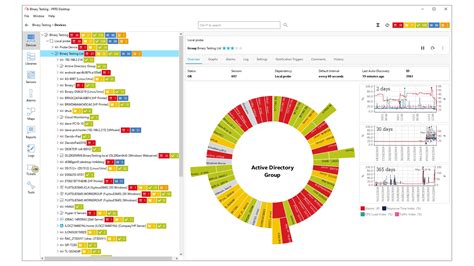
    1. Norton Security Deluxe

    Norton Security Deluxe is a cross-platform security suite that protects your devices against malware, viruses, spyware, and other online threats. It offers real-time protection to keep you safe from existing and emerging online threats. Norton Security Deluxe also has a built-in firewall that blocks unauthorized access to your device and hides your personal information from prying eyes. It comes with a 100% virus protection guarantee and has a simple interface that is easy to use.

    Norton Security Deluxe

    2. Bitdefender Total Security

    Bitdefender Total Security is another comprehensive and effective cybersecurity solution. It offers multiple layers of protection against all forms of malware, ransomware, and other online threats. It has a powerful antivirus engine, real-time protection, firewall, spam filter, and various other features that keep you safe while browsing online. Bitdefender Total Security also has a password manager that helps you generate and securely store passwords.

    Bitdefender Total Security

    3. McAfee Total Protection

    McAfee Total Protection is a trusted and reliable cybersecurity application that offers comprehensive protection for your devices. It provides real-time protection against viruses, spyware, malware, and other online threats. The software also comes with a firewall that blocks external threats from infiltrating your device. McAfee Total Protection has features like anti-spam and parental controls that help you stay safe online. It is easy to install and use, making it a popular choice among users.

    McAfee Total Protection

    4. Malwarebytes

    Malwarebytes is another cybersecurity application that offers robust protection against various forms of malware, including ransomware. It has a powerful malware scanner that detects and removes malware from your device. Malwarebytes also offers real-time protection that keeps you safe while browsing online. The software is easy to install and use, and it is available for Windows, Mac, and Android devices.

    Malwarebytes

    5. Kaspersky Total Security

    Kaspersky Total Security is a popular cybersecurity application that offers a range of features to keep you safe online. It has a powerful antivirus engine, real-time protection, and a firewall that protects your device from external threats. Kaspersky Total Security also has features like parental controls, anti-spam, and password management that help you stay safe online. The software is easy to use and is compatible with Windows, Mac, and Android devices.

    Kaspersky Total Security

    6. Avast Ultimate

    Avast Ultimate is a comprehensive cybersecurity solution that offers advanced features to keep you safe online. It has a powerful antivirus engine, real-time protection, and a firewall that protects your device from external threats. Avast Ultimate also has features like anti-spam, password management, and a VPN that helps you stay safe while browsing online. The software is easy to use and is compatible with Windows, Mac, and Android devices.

    Avast Ultimate

    7. Trend Micro Maximum Security

    Trend Micro Maximum Security is a powerful cybersecurity application that offers multiple layers of protection against various forms of malware and online threats. It has a powerful antivirus engine, real-time protection, and a firewall that blocks external threats from infiltrating your device. Trend Micro Maximum Security also has features like a password manager, parental controls, and social media protection that help you stay safe online. The software is easy to use and is compatible with Windows, Mac, and Android devices.

    Trend Micro Maximum Security

    8. ESET Smart Security Premium

    ESET Smart Security Premium is another powerful cybersecurity application that offers advanced features to keep you safe online. It has a powerful antivirus engine, real-time protection, and a firewall that blocks external threats from infiltrating your device. ESET Smart Security Premium also has features like a password manager, banking protection, and webcam protection that help you stay safe while browsing online. The software is easy to use and is compatible with Windows and Mac devices.

    ESET Smart Security Premium

    9. Avira Antivirus Pro

    Avira Antivirus Pro is a popular cybersecurity application that offers comprehensive protection against various forms of malware and online threats. It has a powerful antivirus engine, real-time protection, and a firewall that blocks unauthorized access to your device. Avira Antivirus Pro also has features like anti-spam, password management, and VPN that help you stay safe online. The software is easy to use and is available for Windows, Mac, and Android devices.

    Avira Antivirus Pro

    10. F-Secure Total Security and Privacy

    F-Secure Total Security and Privacy is a cybersecurity application that offers multiple layers of protection against various forms of malware and online threats. It has a powerful antivirus engine, real-time protection, and a firewall that blocks external threats from infiltrating your device. F-Secure Total Security and Privacy also has features like parental controls, banking protection, and safe browsing that help you stay safe online. The software is easy to use and is available for Windows and Mac devices.

    F-Secure Total Security and Privacy

    Conclusion

    Cybersecurity is a serious concern, and it is essential to protect your devices against online threats. The cybersecurity applications mentioned above are some of the best in the market and offer advanced features to keep you safe while browsing online. Whether you are a business owner or an individual, investing in a reliable cybersecurity solution can help you avoid costly breaches and attacks.

    Frequently Asked Question

    1. What is cyber security application?
    Cyber security application is a software application designed to protect computer systems, networks, and data from cyberattacks, unauthorized access, and other forms of digital threats.

    2. What are the types of cyber security applications?
    There are several types of cyber security applications, such as antivirus software, firewalls, intrusion detection and prevention systems, encryption software, and security information and event management (SIEM) tools.

    3. How do cyber security applications protect against cyber threats?
    Cyber security applications use various techniques to protect against cyber threats, such as scanning for and removing viruses and other malware, blocking unauthorized access to networks and software, detecting and preventing intrusions, and encrypting sensitive data.

    4. How often should cyber security applications be updated?
    Cyber security applications should be updated as frequently as possible, ideally on a daily basis, to ensure that they are equipped with the latest threat intelligence and security patches.

    5. What are the key benefits of using cyber security applications?
    The key benefits of using cyber security applications include protecting against cyber threats, preventing data breaches, safeguarding personal and sensitive information, maintaining compliance with regulations, and minimizing downtime and data loss.

    6. Can cyber security applications guarantee 100% protection against cyber threats?
    No cyber security application can guarantee 100% protection against cyber threats, as new threats and vulnerabilities are constantly emerging. However, using multiple layers of security, such as a combination of firewalls, antivirus software, and intrusion detection systems, can improve the overall security posture and reduce risk.

    7. Do cyber security applications only protect against external threats?
    No, cyber security applications can also protect against internal threats, such as insider threats, which can be just as damaging as external threats.

    8. Can cyber security applications identify and respond to security incidents?
    Yes, many cyber security applications are equipped with security incident and event management (SIEM) capabilities, which can detect and respond to security incidents in real-time.

    9. Can cyber security applications be customized to fit specific business needs?
    Yes, many cyber security applications can be customized and configured to meet specific business needs, such as integrating with existing systems and software, creating custom reporting and alerts, and defining policies and procedures.

    10. How do I choose the right cyber security application for my business?
    To choose the right cyber security application for your business, consider factors such as the size and complexity of your network, the types of threats you are facing, the budget for security investments, and the scalability and flexibility of the solution. It may also be helpful to consult with a trusted security advisor or conduct a security assessment to identify specific security gaps and requirements.

  • Top 10 Monitoring Application Recomended

    Top 10 Monitoring Application Recomended

    Top 10 Monitoring Applications

    Monitoring applications are commonly used in today’s digital world to track and analyze different types of data. These applications are useful for tracking system activity, network performance, user behavior, and much more. With so many monitoring applications available on the market, it can be challenging to choose the right one for your needs. Here are the top 10 monitoring applications worth considering:

    1. PRTG Network Monitor

    PRTG Network Monitor

    PRTG Network Monitor is a powerful monitoring solution offering a versatile range of sensors to monitor servers, switches, routers, and other network devices. The software includes traffic analysis, SNMP monitoring, and packet sniffing. Its dashboard is customizable and user-friendly, while its mobile application allows remote monitoring on-the-go. Additionally, PRTG Network Monitor offers alerts and notification features, making it easier to manage network performance.

    2. Nagios XI

    Nagios XI

    Nagios XI is an enterprise-level monitoring solution that provides a comprehensive view of IT infrastructure performance. It can monitor network infrastructure, applications, services, and business processes. Nagios XI also includes a dashboard that integrates performance data from different sources, providing real-time insights into monitoring activities. The software includes powerful reporting capabilities and flexible notification features.

    3. SolarWinds Server & Application Monitor

    SolarWinds Server & Application Monitor

    SolarWinds Server & Application Monitor is an excellent monitoring solution that provides comprehensive visibility into server and application performance. It includes pre-built templates for monitoring common applications such as Exchange, SharePoint, IIS, and SQL. The software includes powerful reporting capabilities, allowing users to generate custom reports and analyze performance data. Additionally, the software comes with flexible notification and alert features, enabling users to stay on top of critical events as they occur.

    4. ManageEngine OpManager

    ManageEngine OpManager

    ManageEngine OpManager is a comprehensive network management and monitoring solution designed for small- to medium-sized organizations. It includes robust capabilities for monitoring network infrastructure, servers, applications, VMs, and other devices. The software also includes a customizable dashboard that provides real-time insights into network performance. Users can set customized alerts and notifications, providing prompt notifications of critical events. Additionally, ManageEngine OpManager includes a mobile application enabling remote monitoring and management.

    5. Datadog

    Datadog

    Datadog is a cloud-based monitoring solution providing comprehensive insights into system performance, infrastructure, and applications. It includes pre-built integrations for monitoring over 450 technologies, making it easy to integrate with existing systems. The software provides real-time analytics and visualization features, enabling users to gain actionable insights into complex environments. Additionally, the platform includes powerful alerting and notification features, allowing users to stay on top of critical events in real-time.

    6. Zabbix

    Zabbix

    Zabbix is an open-source monitoring solution providing comprehensive monitoring capabilities for servers, applications, networks, and cloud environments. It includes an easy-to-use dashboard and flexible visualization tools, enabling users to keep track of the performance of their infrastructure. Zabbix also includes alerting and notification features, enabling prompt notification of critical events. Additionally, the software provides real-time insights into performance metrics, enabling users to take proactive action to prevent system failures.

    7. Dynatrace

    Dynatrace

    Dynatrace is a cloud-based software intelligence platform providing comprehensive insights into system performance and user behavior. The software provides real-time monitoring and analysis capabilities for complex, multi-cloud environments. It includes customizable dashboards, AI-powered root cause analysis, and performance analytics, enabling users to gain actionable insights into their infrastructure. The software also includes flexible alerting and notification features, ensuring critical events are communicated promptly.

    8. Icinga 2

    Icinga 2

    Icinga 2 is a powerful monitoring solution designed for enterprise environments, providing comprehensive visibility into infrastructure and application performance. It includes a customizable dashboard, powerful analytics, and reporting capabilities. Icinga 2 also provides support for distributed monitoring, enabling users to monitor even the most complex environments. Additionally, the software includes powerful alerting and notification features, ensuring prompt communication of critical events.

    9. AppDynamics

    AppDynamics

    AppDynamics is a trusted application performance monitoring solution designed for complex, multi-cloud environments that require visibility into digital experiences. The software offers comprehensive monitoring of application performance, infrastructure, and business metrics. It includes powerful analytics and visualization, enabling users to gain actionable insights into their infrastructure. The software also offers flexible alerting and reporting capabilities, ensuring users are notified of critical events in real-time.

    10. Paessler PRTG

    Paessler PRTG

    Paessler PRTG is a network monitoring solution providing comprehensive monitoring capabilities for servers, switches, and other network devices. The software includes pre-built templates and customizable dashboards, supporting agent and agentless monitoring. Additionally, PRTG includes robust reporting capabilities and flexible alerting features, ensuring users are notified of critical events as they occur.

    Conclusion

    Choosing a monitoring application requires careful consideration of the type of data you want to monitor and the features you require. Whether you’re monitoring network performance, system activity, or user behavior, these top 10 monitoring applications offer comprehensive solutions for your business needs. From customizable dashboards to real-time analytics and alerts, these applications provide the tools you need to monitor and manage your infrastructure effectively.

    Frequently Asked Question

    1. What is a monitoring application?

    A monitoring application is software that tracks and observes the usage and behavior of a particular device, application, or network. It allows users to gain insights into the performance, security, and health of their systems.

    2. Why do I need a monitoring application?

    A monitoring application is essential for identifying issues and preventing downtime in your organization. It allows you to proactively manage your systems, ensures compliance with industry regulations, and improves overall performance.

    3. What types of systems can be monitored with a monitoring application?

    A monitoring application can monitor a wide range of systems, including servers, applications, networks, databases, and endpoints. Some monitoring applications are specific to certain systems or platforms, while others offer a more comprehensive solution.

    4. How does a monitoring application work?

    A monitoring application works by collecting data in real-time from the systems it is monitoring. This data is then analyzed to identify patterns and anomalies that may indicate potential issues or threats. Users can then access this information through a user-friendly dashboard.

    5. Can a monitoring application help prevent cyber attacks?

    Yes, a monitoring application can help prevent cyber attacks by identifying and alerting users to potential threats. It can also provide valuable insights into the behavior of attackers and help organizations improve their security posture.

    6. What are some key features to look for in a monitoring application?

    Key features to look for in a monitoring application include real-time monitoring, advanced analytics and reporting, customizable alerts, a user-friendly dashboard, and scalability.

    7. Is it possible to monitor multiple systems with a single monitoring application?

    Yes, it is possible to monitor multiple systems with a single monitoring application. Many monitoring applications offer support for multiple platforms, allowing users to centralize their monitoring efforts.

    8. How much does a monitoring application cost?

    The cost of a monitoring application varies depending on the features, capabilities, and size of your organization. Some monitoring applications offer free versions or trial periods, while others require a monthly or annual subscription.

    9. Can I customize alerts in a monitoring application?

    Yes, many monitoring applications allow users to customize alerts based on specific criteria, such as the severity of an issue or the time of day. This helps ensure that users are only alerted to issues that require their attention.

    10. Is a monitoring application difficult to install and set up?

    The ease of installation and setup of a monitoring application depends on the specific application and the complexity of your systems. However, many monitoring applications offer user-friendly interfaces and step-by-step guides to simplify the installation and setup process.

  • Top 10 Customer Service Application Recomended

    Top 10 Customer Service Application Recomended

    Top 10 Customer Service Applications: A Comprehensive Guide

    Businesses rely on customer service applications to ensure that their customers have the best experience possible. With so many options available, choosing the right application can be a difficult task. To help you out, we’ve compiled a list of the top 10 customer service applications on the market today.
    1. Zendesk

    ZendeskZendesk is a cloud-based customer service platform that is designed to help businesses automate their customer interactions. It offers a wide range of features, including ticket management, live chat, and social media integration. Zendesk also offers a customizable knowledge base that can be used to answer frequently asked questions.

    Zendesk is designed to be easy to use and customizable. It offers a wide range of integrations and APIs that can be used to extend its functionality. Zendesk also offers excellent reporting and analytics features that can help businesses track their performance and make data-driven decisions.

    2. Freshdesk

    FreshdeskFreshdesk is a cloud-based customer service software that is designed to help businesses provide excellent customer support. It offers a wide range of features, including ticket management, knowledge base management, and automation. Freshdesk also offers a live chat feature that allows customers to get in touch with the support team in real-time.

    What sets Freshdesk apart is its intuitive interface and ease of use. It is designed to be intuitive and easy to use, even for non-technical users. Freshdesk offers a range of integrations and plugins that can be used to extend its functionality.

    3. HubSpot Service Hub

    HubSpot Service HubHubSpot Service Hub is a cloud-based customer service software that is designed to help businesses manage their customer interactions. It offers a range of features, including ticket management, knowledge base management, and live chat. HubSpot Service Hub also offers a mobile app that allows support reps to manage customer interactions from anywhere.

    What sets HubSpot Service Hub apart is its integration with the entire HubSpot platform. This means that businesses can manage their entire customer journey from a single platform. HubSpot Service Hub also offers excellent reporting and analytics features that can help businesses track their performance and make data-driven decisions.

    4. Salesforce Service Cloud

    Salesforce Service CloudSalesforce Service Cloud is a cloud-based customer service platform that is designed to help businesses manage their customer interactions. It offers a range of features, including ticket management, live chat, and social media integration. Salesforce Service Cloud also offers a knowledge base that can be used to answer frequently asked questions.

    What sets Salesforce Service Cloud apart is its reputation as a leader in the customer service industry. It is designed with the customer in mind and offers a range of features that can be used to provide excellent customer support. Salesforce Service Cloud also offers excellent reporting and analytics features that can help businesses track their performance and make data-driven decisions.

    5. LiveAgent

    LiveAgentLiveAgent is a cloud-based customer service software that is designed to help businesses provide excellent customer support. It offers a range of features, including ticket management, live chat, and social media integration. LiveAgent also offers a knowledge base that can be used to answer frequently asked questions.

    What sets LiveAgent apart is its affordable pricing and easy-to-use interface. It is designed to be user-friendly and customizable. LiveAgent also offers a range of integrations that can be used to extend its functionality.

    6. Help Scout

    Help ScoutHelp Scout is a cloud-based customer service software that is designed to help businesses provide excellent customer support. It offers a range of features, including ticket management, knowledge base management, and automation. Help Scout also offers a live chat feature that allows customers to get in touch with the support team in real-time.

    What sets Help Scout apart is its focus on the customer experience. It is designed with the customer in mind and offers a range of features that can be used to provide excellent customer support. Help Scout also offers a range of integrations that can be used to extend its functionality.

    7. Zoho Desk

    Zoho DeskZoho Desk is a cloud-based customer service software that is designed to help businesses manage their customer interactions. It offers a range of features, including ticket management, live chat, and social media integration. Zoho Desk also offers a knowledge base that can be used to answer frequently asked questions.

    What sets Zoho Desk apart is its pricing. It is one of the most affordable customer service software options on the market. Zoho Desk also offers a range of integrations and plugins that can be used to extend its functionality.

    8. Kayako

    KayakoKayako is a cloud-based customer service software that is designed to help businesses provide excellent customer support. It offers a range of features, including ticket management, live chat, and social media integration. Kayako also offers a knowledge base that can be used to answer frequently asked questions.

    What sets Kayako apart is its focus on collaboration. It allows support reps to work together on tickets and offers a range of features that can be used to improve team collaboration. Kayako also offers a range of integrations that can be used to extend its functionality.

    9. ClickDesk

    ClickDeskClickDesk is a cloud-based customer service software that is designed to help businesses provide excellent customer support. It offers a range of features, including ticket management, live chat, and social media integration. ClickDesk also offers a knowledge base that can be used to answer frequently asked questions.

    What sets ClickDesk apart is its focus on small businesses. It is one of the most affordable customer service software options on the market and is designed to be user-friendly. ClickDesk also offers a range of integrations and plugins that can be used to extend its functionality.

    10. Groove

    GrooveGroove is a cloud-based customer service software that is designed to help businesses provide excellent customer support. It offers a range of features, including ticket management, knowledge base management, and automation. Groove also offers a live chat feature that allows customers to get in touch with the support team in real-time.

    What sets Groove apart is its focus on simplicity. It is designed to be easy to use and is perfect for small businesses that don’t have a lot of resources. Groove also offers a range of integrations that can be used to extend its functionality.

    Conclusion

    Choosing the right customer service application can be the difference between success and failure for your business. It’s important to consider your specific needs and budget when choosing a software option. We hope this list of the top 10 customer service applications has helped you find the perfect one for your business.

    Frequently Asked Question

    1. What is a customer service application?
    A customer service application is a software or platform designed to manage and handle customer inquiries, feedback, and complaints.

    2. What are the benefits of using a customer service application?
    Some of the benefits of using a customer service application include increased efficiency, faster response time, better customer experience, and improved customer retention.

    3. What features should I look for in a good customer service application?
    Key features to consider include ticket management, customer database management, automated responses, reporting and analytics, and omnichannel support.

    4. Can a customer service application be integrated with other business software?
    Yes, a good customer service application should offer integration with other business software systems such as CRM, ERP, and marketing automation.

    5. Is it possible to have multiple users accessing and managing the same customer service application?
    Yes, most customer service applications offer multi-user capabilities with customizable roles and permissions.

    6. Can a customer service application manage social media inquiries?
    Yes, a good customer service application should allow for social media integration to manage and respond to inquiries originating from social platforms.

    7. How secure is customer data in a customer service application?
    A reliable customer service application should offer robust data security measures such as encryption, user authentication, and access control.

    8. What is the cost of using a customer service application?
    The cost of a customer service application varies depending on the vendor, features, and subscription model. Some applications offer a free version with limited capabilities, while others charge a monthly or annual subscription fee.

    9. Do customer service applications offer training and support?
    Yes, most customer service applications offer training and support through documentation, videos, webinars, and even personal consultations.

    10. Can a customer service application improve my company’s customer satisfaction ratings?
    Yes, a robust customer service application can help improve your company’s customer satisfaction ratings by providing faster response times, personalized interactions, and efficient issue resolution.

  • Top 10 Business Communication Application Recomended

    Top 10 Business Communication Application Recomended

    Top 10 Business Communication Applications

    As the business world expands and evolves, so does the need for effective communication. Business communication applications have become a vital tool in organizing and streamlining communication for organizations. They help users manage projects, communicate with team members, and even automate tasks. Here are the top 10 business communication applications to incorporate into your workplace:

    1. Slack

    Slack is a widely popular communication tool for businesses to chat, share files, and collaborate on projects. Teams can create channels for specific topics or projects, and easily communicate with each other in real-time. Slack also offers integrations with various other business applications to help automate tasks, making it an all-in-one communication solution. It is available on web, desktop, and mobile apps.

    2. Microsoft Teams

    Microsoft Teams is a collaboration platform that integrates with Microsoft Office 365. It features a chat-based workspace where team members can chat, collaborate on files, and hold video calls. Teams can also create and access shared files, manage tasks and projects, and integrate with other applications. It is available on web, desktop, and mobile apps as well.

    3. Zoom

    Zoom is a video conferencing tool that allows teams to host meetings, webinars, and video conferences. You can share your screen, record meetings, and collaborate on documents in real-time. Its intuitive user interface and features like virtual backgrounds and breakout rooms make communication and collaboration easy. Zoom is available on web, desktop, and mobile apps.

    4. Trello

    Trello is a visual project management tool that allows teams to organize and prioritize their projects through boards, lists, and cards. Each card contains project details, such as checklists, due dates, attachments, and comments. The app also integrates with other business applications, making it easy to connect with other team members and automate repetitive tasks. It is available on web, desktop, and mobile apps.

    5. Asana

    Asana is another popular project management tool that allows teams to track and manage their projects. Users can create tasks, assign them to team members, add due dates, and communicate through comments. Asana also offers templates for common business tasks, making it quicker to set up new projects. It is available on web, desktop, and mobile apps.

    6. Hootsuite

    Hootsuite is a social media management tool that allows businesses to manage their social media profiles from one platform. Users can schedule social media posts, optimize content, and track engagement across different social media channels. Hootsuite also offers analytics, team collaboration, and integrations with other marketing tools. It is available on web, desktop, and mobile apps.

    7. Google Meet

    Google Meet is a video conferencing tool that integrates with Google Workspace. It allows teams to hold meetings, share screens, and collaborate on documents. The app also offers features like breakout rooms, hand-raising, and live captions. Google Meet is available on web, desktop, and mobile apps.

    8. Basecamp

    Basecamp is a project management tool that allows teams to collaborate on projects in real-time. It features message boards, to-do lists, schedules, and file sharing. Basecamp also offers a centralized location to manage all project-related communication, making it easy to stay organized. It is available on web, desktop, and mobile apps.

    9. Skype

    Skype is a video chat and instant messaging tool that has been around for years. It allows teams to hold video calls, instant message, and share files. Skype integrates with other Microsoft applications, making it easy to access and share files. It is available on web, desktop, and mobile apps.

    10. Gmail

    Gmail is an email client that offers reliable email communication for businesses. It has a user-friendly interface, the ability to organize emails into categories and labels, and integrations with other Google applications. Gmail also offers features like email scheduling, quick replies, and email tracking. It is available on web, desktop, and mobile apps.

    Conclusion

    Effective communication is vital for the success of any business. These communication applications can help businesses organize their communication, automate tasks, and streamline projects. Based on your business needs and preferences, choose the right application(s) to incorporate in your workplace.

    Frequently Asked Question

    1. What is Business Communication Application?

    Business Communication Application is a program or software that is developed to assist businesses in their communication activities, making it possible for businesses to transmit, receive, and manage information efficiently.

    2. What are the benefits of using Business Communication Application?

    Business Communication Application offers numerous benefits, including improved efficiency, better collaboration, faster decision-making, increased productivity, improved customer service, cost savings, and many more.

    3. Can Business Communication Applications be customized to meet specific business needs?

    Yes, Business Communication Applications can be customized to meet the specific communication needs of different businesses. Customization ensures that the application suits the unique requirements of the business.

    4. What are the different types of Business Communication Applications?

    There are various types of Business Communication Applications, including video conferencing software, instant messaging applications, project management software, email clients, collaboration tools, and many more.

    5. How secure are Business Communication Applications?

    Business Communication Applications are designed with security and privacy in mind. They come with inbuilt security features such as encryption and two-factor authentication that ensure secure communication and prevent unauthorized access to sensitive information.

    6. How easy is it to integrate Business Communication Applications with other business systems?

    Most Business Communication Applications are designed with integration capabilities that allow easy integration with other business systems. This ensures that businesses can use the application alongside other tools they already use.

    7. Can Business Communication Applications be used by remote teams?

    Yes, Business Communication Applications are perfect for remote working teams. They provide remote teams with the tools they need to communicate and collaborate effectively irrespective of their location.

    8. What is the cost of Business Communication Applications?

    The cost of Business Communication Applications varies between providers, with some offering free versions, while others charge a subscription fee. The cost also depends on the features included in the application.

    9. Can Business Communication Applications be used by businesses of all sizes?

    Yes, Business Communication Applications are designed to cater to the communication needs of businesses across all sizes. It can be used by small, medium, and large businesses.

    10. What considerations should be made when choosing a Business Communication Application?

    When choosing a Business Communication Application, businesses should consider factors such as features, customization options, security, ease of use, compatibility with other systems, cost, and user reviews.

  • Top 10 Voice Chat application Recomended

    Top 10 Voice Chat application Recomended

    Top 10 Voice Chat Applications

    Voice chat applications have become an essential part of our daily communication needs. Whether you are communicating with your friends, colleagues, or family members, voice chat apps allow you to stay connected with others in real-time. With so many voice chat applications available on the internet, it can be overwhelming to choose the right one. To make it easier for you, we have compiled a list of the top 10 voice chat applications that are reliable, functional, and user-friendly.

    1. Discord

    Discord Voice Chat App

    Discord is one of the most popular voice chat applications that offers a variety of features. It provides high-quality voice and video calls, screen sharing, file sharing, and text messaging. Discord also allows you to create your own servers and channels, which you can use to communicate with your friends and other users. It is compatible with Windows, Mac, Linux, Android, and iOS.

    2. Skype

    Skype Voice Chat App

    Skype is one of the oldest voice chat applications that has been around for a long time. It is a reliable platform for voice and video calls, messaging, and screen sharing. Skype also offers a screen sharing and file sharing feature. It is compatible with Windows, Mac, Linux, Android, and iOS.

    3. Zoom

    Zoom Voice Chat App

    Zoom has gained immense popularity over the last year due to the pandemic. It is an excellent voice chat application for businesses and professionals, as it offers high-quality video conferencing, screen sharing, and recording features. Zoom is compatible with Windows, Mac, Linux, Android, and iOS.

    4. Slack

    Slack Voice Chat App

    Slack is a voice chat application that is popular among businesses and organizations. It is an excellent platform for team communication, as it offers messaging, voice and video calls, screen sharing, and file sharing. Slack is compatible with Windows, Mac, Linux, and iOS.

    5. Google Meet

    Google Meet Voice Chat App

    Google Meet is a voice chat application that is popular among students and educators. It offers high-quality voice and video calls, screen sharing, and recording features. Google Meet is compatible with Windows, Mac, Linux, Android, and iOS.

    6. TeamSpeak

    TeamSpeak Voice Chat App

    TeamSpeak is a voice chat application that is primarily used by gamers. It offers high-quality voice and video calls, file sharing, and chat features. This application is compatible with Windows, Mac, Linux, and iOS.

    7. WhatsApp

    WhatsApp Voice Chat App

    WhatsApp is one of the most popular messaging applications that also offer voice and video calls, which makes it an excellent voice chat application. It allows you to make calls to your contacts, as well as create groups for voice or video calls. WhatsApp is compatible with Android and iOS.

    8. Ventrilo

    Ventrilo Voice Chat App

    Ventrilo is another voice chat application that is popular among gamers. It offers high-quality voice and video calls, text chat, and file sharing. Ventrilo is compatible with Windows, Mac, and Linux.

    9. Jitsi Meet

    Jitsi Meet Voice Chat App

    Jitsi Meet is a voice chat application that offers high-quality voice and video calls, screen sharing, and recording features. It is compatible with Windows, Mac, Linux, Android, and iOS.

    10. Signal

    Signal Voice Chat App

    Signal is a messaging application that also offers voice and video calls. It offers high-quality encrypted voice and video calls that are secure and private. Signal is compatible with Android and iOS.

    These are the top 10 voice chat applications that are reliable, functional, and user-friendly. Whether you are a gamer, a business professional, or a student, these voice chat applications are worth considering.

    Frequently Asked Question

    1. What is a voice chat application?
    A voice chat application is a software program that enables users to communicate with one another via voice messages over the internet.

    2. How do I use a voice chat application?
    To use a voice chat application, you must first download and install the software onto your device. Once installed, you’ll need to create an account, and then you can either join existing chat rooms or invite other users to start a new conversation.

    3. What are the benefits of using a voice chat application?
    Some of the benefits of using a voice chat application include being able to engage in real-time conversations with others, the ability to connect with people from around the world, and the convenience of being able to chat from anywhere with an internet connection.

    4. What are some popular voice chat applications?
    Some popular voice chat applications include Discord, Skype, Zoom, Google Meet, and Microsoft Teams.

    5. Can I use a voice chat application on my mobile device?
    Yes, many voice chat applications are available for mobile devices, including smartphones and tablets.

    6. Is there a cost to use a voice chat application?
    Many voice chat applications are free to use, although some may have premium features that require a subscription or one-time payment.

    7. Are voice chat applications secure?
    While voice chat applications carry some risks, most reputable applications have security measures in place to protect users’ privacy and data.

    8. Can I use a voice chat application for business purposes?
    Yes, many businesses use voice chat applications to communicate with employees, customers, and partners.

    9. Can I share files while using a voice chat application?
    Yes, most voice chat applications allow users to share files with one another during a chat.

    10. Can I make international calls using a voice chat application?
    Yes, many voice chat applications allow users to make international calls, often for a reduced rate compared to traditional phone calls.

  • Top 10 Video conferencing application Recomended

    Top 10 Video conferencing application Recomended

    Top 10 Video Conferencing Applications You Can Use in 2021

    With the pandemic’s onset and the rising trend of remote work, video conferencing applications have become a necessity in our lives. Whether you are working from home, attending virtual classes, or catching up with your friends and family, video conferencing applications make it possible to stay connected despite physical distances.

    However, with so many video conferencing applications available in the market, it can be overwhelming to choose the one that best fits your needs. To make the selection process easier for you, we have compiled a list of the top 10 video conferencing applications that you can use in 2021.

    1. Zoom

    Zoom rose to prominence during the pandemic as one of the most popular video conferencing applications in the market. It is user-friendly, has excellent video and audio quality, and offers features such as screen sharing, recording, and virtual backgrounds. Zoom’s basic plan allows participants to join meetings for free without a time limit. However, there is a 40-minute time limit for group meetings with more than three people in the basic plan. Zoom’s paid plans offer additional features such as cloud recording, breakout rooms, and more extended meeting durations.

    Zoom logo
    Source: https://tse1.mm.bing.net/th?q=zoom+logo&pid=Api&mkt=en-US&adlt=moderate

    2. Microsoft Teams

    Microsoft Teams is a video conferencing platform that has gained popularity among businesses and organizations worldwide. It is integrated with Microsoft Office applications, making it easy to schedule meetings and collaborate on projects. Teams offers features such as screen sharing, recording, file sharing, and virtual backgrounds. The platform allows users to host meetings for up to 300 participants, and there is no time limit. Microsoft Teams is available as part of the Microsoft 365 Suite, and the paid plans offer additional features such as larger meeting capacities and advanced security features.

    Microsoft Teams logo
    Source: https://tse1.mm.bing.net/th?q=microsoft+teams+logo&pid=Api&mkt=en-US&adlt=moderate

    3. Skype

    Skype is one of the oldest and most popular video conferencing applications in the market. The platform offers features such as screen sharing, recording, and live subtitles, making it a favorite among individuals, businesses, and education institutions. The basic version of Skype allows users to make free voice and video calls, while the paid versions offer additional features such as group video calls, screen sharing and more extended call durations. Skype’s integration with Microsoft Office applications makes it easy to schedule meetings and collaborate on projects.

    Skype logo
    Source: https://tse1.mm.bing.net/th?q=skype+logo&pid=Api&mkt=en-US&adlt=moderate

    4. Google Meet

    Google Meet is a video conferencing platform that integrates with Google Workspace. Its features include screen sharing, recording, and live captions. Google Meet allows up to 100 participants to join a meeting, and there is no time limit. Users can join meetings for free, and the paid plans offer additional features such as meeting recording and larger participant capacities.

    Google Meet logo
    Source: https://tse1.mm.bing.net/th?q=google+meet+logo&pid=Api&mkt=en-US&adlt=moderate

    5. GoToMeeting

    GoToMeeting is a video conferencing application that offers features such as screen sharing, recording, and drawing tools. It has a user-friendly interface and is often used for webinars, training sessions, and online classes. GoToMeeting allows up to 150 participants to join a meeting, and the paid plans offer additional features such as dial-in conference numbers and transcriptions.

    GoToMeeting logo
    Source: https://tse1.mm.bing.net/th?q=gotomeeting+logo&pid=Api&mkt=en-US&adlt=moderate

    6. Cisco Webex

    Cisco Webex is a video conferencing platform that offers features such as screen sharing, recording, and virtual backgrounds. It is popular among businesses and education institutions and allows up to 1000 participants to join a meeting. Cisco Webex’s paid plans offer additional features such as advanced security and larger meeting capacities.

    Cisco Webex logo
    Source: https://tse1.mm.bing.net/th?q=cisco+webex+logo&pid=Api&mkt=en-US&adlt=moderate

    7. BlueJeans

    BlueJeans is a cloud-based video conferencing application that offers features such as screen sharing, recording, and live streaming. It allows up to 150 participants to join a meeting and can be integrated with Slack and Microsoft Teams. BlueJeans’ paid plans offer additional features such as transcription services and advanced analytics.

    BlueJeans logo
    Source: https://tse1.mm.bing.net/th?q=blue+jeans+logo&pid=Api&mkt=en-US&adlt=moderate

    8. Jitsi Meet

    Jitsi Meet is an open-source video conferencing application that is free to use and offers features such as screen sharing, recording, and live captions. The platform allows up to 75 participants to join a meeting, and there is no time limit. It can be integrated with Slack and Google Drive, and users can host the application on their own servers.

    Jitsi Meet logo
    Source: https://tse1.mm.bing.net/th?q=jitsi+meet+logo&pid=Api&mkt=en-US&adlt=moderate

    9. Whereby

    Whereby is a browser-based video conferencing application that offers features such as screen sharing, recording, and virtual backgrounds. It allows up to four participants to join a meeting for free, and the paid plans offer additional features such as larger meeting capacities and custom branding. Whereby is easy to use, and users can join meetings without downloading any software.

    Whereby logo
    Source: https://tse1.mm.bing.net/th?q=whereby+logo&pid=Api&mkt=en-US&adlt=moderate

    10. Discord

    Discord is a voice and text chat application that has gained popularity among gamers worldwide. However, it is also an excellent video conferencing application that offers features such as screen sharing and virtual backgrounds. Discord allows up to 50 participants to join a video call and is often used for casual group conversations and online classes. It is free to use, and users can create their own servers to host video calls.

    Discord logo
    Source: https://tse1.mm.bing.net/th?q=discord+logo&pid=Api&mkt=en-US&adlt=moderate

    The Bottom Line

    Video conferencing applications have become an essential tool in our lives, enabling us to stay connected despite social distancing measures. Choosing the right video conferencing application can be overwhelming, but this list of the top 10 applications can help. Whether you’re looking for a video conferencing application for business, education, or personal use, these applications offer a wide range of features and capacities that can help you stay connected with your team, colleagues, friends, and family.

    Frequently Asked Question

    1. What is a video conferencing application?
    A video conferencing application is a software tool that enables individuals or groups in different locations to communicate virtually using live video and audio interactions.

    2. How does a video conferencing application work?
    A video conferencing application works by using an Internet connection alongside a camera and microphone to conduct virtual meetings, presentations, or discussions.

    3. What are the benefits of using a video conferencing application?
    The benefits of using a video conferencing application include increased productivity, reduced travel costs, flexible scheduling, and improved collaboration and communication.

    4. What features should a quality video conferencing application have?
    Quality video conferencing applications should have features such as screen sharing, video recording, whiteboard tools, chat and messaging capabilities, and the ability to join from different devices.

    5. Can video conferencing applications support large groups of people?
    Yes, video conferencing applications are designed to support large groups of people for webinars, remote lectures, or corporate events.

    6. Are video conferencing applications secure?
    Yes, video conferencing applications have built-in security features such as encryption and password protection to ensure secure communication and protect privacy.

    7. Can video conferencing applications be accessed on mobile devices?
    Yes, most video conferencing applications can be accessed on mobile devices such as smartphones and tablets using their respective mobile apps.

    8. How reliable are video conferencing applications?
    Video conferencing applications are generally reliable as long as they are used with a stable and fast internet connection. Any network issues or technical difficulties can often be resolved with customer support or troubleshooting options.

    9. Are video conferencing applications cost-effective?
    Video conferencing applications are often more cost-effective than traditional in-person meetings as they eliminate travel expenses and allow for remote participation from anywhere in the world.

    10. Can video conferencing applications integrate with other software applications?
    Yes, video conferencing applications can integrate with other software applications such as project management, customer relationship management (CRM), and learning management systems (LMS) to enhance collaboration and productivity.