

Goal setting is one aspect of self management . By having a clear goal setting , life will be more meaningful.
Sometimes a person is too focused on the usual work to have no other purpose in life.
As a result, at some point they will feel life becomes colorless. Or feel no progress in life .
That is the importance of having a goal setting .
Definition of Goal Setting
Goal setting is all the processes needed to achieve a goal. People who have goal setting will have a better quality of life.
By having a clear vision and mission in life, a person will be able to develop himself to be even better.
How to Create Goal Setting
It’s never too late to start good habits. There are some tips for create goal setting . What are they? Check out the following explanation, yes.
1. Know Priorities
Before determining the goals you want to achieve, you should know the priority goals you want to achieve.
Think about the goals you want to achieve in life. It doesn’t have to be long-term goals, short-term goals can be.
If you have many goals to achieve, choose the goals that you think are most important first.
Working on one goal first will make you more focused on achieving it than working on multiple goals at one time.
2. Use the SMART Method
The second step is to use the SMART method. What is the SMART method?
The SMART method stands for Specific , Measurable , Achievable , Realistic , and Timebound .
This method is used to set specific goals . The goal is that someone can find out how far the progress he has achieved.
In addition, this method is also useful to find out whether someone has succeeded in achieving the target or not.
3. Write down the target you have
Most people will have a passionate desire to reach the target at the beginning. However, over time they will forget the target they want to achieve.
That’s why it’s important to write down the goals you have.
After writing down the target you have, you can put the writing in a place that is easy for you to see. For example on a study table, bedroom wall, cupboard, and so on.
The goal is that you always remember the target you want to achieve.
Also try to write targets with positive words so that you are more enthusiastic about achieving the targets you have.
4. Make an Action Plan
Many people think too much about the target they want to achieve but forget to take steps to achieve that target.
Therefore, you need to make an action plan . This action plan contains small plans or targets that you want to achieve in order to realize bigger targets.
To avoid the habit of procrastinating work , you can create a timeline . Give a certain period of time for you to complete one target.
The goal is for you to be more motivated to achieve it and avoid wasting time.
5. Consistent to Achieving Target
The next step is to start taking steps to achieve the target to be achieved.
Usually on the way to achieving this target a person will experience a phase of ups and downs of motivation.
In fact, not infrequently they give up and eventually forget the target they want to achieve. That is why in achieving a target, you also need self motivation to be consistent.
6. Evaluate
The last step is to evaluate. Take time at least once a week to evaluate the steps you have taken.
This evaluation will help you to find the obstacles and challenges you encounter in implementing these targets. So that later you can find a way to solve it.
This evaluation can also be a means for you to appreciate your efforts in achieving the target. No less important, make it a habit to give self-rewards when you succeed in achieving a target.
Closing
Those are the steps to make goal setting from sinaumedia . Dreams will make life more colorful. Moreover, if the dream comes true, life will become more meaningful. Keep on making dreams come true!
Everything we think, what we do, and what we say every day affects the frequency of our vibrations. Vibration is an energy/force that attracts things (events, objects, etc.) to you.

When your vibration is high, you emit a frequency that can attract good things to you. Signs that you have high vibrations are:
You feel happy, light, and calm
You feel clearer to go through the day towards the purpose of life
You are connected to everything
You can hold your ego
Good things always come to you
You feel the problem is solved by itself
You are like a fortune magnet
You get what you want easily
On the other hand, if your vibrations are low, you feel frustrated, tired, and often angry, this negative energy can prevent you from achieving your dreams.
To return your vibration level to a high level, follow these tips!
Tips to Increase Vibration So that Good Things Come to You
If you see someone smiling often, exuding their beauty, and being able to lighten the mood, that’s a sign that they have high vibrations. If you want to be like that, try to apply the following tips!
1. Be thankful
Gratitude is a feeling of deep appreciation for someone or something.
Gratitude can be a way of expressing love, and love can increase the vibrations from within.
Gratitude is not just saying “thank you”, being grateful also means feeling full of kindness in the heart.
Having gratitude is being able to feel a deep connection with something bigger, for example with nature, animals, people can make you feel like a bigger part of yourself outside of yourself as an individual.
Try to start by closing your eyes and thinking about the one thing that is significant in your life – it could be someone you love, your favorite thing, or a pet.
Focus on the feelings that arise when you think about it. Appreciate it, thank you. Do this gratitude exercise for 10 minutes every day.
Practicing gratitude every day can train the mind to be calmer. A calm soul and mind make you look more comfortable. Because in essence, positive vibrations come from within.
2. Self Reflection
Indeed many people live with other people’s expectations until you don’t know yourself. Your feelings and thoughts are always dictated by others; you can’t be sad, you have to be happy, and so on.
How can you express yourself to the fullest when you don’t even know who you are and how you feel?
Try to let it all go. Choose a specific time for self-reflection. Take a break from social media.
You may realize, small things, small talk, daily routines can’t define you. Maybe you will realize that other people’s thoughts about you may no longer matter and you begin to focus on yourself.
3. Trying New Things
Low vibrations usually feel bored and stuck in an uncomfortable situation.
If you’re starting to feel it, there may be something wrong with your routine.
You may be so caught up in your busy life that you forget to try something that excites you.
To increase the vibration in this case, you may need a new variety in life. Try doing something out of the ordinary—something new.
Whether it’s learning to skate , exploring new places, or getting to know new people, it can offer something new in a stagnant life. You might find something unexpected when you try it.
The shock effect can increase the adrenaline hormone. This is what makes you look more alive and vibrant. Hopefully this method works, yes!
4. Be With People with Positive Energy
When from inside you have tried to be positive but you are still like that, maybe there is something wrong with your surroundings. It could be your friends who cause sadness, feelings of shame, and insecurity.
Get out of the negative environment immediately.
The environment indirectly affects the way you think.
If you are surrounded by people with positive energy, you tend to see the world around you as a good place.
On the other hand, negative people will always complain in front of you and drain your energy. You tire easily and sometimes adopt their thoughts into you.
5. Admiring Nature
Like the practice of gratitude, admiring nature can also release your mind from your narrow self.
By admiring nature, you see something outside of yourself-something unique, beautiful, sometimes strange too.
Even so, you still judge that nature is very beautiful and brings you into serenity. Then something even strange to you can look beautiful too right?
6. Express Creativity
The way to increase the vibration is to activate the creativity button! You can draw, sing, dance, make scraps!
Try to do it without thinking. Let the thoughts carry you.
Remember when you were 5 years old? 10 years? Reminiscing about a natural hobby when you were a child can make positive vibrations fill you.
Don’t forget to share what excites you with those closest to you. Sharing happiness and passion makes people around you happy too. They will also reflect positive vibrations around you. Believe me!
7. Be Yourself
There’s nothing better than being yourself. Being yourself is when:
You are aware of your strengths and weaknesses.
You accept all the uniqueness within you.
You have your own standards of being “beautiful”, “smart”, and so on.
You don’t compare yourself to others because you know you live up to the standards you set.
When you are comfortable being yourself, positive vibrations will radiate by itself.
People with low vibrations usually often feel insecure , insecure , and try to imitate people who are not themselves. He lives in the expectations of others so he is always afraid if his attitude and appearance do not match the expectations of others. Try to avoid that thought, OK!
If you feel your vibration is low, try entering white space as a life balance and do the tips above.
Assessing vibration is not difficult. The point is, always be aware of your condition and do what can make you better.
If this Sinaumedia article is useful, don’t forget to share it with your friends!
The definition of intervention in general is an action taken by a body to include its “understanding” like someone who wants to help. It can be said that the interventionist is a third party.

There are also those who argue that intervention is an act of interfering in the political, economic, and cultural affairs of another country.
Not a few people claim that intervention is an exaggeration, but basically intervention is done because of the intention to help.
For more details, here sinaumedia will describe it specifically. In addition, we also present articles on the meaning of mitigation to add to your knowledge.
Definition of Intervention According to Experts
Experts have their own opinions on the intervention. To better understand it, you can refer to the opinions of experts as follows:
1. Dr. Wirjono Prodojodikoro
According to Dr. Wirjono Prodojodikoro, the notion of intervention is an intervention of a foreign country which is suppressive by means of violence or by threats of violence, if its wishes are not fulfilled.
2. Parry and Grant
Parry and Grant argue that the notion of intervention is the intervention of a dictatorial state against other countries with the aim of maintaining or changing certain actual conditions.
3rd JG Starke
JG Starke argued, the notion of intervention is a form of propaganda or other activities carried out by a country with the aim of encouraging a revolution or civil war in another country.
4. Oppenheiman Lauterpacht
Oppenheiman Lauterpacht stated, the meaning of intervention is the dictatorial intervention of a country in the affairs of other countries with the intention of maintaining or changing a situation, situation, or goods in that country.
5. Black’s Law Dictionary
Meanwhile, in the book Black’s Law Dictionary, the notion of intervention is the interference of a country in the affairs of another country by exploiting the power or threat it has.
Kinds of Intervention
Interventions are often used in various fields, such as law, government, health, nursing, psychology, education, and others. The following describes interventions in several areas:
Legal Intervention
Third party interference in a matter or ongoing civil law between the plaintiff and the defendant.
Government Intervention
Efforts and actions to pressure certain parties launched by the government in a work plan with the aim of achieving something even better.
Health Intervention
Advertisement
Rational actions carried out in the interests of patients on the basis of decisions of doctors or nurses or collaborative interventions between the two.
Nursing Intervention
The intervention of a doctor or nurse made to help a patient move to a stage of health or complete recovery.
Psychological Intervention
The form of psychological services individually, in pairs, groups or with families where patients come to the psychology bureau to treat certain psychological conditions.
Forms of Intervention
Kalevi J. Holsti revealed that intervention has six forms. The forms are as follows:
1. Diplomatic Intervention
A form of intervention in which a diplomat comments in favor of a political case or issue affecting the country in which he or she serves.
2. Classical Intervention
Interventions carried out with dark activities or secret missions. As an example of tapping information on a country with a specific purpose.
3. Military Strength Exhibition
This form is considered efficient because the cost is relatively cheap and the risk is low compared to sending a real military expedition to a place.
4. Subversion
Subversion is known as the underground movement. Subversion is a political and military movement that is organized, supported, and directed by a foreign country, the purpose of which is to exploit various elements in the target country.
5. Guerrilla
Guerrilla is a combination of subversion with conventional warfare systems. Guerrillas are not always the result of intervention by foreign powers, but quite a number of guerrilla activities are manifestations of intervention.
6. Military Intervention
This form of intervention is manifested by sending military expeditions to support a government in power or assist rebel groups.
Types of Interventions
Based on the type, interventions are divided into two types, namely based on their reach and impact. Here’s the explanation:
1. Interventions Based on Reach
Internal intervention : The act of intervening by a foreign country to support certain groups in order to defect or rebel against the legitimate government.
External Intervention : The act of intervention by a foreign country in the ongoing war between two other countries, which has the aim of reconciling or reducing conflict without defending one of the parties involved in the war.
Reprisal Intervention : Intervention activities carried out by a country with the aim of retaliating for losses suffered by other countries by causing losses, such as an example of a blockade.
2. Interventions Based on Impact
Positive Intervention : Actions from foreign countries or world institutions that aim to uphold justice. One of the international organizations that often makes positive interventions is the United Nations (UN).
Negative Intervention : Reaction from foreign countries with the aim of obtaining or utilizing various products that exist in a country. This form of negative intervention is usually carried out by developed countries against developing countries.
Examples of Intervention Actions
Carry out an embargo against a country that is hostile to other state institutions.
Sending soldiers to a warring country that was clearly none of his business.
Waging war by means of blockades to other countries, and having no connection at all.
Thus the definition of intervention along with the types, forms, types, and examples of intervention actions. Hopefully it can be useful.
Did you know there is an interesting story about the history of sa’i or jogging between Bukit Shafa and Marwah which is a chain of umrah and hajj?

One of the pillars in performing Umrah and Hajj is Sa’i. The worship of Sa’i is one of the pillars of Umrah and Hajj which is performed by jogging or walking hurriedly between Shafa Hill and Marwah which is 405 meters apart seven times.
The Sa’i procession is carried out from the hill of Safa. While in Safa, the congregation should climb up the hill towards Marwah and then face the Kaaba. Sa’i worship which is currently carried out by pilgrims and Umrah has its own history and meaning. To find out more about the history and meaning of sa’i worship, here is an explanation.
Story of Sa’i History: Siti Hajar, Prophet Ibrahim AS, and Prophet Ismail AS
The history of sa’i cannot be separated from the story of the wife of Prophet Ibrahim who is also the mother of Prophet Ismail, namely Siti Hajar. The history of sa’i between Mount Safa and Marwah began when Siti Hajar tried to find water for her thirsty son Ismail.
At that time, Nab Ibrahim was ordered by Allah SWT to leave his wife and also his child in a very barren desert. Siti Hajar who felt confused and sad about her husband’s departure plan asked “Where are you going Ibrahim?” .
Hearing the question from his wife, Prophet Ibrahim did not answer and remained silent. Then Siti Hajar added “Is it up to you Ibrahim to leave us both in a lonely and barren place like this?”.
Ibrahim still did not answer and did not turn his head at all. Then Siti Hajar said again, “Is this an order from Allah SWT?”. At that moment, Prophet Ibrahim answered, “Yes”. Hearing the answer, Siti Hajar’s heart became calmer. Then later Siti Hajar said again, “If that is true, surely God will never waste our fate.”.
Prophet Ibrahim then left Siti Hajar and Ismail by providing them with food and drink. However, the provisions given by Ibrahim eventually ran out. Siti Hajar then tried to find water for her son.
From where she was, Siti Hajar saw a hill, namely Bukit Shafa. He then rushed to find water towards the top of Bukit Shafa, but there was nothing. It didn’t find anything. Then he rushed down towards Bukit Marwah, but nil too. Siti Hajar returned again to Bukit Shafa, and returned again to Bukit Marwah. And so on up to seven times.
After seven times rushing from Safa to Marwah and vice versa, from Bukit Marwah Siti Hajar heard the sound of gurgling water. He then approached the direction of the voice. How surprised he was when he found jets of water rushing out of the ground under the soles of Prophet Ismail’s feet.
Now the water is then called zamzam water. And until now, the water of zam-zam has never receded or dried up. The Arabs who crossed the area then decided to stay and it became today a thriving City of Mecca.
In that place then performed Hajj and Umrah by all Muslims around the world. And the Siti Hajar incident was then used as the basis for the Sa’i worship which is currently being carried out during the Umrah or Hajj pilgrimage.
the meaning of Sa’i
Linguistically, Sa’i means struggling or trying. But later, the meaning of sa’i was developed into a life struggle carried out for the individual, family, and society. Sa’i is interpreted as a life struggle that never gives up and does not give up. That life must be lived with patience, piety, and trust in Allah SWT.
Alfred Adler was born in the suburbs of Vienna on February 7, 1870 into a Jewish family, and died in Aberdeen, Scotland in 1937 while he was traveling around giving lectures. He earned his doctorate in 1895 from the University of Vienna. He is the second of six children.

Growing up in an environment where people have all kinds of backgrounds, Adler spent his childhood playing with his peers including Jewish and Gentile children, both middle and lower class. Seems like a long journey with various social aspects of personality that are sourced from his experiences from the start.
About personality theory
There are four people who have been instrumental in completing psychoanalytic theory or personality with the views of social psychology in the twentieth century, namely Alfred Adler, Karen Horney, Erich Fromm, and Harry Stack Sullivan. but considering the capacity of the place without reducing the level of balance between reading places and the common thread of each view,
On this occasion, Alfred Adler‘s view will be described which may be considered the father of the “new social psychology” because since 1911 he had parted with Freud because of problems regarding the theory of sexuality, and began to develop a theory in which social interest and the struggle for superiority became the two pillars. its most important concept.
Horney and Fromm vigorously resisted psychoanalysis that was too instinctual and maintained the relevance of social psychology variables to personality theory. Harry Stack Sullivan in his theory of interpersonal relationships confirmed the establishment of a personality theory based on social processes.
Although each theory has its own views and concepts, there are many similarities between them as has been stated by various authors (James, 1947; Ansbacher, 1956).
Alfred Adler’s theory of Personality
According to Adler, living things are a social unit that cannot be separated. They connect themselves with others around them in social cooperation efforts, place the general welfare above their own desires, and get a more powerful lifestyle in social organization.
Adler has a great contribution to thinking, namely, first, the emphasis on social determinants of behavior, second, the concept of being creative, and third, the emphasis on the characteristics of each personality.
Adler developed the main points so that they became a special feature of Adlerian thought, namely:
Fictional finalism (Life Purpose)
Self drive
Feelings of inferiority
Social push
Lifestyle
creative power
Alfred Adler’s Principles of Personality Theory assumes that individuals and their problems in life are always social, such as feeling together with other people and caring about the welfare of that person.
Alfred Adler’s Theory of Personality Principles
There are seven principles in Alfred Adler’s theory of personality. The seven principles of Alfred Adler’s Personality Theory explain how Adler views individual psychological conditions.
1. Principles of low self-esteem theory of personality
Adler believed that humans are born with feelings of inferiority. This feeling of inferiority stems from children who are unable to perform adult actions. In principle, individuals want to compete with the strengths and abilities of others.
If at this stage, the individual feels weak and lacking in achieving the above abilities, there will be a sense of inferiority in the next stage of development. Each individual tries to compensate for his weakness in every way. Compensation is determined by lifestyle and efforts to achieve perfection (superior).
2. Principles of superior personality theory
Superior is defined as an effort to achieve self-strength. Adler thought that humans are aggressive creatures and must always be aggressive if you want to achieve success. Humans desire power and expect perfection.
This drive to be superior is universal and knows no bounds. However, being superior does not always have to be in competition with others, but an attempt to leave a sense of inferiority behind.
3. Principles of lifestyle personality theory
Individual efforts to achieve superiority require certain ways which are known as lifestyles. Lifestyle consists of impulses from within that regulate the direction of behavior and encouragement from the environment. Encouragement from the environment may be able to increase or hinder the direction of the impulse from within.
Humans have sufficient power although not completely free to regulate their own lives naturally. No human lifestyle is identical and often determines the quality of interpretation of all experiences encountered.
4. Principles of creative self-personality theory
The creative self is the prime mover of behavior. That is to create something new that is different from before. The creative self is a means that processes the facts of the world and transforms these facts into a personality that is subjective, dynamic, unified, personal, and unique because individuals create themselves.
5. Principles of self-conscious personality theory
Consciousness is the core of individual personality. Man is aware of everything he does. He can plan and direct behavior toward goals that he consciously chooses. The conscious mind is whatever the individual understands and accepts in helping the struggle to be successful and superior.
6. Principles of quasi-purpose personality theory
The past is important but what is more important is the future, namely the plans that individuals will do. Human end goals do not show tangible results will be realized, but only pseudo devices.
This goal is false because it is made so ideal to be fought that it may not be realized. The purpose of all this is separated from the lifestyle. False goals contain hopes that drive the power of human behavior.
7. Principles of social interest personality theory
Humans are born with the gift of universal social interest. This need is manifested in communication with other people. This process takes a lot of time and continuous effort. Individuals are directed to maintain and strengthen feelings of social interest by increasing concern for others through empathy and communication.
That’s what the author can convey, hopefully it is useful and can be understood easily, see you in the next article, thank you.
Mass psychology is a branch of psychology that developed in the mid-19th century. This branch of psychology deals with the behavioral and thought processes of both members of the masses and the masses themselves.
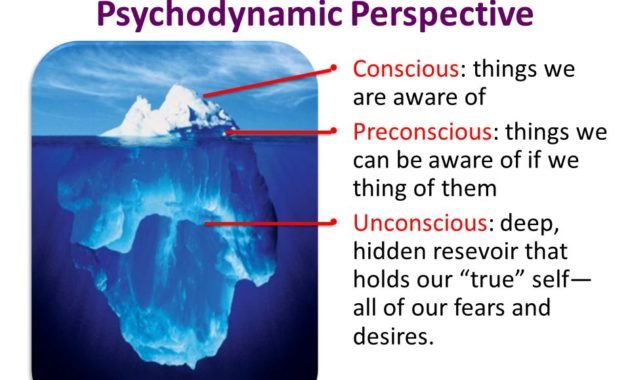
Understanding the Theory of Mass Psychology
Mass psychology theory is a branch of psychology that developed in the mid-19th century. This branch of science deals with the behavioral and thought processes of both members of the masses and the masses themselves. Mass psychology theory is often influenced by the loss of individual responsibility and views on behavior. universal, both of which increase with the sum of the masses.
Gustave Le Bon, an influential individual figure who is even considered the father of mass psychology theory, stated that the mass is a group of individuals or humans who are in the same time and place who have the same temporary interest or point of interest.
Draft
Mass psychology theory is the study of the human psyche, both visible and invisible. The soul that is visible or can be seen is often called behavior, while the soul that is not visible can be in the form of ideas, motives, desires, and potential potentials that exist in humans. We can simply conclude that the theory of mass psychology is a branch of science that studies the soul of a large group of individuals, both visible and invisible.
The theory of mass psychology was initially developed earlier than the theory of mass psychology and can even be considered as an embryo of mass psychology theory, but because of the level of interest of experts in the masses, the development of mass psychology theory has stagnated and is currently categorized as a branch of psychology.
Application of Mass Psychological Theory
1. Derived from the theory of mass psychology due to the advancement of mass thought
Mass psychology theory is a relatively new field of mass psychology theory because of the advancement of mass thought. It uses various theories of critical analysis and investigative mass psychology to develop a working model of psychologists’ perceptions of mass thought experiences.
The theory of mass psychology is used for individuals as a whole and individually. Mass psychology theory is able to carry out mass thought activities which include consulting, design, and production in various mass minds such as television, video games, films, and news broadcasting.
It is important to understand that mass psychology theorists are not regarded as those presented in mass thought (such as counselor-psychotherapists, doctors, etc.) but as those who research, work or contribute to the field.
2. Connect with various other fields of psychological theory
There is overlap with various fields, such as mass psychology theory of mass thought, communication science, anthropology, education, and sociology, not to mention that within mass psychology theory itself. Most of the research that would be considered ‘mass thought theory of mass psychology’ has come from other fields, both academic and applied.
3. Relates to behavior in social mass thought
In the 1920s, individual marketing, advertising and relations professionals began conducting research on behavior and motivation for the application of mass thinking. The use of mass thought during World War II, created a surge of academic interest in mass thought messages and resulted in the creation of a new field, communication science (Lazarsfeld & Merton, 2000).
4. Dealing with the impact of mass thought impressions
Mass psychology theory responds to widespread social concerns about children and their television appearances. For example, researchers are beginning to study the impact of television viewing on children’s reading ability. Then, they began to study the impact of violent television viewing on children’s behavior, for example, if they were inclined to exhibit anti-social behavior or to copy violent behavior they saw.
5. Concerning environmental perceptions of mass thinking
Mass psychology theory of mass thought includes the user’s perception, cognition, and humanistic components with respect to their experience of the surrounding environment. Mass psychology theory also makes use of
developmental social and narrative and discover findings from neuroscience. Mass psychology theory and research in mass psychology theory are used as the backbone of mass psychology theory and guide the discipline itself.
6. Has many dimensions that appear in the minds of the masses
The theory of mass psychology in mass psychology theory that is applied to mass thinking includes many dimensions, namely text, images, symbols, video and sound. Sensory psychology, semiotics and semantics for visual communication and language, social cognition and neuroscience are among the areas covered in mass psychology theory, this field of social psychology of mass thought.
7. Determine the content according to the psychological state
Mass thinking is based on individual emotions and opinions of character.
The content of mass thought is driven from the enjoyment and appreciation of the individual.
Individuals form feelings about existing characters, both positive and negative.
Mass thinking depends on conflict between characters and how individuals react to conflict.
8. Having extensive information is no exception
Mass thinking does not completely exclude external information that surrounds the individual. Rather, the stimuli in the minds of the masses are converted into individual images and memories in order to run the simulation. This explains why individuals can shape these experiences without resorting to mass thinking, as it deals with the relevance of constructs and internal processing.
9. Setting the framework
Mass thinking applies a more general framework to the concept of mass thought entertainment. This idea has the potential to offer a conceptual connection that leads to more presence. The mass thought activity of playing exhibitions is consistent with the use of entertainment objects.
10. Mass thinking provides psychological entertainment & spectacle satisfaction
Individuals use mass thinking to their satisfaction and how mass thinking changes in individual life according to its content. Mass thinking is used for pleasure and is independent. Individuals influence the thinking of the masses both negatively and positively because they can relate to what is seen in the environment.
By taking a deeper look at the various forms of mass thought, it becomes clear that the early versions of the belief that mass thought demonstrated each individual’s need for control and a desire to influence their current environment.
11. Mass thinking can create emotions psychologically
Dolf Zillmann proposed a two-factor model of emotion. These two emotional factors suggest that emotions involve components of social and cognitive mass psychology theory. Zillmann advanced the theory of mass psychology of “excitation transfer” by establishing an explanation for the effects of violent mass thinking. Zillmann’s theory of mass psychology proposes the idea that viewers are physiologically aroused when they witness aggressive scenes. After witnessing an aggressive scene, the individual will become aggressive because of the passion of the scene.
Critics
This, combined with the global political and economic impact of mobile mass thinking, suggests that mass thinking will continue to disrupt systems and potentially generate solutions to problems and challenge the imagination.
Mass psychology theory is indeed uniquely positioned to examine the questions that arise, but in setting best practices and standards for positive and ethical mass thinking and the use of mass thinking, and informing the development of mass thought and mass thinking must be of greater benefit to individuals.
Emerging thinking includes mass literacy thinking, digital citizenship, mass transthinking storytelling, and the use of artificial intelligence (AI) and the sense of a large amount of data analysis is increasingly available through the emerging fields of data science and data visualization.
This is what the author can convey, hopefully it will be a quality insight for all readers. Okay friends, see you in the next article, may you always be happy.
In psychology, there are various forms of application to help individuals with certain psychological disorders. One of them is psychodynamic therapy which is part of psychotherapy. Through various processes of communication with the therapist, exercises, doing assignments, and so on, psychodynamic therapy can lead individuals to find solutions to their own problems.

In general, psychodynamic therapy does look similar to psychoanalytic therapy which uses deep communication based on psychoanalytic theory. However, this therapy tends to place less emphasis on the therapist-patient relationship and tends to be shorter than psychoanalytic therapy. The following is a further explanation of psychodynamic therapy.
Definition of Psychodynamic Therapy
According to Yakeley (2014), psychodynamic therapy is seen as therapy with a broader perspective than psychoanalysis and includes relationships by including interpersonal experiences that are manifested in the social world and the internal world. Both are built or arise from vulnerabilities in oneself and childhood experiences.
Gatta, et al., (2019) translate psychodynamic therapy as a form of psychotherapy whose focus is devoted to the interaction between mental processes that occur due to individual subjective experiences at the beginning of the problem so that the goal is to increase the patient’s ability to understand the meaning of the experience.
Meanwhile, as reported by Good Therapy , psychodynamic therapy is a psychological interpretation of mental and emotional processes that originate from the interrelation of objects, ego and psychological self with the aim of overcoming basic conditions and the formation of psychological processes.
Benefits of Psychodynamic Therapy
Psychodynamic therapy has various benefits not only to cure symptoms of psychological disorders, but also to increase self-esteem , confidence, and confidence to function optimally. Here are some details of the benefits of psychodynamic therapy, including:
Helping individuals to rebuild their self-esteem and self- confidence.
Develop individual abilities in order to have more satisfying relationships.
Making individuals more confident in their own abilities to be able to do what they want well.
Increase the ability to understand yourself and others.
Become more sensitive and tolerant of a wider range of emotions, not just primary ones.
Gradually can be more able to face the problems and difficulties that occur in life.
Helps with symptoms of depression, anxiety, and physical ailments related to stress.
Life as a whole will gradually get better because these benefits work to the fullest over time.
How Psychodynamic Therapy Works
Reporting from Talking Therapy , psychodynamic therapy has a quite different way of working from other psychotherapy, namely by focusing on understanding and expressing feelings and how individuals try to avoid thoughts, feelings that cause disturbances, and how they relate to experiences or other people.
In addition, psychodynamic therapy also tries to help the patient to be able to understand for himself how he suppressed previous emotions that affect the way he makes decisions, behaves, and establishes relationships with other people at this time.
Psychodynamic therapy not only focuses on the problems faced by the individual within himself, but also helps the patient to be more alert and understand the origin of the social problems that occur. However, that does not mean that the patient will be able to solve the problem on his own.
Patients will be given direction that can lead to the ability to analyze and resolve current issues that are currently happening and change their behavior in current relationships through in-depth exploration as well as analysis of previous experiences or emotions.
Examples of Application of Psychodynamic Therapy
According to the American Psychological Association, the application of psychodynamic therapy begins with building a relationship between the therapist and patient as a doorway to carry out a series of psychotherapy processes. Initially, the therapist will try to understand the nature of the relationship that exists in the patient’s life.
The pattern of this relationship is related to the emotions, thoughts, and beliefs that are related to him at this time and can then be searched for its relationship with the patient’s life experiences in childhood. This is because psychodynamic theory emphasizes the importance of early life.
The initial application of psychodynamic therapy is intense with sessions that are scheduled for about an hour and last for several months to years. Later, this method was changed to modern psychodynamic therapy so that it is not more intensive. In addition, the use of certain sofas is also changed to a pair of ordinary chairs and the therapist can also do face-to-face instead of hiding.
In the session, the therapist will encourage the patient to talk freely about anything about his conscious mind. Then, the therapist will investigate the recurring pattern in the client’s subconscious mind. That way, the patient can be aware of things that were previously unconscious.
As a result, patients can identify the important puzzle pieces that make up their present self and put them back together to allow patients after therapy to maximize their functioning and have an awareness of the positive things in their lives.
Discussion Conclusion
Psychodynamic therapy can be defined as a psychotherapy technique based on psychoanalytic theory that emphasizes associations within individuals both with their emotions and thoughts or with interpersonal relationships in everyday life through deepening related experiences in early life so that they are able to overcome the problems they face themselves.
Generally, this therapy is useful for dealing with psychological disorders, such as anxiety or depression and also restoring self-confidence to live well through the ability to analyze oneself and environmental conditions. How, the therapist will encourage individuals to be more aware of their current condition and behavior.
An example of the application of psychodynamic therapy is where the patient freely tells what he is feeling to the therapist. Then the therapist will arrange a recurring pattern that appears and directs the patient to rearrange the things that affect him until he is in his current condition.
What is classical conditioning theory? What is the explanation of classical conditioning like? How is classical conditioning applied in everyday life? We discuss all here.

Have you ever drooled at the thought of the food you crave? Or shudder at the thought of the animal you fear? Or do you feel angry just because you hear the name of the person you hate being called in front of you?
Why do people have phobias ? Why do we remember our ex when we smell a certain perfume?
In psychology, you’ve experienced classical conditioning. Classical conditioning we will study together in this article. Including its history, the process of its occurrence, and how this classical conditioning occurs in our lives.
Let’s discuss!
Classical Conditioning Definition
So what is classical conditioning actually?
According to psychology, classical conditioning is a learning theory that was discovered by Ivan Pavlov , a doctor from Russia.
Pavlov revealed that we can produce a response by combining two stimuli; natural stimulus and artificial stimulus.
In ordinary situations, this artificial stimulus does not produce any response. But when combined with a natural stimulus many times, this artificial stimulus will eventually produce the same response as the natural stimulus.
Confused?
I’ll give you an example. You can do this too, the ingredients are pretty easy to find. You need an unused friend and a straw.
Sit next to your friend, and, using signal 123, blow your friend’s eye with a straw. Just go slow, if you’re too tight, your spit will splash into his face.
What happened? Your friend will probably squint because the blast is annoying.
Do this several times. On cue, then blow. See the response.
After a few times, when you say the cue, what is your friend’s response? Squinting right?
Well, in this case, the wind being blown is a natural stimulus, and squinting when blown is a natural response.
But here we add an artificial stimulus, namely the cue. Before the experiment, maybe our friend didn’t respond when we said 1,2,3, in front of his face. But after conditioning many times, hearing the signals 1-2-3 was enough to make him squint.
Classical conditioning is a theory that is within the flow of behavioristic psychology. Behaviorists, as we know, believe that individual behavior is caused by different learning experiences.
John Watson, a leader in the behavioristic school, once said:
“Give me a dozen healthy infants, well-formed, and my own specified world to bring them up in and I’ll guarantee to take any one at random and train him to become any type of specialist I might select – doctor, lawyer, artist, merchant-chief and, yes, even beggar-man and thief, regardless of his talents, penchants, tendencies, abilities, vocations and the race of his ancestors”
“Give me a dozen healthy babies, and give me a world of my own to raise them. And I can take any baby at random and mold him into any specialist I choose – doctors, lawyers, artists, chief merchants and, yes, even beggars and thieves, regardless of talent, inclination, inclination, ability, calling and ancestral race.”
Behaviorists believe that our personality is formed by experiences and the environment around us. And Pavlov’s classical conditioning confirms this belief.
Advertisement!
Pavlov himself was not a psychologist. He’s a doctor. In fact, this classical conditioning was discovered by accident.
In the 1890s, Ivan Pavlov studied the salivation of dogs in response to being fed. He put a small test tube in each dog’s cheek to measure the saliva when the dog was fed (with a powder made from meat).
At first Pavlov thought the dogs would salivate in response to the food in front of them, but he noticed that the dogs started drooling whenever they heard his assistant’s footsteps bringing food.
When Pavlov discovered that any object or event that the dog thought had something to do with food (such as a lab assistant) would trigger the same response, he realized he had made an important scientific discovery.
Therefore, he devoted the rest of his career to studying this conditioning.
Classical Conditioning Theory Concepts
Behaviorism is based on the assumption that:
All learning occurs through individual interaction with the environment
Environment shapes our behavior
One thing that is typical in classical conditioning is that there is a neutral signal before the reflex.
In Pavlov’s classic experiments with dogs, the neutral signal was a natural pitch and reflex sound (salivating) in response to food.
In our experiment, the neutral signal was a 1-2-3 cue and a natural reflex (squinting) in response to wind hitting the eye. By associating a conditioned stimulus (the cue) with an unconditioned stimulus (blowing the eye), the cue can produce a squinting response.
But of course classical conditioning is not that simple.
There is a phase where our friend stops squinting after the signal. It could be, a few days after you start working, your friend’s squinting response appears again.
To understand more about how classical conditioning works, we need to get to know some of its basic principles.
Let’s take a closer look at the five main principles of classical conditioning:
1.Acquisition
Acquisition is the initial stage of learning. This appears response time first appears and is gradually amplified. During this acquisition phase, the conditioned stimulus (the cue) is repeatedly followed by the unconditioned stimulus (blowing the eye).
A natural stimulus is something that will naturally trigger a response without the need for learning. If the conditioning process is carried out, the subject will begin to respond to a stimulus that was initially neutral. Since this stimulus has already produced the expected response, it is now called a conditioned stimulus . It is at this point that we can say that a response has been obtained.
For example, you condition your friend to squint in response to a signal. You repeatedly pair the cue with the blink of the eye. A response is said to have been obtained immediately if your friend starts squinting in response to the signal.
Once the response is established, you can gradually amplify the squinting response to ensure the behavior is properly conditioned.
2. Extinction/Kepunahan
Extinction or extinction is the reduction or disappearance of the response that we have conditioned. In the case of classical conditioning, this occurs when the conditioned stimulus is no longer accompanied by the unconditioned stimulus.
If you just give a signal without being followed by a blast, after a long time your friend will not respond anymore.
3. Spontaneous Recovery
Sometimes, a learned response may suddenly reappear even after a period of waning in the response. Spontaneous recovery is the reappearance of a conditioned response after a period of pause.
In this case, imagine that you stop signaling in front of your friend’s eyes. After he doesn’t squint anymore (the response is extinct), give him a break for some time, about 15 minutes. If you suddenly say the cue again, the extinct response can reappear.
This is called spontaneous recovery, or spontaneous recovery.
But the response will be extinct again, if the conditioned stimulus (squinting) is not followed by the unconditioned stimulus (blowing).
4. Stimulus Generalization
Stimulus generalization is the tendency of the subject to respond to a similar conditioned stimulus.
For example, after being conditioned, your friend may continue to squint even if the cue is replaced with clapping or hand signals.
5. Stimulus Discrimination
Discrimination is the ability to distinguish a conditioned stimulus from another stimulus that has not been paired with an unconditioned stimulus.
If before that you started with a signal, try starting with a knock on the table.
Your friend may not squint, because there are different forms of stimulus. Discrimination involves the ability to distinguish between types of signals. Since the subject is able to distinguish between these stimuli, he or she only responds when the conditioned stimulus is presented.
Responses 4 and 5 may depend on the subject’s perception. If he equates all the signals, it means that even with a knock on the table he will respond (generalize). But if he really focuses on one response, he will ignore other stimuli (discrimination).
You may already have an idea, but I’ll explain in more detail.
The classical conditioning process occurs in three phases:
Phase 1: Before Conditioning
The first part of classical conditioning requires an unconditioned stimulus, which, if done, will elicit a response. An example is squinting, it’s a reflex because the eyes are blown.
This blow is called an unconditioned stimulus, because this stimulus already produces a response without having to be conditioned.
During phase 1, the unconditioned stimulus (UCS) produces an unconditioned response (UCR).
In this phase there is a stimulus that has not yet produced a response. This stimulus, if not paired with UCS, doesn’t produce the response you want.
Let’s say in our research you want to make your friend squint. If you want to give a signal until your mouth is dry, if you don’t blow your friend’s eyes, he won’t squint.
This cue is what we call a conditioned stimulus. Called conditioned, because we will condition our friends to respond to this stimulus. If we haven’t conditioned our friend, then this stimulus has no response.
Phase 2: During Conditioning
This is the second phase of the classical conditioning process. In this phase, the conditioned stimulus will be given to the subject and then followed by the unconditioned stimulus. This is done repeatedly.
As a result of this sequential stimulus, your friend assumes that CS and UCS will always occur sequentially.
Here, the stimulus that previously did not produce a response will slowly elicit a response.
Phase three: After conditioning
This is the final stage of conditioning. A conditioned stimulus that previously did not provoke a response, because it is always associated with a natural stimulus, can finally trigger a response. In this case squinting on cue. This response we elicit is called a conditioned response.
It is called a conditioned response because it is the result of our conditioning, not a natural reflex.
In a famous (though now outlawed) experiment, Watson and Rayner (1920) demonstrated just that.
Little Albert is a 9 month old child who is tested on his reactions to various stimuli. He was shown a white mouse, a rabbit, a monkey and various masks. Albert is described as “not responding emotionally,” unafraid of these stimuli.
However, what shocked and scared him was the hammer being hit against the iron rod. This loud sound made little Albert cry.
Two months later, Little Albert was 11 months old. The white mouse was presented again, and a few seconds later a hammer was struck against the iron. This was done seven times over the next seven weeks, and it always brought Albert to tears.
Since then the little Albert would be scared every time he saw a white mouse.
Furthermore, it turned out later that he had a phobia of things that were hairy and white, such as dogs, fur coats, cotton wool, and even white beards. This is called generalization, which we discussed briefly earlier.
Over the following weeks and months, Albert was observed and after ten days post-conditioning, his fear of mice was much less. The process of extinction of the conditioned response is called extinction.
But the remnants of conditioning remain. Even the conditioned response can be regenerated by reconditioning, with a shorter time span than the initial conditioning.
Classical Theory of Conditioning in Life
You may have certain phobias that make friends laugh. I have a friend who cries when she is scared by worms. Another friend of mine, his legs tense up and get goosebumps when there is a cat.
A friend of mine doesn’t want to go to a mall, just because he was dumped in that mall. Entering the mall makes him sad, he said. Surem, his face is scary but his heart is like Hello Kitty.
Why do people have an illogical fear of something harmless? Why do places that we think are normal, according to other people can make us sad and upset?
Many responses arise as a result of classical conditioning. Intense and unforgettable events make us respond to similar stimuli in an exaggerated manner.
For example, my friend who was decided. Maybe for him, being dumped by the girl he loves has a tremendous impact on his subtle feelings. The incident may be repeated in his mind, so that he unconsciously did classical conditioning himself.
The mall where he was dumped, he unwittingly translated as a conditioned stimulus. Responses in the form of sadness and confusion over time became a conditioned response every time they saw the mall.
Another example is my friend who has a phobia of cats. The cat phobia arose because he had seen a cat give birth as a child. Blood and mucus everywhere imprinted so intensely on his memory, it made him disgusted every time he saw a cat.
Disgust, which is an unconditioned response to seeing mucus and blood, has long been associated with cats. The cat here is a conditioned stimulus, and disgust eventually becomes a conditioned response every time you see a cat.
Classical conditioning is not only seen in phobias. PTSD is also believed to be caused by a process similar to this conditioning.
Posttraumatic stress disorder (PTSD), suffered by war veterans and disaster survivors with traumatic experiences, can trigger the formation of classical conditioning. Even years after the event has passed, veterans may feel fear and anxiety at stimuli such as loud noises (Roberts, Moore, & Beckham, 2007; Schreurs, Smith-Bell, & Burhans, 2011; Rosellini et al., 2015).
For example, you are excited every time you hear a certain song. Or the smell of your boyfriend’s perfume that still lingers on your jacket. Happy emotions can arise because there are positive memories that are intense and imprint on your brain.
Oh yes, Pavlov’s learning theory also explains why addiction is so difficult to deal with.
Drug addicts associate certain stimuli — such as a drug device such as a syringe, the smell of a drug, or the room where they use the drug — with the pleasurable feeling that the drug produces.
Just looking at a syringe is enough for an addict to trigger a craving reaction (Saunders, Yager, & Robinson, 2013; Valyear, Villaruel, & Chaudhri, 2017).
Classical conditioning overemphasizes that we learn and develops because of the environment, and pays less attention to complex aspects of ourselves as humans.
In addition, scientists also argue that this approach in analyzing behavior tends to be reductionist, meaning that our complex actions are then simplified into stimulus and response.
Even to explain human behavior, classical conditioning is also classified as reductionist. Called reductionist because behavior, which is a complex process, is broken down into simple stimulus-response.
Proponents of the reductionist approach say that this is scientific, because this reduced behavior allows it to be measured. But there are also those who argue that the reductionist view is less valid. Thus, although reductionism can be measured, it may lead to an incomplete explanation.
Why is it incomplete?
We come to the last drawback of Pavlov’s theory: it is deterministic.
This theory emphasizes that humans or other organisms behave in response to external stimuli, and counteract individual free will.
Two people with the same upbringing and social environment can still be two different people. A bad environment with high poverty can breed criminals, but also many athletes are born from this kind of situation. And behaviorists have difficulty explaining this kind of phenomenon.
The deterministic approach actually has the potential to guess and predict human behavior in response to something.
However, this deterministic approach underestimates the uniqueness of the human person and their ability to choose.
Yes, that was the explanation about classical conditioning theory, Pavlov’s learning theory. In the end, a single theory of learning is not enough to explain us and our souls. Next time we will discuss the second learning theory, namely operant conditioning.
I’ve actually discussed Bandura’s Social Learning theory , but this should be the last one. The order is messy, hahaha.
But for the time being I want to write something else, which is a bit lighter.
In this article we will review the Difference between Psychology and Sociology . Psychology and Sociology are two broad sciences related to the study of human beings, wherein ‘psychology’ refers to the study of the human mind, i.e. it deals with what happens inside a person’s brain, in order to understand his reasons/behavior under different circumstances. In contrast, ‘sociology’ implies the study of human behavior in a group or society and the reasons for it.
Where psychology focuses on an individual, namely studying the individual, his behavior, thoughts, feelings and mental characteristics at a time. Sociology aims to analyze the behavior patterns of a group of people. It also studies the reasons that make them follow a particular religion, belief, culture, customs,
So, basically, psychology is about the ‘nature’ of a person, i.e. what you were born into, whereas sociology is about ‘upbringing’, i.e. what a person was raised with. Read the article below to the end to understand the difference between psychology and sociology .
Definition of Psychology
Psychology can be understood as the methodical research and study of mental processes, experiences and human behavior and the relationships between them, whether real or not. It is the study of a person’s mind, such as how it functions and influences behavior.
The term ‘psychology’ is a combination of two Greek words ‘psyche’ and ‘logos’ which mean ‘soul’ and ‘study’ respectively. In this way, psychology refers to the study of the soul. It analyzes three main aspects of human nature, namely:
Experience: Some personal human experiences and privacy are studied by psychologists to understand one’s private world. This includes dreams, one’s conscious experiences at various phases of life and altered consciousness experiences, by means of medication or meditation.
Mental Processing: It also studies the human mental processes in which the thoughts that occur in a person’s brain are read. In this study, a person’s internal mental activity is investigated, with their attitudes and behavior in certain situations. This includes the investigation of perception, thinking, learning and remembering, etc.
Behavior: Psychology also studies a person’s behavior, which includes the analysis of basic reflexes, response patterns, and complex behaviors, either through direct observation or measurement through scientific instruments. Basically, a person’s behavior is reflected in his activities such as body language, gestures, facial expressions, when he responds to stimuli in certain situations.
When observing a person’s behavior, psychologists try to find out the processes that influence a person’s behavior. The process is represented in the image below:
Definition of Sociology
Sociology can be understood as a social science that systematically studies social relations, interactions, culture and behavior of a person in society. The subject area of sociology is not the individual, but seeks to look further, i.e. examine society, regarding certain associations or groups of individuals.
The term ‘sociology’ is a combination of the Latin word ‘socius’ and the Greek word ‘logu’, meaning ‘associate or associate’ and ‘study’. So, sociology refers to the study of friendship or human relations.
Sociology studies how people in a group interact with each other and how a person’s behavior is determined by social groups, categories, like age, class, gender, etc., and institutions, i.e. religion, caste, education, politics etc. scientific studies, as in it investigates and analyzes social reality using logical methods, considering verifiable evidence and interpretations. Furthermore, social status, movement, stratification and change, are also studied in this discipline.
Difference Between Psychology and Sociology
The differences between psychology and sociology discussed above can be summed up in the following points:
Psychology is the study of humans in relation to their experiences, mental well-being and behavioral patterns. On the other hand, sociology is the science of human association, which studies the actions of individuals in a social context.
Psychology is a specialized science that studies the individual mind and its functions, which direct and control behavior. Sociology is a general science in which sociologists analyze the structure of groups, societies and institutions and the way people interact.
When it comes to subject areas, psychology studies the human mind and behavior, whereas sociology studies the behavior of a person when he is in a group or in the midst of people.
In psychology, psychologists tend to examine and analyze one person at a time. In contrast, in sociology, sociologists analyze society or groups as a whole.
In psychology reading a person’s mind and the reasons for his behavior in a certain way is an experimental process. On the other hand, in sociology, sociologists observe the behavior of individuals in society and the way society views, beliefs and cultures, etc. Influence someone.
While psychology deals with human emotions, sociology deals with human interactions.
Psychology assumes that a person’s mental characteristics govern his behavior. In contrast, sociology assumes that individuals are significantly influenced by society, which regulates individual behavior.
Conclusion:
Social Psychology is a branch of psychology, which studies the impact of people on the thoughts, feelings and behavior of individuals. Psychology tends to study the individual, in terms of his mental characteristics to find out the reasons for his behavior in a certain way. On the other hand, psychology is concerned with the origin, development and structure of human society.
Top 10 Stress Level Measuring Applications: The Ultimate Guide
Stress is a common part of modern-day existence. The demands of work, family, and other responsibilities can easily take a toll on our mental and emotional well-being. However, with the help of stress level measuring applications, it’s now easier than ever to manage stress levels and improve our overall quality of life. In this article, we’ll be looking at the top 10 stress level measuring applications to help you stay on top of your stress levels.
1. Calm
Source: https://tse1.mm.bing.net/th?q=Calm+app
Calm is a popular application used by people all around the world to help manage stress and anxiety. It offers guided meditations and breathing exercises that help relax the mind and body. Besides offering guided meditations, it also provides tips on how to improve sleep quality and reduce anxiety. With its multitude of features, Calm is an excellent application for overall mental wellbeing.
2. Aura
Source: https://tse1.mm.bing.net/th?q=Aura+app
Aura is an application that helps people manage their stress levels through daily meditations and mindfulness exercises. The application includes guided meditations designed to help reduce stress and anxiety. Additionally, it provides a gratitude journal to help users focus on the positive things in their life. Aura also sends personalized notifications to remind users when it’s time to take a break and focus on their wellbeing.
Headspace is an application that provides guided meditations and mindfulness exercises to help users manage stress levels. Its approachable design makes it popular with those new to meditation. The application’s meditation library covers a wide range of topics from stress and anxiety reduction to better sleep and productivity.
4. Happify
Source: https://tse1.mm.bing.net/th?q=Happify+app
Happify is a unique application that combines neuroscience with positive psychology. The application aims to help users improve their mental wellbeing and reduce stress levels with evidence-based activities designed to boost happiness. It includes a range of activities such as meditations, games, and gratitude exercises to help individuals focus on the positive aspects of their life.
Pacifica is an application designed to help users manage stress and anxiety levels. It includes an array of features to help individuals understand and monitor their stressors. Pacifica’s approach combines cognitive-behavioral therapy techniques with stress management tools like guided meditations, breathing exercises, and mood tracking to help individuals improve their decision-making, coping skills, and overall mental wellbeing.
6. Happier
Source: https://tse1.mm.bing.net/th?q=Happier+app
Happier is an application designed to help users find more joy and positivity in their lives. It includes activities like gratitude journaling, goal setting, and inspirational community content designed to motivate and inspire. The application’s easy-to-use interface makes it a popular choice for those seeking to incorporate more self-care into their daily lives.
7. Slumber
Source: https://tse1.mm.bing.net/th?q=Slumber+app
Slumber is an application that helps users improve their sleep quality for overall mental wellness. The application includes a range of guided meditations designed to help users fall asleep faster and stay asleep longer. Additionally, it includes calming background sounds and music to help reduce stress and anxiety levels.
8. Serene
Source: https://tse1.mm.bing.net/th?q=Serene+app
Serene is an application that combines guided meditations and relaxation techniques to help users handle stress and anxiety. The application’s guided meditations range from five to thirty-three minutes, providing stress relief options for all schedules. It also includes a gentle bell sound to help users come out of their relaxation breaks gradually.
Stress Tracker is an application designed to help users keep track of their stress levels. It comes with a built-in stress test designed to measure stress levels and provides users with individualized goals and tips to help manage their stress. Additionally, it comes with resources like guided imagery, relaxation exercises, and motivational texts to help users improve their overall mental wellbeing.
Breathwrk is an application designed to help users regulate their breathing patterns to help manage stress levels. It includes a breathing screen that makes it easy to follow along with the app’s guided breath exercises. With its simple interface and range of breathing exercises, Breathwrk is an excellent option for those looking to incorporate breathing techniques into their daily routines.
The Bottom Line
These days, managing stress is becoming increasingly important. Fortunately, it’s now easier than ever to keep stress levels under control with these top 10 stress level measuring applications. Whether you’re dealing with day-to-day stress or looking to improve your overall mental wellbeing, these applications can help you stay on track and live a healthy, happy life.
Frequently Asked Question
1. What is a stress level measuring application?
A stress level measuring application is a tool that measures an individual’s stress level through various inputs, such as heart rate or breathing rate. It provides helpful insights to manage stress levels and improve mental health.
2. Is measuring stress levels through an application accurate?
Yes, it is accurate to a certain extent. These applications use advanced algorithms to measure physiological responses to stress, such as heart rate variability and breathing rate, and provide a reliable analysis of your stress level.
3. Can anyone use a stress level measuring application?
Yes, anyone can use a stress level measuring application on their smartphone, tablet or other mobile devices. These apps are available on different platforms and can be downloaded easily.
4. How does a stress level measuring application work?
A stress level measuring application generally uses heart rate variability, breathing pace, or other real-time physiological data to calculate an individual’s stress level. These inputs are compared to a baseline value, and the app provides guidance on how to improve stress levels.
5. Are there any risks in using a stress level measuring application?
There are no major risks in using stress measurement applications. However, some individuals may feel anxious or stressed by frequent reminders of their stress level, and it is essential to seek professional help if your stress level is consistently high.
6. Can stress level measuring applications be used for clinical purposes?
Yes, stress level measuring applications are commonly used for clinical purposes to evaluate stress levels in patients with anxiety disorders, depression, or other health conditions.
7. Are stress level measuring applications free of cost?
Some stress measurement applications are free of charge, while others may require purchasing a premium version to access advanced features.
8. How can a stress level measuring application help with mental health?
Stress level measuring applications provide helpful insights to manage stress levels, which can contribute to better mental health. The app can guide individuals through meditation, breathing exercises, or other relaxation techniques to alleviate stress.
9. How frequently should one use a stress level measuring application?
It is recommended to use a stress level measuring application once or twice daily to track stress levels and improve mental health effectively.
10. Can a stress level measuring application replace a therapist?
No, stress level measuring applications cannot replace a therapist. They are a valuable tool to manage stress levels, but it is essential to seek professional help if you are struggling with mental health issues.
Are you a fitness enthusiast who is looking to track your muscle mass accurately? With the rise of smartphones and mobile apps, muscle mass measuring has become more accessible than ever before. With a wide range of applications available from different vendors, it can be challenging to select the right one that suits your needs. In this article, we will walk you through the top 10 muscle mass measuring applications available in the market.
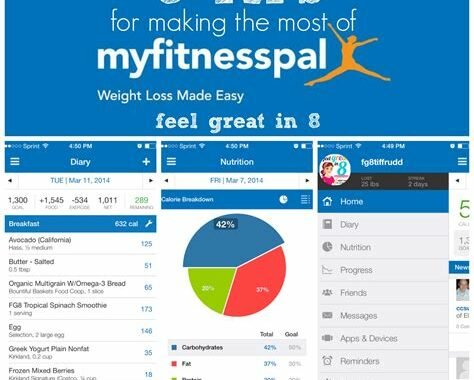
1. MyFitnessPal
MyFitnessPal is among the most popular fitness apps available in the market. The app features a comprehensive range of features, which includes muscle mass measuring. Using MyFitnessPal, you can track your daily nutrition and exercise regimes, which in turn helps you keep a check on your muscle mass. Also, the app has a vast database of more than six million foods and drinks that help users in tracking their macro and micronutrient intake.
2. Fitbit
Fitbit is another good application for measuring your muscle mass. The app makes it more accessible than ever to track your fitness goals. By tracking your daily exercise routine and dietary habits, the app helps you to keep a check on your muscle mass on a weekly and monthly basis. Also, Fitbit offers activity tracking features such as heart rate tracking and sleep tracking, making it a complete package for fitness enthusiasts.
3. MyPlate by Livestrong
MyPlate is another popular application that helps track muscle mass, nutrition, and weight. The app(https://www.livestrong.com/myplate/) has a food library consisting of more than 2 million verified foods, making it effortless for users to record what they have eaten. MyPlate also provides customized meal plans based on your calorie intake and helps automate your nutritional intake tracking. The app offers an extensive range of features, making it an all-in-one application for fitness enthusiasts.
4. BodySpace
BodySpace is a fantastic application that allows you to track your fitness progress conveniently. You can track your exercise routine and nutrition, recording as you go. The app features a robust workout library, where you can access many of the latest and most effective exercises. BodySpace app also enables you to create personal workout plans that match your workout needs and goals.
5. HealthifyMe
Another popular application that helps track your muscle mass and nutritional habits is HealthifyMe. This app is user-friendly and efficient in helping you stick to your fitness plans easily. With HealthifyMe, you can track the number of calories you consume daily, and the application gives you an estimate of the muscle mass you will gain over a week or month. The app also trains you on healthy eating, making the journey easier and more fun.
6. StrongLifts 5×5
StrongLifts is another app focusing on muscle mass and strength building. This app provides workout plans, and the most popular one is the 5×5 workout plan. The 5×5 program is a strength program that helps build muscle mass and strength with compound lifts. The app tracks and saves the weights lifted on all lifts, and one can use that data to monitor their progress actively.
7. JEFIT Workout
JEFIT Workout is a fantastic app that helps people track their muscle mass and strength-building exercises. The app features an extensive database of exercises, which users can use to create their customized workout routine. JEFIT Workout comes equipped with gym-trained coaches who will help users meet their fitness goals. The app tracks exercises done and proposes modifications and progressions to suit the user’s needs.
8. Fitness Point
Fitness Point is an app that is focused on muscle mass and strength building. The app features a wide range of exercises and workout routines that individuals can use to create their customized workout plans. Fitness Point enables users to record the reps, weights, and sets performed on each exercise. Additionally, the app has a useful feature where it tracks the daily progress of the user.
9. Google Fit
Google Fit is a simple application that focuses on exercising and staying active. The app tracks your daily physical activity using sensors available on your smartphone or smartwatch. The application accurately records and tracks muscle mass and heart rate. Additionally, the app offers guided mindfulness exercises for relaxation.
10. MyPlate by Relish
MyPlate by Relish is another great application that offers a comprehensive range of features, including muscle mass tracking. The app tracks calorie and nutrient intake, allowing users to meet their fitness goals effectively. Additionally, MyPlate offers personalized meal plans customized to your dietary restrictions and preferences.
Conclusion
In conclusion, these applications offer an effective way to track muscle mass, which is crucial for fitness enthusiasts. With the help of these applications, you can track your exercise routine, nutritional intake, and muscle mass, enabling you to make informed decisions and to track your progress. In selecting the right application for you, identify your fitness goals and choose an app that offers features that meet your needs.
Frequently Asked Question
1. What is a muscle mass measuring application?
A muscle mass measuring application is an app that utilizes various measurements and calculations to estimate an individual’s muscle mass percentage.
2. How accurate is a muscle mass measuring application?
The accuracy of a muscle mass measuring application varies depending on the app itself and the method used to calculate muscle mass. In general, the accuracy of the measurement is not as high as other methods such as DXA scans or hydrostatic weighing.
3. What measurements are used by muscle mass measuring applications?
Most muscle mass measuring applications use a combination of height, weight, age, gender, and muscle circumference measurements to estimate muscle mass.
4. How do muscle mass measuring applications determine muscle mass?
Muscle mass measuring applications use different formulas and algorithms to estimate muscle mass based on various measurements.
5. Can muscle mass measuring applications be used by everyone?
While most muscle mass measuring applications are designed to be used by anyone, certain apps may have age or weight restrictions.
6. Are muscle mass measuring applications accurate for athletes?
Muscle mass measuring applications may not be as accurate for athletes due to their higher muscle mass and lower body fat percentage.
7. Do muscle mass measuring applications require additional equipment?
Most muscle mass measuring applications require a smartphone and access to the internet. Some apps may require additional equipment such as a tape measure or a body fat caliper.
8. Can muscle mass measuring applications track progress over time?
Yes, many muscle mass measuring applications have built-in features that allow users to track their muscle mass percentage over time.
9. How often should I use a muscle mass measuring application?
It is recommended to use a muscle mass measuring application at least once a month to accurately track progress.
10. Are muscle mass measuring applications useful for weight loss goals?
Yes, muscle mass measuring applications can be helpful for weight loss goals as they can track changes in muscle mass percentage and provide motivation for continuing an exercise regimen.
Keeping track of your weight is essential for maintaining a healthy lifestyle. With the advancement in technology, we have some excellent apps that can help you track your weight on the go. Whether you are looking to lose weight, build muscle, or maintain your current weight, these applications can help you achieve your goals. In this article, we will be listing the top 10 weight measuring applications that you can use to track your weight.
1. MyFitnessPal
MyFitnessPal is one of the most popular weight measuring applications available today. This app not only helps you track your weight but also lets you keep a check on your daily calorie intake. With a huge database of food items, you can easily track your meals and stay within your calorie budget. The app also features a barcode scanner, which makes it easier to log your meals. The app is available on iOS and Android devices.
2. Lose It!
Lose It! is a popular weight loss application that has been around for a while. With this app, you can set goals and track your progress towards them. You can log your meals, track your exercise, and connect with friends for added motivation. The app also features a premium version that comes with added features like a meal planner and more advanced tracking options. The app is available on iOS and Android devices.
3. Weight Watchers
Weight Watchers is a popular weight loss program that has helped millions of people shed those extra pounds. The Weight Watchers app is an excellent tool for tracking your weight, food intake, and activity. The app comes with a database of over 8,000 food items, making it easy to track your meals. The app also features a barcode scanner, which makes logging your meals a breeze. The app is available on iOS and Android devices.
4. Fitbit
Fitbit is known for its fitness trackers, but the company also offers an excellent weight tracking application. With the app, you can set goals, track your weight, and monitor your progress over time. The app also features a food log, which makes it easy to track your meals. The app is available on iOS and Android devices.
5. Noom
Noom is a weight loss program that combines coaching with technology. The Noom app uses a unique approach by offering personalized coaching to help you achieve your weight loss goals. The app also features a food log, activity tracker, and progress tracker. The app is available on iOS and Android devices.
6. MyPlate by Livestrong
MyPlate by Livestrong is an excellent tool for tracking your weight and food intake. The app features a barcode scanner, which makes logging your meals a breeze. The app also tracks your macro and micronutrients, making sure you stay within your daily requirements. The app is available on iOS and Android devices.
7. Yazio
Yazio is a weight loss app that not only helps you track your weight but also offers nutritional coaching. The app features a database of over 2 million food items, making it easy to log your meals. The app also tracks your macro and micronutrients and features personalized information on how to improve your diet. The app is available on iOS and Android devices.
8. MyNetDiary
MyNetDiary is a weight loss app that offers personalized coaching and tracking options. With the app, you can track your meals, activity, and water intake. The app also features a barcode scanner, which makes logging your meals easy. The app is available on iOS and Android devices.
9. Carb Manager
Carb Manager is an excellent app for tracking your weight and monitoring your carbohydrate intake. The app features a barcode scanner, which makes logging your meals easy. The app also lets you track your water intake, exercise, and sleep. The app is available on iOS and Android devices.
10. Cronometer
Cronometer is a comprehensive nutrition and fitness tracking app. With the app, you can track your weight, food intake, and exercise. The app also features a barcode scanner, which makes logging your meals easy. The app also tracks your macro and micronutrients, making sure you stay within your daily requirements. The app is available on iOS and Android devices.
Conclusion
In conclusion, these weight measuring applications can help you achieve your weight loss goals. With features like food logs, barcode scanners, and personalized coaching, these apps make it easier than ever to track your meals and monitor your progress. So, choose the app that suits your needs, set your weight loss goals, and start tracking your progress today!
Frequently Asked Question
1. How does the weight measuring application work?
The weight measuring application works by utilizing the sensors of your device to detect pressure changes caused by an object placed on your device’s screen. It converts the pressure changes into weight measurements.
2. Is the weight measuring application accurate?
The accuracy of the weight measuring application is dependent on the quality of the device’s sensors and the consistency of the surface you place the object on. However, it is generally accurate enough for everyday household use.
3. What is the minimum weight that can be measured using the weight measuring application?
The minimum weight that can be measured using the weight measuring application varies depending on the application, but it is usually around 5 grams.
4. Can the weight measuring application measure the weight of living creatures?
It is not recommended to use the weight measuring application to measure the weight of living creatures as it can potentially harm them. Using a proper weighing scale would be a better choice.
5. Can the weight measuring application measure the weight of liquids?
No, the weight measuring application cannot measure the weight of liquids as it requires a solid surface for the sensors to detect pressure changes.
6. Is the weight measuring application compatible with all devices?
No, the weight measuring application may not be compatible with all devices, especially older devices with outdated sensors.
7. Can the weight measuring application measure weight in different units?
Yes, the weight measuring application can measure weight in different units like grams, kilograms, pounds, and ounces.
8. Will the weight measuring application drain the battery life of my device?
No, the weight measuring application consumes very little battery life and will not significantly impact the device’s battery.
9. Can I calibrate the weight measuring application?
Yes, some weight measuring applications allow users to calibrate the application by placing a known weight on the device and adjusting the settings accordingly.
10. Is there a way to use the weight measuring application if my device does not have sensors?
No, the weight measuring application requires sensors to detect pressure changes, so devices without sensors cannot use the application.
Top 10 Height Measuring Applications You Need to Try
Do you want to know your height but don’t have a measuring tape? Don’t worry, because there are now apps that can help you measure your height with just a few clicks on your smartphone. Here are the top 10 height measuring applications that you need to try:
1. Height Measure
Height Measure is a simple and accurate app that allows you to measure your height using your smartphone. To use this app, all you need to do is stand against a wall with your smartphone in front of you, and the app will do the rest. This app is available for free on the iOS platform.
2. Ruler App
Ruler App is a multifunctional app that allows you to measure the length and width of objects, as well as your height. This app uses your smartphone’s camera and uses AR technology to measure your height accurately. This app is available for free on the iOS platform.
3. Smart Measure
Smart Measure is an app that uses trigonometry to measure the height of an object or person. To use this app, you need to stand a specific distance away from the person or object you want to measure. This app is available for free on the Android platform.
4. Measure App
Measure App is a simple and straightforward app that allows you to measure your height and the length and width of objects. This app uses AR technology to measure your height accurately. This app is available for free on the iOS platform.
5. Height Ruler
Height Ruler is an app that uses your smartphone’s camera to measure your height. This app is easy to use, and all you need to do is take a photo of yourself standing against a wall, and the app will calculate your height. This app is available for free on the iOS platform.
6. AR Ruler
AR Ruler is an app that uses AR technology to measure the height of an object or person. This app is accurate, and all you need to do is point your smartphone’s camera at the person or object you want to measure. This app is available for free on the iOS platform.
7. Height Detector
Height Detector is an app that uses ultrasound waves to measure a person’s height. To use this app, you need to place your smartphone on the top of your head, and the app will send ultrasound waves to measure your height. This app is available for free on the Android platform.
8. Measure Master Pro
Measure Master Pro is an app that allows you to measure your height and the length and width of objects. This app is easy to use and features a variety of tools for accurate measurements. This app is available for free on the iOS platform.
9. Height Measure Tape
Height Measure Tape is an app that uses your smartphone’s camera to measure your height. This app is easy to use and features a virtual measuring tape that you can use to measure your height. This app is available for free on the Android platform.
10. Camera Measure
Camera Measure is an app that uses your smartphone’s camera to measure the height of an object or person. This app is accurate, and all you need to do is take a photo of the person or object you want to measure, and the app will do the rest. This app is available for free on the Android platform.
Conclusion
These are the top 10 height measuring applications that you need to try. These apps are easy to use, accurate, and can be downloaded for free on the iOS and Android platforms. With these apps, you can now measure your height without the need for a measuring tape.
Frequently Asked Question
1. What is a height measuring application?
A height measuring application is a software that uses your smartphone’s camera to accurately measure your height.
2. Is the app accurate?
Yes, the app is accurate. However, the accuracy may vary depending on the device’s camera and the user’s posture during the measurement process.
3. What are the features of a height measuring application?
The features of a height measuring application may include metric and imperial unit measurements, automatic calibration, and real-time measurements.
4. How does the application work?
The application uses your smartphone’s camera and advanced algorithms to measure your height. You need to stand straight in front of the camera and follow the instructions displayed on the screen.
5. Does the application save my height measurements?
Yes, the application may save your height measurements. However, you can delete them or clear the app data to erase all saved measurements.
6. Can the application be used by multiple users?
Yes, the application can be used by multiple users. Each user needs to create a separate profile and follow the measurement process.
7. Can the application measure the height of children?
Yes, the application can measure the height of children. However, it is recommended to use the app under adult supervision for accurate measurements.
8. Is the application free?
Some height measuring applications are free, but others may require a one-time purchase or subscription to access all features.
9. Can the application be used offline?
Yes, some height measuring applications can be used offline. However, other applications may require an internet connection to function properly.
10. Which smartphones support a height measuring application?
Most smartphones with a rear-facing camera and modern operating system can support a height measuring application. However, it is recommended to check the app’s requirements before downloading it.
Distance calculator applications are useful tools that can help you determine the distance between two or more locations. These applications can be handy when planning a road trip, determining shipping costs, or just figuring out how far away your destination is. In this article, we’ll review the top 10 distance calculator applications.
1. Google Maps
Google Maps is one of the most popular distance calculator applications available. It’s available as a web application and also as a mobile app for both iOS and Android devices. You can use Google Maps to get driving directions between two or more locations along with the distance and estimated travel time. You can also use it to plan your route by selecting multiple stops along the way.
2. MapQuest
MapQuest is another popular distance calculator application. It’s available as a web application and also as a mobile app for both iOS and Android devices. You can use MapQuest to get driving directions between two or more locations along with the distance and estimated travel time. You can also use it to plan your route by selecting multiple stops along the way.
3. Waze
Waze is a popular distance calculator application that is more geared towards helping you navigate traffic on your route. It’s available as a mobile app for both iOS and Android devices. You can use Waze to get driving directions between two or more locations along with the distance and estimated travel time. It also includes real-time traffic updates and rerouting options.
4. DistanceCalculator
DistanceCalculator is a web application that allows you to determine the distance between two or more locations. You simply enter the addresses or coordinates of your starting and ending locations and click “calculate” to get the distance. It also shows you the estimated travel time and a map of the route.
5. Distance.to
Distance.to is a web application that allows you to determine the distance between two or more locations. You simply enter the addresses or coordinates of your starting and ending locations and click “calculate” to get the distance. It also shows you the estimated travel time and a map of the route.
6. GeoDataSource
GeoDataSource is a web application that offers distance calculation services along with other location-based data. You can use it to determine the distance between two or more locations, as well as search for nearby locations, calculate driving distances, and more.
7. GPS Navigation & Maps Sygic
GPS Navigation & Maps Sygic is a mobile app for both iOS and Android devices that offers turn-by-turn driving directions, real-time traffic updates, and distance calculation services. You can use it to plan your route, get estimates on fuel costs, and find nearby points of interest along your route.
8. Bing Maps
Bing Maps is another web application that offers distance calculation services. You can use it to determine the distance between two or more locations, get driving directions, and view maps of your route. Bing Maps also offers real-time traffic updates and the ability to search for nearby points of interest.
9. iMaps+ for Google Maps
iMaps+ is a mobile app for iOS devices that offers distance calculation, turn-by-turn driving directions, real-time traffic updates, and more. You can use it to plan your route and find nearby points of interest along your route. It also offers the ability to download maps for offline use.
10. My Maps
My Maps is a web application and mobile app for both iOS and Android devices. You can use it to create custom maps with multiple locations, custom labels, and more. You can also use it to determine the distance between two or more locations on your custom map.
Conclusion
There are many distance calculator applications available, each with its own unique features and capabilities. Whether you’re planning a road trip, navigating traffic, or just trying to determine the distance between two or more locations, there’s an application out there that can help you get the job done. We hope this list has been helpful in identifying the best distance calculator applications available.
Frequently Asked Question
1. What is a distance calculator application?
A distance calculator application is a tool that enables you to calculate the distance between two or more locations on a map or using latitude and longitude coordinates.
2. How accurate are distance calculator applications?
The accuracy of distance calculator applications can vary depending on the source of the data and the algorithm used to calculate the distance. However, most applications provide reasonably accurate distance measurements.
3. Can I use a distance calculator application to find directions?
No, distance calculator applications only calculate the distance between two or more points. To get directions, you need to use a navigation application.
4. Can I use a distance calculator application offline?
Some distance calculator applications provide offline support, but others require an internet connection to access the data needed to calculate distances.
5. Can I use a distance calculator application to calculate distances between different countries?
Yes, distance calculator applications can be used to calculate distances between any two points on the planet, including across different countries and continents.
6. Can a distance calculator application factor in traffic conditions?
No, distance calculator applications cannot factor in traffic conditions. They only provide a fixed distance measurement between two or more points.
7. Can I use a distance calculator application on my smartphone?
Yes, many distance calculator applications are available for use on smartphones and other mobile devices.
8. How do I use a distance calculator application?
To use a distance calculator application, simply input the desired locations or coordinates and the application will calculate the distance between them.
9. Are distance calculator applications free?
Some distance calculator applications are free, while others may require a one-time or ongoing fee.
10. Can a distance calculator application calculate distances for multiple locations at once?
Yes, some distance calculator applications allow you to input multiple locations and will provide distance measurements between all the locations you’ve specified.
Many people love speed, whether that be on the road or online. From checking the speed of a car to measuring the internet speed, speed meter applications are the perfect tool for tracking performance. Here are the top 10 speed meter applications that are worth trying:
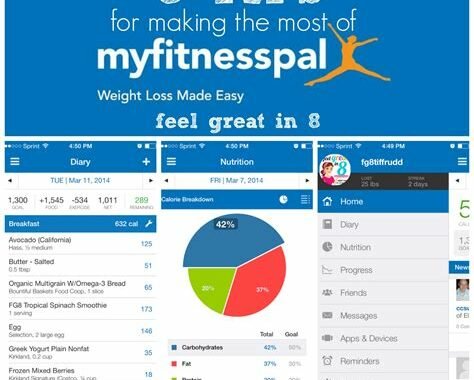
1. Speedtest by Ookla
Speedtest by Ookla is one of the best and most accurate speed meter applications available. It allows users to test their internet connection speed with one click. With millions of tests taken every day worldwide, this app gives users an accurate speed measurement. It also provides detailed information about upload and download speeds, as well as latency testing. Speedtest by Ookla is available for free on iOS and Android.
2. FAST Speed Test
FAST Speed Test is another popular speed meter application. It offers a quick and easy way to test internet speed using a simple one-tap system. The app measures upload, download, and latency speeds. It also provides a history of tests to see average speeds over time. FAST Speed Test is free and available on the App Store and Google Play Store.
3. Internet Speed Test by Speedchecker
Internet Speed Test by Speedchecker allows users to measure their internet speeds through a simple user interface. It offers detailed information on upload and download speeds, as well as latency and jitter measurements. The app also provides a map of local Wi-Fi hotspots and internet speeds. It is free and available on iOS and Android.
4. Meteor
Meteor is a speed meter application that specializes in measuring the internet speeds of mobile devices. It offers a simple and easy-to-use interface that allows users to measure their data speed, video quality, and other internet performance metrics. Meteor also offers speed testing before and after using specific apps to see how much bandwidth is being used. It is free and available on iOS and Android.
5. SpeedSmart Speed Test
SpeedSmart Speed Test is a simple and quick app that allows users to measure their internet connection speeds. It offers features such as upload and download speed tests, as well as latency testing. The app also provides a history of previous tests including average speeds. SpeedSmart Speed Test is free and available on iOS and Android.
6. Internet Speed Test by V-SPEED.eu
Internet Speed Test by V-SPEED.eu measures upload and download speeds, as well as latency and ping rates. It also provides detailed information on the user’s IP, ISP, and location. The app allows users to compare their internet speeds to other users in their area. Internet Speed Test is free and available on iOS and Android.
7. TestMy.net
TestMy.net is a free online speed meter application that allows users to measure their internet connection speed. It offers upload and download speed tests, latency testing, and a history of previous tests. TestMy.net also offers a unique feature that allows users to test the speed of individual files, such as music or video files. The app is available online.
8. Speed Checker
Speed Checker is a simple and easy-to-use app that measures upload and download speeds. It also provides users with data usage indicators as well as widgets to track internet speeds. Speed Checker has a visual speedometer that displays users’ internet speeds in real-time. It is available for free on the App Store and Google Play Store.
9. OpenSignal
OpenSignal is a speed meter application that measures internet speeds worldwide. It shows users mobile coverage maps and their signal strength, upload and download speeds, and Wi-Fi hotspot search. The app is perfect for users who travel and need to check internet quality in different areas. OpenSignal is free and available on iOS and Android.
10. U Mobile Speed Test
U Mobile Speed Test is an app that allows users to measure mobile and broadband internet speeds. It is designed for users in Malaysia and provides reliable speed measurements for the country’s major carriers. The app provides detailed information on upload and download speeds, as well as latency testing. U Mobile Speed Test is free and available for download on iOS and Android.
Conclusion
Using speed meter applications is an easy and convenient way for users to measure their internet and mobile device speeds. In this article, we have looked at the top 10 speed meter applications that are available to use today. Each app offers different features, from latency testing to comparing speeds with others in the area. Depending on the user’s requirements, some apps may be more appropriate than others. With these speed meter applications, users can optimize their online experience and get the best performance possible.
Frequently Asked Question
1. What is the Speed Meter Application for?
The Speed Meter Application is a utility app that measures the current speed of the device it is installed in.
2. Is the Speed Meter Application free to download?
Most versions of the Speed Meter Application are free to download. However, some versions may require a small fee for advanced features.
3. How does the Speed Meter Application measure speed?
The Speed Meter Application measures the speed by using the device’s built-in GPS receiver to determine its movement and location.
4. Does the Speed Meter Application work offline?
The Speed Meter Application requires an active GPS signal to measure speed accurately. So, it might not work accurately without an active internet connection.
5. Is the Speed Meter Application available for iOS devices as well?
Yes, The Speed Meter Application is available for iOS devices like iPhone and iPad as well.
6. How accurate is the Speed Meter Application?
The accuracy of the Speed Meter Application depends on the GPS signal’s strength, so the accuracy can usually range between +/- 2 miles per hour.
7. Can the Speed Meter Application be used while driving?
Yes, the Speed Meter Application can be used while driving, but it is recommended to use it only through a hands-free device.
8. Can the Speed Meter Application measure the speed of other moving objects like trains or planes?
No, the Speed Meter Application is built to measure only the speed of the device it is installed in, not other moving objects around it.
9. Does the Speed Meter Application record the speed information?
Some versions of the Speed Meter Application may have the option to record speed information, but most versions do not have this feature.
10. Will the Speed Meter Application drain the device’s battery?
The Speed Meter Application may use the device’s GPS feature, which can consume significant battery power, so it is best to use it when necessary and close it when not in use.
If you are trying to lose weight or maintain your current physique, then tracking your calories is crucial. There are many calorie counter applications available on the market, making it difficult to choose the best one. In this article, we have rounded up the top 10 burned calorie counter applications that make it easy to track your daily intake and burned calories.
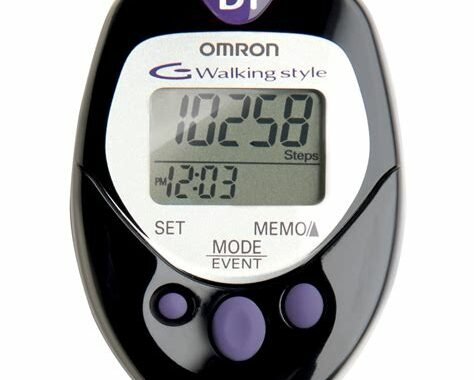
1. MyFitnessPal
MyFitnessPal is a free calorie counter application that provides comprehensive tracking of your calorie intake and burned calories. It contains a database of over six million foods, making it easy to track even the most obscure meals. The application also includes a barcode scanner, making it easier to track meals from packaged products. MyFitnessPal syncs with apps that track your exercise activity, such as Fitbit or Apple Health, to provide accurate calorie burn data.
2. Lose It!
Lose It! is another free calorie counter application that is easy to use. The app provides a barcode scanner to scan the packaged products you consume, making it easy to track your calorie intake. Lose It! also provides the ability to connect with friends through the application, which can help hold you accountable for following your diet and exercise regimen.
3. FatSecret
FatSecret is a calorie counter application that provides a comprehensive tracking of your calorie intake and burned calories. It includes a food diary, a recipe analysis tool, and a barcode scanner that makes it easy to track the packaged products you consume. The app also includes a community forum where users can share tips and advice.
4. Calorie Counter by Yazio
Calorie Counter by Yazio is a free calorie counter application that provides comprehensive tracking of your calorie intake and burned calories. The app includes a barcode scanner that makes it easy to track meals from packaged products. It also includes a water tracker to help you stay hydrated and a step tracker to track your physical activity.
5. SparkPeople
SparkPeople is a calorie counter application that provides comprehensive tracking of your calorie intake, burned calories, and physical activity. The app includes a barcode scanner that makes it easy to track packaged products’ meals. SparkPeople also includes a community forum where users can share tips and advice.
6. Lifesum
Lifesum is a calorie counter application that provides comprehensive tracking of your calorie intake and burned calories. The app includes a barcode scanner that makes it easy to track your meals from packaged products. It also includes a step tracker to track your physical activity and a water tracker to help you stay hydrated.
7. Fooducate
Fooducate is a calorie counter application that aims to educate users about healthy eating habits. The app includes a barcode scanner that quickly scans the packaging of food products and presents you with information about the product’s nutritional value. The Fooducate app also provides a detailed analysis of your daily food intake and warns you if you go over your calorie budget.
8. Fitbit
Fitbit is a calorie counter application that provides comprehensive tracking of your calorie intake and burned calories. The app includes a barcode scanner that makes it easy to track meals from packaged products. It also provides detailed tracking of your physical activity through the Fitbit tracker and syncs up with the Apple Health app to provide accurate burn data. The app also has a community forum where users can share tips and advice.
9. Noom
Noom is a calorie counter application that provides comprehensive tracking of your calorie intake and burned calories. The app includes a barcode scanner that makes it easy to track meals from packaged products. It also provides personalized coaching based on your fitness goals and dietary preferences. The Noom app also includes a community forum where users can share tips and advice.
10. CalorieKing
CalorieKing is a calorie counter application that provides a comprehensive database of more than 50,000 food items. The app includes a barcode scanner that makes it easy to track your meals from packaged products. CalorieKing also includes a recipe analyzer that provides users with a detailed analysis of a recipe’s nutritional value. The app also syncs with other applications such as Fitbit to provide accurate data on burned calories.
Conclusion
These are the top 10 burned calorie counter applications for tracking your daily calorie intake and burned calories. Each app offers unique features, such as personalized coaching and educational resources, to support your fitness goals. Choose the application that best suits your needs and start tracking your calories for a healthier lifestyle.
Frequently Asked Question
1. What is a Burned Calorie Counter Application?
A Burned Calorie Counter Application is a mobile application that helps users track their calorie intake as well as the calories burned during physical activities.
2. How does a Burned Calorie Counter Application work?
A Burned Calorie Counter Application typically uses algorithms to estimate the number of calories burned during various physical activities based on user input, such as weight, height, and activity type.
3. Can a Burned Calorie Counter Application help me lose weight?
Yes, a Burned Calorie Counter Application can help you lose weight by allowing you to monitor the number of calories you consume and burn. This information can help you make informed decisions about your diet and exercise routine.
4. Is a Burned Calorie Counter Application accurate?
The accuracy of a Burned Calorie Counter Application can vary depending on the quality of the algorithms used and the accuracy of the user’s input. However, these applications can provide a good estimate of the number of calories burned during physical activities.
5. Do I need to wear any special devices to use a Burned Calorie Counter Application?
No, a Burned Calorie Counter Application typically does not require any special devices. However, some applications may work in conjunction with wearable fitness devices like smartwatches or fitness trackers for more accurate tracking.
6. Are there any free Burned Calorie Counter Applications?
Yes, there are several free Burned Calorie Counter Applications available on both the App Store and Google Play Store.
7. Can a Burned Calorie Counter Application track calories burned during all types of physical activities?
Most Burned Calorie Counter Applications are designed to track calories burned during a variety of physical activities, including running, walking, cycling, and swimming.
8. Can a Burned Calorie Counter Application connect with other health apps?
Yes, many Burned Calorie Counter Applications can connect with other health apps such as MyFitnessPal and Apple Health.
9. Can more than one person use a Burned Calorie Counter Application?
Yes, multiple users can use a Burned Calorie Counter Application by creating individual profiles within the app.
10. Do Burned Calorie Counter Applications offer any additional features?
Some Burned Calorie Counter Applications may offer additional features such as meal planning, recipe suggestions, and personalized workout plans.
Top 10 Step Counter Apps: Keeping Track of Your Daily Activities
It’s important to stay active and healthy, and one way to do that is by tracking your steps. Fortunately, with the help of step counter apps, it’s easier than ever to keep track of your daily activities. Here are the top 10 step counter apps that can help you achieve your fitness goals.
1. Pedometer++
Pedometer++ is a free step counter app for iPhone users. It provides you with accurate step counts by using the sensors in your iPhone. In addition to tracking your steps, it also logs the distance you’ve walked and the amount of time you’ve been active. The app also supports Apple Watch integration, and you can share your progress on social media.
2. Google Fit
Google Fit is a free step counter app for Android users. It can track your steps, distance, and calories burned throughout the day. The app also allows you to set goals and track your progress towards them. Google Fit also supports a wide range of wearable devices and fitness trackers.
3. Fitbit
Fitbit is a popular step counter app that comes with a range of features. It tracks your daily activities, including steps, distance, and calories burned. You can also log your food intake and water consumption. The app also supports a wide range of Fitbit devices, so you can easily sync your data and get detailed insights into your fitness progress.
4. StepsApp
StepsApp is a step counter and activity tracker app for iOS and Apple Watch users. It tracks the number of steps you take, as well as the distance you’ve walked and the calories you’ve burned. The app also allows you to track your daily goals and view your progress over time. It also supports Apple Health integration, so you can easily sync your data with other apps and devices.
5. Runtastic Steps
Runtastic Steps is a step counter and activity tracker app available for both iOS and Android users. It provides you with detailed insights into your daily activities, including steps, distance, and calories burned. The app also allows you to set daily goals and track your progress towards them. It supports a wide range of wearable devices and fitness trackers, so you can easily sync your data and get a complete picture of your fitness progress.
6. Nike Run Club
Nike Run Club is a popular step counter and running app available for both iOS and Android users. In addition to tracking your steps, the app also provides you with real-time running data, including distance, pace, and calories burned. You can also join challenges and compete with other users to achieve your fitness goals. The app also supports Apple Watch integration.
7. Moves
Moves is a step counter app that automatically tracks your daily activities. It records your daily steps, distance traveled, and calories burned. The app allows you to set daily goals and view your progress over time. It also syncs with other fitness apps and devices, including Fitbit, Jawbone, and Apple Health.
8. Argus
Argus is a step counter and activity tracker app for iOS users. It tracks your daily activities, including steps, distance, and calories burned. The app also allows you to log your food intake and water consumption. You can set daily goals and track your progress towards them. It also supports Apple Health integration.
9. Accupedo
Accupedo is a step counter app available for both iOS and Android users. It provides you with accurate step counts by using the sensors in your phone. The app also allows you to set daily goals and view your progress over time. It also supports integration with Google Fit and Samsung Health.
10. Simple Pedometer
Simple Pedometer is a basic step counter app available for both iOS and Android users. As the name suggests, it provides a simple way to track your daily activities, including steps and distance traveled. The app also allows you to set daily goals and view your progress over time.
Conclusion
Keeping track of your daily activities, including your steps and other exercise routines, is important to stay healthy. With the help of step counter apps, you can easily monitor your fitness progress and achieve your fitness goals. These top 10 step counter apps are some of the best in the market, and they offer a wide range of features that can help you stay on track with your fitness journey.
Frequently Asked Question
1. What is a step counter app?
A step counter app is a mobile application that uses the sensors on your phone to track your daily physical activity and count the number of steps you take throughout the day.
2. How does a step counter app work?
A step counter app works by using the accelerometer sensor in your phone to measure the changes in motion as you move. It then takes that motion and calculates the number of steps taken.
3. Is a step counter app accurate?
The accuracy of a step counter app can vary depending on the model of phone, type of movement, and how well the app is calibrated. However, many apps are accurate enough to provide a good estimate of the number of steps taken.
4. Can a step counter app track other activities besides walking?
Some step counter apps can track other activities besides walking, such as running, cycling, and even swimming, depending on the features of the app and the sensors in your phone.
5. Can I use a step counter app to lose weight?
A step counter app can help you track your physical activity and set goals for increasing your daily steps or other physical activity, which can help you lose weight over time.
6. Do I need a fitness tracker to use a step counter app?
No, you do not need a fitness tracker to use a step counter app. Most modern smartphones have an accelerometer sensor built-in, which is all you need to use a step counter app.
7. How much does a step counter app cost?
There are many free step counter apps available, as well as paid apps that offer more advanced features and tracking options. The cost of a step counter app varies depending on the app and the platform you are using.
8. Can I sync a step counter app with other fitness apps?
Many step counter apps allow you to sync your data with other fitness apps, such as MyFitnessPal, Apple Health, or Google Fit, to give you a more comprehensive picture of your health and fitness.
9. Can I track my progress with a step counter app?
Yes, most step counter apps allow you to set goals and track your progress over time. Many apps also offer rewards or badges for achieving certain milestones or reaching specific goals.
10. How often should I use a step counter app?
You can use a step counter app as often as you like. However, it is recommended to use a step counter app daily to track your physical activity and progress towards your fitness goals.
Temperature monitoring plays a vital role in multiple industries, especially in the food and pharmaceutical sectors. Manual temperature monitoring is a challenging task, and it takes hours to record the temperature of multiple storage units. However, modern technology has introduced digital temperature monitoring solutions that can monitor the temperature of multiple units simultaneously. These applications work on multiple devices and provide real-time temperature readings. Here is a list of the top 10 temperature monitoring applications that you can use to streamline your temperature monitoring process.
1. TempLog
TempLog is a leading temperature monitoring application that can be used in the healthcare, food and pharmaceutical industries. The application can monitor up to 500 storage units simultaneously by providing real-time temperature readings. The application allows users to receive alerts if the temperature goes beyond the specified parameters, ensuring that you don’t have to worry about the safety of your products. The app even allows users to generate reports, providing an insight into the temperature history of each storage unit.
2. SensorPush
SensorPush is a compact temperature and humidity monitoring device that can be used with both iOS and Android devices. It is an excellent solution for home monitoring devices and small scale industries. It uses high-precision sensors to record the temperature and humidity of the storage unit and sends alerts to the user if the temperature goes beyond the specified range. The SensorPush application allows the user to access real-time data from any device, and the long-range capability allows the user to access data from a distance of up to 325 feet.
3. TraqFreq
TraqFreq is an excellent temperature monitoring application that can be used in large scale industries such as warehouses and manufacturing units. The application uses an IoT system to provide real-time temperature readings, and the data can be accessed from any device. The application provides alerts when the temperature goes beyond the specified range, ensuring that the products are kept safe. The application is highly customizable, and it can be integrated with multiple devices such as RFID readers and barcode scanners to provide an automated temperature monitoring solution.
4. SmartSense
SmartSense is a highly scalable temperature monitoring solution that can be used in multiple industries. The application provides real-time temperature and humidity readings and sends alerts when the temperature goes beyond the specified range. The application provides insights into the temperature history of the storage unit, and it even provides data on power outages, ensuring that the products are kept safe at all times. The application is highly customizable and can monitor up to thousands of storage units simultaneously.
5. Nimble
Nimble is a cloud-based temperature monitoring solution that can be used in multiple industries. The application uses IoT sensors to provide real-time temperature readings, and the data can be accessed from any device. The application provides alerts when the temperature goes beyond the specified range, and it provides insights into the temperature history of the storage unit. The application can monitor up to thousands of storage units simultaneously, and it even provides data on power outages.
6. ELPRO
ELPRO is a robust temperature monitoring solution that is widely used in the pharmaceutical industry. The application provides real-time temperature readings and sends alerts when the temperature goes beyond the specified range. The application is highly customizable and can be integrated with multiple devices such as RFID readers and barcode scanners to provide an automated temperature monitoring solution. The application also provides a qualification service, ensuring that the system is validated according to GMP guidelines.
7. Avax
Avax is a cost-effective temperature monitoring application that can be used in multiple industries. The application uses IoT sensors to provide real-time temperature readings, and the data can be accessed from any device. The application sends alerts when the temperature goes beyond the specified range, ensuring that the products are kept safe at all times. The application is highly customizable and can monitor up to thousands of storage units simultaneously.
8. Podfather
Podfather is a unique temperature monitoring solution that is designed for shipping containers. The application provides real-time temperature and humidity readings during the shipment process and sends alerts when the temperature goes beyond the specified range. The application is highly customizable and can be integrated with multiple devices such as RFID readers and barcode scanners to provide an automated temperature monitoring solution. The application is widely used in the pharmaceutical and food industry to monitor the temperature during transportation.
9. TempGenius
TempGenius is an advanced temperature monitoring solution that can be used in multiple industries. The application uses IoT sensors to provide real-time temperature readings, and the data can be accessed from any device. The application sends alerts when the temperature goes beyond the specified range, and it even provides data on power outages. The application provides a qualification service, ensuring that the system is validated according to GMP guidelines. The application can monitor up to thousands of storage units simultaneously, and it provides insights into the temperature history of the storage units.
10. DigiMon
DigiMon is a cloud-based temperature monitoring solution that can be used in multiple industries. The application uses IoT sensors to provide real-time temperature readings, and the data can be accessed from any device. The application can monitor up to thousands of storage units simultaneously and provides insights into the temperature history of the storage units. The application sends alerts when the temperature goes beyond the specified range, ensuring that the products are kept safe at all times.
Conclusion
Temperature monitoring is a crucial task for multiple industries, and manual temperature monitoring is an outdated process that can lead to errors. The temperature monitoring applications listed above provide real-time temperature readings and alerts, ensuring that the products are kept safe at all times. These applications can be used in multiple industries, and they can be integrated with multiple devices to provide an automated temperature monitoring solution. Choose a temperature monitoring application that suits your needs, and streamline your temperature monitoring process.
Frequently Asked Question
1. What is a Temperature Monitoring Application?
A Temperature Monitoring Application is a software program that allows you to track and monitor the temperature of specific areas, such as cold storage units, warehouses or laboratories.
2. What are the benefits of using a Temperature Monitoring Application?
The benefits of using a Temperature Monitoring Application include the ability to prevent spoilage of goods, early detection of equipment failure, reduced energy costs, and improved regulatory compliance.
3. How does a Temperature Monitoring Application work?
A Temperature Monitoring Application works by using sensors to capture real-time temperature data from your facility, which is then stored on a cloud-based platform. The data is analyzed to alert you when temperatures fall outside of predefined ranges.
4. What types of sensors are used in a Temperature Monitoring Application?
Temperature Monitoring Applications typically use digital thermometers, infrared sensors or wireless monitoring sensors to collect temperature data.
5. Can I access the Temperature Monitoring Application remotely?
Yes, you can access the Temperature Monitoring Application remotely from any internet-enabled device.
6. Does the Temperature Monitoring Application require any specialized equipment?
Yes, the Temperature Monitoring Application requires temperature sensors to be installed in the area being monitored, as well as a device to collect and transmit the data to the cloud-based platform.
7. What is the cost of a Temperature Monitoring Application?
The cost of a Temperature Monitoring Application varies depending on the size of the area being monitored, the number of sensors required, and the level of functionality needed.
8. Is the Temperature Monitoring Application easy to use?
Yes, the Temperature Monitoring Application is designed to be user-friendly, with a simple and intuitive interface that makes it easy to set up, configure and monitor.
9. How often should I calibrate the temperature sensors?
Temperature sensors should be calibrated regularly to ensure accurate readings. The frequency of calibration depends on the manufacturer’s recommendation and the type of sensor used.
10. Can the Temperature Monitoring Application be used in other applications besides temperature monitoring?
Yes, some Temperature Monitoring Applications also include monitoring for humidity, light, air quality and other environmental factors. They can be used in a wide range of applications, such as data centers, medical facilities and food processing plants.
The air we breathe is essential to our survival, and it is essential that we are able to monitor the quality of the air. With the development of technology, air quality meter applications have become available for smartphones and other portable devices, which allow us to easily monitor the air quality, even on-the-go. In this article, we have listed the top 10 air quality meter applications, so you can choose the one that suits your needs best.
1. AirVisual
AirVisual is a free air quality meter application that is available for both iOS and Android platforms. It provides real-time air quality updates for locations around the world, as well as forecasts for the coming days. With its user-friendly interface, you can easily check the AQI (Air Quality Index) levels for your city and get recommendations on how to minimize air pollution. The app also allows you to set up notifications for monitoring air quality in your surrounding areas.
2. Plume Air Report
Plume Air Report is a free air quality meter application that is available for both iOS and Android platforms. It provides real-time air quality updates for your location, as well as for areas around the world. The app uses AI-powered algorithms to provide personalized air quality recommendations based on your current location and daily routine. The app also provides advice on how to reduce your exposure to air pollution.
3. BreezoMeter
BreezoMeter is a free air quality meter application that provides real-time updates on air quality for over 80 countries around the world. The app provides information on AQI, pollen count, and weather in your area. It also provides recommendations on how to minimize exposure to pollution. BreezoMeter is available for both iOS and Android platforms.
4. AirMatters
AirMatters is a free air quality meter application that offers real-time air quality updates for locations around the world. The app provides detailed information on AQI, PM2.5, PM10, pollen count, and more. AirMatters also provides personalized air quality recommendations based on your current location and daily habits. The app is available for both iOS and Android platforms.
5. IQAir AirVisual Pro
IQAir AirVisual Pro is a paid air quality meter application that offers real-time air quality updates for over 10,000 locations around the world. It provides detailed information on AQI, PM2.5, PM10, and more. The app is available for both iOS and Android platforms, and it also comes with a portable air quality monitor.
6. Blueair Friend
Blueair Friend is a free air quality meter application that works with Blueair’s air purifiers. The app provides real-time air quality updates for your location and allows you to control your air purifier from your smartphone. The app is available for both iOS and Android platforms.
7. The Weather Channel
The Weather Channel is a free application that provides weather updates for locations around the world. It also provides detailed air quality updates and pollen counts for your location. The app is available for both iOS and Android platforms.
8. Netatmo Weather
Netatmo Weather is a paid weather application that provides real-time updates on weather and air quality for your location. It comes with a personal weather station that allows you to monitor temperature, humidity, barometric pressure, and more. The app is available for both iOS and Android platforms.
9. Air Matters
Air Matters is a free air quality meter application that offers real-time air quality updates for over 180 countries around the world. The app provides information on AQI, PM2.5, pollen count, and weather in your area. The app is available for both iOS and Android platforms.
10. Atmotube
Atmotube is a portable air quality monitor that pairs with a free application that provides real-time air quality updates for your location. The app provides information on AQI, PM2.5, CO2, temperature, and humidity. The app is available for both iOS and Android platforms.
Conclusion
Air quality monitoring is essential for our health and overall well-being. With these top 10 air quality meter applications, you can easily monitor the air quality in your surrounding areas and take the necessary steps to minimize exposure to pollution. Whether you are looking for a free or paid application, there is an option available for you. Choose the one that suits your needs and stay informed about the air you breathe.
Frequently Asked Question
1. What is an air quality meter? An air quality meter is a device that measures the quality of the air in a specific location. It can measure various pollutants such as particulate matter, carbon monoxide, and nitrogen dioxide.
2. Why is it important to have an air quality meter? It is important to have an air quality meter to ensure that the environment we live in is safe and healthy. Monitoring air quality can help identify potential health risks and inform policy decisions to improve environmental conditions.
3. How does an air quality meter work? An air quality meter works by using sensors to detect the levels of pollutants in the air. It then converts this data into a readable format such as a numerical value or an air quality index.
4. What are some common pollutants detected by air quality meters? Some common pollutants detected by air quality meters include particulate matter, carbon monoxide, nitrogen dioxide, sulfur dioxide, ozone, and volatile organic compounds.
5. Where are air quality meters commonly used? Air quality meters are commonly used in indoor environments such as homes, schools, and workplaces, as well as outdoor environments such as cities or industrial areas.
6. Can air quality meters be used by individuals?
Yes, many air quality meters are designed for personal use and can be purchased by individuals.
7. How accurate are air quality meters?
The accuracy of air quality meters can vary depending on the specific device and the pollutants being measured. However, many commercially available air quality meters are designed to meet certain accuracy standards.
8. How can air quality meter data be used?
Air quality meter data can be used to identify potential health risks and inform policy decisions. It can also be used by individuals to make informed decisions about their daily activities, such as choosing the best time to exercise outdoors.
9. Can air quality meters be used to improve indoor air quality?
Yes, air quality meters can be used to identify pollutants in indoor environments and inform actions to improve air quality, such as increasing ventilation or using air purifiers.
10. Are air quality meters expensive?
The cost of air quality meters can vary greatly depending on the specific device and its features. However, there are many affordable options available for personal use.
Environmental monitoring has become increasingly important as we strive to protect our planet and learn more about the impact of human activity. With the help of modern technology, tracking changes in the environment has become easier than ever. Here are the top 10 environmental monitoring applications that are making an impact in the industry.
1. AirNow
AirNow is a mobile application that offers real-time air quality data for cities across the United States. It offers air quality index data, which provides information on the level of air pollution and how it can impact human health. This app is an excellent tool for people who want to make informed decisions about outdoor activities and health-related decisions. AirNow can help people reduce their exposure to harmful pollutants and improve their quality of life.
2. Waterkeeper Swim Guide
Waterkeeper Swim Guide is an app that provides real-time information about water quality in different swimming locations in the United States and Canada. It offers up-to-date information on issues such as sewage spills, pollution levels, and other health hazards that can affect swimmers. This app is a must-have for people who love swimming and want to stay informed about their health and safety.
3. EarthNow
EarthNow is a popular mobile application that provides a live feed of the Earth from a satellite, which can be accessed from your mobile device. This app offers access to images from different parts of the world, which can be used for environmental monitoring, weather tracking, and other purposes. EarthNow is an excellent tool for scientists, researchers, and educators who need access to real-time data about the Earth.
4. Forest Carbon Monitoring App
Forest Carbon Monitoring App is a mobile application that helps track changes in the amount of carbon stored in forests. It offers information on forest growth rates, deforestation rates, and other metrics that can be used to monitor the health of forests. This app is an excellent tool for scientists, researchers, and policymakers who want to monitor the impact of climate change and human activity on forests.
5. MyRadar Weather Radar
MyRadar Weather Radar is a popular mobile application that provides real-time data about weather conditions, including temperature, precipitation, and humidity. This app offers an easy-to-use interface that allows users to track weather patterns, set alerts, and get up-to-date information about current conditions. MyRadar Weather Radar is an excellent tool for outdoor enthusiasts and people who need to make decisions based on weather conditions.
6. Global Forest Watch
Global Forest Watch is an environmental monitoring app that provides real-time data on forest conditions around the world. It offers information on forest cover, deforestation rates, and other metrics that can be used to monitor the health of forests. This app is a must-have for scientists, researchers, and policymakers who want to track changing forest conditions and their impact on the environment.
7. Light Pollution Map
Light Pollution Map is an app that provides information on the amount of light pollution in different parts of the world. It offers a map that allows users to see the level of light pollution in their area, which can be used to protect wildlife, reduce energy consumption, and promote sustainable development. This app is an excellent tool for environmentalists, astronomers, and anyone who wants to protect the night sky.
8. Climate Mobile
Climate Mobile is a mobile application that offers real-time data on climate-related factors, including temperature, precipitation, and carbon emissions. It provides information on climate change risks and offers solutions that individuals and communities can take to address these risks. Climate Mobile is an excellent tool for people who want to take action on climate change and protect the environment.
9. EnviroMapper
EnviroMapper is an environmental monitoring app that provides a wealth of information on environmental issues across the United States. It offers data on air and water quality, toxic releases, and other environmental hazards, allowing users to stay informed and take action to protect their health and the environment. EnviroMapper is an excellent tool for environmental activists, journalists, and policymakers who want to stay informed on environmental issues.
10. iNaturalist
iNaturalist is an app that allows users to identify and catalogue plants and animals in their local environment. It offers information on different species, including their distribution, habitat, behavior, and other characteristics. iNaturalist is an excellent tool for people who want to learn more about the environment and the different species that call it home. It can be used for educational purposes, research, and conservation efforts.
In conclusion, environmental monitoring is an essential aspect of ensuring a sustainable future. With the help of modern technology, it has become easier than ever to monitor changes in the environment and take action to protect it. These top 10 environmental monitoring applications offer valuable data and insights that can be used to make informed decisions and promote sustainability.
Frequently Asked Question
1. What is an Environmental Monitoring Application?
An Environmental Monitoring Application is a tool that helps monitor and measure the environment’s various parameters that indicate its quality, such as temperature, air pollution, and water quality.
2. What are the benefits of using an Environmental Monitoring Application?
Environmental Monitoring Applications help you obtain essential data on the environment’s conditions, which can help you develop appropriate resource management strategies, mitigate environmental risks, and enhance public health and safety.
3. What parameters can an Environmental Monitoring Application measure?
Environmental Monitoring Applications can measure various parameters like temperature, humidity, air pollution, water quality, soil moisture, and other parameters that can help in measuring the environmental quality.
4. Can an Environmental Monitoring Application monitor air and water quality remotely?
Yes, with advancements in technology, an Environmental Monitoring Application can monitor air and water quality remotely through wireless sensors that can be accessed through mobile devices and computers.
5. Can an Environmental Monitoring Application be used in farming?
Yes, Environmental Monitoring Application can be used in farming to help measure moisture levels, temperature, and other significant parameters to optimize the use of resources, enhance the crop yields, and ensure the long-term sustainability of farming.
6. Can an Environmental Monitoring Application detect air and water pollutants?
Yes, Environmental Monitoring Applications can detect various air and water pollutants, including carbon dioxide, nitrogen dioxide, ozone, methane, and other chemicals that have adverse effects on the environment and human health.
7. How reliable is an Environmental Monitoring Application?
Environmental Monitoring Applications are generally reliable with high accuracy rates, but their effectiveness depends on the quality of sensors used and the calibration process.
8. Can data obtained from an Environmental Monitoring Application be used for scientific research?
Yes, data obtained from Environmental Monitoring Applications can be used for scientific research to help gain insights into environmental trends, assess the efficacy of environmental policies, and identify areas that need further intervention to promote environmental sustainability.
9. How user-friendly is an Environmental Monitoring Application?
Environmental Monitoring Applications are generally user-friendly and require limited technical skills to operate, and can be accessed through mobile devices and computers.
10. Why is an Environmental Monitoring Application important?
Environmental Monitoring Application is critical, as it helps identify environmental risks, enhance public health and safety, preserve natural resources, and develop effective environmental management strategies to promote sustainability.
Noise pollution can be a major problem for people living in cities or near busy roads. It can also cause health problems such as stress, sleep disturbance, and anxiety. To combat this issue, many developers have created noise detection applications that help users measure the level of noise around them. In this article, we will discuss the top 10 noise detection applications that are currently available.
1. Sound Meter Pro
Sound Meter Pro is a popular noise detection application available on both Android and iOS platforms. It utilizes the device’s microphone to measure sound levels and provides real-time data on the noise level in decibels (dB). This application is ideal for measuring the noise level in homes, schools, and workplaces. It is available for download on both Google Play and the App Store.
2. Decibel X
Decibel X is a highly-rated noise detection application that measures noise levels using the device’s built-in microphone. It provides real-time readings in both decibels (dB) and A-weighted sound pressure level (dBA). The application also includes a noise recorder that allows users to record and play back the sound. Decibel X is available on both Google Play and the App Store.
3. NoiSee
NoiSee is a free noise detection application that is available on the App Store. It uses the device’s microphone to measure noise levels and provides readings in decibels. The application also includes a graphical display that shows the noise level over time. NoiSee is perfect for monitoring noise levels in homes, offices, and public spaces.
4. Too Noisy Pro
Too Noisy Pro is a popular noise detection application that was designed specifically for classrooms. It uses the device’s microphone to monitor the noise levels and provides visual and audio alerts when the noise level exceeds a certain threshold. This application is perfect for teachers who want to maintain a quiet classroom environment. Too Noisy Pro is available on the App Store.
5. SoundPrint
SoundPrint is a noise detection application that helps users find quieter bars, restaurants, and other public spaces. The application allows users to measure the noise level in a certain area and submit the data to a public database. The application also includes a map that shows noise level ratings for different places in the user’s area. SoundPrint is available on both Google Play and the App Store.
6. Noise Monitor
Noise Monitor is a free noise detection application available on Google Play. It uses the device’s microphone to measure noise levels and provides real-time data in decibels. The application also includes a graphical display that shows the noise level over time. This application is ideal for measuring noise levels in industrial settings and other noisy environments.
7. Noise Sniffer
Noise Sniffer is an innovative noise detection application that allows users to discover the exact source of the noise. It uses the device’s microphone and directional sensors to locate the source of the noise in 3D space. This application is perfect for identifying noisy machinery and equipment in industrial settings. Noise Sniffer is currently available on the App Store.
8. NIOSH Sound Level Meter
The NIOSH Sound Level Meter is a free noise detection application available on Google Play. It measures noise levels in decibels (dB) and provides real-time data, including sound level readings and frequency analysis. The application also includes a customizable noise level threshold that triggers an alarm when exceeded. This application is ideal for those who work in noisy environments and want to protect their hearing.
9. SoundLevel Meter
The SoundLevel Meter is a comprehensive noise detection application available on the App Store. It measures noise levels in decibels (dB) and provides real-time data, including sound level readings and frequency analysis. The application also includes a graphical display that shows the noise level over time. This application is perfect for professionals who work in acoustics and want to measure sound levels with precision.
10. NoiseAudit
NoiseAudit is a noise detection application that allows users to conduct noise assessments in the workplace. It measures noise levels in decibels (dB) and provides a comprehensive report on the noise exposure of the workers. The application also includes a customizable noise level threshold that triggers an alarm when exceeded. This application is perfect for companies that want to comply with occupational noise regulations. NoiseAudit is currently available on the App Store.
Conclusion
Noise detection applications can help people monitor noise levels in their environment to stay safe and healthy. With the apps we have discussed in this article, you can quickly measure noise levels, identify noise sources, and take action to reduce noise pollution. Depending on your needs and preferences, you can choose the perfect noise detection application for you.
Frequently Asked Question
1. What is a noise detection application? A noise detection application is software that identifies and analyzes unwarranted sounds (i.e., noise) from various sources in real-time, and provides notifications or alerts to the user.
2. What types of noise can be detected by a noise detection application? A noise detection application can identify different types of noise, including traffic noise, animal sounds, machinery sounds, construction noise, loud music, and voice.
3. What is the purpose of a noise detection application? The primary purpose of a noise detection application is to help maintain a peaceful environment by identifying and alerting users about the unwanted noise that can disturb their work, study, or sleep. The application can also be used to measure noise-levels in different settings to identify potential health hazards.
4. How does a noise detection application work? A noise detection application works by actively monitoring surrounding sounds with the device’s microphone or external sensors. The software then compares the detected sound with predefined parameters, such as decibel level, frequency, duration, or pattern, to determine if it is a noise event. Upon detection of unwanted noise, the application sends an alert or notification to the user.
5. Can a noise detection application differentiate between different types of noise? Yes, a noise detection application can distinguish between various types of noise by analyzing the frequency, duration, and pattern of the sound wave.
6. Is a noise detection application expensive? No, a noise detection application is usually affordable, with many free versions available for download on mobile devices. There are also premium versions with additional features and functionalities, but they are still reasonably priced.
7. Can I customize notifications and alerts on a noise detection application? Yes, most noise detection applications allow users to customize various notification settings, such as the sound, volume, vibration, and frequency of alerts, as well as the threshold for noise detection.
8. Do noise detection applications use a lot of device resources? No, most noise detection applications are designed to use minimal device resources, such as CPU, RAM, and battery life, to ensure continuous and reliable monitoring without affecting the device’s performance.
9. Are noise detection applications accurate? Yes, noise detection applications are generally accurate in identifying and analyzing sound events. However, some environmental factors, such as wind, rain, or other background noise, may affect the application’s accuracy and detection rate.
10. How can I use the data from a noise detection application? The data collected by a noise detection application can be used for a variety of purposes, such as identifying the sources and patterns of noise pollution, assessing noise levels in different environments for safety and compliance, and adjusting noise management strategies to improve public health and wellbeing.
Voice recognition technology has come a long way since its inception in the mid-20th century. We’re now seeing it being used everywhere, from personal assistants like Siri and Alexa to the virtual assistants used in healthcare and education. Voice recognition applications can be found on almost every device, from smartphones to smart TVs. In this article, we’re going to outline some of the best voice recognition applications available on the market.

1. Google Assistant
Google Assistant is a virtual personal assistant developed by Google. It is one of the most advanced voice recognition applications. With the Google Assistant, you can control your smart home devices, get information about the weather, set reminders, and do so many other things. The beauty of this app is that it’s available on most Android devices and can be activated by voice commands.
2. Siri
Siri is one of the most popular voice recognition applications, used by many iOS users. It is developed by Apple and works with all iOS and macOS devices. Siri can help you with anything from setting reminders, finding directions, and even sending messages. With the new shortcuts feature, you can even program your own custom commands to perform more advanced tasks.
3. Amazon Alexa
Amazon Alexa is a virtual assistant developed by Amazon. It is known for its high-quality audio output and compatibility with many smart home devices. Alexa can perform a wide variety of tasks, from playing music to controlling smart home devices like lights and thermostats. Additionally, Alexa can recognize multiple voices, making it a great choice for households with multiple users.
4. Dragon NaturallySpeaking
Dragon NaturallySpeaking is a highly rated voice recognition application on the market. It is used primarily for dictation, but can also be used for other tasks. Dragon NaturallySpeaking is known for its accuracy and speed. The app is used mainly by professionals, students, and authors who need to transcribe long documents quickly and with minimal errors.
5. Nuance OmniPage
Nuance OmniPage is a highly rated OCR software that supports voice input. It can read text from any scanned document and convert it into a text document. The voice commands are used to control the software while reading the text content of the document. The text can be edited and saved in several file formats including Microsoft Word, Adobe Acrobat, and Corel WordPerfect.
6. Bixby
Bixby is a virtual assistant developed by Samsung. It has a fully functional voice recognition system that can perform most of the tasks available on any device. Bixby can also control smart home devices and provides text translation for several languages. The voice recognition component is activated using the “Hi, Bixby” command.
7. Cortana
Cortana is a virtual assistant developed by Microsoft. It was first introduced as a Windows phone feature, but is now available on Windows 10 and other operating systems. The voice recognition is highly advanced and can perform many tasks, including setting reminders, sending messages, and making phone calls.
8. IBM Watson
IBM Watson is a supercomputer that uses machine learning and artificial intelligence to understand natural language. The voice recognition component of Watson is used to understand spoken language and provide contextually relevant outputs. Watson is used mainly in businesses and industries for large-scale data analysis and decision making.
9. SoundHound
SoundHound is a voice recognition application that helps you identify songs by their melodies or lyrics. It is also used for playing music, which can be initiated through voice commands. SoundHound can even recognize singing and humming, making it a great tool for musicians and music lovers alike. The app is available for both Android and iOS devices.
10. Prisma
Prisma is a voice recognition application used primarily for photo editing. Once you’ve taken a photo, you can edit it using voice commands. Prisma can apply filters, adjust brightness, contrast, and other editing techniques through voice commands, making it a great time saver for those who love to edit their photos manually. The app is available for both Android and iOS devices.
Conclusion
Voice recognition technology has come a long way and is now an integral part of many aspects of our lives. As you can see, there are many voice recognition applications available on the market, each with its unique features and functions. Whether you’re using it to control smart home devices, transcribe documents, or edit photos, these voice recognition applications can help you work more efficiently and effectively.
Frequently Asked Question
1. How does voice recognition technology work?
Voice recognition technology uses a combination of algorithms and machine learning to analyze vocal patterns and match them to pre-existing samples in order to identify the words being spoken.
2. What are the applications of voice recognition technology?
Voice recognition technology is used across a wide range of industries, including healthcare, banking, automotive, and consumer electronics. Some common applications include virtual assistants, transcription software, and home automation systems.
3. What are the benefits of voice recognition technology?
Voice recognition technology can provide a number of benefits, including increased efficiency, improved accuracy, and enhanced accessibility for individuals with disabilities or limited mobility.
4. What are the limitations of voice recognition technology?
Some limitations of voice recognition technology include inaccuracies in speech recognition, difficulties recognizing accents or dialects, and limitations in vocabulary and context understanding.
5. How secure is voice recognition technology?
Voice recognition technology can be secure if implemented properly, but there are still some concerns around the potential for unauthorized access to voice data and the ability for attackers to spoof or manipulate voice samples.
6. Can voice recognition technology be used for authentication and verification?
Yes, voice recognition technology can be used for authentication and verification by analyzing speech patterns and comparing them to pre-existing voice samples.
7. What types of devices support voice recognition technology?
Voice recognition technology is supported on a wide range of devices, including smartphones, smart TVs, home automation systems, and smart speakers.
8. What is natural language processing (NLP) and how does it relate to voice recognition technology?
Natural language processing is a subfield of artificial intelligence that focuses on understanding and processing human language. Voice recognition technology relies heavily on NLP and machine learning algorithms to accurately recognize and interpret spoken language.
9. How does voice recognition technology impact speech-to-text transcription?
Voice recognition technology has greatly improved the accuracy and efficiency of speech-to-text transcription, making it a valuable tool for professionals in a wide range of industries.
10. What is the future of voice recognition technology?
The future of voice recognition technology is likely to see continued advancements in accuracy, efficiency, and accessibility, along with increased integration into a wide range of products and services.
One of the biggest barriers for deaf people when communicating with others is the lack of an interpreter. It can be challenging as there are not enough interpreters available to cater to the needs of each of the deaf people. However, technology has made it possible for a sign language translator app to be created. These apps are convenient and easy to use, allowing people to communicate with deaf individuals efficiently. Here are the top 10 sign language translator apps to help you communicate with the deaf.

1. Ava – Real-time Captioning
Ava is a real-time captioning app that makes communication more inclusive. This app is unique in the sense that it transcribes the spoken words into text, so both deaf and non-deaf individuals can have an inclusive conversation. The app provides live captions that appear on the phone screen, making it easy for non-deaf individuals to understand the conversation without an interpreter. With this app, you are not just limited to written language, and ASL users can keep their conversations private.
2. Signily Keyboard
Signily Keyboard is a sign language keyboard that allows the user to type in sign language. Unlike other keyboards, Signily Keyboard replaces letters and alphabets with ASL signs. The app comes with a wide range of categories, such as food, clothing, body parts, and more. Every category has a vast range of signs to choose from, making it easy to communicate with deaf people who use sign language. Signily was first created for the deaf community, specifically for the deaf children, to communicate with others through the means of technology.
3. Google Translate
Google Translate is a commonly known translation app that can translate over 100 languages, including sign language. The app makes communications easy for people who don’t speak the same language. Type in the sentence you want to translate, and the app will translate it into the desired language. The same goes for sign language. If you don’t know sign language, simply type in the text and select the sign language option to translate the text into sign language. The app is simple to use and has a user-friendly interface.
4. Hand Talk Translator
The Hand Talk Translator is a full-featured language translation app specifically for sign language users. The app has a simple interface, providing you with the option to choose your desired sign language. Once you’ve made your selection, type in the text, and the app will translate it into sign language. The app allows you to choose from more than 300,000 videos of signs in Brazilian Sign Language, making it easy to communicate with anyone who uses that language.
5. Microsoft Translator
Microsoft Translator is another translation app that allows you to translate texts, voice, and sign language. Similar to Google Translate, the app can translate up to 60 languages, including sign language. The app uses advanced technology, such as machine learning and artificial intelligence, to better match human translators’ quality. This app is perfect for traveling overseas or communicating with experts who speak different languages.
6. Sign BSL
Sign BSL is an app designed for people who are looking for a British Sign Language (BSL) dictionary. The app has a collection of signs that are arranged in alphabetical order, making them easy to locate. The app’s interface is user-friendly, and you can search for a sign by typing in the word or its corresponding alphabet, then the app will display the corresponding sign. The app also includes videos, which allows you to learn the signs by visualizing examples.
7. Dictate2Me
Dictate2Me is an app that can transcribe and translate sign language into text. The app is simple to use, and you just need to record the sign language conversation, and then the app will transcribe it into text. The app can recognize American Sign Language (ASL) and British Sign Language (BSL). Dictate2Me is perfect for those who are not familiar with sign language and want to communicate with the deaf.
8. iASL Dictionary
iASL Dictionary is specifically designed for people who use ASL. This dictionary includes over 5,000 ASL signs and a handshape dictionary. Users can learn new vocabulary words every day, and the app keeps track of the user’s progress. The app also includes a quiz feature that tests the user’s knowledge of the signs they’ve learned. The iASL Dictionary is an excellent resource for those who want to learn ASL.
9. ASL Coach
ASL Coach is an app that focuses on helping users learn American Sign Language. The app is designed to teach its users basic, beginner, and intermediate ASL vocabulary. The app has a collection of around 650 signs, along with videos of deaf actors, to help users learn the signs. The app also includes a quiz feature that tests the user’s knowledge of the signs they’ve learned. ASL Coach is perfect for individuals who want to learn ASL at their own pace.
10. ProDeaf Translation
The final app on our list is ProDeaf Translation, which is designed to help you translate text into sign language. The app is available in 36 languages, including American Sign Language, Brazilian Sign Language, and Spanish Sign Language, among others. The app allows you to choose your desired language and enter the text you want to translate. Once done, the app will produce the corresponding sign language.
Conclusion
In conclusion, sign language translator apps have revolutionized the way we communicate with the deaf community. These apps provide a unique and convenient way to communicate with people who use sign language. With so many apps out there, it’s essential to choose one that caters to your specific needs. The top 10 sign language translator apps listed in this article are worth checking out as they provide unique features to help communicate with the deaf community.
Frequently Asked Question
1. What is a Sign Language Translator App?
A Sign Language Translator App is a mobile application that uses artificial intelligence and computer vision to help users communicate with people who are deaf or hard of hearing by translating spoken or written language into sign language.
2. How does a Sign Language Translator App work?
A Sign Language Translator App uses a camera to capture video or images of the user, which are analyzed by machine learning algorithms to identify and interpret gestures and signs. The app then generates spoken or written text and sign language video to convey the message to the person who is deaf or hard of hearing.
3. Is a Sign Language Translator App accurate?
The accuracy of a Sign Language Translator App depends on the quality of the camera and the underlying machine learning algorithms. While these apps are not yet perfect, they have come a long way in recent years and can be a valuable tool for communication.
4. Can a Sign Language Translator App replace human interpreters?
While a Sign Language Translator App can be a useful tool for communication, it cannot fully replace human interpreters. Interpreters are able to provide contextual interpretation and convey nuances and emotions that a machine may not pick up on.
5. Are Sign Language Translator Apps free to use?
There are both free and paid versions of Sign Language Translator Apps available. Some free versions may have limited functionality or may include ads, while paid versions typically offer more features and a smoother user experience.
6. How do I download and install a Sign Language Translator App?
To download and install a Sign Language Translator App, simply search for it in your device’s app store and follow the prompts to install it on your device.
7. What languages does a Sign Language Translator App support?
The languages supported by a Sign Language Translator App may vary depending on the specific app. Many apps support multiple languages, including ASL, BSL, and international sign language.
8. Can a Sign Language Translator App be used offline?
Some Sign Language Translator Apps can be used offline, but this depends on the specific app and its capabilities. However, it is worth noting that an internet connection is required for some features, such as accessing AI-powered translation and language models.
9. Can a Sign Language Translator App be used in noisy environments?
The ability of a Sign Language Translator App to function in noisy environments can vary depending on the app’s noise cancellation capabilities and the quality of the device’s microphone. In general, quieter environments will yield more accurate translations.
10. Is it necessary to have prior knowledge of sign language to use a Sign Language Translator App?
No, it is not necessary to have any prior knowledge of sign language to use a Sign Language Translator App. The app is designed to translate spoken or written language into sign language, making it accessible to anyone who needs it.
Top 10 Visual Aid Applications: A Comprehensive List
When it comes to presentations, visual aids go a long way in engaging the audience and conveying information effectively. In today’s digital age, there are numerous visual aid applications available that make creating visual content easier than ever before. Here are the top 10 visual aid applications you should consider using for your next presentation.
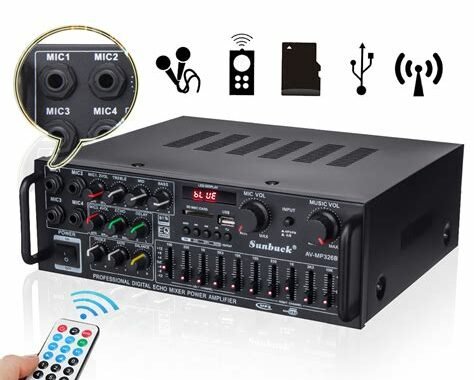
1. Canva
Canva is a web-based graphic design tool that allows users to create professional-looking graphics, presentations, posters, and social media images. Canva has a huge library of templates, fonts, and images, making it easy to create visually appealing presentations with minimal effort.
2. Prezi
Prezi is a presentation software that uses zoom, motion, and spatial relationships to create dynamic presentations. Unlike traditional slide-based presentations, Prezi allows users to create interactive, non-linear presentations that can be zoomed, rotated, and panned.
3. Venngage
Venngage is a web-based tool that allows users to create infographics, reports, and presentations. Venngage has a library of over 100 templates, making it easy to create professional-looking visuals. Users can customize charts, icons, and text to make their presentations informative and visually appealing.
4. Piktochart
Piktochart is another web-based tool that helps users create infographics, posters, and presentations. Piktochart has a library of over 600 templates, as well as numerous design elements that can be customized to fit the user’s needs.
5. PowerPoint
PowerPoint is a classic presentation software that has been around for decades. While it may not have all the bells and whistles of some of the newer applications, PowerPoint remains a reliable tool for creating slide-based presentations. With its simple interface and easy-to-use features, PowerPoint is an ideal choice for beginners.
6. Google Slides
Google Slides is a cloud-based presentation software that allows users to create and edit presentations online. Google Slides has an extensive library of templates, fonts, and images, as well as built-in collaboration features that allow users to work on presentations together in real-time.
7. Haiku Deck
Haiku Deck is a web-based tool that allows users to create visually stunning presentations. Haiku Deck has a library of high-quality images and design elements, making it easy to create presentations with a professional look and feel. Haiku Deck also has a feature that suggests slide layouts and design choices based on the user’s content.
8. Keynote
Keynote is a presentation software developed by Apple for MacOS and iOS. Keynote has a range of built-in design tools that allow users to create professional-looking presentations with ease. Keynote also has a range of animation and transition effects that can be used to enhance the visual impact of a presentation.
9. Genially
Genially is a web-based tool that allows users to create interactive visual content, such as infographics, presentations, and quizzes. Genially has a range of templates and design elements that can be customized to suit the user’s needs. Genially also has a wide range of interactive features, such as pop-ups, animations, and hotspots.
10. Vyond
Vyond is a web-based tool that allows users to create animated videos, infographics, and presentations. Vyond has a range of templates and design elements that allow users to create engaging visual content with minimal effort. With its built-in animation features and drag-and-drop interface, Vyond is an ideal tool for creating animated explainer videos.
The Final Word
Each visual aid application on this list has its own unique features and benefits. Whether you’re looking for a web-based tool with a large library of templates or an animation tool that can create professional-looking explainer videos, there is an option on this list that will suit your needs. By choosing the right visual aid application, you can create presentations that are engaging, informative, and visually stunning.
Frequently Asked Question
1. What is a Visual Aid Application?
A Visual Aid Application is a software program that allows users to create, edit, and present visual aids such as graphs, charts, diagrams, and slideshows.
2. What features should I look for in a Visual Aid Application?
Some essential features to look for in a Visual Aid Application include user-friendliness, versatility in creating different sorts of visual aids, editing and customization options, and options for animation and transitions.
3. Can I create visual aids in different formats using a Visual Aid Application?
Yes, a Visual Aid Application can create visual aids in various formats like JPG, SVG, PNG, and PDF.
4. Do I need a specific skill set to use a Visual Aid Application?
No, Visual Aid Applications are designed for users of all skill levels and are typically straightforward to use, with many incorporating drag and drop features or customizable templates.
5. Can I share my visual aids with others using a Visual Aid Application?
Yes, most Visual Aid Applications allow you to save and share your presentations with others via email, cloud-based storage services, or other methods.
6. Can I animate my visual aids in a Visual Aid Application?
Yes, most Visual Aid Applications offer animation features to make the presentations more engaging.
7. Can I include audio and video in my visual aids with a Visual Aid Application?
Yes, many Visual Aid Applications allow you to add audio and video to your presentations to enhance the audience’s experience.
8. Can I use a Visual Aid Application on my mobile device?
Yes, many Visual Aid Applications have mobile versions or are web-based, so you can access them from your phone, tablet, or other mobile devices.
9. Are Visual Aid Applications expensive?
There are both free and paid versions of Visual Aid Applications available, with the cost dependent on the application’s features and capabilities.
10. Are there any alternatives to Visual Aid Applications?
Yes, there are alternatives like whiteboards, flipcharts, posters, and other physical visual aids that can be made by hand or purchased. However, Visual Aid Applications offer several advantages over traditional physical aids, like more editing options and the ability to share and access presentations on any device.
Hearing loss can be a significant hindrance to enjoying everyday life activities. It can lead to communication problems and cause isolation and loneliness. Fortunately, with the technological advancements in smartphones and tablets, dealing with hearing loss has become much more manageable. There are several hearing aid applications currently available that can amplify sound and filter out noise. In this article, we have compiled the top 10 hearing aid applications.

1. Sound Amplifier
Google developed the Sound Amplifier application for Android mobile devices to assist individuals experiencing hearing difficulties. The application uses the built-in microphone of the device to capture speech and other sounds, then enhances them through headphones or earbuds. Sound Amplifier is an excellent tool for individuals who need to hear conversations in loud environments such as restaurants or parties.
2. LACE Auditory Training
LACE (Listening And Communication Enhancement) Auditory Training is an application that provides individuals with hearing loss the opportunity to improve their listening skills. LACE Auditory Training works by retraining the brain to listen and understand speech in noisy environments. The application uses interactive computerized training to provide users with the opportunity to sharpen their listening and communication skills, leading to an improvement in their overall quality of life.
3. Petralex Hearing Aid
Petralex is a hearing aid application that amplifies sound through headphones or earbuds. The application uses a noise reduction algorithm that filters out background noise and enhances speech clarity. Petralex has several customizable features such as adjusting microphone sensitivity, gain control, and Bluetooth connectivity.
4. Mimi Hearing Technologies
Mimi Hearing Technologies is an application that provides a personalized hearing experience for users. The application requires users to complete a hearing test, and then the application analyzes the results to create a personalized hearing profile for the user. Mimi Hearing Technologies then enhances sound based on the user’s specific hearing profile.
ALICE (Ambulatory Listening & Conversational Enhancement) is a hearing aid application that filters out background noise and enhances speech intelligibility. ALICE uses advanced algorithms that allow users to hear speech better in noisy environments such as restaurants, airports or parties. The application is available for both iOS and Android devices.
6. ReSound Smart 3D
ReSound Smart 3D is a hearing aid application that enhances speech clarity and filters out background noise. The application allows users to adjust their hearing aids using their smartphone or tablet. ReSound Smart 3D provides users with the ability to customize their hearing experience with several features such as directional microphones, noise reduction, and volume control.
7. Oticon ON
Oticon ON is a hearing aid application that provides users with the ability to control their hearing aids with their smartphones or tablets. The application includes several useful features such as the ability to stream music and phone calls to hearing aids, adjust volume, and noise reduction. The Oticon ON application is compatible with both iOS and Android mobile devices.
8. Sound World Solutions Companion Hearing Aid
The Sound World Solutions Companion Hearing Aid application is designed for individuals who suffer from mild to moderate hearing loss. The application is compatible with iOS and Android devices and provides excellent sound clarity. The Companion Hearing Aid application includes several features such as volume control, noise reduction, and directional microphones.
9. Phonak RemoteControl App
The Phonak RemoteControl application is designed to allow users to control their Phonak hearing aids with their smartphones. The application is available for both iOS and Android devices and provides users with several helpful features such as adjusting volume, program selection, and a locator function.
10. Signia App
The Signia application is a hearing aid application that allows users to control their Signia hearing aids with their smartphones. The application is available for both iOS and Android devices and provides users with several features such as adjusting volume, program selection, and a locator function. The Signia application also includes a speech focus feature that enhances speech comprehension.
Conclusion
Hearing loss can significantly impact a person’s quality of life, and fortunately, technology can help improve it. The applications on this list are some of the best hearing aid apps currently available. These hearing aid applications provide users with several customizable features that can enhance sound clarity and filter out background noise. Individuals who suffer from hearing loss should consider using one of these applications to experience better communication and improved quality of life.
Frequently Asked Question
1. What is a hearing aid application and how does it work?
A hearing aid application is an app on your smartphone designed to assist in improving your hearing. It uses your phone’s microphone to capture sounds, filters out background noise, amplifies sounds, and directs the amplified sounds to your earbuds or headphones.
2. Can a hearing aid application completely replace hearing aids?
While hearing aid applications can be helpful, they are not a replacement for traditional hearing aids. They may provide some assistance for people with mild hearing loss, but those with moderate to severe hearing loss usually need the personalized fitting and technology provided by traditional hearing aids.
3. Are hearing aid applications expensive?
Most hearing aid applications are affordable or even free. However, some applications may have additional features that require payment, such as noise reduction or customized sound settings.
4. Can hearing aid applications be used with any smartphone or device?
Hearing aid applications are designed to be compatible with most smartphones, tablets, and other devices. However, be sure to check the compatibility requirements before downloading an application to ensure it will work with your device.
5. How do I know which hearing aid application is best for me?
Research different hearing aid applications and read reviews before choosing one. Be sure to look for an app that meets your specific needs, whether it’s for noise reduction, speech enhancement, or sound customization.
6. Can hearing aid applications be customized for my specific hearing needs?
Some hearing aid applications offer customized sound settings based on your hearing profile. This feature can be helpful for people who have a unique hearing loss pattern.
7. Are hearing aid applications easy to use?
Most hearing aid applications are designed to be user-friendly and easy to use. They typically come with a tutorial or instructions on how to operate them properly.
8. Do I need a prescription or a hearing test to use a hearing aid application?
No, a prescription or hearing test is not required to use a hearing aid application. However, it is important to have your hearing tested by a professional if you have concerns about your hearing.
9. Can a hearing aid application be used with hearing aids?
Depending on the hearing aid, some may be compatible with certain hearing aid applications. Be sure to consult your hearing professional before attempting to use a hearing aid application with your hearing aids.
10. Do hearing aid applications come with a warranty?
The warranty for a hearing aid application varies depending on the developer. Be sure to read the terms and conditions of the application before purchasing to understand the warranty policy.
Managing medication can be a difficult task, especially for those who require multiple medications daily. With so many medications to manage, it is easy to forget a dose or take the wrong medication at the wrong time. Luckily, technology has come to the rescue with medication settings apps. These apps make it easier to manage medication schedules and facilitate medication tracking. Below are the top 10 medication settings apps for hassle-free medication management.
1. Medisafe
Medisafe is an all in one medication management app that tracks medications, reminders, and shareable adherence reports to help patients feel secure and in control of their medications. It can handle complex medication regimens and integrates with most pharmacies to auto-fill prescriptions. Medisafe is free and available on iOS and Android devices.
2. MyTherapy
MyTherapy is an award-winning medication reminder app that helps users manage their medications safely and effectively. With personalized reminders, MyTherapy ensures that users take their medications at the right time and in the right dosage. With automatic logging of medication doses and symptoms, MyTherapy simplifies medication management even further. MyTherapy is free and available on iOS and Android devices.
3. Round Health
Round Health is an easy-to-use medication reminder app that helps users stay on top of their medication schedules. With customizable alerts and notifications, Round Health helps keep track of daily medications and allows users to set reminders for refilling and doctor’s appointments. Round Health is free and available on iOS and Android devices.
4. Mango Health
Mango Health is a comprehensive medication management app that helps users stay on top of their medication schedule while providing motivation and support. With integrations to pharmacy networks, Mango Health helps with prescription renewals and refill reminders. While taking medication, Mango Health rewards users with points and helps track the overall progress in taking medications. Mango Health is free and available on iOS and Android devices.
5. Pill Reminder
Pill Reminder is a simple yet effective medication management app designed for anyone who wants to ensure that they never miss a medication dose. With Pill Reminder, users can create custom medication schedules and get notifications when it’s time to take their medications. Pill Reminder can also track when medications are taken to provide valuable insights to users. Pill Reminder is free and available on iOS and Android devices.
6. CareZone
CareZone is a medication management app designed to help users keep track of their medications and healthcare needs. With CareZone, users can create medication schedules, refill prescriptions, and track health conditions and symptoms. CareZone also provides a personal health journal and contact list for healthcare providers. CareZone is free and available on iOS and Android devices.
7. Dosecast
Dosecast is a medication management app that helps users track their medications and provides dose reminders using alerts, sounds, and vibrations. Dosecast also allows users to track their allergies, refill reminders for medications, and set up doctor’s appointments. Dosecast is free and available on iOS and Android devices.
8. HealthTap
HealthTap is a comprehensive health app that provides medication reminders and helps users stay on top of their medication schedules. HealthTap also provides access to virtual consultations with licensed doctors and can help users find in-person doctors and medical professionals. HealthTap is free and available on iOS and Android devices.
9. The PillBoxie
The PillBoxie is a medication management app with a unique visual representation of pillboxes. With The PillBoxie, users can create their custom medication schedules, choose from a variety of custom backgrounds, and receive reminders when it’s time to take their medication. The PillBoxie is perfect for those who want a visually appealing way to manage their medications. The PillBoxie is available for purchase for iOS devices.
10. MedHelper
MedHelper is a medication management app that helps users keep track of their medications, set medication reminders, and schedule doctor’s appointments. MedHelper also allows users to input their medical information and emergency contacts in case of an emergency. MedHelper is free and available on iOS and Android devices.
Conclusion
Managing medications can be a difficult task, especially for those with multiple medications daily. Fortunately, technology has come to the rescue with medication settings apps. These apps make it easier to manage medication schedules and facilitate medication tracking. With the top 10 medication management apps listed above, users can take control of their medication schedules and ensure that they never miss a dose again.
Frequently Asked Question
1. What is Medication Settings App?
Medication Settings App is an application that helps you manage and keep track of your medication schedule, doses, and refills.
2. Can I download Medication Settings App for free?
Yes, Medication Settings App is a free application that you can download from the App Store or Google Play Store.
3. What features does Medication Settings App offer?
Medication Settings App offers various features such as tracking medication schedules, reminders, prescription information, pharmacy and doctor contact information, medication interaction checker, and more.
4. Is Medication Settings App available on both iOS and Android?
Yes, Medication Settings App is available on both iOS and Android platforms.
5. Can I set up multiple medication schedules on the app?
Yes, you can set up multiple medication schedules and reminders on Medication Settings App.
6. Does the app notify me when it’s time to take my medication?
Yes, the app sends push notifications and reminders when it’s time to take your medication.
7. Can I add medication refill reminders on the app?
Yes, you can add medication refill reminders on the app and receive notifications when it’s time to refill your prescription.
8. Is it possible to use Medication Settings App without an internet connection?
Yes, you can use the app without an internet connection, but you need to have an internet connection to update the app and medication information.
9. Are the medication interaction checks accurate?
The medication interaction checker on the app provides accurate information based on the latest research and medical journals.
10. Are my medication and personal information secure on the app?
The app uses various security measures, including encryption and secure servers, to keep your medication and personal information safe and confidential.
Health registrar applications are software tools specifically designed for managing and organizing health-related data. As the healthcare industry becomes more technologically advanced, the use of health registrar applications has become an essential aspect of healthcare management.
There are plenty of health registrar applications available in the market, making it challenging to choose the perfect one. This article presents an overview of the top 10 health registrar applications that have proven to be efficient and reliable.
1. Cerner Millennium
Cerner Millennium is an all-inclusive and user-friendly electronic medical record (EMR) system that offers a range of features such as clinical workflows, scheduling, billing, and patient management. This software is suitable for hospitals, clinics, and private practices. It streamlines communication among healthcare providers and enhances patient care outcomes.
2. Epic
Epic is a popular EMR software that is often used in large healthcare organizations. It offers features such as patient documentation, clinical decision support, and customized patient portals. Epic integrates with other healthcare systems, making it easy to access and share patient data.
3. Medical Information Technology (MEDITECH)
MEDITECH is a comprehensive EMR software that has been in the market for more than 40 years. It offers unique features such as clinical decision support, lab management, and patient care management. MEDITECH has an intuitive user interface that makes it user-friendly to healthcare providers. This software is commonly used in community hospitals and private practices.
4. NextGen
NextGen is an EMR software that provides healthcare organizations with tools to improve the quality of patient care. It includes features such as patient scheduling, insurance claims management, and patient data management. NextGen also integrates with other healthcare systems, allowing healthcare providers to access patient data across different platforms.
5. Allscripts
Allscripts is an EMR software that is widely used in small and medium-sized healthcare organizations. It provides a range of features such as practice management, patient scheduling, and clinical decision support. Allscripts is known for its user-friendly interface and easy-to-navigate menu.
6. Kareo
Kareo is a cloud-based healthcare software that caters to the healthcare needs of small practices. It includes features such as patient scheduling, billing, and practice management. Kareo is known for its streamlined and automated processes that save time for healthcare providers.
7. Conifer Health Solutions
Conifer Health Solutions is a healthcare management software that is often used in large healthcare organizations. It provides a range of services such as revenue cycle management, population health management, and patient experience management. Conifer Health Solutions enables healthcare providers to maximize their resources and improve patient outcomes.
8. CureMD
CureMD is a healthcare software that offers EMR and practice management solutions tailored to small and medium-sized healthcare practices. It includes features such as e-prescribing, billing, and evidence-based clinical decision support. CureMD is known for its user-friendly interface and customizable templates.
9. eClinicalWorks
eClinicalWorks is a cloud-based healthcare software that is suitable for both small and large healthcare organizations. It includes features such as patient scheduling, revenue cycle management, and patient portal. eClinicalWorks provides healthcare providers with real-time access to patient data across different healthcare platforms.
10. Nextech
Nextech is a healthcare software that provides healthcare organizations with features such as practice management, patient scheduling, and EMR. It is designed for both small and large healthcare practices. Nextech is known for its customizability and user-friendly interface.
Conclusion
Health registrar applications are becoming an indispensable component of the healthcare industry. The applications mentioned above are some of the best health registrar applications in the market, tested and trusted by healthcare providers globally. These software tools provide healthcare organizations with the necessary features to manage and organize healthcare data, streamline healthcare processes, and deliver quality patient care. Before selecting any health registrar application for your healthcare practice, carefully consider the unique needs of your organization to make the right choice.
Frequently Asked Question
1. What is a Health Registrar Application?
A Health Registrar Application is a process in which a person applies to be registered with a board or council responsible for regulating health practitioners, such as doctors, nurses, or dentists.
2. Which board or council should I apply to?
You should apply to the board or council that regulates the specific health profession you wish to practice. For example, if you want to be a doctor, you should apply to the medical board.
3. What qualifications do I need to apply for registration?
The qualifications required will depend on the specific health profession and the board or council’s requirements. Generally, you will need to have completed a recognized training program and passed an examination.
4. Can an international applicant apply for registration?
Yes, international applicants can apply for registration. However, they may need to provide additional documentation to prove their qualifications and English language proficiency.
5. How long does the registration process take?
The registration process can take several months, depending on the board or council’s workload and the complexity of your application.
6. What fees are associated with the registration process?
There are various fees associated with the registration process, including application fees, examination fees, and annual registration fees. These fees will vary based on the board or council and the specific health profession.
7. Can a person with a criminal record apply for registration?
Having a criminal record does not necessarily mean that you cannot apply for registration, but it may affect your eligibility. The board or council will review each application on a case-by-case basis.
8. What happens if my application is rejected?
If your application is rejected, you have the right to appeal the decision. The board or council will provide you with the reasons for the rejection and the steps you can take to appeal the decision.
9. What is the role of a Health Registrar?
A Health Registrar is responsible for overseeing the registration process of health practitioners, maintaining accurate records, enforcing regulations and standards, and ensuring public safety.
10. How can I renew my registration?
To renew your registration, you will need to submit a renewal application and pay the annual registration fee. The board or council may also require you to complete continuing education or other professional development requirements.
Top 10 Applications for Measuring Blood Sugar Levels
Living with diabetes can be a challenge, but modern technology has given us tools to help manage this chronic condition. One of the most important aspects of diabetes management is tracking blood sugar levels. Measuring blood glucose levels regularly allows individuals with diabetes to make informed decisions about their diet, exercise, and insulin dosing. In this article, we’ll take a look at the top 10 applications for measuring blood sugar levels.
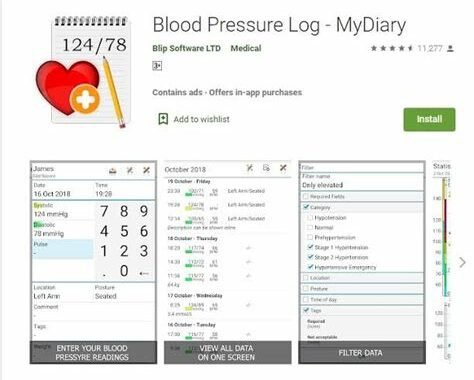
1. Glucose Buddy
Glucose Buddy is a comprehensive diabetes management application that allows you to track blood glucose levels, medication, and exercise. The app also has a food database with nutritional information, making it easy to track your carb intake. Glucose Buddy is available for both iOS and Android.
2. mySugr
mySugr is an award-winning diabetes management application that makes blood sugar tracking fun and easy. The app has a clean and intuitive interface, making it easy to log blood glucose levels, medication, and food. mySugr also offers a personalized diabetes coach and a feature that allows you to share your data with your healthcare team. The app is available for both iOS and Android.
3. Glooko
Glooko is a diabetes management application that allows you to sync your blood glucose data from your meter, pump, or continuous glucose monitor. The app also allows you to track medication, food, and exercise, and provides insights and trends based on your data. Glooko is available for both iOS and Android.
4. One Drop
One Drop is a diabetes management application that offers a sleek and modern interface for tracking blood glucose levels, medication, food, and exercise. The app also offers a personal diabetes assistant that provides insights and recommendations based on your data. One Drop is available for both iOS and Android.
5. Sugar Sense
Sugar Sense is a blood glucose tracking application that offers a clean and easy-to-use interface. The app allows you to track blood glucose levels, medication, and food, and provides insights and trends based on your data. Sugar Sense is available for both iOS and Android.
6. Diabetic Connect
Diabetic Connect is a social network and diabetes management application that allows you to connect with others living with diabetes. The app also allows you to track blood glucose levels, medication, food, and exercise, and provides insights and trends based on your data. Diabetic Connect is available for both iOS and Android.
7. RapidCalc Diabetes Manager
RapidCalc Diabetes Manager is a diabetes management application that allows you to calculate insulin doses based on your blood glucose levels and carbohydrate intake. The app also allows you to track blood glucose levels, medication, and exercise. RapidCalc Diabetes Manager is available for iOS.
8. Diabetes:M
Diabetes:M is a diabetes management application that offers a comprehensive set of features for tracking blood glucose levels, medication, food, and exercise. The app also provides insights and trends based on your data and offers a personal diabetes coach for guidance and motivation. Diabetes:M is available for both iOS and Android.
9. OnTrack Diabetes
OnTrack Diabetes is a diabetes management application that allows you to track blood glucose levels, medication, food, and exercise. The app also offers a target range feature that allows you to set goals for your blood glucose levels and track your progress. OnTrack Diabetes is available for Android.
10. BlueStar Diabetes
BlueStar Diabetes is a diabetes management application that offers a personalized diabetes coach and provides insights and recommendations based on your data. The app also allows you to track blood glucose levels, medication, food, and exercise. BlueStar Diabetes is available for both iOS and Android.
Conclusion
Tracking blood glucose levels is an essential part of managing diabetes, and these top 10 applications make it easy and convenient. Whether you’re looking for a comprehensive diabetes management app, a simple blood glucose tracker, or an insulin dose calculator, there’s an application out there that will fit your needs. With these powerful tools at your disposal, you can take control of your diabetes and live a healthier, happier life.
Frequently Asked Question
1. What is an application for measuring blood sugar levels?
An application for measuring blood sugar levels is an app that helps diabetics monitor their blood glucose levels.
2. How does an application for measuring blood sugar levels work?
An application for measuring blood sugar levels works by allowing users to input their blood glucose levels from a meter into the app, where it is then tracked and analyzed over time.
3. Can an application for measuring blood sugar levels replace a blood glucose meter?
No, an application for measuring blood sugar levels cannot replace a blood glucose meter as it still requires a blood glucose reading to be taken with a meter.
4. What are the benefits of using an application for measuring blood sugar levels?
The benefits of using an application for measuring blood sugar levels include better monitoring and management of blood glucose levels, improved communication with healthcare providers, and greater independence and control for the diabetic patient.
5. How accurate are measurements made with an application for measuring blood sugar levels?
The accuracy of measurements made with an application for measuring blood sugar levels is dependent upon the accuracy of the glucose meter used with the app.
6. Can an application for measuring blood sugar levels help with diabetes prevention?
No, an application for measuring blood sugar levels cannot help with diabetes prevention as it is used primarily for monitoring and managing blood glucose levels in those who already have diabetes.
7. Is an application for measuring blood sugar levels easy to use?
Yes, applications for measuring blood sugar levels are designed to be user-friendly and easy to use.
8. Are there any costs associated with using an application for measuring blood sugar levels?
Some applications for measuring blood sugar levels may require a fee for use or for premium features, while others may be free to use.
9. Can an application for measuring blood sugar levels be used by children?
Yes, applications for measuring blood sugar levels can be used by children as long as they are supervised by an adult.
10. Are there any precautions or warnings when using an application for measuring blood sugar levels?
It is important to follow the instructions provided by the app and to monitor blood glucose levels regularly with a glucose meter in order to ensure accurate readings. Users should also consult with their healthcare provider before making any changes to their diabetes management plan.
Blood pressure monitoring is a critical aspect of maintaining good health. Elevated blood pressure levels can increase the risk of cardiovascular diseases such as stroke, heart attack, or heart failure. Hence, keeping track of your blood pressure levels is essential for maintaining your overall health. The advancements in technology have made it possible to monitor your blood pressure levels at home with a simple blood pressure meter. In this article, we will discuss the top ten blood pressure meter applications that will help you track and manage your blood pressure levels more effectively.
1. Blood Pressure Tracker: MyDiary
MyDiary is an intuitive blood pressure meter app that is developed to help users keep track of their blood pressure readings. The app provides a user-friendly interface and allows you to enter your blood pressure readings and medication information. You can also set reminders for taking medicine, record notes, and share your information with your healthcare provider. The app also provides detailed graphs and charts to help you visualize your blood pressure levels over time, and identify trends or changes.
2. Blood Pressure Monitor
Blood Pressure Monitor is designed to be a comprehensive blood pressure tracking app. It allows users to store their blood pressure readings, track their progress over time, create reports, and share the data with their healthcare provider. The app also enables users to set reminders for medication or to take their blood pressure readings. Other key features include a BMI calculator, medication tracker, and integration with other health apps.
3. iBP Blood Pressure
iBP is an easy-to-use app that enables users to track their blood pressure readings, pulse rate, and weight. It also allows users to sync their data with Apple Health, making it easier for users to keep track of all their health information in one place. The app features a handy reminder to take your readings, graph your results, and even email your data to your healthcare provider for easy communication.
4. Qardio
Qardio is a blood pressure monitoring app that syncs with QardioArm, a wireless blood pressure monitor. The app is easy to use and enables users to measure their blood pressure and track their progress over time. It also provides users with the ability to view their readings and generate reports. The app also features a Smart Feedback system, which helps users to interpret their blood pressure readings by providing suggestions for improvement. Other features include reminders, sharing capabilities, and integration with other health apps.
5. Blood Pressure Tracker – iCare
iCare BP Tracker is a user-friendly blood pressure monitoring app that enables users to keep track of their blood pressure readings, pulse rate, and weight. The app also provides graphical analysis that allows users to see their progress over time. Additionally, the app also features a reminder to take your readings, and you can export and share your data with your healthcare provider for improved communication and care.
6. Blood Pressure Diary
Blood Pressure Diary is one of the most popular blood pressure monitoring apps available. The app has a simple user interface, making it easy for users to input their data quickly. The app enables users to store their blood pressure readings, view their data on graphs or charts, and track their weight. The app also includes reminders and allows users to share their information with their healthcare providers easily.
7. Heart Habit
Heart Habit is an all-in-one health app that enables users to monitor their blood pressure, heart rate, weight, and fitness activities. The app helps users track their progress over time and provides visual analysis for better insights. Users can set reminders, record notes, and export their data to healthcare providers. Additionally, the app includes a health plan that offers tips and advice to help users achieve their health goals.
8. Omron Connect
Omron Connect is a blood pressure monitoring app that is developed to work with Omron blood pressure monitors. The app connects with Bluetooth-enabled Omron monitors to track your readings and provides graphical analysis of your results over time. The app also enables users to share their information with their healthcare providers and set reminders for taking readings or medication.
9. Blood Pressure Tracker – BPWatch
BPWatch is a blood pressure monitoring app that is designed to help users track their blood pressure readings, pulse rate, and weight. The app offers a user-friendly interface, reminders, and graphical analysis for better insights. The app also enables users to generate reports and share their data with their healthcare providers.
10. SmartBP
SmartBP is an intuitive blood pressure monitoring app that enables users to store their blood pressure readings, track their progress over time, and analyze their results visually. The app features reminders, note-taking options, and the ability to share data with healthcare providers easily. Additionally, the app includes a feature that enables users to track their medication history and set reminders for taking their medications.
Conclusion
Using a blood pressure meter application is an excellent way to keep track of your blood pressure readings effortlessly. The above-discussed blood pressure meter apps differ in terms of features, usability, and compatibility with different blood pressure monitors. Having said that, the key features that any blood pressure monitor application should have include reminders, graphical analysis, robust reporting features, data sharing options, and a user-friendly interface. These top ten blood pressure meter applications will help you track and manage your blood pressure levels more effectively, leading to better health and wellness.
Frequently Asked Question
1. What is a blood pressure meter application?
A blood pressure meter application is a mobile application that measures the blood pressure of an individual using a smartphone or an electronic device.
2. How does a blood pressure meter application work?
A blood pressure meter application works by measuring the changes in blood pressure in your arteries when your heart beats and rests. The application uses sensors on the device to measure these changes and calculate your blood pressure readings.
3. Is the blood pressure meter application accurate?
The accuracy of a blood pressure meter application depends on the quality of the device used and the proper usage of the application. It is important to use regularly calibrated and validated devices for accurate readings.
4. Can a blood pressure meter application replace a traditional blood pressure monitor?
A blood pressure meter application can be used for regular monitoring of blood pressure but does not replace the need for a traditional blood pressure monitor. It is important to consult a healthcare practitioner for accurate diagnosis and treatment of blood pressure.
5. Is it safe to use a blood pressure meter application?
Blood pressure meter applications are generally safe to use when the device is used correctly and regularly calibrated. However, it is important to follow the instructions provided in the application and seek medical advice if you have any concerns.
6. Can the blood pressure meter application be used on any type of smartphone or device?
Blood pressure meter applications can be downloaded and used on a variety of smartphones and devices, but it is important to ensure compatibility with the operating system and sensors.
7. How often should blood pressure be measured using the blood pressure meter application?
Blood pressure should be measured regularly for people with high blood pressure or those at risk of high blood pressure. It is important to consult a healthcare practitioner for personalized recommendations on how often blood pressure should be measured.
8. Can blood pressure meter applications be used for multiple users?
Some blood pressure meter applications allow multiple users to track their blood pressure readings. These applications may require additional user profiles or logins.
9. Should blood pressure meter application readings be shared with a healthcare practitioner?
It is recommended to share blood pressure meter application readings with a healthcare practitioner for accurate diagnosis and treatment of blood pressure.
10. Are blood pressure meter applications affordable?
Blood pressure meter applications are generally affordable and can be downloaded for free or a minimal cost. However, additional costs may be incurred if purchasing a device for measuring blood pressure.
Monitoring your heart rate is essential during exercise, as it helps you optimize your workouts and prevent overexertion. While traditional heart rate monitors are still prevalent, most people prefer the convenience of using their smartphones instead. With the vast number of heart rate meter apps available, choosing the right one can be a daunting task. Here is a list of the 10 best heart rate meter applications:
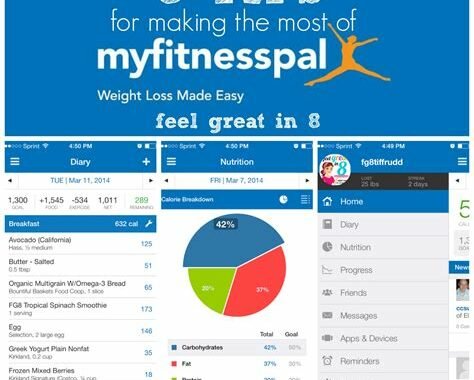
1. Instant Heart Rate
Instant Heart Rate is one of the most popular heart rate monitoring applications available. The app uses your smartphone camera and flashlight, placing your finger on the camera, and keeping still for a few seconds. The app then calculates your heart rate and gives you an accurate reading. The app also provides you with graphs that show your heart rate over extended periods, and it can also sync with other health data apps like Apple Health and Google Fit.
2. Runtastic Heart Rate Monitor
Runtastic Heart Rate Monitor measures your heart rate accurately, either using your smartphone camera or pulse sensor. It calculates your heart rate variability graphically and a target heart rate zone that you can customize to fit your workout routine better.
3. Heart Rate Monitor by Biostrap
Heart Rate Monitor by Biostrap is a great app that records your heart rate and gives you personalized insights based on your heart rate data. The app also records other metrics like sleep and physical activity, making it great for users who want a comprehensive view of their overall health.
4. HeartWatch
HeartWatch is a unique heart rate monitoring application designed solely for Apple Watches. The app tracks your heart rate in real-time and categorizes your data to show what you’ve done throughout the day. HeartWatch also calculates the maximum and minimum heart rate zone and gives you personalized feedback based on your heart rate data.
5. Cardiogram
Cardiogram requires access to your watch or wrist-based heart rate monitor. The main feature of the app is the HealthKit compatibility, which makes it easy to see your heart rate data in other apps. The app also provides insights about your heart health and how it can be improved.
6. Heart Rate Plus
Heart Rate Plus provides health insights based on your heart rate data. The app measures heart rate accurately and features a personalized dashboard that shows you how your heart rate is doing throughout the day. Heart Rate Plus also allows you to share your data with your physicians, providing them with a comprehensive view of your heart health.
7. Polar Beat
Polar Beat is an all-in-one fitness tracker with heart rate monitoring capabilities. The app has a range of heart rate monitoring features, including a heart rate guide, which helps you stay in the zone while you work out. The app also has a vast community of users that you can compete with, keeping you motivated to stay on track.
8. Elite HRV
Elite HRV is an app that tracks your heart rate variability (HRV). The app tracks HRV in real-time and provides analytics that help you understand how various factors influence your HRV. Elite HRV also includes several tools that help you positively influence your HRV, such as guided meditations and breathing exercises.
9. Fitbit
While Fitbit is primarily known for its fitness tracking devices, the company also has an app that tracks your heart rate. The app is compatible with Fitbit devices, but it can also work with other devices like Apple Watches and smartphones. The app also helps you track other aspects of your health, such as sleep and physical activity, giving you a comprehensive view of your overall well-being.
10. Heart Rate Variability Logger
Heart Rate Variability (HRV) Logger is a tool specifically designed to measure HRV. The app measures HRV and provides you with detailed reports that help you monitor your HRV closely. It also provides you with information about how outside factors, like stress, can affect your HRV.
Conclusion
Choosing the right heart rate monitoring app depends on your needs and preferences. Any of the above heart rate monitoring applications will help you stay on track with your fitness and health goals. Keep in mind that the most accurate results are obtained from heart rate monitors that use your smartphone camera or pulse sensor, and that syncing with other healthy data apps like Apple Health and Google Fit can help you get a more comprehensive view of your overall health.
Frequently Asked Question
1. What is a heart rate meter application?
A heart rate meter application is a mobile application that uses the camera and/or sensors on a smartphone to measure heart rate and other vital signs.
2. How accurate is the heart rate measurement on a mobile app?
The accuracy of heart rate measurements on a mobile app may vary depending on the quality of the camera and sensors, as well as the user’s position and movement during the measurement. However, many heart rate meter applications have been validated for accuracy, and can provide reliable measurements when used correctly.
3. How do I use a heart rate meter application?
To use a heart rate meter application, simply open the app and follow the instructions to begin the measurement. This typically involves placing a finger over the camera lens or touching the sensors on the back of the phone.
4. Can I use a heart rate meter application to monitor my heart rate during exercise?
Yes, many heart rate meter applications are designed specifically for use during exercise, and can monitor heart rate in real-time while the user is active.
5. Do heart rate meter applications provide other health metrics besides heart rate?
Some heart rate meter applications may also provide measurements for other health metrics such as blood pressure, oxygen saturation, and respiratory rate.
6. Can heart rate meter applications detect abnormal heart rhythms?
Some heart rate meter applications may be able to detect abnormal heart rhythms, such as atrial fibrillation, but they are not as reliable as medically-approved devices for detecting these conditions.
7. Is it safe to use a heart rate meter application instead of a medical device?
While heart rate meter applications can provide useful information about heart rate and other health metrics, they are not a substitute for medical devices and should not be used for medical diagnosis or treatment.
8. Do heart rate meter applications require internet connectivity?
Most heart rate meter applications can be used offline, but some may require internet connectivity to download updates or sync data with other devices or services.
9. Are heart rate meter applications free?
Many heart rate meter applications are free to download and use, but some may require payment for premium features or to remove ads.
10. Are heart rate meter applications available on both iOS and Android?
Yes, there are heart rate meter applications available for both iOS and Android devices.
Technology has become an indispensable part of our lives, and fitness is no exception. In today’s fast-paced world, monitoring fitness has become essential for all age groups. With the advancement in technology, we now have fitness monitoring apps that can track activities, provide feedback, and help in achieving fitness goals. Here’s our list of the top 10 fitness monitoring apps:
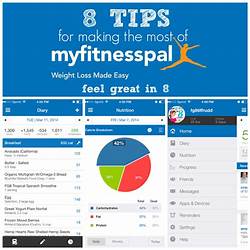
1. MyFitnessPal
MyFitnessPal is a free app that tracks your daily calorie intake, exercise routine, and water intake. It has a database of over 6 million foods, making it easy to track every meal. The app also syncs with various fitness trackers and smartwatches, including FitBit, Jawbone, and Garmin, to provide a comprehensive analysis of your progress. MyFitnessPal also includes a community section where users can connect with each other for motivation and support.
2. Strava
Strava is an activity tracker that tracks your runs, rides, and walks. The app uses GPS to record your activity and provides real-time feedback on your pace and distance. It also allows you to create and join challenges with friends and other Strava users. The premium version of the app provides personalized coaching, training plans, and advanced analytics.
3. Fitbit
Fitbit is a popular fitness tracker that syncs with your smartphone to track your daily activity, including steps taken, distance traveled, and calories burned. It also tracks your sleep patterns and provides insights into your sleep quality. The app allows you to set goals, track your progress, and earn badges for achieving milestones. It also has a community section where users can connect with each other for support and motivation.
4. Nike Training Club
Nike Training Club is a free app that offers over 185 workouts designed by Nike Master Trainers. The app allows you to select a workout based on your fitness goals, level of fitness, and available equipment. It also includes personalized training plans and audio guidance from Nike trainers. The app syncs with Apple Health and other fitness apps to provide a comprehensive analysis of your progress.
5. Runtastic
Runtastic is a running app that tracks your runs using GPS. It provides real-time feedback on your pace, distance, and calories burned. The app also has a voice coach that provides audio feedback during your run. Runtastic includes features for tracking other activities, including cycling, hiking, and skiing. The premium version of the app includes personalized training plans and advanced analytics.
6. Seven
Seven is a 7-minute workout app that offers quick workouts that can be done anywhere, anytime. The app includes over 200 exercises that target different parts of the body. Seven is perfect for those who have a busy schedule and cannot devote much time for workouts. The app also includes a daily reminder feature and personalized coaching.
7. 7 Minute Workout
7 Minute Workout is another app that offers quick and effective workouts that can be done anywhere, anytime. The app includes 12 high-intensity exercises that are performed for 30 seconds each, with a 10-second rest in between. The app also includes customizable workouts and voice instructions.
8. MapMyFitness
MapMyFitness is an app that tracks your workouts using GPS. It provides real-time feedback on your pace, distance, and calories burned. The app also allows you to create and join challenges with friends and other MapMyFitness users. The premium version of the app includes personalized training plans, advanced analytics, and live tracking of friends’ activities.
9. Fitocracy
Fitocracy is a fitness app that allows you to set goals, track your progress, and earn points for achieving milestones. The app includes personalized training plans and over 800 workouts designed by certified personal trainers. Fitocracy also includes a community section where users can connect with each other for support and motivation.
10. Headspace
Headspace is a meditation app that helps you reduce stress and improve focus. The app includes guided meditations that range from 3 to 30 minutes in length. It also includes personalized coaching and progress tracking. Headspace is perfect for those who need a break from their daily routine and want to relax and recharge.
Conclusion
These are the top 10 fitness monitoring apps that can help you achieve your fitness goals. From tracking your daily activity to personalized coaching and training plans, these apps have it all. Whatever your fitness level and goals are, there’s an app out there that can help you get there. So, download one of these apps today and kickstart your fitness journey!
Frequently Asked Question
1. What is a fitness monitoring app?
A fitness monitoring app is a mobile application that tracks and records physical activity, health, and weight-related data, allowing individuals to monitor their progress toward fitness and weight loss goals.
2. How does a fitness monitoring app work?
Fitness monitoring apps use sensors, GPS technology, and other tools to collect data about a user’s physical activity, such as steps taken, calories burned, and distance traveled. Users input additional data, such as height, weight, and workout details, to create a comprehensive view of their fitness progress.
3. How accurate are fitness monitoring apps?
The accuracy of fitness monitoring apps can vary depending on the quality of the app and the sensors and tools used to collect data. However, many apps are highly accurate and have been proven to provide reliable data.
4. Can a fitness monitoring app help me lose weight?
Yes, a fitness monitoring app can be a helpful tool for weight loss. By tracking your physical activity, food intake, and other health-related data, you can identify where you need to make improvements to achieve your weight loss goals.
5. Can I connect my fitness monitoring app to other fitness devices?
Many fitness monitoring apps can connect to other fitness devices such as smartwatches, fitness trackers, and heart rate monitors, which can provide even more detailed information about your physical activity and health.
6. Is my personal data safe when using a fitness monitoring app?
Most fitness monitoring apps have privacy policies in place that protect your personal data. Always be sure to read and understand the privacy policy before using any app, and use a secure password to protect your account.
7. Can I use a fitness monitoring app if I have a medical condition?
It’s always recommended that you speak with a healthcare professional before starting any new fitness regimen. However, many fitness monitoring apps can be used by individuals with medical conditions to monitor their health and activity levels.
8. Are fitness monitoring apps expensive?
The cost of a fitness monitoring app can vary, with some apps being free and others charging a monthly subscription fee. However, many free apps are highly rated and provide the same basic features as more expensive apps.
9. Can I use a fitness monitoring app without an internet connection?
Most fitness monitoring apps require an internet connection to access data and sync with other devices. However, some apps do allow you to use certain features, such as tracking steps, without an internet connection.
10. Can I share my progress on social media using a fitness monitoring app?
Many fitness monitoring apps allow users to share their progress on social media, which can provide motivation and support from friends and family. However, it’s always important to keep your personal privacy in mind and only share what you’re comfortable with.
With the advancement of technology, health monitoring has become easier and more convenient. Health monitoring applications have taken over the traditional methods to monitor health as they provide instant updates and personalized feedback. These applications have gone beyond just counting steps and monitoring sleep. They now provide a gamut of features including tracking diet, menstrual cycle, stress levels, heart rate, blood pressure, and much more. In this article, we have compiled a list of the top 10 health monitoring applications for you to choose from.
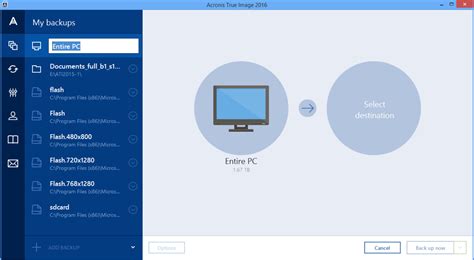
1. MyFitnessPal
MyFitnessPal is a popular health monitoring application that helps users track their nutritional intake, water consumption, and exercise goals. The app has a huge database of food items, allowing users to easily track their calorie intake. It also provides personalized macro-nutrient goals for users based on their fitness goals, age, weight, and height. Users can also connect the app with their fitness wearable to track their exercise activities.
2. Google Fit
Google Fit is a popular health monitoring application that integrates seamlessly with Android devices. The app tracks users’ physical activities, including walking, running, cycling, and swimming through the phone’s sensors. It also tracks daily goals and reminds users to move when they have been sedentary for a long period.
3. Headspace
Headspace is a health monitoring application that focuses on mental health. It provides guided meditation sessions to help users relieve stress, anxiety, and other mental health issues. The app also helps improve focus, sleep quality and provides mindfulness exercises to promote overall well-being.
4. Clue
Clue is a health monitoring application that helps women track their menstrual cycle. The app provides personalized predictions for menstrual and ovulation cycles. It also tracks symptoms, mood changes, and provides insights into the menstrual cycle and health. The application has a feature for logging birth control method data and helps women plan their pregnancy.
5. Fitbit
Fitbit is a popular health monitoring application that tracks daily activities, sleep patterns and workouts. It is compatible with a range of wearable devices designed to track physical activities, calories burned and sleep patterns. It provides personalized goal setting and social interaction to keep users motivated to achieve their fitness targets.
6. Lifesum
Lifesum is a popular health monitoring application that helps users track their overall health by tracking food intake, water consumption, and physical activities. It also provides feedback and reminders to help users achieve their fitness goals. The app sets daily and weekly goals based on users’ fitness profiles, providing personalized routines and recipes to meet their fitness targets.
7. Sworkit
Sworkit is a fitness app that provides personalized workout routines designed for users’ fitness level and goals. The application provides video demonstrations of workout routines for users to follow along. It also has an option to connect with personal trainers for customized routines and advice. The app makes it easy for users to achieve their fitness goals, regardless of whether they have access to a gym or not.
8. WaterMinder
WaterMinder is a health monitoring application that tracks water intake to ensure users stay hydrated. The app sets daily goals based on user profiles and reminds users to drink water throughout the day. The application also provides detailed analysis of users’ hydration progress and history.
9. HeartWatch
HeartWatch is a health monitoring application that tracks heart rate activity and provides detailed analysis of users’ heart rates. The app provides daily and weekly progress reports, customizable alerts and tracking of heart rate zones to ensure users stay within their ideal workout zone.
10. MyPlate by Livestrong
MyPlate by Livestrong is a health monitoring application that tracks caloric intake, water consumption, and exercise goals. It provides personalized daily goal setting and reminders to ensure users remain on track with their fitness and diet goals. The app allows users to scan food item barcodes to automatically log nutritional information.
Conclusion
Choosing the right health monitoring application is crucial in ensuring overall health and well-being. With the wide variety of health monitoring apps available today, it’s easier than ever to track progress and make changes to achieve a healthier and happier life.
Frequently Asked Question
1. What is a health monitoring application?
A health monitoring application is a digital tool designed to help users track and monitor their health and fitness goals. It typically includes features such as exercise tracking, food logging, and biometric data analysis.
2. What kind of information can a health monitoring application track?
Depending on the specific app, a health monitoring application can track a range of information, such as steps taken, calories burned, heart rate, blood pressure, sleep patterns, and nutrition intake.
3. How accurate is the health data collected by monitoring applications?
The accuracy of health data collected by monitoring applications can vary depending on the app and how it collects and analyzes the data. Some apps utilize more advanced sensors and algorithms to produce more accurate readings, while others may be less reliable.
4. How can a health monitoring application improve my health?
A health monitoring application can give users valuable insights into their overall health and fitness, allowing them to make more informed decisions about diet, exercise, and other lifestyle factors. By tracking progress over time, users can set goals and make changes to improve their health.
5. What are the benefits of using a health monitoring application?
The benefits of using a health monitoring application can include increased motivation, better health outcomes, more effective tracking, improved goal-setting, and personalized insights and recommendations.
6. Can a health monitoring application integrate with other health tools and services?
Many health monitoring applications can integrate with other health tools and services, such as smartwatches, fitness trackers, and electronic medical records. This can provide users with a more comprehensive view of their health and fitness data.
7. Are health monitoring applications secure?
The security of health monitoring applications can vary, but most apps take steps to protect user data and comply with regulations such as HIPAA. Users can take additional steps such as using strong passwords and enabling two-factor authentication to help protect their data.
8. Are health monitoring applications easy to use?
The ease of use of health monitoring applications can vary depending on the app and the user’s experience with technology. Many apps are designed to be intuitive and user-friendly, with clear instructions and guidance.
9. Can health monitoring applications be used by people with chronic health conditions?
Some health monitoring applications are specifically designed for people with chronic health conditions, such as diabetes or hypertension. These apps can provide users with tailored recommendations and insights based on their condition and individual health needs.
10. What should I look for when choosing a health monitoring application?
When choosing a health monitoring application, users should look for features that align with their health and fitness goals, as well as ease of use, data privacy and security, and user reviews and ratings. It may also be helpful to consult with a healthcare professional or trusted advisor to determine which app is best for their individual needs.
Data backup software is an essential tool for any individual or organization looking to protect their data from loss. These tools play a crucial role in securing your precious files, documents, photos, and videos from unforeseen disasters like ransomware, hardware failure, natural disasters, theft, and other vulnerabilities. In this article, we will discuss the top 10 data backup applications and their features.

1. Acronis True Image
Acronis True Image is a comprehensive data backup solution that offers full disk image backup, cloud backup, and electronic device protection. This software is designed to protect valuable data, whether stored on physical devices or cloud accounts, against cyber-attacks, hardware failure, and system crashes. Its advanced backup features include ransomware protection, blockchain-based file verification, online backup management, and automated backups. With Acronis True Image, users can enjoy seamless data backups that can be accessed from multiple devices and platforms.
2. EaseUS Todo Backup
EaseUS Todo Backup is a popular data backup software that offers quick and hassle-free backup for important files, drives, and partitions. The software provides a variety of backup modes, including full backup, incremental backup, differential backup, and schedule backup. Users can also create system backups that enable them to recover their computers in case of system failures. Other advanced features of EaseUS Todo Backup include disk cloning, disk wiping, compression, and password protection.
3. Carbonite
Carbonite is a cloud-based data backup service that offers unlimited storage space for businesses of all sizes. The software provides automatic and continuous backups that capture all changes made to files and folders, including modifications, additions, and deletions. Carbonite also offers granular recovery and point-in-time restores to enable users to restore their data from any point in time. Additionally, the software provides advanced security features such as encryption, two-factor authentication, and compliance with data protection regulations.
4. Backblaze
Backblaze is a highly affordable and user-friendly cloud backup service that provides unlimited storage space for one computer. With Backblaze, users can enjoy automatic and continuous backups, web-based restores, and infrastructure restoration in case of data loss. The software also provides robust security features such as data encryption, two-factor authentication, and compliance with data protection regulations. Additionally, Backblaze boasts an impressive uptime record, with backup servers distributed across multiple locations for optimal reliability.
5. NovaBackup
NovaBackup is a comprehensive backup tool with a user-friendly interface that makes data backup and recovery easy and quick. The software provides various backup options, including disk image backup, file backup, and cloud backup. The cloud backup feature enables users to store their data on the cloud and access it from any device or location. Other advanced features of NovaBackup include speedy backup and restore, advanced scheduling, and automated backup verification. The software also offers military-grade encryption to ensure maximum data security.
6. CrashPlan
CrashPlan is an easy-to-use and affordable data backup software that provides automatic and continuous cloud backup for unlimited data. The software offers multiple backup options, including full backup, differential backup, and incremental backup. Additionally, CrashPlan provides robust security options such as 448-bit Blowfish encryption, two-factor authentication, and compliance with data protection regulations. The software also provides users with flexibility and control by allowing them to customize their backup settings and backup frequency.
7. GoodSync
GoodSync is a powerful data backup and synchronization software that provides real-time and automated two-way synchronization of all types of files and folders. The software supports multiple platforms and devices, making it easy to backup and synchronize data across multiple locations. GoodSync also offers advanced features such as file versioning, conflict resolution, and compression. Additionally, the software provides frequent updates and customer support to ensure optimal performance and user satisfaction.
8. Macrium Reflect
Macrium Reflect is a comprehensive backup and disk imaging software that allows users to create full disk images of their computers, including the operating system, applications, settings, and data. The software provides users with flexibility by enabling them to schedule backups or perform them manually. Macrium Reflect also offers advanced features such as differential backup, incremental backup, and GPT disk cloning. The software also comes with extensive documentation and customer support to ensure ease of use and optimal performance.
9. R-Drive Image
R-Drive Image is a powerful disk imaging and backup software that allows users to create exact disk images of their computers, partitions, and hard drives. The software offers a variety of backup options, including full backup, differential backup, and incremental backup. Additionally, R-Drive Image provides users with a range of advanced features such as automatic backup verification, password protection, and compression. The software also offers excellent compatibility with multiple platforms and file systems, making it easy to backup and restore data across different devices and computers.
10. Veeam Backup and Replication
Veeam Backup and Replication is a powerful backup solution designed primarily for businesses and enterprises. The software provides comprehensive backup and replication functionality for virtual environments, ensuring maximum data protection and recovery. Veeam Backup and Replication offers multiple backup options, including full backup, incremental backup, and differential backup. It also provides advanced features such as instant VM recovery, granular file recovery, and backup verification. Additionally, the software supports various platforms and environments, making it easy to backup and restore data across different systems and devices.
Final Thoughts
Data backup software plays a critical role in protecting valuable data against loss or damage. With so many excellent backup software options available, choosing the right one for your needs can be a daunting task. In this article, we have outlined the top 10 data backup software along with their features to help you make an informed decision. We hope this guide has been helpful in identifying the best data backup software for your needs and budget.
Frequently Asked Question
1. What is a data backup application?
A data backup application is a software program that automatically copies data to a separate storage device or cloud-based server, giving users access to their data in case the original copy is lost, damaged or stolen.
2. Why do I need a data backup application?
Data loss can happen due to various reasons like hardware failure, natural disasters, human error, cyber-attacks, viruses, and theft. A data backup application ensures that your important data is safe and secure in case of any such unforeseen events.
3. How does a data backup application work?
A data backup application copies data from the primary storage device to another location, such as an external hard drive or cloud-based server. It can automatically schedule backups or manually perform them depending on the user’s preference.
4. What types of data can be backed up using a data backup application?
Almost any type of data can be backed up using a data backup application, including documents, photos, videos, music, email messages, contacts, and settings.
5. Can I access my backed-up data from anywhere?
Yes, if you use a cloud-based backup service, you can access your backed-up data from anywhere as long as you have an internet connection.
6. How secure is my backed-up data in the cloud?
Most data backup applications use encryption to protect data during transfer and storage. They also offer various security features like two-factor authentication, password protection, and data center security to ensure maximum protection of your data.
7. How often should I back up my data?
It is recommended that you back up your data daily or weekly, depending on how frequently you use your devices and the importance of the data being backed up.
8. Can I schedule automatic backups with a data backup application?
Yes, most data backup applications have features that allow users to schedule automatic backups at specific intervals.
9. What happens if my device is lost or stolen?
If your device is lost or stolen, your backed up data will still be safe and accessible from a different device as long as you have your login credentials.
10. How much does a data backup application cost?
The cost of a data backup application will depend on the features and level of security provided. Some applications are free, while others require a one-time or monthly subscription fee.
Have you ever lost important files or data due to accidental deletion or system failure? It can be a frustrating experience, especially when the data cannot be easily replaced. Fortunately, there are several data recovery applications available that can help you retrieve lost or damaged files. Here are the top 10 data recovery applications:

1. Disk Drill
Disk Drill is a highly-rated data recovery application that is easy to use and compatible with both Mac and Windows operating systems. It can recover all types of files including photos, documents, music, and videos. Disk Drill also provides additional features such as data backup and duplicate file finder.
2. Recuva
Recuva is a free data recovery application for Windows that can recover files from damaged or reformatted disks, memory cards, and external hard drives. It has a user-friendly interface and can recover a wide range of file formats including images, documents, and music.
3. Stellar Data Recovery
Stellar Data Recovery is a paid data recovery application that offers advanced features such as file repair and recovery from damaged disks. It is available for both Mac and Windows operating systems and can recover files from various storage devices including external hard drives, USB drives, and memory cards.
4. EaseUS Data Recovery Wizard
EaseUS Data Recovery Wizard is a popular and easy-to-use data recovery application. It can recover files from various storage devices such as hard drives, memory cards, and USB drives. The software also offers a preview feature that allows you to see the file before recovery.
5. R-Studio
R-Studio is a professional data recovery application that offers advanced features such as RAID recovery and file repair. It can recover files from various storage devices including hard drives, USB drives, and memory cards. The software is available for both Mac and Windows operating systems.
6. PhotoRec
PhotoRec is a free and open-source data recovery application that can recover various types of files including photos, videos, and documents. It can run on various operating systems and can recover files from damaged or formatted disks and memory cards.
7. iBoysoft Data Recovery
iBoysoft Data Recovery is a user-friendly data recovery application that can recover files from various storage devices such as hard drives, USB drives, and memory cards. It offers a preview feature that allows you to see the file before recovery and can run on both Mac and Windows operating systems.
8. MiniTool Power Data Recovery
MiniTool Power Data Recovery is a data recovery application for Windows that offers a free and paid version. The software can recover various types of files such as photos, documents, and music. It also offers a preview feature and can recover files from damaged or formatted disks and memory cards.
9. Wise Data Recovery
Wise Data Recovery is a free data recovery application that can recover files from various storage devices such as hard drives, memory cards, and USB drives. It has a user-friendly interface and can recover a wide range of file formats including images and documents.
10. TestDisk
TestDisk is a free and open-source data recovery application that can recover files from damaged or formatted disks and memory cards. It can run on various operating systems and can recover various file formats such as photos, videos, and documents.
These are the top 10 data recovery applications that are available in the market. The choice of the software depends on the type of files that need to be recovered, the storage device, and the level of advance features required. It is important to note that no data recovery application can guarantee a 100% success rate in recovering lost files, therefore regular backups of important data should always be performed.
Frequently Asked Question
1. What is data recovery software?
Data recovery software is a computer program designed to recover deleted, lost, or corrupted files from various storage devices, such as hard drives, USB drives, memory cards, and more.
2. How does data recovery software work?
Data recovery software scans the storage device for traces of the lost or deleted files and uses advanced algorithms to recover data from damaged or inaccessible hard drives, partitions, or other storage media.
3. What type of data can be recovered with data recovery software?
Data recovery software can recover various types of files, including documents, photos, videos, music, archives, and more. However, the success of data recovery depends on the level of damage, the storage device’s condition, and the file system used.
4. Can I recover data from a formatted or damaged hard drive?
Yes, data recovery software can recover data from a formatted or damaged hard drive or other storage media. However, the success rate will depend on the severity of the damage and the file system used.
5. Can I recover data from a virus-infected device?
Yes, data recovery software can recover data from a virus-infected device. However, it is recommended to first run a virus scan on the storage device to remove any malware that may interfere with the data recovery process.
6. Is it safe to use data recovery software?
Yes, data recovery software is safe to use, as long as you download it from a trusted source and follow the instructions carefully. However, it is important to note that some data recovery software may overwrite or damage the existing data, which may lead to permanent data loss.
7. What should I do if data recovery software fails to recover my files?
If data recovery software fails to recover your files, it may be necessary to seek professional data recovery services. Data recovery experts have specialized tools and techniques to recover data from damaged or inaccessible storage media.
8. Can data recovery software recover overwritten or partially corrupted files?
The success of data recovery software depends on the level of damage and the file system used. In some cases, data recovery software may recover partially corrupted or overwritten files. However, it is recommended to use software that supports file carving, which can recover data even if the file system is damaged.
9. Can data recovery software recover data from cloud storage or online services?
Data recovery software can only recover data from local storage devices, such as hard drives, USB drives, memory cards, and more. If the data is stored in cloud storage or online services, you may need to access the account or contact the service provider for assistance.
10. How can I prevent data loss and ensure data safety?
To prevent data loss and ensure data safety, it is recommended to regularly back up important files to an external hard drive, cloud storage, or other storage media. Additionally, it is important to practice safe computing habits, such as using antivirus software, avoiding suspicious emails or websites, and updating the operating system and other software regularly.
In this digital age, people always need to stay connected to the internet. However, the internet is not a safe place to be, and cybercriminals are always lurking. To overcome this security challenge, we recommend the use of Virtual Private Network (VPN) applications. These VPN applications provide users with easy, safe, and secure access to the internet.

Research shows that there are over a thousand VPN applications, both free and paid. These applications offer varying degrees of privacy and encryption levels. Choosing the best VPN for your internet activities can be a daunting task. In this article, we will be taking a look at the top 10 VPN applications for your internet security.
1. ExpressVPN
ExpressVPN is one of the best VPNs in the market. It is an excellent choice for those looking for a fast and reliable VPN. With over 3,400 servers in 160 locations across 94 countries, you are guaranteed top-level security and privacy. ExpressVPN offers military-grade encryption and has a strict no-logging policy. It is compatible with all devices and has user-friendly applications for Windows, Android, iOS, and Mac.
2. NordVPN
NordVPN is a Panama-based VPN service provider that offers excellent security and privacy features. It has over 5,000 servers in 59 countries, and its no-logging policy is one of the most reliable in the market. NordVPN is compatible with all devices and provides military-grade encryption. It also has excellent speeds and can unblock Netflix and other streaming services.
3. Surfshark
Surfshark is a relatively new VPN application that has quickly amassed positive reviews. It offers fast connections, excellent security, and is compatible with all devices. Surfshark’s military-grade encryption and multi-hop features provide high-level security for your internet activities. Its no-logging feature is also reliable, and it can unblock Netflix and other streaming services.
4. CyberGhost
CyberGhost is one of the most popular VPN services, and for good reason. It offers excellent security and privacy features, including military-grade encryption, DNS leak protection, and a no-logging policy. CyberGhost has over 6,700 servers in 89 countries and is compatible with all devices. It also has user-friendly applications for Windows, Android, iOS, and Mac.
5. Private Internet Access (PIA)
Private Internet Access (PIA) is an affordable VPN application that offers good security and privacy features. It has over 3,300 servers in 48 countries and supports ten simultaneous connections. PIA provides military-grade encryption and has a no-logging policy. It is compatible with all devices and has user-friendly applications for Windows, Android, iOS, and Mac.
6. Hotspot Shield
Hotspot Shield is a popular VPN provider with over 3,200 servers in 80+ countries. It provides excellent security features, including military-grade encryption and a no-logging policy. Hotspot Shield is compatible with all devices and has user-friendly applications for Windows, Android, iOS, and Mac. Its speeds are also impressive, and it can easily unblock Netflix and other streaming services.
7. VyprVPN
VyprVPN is a Switzerland-based VPN that offers excellent security and privacy features. It has over 700 servers in more than 70 locations and provides military-grade encryption. VyprVPN’s Chameleon protocol can bypass government censorship and website blocks. It is compatible with all devices and has user-friendly applications for Windows, Android, iOS, and Mac.
8. TorGuard
TorGuard is a US-based VPN application that offers excellent security and privacy features. It has over 3,000 servers in 55 countries and supports ten simultaneous connections. TorGuard provides military-grade encryption and has a no-logging policy. It also has user-friendly applications for Windows, Android, iOS, and Mac.
9. Windscribe
Windscribe is a Canada-based VPN application that offers excellent security features. It has over 480 servers in more than 60 locations and provides military-grade encryption. Windscribe has a no-logging policy and is compatible with all devices. It also provides an ad-blocker and can unblock Netflix and other streaming services.
10. ProtonVPN
ProtonVPN is a Switzerland-based VPN application that offers excellent security and privacy features. It provides military-grade encryption and has a no-logging policy. ProtonVPN also offers a Secure Core feature that routes your internet traffic through multiple servers before reaching your destination. It is compatible with all devices and has user-friendly applications for Windows, Android, iOS, and Mac.
In conclusion, VPN applications provide users with easy, safe, and secure access to the internet. Choosing the best VPN for your internet activities can be daunting, but we hope this list has been helpful. These top 10 VPN applications have excellent security and privacy features and are compatible with all devices. With a VPN application, you can enjoy internet activities without worrying about cyber threats.
Frequently Asked Question
1. What is a VPN application?
A VPN application is a software program that allows users to create a secure, encrypted connection between their device and a VPN server.
2. What does a VPN application do?
A VPN application provides online privacy and security by encrypting users’ internet traffic and masking their IP address, making it difficult for anyone to snoop on their online activities.
3. Do I need a VPN application?
If you want to protect your online privacy and security, and also access geo-restricted content or websites blocked in your country, then you may need to use a VPN application.
4. Are VPN applications legal?
Yes, VPN applications are legal in most countries. However, it is always advisable to check your country’s laws and regulations before using a VPN application.
5. Is a VPN application safe?
Yes, if you choose a trustworthy and reliable VPN application, it can provide you with a safe and secure internet connection. However, it is important to do your research and choose a reputable VPN provider.
6. How do I choose the right VPN application?
When choosing a VPN application, look for a provider that has a good reputation, provides strong encryption, and has no-logs policy. Also, consider the number of servers and their locations, as well as the device compatibility and customer support.
7. How do I use a VPN application?
To use a VPN application, you need to download and install it on your device, create an account, and connect to a server location of your choice. Once connected, all your internet traffic will be encrypted and routed through the VPN server, providing you with online privacy and security.
8. How much does a VPN application cost?
VPN applications cost varies depending on the provider, features, and length of the subscription. Most VPN providers offer monthly, yearly, or bi-annual subscription plans, which ranges from $5 to $12 per month.
9. Can I use a VPN application on all devices?
Most VPN applications are compatible with Windows, Mac, Android, and iOS devices. Some VPN providers also offer support for other devices such as routers, smart TVs, and gaming consoles.
10. Can I use a free VPN application?
Yes, there are several free VPN applications available, but they have limited features and are known to sell user data to third parties. Paid VPN applications offer more features, better security, and a more reliable service.
Firewalls are a crucial aspect of cybersecurity that go unnoticed by most people. They act as a barrier between your device and the internet, blocking unauthorized access and keeping your device safe from online threats. Firewall applications are available for computers, smartphones, and tablets to ensure that your sensitive data and files remain safe. However, choosing the right firewall can be a little overwhelming, as there are numerous options available in the market. In this article, we have listed the top 10 firewall applications that you can use to protect your devices from online threats.
1. Comodo Firewall
Comodo Firewall is one of the best firewalls available for free. It offers a range of features, including isolating untrusted programs, defense against malware, custom protection settings, and real-time monitoring of network activity. The interface is user-friendly, making it easy to use and customize the settings according to your preferences.
2. ZoneAlarm Firewall
ZoneAlarm Firewall is another highly recommended firewall application that is free to download. It offers advanced features such as anti-phishing, anti-keylogging, and real-time monitoring of network traffic. The application scans for vulnerabilities in your system and informs you of any potential threats that it uncovers.
3. Norton Firewall
Norton Firewall is a reliable and popular choice for users who want complete protection against online threats. The firewall detects and blocks unauthorized access to your device, protects confidential information, and allows filtering of content based on access permissions. Norton Firewall is available as part of Norton Security, which offers a range of security solutions for devices.
4. McAfee Firewall
McAfee Firewall is a comprehensive firewall solution that offers advanced security features. It includes a built-in intrusion detection system, network monitoring, and protection against zero-day attacks. The application provides real-time updates on any suspicious activities on your network and blocks unauthorized access to your device.
5. GlassWire Firewall
GlassWire Firewall is a popular firewall application that offers a range of features such as network monitoring, blocklist management, and protection against malware. The application supports real-time monitoring and can alert you of any suspicious activities on your network. GlassWire also offers a free version with limited features, making it a great option for users who are new to firewall applications.
6. TinyWall Firewall
TinyWall Firewall is a lightweight and user-friendly firewall application that uses the built-in Windows Firewall to create a secure environment for your device. The application works by disabling incoming traffic and allowing only authorized traffic through your device. The application is free to download and does not require any installation or configuration.
7. PeerBlock Firewall
PeerBlock Firewall is a free and open-source firewall application that blocks incoming traffic from a list of known IP addresses. The application uses blacklists to block traffic from known malicious IP addresses, ensuring that your device remains secure from potential online threats. PeerBlock also provides customizable rules, which allows you to block traffic from specific IPs or domains.
8. ZoneAlarm Free Antivirus + Firewall
ZoneAlarm Free Antivirus + Firewall is a complete security solution, which gives you the ability to monitor incoming and outgoing traffic. The application comes with a built-in antivirus that detects and blocks malware and viruses. The firewall application protects your device from unauthorized access while the antivirus scans all content to ensure that no threats are present.
9. Windows Firewall
Windows Firewall is the built-in firewall application that comes with Windows operating systems. The application provides basic security and blocks unauthorized traffic from entering your device. The firewall is easy to use and can be accessed through the Control Panel. However, it does not offer advanced features such as real-time network monitoring, which could leave your device vulnerable to newer threats.
10. Outpost Firewall
Outpost Firewall is a powerful firewall application that offers a range of features such as real-time monitoring of network activity, protection against malware, and email filtering. The application also provides detailed reports, which give you insight into the security status of your system. Outpost Firewall is an excellent choice for advanced users who require a high level of security for their devices.
Conclusion
Firewalls are essential in protecting user devices from online threats. With so many options available in the market, finding the right firewall application can be daunting. The ten firewall applications we have listed in this article are some of the best available for users, and they all provide different features depending on the user’s needs. It’s always good to have an extra layer of security to avoid any possible security breaches or data leaks. Our recommendation is to research and select the most appropriate firewall for your device and enjoy surfing the internet securely.
Frequently Asked Question
1. What is a firewall application?
A firewall application is a software program that monitors and controls incoming and outgoing network traffic based on pre-defined security rules to prevent unauthorized access to a network.
2. How does a firewall application work?
A firewall application uses a set of pre-defined security rules to allow or block incoming and outgoing network traffic. It examines each incoming or outgoing packet of data and based on its address, port number and other characteristics, either allows or blocks the traffic.
3. What are the types of firewall applications?
The three main types of firewall applications are network firewalls, host-based firewalls, and application firewalls.
4. What are the benefits of using a firewall application?
A firewall application provides security to your network by monitoring and preventing unauthorized access to your network. It protects your network from hackers, viruses, and other malicious attacks.
5. Does a firewall application slow down network speed?
Firewall applications can slow down network speed to some extent as they process all incoming and outgoing traffic. However, modern firewall applications are designed to minimize the impact on network speed.
6. Is a firewall application enough to protect my network?
While a firewall application is an essential component of network security, it is not enough on its own. Other security measures like regular software updates, antivirus software, and user education also play a critical role in network security.
7. What are the common firewall technologies?
The most common firewall technologies are packet filtering, stateful inspection, and application-layer filtering.
8. Can a firewall application be configured to allow certain traffic?
Yes, a firewall application can be configured to allow certain traffic based on pre-defined security rules. This is useful when you want to allow specific applications to access the internet.
9. What are the disadvantages of using a firewall application?
The main disadvantage of using a firewall application is that it can create a false sense of security, causing users to neglect other security measures. Also, advanced attackers can bypass firewalls using sophisticated techniques.
10. Can a firewall application block all types of attacks?
Unfortunately, no firewall application can block all types of attacks. Modern attacks are often sophisticated and can bypass firewalls using techniques like encryption and tunneling. However, using a firewall as part of a multi-level security strategy can still provide significant protection against common attacks.
In today’s age of digital technology, it is important to have strong antivirus software installed on your devices. With the increase of cyber threats and the risk of malware attacks, having reliable antivirus software can protect your personal and professional data from getting compromised. Here are the top 10 antivirus applications for you to consider!
1. Bitdefender Antivirus Plus
Bitdefender Antivirus Plus provides strong protection against various types of malware threats, including viruses, worms, ransomware, and phishing attacks. Its advanced threat detection technology can quickly identify and remove all potential threats to your system. It comes with useful features like anti-phishing protection, web filtering, and a password manager that enhances your online security. Bitdefender Antivirus Plus is available for Windows, macOS, Android, and iOS.
2. Norton Antivirus Plus
Norton Antivirus Plus is a popular antivirus software that provides complete protection against different types of malware attacks. Its advanced security tools can detect and remove malware, viruses, spyware, and phishing attacks. Norton Antivirus Plus also has an intuitive and user-friendly interface that makes it easy to use. It comes with a variety of features like password manager, parental controls, and a firewall. It is compatible with Windows and MacOS devices.
3. Malwarebytes Anti-Malware
Malwarebytes Anti-Malware is a powerful security tool that protects your device against various kinds of malware, including ransomware, Trojans, and adware. It has an advanced detection engine that can detect and eliminate all kinds of threats that other antivirus software might miss. Malwarebytes Anti-Malware is easy to use and has an intuitive interface. It is available for Windows and macOS devices and can be used as a standalone software or in conjunction with other antivirus software.
4. Kaspersky Internet Security
Kaspersky Internet Security provides comprehensive protection for your devices against different malware threats, including viruses, spyware, and ransomware. It has advanced malware detection and removal tools, and also includes additional features like parental controls, web filtering, and a password manager. Kaspersky Internet Security is compatible with different operating systems, including Windows, macOS, iOS, and Android.
5. Avast Antivirus
Avast Antivirus is a popular security software that provides excellent protection against different kinds of malware, including viruses, worms, and Trojans. It has a user-friendly interface and can be customized according to your preferences. Avast Antivirus also includes features like a password manager, web filtering, and a firewall. It is available for Windows and macOS devices.
6. AVG Antivirus
AVG Antivirus is an advanced antivirus software that provides complete protection against malware, spyware, and ransomware. Its advanced artificial intelligence technology can detect and remove potential threats quickly. AVG Antivirus also includes a password manager, web filtering, and a firewall. It is compatible with different operating systems, including Windows, macOS, and Android.
7. McAfee Total Protection
McAfee Total Protection is a comprehensive security software that provides complete protection for your devices against different types of malware threats. It has a user-friendly interface and comes with excellent features such as a password manager, web filtering, parental controls, and a firewall. It is compatible with Windows, macOS, Android, and iOS devices.
8. Trend Micro Antivirus+
Trend Micro Antivirus+ is an advanced antivirus software that provides excellent security features for your devices. It can detect and remove different types of malware, including spyware, viruses, and phishing attacks. Trend Micro Antivirus+ also includes features like web filtering, a password manager, and a firewall. It is available for Windows and macOS devices.
9. ESET NOD32 Antivirus
ESET NOD32 Antivirus is an advanced antivirus software that provides excellent protection against different types of malware threats. It has advanced detection technologies that can quickly identify and remove all kinds of malware, including Trojans and ransomware. ESET NOD32 Antivirus comes with a user-friendly interface and includes features like a password manager, web filtering, and a firewall. It is available for Windows and macOS devices.
10. Windows Defender
Windows Defender is the built-in antivirus software for Windows 10 devices. It provides comprehensive protection against different types of malware, spyware, and viruses. Windows Defender also includes features like parental controls, web filtering, and a firewall. It is a free antivirus software that is already installed on your Windows device.
Conclusion:
There are many different antivirus applications available on the market, each with its own unique features and capabilities. Choosing the right antivirus software for your device is essential to ensure the protection of your data and security. The above-mentioned antivirus software options are some of the best in the market and can provide excellent protection for your devices. Whether you’re running a Windows, macOS, iOS, or Android device, there is an antivirus software available that can meet your needs and provide the level of protection that you require.
Frequently Asked Question
1. What is an antivirus application?
An antivirus application is a software program that is designed to protect your computer from malicious software by detecting, preventing, and removing viruses, malware, and other malicious programs.
2. How does an antivirus application work?
Antivirus applications work by scanning your computer’s files, programs, and data for malicious code or suspicious activity. When a virus is detected, the antivirus application can either remove the infected files or quarantine them so that they can’t cause any harm.
3. What features should I look for in an antivirus application?
When choosing an antivirus application, look for features such as real-time protection, malware detection and removal, automatic updates, and a user-friendly interface.
4. What are the benefits of using an antivirus application?
Using an antivirus application can significantly reduce your risk of malware infection and data theft, protect your computer from cyberattacks, and provide peace of mind that your sensitive information is safe.
5. Can antivirus applications detect all types of malware?
While antivirus applications are designed to detect and remove a wide range of malware, there is no guarantee that they will be able to detect every type of malicious code or activity.
6. Do I need to update my antivirus application regularly?
Yes, it is crucial to update your antivirus application regularly to ensure that it stays up-to-date with the latest virus definitions and security patches.
7. Can I run more than one antivirus application on my computer?
No, it is not recommended to run more than one antivirus application on your computer as they may conflict with each other and cause performance issues.
8. Is there a difference between free and paid antivirus applications?
Free antivirus applications usually offer limited features, while paid antivirus applications provide more robust security features such as advanced malware detection and removal, VPN services, password managers, and more.
9. How can I tell if my antivirus application is working?
You can check your antivirus application’s settings and dashboard to ensure that it is running and enabled. You can also perform a scan to check for any potential threats.
10. Can I use an antivirus application on my mobile device?
Yes, antivirus applications are available for mobile devices and can help protect your smartphone or tablet from malware, phishing attacks, and other cyber threats.
Remembering all the passwords for different accounts can be quite challenging, especially in today’s world where we have to create strong passwords for security reasons. A password manager comes to our rescue in this situation. It helps you store all your passwords in one place, allowing you to access them easily whenever required. There are several password manager applications available in the market. In this article, we will discuss the top 10 password manager applications that you can consider for your needs.
1. LastPass
LastPass is one of the most popular password manager applications that is available for free. It is a cloud-based password manager that stores all your passwords in one place securely. The application auto-fills login details and generates strong passwords for new accounts. LastPass is available on all platforms, including Windows, Mac, Android, and iOS. It also has a premium subscription that provides additional features such as password sharing and priority support.
2. Dashlane
Dashlane is another popular password manager application that offers a wide range of features to its users. It has an intuitive interface and allows users to easily manage their passwords, secure notes, and payment details. Dashlane is available on all platforms and offers a free trial of its premium subscription with advanced features such as VPN and dark web monitoring.
3. 1Password
1Password is a password manager application that offers a mix of user-friendliness and security. It has a neat and intuitive interface that allows users to easily store and manage their passwords, credit card details, and secure notes. 1Password also offers a family subscription that allows users to share passwords and stay secured with their loved ones.
4. KeePass
KeePass is a free and open-source password manager application that stores user’s passwords and other personal details securely. It comes with a strong password generator and allows users to create custom categories for better organization of password data. KeePass is available on all platforms, and its database is encrypted with industry-standard AES encryption.
5. Bitwarden
Bitwarden is another popular password manager application that is available for free. It has an intuitive interface and supports all platforms, including Windows, Mac, iOS and Android. Bitwarden encrypts all user data with AES-256 encryption, making sure that your data is safe and secure.
6. RoboForm
RoboForm is a password manager application that allows users to store their passwords, secure notes, and even identities securely. Its user interface is simple and clean, and it has a strong password generator that helps in creating secure passwords. RoboForm also offers a family subscription that allows users to share passwords and stay secured with their loved ones.
7. Enpass
Enpass is a password manager application that ensures your data is safe and secure. It has an easy-to-use interface and provides quick access to your passwords, credit card details and secure notes. Enpass also supports all platforms, including Windows, Mac, and Linux. It also offers a premium subscription that provides features such as Touch ID support and cloud syncing.
8. NordPass
NordPass is a password manager application that offers a mix of security and user-friendliness. It provides an intuitive and easy-to-use interface and comes with a strong password generator for creating secure passwords. NordPass has AES-256 encryption for securing user data, making sure that your data is safe and secure.
9. Password Boss
Password Boss is a password manager that offers a secure vault for storing passwords, notes, and other personal data. It has a strong password generator for creating secure passwords and also helps in auto-filling login details. Password Boss also offers a family subscription that allows users to share passwords securely with their loved ones.
10. Sticky Password
Sticky Password is a password manager application that provides an easy way to manage passwords and other personal data. It has a simple interface and supports all platforms, including Windows, Mac, iOS, and Android. Sticky Password ensures the safety of your data by encrypting it with AES-256 encryption, and it also offers a family subscription that allows the sharing of passwords with loved ones.
Conclusion
Choosing the right password manager application is essential for securely storing personal data. We hope this article helps you choose the best password manager application for your needs. It’s important to remember that all of the above applications have their own unique features, so make sure to pick the one that best suits your requirements. All of these password managers are safe and reliable and will go a long way in ensuring the safety of your data online.
Frequently Asked Question
1. What is a Password Manager application and how does it work?
A Password Manager application is a tool that helps users securely store and manage their passwords. It works by generating and storing complex passwords for users, which can then be automatically filled in when they log in to websites or apps.
2. Is it safe to use a Password Manager?
Yes, Password Managers are safe to use. They use encryption and other security measures to protect user data from cyber threats such as hacking and phishing attacks.
3. Can Password Managers be hacked?
While no system is completely immune to hacking, Password Managers are generally considered to be more secure than traditional methods of storing passwords. They use advanced security features like two-factor authentication and encryption to keep user data safe.
4. Can Password Managers store other types of sensitive information besides passwords?
Yes, many Password Managers can also store other types of sensitive information, like credit card information, banking information, and addresses.
5. Can multiple users share a Password Manager?
Yes, some Password Managers have features that allow multiple users to share access to their stored passwords and other sensitive information.
6. Are Password Managers compatible with all devices and platforms?
Most Password Managers are compatible with multiple devices and platforms, including desktop computers, mobile devices, and popular web browsers.
7. Can Password Managers help with password strength and security?
Yes, Password Managers can help improve password strength and security by generating complex passwords and storing them securely.
8. Can Password Managers automatically update passwords?
Yes, some Password Managers have features that can automatically update passwords for users, ensuring that they always have strong, secure passwords in place.
9. Are Password Managers easy to use for people who aren’t tech-savvy?
Yes, many Password Managers are designed to be user-friendly and easy to use, even for people who aren’t tech-savvy.
10. How much do Password Managers cost?
The cost of a Password Manager varies depending on the provider and the features offered. Some Password Managers offer basic features for free, while others require a monthly or yearly subscription fee for access to advanced features.
Cybersecurity has become a major concern for individuals, companies and governments. Cybercriminals are constantly devising new ways to steal sensitive information, disrupt services and cause havoc. This has led to the development of several cybersecurity applications that help users protect themselves against cyber attacks. Here are the top 10 cybersecurity applications you need to know about.
1. Norton Security Deluxe
Norton Security Deluxe is a cross-platform security suite that protects your devices against malware, viruses, spyware, and other online threats. It offers real-time protection to keep you safe from existing and emerging online threats. Norton Security Deluxe also has a built-in firewall that blocks unauthorized access to your device and hides your personal information from prying eyes. It comes with a 100% virus protection guarantee and has a simple interface that is easy to use.
2. Bitdefender Total Security
Bitdefender Total Security is another comprehensive and effective cybersecurity solution. It offers multiple layers of protection against all forms of malware, ransomware, and other online threats. It has a powerful antivirus engine, real-time protection, firewall, spam filter, and various other features that keep you safe while browsing online. Bitdefender Total Security also has a password manager that helps you generate and securely store passwords.
3. McAfee Total Protection
McAfee Total Protection is a trusted and reliable cybersecurity application that offers comprehensive protection for your devices. It provides real-time protection against viruses, spyware, malware, and other online threats. The software also comes with a firewall that blocks external threats from infiltrating your device. McAfee Total Protection has features like anti-spam and parental controls that help you stay safe online. It is easy to install and use, making it a popular choice among users.
4. Malwarebytes
Malwarebytes is another cybersecurity application that offers robust protection against various forms of malware, including ransomware. It has a powerful malware scanner that detects and removes malware from your device. Malwarebytes also offers real-time protection that keeps you safe while browsing online. The software is easy to install and use, and it is available for Windows, Mac, and Android devices.
5. Kaspersky Total Security
Kaspersky Total Security is a popular cybersecurity application that offers a range of features to keep you safe online. It has a powerful antivirus engine, real-time protection, and a firewall that protects your device from external threats. Kaspersky Total Security also has features like parental controls, anti-spam, and password management that help you stay safe online. The software is easy to use and is compatible with Windows, Mac, and Android devices.
6. Avast Ultimate
Avast Ultimate is a comprehensive cybersecurity solution that offers advanced features to keep you safe online. It has a powerful antivirus engine, real-time protection, and a firewall that protects your device from external threats. Avast Ultimate also has features like anti-spam, password management, and a VPN that helps you stay safe while browsing online. The software is easy to use and is compatible with Windows, Mac, and Android devices.
7. Trend Micro Maximum Security
Trend Micro Maximum Security is a powerful cybersecurity application that offers multiple layers of protection against various forms of malware and online threats. It has a powerful antivirus engine, real-time protection, and a firewall that blocks external threats from infiltrating your device. Trend Micro Maximum Security also has features like a password manager, parental controls, and social media protection that help you stay safe online. The software is easy to use and is compatible with Windows, Mac, and Android devices.
8. ESET Smart Security Premium
ESET Smart Security Premium is another powerful cybersecurity application that offers advanced features to keep you safe online. It has a powerful antivirus engine, real-time protection, and a firewall that blocks external threats from infiltrating your device. ESET Smart Security Premium also has features like a password manager, banking protection, and webcam protection that help you stay safe while browsing online. The software is easy to use and is compatible with Windows and Mac devices.
9. Avira Antivirus Pro
Avira Antivirus Pro is a popular cybersecurity application that offers comprehensive protection against various forms of malware and online threats. It has a powerful antivirus engine, real-time protection, and a firewall that blocks unauthorized access to your device. Avira Antivirus Pro also has features like anti-spam, password management, and VPN that help you stay safe online. The software is easy to use and is available for Windows, Mac, and Android devices.
10. F-Secure Total Security and Privacy
F-Secure Total Security and Privacy is a cybersecurity application that offers multiple layers of protection against various forms of malware and online threats. It has a powerful antivirus engine, real-time protection, and a firewall that blocks external threats from infiltrating your device. F-Secure Total Security and Privacy also has features like parental controls, banking protection, and safe browsing that help you stay safe online. The software is easy to use and is available for Windows and Mac devices.
Conclusion
Cybersecurity is a serious concern, and it is essential to protect your devices against online threats. The cybersecurity applications mentioned above are some of the best in the market and offer advanced features to keep you safe while browsing online. Whether you are a business owner or an individual, investing in a reliable cybersecurity solution can help you avoid costly breaches and attacks.
Frequently Asked Question
1. What is cyber security application?
Cyber security application is a software application designed to protect computer systems, networks, and data from cyberattacks, unauthorized access, and other forms of digital threats.
2. What are the types of cyber security applications?
There are several types of cyber security applications, such as antivirus software, firewalls, intrusion detection and prevention systems, encryption software, and security information and event management (SIEM) tools.
3. How do cyber security applications protect against cyber threats?
Cyber security applications use various techniques to protect against cyber threats, such as scanning for and removing viruses and other malware, blocking unauthorized access to networks and software, detecting and preventing intrusions, and encrypting sensitive data.
4. How often should cyber security applications be updated?
Cyber security applications should be updated as frequently as possible, ideally on a daily basis, to ensure that they are equipped with the latest threat intelligence and security patches.
5. What are the key benefits of using cyber security applications?
The key benefits of using cyber security applications include protecting against cyber threats, preventing data breaches, safeguarding personal and sensitive information, maintaining compliance with regulations, and minimizing downtime and data loss.
6. Can cyber security applications guarantee 100% protection against cyber threats?
No cyber security application can guarantee 100% protection against cyber threats, as new threats and vulnerabilities are constantly emerging. However, using multiple layers of security, such as a combination of firewalls, antivirus software, and intrusion detection systems, can improve the overall security posture and reduce risk.
7. Do cyber security applications only protect against external threats?
No, cyber security applications can also protect against internal threats, such as insider threats, which can be just as damaging as external threats.
8. Can cyber security applications identify and respond to security incidents?
Yes, many cyber security applications are equipped with security incident and event management (SIEM) capabilities, which can detect and respond to security incidents in real-time.
9. Can cyber security applications be customized to fit specific business needs?
Yes, many cyber security applications can be customized and configured to meet specific business needs, such as integrating with existing systems and software, creating custom reporting and alerts, and defining policies and procedures.
10. How do I choose the right cyber security application for my business?
To choose the right cyber security application for your business, consider factors such as the size and complexity of your network, the types of threats you are facing, the budget for security investments, and the scalability and flexibility of the solution. It may also be helpful to consult with a trusted security advisor or conduct a security assessment to identify specific security gaps and requirements.
Monitoring applications are commonly used in today’s digital world to track and analyze different types of data. These applications are useful for tracking system activity, network performance, user behavior, and much more. With so many monitoring applications available on the market, it can be challenging to choose the right one for your needs. Here are the top 10 monitoring applications worth considering:

1. PRTG Network Monitor
PRTG Network Monitor is a powerful monitoring solution offering a versatile range of sensors to monitor servers, switches, routers, and other network devices. The software includes traffic analysis, SNMP monitoring, and packet sniffing. Its dashboard is customizable and user-friendly, while its mobile application allows remote monitoring on-the-go. Additionally, PRTG Network Monitor offers alerts and notification features, making it easier to manage network performance.
2. Nagios XI
Nagios XI is an enterprise-level monitoring solution that provides a comprehensive view of IT infrastructure performance. It can monitor network infrastructure, applications, services, and business processes. Nagios XI also includes a dashboard that integrates performance data from different sources, providing real-time insights into monitoring activities. The software includes powerful reporting capabilities and flexible notification features.
3. SolarWinds Server & Application Monitor
SolarWinds Server & Application Monitor is an excellent monitoring solution that provides comprehensive visibility into server and application performance. It includes pre-built templates for monitoring common applications such as Exchange, SharePoint, IIS, and SQL. The software includes powerful reporting capabilities, allowing users to generate custom reports and analyze performance data. Additionally, the software comes with flexible notification and alert features, enabling users to stay on top of critical events as they occur.
4. ManageEngine OpManager
ManageEngine OpManager is a comprehensive network management and monitoring solution designed for small- to medium-sized organizations. It includes robust capabilities for monitoring network infrastructure, servers, applications, VMs, and other devices. The software also includes a customizable dashboard that provides real-time insights into network performance. Users can set customized alerts and notifications, providing prompt notifications of critical events. Additionally, ManageEngine OpManager includes a mobile application enabling remote monitoring and management.
5. Datadog
Datadog is a cloud-based monitoring solution providing comprehensive insights into system performance, infrastructure, and applications. It includes pre-built integrations for monitoring over 450 technologies, making it easy to integrate with existing systems. The software provides real-time analytics and visualization features, enabling users to gain actionable insights into complex environments. Additionally, the platform includes powerful alerting and notification features, allowing users to stay on top of critical events in real-time.
6. Zabbix
Zabbix is an open-source monitoring solution providing comprehensive monitoring capabilities for servers, applications, networks, and cloud environments. It includes an easy-to-use dashboard and flexible visualization tools, enabling users to keep track of the performance of their infrastructure. Zabbix also includes alerting and notification features, enabling prompt notification of critical events. Additionally, the software provides real-time insights into performance metrics, enabling users to take proactive action to prevent system failures.
7. Dynatrace
Dynatrace is a cloud-based software intelligence platform providing comprehensive insights into system performance and user behavior. The software provides real-time monitoring and analysis capabilities for complex, multi-cloud environments. It includes customizable dashboards, AI-powered root cause analysis, and performance analytics, enabling users to gain actionable insights into their infrastructure. The software also includes flexible alerting and notification features, ensuring critical events are communicated promptly.
8. Icinga 2
Icinga 2 is a powerful monitoring solution designed for enterprise environments, providing comprehensive visibility into infrastructure and application performance. It includes a customizable dashboard, powerful analytics, and reporting capabilities. Icinga 2 also provides support for distributed monitoring, enabling users to monitor even the most complex environments. Additionally, the software includes powerful alerting and notification features, ensuring prompt communication of critical events.
9. AppDynamics
AppDynamics is a trusted application performance monitoring solution designed for complex, multi-cloud environments that require visibility into digital experiences. The software offers comprehensive monitoring of application performance, infrastructure, and business metrics. It includes powerful analytics and visualization, enabling users to gain actionable insights into their infrastructure. The software also offers flexible alerting and reporting capabilities, ensuring users are notified of critical events in real-time.
10. Paessler PRTG
Paessler PRTG is a network monitoring solution providing comprehensive monitoring capabilities for servers, switches, and other network devices. The software includes pre-built templates and customizable dashboards, supporting agent and agentless monitoring. Additionally, PRTG includes robust reporting capabilities and flexible alerting features, ensuring users are notified of critical events as they occur.
Conclusion
Choosing a monitoring application requires careful consideration of the type of data you want to monitor and the features you require. Whether you’re monitoring network performance, system activity, or user behavior, these top 10 monitoring applications offer comprehensive solutions for your business needs. From customizable dashboards to real-time analytics and alerts, these applications provide the tools you need to monitor and manage your infrastructure effectively.
Frequently Asked Question
1. What is a monitoring application?
A monitoring application is software that tracks and observes the usage and behavior of a particular device, application, or network. It allows users to gain insights into the performance, security, and health of their systems.
2. Why do I need a monitoring application?
A monitoring application is essential for identifying issues and preventing downtime in your organization. It allows you to proactively manage your systems, ensures compliance with industry regulations, and improves overall performance.
3. What types of systems can be monitored with a monitoring application?
A monitoring application can monitor a wide range of systems, including servers, applications, networks, databases, and endpoints. Some monitoring applications are specific to certain systems or platforms, while others offer a more comprehensive solution.
4. How does a monitoring application work?
A monitoring application works by collecting data in real-time from the systems it is monitoring. This data is then analyzed to identify patterns and anomalies that may indicate potential issues or threats. Users can then access this information through a user-friendly dashboard.
5. Can a monitoring application help prevent cyber attacks?
Yes, a monitoring application can help prevent cyber attacks by identifying and alerting users to potential threats. It can also provide valuable insights into the behavior of attackers and help organizations improve their security posture.
6. What are some key features to look for in a monitoring application?
Key features to look for in a monitoring application include real-time monitoring, advanced analytics and reporting, customizable alerts, a user-friendly dashboard, and scalability.
7. Is it possible to monitor multiple systems with a single monitoring application?
Yes, it is possible to monitor multiple systems with a single monitoring application. Many monitoring applications offer support for multiple platforms, allowing users to centralize their monitoring efforts.
8. How much does a monitoring application cost?
The cost of a monitoring application varies depending on the features, capabilities, and size of your organization. Some monitoring applications offer free versions or trial periods, while others require a monthly or annual subscription.
9. Can I customize alerts in a monitoring application?
Yes, many monitoring applications allow users to customize alerts based on specific criteria, such as the severity of an issue or the time of day. This helps ensure that users are only alerted to issues that require their attention.
10. Is a monitoring application difficult to install and set up?
The ease of installation and setup of a monitoring application depends on the specific application and the complexity of your systems. However, many monitoring applications offer user-friendly interfaces and step-by-step guides to simplify the installation and setup process.
Top 10 Customer Service Applications: A Comprehensive Guide
Businesses rely on customer service applications to ensure that their customers have the best experience possible. With so many options available, choosing the right application can be a difficult task. To help you out, we’ve compiled a list of the top 10 customer service applications on the market today.
1. Zendesk
Zendesk is a cloud-based customer service platform that is designed to help businesses automate their customer interactions. It offers a wide range of features, including ticket management, live chat, and social media integration. Zendesk also offers a customizable knowledge base that can be used to answer frequently asked questions.
Zendesk is designed to be easy to use and customizable. It offers a wide range of integrations and APIs that can be used to extend its functionality. Zendesk also offers excellent reporting and analytics features that can help businesses track their performance and make data-driven decisions.
2. Freshdesk
Freshdesk is a cloud-based customer service software that is designed to help businesses provide excellent customer support. It offers a wide range of features, including ticket management, knowledge base management, and automation. Freshdesk also offers a live chat feature that allows customers to get in touch with the support team in real-time.
What sets Freshdesk apart is its intuitive interface and ease of use. It is designed to be intuitive and easy to use, even for non-technical users. Freshdesk offers a range of integrations and plugins that can be used to extend its functionality.
3. HubSpot Service Hub
HubSpot Service Hub is a cloud-based customer service software that is designed to help businesses manage their customer interactions. It offers a range of features, including ticket management, knowledge base management, and live chat. HubSpot Service Hub also offers a mobile app that allows support reps to manage customer interactions from anywhere.
What sets HubSpot Service Hub apart is its integration with the entire HubSpot platform. This means that businesses can manage their entire customer journey from a single platform. HubSpot Service Hub also offers excellent reporting and analytics features that can help businesses track their performance and make data-driven decisions.
4. Salesforce Service Cloud
Salesforce Service Cloud is a cloud-based customer service platform that is designed to help businesses manage their customer interactions. It offers a range of features, including ticket management, live chat, and social media integration. Salesforce Service Cloud also offers a knowledge base that can be used to answer frequently asked questions.
What sets Salesforce Service Cloud apart is its reputation as a leader in the customer service industry. It is designed with the customer in mind and offers a range of features that can be used to provide excellent customer support. Salesforce Service Cloud also offers excellent reporting and analytics features that can help businesses track their performance and make data-driven decisions.
5. LiveAgent
LiveAgent is a cloud-based customer service software that is designed to help businesses provide excellent customer support. It offers a range of features, including ticket management, live chat, and social media integration. LiveAgent also offers a knowledge base that can be used to answer frequently asked questions.
What sets LiveAgent apart is its affordable pricing and easy-to-use interface. It is designed to be user-friendly and customizable. LiveAgent also offers a range of integrations that can be used to extend its functionality.
6. Help Scout
Help Scout is a cloud-based customer service software that is designed to help businesses provide excellent customer support. It offers a range of features, including ticket management, knowledge base management, and automation. Help Scout also offers a live chat feature that allows customers to get in touch with the support team in real-time.
What sets Help Scout apart is its focus on the customer experience. It is designed with the customer in mind and offers a range of features that can be used to provide excellent customer support. Help Scout also offers a range of integrations that can be used to extend its functionality.
7. Zoho Desk
Zoho Desk is a cloud-based customer service software that is designed to help businesses manage their customer interactions. It offers a range of features, including ticket management, live chat, and social media integration. Zoho Desk also offers a knowledge base that can be used to answer frequently asked questions.
What sets Zoho Desk apart is its pricing. It is one of the most affordable customer service software options on the market. Zoho Desk also offers a range of integrations and plugins that can be used to extend its functionality.
8. Kayako
Kayako is a cloud-based customer service software that is designed to help businesses provide excellent customer support. It offers a range of features, including ticket management, live chat, and social media integration. Kayako also offers a knowledge base that can be used to answer frequently asked questions.
What sets Kayako apart is its focus on collaboration. It allows support reps to work together on tickets and offers a range of features that can be used to improve team collaboration. Kayako also offers a range of integrations that can be used to extend its functionality.
9. ClickDesk
ClickDesk is a cloud-based customer service software that is designed to help businesses provide excellent customer support. It offers a range of features, including ticket management, live chat, and social media integration. ClickDesk also offers a knowledge base that can be used to answer frequently asked questions.
What sets ClickDesk apart is its focus on small businesses. It is one of the most affordable customer service software options on the market and is designed to be user-friendly. ClickDesk also offers a range of integrations and plugins that can be used to extend its functionality.
10. Groove
Groove is a cloud-based customer service software that is designed to help businesses provide excellent customer support. It offers a range of features, including ticket management, knowledge base management, and automation. Groove also offers a live chat feature that allows customers to get in touch with the support team in real-time.
What sets Groove apart is its focus on simplicity. It is designed to be easy to use and is perfect for small businesses that don’t have a lot of resources. Groove also offers a range of integrations that can be used to extend its functionality.
Conclusion
Choosing the right customer service application can be the difference between success and failure for your business. It’s important to consider your specific needs and budget when choosing a software option. We hope this list of the top 10 customer service applications has helped you find the perfect one for your business.
Frequently Asked Question
1. What is a customer service application?
A customer service application is a software or platform designed to manage and handle customer inquiries, feedback, and complaints.
2. What are the benefits of using a customer service application?
Some of the benefits of using a customer service application include increased efficiency, faster response time, better customer experience, and improved customer retention.
3. What features should I look for in a good customer service application?
Key features to consider include ticket management, customer database management, automated responses, reporting and analytics, and omnichannel support.
4. Can a customer service application be integrated with other business software?
Yes, a good customer service application should offer integration with other business software systems such as CRM, ERP, and marketing automation.
5. Is it possible to have multiple users accessing and managing the same customer service application?
Yes, most customer service applications offer multi-user capabilities with customizable roles and permissions.
6. Can a customer service application manage social media inquiries?
Yes, a good customer service application should allow for social media integration to manage and respond to inquiries originating from social platforms.
7. How secure is customer data in a customer service application?
A reliable customer service application should offer robust data security measures such as encryption, user authentication, and access control.
8. What is the cost of using a customer service application?
The cost of a customer service application varies depending on the vendor, features, and subscription model. Some applications offer a free version with limited capabilities, while others charge a monthly or annual subscription fee.
9. Do customer service applications offer training and support?
Yes, most customer service applications offer training and support through documentation, videos, webinars, and even personal consultations.
10. Can a customer service application improve my company’s customer satisfaction ratings?
Yes, a robust customer service application can help improve your company’s customer satisfaction ratings by providing faster response times, personalized interactions, and efficient issue resolution.
As the business world expands and evolves, so does the need for effective communication. Business communication applications have become a vital tool in organizing and streamlining communication for organizations. They help users manage projects, communicate with team members, and even automate tasks. Here are the top 10 business communication applications to incorporate into your workplace:

1. Slack
Slack is a widely popular communication tool for businesses to chat, share files, and collaborate on projects. Teams can create channels for specific topics or projects, and easily communicate with each other in real-time. Slack also offers integrations with various other business applications to help automate tasks, making it an all-in-one communication solution. It is available on web, desktop, and mobile apps.
2. Microsoft Teams
Microsoft Teams is a collaboration platform that integrates with Microsoft Office 365. It features a chat-based workspace where team members can chat, collaborate on files, and hold video calls. Teams can also create and access shared files, manage tasks and projects, and integrate with other applications. It is available on web, desktop, and mobile apps as well.
3. Zoom
Zoom is a video conferencing tool that allows teams to host meetings, webinars, and video conferences. You can share your screen, record meetings, and collaborate on documents in real-time. Its intuitive user interface and features like virtual backgrounds and breakout rooms make communication and collaboration easy. Zoom is available on web, desktop, and mobile apps.
4. Trello
Trello is a visual project management tool that allows teams to organize and prioritize their projects through boards, lists, and cards. Each card contains project details, such as checklists, due dates, attachments, and comments. The app also integrates with other business applications, making it easy to connect with other team members and automate repetitive tasks. It is available on web, desktop, and mobile apps.
5. Asana
Asana is another popular project management tool that allows teams to track and manage their projects. Users can create tasks, assign them to team members, add due dates, and communicate through comments. Asana also offers templates for common business tasks, making it quicker to set up new projects. It is available on web, desktop, and mobile apps.
6. Hootsuite
Hootsuite is a social media management tool that allows businesses to manage their social media profiles from one platform. Users can schedule social media posts, optimize content, and track engagement across different social media channels. Hootsuite also offers analytics, team collaboration, and integrations with other marketing tools. It is available on web, desktop, and mobile apps.
7. Google Meet
Google Meet is a video conferencing tool that integrates with Google Workspace. It allows teams to hold meetings, share screens, and collaborate on documents. The app also offers features like breakout rooms, hand-raising, and live captions. Google Meet is available on web, desktop, and mobile apps.
8. Basecamp
Basecamp is a project management tool that allows teams to collaborate on projects in real-time. It features message boards, to-do lists, schedules, and file sharing. Basecamp also offers a centralized location to manage all project-related communication, making it easy to stay organized. It is available on web, desktop, and mobile apps.
9. Skype
Skype is a video chat and instant messaging tool that has been around for years. It allows teams to hold video calls, instant message, and share files. Skype integrates with other Microsoft applications, making it easy to access and share files. It is available on web, desktop, and mobile apps.
10. Gmail
Gmail is an email client that offers reliable email communication for businesses. It has a user-friendly interface, the ability to organize emails into categories and labels, and integrations with other Google applications. Gmail also offers features like email scheduling, quick replies, and email tracking. It is available on web, desktop, and mobile apps.
Conclusion
Effective communication is vital for the success of any business. These communication applications can help businesses organize their communication, automate tasks, and streamline projects. Based on your business needs and preferences, choose the right application(s) to incorporate in your workplace.
Frequently Asked Question
1. What is Business Communication Application?
Business Communication Application is a program or software that is developed to assist businesses in their communication activities, making it possible for businesses to transmit, receive, and manage information efficiently.
2. What are the benefits of using Business Communication Application?
Business Communication Application offers numerous benefits, including improved efficiency, better collaboration, faster decision-making, increased productivity, improved customer service, cost savings, and many more.
3. Can Business Communication Applications be customized to meet specific business needs?
Yes, Business Communication Applications can be customized to meet the specific communication needs of different businesses. Customization ensures that the application suits the unique requirements of the business.
4. What are the different types of Business Communication Applications?
There are various types of Business Communication Applications, including video conferencing software, instant messaging applications, project management software, email clients, collaboration tools, and many more.
5. How secure are Business Communication Applications?
Business Communication Applications are designed with security and privacy in mind. They come with inbuilt security features such as encryption and two-factor authentication that ensure secure communication and prevent unauthorized access to sensitive information.
6. How easy is it to integrate Business Communication Applications with other business systems?
Most Business Communication Applications are designed with integration capabilities that allow easy integration with other business systems. This ensures that businesses can use the application alongside other tools they already use.
7. Can Business Communication Applications be used by remote teams?
Yes, Business Communication Applications are perfect for remote working teams. They provide remote teams with the tools they need to communicate and collaborate effectively irrespective of their location.
8. What is the cost of Business Communication Applications?
The cost of Business Communication Applications varies between providers, with some offering free versions, while others charge a subscription fee. The cost also depends on the features included in the application.
9. Can Business Communication Applications be used by businesses of all sizes?
Yes, Business Communication Applications are designed to cater to the communication needs of businesses across all sizes. It can be used by small, medium, and large businesses.
10. What considerations should be made when choosing a Business Communication Application?
When choosing a Business Communication Application, businesses should consider factors such as features, customization options, security, ease of use, compatibility with other systems, cost, and user reviews.
Voice chat applications have become an essential part of our daily communication needs. Whether you are communicating with your friends, colleagues, or family members, voice chat apps allow you to stay connected with others in real-time. With so many voice chat applications available on the internet, it can be overwhelming to choose the right one. To make it easier for you, we have compiled a list of the top 10 voice chat applications that are reliable, functional, and user-friendly.
1. Discord
Discord is one of the most popular voice chat applications that offers a variety of features. It provides high-quality voice and video calls, screen sharing, file sharing, and text messaging. Discord also allows you to create your own servers and channels, which you can use to communicate with your friends and other users. It is compatible with Windows, Mac, Linux, Android, and iOS.
2. Skype
Skype is one of the oldest voice chat applications that has been around for a long time. It is a reliable platform for voice and video calls, messaging, and screen sharing. Skype also offers a screen sharing and file sharing feature. It is compatible with Windows, Mac, Linux, Android, and iOS.
3. Zoom
Zoom has gained immense popularity over the last year due to the pandemic. It is an excellent voice chat application for businesses and professionals, as it offers high-quality video conferencing, screen sharing, and recording features. Zoom is compatible with Windows, Mac, Linux, Android, and iOS.
4. Slack
Slack is a voice chat application that is popular among businesses and organizations. It is an excellent platform for team communication, as it offers messaging, voice and video calls, screen sharing, and file sharing. Slack is compatible with Windows, Mac, Linux, and iOS.
5. Google Meet
Google Meet is a voice chat application that is popular among students and educators. It offers high-quality voice and video calls, screen sharing, and recording features. Google Meet is compatible with Windows, Mac, Linux, Android, and iOS.
6. TeamSpeak
TeamSpeak is a voice chat application that is primarily used by gamers. It offers high-quality voice and video calls, file sharing, and chat features. This application is compatible with Windows, Mac, Linux, and iOS.
7. WhatsApp
WhatsApp is one of the most popular messaging applications that also offer voice and video calls, which makes it an excellent voice chat application. It allows you to make calls to your contacts, as well as create groups for voice or video calls. WhatsApp is compatible with Android and iOS.
8. Ventrilo
Ventrilo is another voice chat application that is popular among gamers. It offers high-quality voice and video calls, text chat, and file sharing. Ventrilo is compatible with Windows, Mac, and Linux.
9. Jitsi Meet
Jitsi Meet is a voice chat application that offers high-quality voice and video calls, screen sharing, and recording features. It is compatible with Windows, Mac, Linux, Android, and iOS.
10. Signal
Signal is a messaging application that also offers voice and video calls. It offers high-quality encrypted voice and video calls that are secure and private. Signal is compatible with Android and iOS.
These are the top 10 voice chat applications that are reliable, functional, and user-friendly. Whether you are a gamer, a business professional, or a student, these voice chat applications are worth considering.
Frequently Asked Question
1. What is a voice chat application?
A voice chat application is a software program that enables users to communicate with one another via voice messages over the internet.
2. How do I use a voice chat application?
To use a voice chat application, you must first download and install the software onto your device. Once installed, you’ll need to create an account, and then you can either join existing chat rooms or invite other users to start a new conversation.
3. What are the benefits of using a voice chat application?
Some of the benefits of using a voice chat application include being able to engage in real-time conversations with others, the ability to connect with people from around the world, and the convenience of being able to chat from anywhere with an internet connection.
4. What are some popular voice chat applications?
Some popular voice chat applications include Discord, Skype, Zoom, Google Meet, and Microsoft Teams.
5. Can I use a voice chat application on my mobile device?
Yes, many voice chat applications are available for mobile devices, including smartphones and tablets.
6. Is there a cost to use a voice chat application?
Many voice chat applications are free to use, although some may have premium features that require a subscription or one-time payment.
7. Are voice chat applications secure?
While voice chat applications carry some risks, most reputable applications have security measures in place to protect users’ privacy and data.
8. Can I use a voice chat application for business purposes?
Yes, many businesses use voice chat applications to communicate with employees, customers, and partners.
9. Can I share files while using a voice chat application?
Yes, most voice chat applications allow users to share files with one another during a chat.
10. Can I make international calls using a voice chat application?
Yes, many voice chat applications allow users to make international calls, often for a reduced rate compared to traditional phone calls.
Top 10 Video Conferencing Applications You Can Use in 2021
With the pandemic’s onset and the rising trend of remote work, video conferencing applications have become a necessity in our lives. Whether you are working from home, attending virtual classes, or catching up with your friends and family, video conferencing applications make it possible to stay connected despite physical distances.
However, with so many video conferencing applications available in the market, it can be overwhelming to choose the one that best fits your needs. To make the selection process easier for you, we have compiled a list of the top 10 video conferencing applications that you can use in 2021.
1. Zoom
Zoom rose to prominence during the pandemic as one of the most popular video conferencing applications in the market. It is user-friendly, has excellent video and audio quality, and offers features such as screen sharing, recording, and virtual backgrounds. Zoom’s basic plan allows participants to join meetings for free without a time limit. However, there is a 40-minute time limit for group meetings with more than three people in the basic plan. Zoom’s paid plans offer additional features such as cloud recording, breakout rooms, and more extended meeting durations.
Microsoft Teams is a video conferencing platform that has gained popularity among businesses and organizations worldwide. It is integrated with Microsoft Office applications, making it easy to schedule meetings and collaborate on projects. Teams offers features such as screen sharing, recording, file sharing, and virtual backgrounds. The platform allows users to host meetings for up to 300 participants, and there is no time limit. Microsoft Teams is available as part of the Microsoft 365 Suite, and the paid plans offer additional features such as larger meeting capacities and advanced security features.
Skype is one of the oldest and most popular video conferencing applications in the market. The platform offers features such as screen sharing, recording, and live subtitles, making it a favorite among individuals, businesses, and education institutions. The basic version of Skype allows users to make free voice and video calls, while the paid versions offer additional features such as group video calls, screen sharing and more extended call durations. Skype’s integration with Microsoft Office applications makes it easy to schedule meetings and collaborate on projects.
Google Meet is a video conferencing platform that integrates with Google Workspace. Its features include screen sharing, recording, and live captions. Google Meet allows up to 100 participants to join a meeting, and there is no time limit. Users can join meetings for free, and the paid plans offer additional features such as meeting recording and larger participant capacities.
GoToMeeting is a video conferencing application that offers features such as screen sharing, recording, and drawing tools. It has a user-friendly interface and is often used for webinars, training sessions, and online classes. GoToMeeting allows up to 150 participants to join a meeting, and the paid plans offer additional features such as dial-in conference numbers and transcriptions.
Cisco Webex is a video conferencing platform that offers features such as screen sharing, recording, and virtual backgrounds. It is popular among businesses and education institutions and allows up to 1000 participants to join a meeting. Cisco Webex’s paid plans offer additional features such as advanced security and larger meeting capacities.
BlueJeans is a cloud-based video conferencing application that offers features such as screen sharing, recording, and live streaming. It allows up to 150 participants to join a meeting and can be integrated with Slack and Microsoft Teams. BlueJeans’ paid plans offer additional features such as transcription services and advanced analytics.
Jitsi Meet is an open-source video conferencing application that is free to use and offers features such as screen sharing, recording, and live captions. The platform allows up to 75 participants to join a meeting, and there is no time limit. It can be integrated with Slack and Google Drive, and users can host the application on their own servers.
Whereby is a browser-based video conferencing application that offers features such as screen sharing, recording, and virtual backgrounds. It allows up to four participants to join a meeting for free, and the paid plans offer additional features such as larger meeting capacities and custom branding. Whereby is easy to use, and users can join meetings without downloading any software.
Discord is a voice and text chat application that has gained popularity among gamers worldwide. However, it is also an excellent video conferencing application that offers features such as screen sharing and virtual backgrounds. Discord allows up to 50 participants to join a video call and is often used for casual group conversations and online classes. It is free to use, and users can create their own servers to host video calls.
Video conferencing applications have become an essential tool in our lives, enabling us to stay connected despite social distancing measures. Choosing the right video conferencing application can be overwhelming, but this list of the top 10 applications can help. Whether you’re looking for a video conferencing application for business, education, or personal use, these applications offer a wide range of features and capacities that can help you stay connected with your team, colleagues, friends, and family.
Frequently Asked Question
1. What is a video conferencing application?
A video conferencing application is a software tool that enables individuals or groups in different locations to communicate virtually using live video and audio interactions.
2. How does a video conferencing application work?
A video conferencing application works by using an Internet connection alongside a camera and microphone to conduct virtual meetings, presentations, or discussions.
3. What are the benefits of using a video conferencing application?
The benefits of using a video conferencing application include increased productivity, reduced travel costs, flexible scheduling, and improved collaboration and communication.
4. What features should a quality video conferencing application have?
Quality video conferencing applications should have features such as screen sharing, video recording, whiteboard tools, chat and messaging capabilities, and the ability to join from different devices.
5. Can video conferencing applications support large groups of people?
Yes, video conferencing applications are designed to support large groups of people for webinars, remote lectures, or corporate events.
6. Are video conferencing applications secure?
Yes, video conferencing applications have built-in security features such as encryption and password protection to ensure secure communication and protect privacy.
7. Can video conferencing applications be accessed on mobile devices?
Yes, most video conferencing applications can be accessed on mobile devices such as smartphones and tablets using their respective mobile apps.
8. How reliable are video conferencing applications?
Video conferencing applications are generally reliable as long as they are used with a stable and fast internet connection. Any network issues or technical difficulties can often be resolved with customer support or troubleshooting options.
9. Are video conferencing applications cost-effective?
Video conferencing applications are often more cost-effective than traditional in-person meetings as they eliminate travel expenses and allow for remote participation from anywhere in the world.
10. Can video conferencing applications integrate with other software applications?
Yes, video conferencing applications can integrate with other software applications such as project management, customer relationship management (CRM), and learning management systems (LMS) to enhance collaboration and productivity.
Document sharing apps have become a necessity in today’s digital world. Businesses, students, and individuals need to share documents and files seamlessly and securely. With so many document sharing apps available, it can be challenging to choose the right one. Here are the top 10 document sharing apps to make document sharing a breeze.
1. Dropbox
Dropbox is one of the most popular document sharing apps. It allows users to store, share, and collaborate on files in the cloud. Dropbox offers free and paid plans, with the paid plans offering more storage and features. With Dropbox, users can share files with a link, add comments, and collaborate in real-time.
2. Google Drive
Google Drive is another popular cloud-based document sharing app. It offers up to 15GB of free storage and integrates with other Google apps like Gmail, Google Docs, and Google Sheets. Google Drive allows users to share files with a link, collaborate in real-time, and set permissions for each file.
3. OneDrive
OneDrive is Microsoft’s cloud-based document sharing app. It offers up to 5GB of free storage and integrates with other Microsoft apps like Word, Excel, PowerPoint, and Outlook. OneDrive allows users to share files with a link, collaborate in real-time, and set permissions for each file.
4. Box
Box is a cloud-based document sharing app that offers both free and paid plans. It offers up to 10GB of free storage and integrates with other apps like G Suite, Salesforce, and Microsoft Office. Box allows users to share files with a link, collaborate in real-time, and set permissions for each file.
5. WeTransfer
WeTransfer is a free document sharing app that allows users to send large files up to 2GB without creating an account. WeTransfer offers a simple and user-friendly interface, making it easy to share files with others. WeTransfer also allows users to add a personalized message to the recipient.
6. Send Anywhere
Send Anywhere is a free document sharing app that allows users to send files up to 10GB without creating an account. Send Anywhere offers a secure and private way to share files, with end-to-end encryption. Send Anywhere also allows users to set an expiration date for the link.
7. ShareFile
ShareFile is a paid document sharing app that offers a wide range of features for businesses. ShareFile allows users to share files securely, with advanced encryption and permission settings. ShareFile also integrates with Microsoft Office, G Suite, and many other apps.
8. Dropbox Business
Dropbox Business is a paid version of Dropbox designed for businesses. It offers advanced features like Smart Sync, which allows users to access files without taking up space on their device. Dropbox Business also offers advanced collaboration features, with team folders and granular permission settings.
9. iCloud
iCloud is Apple’s cloud-based document sharing app. It offers up to 5GB of free storage and integrates with other Apple apps like Pages, Numbers, and Keynote. iCloud allows users to share files with a link, collaborate in real-time, and set permissions for each file.
10. Zoho Docs
Zoho Docs is a cloud-based document sharing app that offers both free and paid plans. It integrates with other Zoho apps like CRM, Invoice, and Projects. Zoho Docs allows users to share files with a link, collaborate in real-time, and set permissions for each file.
Choosing the right document sharing app depends on your needs and budget. Whether you’re a student, business owner, or individual, these document sharing apps offer a wide range of features to make document sharing a breeze.
Frequently Asked Question
1. What is a document sharing app?
A document sharing app is an application that allows users to share files and documents with other users through the internet.
2. Can I share different types of files using a document sharing app?
Yes, you can share different types of files like PDFs, images, videos, and documents using a document sharing app.
3. Are document sharing apps safe to use for confidential documents?
Yes, document sharing apps usually have security features such as password protection and encryption to ensure that the documents shared remain secure and confidential.
4. How long can I store my documents on a document sharing app?
The duration of file storage may vary depending on the app you use. However, most document sharing apps allow you to store files for an extended period.
5. How many people can access a file shared using a document sharing app?
The number of people who can access a file shared through a document sharing app depends on the app’s limit or the specific permissions set by the user.
6. Do I need to be connected to the internet to use a document sharing app?
Yes, document sharing apps require an internet connection to function.
7. Can I collaborate on a shared document with other users?
Yes, document sharing apps allow users to edit, comment, and collaborate on shared documents.
8. Can I access document sharing apps from multiple devices?
Yes, most document sharing apps allow users to access their accounts and shared files on different devices.
9. How easy is it to use document sharing apps?
Document sharing apps are user-friendly, and most have a simple interface that makes it easy for users to share and collaborate on documents.
10. Are document sharing apps free?
Most document sharing apps offer both free and premium versions with different features. However, most basic document sharing functions are available in the free version.
Sharing photos and videos has become an integral part of our digital lives. Whether it’s to announce something new, share a laugh, or catch up with old friends, photo and video sharing applications facilitate it all. With so many options available in the market, choosing the best one can be overwhelming. Here’s a list of the top 10 photo and video sharing applications that are worth checking out.

1. Instagram
Instagram is easily the most popular photo and video sharing application. It has over a billion active users worldwide and is available on both iOS and Android devices. The app allows users to share photos and videos on their profile, and they can also be shared on Instagram stories, reels, and IGTV. Instagram’s editing features are also impressive and allow users to add filters, adjust brightness, contrast, and more. Instagram is free to use, and its monetization strategy is through sponsored posts.
2. Snapchat
Snapchat is a photo and video sharing application available on iOS and Android devices. This application allows users to share photos and videos with their friends, which self-destruct after a specific period. Snapchat stories last for 24 hours, and users can also send snaps privately to specific friends. The app features various lenses and filters, which make it fun and enjoyable to use. Snapchat is free to use, and its monetization strategy is through sponsored content.
3. TikTok
TikTok is a popular video sharing application that has taken the world by storm. This application allows users to create short-form videos, add music and filters, and share them on their profile. TikTok has a vast library of music, which users can choose to add to their videos, making it fun and enjoyable to use. TikTok is available on both iOS and Android devices and is free to use. Its monetization strategy is through advertising.
4. YouTube
YouTube is the largest video sharing application and also doubles as a search engine. It is available on iOS and Android devices and is free to use. YouTube is home to a vast collection of videos, from music videos to how-to tutorials, and everything in between. It’s easy to upload videos on YouTube, and users can also monetize their channels through ads, sponsorships, and merchandise sales.
5. Facebook
Facebook is a popular social media platform that also has photo and video sharing features. Users can upload photos and videos to their profile, and their friends can like, comment and share their posts. Facebook also has a feature called “Facebook watch,” where users can watch videos from pages or creators they follow. Facebook is free to use, and its monetization strategy is through advertising.
6. Pinterest
Pinterest is a visual discovery and bookmarking platform that lets users save and share photos and videos. Users can create boards and add pins to them, and they can also share their boards with others. Pinterest is popular in the fashion, travel, and food industries, where users can find inspiration and tips on their interests. Pinterest is free to use, and its monetization strategy is through advertising and sponsored content.
7. Flickr
Flickr is a popular photo and video sharing application that allows users to upload, share, and discover photos and videos. Flickr has a vast collection of high-quality images, and users can join groups and communities based on their interests. Flickr also has advanced search filters that make it easy to find specific images. Flickr has free and paid plans, with its monetization strategy through subscriptions.
8. VSCO
VSCO is a photo and video editing application that also has social sharing features. Users can edit their photos and videos with VSCO’s advanced editing tools, and they can also share them on their profile or on VSCO’s feed. VSCO has a community of creators, where users can discover new content and connect with others. VSCO offers both free and paid plans, with its monetization strategy mainly through subscriptions.
9. Google Photos
Google Photos is a photo and video sharing application by Google. Users can upload their photos and videos to the platform, and it also offers automatic backup features. Google Photos has advanced search filters that make it easy to find specific images and also offers basic editing tools. Google Photos is free to use, and its monetization strategy is through offering free and paid cloud storage service.
10. WeChat
WeChat is a popular messaging application in China that also has photo and video sharing features. Users can share photos and videos on their moments feed, which is visible to their friends. WeChat also offers group chats, voice messages and has a vast collection of stickers. WeChat is free to use and its monetization strategy is primarily through in-app purchases and ads.
Conclusion
Photo and video sharing applications have become an essential part of our digital lives. They allow us to share our lives, connect with others, and discover new content with ease. While Instagram, Snapchat, and TikTok are popular options, Pinterest, Flickr, VSCO, and Google Photos offer unique features that are worth checking out. It’s important to choose the application that best suits your needs and interests, and with this list of top 10 photo and video sharing applications, you’re sure to find one to fit the bill.
Frequently Asked Question
1. What is a photo and video sharing application?
A photo and video sharing application is a mobile or web-based platform that allows users to upload, edit, and share their photos and videos with others.
2. Can I share my photos and videos with specific people only?
Yes, most photo and video sharing applications allow you to control who sees your posts by choosing who to share them with.
3. Do I need a good internet connection to upload photos and videos on these applications?
Yes, uploading photos and videos requires a good internet connection as larger files may take longer to upload.
4. Are the photos and videos stored permanently on these applications?
Yes, most photo and video sharing applications store your photos and videos permanently unless you choose to delete them.
5. Can I edit my photos and videos on these applications?
Yes, most photo and video sharing applications have built-in editing tools that allow you to crop, adjust brightness, add filters and effects among others.
6. Can I download and save other people’s photos and videos?
This depends on the application’s settings. Some applications allow you to save other users’ photos and videos, while others don’t.
7. Can I follow other users on these applications?
Yes, most photo and video sharing applications allow you to follow other users and see their posts.
8. Can I create photo albums on these applications?
Yes, most photo and video sharing applications allow you to create albums to organize your photos.
9. Are there any privacy concerns with sharing photos and videos on these applications?
Yes, you should be mindful of the privacy settings and who you share your posts with to avoid security breaches or mishaps.
10. Can I use these applications to promote my business?
Yes, many businesses use photo and video sharing applications to promote their products and services by sharing professional quality photos and videos to their followers.
In recent years, dating apps have become a preferred way for people to meet and find new partners. In this digital era, where everything is fast-paced, dating apps have made it easy for people to connect with others in their vicinity. With so many dating apps available, finding the right one can be a little overwhelming. That’s why we’ve compiled a list of the top 10 dating apps that you should consider trying out.
1. Tinder
Tinder is the most popular dating app worldwide, with over 55 million matches made every day. It uses your location to show you potential matches in your vicinity. The app uses a swiping motion, where users can swipe left to reject a match and swipe right to like a match. If two people swipe right on each other, it’s a match, and they can start chatting.
Bumble is another popular dating app that’s gaining popularity among millennials. The app works similarly to Tinder, but with a few differences. On Bumble, women initiate the conversation, and if the match isn’t messaged within 24 hours, the match disappears. Bumble is also inclusive, with options to select different preferences such as Bumble BFF and Bumble Business.
Hinge is an app that’s designed to help you find meaningful relationships. It’s different from other apps as it requires users to fill out a profile containing information about their interests and other personal preferences. Hinge’s algorithm matches users based on the information from their profile, and users can choose to start a conversation with a match by either liking their profile or commenting on a specific aspect.
OkCupid is another dating app that values your interests and provides you with personalized matches. The app has a lot of questions that need to be answered and uses those answers to match users. OkCupid is also LGBTQ+ friendly and has a range of options that allow you to select your sexual orientation and gender identity.
If you’re looking for something different from the usual swiping right or left, then Coffee Meets Bagel is a great choice. The app provides you with one match per day, and users get 24 hours to decide whether to like or pass on the match. If both users like each other, they are given seven days to start a conversation.
Happn is a unique app that uses your location to find matches who have crossed paths with you in real life. When two users cross paths, they appear in each other’s feed, and if they like each other, they can start chatting. Happn encourages users to strike up a conversation with a match by adding icebreaker questions that can be sent to initiate a conversation.
The League is a dating app designed for busy people who don’t have much time to waste on meaningless conversations. The app uses an algorithm to match users based on their education and professional history. The League also has a selective membership process which requires users to go through a waiting list to gain access to the app.
Zoosk is a dating app that uses behavioral matchmaking technology to provide users with personalized matches. The app has a “Photo Verification” feature that verifies user photos to ensure authenticity. Zoosk’s algorithm learns your preferences over time and provides better matches as you use the app.
Pure is a dating app designed for those looking for casual hookups. The app uses your location to match you with users nearby who are looking for the same thing. The app has a time limit of one hour, and all conversations and profiles are deleted after the time is up, which makes it an excellent option for those looking for a discreet sexual encounter.
EliteSingles is a dating app designed for educated and professional singles. The app uses a personality test that evaluates attributes such as openness, agreeableness, and neuroticism to match users. EliteSingles also has a “Have You Met” feature that provides users with additional potential matches that they haven’t seen yet.
Choosing the right dating app is crucial to find the perfect match. Each dating app has its unique selling point, so it’s essential to know what you’re looking for before picking one. The apps mentioned above are among the top dating apps available, and each one comes with its strengths and weaknesses. So, it’s wise to try a few of them out before settling on one that fits your preferences.
Frequently Asked Question
1. What is a dating app?
A dating app is a mobile application that allows users to connect with potential partners and romantically interact with them.
2. Are dating apps safe to use?
While dating apps are generally safe to use, it is important to exercise caution when providing personal information or meeting someone in person for the first time.
3. Can I use dating apps for free?
Many dating apps offer free versions, but some also offer premium features that can be accessed through paid subscriptions.
4. How do I create a profile on a dating app?
To create a profile on a dating app, you typically need to provide basic information about yourself such as your name, age, and location, as well as a profile picture and brief description.
5. Can I find a serious relationship on a dating app?
Yes, it is possible to find a serious and long-lasting relationship on a dating app, although it may take some time and effort to find the right person.
6. What should I do if someone on a dating app makes me uncomfortable?
If someone on a dating app makes you uncomfortable or exhibits inappropriate behavior, it is important to report them to the app’s support team and block them from further communication.
7. What are some popular dating apps?
Some popular dating apps include Tinder, Bumble, Hinge, OkCupid, and Match.
8. How can I improve my chances of finding a match on a dating app?
To improve your chances of finding a match on a dating app, it is important to be honest and authentic in your profile, use clear and attractive photos, and be open to meeting new people.
9. What are some tips for staying safe while using a dating app?
Some tips for staying safe while using a dating app include not sharing personal information until you feel comfortable, meeting in a public place for the first time, and letting friends or family know where you are going.
10. Can I use a dating app if I am not looking for a romantic relationship?
Yes, some dating apps also offer features for making new friends or networking professionally, so they can be used for non-romantic purposes as well.
Communication is essential, and with the advancement of technology, communication has never been easier. Chat applications are among the most widely used communication tools, with many apps available that offer excellent features. Here are the top ten chat applications to use in 2022.
1. Whatsapp
WhatsApp remains the most popular chat application, with over two billion monthly active users. The app allows users to send text messages, photos, videos, voice notes, and make voice and video calls. The app is free to use and offers end-to-end encryption for secure communication. The app also offers push notifications that allow users to stay up-to-date with messages without opening the app. WhatsApp is available for iOS and Android devices, and it also has a desktop application.
2. Facebook Messenger
Facebook Messenger is a standalone instant messaging app that offers a range of features such as voice and video calls, GIFs, and photos. The app also allows users to make payments directly within the app. It offers end-to-end encryption to ensure secure communication. Facebook Messenger is free to use and is available for iOS and Android devices.
3. Zoom
Zoom is a popular video conferencing tool that allows users to host virtual meetings, webinars, and web conferences. The app is free to use for video conferencing for up to 40 minutes with up to 100 participants. Zoom also offers a range of features like screen sharing, virtual backgrounds, and breakout rooms. Zoom is available for iOS, Android, and desktop devices.
4. Slack
Slack is a messaging app designed for teams to improve productivity and communication. Slack offers channels for team discussions, where members can share messages, files, and links. The app also offers voice and video calling and integrates with a range of tools like Google Drive, Trello, and Dropbox. Slack is available for iOS, Android, and desktop devices.
5. Discord
Discord is a chat application designed for gamers; it also has features for business and social communities. The app offers voice and text chat, file sharing, and screen sharing. Discord also offers a range of features like roles and permissions, mentions, and emojis. The app is available for iOS, Android, and desktop devices.
6. Viber
Viber is a chat application that offers a range of features such as voice and video calls, messaging, and file sharing. The app also offers end-to-end encryption to ensure secure communication. Viber also offers a range of features like stickers, GIFs, and emoticons. The app is free to use and is available for iOS, Android, and desktop devices.
7. Telegram
Telegram is a chat application that offers secure messaging, voice and video calls, and file sharing. It uses end-to-end encryption for secure communication, and it also allows users to set self-destruct timers for messages. Telegram also offers a range of features like bots, channels, and groups. The app is free to use and is available for iOS, Android, and desktop devices.
8. Google Hangouts
Google Hangouts is a messaging and video chat application developed by Google. The app allows users to send text messages, make video and voice calls, and share photos and videos. The app also integrates with Google Drive, making it easy to share files. Google Hangouts is free to use, and it is available for iOS, Android, and desktop devices.
9. Microsoft Teams
Microsoft Teams is a chat application designed for businesses and teams to improve productivity and communication. The app offers channels for team discussions, where members can share messages, files, and links. The app also offers voice and video calling and integrates with a range of tools like Microsoft Office 365, SharePoint, and OneDrive. Microsoft Teams is available for iOS, Android, and desktop devices.
10. WeChat
WeChat is a chat application popular in China that offers messaging, voice and video calls, and file sharing. The app also offers a range of features like Moments, which allows users to share photos and statuses with friends, and Mini Programs, which are small apps within the WeChat app. WeChat is free to use and is available for iOS and Android devices.
Conclusion
Chat applications are an essential communication tool in today’s world, and choosing the right chat application for your communication needs is critical. The top ten chat applications mentioned above offer a range of features that cater to various communication needs. Whether you need to chat with friends, family, or teams, there’s a chat application out there for you.
Frequently Asked Question
1. What is a chat application?
A chat application is a software program designed to facilitate real-time communication between two or more people over the internet.
2. How do chat applications work?
Chat applications work by allowing users to send and receive messages in real-time using the internet. These messages are usually sent through a central server, which relays the messages between users.
3. What are the benefits of using a chat application?
The benefits of using a chat application include real-time communication, the ability to connect with people from anywhere in the world, and the convenience of being able to communicate through text, voice, and video.
4. Are chat applications safe and secure?
Most chat applications are secure and safe to use, but users should be cautious when sharing personal information or clicking on links sent through a chat application.
5. What are some common features of chat applications?
Common features of chat applications include text messaging, voice and video calling, group chat, file sharing, and the ability to send emojis and GIFs.
6. Can chat applications be used for business communication?
Yes, chat applications can be used for business communication. Many businesses use chat applications for team communication and collaboration.
7. What is the difference between a chat application and social media?
While both chat applications and social media platforms allow for communication between users, chat applications typically facilitate one-on-one or group communication, while social media is more focused on sharing content with a wider audience.
8. What is the most popular chat application?
The most popular chat application varies by region and demographic, but some of the most commonly used chat applications include WhatsApp, Facebook Messenger, and WeChat.
9. How can I download a chat application?
Chat applications can be downloaded from the app store or website of the specific application. Simply search for the app and follow the installation instructions.
10. Are chat applications free?
Many chat applications are free to download and use, while some offer premium features for a fee. Some chat applications also require users to pay for certain features or use of the application.